lights HUMMER H3 2009 User Guide
[x] Cancel search | Manufacturer: HUMMER, Model Year: 2009, Model line: H3, Model: HUMMER H3 2009Pages: 382, PDF Size: 1.99 MB
Page 134 of 382
The instrument panel lights, cluster,
and radio display do not dim to
complete darkness. Turn the
thumbwheel all the way up to turn
the dome lamps on.
Dome Lamp
The dome lamps are located in the
front area of the vehicle. There
is also a dome lamp in the cargo
area of the H3 model only.
Turn the thumbwheel, located next
to the exterior lamps control, all
the way up to turn the dome
and footwell lamps on. In this
position, the lamps remain on
whether a door is opened or closed.
The dome lamp in the cargo area
automatically turns off when:
The shift lever is shifted out of
P (Park) (automatic
transmissions).
The parking brake is released
(manual transmissions).
Dome Lamp Override
E
(Dome Lamp Override):You
can use the dome override
button, located below the exterior
lamps control, to set the dome
and footwell lamps to come
on automatically when a door is
opened, or to remain off. To turn the
lamps off, press the
Ebutton in.
With the button in this position,
the dome lamps will remain off when
the doors are open. To return the
lamps to automatic operation, press
Eagain and return it to the out
position. With the button in this
position, the dome lamps will come
on when a door is opened.
Exit Lighting
The interior lamps will come on
when the key is removed from the
ignition. The lamps will not come on
if the dome override button is
pressed in.
Reading Lamps
The reading lamps are located in
the overhead console.
Press the button located next to
each lamp to turn them on or off.
These lamps will not come on
with the dome lamps.
3-16 Instrument Panel
Page 140 of 382
Warning Lights,
Gages, and Indicators
Warning lights and gages can
signal that something is wrong
before it becomes serious enough
to cause an expensive repair or
replacement. Paying attention to the
warning lights and gages could
prevent injury.
Warning lights come on when there
may be or is a problem with one
of the vehicle’s functions. Some
warning lights come on briey when
the engine is started to indicate
they are working.
Gages can indicate when there may
be or is a problem with one of the
vehicle’s functions. Often gages and
warning lights work together to
indicate a problem with the vehicle.When one of the warning lights
comes on and stays on while
driving, or when one of the gages
shows there may be a problem,
check the section that explains what
to do. Follow this manual’s advice.
Waiting to do repairs can be
costly and even dangerous.
3-22 Instrument Panel
Page 145 of 382
If, after several seconds, both status
indicator lights remain on, or if
there are no lights at all, there may
be a problem with the lights or
the passenger sensing system. See
your dealer/retailer for service.
{CAUTION
If the airbag readiness light ever
comes on and stays on, it means
that something may be wrong with
the airbag system. To help avoid
injury to yourself or others, have
the vehicle serviced right away.
SeeAirbag Readiness Light on
page 3-25for more information,
including important safety
information.
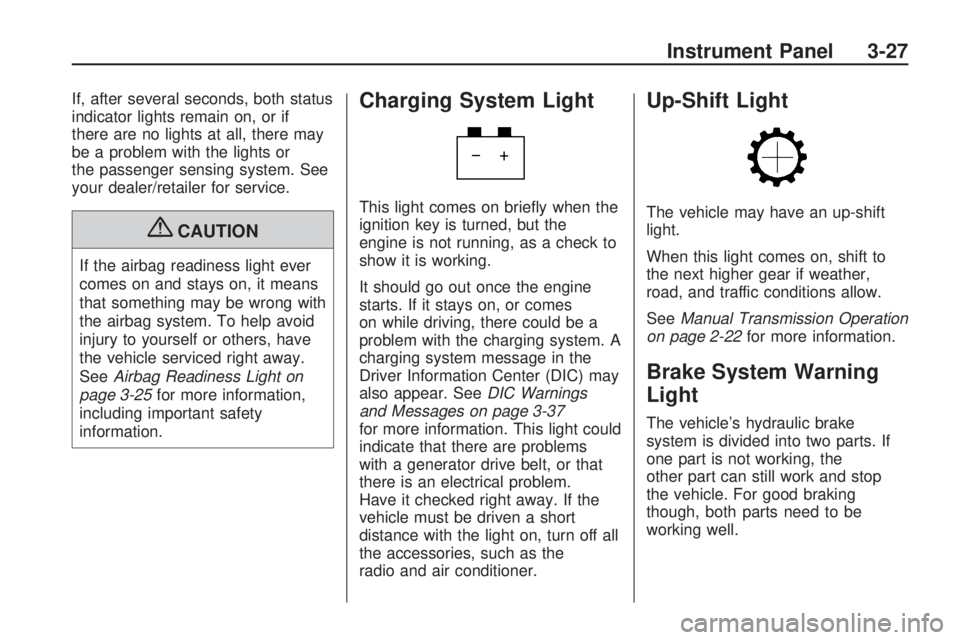
Charging System Light
This light comes on briey when the
ignition key is turned, but the
engine is not running, as a check to
show it is working.
It should go out once the engine
starts. If it stays on, or comes
on while driving, there could be a
problem with the charging system. A
charging system message in the
Driver Information Center (DIC) may
also appear. SeeDIC Warnings
and Messages on page 3-37
for more information. This light could
indicate that there are problems
with a generator drive belt, or that
there is an electrical problem.
Have it checked right away. If the
vehicle must be driven a short
distance with the light on, turn off all
the accessories, such as the
radio and air conditioner.
Up-Shift Light
The vehicle may have an up-shift
light.
When this light comes on, shift to
the next higher gear if weather,
road, and traffic conditions allow.
SeeManual Transmission Operation
on page 2-22for more information.
Brake System Warning
Light
The vehicle’s hydraulic brake
system is divided into two parts. If
one part is not working, the
other part can still work and stop
the vehicle. For good braking
though, both parts need to be
working well.
Instrument Panel 3-27
Page 201 of 382
Scanning the Terrain
Off-road driving can take you over
many different kinds of terrain.
Be familiar with the terrain and its
many different features.
Surface Conditions:Off-roading
surfaces can be hard-packed
dirt, gravel, rocks, grass, sand,
mud, snow, or ice. Each of these
surfaces affects the vehicle’s
steering, acceleration, and braking
in different ways. Depending on
the surface, slipping, sliding, wheel
spinning, delayed acceleration,
poor traction, and longer braking
distances can occur.
Surface Obstacles:Unseen or
hidden obstacles can be hazardous.
A rock, log, hole, rut, or bump
can startle you if you are not
prepared for them. Often these
obstacles are hidden by grass,
bushes, snow, or even the rise and
fall of the terrain itself.Some things to consider:Is the path ahead clear?
Will the surface texture change
abruptly up ahead?
Does the travel take you uphill or
downhill?
Will you have to stop suddenly or
change direction quickly?
When driving over obstacles or
rough terrain, keep a rm grip on the
steering wheel. Ruts, troughs, or
other surface features can jerk the
wheel out of your hands.
When driving over bumps, rocks, or
other obstacles, the wheels can
leave the ground. If this happens,
even with one or two wheels,
you cannot control the vehicle as
well or at all.
Because you will be on an unpaved
surface, it is especially important
to avoid sudden acceleration,
sudden turns, or sudden braking.Off-roading requires a different
kind of alertness from driving on
paved roads and highways. There
are no road signs, posted speed
limits, or signal lights. Use
good judgment about what is safe
and what is not.Crossing Obstacles
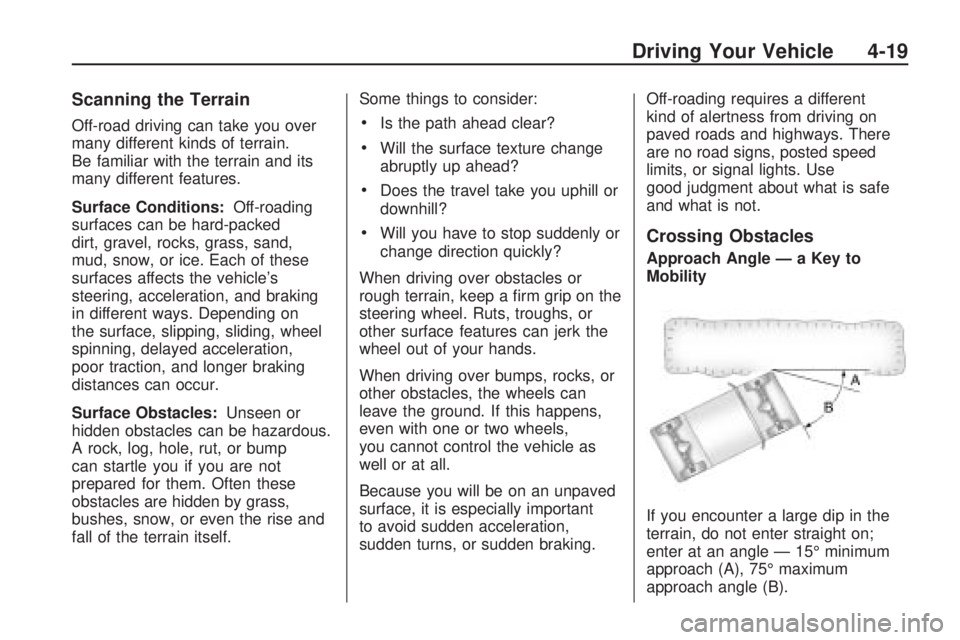
Approach Angle — a Key to
Mobility
If you encounter a large dip in the
terrain, do not enter straight on;
enter at an angle — 15° minimum
approach (A), 75° maximum
approach angle (B).
Driving Your Vehicle 4-19
Page 376 of 382
J
Jump Starting......................5-34
K
Keyless Entry System............ 2-3
Keys.................................... 2-2
L
Labeling, Tire Sidewall..........5-45
Lamp
Malfunction Indicator.........3-30
Lamps
Dome .............................3-16
Dome Lamp Override........3-16
Off-Road .........................3-14
Reading..........................3-16
Lap-Shoulder Belt................1-20
LATCH System for Child
Restraints........................1-34
License Plate Lamps............5-43Light
Airbag Readiness.............3-25
Antilock Brake System
(ABS) Warning..............3-28
Brake System Warning......3-27
Charging System..............3-27
Cruise Control..................3-33
Highbeam On...................3-33
Oil Pressure.....................3-32
Passenger Airbag Status
Indicator.......................3-26
Safety Belt Reminders.......3-24
Security...........................3-33
StabiliTrak
®/Traction
Control System (TCS)
Warning Light...............3-29
Tire Pressure...................3-30
Up-Shift...........................3-27
Lighting
Exit................................3-16
Lights
Exterior Lamps.................3-11
Flash-to-Pass..................... 3-7
High/Low Beam Changer..... 3-7
On Reminder...................3-13Loading Your Vehicle............4-35
Locking Rear Axle................. 4-8
Lockout Protection................. 2-7
Locks
Door ................................. 2-5
Lockout Protection.............. 2-7
Power Door....................... 2-6
Programmable Automatic
Door Locks.................... 2-6
Rear Door Security Locks.... 2-6
Loss of Control....................4-12
Lower Anchors and Tethers
for Children......................1-34
Luggage Carrier...................2-48
Lumbar
Manual Controls................. 1-4
Power Controls.................. 1-4
M
Maintenance Schedule
Additional Required
Services........................ 6-6
At Each Fuel Fill................ 6-9
At Least Once a Month....... 6-9
At Least Once a Year.......6-10
i-6 INDEX
Page 381 of 382
Traction
Control System (TCS)......... 4-7
StabiliTrak
®System............ 4-6
Trailer
Recommendations............4-53
Transmission
Fluid, Automatic................5-18
Fluid, Manual...................5-20
Up-Shift Light...................3-27
Transmission Operation,
Automatic........................2-19
Transmission Operation,
Manual............................2-22
Trip Odometer.....................3-24
Truck-Camper Loading
Information......................4-39
Turn and Lane-Change
Signals............................. 3-6
Turn Signal/Multifunction
Lever................................ 3-6
U
Uniform Tire Quality
Grading...........................5-62
Universal Home Remote
System...........................2-42
Operation........................2-43
Up-Shift Light......................3-27
V
Vehicle
Control............................. 4-3
Loading...........................4-35
Parking Your....................2-31
Running While Parked.......2-32
Symbols.............................. iii
Vehicle Data Recording and
Privacy............................7-16
Vehicle Identication
Number (VIN)...................5-90
Service Parts Identication
Label...........................5-90
Ventilation Adjustment...........3-21
Visors.................................2-11
W
Warning Lights, Gages, and
Indicators........................3-22
Warnings
DIC Warnings and
Messages....................3-37
Hazard Warning Flashers.... 3-5
Safety and Symbols.............. iii
Wheels
Alignment and Tire
Balance.......................5-63
Different Size...................5-61
Replacement....................5-64
Where to Put the Restraint....1-32
Windows.............................. 2-9
Power .............................2-10
Windshield
Backglass, and Wiper
Blades, Cleaning...........5-87
Washer............................. 3-8
Washer Fluid....................5-30
INDEX i-11