reset HUMMER H3 2009 User Guide
[x] Cancel search | Manufacturer: HUMMER, Model Year: 2009, Model line: H3, Model: HUMMER H3 2009Pages: 382, PDF Size: 1.99 MB
Page 159 of 382
Audio System(s)
Determine which radio the vehicle
has and read the following pages to
become familiar with its features.
{CAUTION
Taking your eyes off the road for
extended periods could cause a
crash resulting in injury or death
to you or others. Do not give
extended attention to
entertainment tasks while driving.
This system provides access to
many audio and non audio listings.
To minimize taking your eyes off
the road while driving, do the
following while the vehicle is parked:
Become familiar with the
operation and controls of
the audio system.
Set up the tone, speaker
adjustments, and preset radio
stations.For more information, seeDefensive
Driving on page 4-2.
Notice:Contact your
dealer/retailer before adding any
equipment.
Adding audio or communication
equipment could interfere
with the operation of the vehicle’s
engine, radio, or other systems,
and could damage them.
Follow federal rules covering
mobile radio and telephone
equipment.
The vehicle has Retained Accessory
Power (RAP). With RAP, the
audio system can be played even
after the ignition is turned off.
SeeRetained Accessory Power
(RAP) on page 2-17for more
information.
Setting the Clock
The clock can be set with the
ignition on or off.
To set the clock:
1. Press and hold H until the
correct hour and AM or PM
displays.
2. Press and hold M until the
correct minute displays.
Press DISP (Display) to display the
time while the ignition is turned off.
Instrument Panel 3-41
Page 163 of 382
contact XM at.xmradio.com or call
1-800-929-2100 in the U.S. and
xmradio.ca or call 1-877-438-9677
in Canada.
4(Information) (XM Satellite
Radio Service):Press to display
additional information current
XM station when
4is shown on the
display. When the complete
message has shown,
4disappears
from the display. The last
message can be viewed until a new
message is received or the station
is changed.
Parts of the message appear
every three seconds if the
entire message cannot be shown
on the display at once.
Press and release4to manually
scroll through the message.
When4is pressed and a
message is not available from the
station, NO INFO is shown on
the display.Selecting an FM/AM/XM Station
BAND:Press to select FM1,
FM2, AM, XM1, or XM2.
Manual Tuning
e(Tune):Turn to select a radio
station.
Automatic Tuning
1-6 (Preset Pushbuttons):Press
to select preset stations.
tSEEKu:Press and release to
go to the previous or next station
and stay there. The radio only stops
at stations with a strong signal.
Press and hold to scan stations or
preset stations.
To scan stations:
1. Press and hold
torufor more
than two seconds. SCN or SCAN
displays and the radio beeps
once. The radio goes to a station,
plays for a few seconds, then
goes to the next station.2. Press
toruagain or one of
the pushbuttons to stop
scanning presets.
To scan preset stations:
1. Press and hold
torufor more
than four seconds. PSC or
PSCN displays and the radio
beeps twice. The radio goes to a
preset station, plays for a few
seconds, then goes to the
next preset station.
2. Press
toruagain or one of
the pushbuttons to stop
scanning presets.
Programming Preset Stations
Up to 30 stations (six FM1, six FM2,
and six AM, six XM1 and six XM2),
and equalization settings for
each station can be programmed on
the six numbered pushbuttons.
To program presets:
1. Turn the radio on.
2. Press BAND to select FM1, FM2,
AM, or XM1 or XM2.
Instrument Panel 3-45
Page 167 of 382
y(Random):All the tracks on
one CD or all the CDs can be played
in random order.
Press and releaseyto play
all the tracks on one CD in
random order. RANDOM ONE
displays. Press again to turn
off random play.
Press and holdyfor more than
two seconds to play the tracks
on all of the CDs that are loaded
in random order. A beep
sounds and RANDOM ALL
displays. Press again to turn off
random play.
Z(Eject):Press to eject CD(s).
Press and release
Zto eject
the CD that is currently playing.
To eject multiple CDs:
1. Press and hold
Zfor ve
seconds. A beep sounds and the
indicator light begins to ash
and EJECT ALL displays.2. Remove the CD when REMOVE
CD # displays and the light stops
ashing.
Once the CD is removed, the
indicator light begins ashing
again and another CD ejects.
To stop ejecting the CDs, press
LOAD or
Z.
The CD is automatically pulled back
into the player if the CD is not
removed after 25 seconds. Pushing
a CD back into the player, before
the 25 second time period is
complete causes the player to sense
an error and the CD player tries
to eject the CD several times before
stopping.
Pressing
Zrepeatedly after trying
to push a CD in manually causes
the CD players 25-second eject
timer to reset. Wait for the timer to
expire before pressing
Zagain.
R(Song List):The Song
List feature can save 20 track
selections.To save tracks:
1. If S-LIST is displayed, press
R
to turn it off.
2. Select the desired CD by
pressing the numbered
pushbutton and then use
uto
select the track to be saved.
3. Press and hold
Rfor
two seconds, two beeps
sound to conrm the track is
saved into memory.
4. Repeat Steps 2 and 3 for saving
other selections.
S-LIST FULL displays if more than
20 selections are tried to be
stored.
To play tracks:
1. Press
R. One beep sounds and
S-LIST displays. The recorded
tracks begin to play in the
order they were saved
2. Press
toruto go back or
forward within the saved
tracks.
Instrument Panel 3-49
Page 169 of 382
player and the loading slot free of
foreign materials, liquids, and
debris.
If an error displays, see “CD
Messages” later in this section.
CD Messages
CHECK CD:If this message
displays and/or the CD comes out, it
could be for one of the following
reasons:
The CD player is very hot. When
the temperature returns to
normal, the CD should play.
The road is very rough. When
the road becomes smoother,
the CD should play.
The CD is dirty, scratched, wet,
or upside down.
The air is very humid. Wait about
an hour and try again.
The format of the CD might not
be compatible.
A problem may have occurred
while burning the CD.
The label could be caught in the
CD player.
If the CD is not playing correctly, for
any other reason, try a known
good CD.
If any error occurs repeatedly or if
an error cannot be corrected,
contact your dealer/retailer. If the
radio displays an error message,
write it down and provide it to your
dealer/retailer when reporting
the problem.
XM Radio Messages
XL (Explicit Language Channels):
These channels, or any others,
can be blocked by calling
1-800-852-XMXM (9696).
Updating:The encryption code in
the receiver is being updated,
and no action is required. This
process should take no longer than
30 seconds.No Signal:The system is
functioning correctly, but the vehicle
is in a location that is blocking
the XM signal. When the vehicle is
moved into an open area, the
signal should return.
Loading XM:The audio system is
acquiring and processing audio and
text data. No action is needed. This
message should disappear shortly.
CH Off Air:This channel is not
currently in service. Tune in
to another channel.
CH Unauth:This channel is
blocked or cannot be received with
your XM Subscription package.
CH Unavail:This previously
assigned channel is no longer
assigned. Tune to another station. If
this station was one of the presets,
choose another station for that
preset button.
No Info:No artist, song title,
category, or text information is
available at this time on this channel.
The system is working properly.
Instrument Panel 3-51
Page 188 of 382
Braking in Emergencies
ABS allows the driver to steer
and brake at the same time. In many
emergencies, steering can help
more than even the very best
braking.
Brake Assist
This vehicle has a Brake Assist
feature designed to assist the driver
in stopping or decreasing vehicle
speed in emergency driving
conditions. This feature uses the
stability system hydraulic brake
control module to supplement the
power brake system under
conditions where the driver has
quickly and forcefully applied
the brake pedal in an attempt to
quickly stop or slow down the
vehicle. The stability system
hydraulic brake control module
increases brake pressure at each
corner of the vehicle until the
ABS activates. Minor brake pedal
pulsations or pedal movement
during this time is normal and the
driver should continue to applythe brake pedal as the driving
situation dictates The Brake Assist
feature will automatically disengage
when the brake pedal is released
or brake pedal pressure is quickly
decreased.
StabiliTrak®System
The vehicle has a vehicle stability
enhancement system called
StabiliTrak. It is an advanced
computer controlled system that
assists the driver with directional
control of the vehicle in difficult
driving conditions.
StabiliTrak activates when the
computer senses a discrepancy
between the intended path and the
direction the vehicle is actually
traveling. StabiliTrak selectively
applies braking pressure at any one
of the vehicle’s brakes to assist
the driver with keeping the vehicle
on the intended path.
When the vehicle is started and
begins to move, the system
performs several diagnostic checksto insure there are no problems.
The system may be heard or
felt while it is working. This is normal
and does not mean there is a
problem with the vehicle.
If cruise control is being used when
StabiliTrak activates, the cruise
control automatically disengages.
The cruise control can be
re-engaged when road conditions
allow. SeeCruise Control on
page 3-9.
If there is a problem detected with
StabiliTrak, a SERVICE STAB
SYS message displays on the Driver
Information Center (DIC). See
DIC Warnings and Messages on
page 3-37for more information.
When this message is displayed, the
system is not working. Adjust your
driving accordingly.
StabiliTrak comes on automatically
whenever the vehicle is started
and resets itself at each ignition
cycle. However, when the transfer
case is placed in Four-Wheel-Low
Lock mode, StabiliTrak is
4-6 Driving Your Vehicle
Page 190 of 382
Adjust your driving accordingly. See
DIC Warnings and Messages on
page 3-37for more information.
It is recommended to leave
the system on for normal driving
conditions, but it may be necessary
to turn the system off if the
vehicle is stuck in sand, mud, ice, or
snow, and it is necessary to
“rock” the vehicle to attempt to free
it. SeeIf Your Vehicle is Stuck
in Sand, Mud, Ice, or Snow
on page 4-33for more information.
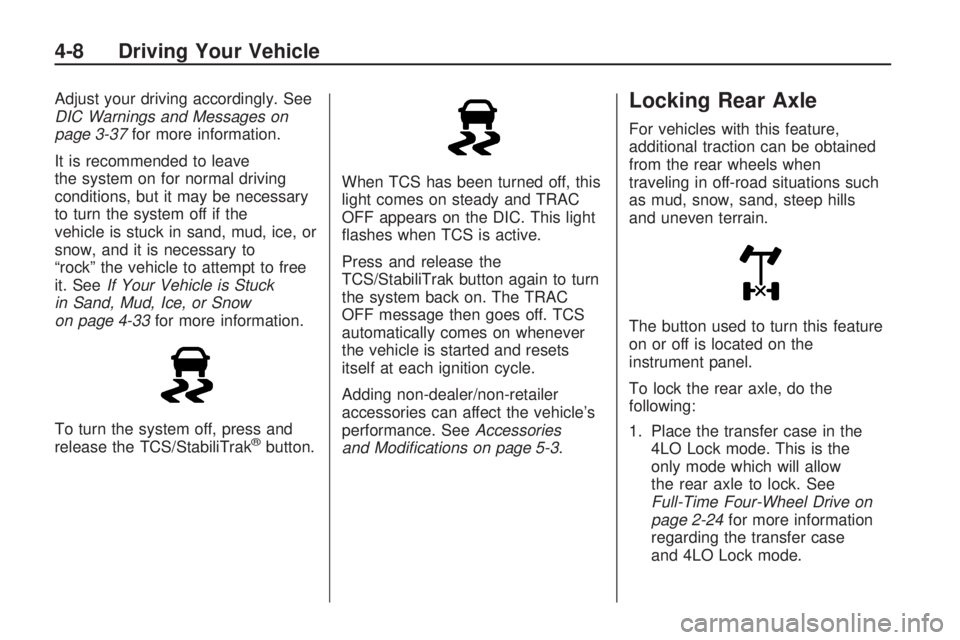
To turn the system off, press and
release the TCS/StabiliTrak
®button.When TCS has been turned off, this
light comes on steady and TRAC
OFF appears on the DIC. This light
ashes when TCS is active.
Press and release the
TCS/StabiliTrak button again to turn
the system back on. The TRAC
OFF message then goes off. TCS
automatically comes on whenever
the vehicle is started and resets
itself at each ignition cycle.
Adding non-dealer/non-retailer
accessories can affect the vehicle’s
performance. SeeAccessories
and Modifications on page 5-3.
Locking Rear Axle
For vehicles with this feature,
additional traction can be obtained
from the rear wheels when
traveling in off-road situations such
as mud, snow, sand, steep hills
and uneven terrain.
The button used to turn this feature
on or off is located on the
instrument panel.
To lock the rear axle, do the
following:
1. Place the transfer case in the
4LO Lock mode. This is the
only mode which will allow
the rear axle to lock. See
Full-Time Four-Wheel Drive on
page 2-24for more information
regarding the transfer case
and 4LO Lock mode.
4-8 Driving Your Vehicle
Page 251 of 382
GM6094M
Use only an oil that meets
GM Standard GM6094M.
SAE 5W-30
SAE 5W-30 is best for the
vehicle. These numbers on an
oil container show its viscosity,
or thickness. Do not use
other viscosity oils such as
SAE 20W-50.
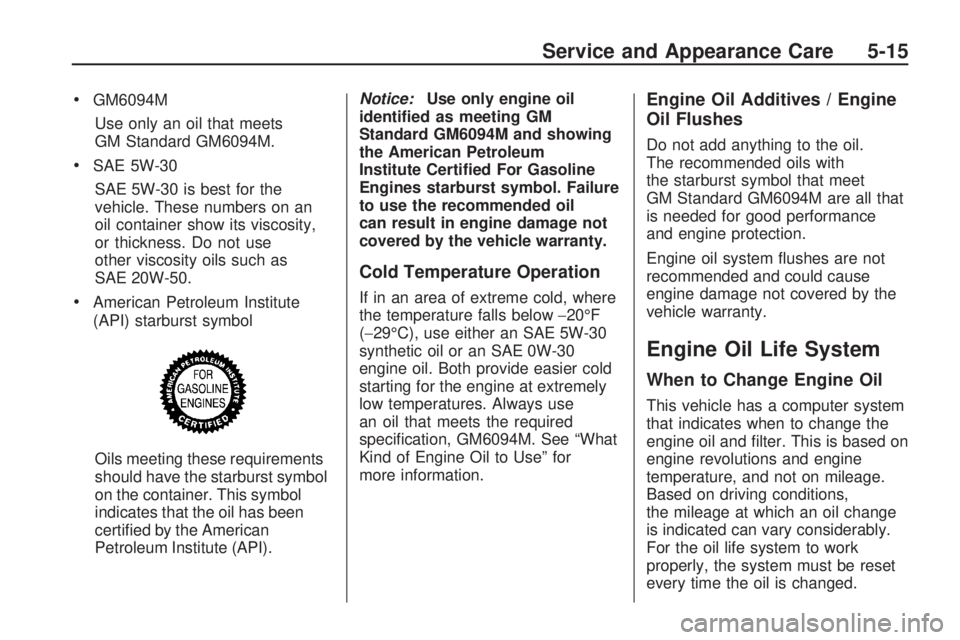
American Petroleum Institute
(API) starburst symbol
Oils meeting these requirements
should have the starburst symbol
on the container. This symbol
indicates that the oil has been
certied by the American
Petroleum Institute (API).Notice:Use only engine oil
identied as meeting GM
Standard GM6094M and showing
the American Petroleum
Institute Certied For Gasoline
Engines starburst symbol. Failure
to use the recommended oil
can result in engine damage not
covered by the vehicle warranty.
Cold Temperature Operation
If in an area of extreme cold, where
the temperature falls below−20°F
(−29°C), use either an SAE 5W-30
synthetic oil or an SAE 0W-30
engine oil. Both provide easier cold
starting for the engine at extremely
low temperatures. Always use
an oil that meets the required
specication, GM6094M. See “What
Kind of Engine Oil to Use” for
more information.
Engine Oil Additives / Engine
Oil Flushes
Do not add anything to the oil.
The recommended oils with
the starburst symbol that meet
GM Standard GM6094M are all that
is needed for good performance
and engine protection.
Engine oil system ushes are not
recommended and could cause
engine damage not covered by the
vehicle warranty.
Engine Oil Life System
When to Change Engine Oil
This vehicle has a computer system
that indicates when to change the
engine oil and lter. This is based on
engine revolutions and engine
temperature, and not on mileage.
Based on driving conditions,
the mileage at which an oil change
is indicated can vary considerably.
For the oil life system to work
properly, the system must be reset
every time the oil is changed.
Service and Appearance Care 5-15
Page 252 of 382
When the system has calculated
that oil life has been diminished,
it indicates that an oil change
is necessary. A CHANGE OIL
message comes on. SeeDIC
Warnings and Messages on
page 3-37. Change the oil as soon
as possible within the next
600 miles (1 000 km). It is possible
that, if driving under the best
conditions, the oil life system might
not indicate that an oil change is
necessary for over a year. However,
the engine oil and lter must be
changed at least once a year and
at this time the system must be
reset. Your dealer/retailer has
trained people who will perform this
work using genuine parts and reset
the system. It is also important
to check the oil regularly and keep it
at the proper level.
If the system is ever reset
accidentally, the oil must be
changed at 3,000 miles (5 000 km)
since the last oil change.
Remember to reset the oil life
system whenever the oil is changed.How to Reset the Engine Oil
Life System
The Engine Oil Life System
calculates when to change the
engine oil and lter based on vehicle
use. Whenever the oil is changed,
reset the system so it can calculate
when the next oil change is required.
If a situation occurs where the oil is
changed prior to a CHANGE OIL
message being turned on, reset the
system.
To reset the Engine Oil Life system:
1. With the engine off, turn the
ignition to ON/RUN.
2. Press and release the stem in
the lower center of the
instrument cluster until the OIL
LIFE message is displayed.
3. Once the alternating OIL LIFE
and RESET messages appear,
press and hold the stem until
several beeps sound. This
conrms that the oil life system
has been reset.
4. Turn the key to LOCK/OFF.If the CHANGE OIL message
comes back on when the vehicle is
started, the engine oil life system
has not reset. Repeat the procedure.
SeeDIC Warnings and Messages
on page 3-37.
What to Do with Used Oil
Used engine oil contains certain
elements that can be unhealthy for
your skin and could even cause
cancer. Do not let used oil stay on
your skin for very long. Clean your
skin and nails with soap and water,
or a good hand cleaner. Wash or
properly dispose of clothing or rags
containing used engine oil. See the
manufacturer’s warnings about the
use and disposal of oil products.
Used oil can be a threat to the
environment. If you change your own
oil, be sure to drain all the oil from the
lter before disposal. Never dispose
of oil by putting it in the trash, pouring
it on the ground, into sewers, or into
streams or bodies of water. Recycle
it by taking it to a place that collects
used oil.
5-16 Service and Appearance Care
Page 275 of 382
Front Axle
It is not necessary to regularly
check front axle uid unless a leak
is suspected or an unusual noise
is heard. A uid loss could indicate
a problem.
It is recommended that the front
axle uid be checked and lled by
your dealer/retailer.
Headlamp Aiming
The vehicle may have a visual
optical headlamp aiming system.
The aim has been preset at
the factory and should need no
further adjustment.
However, if the vehicle is damaged
in a crash, the headlamp aim
may be affected and adjustment
may be necessary.
If oncoming vehicles ash their
high beams at you, this may also
mean the vertical aim needs to
be adjusted.
It is recommended that the vehicle
is taken to your dealer/retailer
for service if the headlamps need to
be re-aimed. It is possible however,
to re-aim the headlamps as
described.The vehicle should be:Placed so the headlamps are
25 ft. (7.6 m) from a light
colored wall or other at surface.
On a level surface which is level
all the way to a wall.
Placed so it is at a right angle to
the wall or other at surface.
Clear of any snow, ice, or
mudonit.
Fully assembled, the tires
properly inated, and all other
work stopped while headlamp
aiming is being performed.
Normally loaded with the spare
tire in its original location and a
full tank of fuel and one person or
160 lbs (75 kg) sitting on the
driver seat.
Service and Appearance Care 5-39
Page 294 of 382
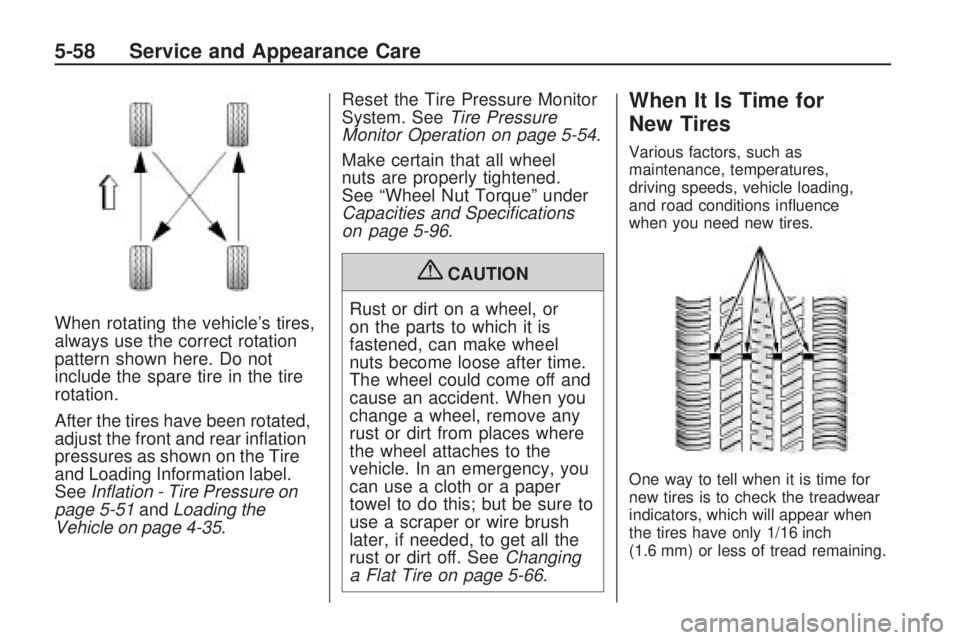
When rotating the vehicle’s tires,
always use the correct rotation
pattern shown here. Do not
include the spare tire in the tire
rotation.
After the tires have been rotated,
adjust the front and rear ination
pressures as shown on the Tire
and Loading Information label.
SeeInflation - Tire Pressure on
page 5-51andLoading the
Vehicle on page 4-35.Reset the Tire Pressure Monitor
System. SeeTire Pressure
Monitor Operation on page 5-54.
Make certain that all wheel
nuts are properly tightened.
See “Wheel Nut Torque” under
Capacities and Specifications
on page 5-96.
{CAUTION
Rust or dirt on a wheel, or
on the parts to which it is
fastened, can make wheel
nuts become loose after time.
The wheel could come off and
cause an accident. When you
change a wheel, remove any
rust or dirt from places where
the wheel attaches to the
vehicle. In an emergency, you
can use a cloth or a paper
towel to do this; but be sure to
use a scraper or wire brush
later, if needed, to get all the
rust or dirt off. SeeChanging
a Flat Tire on page 5-66.
When It Is Time for
New Tires
Various factors, such as
maintenance, temperatures,
driving speeds, vehicle loading,
and road conditions inuence
when you need new tires.
One way to tell when it is time for
new tires is to check the treadwear
indicators, which will appear when
the tires have only 1/16 inch
(1.6 mm) or less of tread remaining.
5-58 Service and Appearance Care