wheel HUMMER H3 2009 User Guide
[x] Cancel search | Manufacturer: HUMMER, Model Year: 2009, Model line: H3, Model: HUMMER H3 2009Pages: 382, PDF Size: 1.99 MB
Page 86 of 382
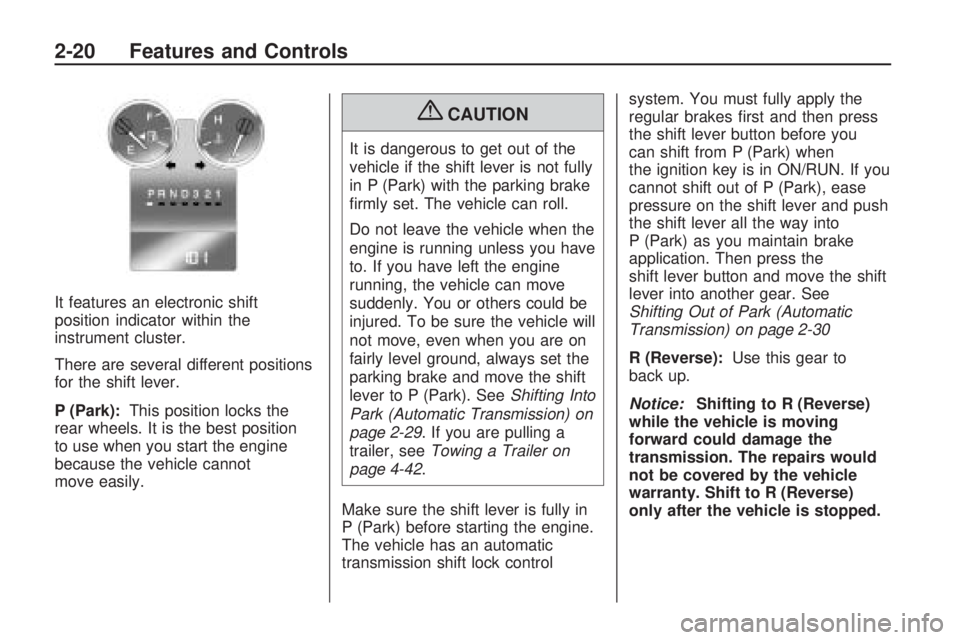
It features an electronic shift
position indicator within the
instrument cluster.
There are several different positions
for the shift lever.
P (Park):This position locks the
rear wheels. It is the best position
to use when you start the engine
because the vehicle cannot
move easily.
{CAUTION
It is dangerous to get out of the
vehicle if the shift lever is not fully
in P (Park) with the parking brake
rmly set. The vehicle can roll.
Do not leave the vehicle when the
engine is running unless you have
to. If you have left the engine
running, the vehicle can move
suddenly. You or others could be
injured. To be sure the vehicle will
not move, even when you are on
fairly level ground, always set the
parking brake and move the shift
lever to P (Park). SeeShifting Into
Park (Automatic Transmission) on
page 2-29. If you are pulling a
trailer, seeTowing a Trailer on
page 4-42.
Make sure the shift lever is fully in
P (Park) before starting the engine.
The vehicle has an automatic
transmission shift lock controlsystem. You must fully apply the
regular brakes rst and then press
the shift lever button before you
can shift from P (Park) when
the ignition key is in ON/RUN. If you
cannot shift out of P (Park), ease
pressure on the shift lever and push
the shift lever all the way into
P (Park) as you maintain brake
application. Then press the
shift lever button and move the shift
lever into another gear. See
Shifting Out of Park (Automatic
Transmission) on page 2-30
R (Reverse):Use this gear to
back up.
Notice:Shifting to R (Reverse)
while the vehicle is moving
forward could damage the
transmission. The repairs would
not be covered by the vehicle
warranty. Shift to R (Reverse)
only after the vehicle is stopped.
2-20 Features and Controls
Page 87 of 382

To rock the vehicle back and forth to
get out of snow, ice, or sand without
damaging the transmission, see
If Your Vehicle is Stuck in Sand,
Mud, Ice, or Snow on page 4-33
N (Neutral):In this position, the
engine does not connect with
the wheels. To restart the engine
when the vehicle is already moving,
use N (Neutral) only.
{CAUTION
Shifting into a drive gear while the
engine is running at high speed is
dangerous. Unless your foot is
rmly on the brake pedal, the
vehicle could move very rapidly.
You could lose control and hit
people or objects. Do not shift into
a drive gear while the engine is
running at high speed.Notice:Shifting out of P (Park)
or N (Neutral) with the engine
running at high speed may
damage the transmission. The
repairs would not be covered by
the vehicle warranty. Be sure
the engine is not running at high
speed when shifting the vehicle.
D (Drive):This position is for
normal driving. It provides the best
fuel economy. If you need more
power for passing, and you are:
Going less than about 35 mph
(55 km/h), push the accelerator
pedal about halfway down.
Going about 35 mph (55 km/h) or
more, push the accelerator all
the way down.
Downshifting the transmission in
slippery road conditions could result
in skidding, see “Skidding” under
Loss of Control on page 4-12.D (Drive) can be used when towing
a trailer. You may want to shift
the transmission to 3 (Third) or,
if necessary, a lower gear if
the transmission shifts too often
under heavy loads or in hilly
conditions.
3 (Third):This position is also used
for normal driving. However it
reduces vehicle speed more than
D (Drive) without using the brakes.
You might choose 3 (Third) instead
of D (Drive) when driving on hilly or
winding roads, or when towing a
trailer, so there is less shifting
between gears, or when going
down a steep hill.
2 (Second):This position reduces
vehicle speed even more than
3 (Third) without using the brakes.
You can use 2 (Second) on hills.
It can help control vehicle speed as
you go down steep mountain roads,
but then you would also want to use
the brakes off and on.
Features and Controls 2-21
Page 89 of 382
R (Reverse):To back up, stop the
vehicle. Press the clutch pedal
and shift into R (Reverse). Slowly let
up on the clutch pedal as you press
the accelerator pedal. If it is hard
to shift, let the shift lever return
to Neutral and release the clutch
pedal. Then press the clutch again
and shift into R (Reverse). Do not
attempt to shift into the fth gear
position prior to shifting into
R (Reverse). The transmission has
a lock out feature which prevents
a 5 (Fifth) gear to R (Reverse)
gear shift.
Notice:Shifting to R (Reverse)
while the vehicle is moving
forward could damage the
transmission. The repairs would
not be covered by the vehicle
warranty. Shift to R (Reverse)
only after the vehicle is stopped.
Use R (Reverse), along with the
parking brake, for parking the
vehicle.Up-Shift Light
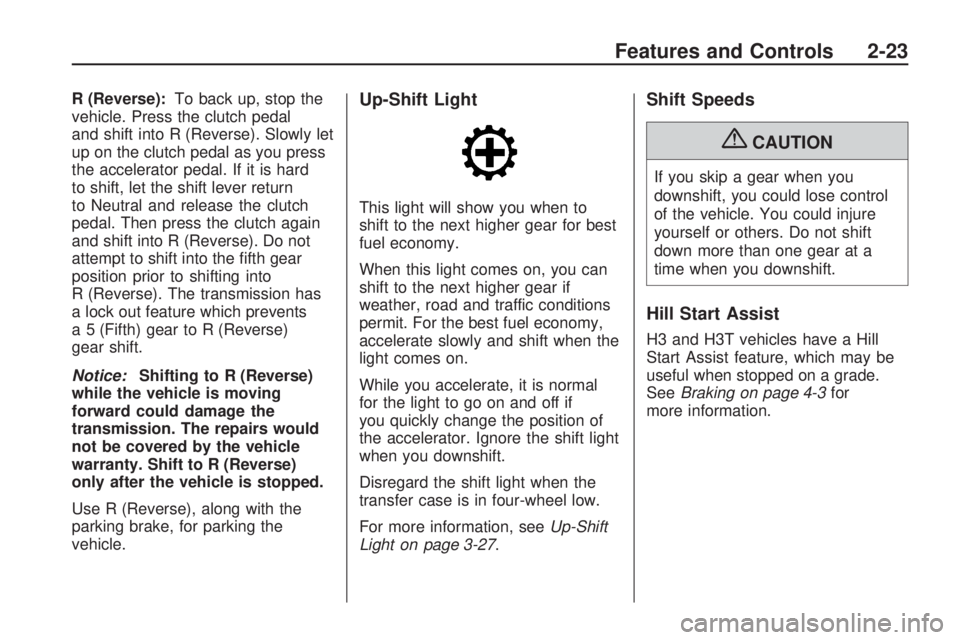
This light will show you when to
shift to the next higher gear for best
fuel economy.
When this light comes on, you can
shift to the next higher gear if
weather, road and traffic conditions
permit. For the best fuel economy,
accelerate slowly and shift when the
light comes on.
While you accelerate, it is normal
for the light to go on and off if
you quickly change the position of
the accelerator. Ignore the shift light
when you downshift.
Disregard the shift light when the
transfer case is in four-wheel low.
For more information, seeUp-Shift
Light on page 3-27.
Shift Speeds
{CAUTION
If you skip a gear when you
downshift, you could lose control
of the vehicle. You could injure
yourself or others. Do not shift
down more than one gear at a
time when you downshift.
Hill Start Assist
H3 and H3T vehicles have a Hill
Start Assist feature, which may be
useful when stopped on a grade.
SeeBraking on page 4-3for
more information.
Features and Controls 2-23
Page 90 of 382

Full-Time Four-Wheel
Drive
Full-Time Four-Wheel Drive sends
engine power to all four wheels
for extra traction. To get the most
out of Full-Time Four-Wheel Drive,
you must be familiar with its
operation.
Transfer Case Buttons
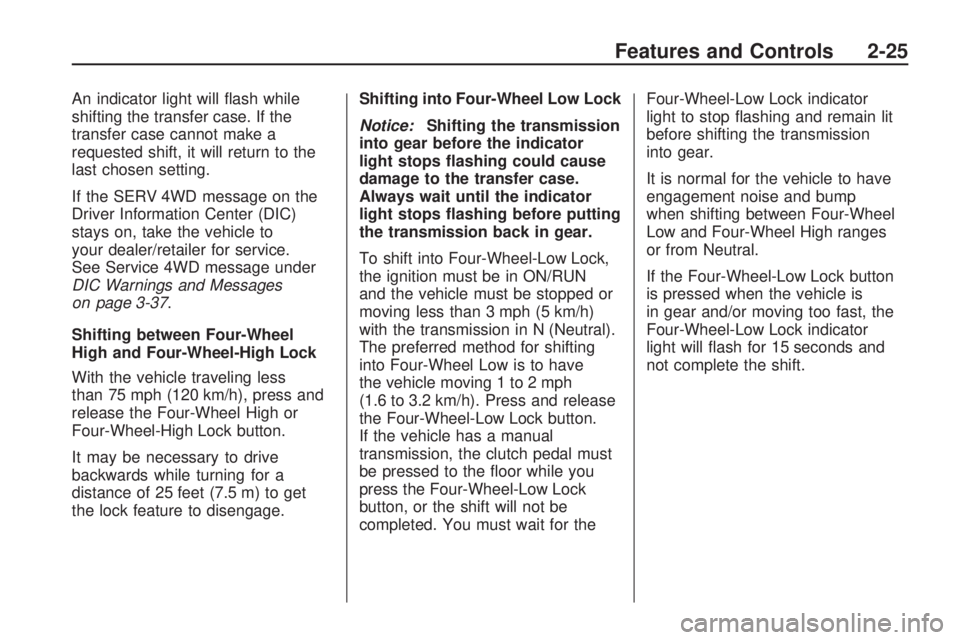
The transfer case buttons are
located to the right of the instrument
panel cluster. Use these switches to
shift into and out of the different
Full-Time Four-Wheel Drive modes.4
m(Four-Wheel High):This
setting is used for driving in most
street and highway situations.
You can also use this setting for
light or variable off-road conditions.
N (Neutral):Shift the transfer
case to Neutral only when towing
the vehicle. SeeRecreational
Vehicle Towing on page 4-40or
Towing Your Vehicle on page 4-40
for more information.
Notice:Driving on pavement in
Four-Wheel High Lock or Four
Wheel Low Lock for extended
periods may cause premature
wear on the vehicle powertrain
and tires. Do not drive in
Four-Wheel High Lock or
Four-Wheel Low Lock on
pavement for extended periods.
4
mQ(Four-Wheel-High Lock):
Use this setting when you need
extra traction in most off-road
situations such as sand, mud, snow
or level, rocky trails.Notice:Operating the vehicle in
Four-Wheel-Low Lock above
30 mph (48 km/h) for any
extended period of time could
cause damage to the transfer
case. Do not operate the vehicle
in Four-Wheel-Low Lock above
30 mph (48 km/h) for extended
periods.
4
nQ(Four-Wheel-Low Lock):
This setting delivers extra torque to
all four wheels and is used for
extreme off-road conditions.
If the vehicle has locking axles,
they can be locked for additional
traction in extreme off-road
situations. SeeLocking Rear Axle
on page 4-8andLocking Front Axle
on page 4-9.
Indicator lights in the buttons show
which setting the transfer case
is in. The indicator lights will come
on briey when the ignition is in
ON/RUN. The If the lights do
not come on, take the vehicle to
your dealer/retailer for service.
2-24 Features and Controls
Page 91 of 382
An indicator light will ash while
shifting the transfer case. If the
transfer case cannot make a
requested shift, it will return to the
last chosen setting.
If the SERV 4WD message on the
Driver Information Center (DIC)
stays on, take the vehicle to
your dealer/retailer for service.
See Service 4WD message under
DIC Warnings and Messages
on page 3-37.
Shifting between Four-Wheel
High and Four-Wheel-High Lock
With the vehicle traveling less
than 75 mph (120 km/h), press and
release the Four-Wheel High or
Four-Wheel-High Lock button.
It may be necessary to drive
backwards while turning for a
distance of 25 feet (7.5 m) to get
the lock feature to disengage.Shifting into Four-Wheel Low Lock
Notice:Shifting the transmission
into gear before the indicator
light stops ashing could cause
damage to the transfer case.
Always wait until the indicator
light stops ashing before putting
the transmission back in gear.
To shift into Four-Wheel-Low Lock,
the ignition must be in ON/RUN
and the vehicle must be stopped or
moving less than 3 mph (5 km/h)
with the transmission in N (Neutral).
The preferred method for shifting
into Four-Wheel Low is to have
the vehicle moving 1 to 2 mph
(1.6 to 3.2 km/h). Press and release
the Four-Wheel-Low Lock button.
If the vehicle has a manual
transmission, the clutch pedal must
be pressed to the oor while you
press the Four-Wheel-Low Lock
button, or the shift will not be
completed. You must wait for theFour-Wheel-Low Lock indicator
light to stop ashing and remain lit
before shifting the transmission
into gear.
It is normal for the vehicle to have
engagement noise and bump
when shifting between Four-Wheel
Low and Four-Wheel High ranges
or from Neutral.
If the Four-Wheel-Low Lock button
is pressed when the vehicle is
in gear and/or moving too fast, the
Four-Wheel-Low Lock indicator
light will ash for 15 seconds and
not complete the shift.
Features and Controls 2-25
Page 92 of 382
Shifting Out of
Four-Wheel-Low Lock
Notice:Shifting the transmission
into gear before the indicator
light stops ashing could cause
damage to the transfer case.
Always wait until the indicator
light stops ashing before putting
the transmission back in gear.
To shift out of Four-Wheel-Low Lock,
the vehicle must be stopped or
moving less than 3 mph (5 km/h)
with the transmission in N (Neutral)
and the ignition in ON/RUN.
The preferred method for shifting out
of Four-Wheel-Low Lock is to have
the vehicle moving 1 to 2 mph
(1.6 to 3.2 km/h). Press and
release the Four-Wheel High or
Four-Wheel-High Lock button.If the vehicle has a manual
transmission, the clutch pedal must
be pressed to the oor while you
press the Four-Wheel High or
Four-Wheel-High Lock button, or the
shift will not be completed. You must
wait for the Four-Wheel High or
Four-Wheel-High Lock indicator light
to stop ashing and remain lit before
shifting the transmission into gear.
It is normal for the vehicle to have
engagement noise and bump
when shifting between Four-Wheel
Low and Four-Wheel High ranges
or from Neutral.
If the Four-Wheel High or
Four-Wheel-High Lock button is
pressed when the vehicle is in
gear and/or moving too fast,
the Four-Wheel High or
Four-Wheel-High Lock indicator
light will ash for 15 seconds but
will not complete the shift.Shifting Into Neutral
To shift the transfer case to Neutral:
1. Set the parking brake.
2. Start the vehicle.
3. Put the transmission in
N (Neutral). If the vehicle has a
manual transmission, press and
hold the clutch pedal down while
you perform Steps 5 through 9.
4. Shift the transfer case to
Four-Wheel High.
{CAUTION
Shifting an all-wheel-drive
vehicle’s transfer case into
Neutral can cause the vehicle
to roll even if the automatic
transmission is in P (Park) or the
manual transmission is in any
gear. You or others could be
injured. Make sure the parking
brake is rmly set before you shift
the transfer case to Neutral.
2-26 Features and Controls
Page 93 of 382
5. Simultaneously press and hold
the Four-Wheel High and
Four-Wheel-Low Lock buttons for
10 seconds. The Neutral light
will come on when the transfer
case shift to Neutral is complete.
6. Press and hold the regular brake
pedal and shift the transmission
to R (Reverse), then shift the
transmission to D (Drive) for an
automatic transmission, or
1 (First) for vehicles have a
manual transmission and then let
out the clutch. This is to ensure
the transfer case is in Neutral.
If not, repeat this procedure
starting at Step 3.
7. Turn the engine off.
8. Place the transmission shift lever
in P (Park) for an automatic
transmission, or 1 (First) for
vehicles that have a manual
transmission.
9. Turn the ignition to LOCK/OFF.Shifting Out of Neutral
To shift out of Neutral:
1. Set the parking brake and apply
the regular brake pedal.
2. Shift the transmission to
N (Neutral) for an automatic
transmission, or press the clutch
pedal for vehicles that have a
manual transmission. Then turn
the ignition to ON/RUN but
do not start the engine.
3. Press the button for the desired
transfer case shift position
(Four-Wheel High,
Four-Wheel-High Lock or
Four-Wheel-Low Lock).
After the transfer case has
shifted out of Neutral the light
will go out.
4. Release the parking brake.Notice:Shifting the transmission
into gear before the indicator
light stops ashing could cause
damage to the transfer case.
Always wait until the indicator
light stops ashing before putting
the transmission back in gear.
5. You may start the engine and
shift the transmission to the
desired position.
Features and Controls 2-27
Page 95 of 382
Shifting Into Park
(Automatic Transmission)
{CAUTION
It can be dangerous to get out of
the vehicle if the shift lever is not
fully in P (Park) with the parking
brake rmly set. The vehicle can
roll. If you have left the engine
running, the vehicle can move
suddenly. You or others could be
injured. To be sure the vehicle will
not move, even when you are on
fairly level ground, use the steps
that follow. If you are pulling a
trailer, seeTowing a Trailer on
page 4-42.
1. Hold the brake pedal down,
then set the parking brake.
SeeParking Brake on page 2-28
for more information.
{CAUTION
With all-wheel drive, the vehicle
will be free to roll — even if the
shift lever is in P (Park) — if the
transfer case is in Neutral. So, be
sure the transfer case is in a drive
gear, four-wheel high (4H) or
four-wheel low (4L) — not in
Neutral.
2. Move the shift lever into P (Park)
by pressing the shift lever button
and moving the lever as far
forward as it will go.
3. Turn the ignition key to
LOCK/OFF.
4. Remove the key from the
ignition.
Leaving Your Vehicle
With the Engine Running
(Automatic Transmission)
{CAUTION
It can be dangerous to leave the
vehicle with the engine running.
The vehicle could move suddenly
if the shift lever is not fully in
P (Park) with the parking brake
rmly set. And, if you leave the
vehicle with the engine running,
it could overheat and even catch
re. You or others could be
injured. Do not leave the vehicle
with the engine running.
If you have to leave the vehicle with
the engine running, be sure the
vehicle is in P (Park) and the parking
brake is rmly set before you
leave it. After you have moved the
shift lever into P (Park), hold
the regular brake pedal down.
Features and Controls 2-29
Page 119 of 382
Instrument Panel
Instrument Panel
Overview
Instrument Panel
Overview...........................3-4
Hazard Warning Flashers. . .3-5
Horn...................................3-5
Tilt Wheel...........................3-6
Turn Signal/Multifunction
Lever................................3-6
Turn and Lane-Change
Signals.............................3-6
Headlamp High/
Low-Beam Changer..........3-7
Flash-to-Pass......................3-7
Windshield Wipers..............3-7
Windshield Washer.............3-8
Rear Window Wiper/
Washer.............................3-8
Cruise Control....................3-9
Exterior Lamps..................3-11
Headlamps on Reminder. . .3-13
Daytime Running
Lamps (DRL)..................3-13
Automatic Headlamp
System............................3-14
Off-Road Lamps................3-14
Fog Lamps.......................3-15
Instrument Panel
Brightness.......................3-15
Dome Lamp......................3-16
Dome Lamp Override........3-16
Exit Lighting......................3-16
Reading Lamps.................3-16
Electric Power
Management...................3-17
Battery Run-Down
Protection........................3-17
Accessory Power
Outlet(s)..........................3-18
Ashtray(s) and Cigarette
Lighter.............................3-18
Climate Controls
Climate Control System. . . .3-19
Outlet Adjustment.............3-21
Warning Lights, Gages,
and Indicators
Warning Lights, Gages,
and Indicators.................3-22
Instrument Panel Cluster. . .3-23
Speedometer and
Odometer........................3-24
Trip Odometer..................3-24
Tachometer.......................3-24
Safety Belt Reminders......3-24
Airbag Readiness Light.....3-25
Passenger Airbag Status
Indicator..........................3-26
Charging System Light......3-27
Up-Shift Light....................3-27
Brake System Warning
Light................................3-27
Antilock Brake System
(ABS) Warning Light.......3-28
StabiliTrak®/Traction
Control System (TCS)
Warning Light
..................3-29
Engine Coolant
Temperature Gage..........3-29
Tire Pressure Light...........3-30
Malfunction
Indicator Lamp................3-30
Instrument Panel 3-1
Page 123 of 382
The main components of the
instrument panel are the following:
A.Outlet Adjustment on page 3-21.
B.Turn Signal/Multifunction Lever
on page 3-6.Windshield Wipers
on page 3-7.Windshield Washer
on page 3-8.Cruise Control on
page 3-9.
C.Horn on page 3-5.
D.Instrument Panel Cluster on
page 3-23.
E.Hazard Warning Flashers on
page 3-5.
F.Full-Time Four-Wheel Drive on
page 2-24.Passenger Airbag
Status Indicator on page 3-26.
Locking Rear Axle on page 4-8.
Locking Front Axle on page 4-9
(If Equipped) orTraction Control
System (TCS) on page 4-7.
G.Exterior Lamps on page 3-11.
Dome Lamp Override on
page 3-16.Instrument Panel
Brightness on page 3-15.
Fog Lamps on page 3-15.
OnStar
®System on page 2-39
andBluetooth®on page 3-52.H.Parking Brake on page 2-28.
I.Audio System(s) on page 3-41.
J.Climate Control System on
page 3-19.
K.Rear Window Wiper/Washer on
page 3-8(If Equipped).
L.Traction Control System (TCS)
on page 4-7(For vehicles with
Locking Front Axle).
M.Off-Road Lamps on page 3-14.
N. Shift Lever. SeeAutomatic
Transmission Operation on
page 2-19orManual
Transmission Operation on
page 2-22.
O.Accessory Power Outlet(s) on
page 3-18.
P.Glove Box on page 2-47.
Hazard Warning Flashers
|
(Hazard Warning Flasher):
Press this button located on
the instrument panel, to make the
front and rear turn signal lamps ash
on and off. This warns others that
you are having trouble.
Press
|again to turn the
ashers off.
Horn
To sound the horn, press the horn
symbol on the steering wheel pad.
Instrument Panel 3-5