display HUMMER H3 2009 Owner's Manual
[x] Cancel search | Manufacturer: HUMMER, Model Year: 2009, Model line: H3, Model: HUMMER H3 2009Pages: 382, PDF Size: 1.99 MB
Page 158 of 382
SERV (Service) VEH (Vehicle)
This message displays if the
vehicle needs service. Have the
vehicle serviced by your
dealer/retailer as soon as possible.
SERVICE CHARG (Charge)
SYS (System)
This message displays if there is a
problem with the battery charging
system. Under certain conditions,
the battery warning light may
also turn on in the instrument panel
cluster. SeeCharging System
Light on page 3-27. The battery will
not be charging at an optimal
rate and the vehicle will lose the
ability to enter the fuel economy
mode. The vehicle is safe to drive,
however have the electrical
system checked by your
dealer/retailer. Press and release
the reset stem to acknowledge
the message and clear it from the
display.
SERVICE STAB (Stability)
SYS (System)
This message displays if there is a
problem with the StabiliTrak®
system. Have the vehicle serviced
by your dealer/retailer. See
StabiliTrak
®System on page 4-6for
more information.
STAB (Stability)
SYS (System) OFF
This message displays when the
StabiliTrak®system is turned
off. SeeStabiliTrak®System on
page 4-6for more information.
TRAC (Traction) OFF
This message along with the
traction off light displays when the
Traction Control System (TCS)
is turned off by pressing the TCS
button. SeeStabiliTrak
®/Traction
Control System (TCS) Warning Light
on page 3-29andTraction Control
System (TCS) on page 4-7for
more information.
TRACTION FAULT
This message displays if there is a
problem with the Traction Control
System (TCS). Check the TCS
as soon as possible and have the
vehicle serviced by your
dealer/retailer. SeeTraction Control
System (TCS) on page 4-7for
more information. Press and release
the reset stem to acknowledge
the message and clear it from the
display.
TURN SIGNAL
This message displays when the
turn signal is on for about 0.75 miles
(1.2 km) of travel. Press and
release the reset stem to
acknowledge the message and
clear it from the display.
3-40 Instrument Panel
Page 159 of 382
Audio System(s)
Determine which radio the vehicle
has and read the following pages to
become familiar with its features.
{CAUTION
Taking your eyes off the road for
extended periods could cause a
crash resulting in injury or death
to you or others. Do not give
extended attention to
entertainment tasks while driving.
This system provides access to
many audio and non audio listings.
To minimize taking your eyes off
the road while driving, do the
following while the vehicle is parked:
Become familiar with the
operation and controls of
the audio system.
Set up the tone, speaker
adjustments, and preset radio
stations.For more information, seeDefensive
Driving on page 4-2.
Notice:Contact your
dealer/retailer before adding any
equipment.
Adding audio or communication
equipment could interfere
with the operation of the vehicle’s
engine, radio, or other systems,
and could damage them.
Follow federal rules covering
mobile radio and telephone
equipment.
The vehicle has Retained Accessory
Power (RAP). With RAP, the
audio system can be played even
after the ignition is turned off.
SeeRetained Accessory Power
(RAP) on page 2-17for more
information.
Setting the Clock
The clock can be set with the
ignition on or off.
To set the clock:
1. Press and hold H until the
correct hour and AM or PM
displays.
2. Press and hold M until the
correct minute displays.
Press DISP (Display) to display the
time while the ignition is turned off.
Instrument Panel 3-41
Page 161 of 382
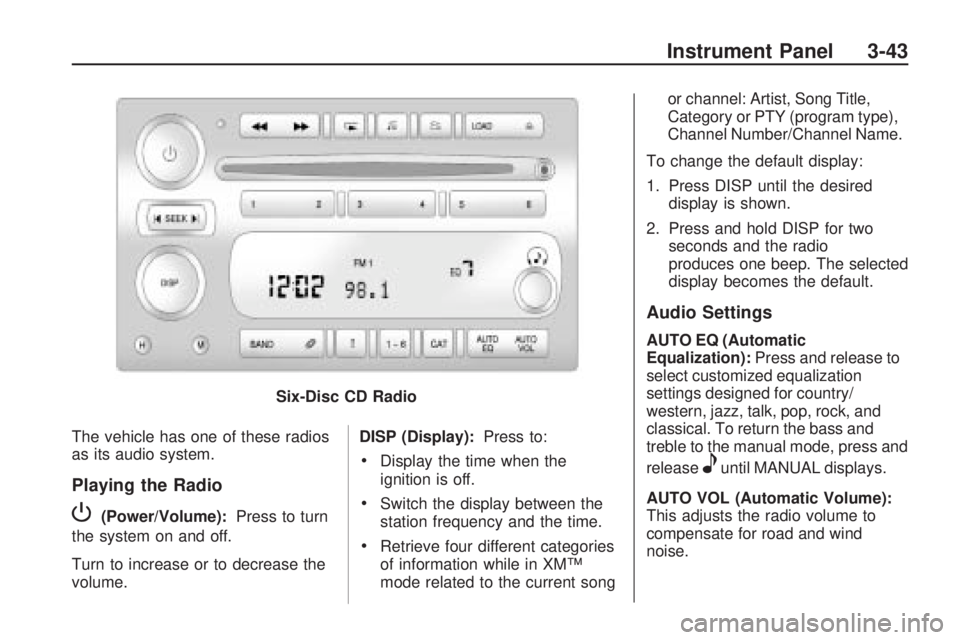
The vehicle has one of these radios
as its audio system.
Playing the Radio
P(Power/Volume):Press to turn
the system on and off.
Turn to increase or to decrease the
volume. DISP (Display):
Press to:
Display the time when the
ignition is off.
Switch the display between the
station frequency and the time.
Retrieve four different categories
of information while in XM™
mode related to the current song or channel: Artist, Song Title,
Category or PTY (program type),
Channel Number/Channel Name.
To change the default display:
1. Press DISP until the desired display is shown.
2. Press and hold DISP for two seconds and the radio
produces one beep. The selected
display becomes the default.
Audio Settings
AUTO EQ (Automatic
Equalization): Press and release to
select customized equalization
settings designed for country/
western, jazz, talk, pop, rock, and
classical. To return the bass and
treble to the manual mode, press and
release
euntil MANUAL displays.
AUTO VOL (Automatic Volume):
This adjusts the radio volume to
compensate for road and wind
noise.
Six-Disc CD Radio
Instrument Panel 3-43
Page 162 of 382
To set Automatic Volume:
1. Adjust the volume at the desired
level.
2. Press AUTO VOL to select LOW,
MEDIUM, or HIGH. Each higher
setting allows for more volume
compensation at faster vehicle
speeds.
To turn automatic volume off, press
AUTO VOL until AVOL OFF
displays.
Tone and Speaker Controls
To adjust all tone and speaker
controls to the center setting, press
and hold
euntil CEN or ALL
CENTERED displays and the radio
beeps once.Adjusting the Tone (Bass/Treble)
To adjust Bass/Treble:
Press and release
euntil BASS or
TREB displays.
Turneto increase or to
decrease the level.
To set the Bass or Treble to the
center setting, press and hold
e
until the radio beeps once.
Adjusting the Speakers
(Balance/Fade)
To adjust the Balance:
Press and release
euntil BAL
displays.
Turneto move the sound
toward the right or the left
speakers.
To adjust the balance to the
center setting, press and hold
e
until the radio beeps once.To adjust the Fade:
Press and release
euntil FAD or
FADE displays
Turneto move the sound
toward the front or the rear
speakers.
To set the fade to the center
setting, press and hold
e
until the radio beeps once.
Using the Radio
XM™ Satellite Radio Service
XM is a satellite radio service that is
based in the 48 contiguous United
States and 10 Canadian provinces.
XM Satellite Radio has a wide
variety of programming and
commercial-free music,
coast-to-coast, and in digital-quality
sound. During your trial or when
you subscribe, you will get unlimited
access to XM Radio Online for
when you are not in the vehicle. A
service fee is required to receive the
XM service. For more information,
3-44 Instrument Panel
Page 163 of 382
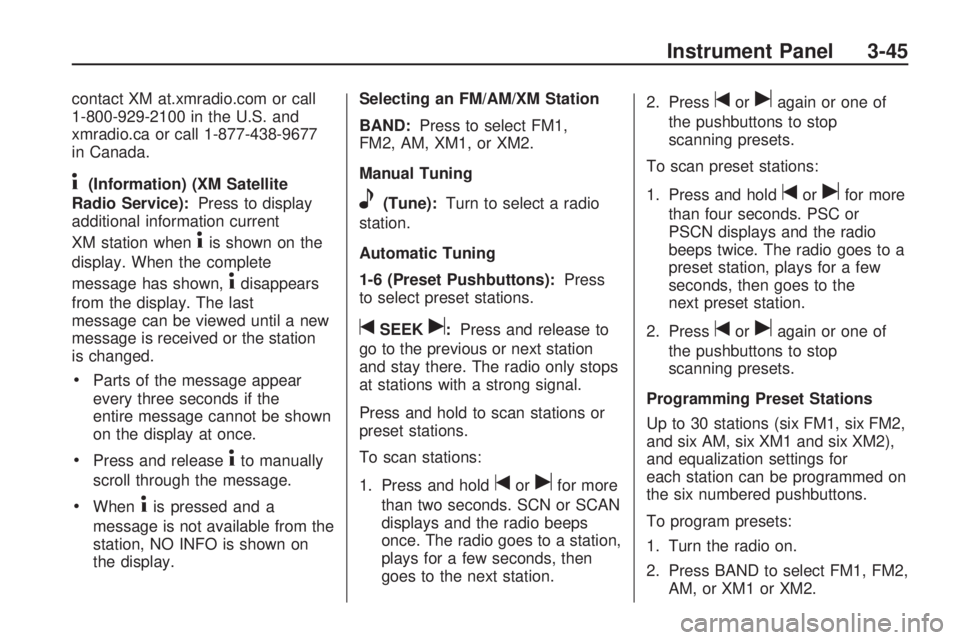
contact XM at.xmradio.com or call
1-800-929-2100 in the U.S. and
xmradio.ca or call 1-877-438-9677
in Canada.
4(Information) (XM Satellite
Radio Service):Press to display
additional information current
XM station when
4is shown on the
display. When the complete
message has shown,
4disappears
from the display. The last
message can be viewed until a new
message is received or the station
is changed.
Parts of the message appear
every three seconds if the
entire message cannot be shown
on the display at once.
Press and release4to manually
scroll through the message.
When4is pressed and a
message is not available from the
station, NO INFO is shown on
the display.Selecting an FM/AM/XM Station
BAND:Press to select FM1,
FM2, AM, XM1, or XM2.
Manual Tuning
e(Tune):Turn to select a radio
station.
Automatic Tuning
1-6 (Preset Pushbuttons):Press
to select preset stations.
tSEEKu:Press and release to
go to the previous or next station
and stay there. The radio only stops
at stations with a strong signal.
Press and hold to scan stations or
preset stations.
To scan stations:
1. Press and hold
torufor more
than two seconds. SCN or SCAN
displays and the radio beeps
once. The radio goes to a station,
plays for a few seconds, then
goes to the next station.2. Press
toruagain or one of
the pushbuttons to stop
scanning presets.
To scan preset stations:
1. Press and hold
torufor more
than four seconds. PSC or
PSCN displays and the radio
beeps twice. The radio goes to a
preset station, plays for a few
seconds, then goes to the
next preset station.
2. Press
toruagain or one of
the pushbuttons to stop
scanning presets.
Programming Preset Stations
Up to 30 stations (six FM1, six FM2,
and six AM, six XM1 and six XM2),
and equalization settings for
each station can be programmed on
the six numbered pushbuttons.
To program presets:
1. Turn the radio on.
2. Press BAND to select FM1, FM2,
AM, or XM1 or XM2.
Instrument Panel 3-45
Page 164 of 382
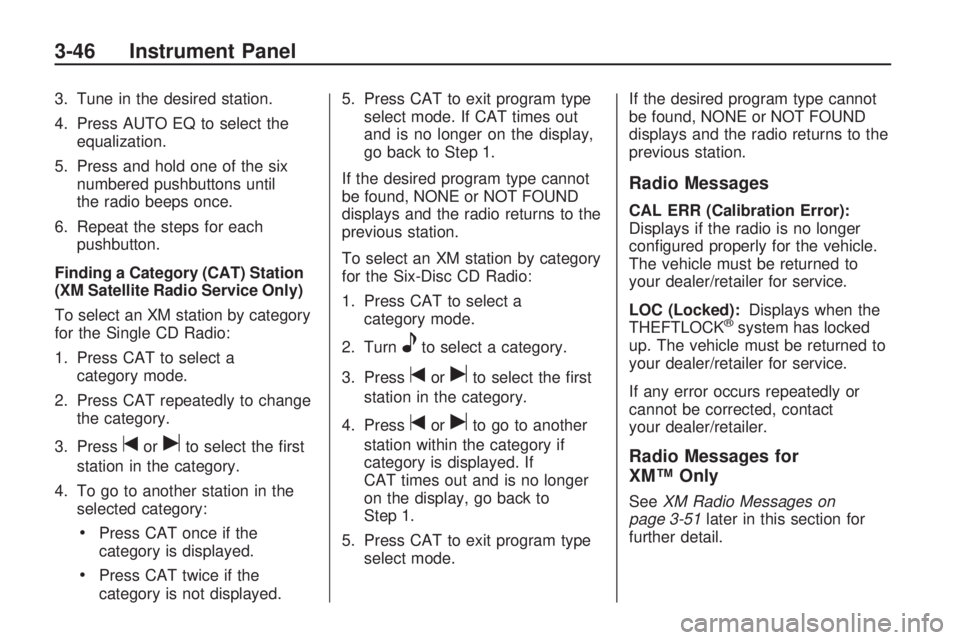
3. Tune in the desired station.
4. Press AUTO EQ to select the
equalization.
5. Press and hold one of the six
numbered pushbuttons until
the radio beeps once.
6. Repeat the steps for each
pushbutton.
Finding a Category (CAT) Station
(XM Satellite Radio Service Only)
To select an XM station by category
for the Single CD Radio:
1. Press CAT to select a
category mode.
2. Press CAT repeatedly to change
the category.
3. Press
toruto select the rst
station in the category.
4. To go to another station in the
selected category:
Press CAT once if the
category is displayed.
Press CAT twice if the
category is not displayed.5. Press CAT to exit program type
select mode. If CAT times out
and is no longer on the display,
go back to Step 1.
If the desired program type cannot
be found, NONE or NOT FOUND
displays and the radio returns to the
previous station.
To select an XM station by category
for the Six-Disc CD Radio:
1. Press CAT to select a
category mode.
2. Turn
eto select a category.
3. Press
toruto select the rst
station in the category.
4. Press
toruto go to another
station within the category if
category is displayed. If
CAT times out and is no longer
on the display, go back to
Step 1.
5. Press CAT to exit program type
select mode.If the desired program type cannot
be found, NONE or NOT FOUND
displays and the radio returns to the
previous station.
Radio Messages
CAL ERR (Calibration Error):
Displays if the radio is no longer
congured properly for the vehicle.
The vehicle must be returned to
your dealer/retailer for service.
LOC (Locked):Displays when the
THEFTLOCK
®system has locked
up. The vehicle must be returned to
your dealer/retailer for service.
If any error occurs repeatedly or
cannot be corrected, contact
your dealer/retailer.
Radio Messages for
XM™ Only
SeeXM Radio Messages on
page 3-51later in this section for
further detail.
3-46 Instrument Panel
Page 165 of 382
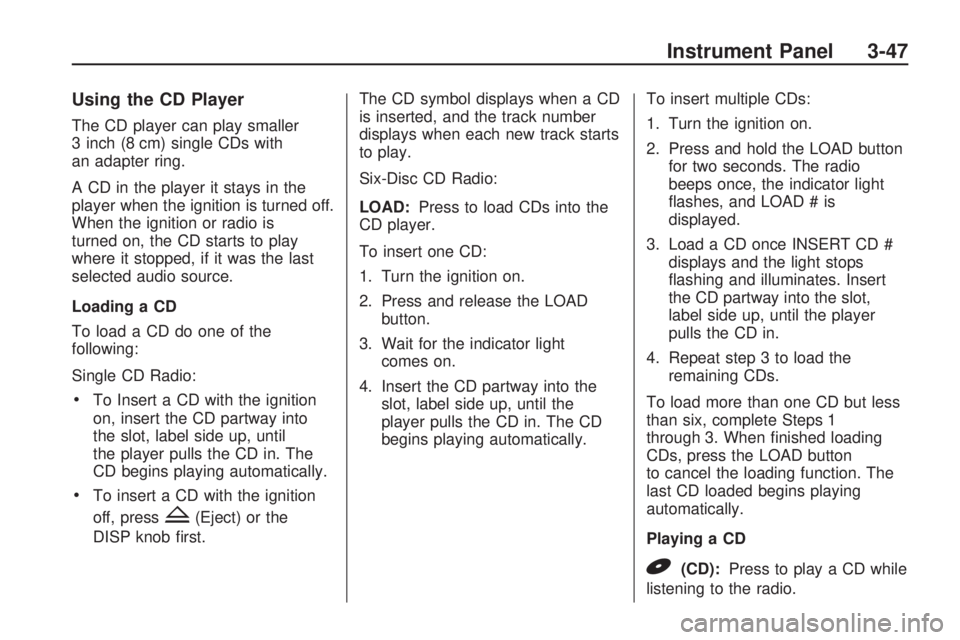
Using the CD Player
The CD player can play smaller
3 inch (8 cm) single CDs with
an adapter ring.
A CD in the player it stays in the
player when the ignition is turned off.
When the ignition or radio is
turned on, the CD starts to play
where it stopped, if it was the last
selected audio source.
Loading a CD
To load a CD do one of the
following:
Single CD Radio:
To Insert a CD with the ignition
on, insert the CD partway into
the slot, label side up, until
the player pulls the CD in. The
CD begins playing automatically.
To insert a CD with the ignition
off, press
Z(Eject) or the
DISP knob rst.The CD symbol displays when a CD
is inserted, and the track number
displays when each new track starts
to play.
Six-Disc CD Radio:
LOAD:Press to load CDs into the
CD player.
To insert one CD:
1. Turn the ignition on.
2. Press and release the LOAD
button.
3. Wait for the indicator light
comes on.
4. Insert the CD partway into the
slot, label side up, until the
player pulls the CD in. The CD
begins playing automatically.To insert multiple CDs:
1. Turn the ignition on.
2. Press and hold the LOAD button
for two seconds. The radio
beeps once, the indicator light
ashes, and LOAD # is
displayed.
3. Load a CD once INSERT CD #
displays and the light stops
ashing and illuminates. Insert
the CD partway into the slot,
label side up, until the player
pulls the CD in.
4. Repeat step 3 to load the
remaining CDs.
To load more than one CD but less
than six, complete Steps 1
through 3. When nished loading
CDs, press the LOAD button
to cancel the loading function. The
last CD loaded begins playing
automatically.
Playing a CD
B(CD):Press to play a CD while
listening to the radio.
Instrument Panel 3-47
Page 166 of 382
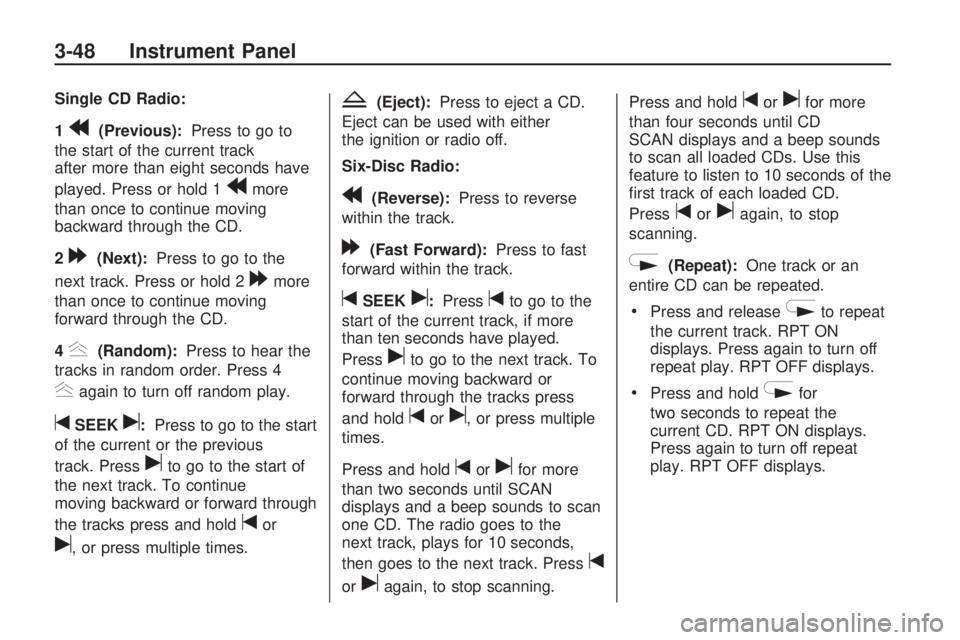
Single CD Radio:
1
r(Previous):Press to go to
the start of the current track
after more than eight seconds have
played. Press or hold 1
rmore
than once to continue moving
backward through the CD.
2
[(Next):Press to go to the
next track. Press or hold 2
[more
than once to continue moving
forward through the CD.
4
y(Random):Press to hear the
tracks in random order. Press 4
yagain to turn off random play.
tSEEKu:Press to go to the start
of the current or the previous
track. Press
uto go to the start of
the next track. To continue
moving backward or forward through
the tracks press and hold
tor
u, or press multiple times.
Z(Eject):Press to eject a CD.
Eject can be used with either
the ignition or radio off.
Six-Disc Radio:
r(Reverse):Press to reverse
within the track.
[(Fast Forward):Press to fast
forward within the track.
tSEEKu:Presstto go to the
start of the current track, if more
than ten seconds have played.
Press
uto go to the next track. To
continue moving backward or
forward through the tracks press
and hold
toru, or press multiple
times.
Press and hold
torufor more
than two seconds until SCAN
displays and a beep sounds to scan
one CD. The radio goes to the
next track, plays for 10 seconds,
then goes to the next track. Press
t
oruagain, to stop scanning.Press and hold
torufor more
than four seconds until CD
SCAN displays and a beep sounds
to scan all loaded CDs. Use this
feature to listen to 10 seconds of the
rst track of each loaded CD.
Press
toruagain, to stop
scanning.
N(Repeat):One track or an
entire CD can be repeated.
Press and releaseNto repeat
the current track. RPT ON
displays. Press again to turn off
repeat play. RPT OFF displays.
Press and holdNfor
two seconds to repeat the
current CD. RPT ON displays.
Press again to turn off repeat
play. RPT OFF displays.
3-48 Instrument Panel
Page 167 of 382
y(Random):All the tracks on
one CD or all the CDs can be played
in random order.
Press and releaseyto play
all the tracks on one CD in
random order. RANDOM ONE
displays. Press again to turn
off random play.
Press and holdyfor more than
two seconds to play the tracks
on all of the CDs that are loaded
in random order. A beep
sounds and RANDOM ALL
displays. Press again to turn off
random play.
Z(Eject):Press to eject CD(s).
Press and release
Zto eject
the CD that is currently playing.
To eject multiple CDs:
1. Press and hold
Zfor ve
seconds. A beep sounds and the
indicator light begins to ash
and EJECT ALL displays.2. Remove the CD when REMOVE
CD # displays and the light stops
ashing.
Once the CD is removed, the
indicator light begins ashing
again and another CD ejects.
To stop ejecting the CDs, press
LOAD or
Z.
The CD is automatically pulled back
into the player if the CD is not
removed after 25 seconds. Pushing
a CD back into the player, before
the 25 second time period is
complete causes the player to sense
an error and the CD player tries
to eject the CD several times before
stopping.
Pressing
Zrepeatedly after trying
to push a CD in manually causes
the CD players 25-second eject
timer to reset. Wait for the timer to
expire before pressing
Zagain.
R(Song List):The Song
List feature can save 20 track
selections.To save tracks:
1. If S-LIST is displayed, press
R
to turn it off.
2. Select the desired CD by
pressing the numbered
pushbutton and then use
uto
select the track to be saved.
3. Press and hold
Rfor
two seconds, two beeps
sound to conrm the track is
saved into memory.
4. Repeat Steps 2 and 3 for saving
other selections.
S-LIST FULL displays if more than
20 selections are tried to be
stored.
To play tracks:
1. Press
R. One beep sounds and
S-LIST displays. The recorded
tracks begin to play in the
order they were saved
2. Press
toruto go back or
forward within the saved
tracks.
Instrument Panel 3-49
Page 168 of 382
To delete tracks:
1. Press
Rto turn song list on.
S-LIST displays.
2. Press either SEEK arrow to
select the desired track to
be deleted.
3. Press and hold
Rfor
two seconds. Two beeps
sound to conrm that the track
has been deleted.
After a track has been deleted, the
remaining tracks are moved up
the list. When another track is added
to the song list, the track is added
to the end of the list.
To delete the entire song list:
1. Press
Rto turn song list on.
S-LIST displays.
2. Press and hold
Rfor more than
four seconds. One beep sounds
and S-LIST EMPTY displays
to conrm that the song list has
been deleted.If a CD is ejected, and the song list
contains saved tracks from that
CD, those tracks are automatically
deleted from the song list. Any
tracks saved to the song list again
are added to the bottom of the list.
To end song list mode, press
the
Rbutton. One beep sounds
and S-LIST is removed from
the display.
Care of CDs and the CD
Player
Care of CDs
Store CD(s) in their original cases
or other protective cases and
away from direct sunlight and dust.
The CD player scans the bottom
of the disc. If the bottom of a CD is
damaged it may not play properly
or at all. Do not touch the bottom of
a CD while handling it. Pick up
CDs by grasping the outer edges or
the edge of the hole and the
outer edge.If the surface of a CD is dirty, take a
soft, lint free cloth or dampen a
clean, soft cloth in a mild, neutral
detergent solution mixed with water,
and clean it. Make sure the wiping
process starts from the center to
the edge.
Care of the CD Player
Do not add labels to a CD, it could
get caught in the CD player.
Use a marking pen to write on the
top of the CD if a description is
needed.
Do not use CD lens cleaners, they
could damage the CD player.
Notice:If a label is added to a
CD, or more than one CD is
inserted into the slot at a time, or
an attempt is made to play
scratched or damaged CDs, the
CD player could be damaged.
While using the CD player,
use only CDs in good condition
without any label, load one
CD at a time, and keep the CD
3-50 Instrument Panel