service schedule HUMMER H3 2009 Owner's Manual
[x] Cancel search | Manufacturer: HUMMER, Model Year: 2009, Model line: H3, Model: HUMMER H3 2009Pages: 382, PDF Size: 1.99 MB
Page 344 of 382
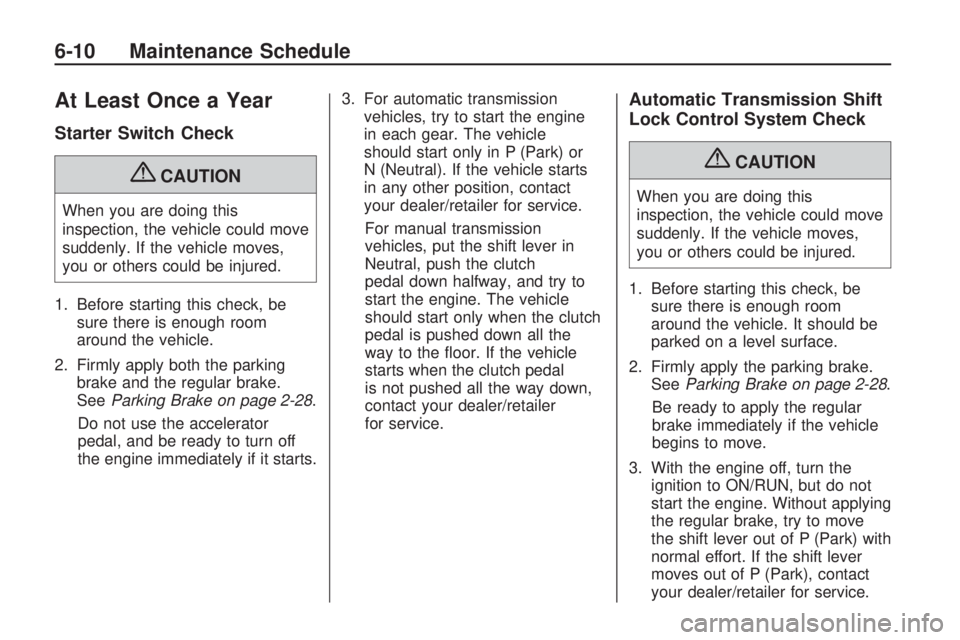
At Least Once a Year
Starter Switch Check
{CAUTION
When you are doing this
inspection, the vehicle could move
suddenly. If the vehicle moves,
you or others could be injured.
1. Before starting this check, be
sure there is enough room
around the vehicle.
2. Firmly apply both the parking
brake and the regular brake.
SeeParking Brake on page 2-28.
Do not use the accelerator
pedal, and be ready to turn off
the engine immediately if it starts.3. For automatic transmission
vehicles, try to start the engine
in each gear. The vehicle
should start only in P (Park) or
N (Neutral). If the vehicle starts
in any other position, contact
your dealer/retailer for service.
For manual transmission
vehicles, put the shift lever in
Neutral, push the clutch
pedal down halfway, and try to
start the engine. The vehicle
should start only when the clutch
pedal is pushed down all the
way to the oor. If the vehicle
starts when the clutch pedal
is not pushed all the way down,
contact your dealer/retailer
for service.
Automatic Transmission Shift
Lock Control System Check
{CAUTION
When you are doing this
inspection, the vehicle could move
suddenly. If the vehicle moves,
you or others could be injured.
1. Before starting this check, be
sure there is enough room
around the vehicle. It should be
parked on a level surface.
2. Firmly apply the parking brake.
SeeParking Brake on page 2-28.
Be ready to apply the regular
brake immediately if the vehicle
begins to move.
3. With the engine off, turn the
ignition to ON/RUN, but do not
start the engine. Without applying
the regular brake, try to move
the shift lever out of P (Park) with
normal effort. If the shift lever
moves out of P (Park), contact
your dealer/retailer for service.
6-10 Maintenance Schedule
Page 345 of 382
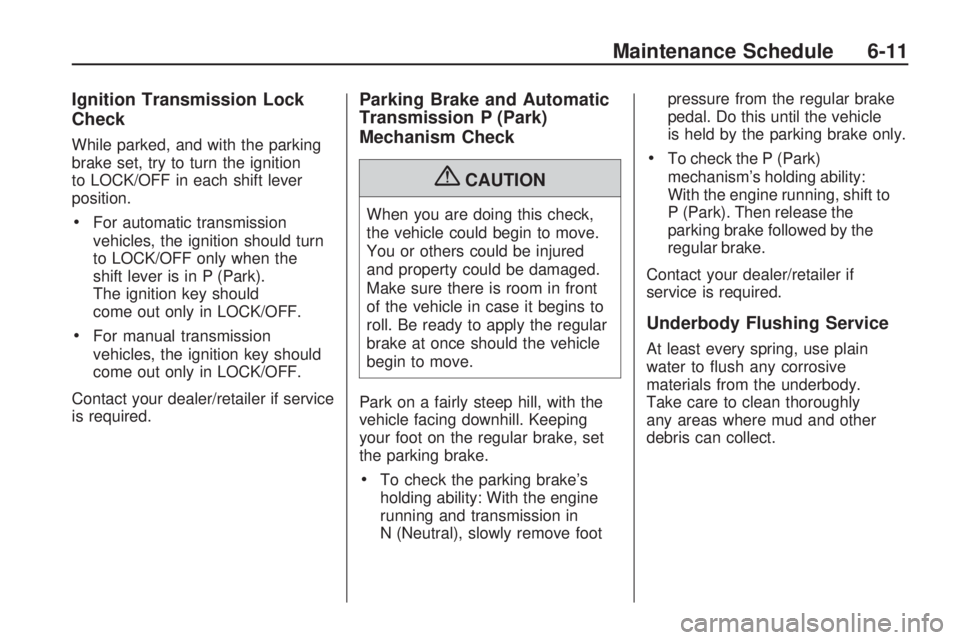
Ignition Transmission Lock
Check
While parked, and with the parking
brake set, try to turn the ignition
to LOCK/OFF in each shift lever
position.
For automatic transmission
vehicles, the ignition should turn
to LOCK/OFF only when the
shift lever is in P (Park).
The ignition key should
come out only in LOCK/OFF.
For manual transmission
vehicles, the ignition key should
come out only in LOCK/OFF.
Contact your dealer/retailer if service
is required.
Parking Brake and Automatic
Transmission P (Park)
Mechanism Check
{CAUTION
When you are doing this check,
the vehicle could begin to move.
You or others could be injured
and property could be damaged.
Make sure there is room in front
of the vehicle in case it begins to
roll. Be ready to apply the regular
brake at once should the vehicle
begin to move.
Park on a fairly steep hill, with the
vehicle facing downhill. Keeping
your foot on the regular brake, set
the parking brake.
To check the parking brake’s
holding ability: With the engine
running and transmission in
N (Neutral), slowly remove footpressure from the regular brake
pedal. Do this until the vehicle
is held by the parking brake only.
To check the P (Park)
mechanism’s holding ability:
With the engine running, shift to
P (Park). Then release the
parking brake followed by the
regular brake.
Contact your dealer/retailer if
service is required.
Underbody Flushing Service
At least every spring, use plain
water to ush any corrosive
materials from the underbody.
Take care to clean thoroughly
any areas where mud and other
debris can collect.
Maintenance Schedule 6-11
Page 350 of 382
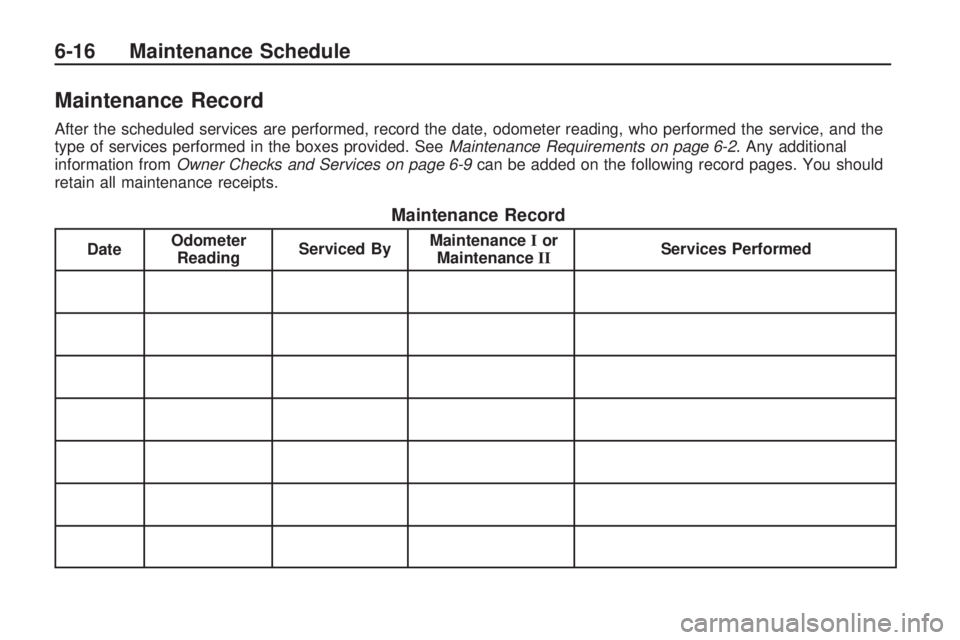
Maintenance Record
After the scheduled services are performed, record the date, odometer reading, who performed the service, and the
type of services performed in the boxes provided. SeeMaintenance Requirements on page 6-2. Any additional
information from Owner Checks and Services on page 6-9 can be added on the following record pages. You should
retain all maintenance receipts.
Maintenance Record
Date Odometer
Reading Serviced By Maintenance
Ior
Maintenance II Services Performed
6-16 Maintenance Schedule
Page 351 of 382
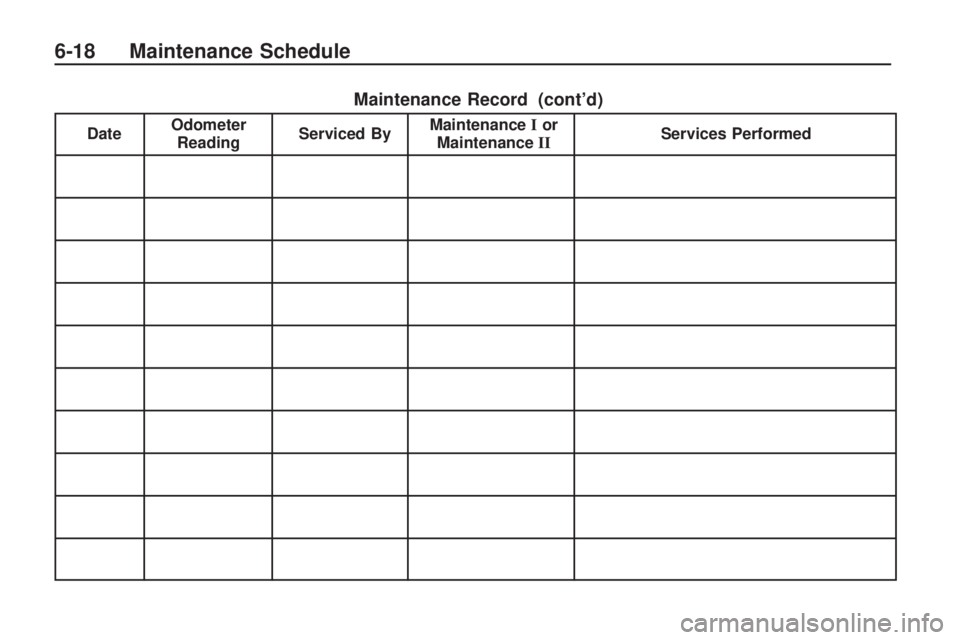
Maintenance Record (cont’d)
DateOdometer
Reading Serviced By Maintenance
Ior
Maintenance II Services Performed
Maintenance Schedule 6-17
Page 352 of 382
Maintenance Record (cont’d)
DateOdometer
Reading Serviced By Maintenance
Ior
Maintenance II Services Performed
6-18 Maintenance Schedule
Page 356 of 382
My GM Canada (Canada) —
www.gm.ca
My GM Canada is a
password-protected section of
www.gm.ca where you can save
information on GM vehicles, get
personalized offers, and use handy
tools and forms with greater ease.
Here are a few of the valuable tools
and services you will have access to:
My Showroom: Find and save
information on vehicles and
current offers in your area.
My Dealers/Retailers: Save
details such as address and
phone number for each of your
preferred GM dealers/retailers.
My Driveway: Access quick links
to parts and service estimates,
check trade-in values, or schedule
a service appointment by adding
the vehicles you own to your
driveway prole.
My Preferences: Manage your
prole and use tools and forms
with greater ease.
To sign up, visit the My GM Canada
section within www.gm.ca.
Customer Assistance for
Text Telephone (TTY)
Users
To assist customers who are deaf,
hard of hearing, or speech-impaired
and who use Text Telephones
(TTYs), HUMMER has TTY
equipment available at its Customer
Assistance Center. Any TTY user
in the U.S. can communicate
with HUMMER by dialing:
1-800-833-6537. (TTY users in
Canada can dial 1-800-263-3830.)
Customer Assistance
Offices
HUMMER encourages customers
to call the toll-free number for
assistance. However, if a customer
wishes to write or e-mail HUMMER,
refer to the addresses below.
United States – Customer
Assistance
HUMMER Customer Assistance
Center
P.O. Box 33177
Detroit, MI 48232-5177
www.HUMMER.com
1-866-HUMMER6 (1-866-486-6376)
1-800-833-6537 (For Text
Telephone devices (TTYs))
Roadside Assistance:
1-866-HUMMER6 (1-866-486-6376)
From Puerto Rico:
1-800-496-9992 (English)
1-800-496-9993 (Spanish)
From U.S. Virgin Islands:
1-800-496-9994
7-4 Customer Assistance Information
Page 361 of 382
Scheduling Service
Appointments
When your vehicle requires warranty
service, contact your dealer/retailer
and request an appointment. By
scheduling a service appointment
and advising your service consultant
of your transportation needs, your
dealer/retailer can help minimize
your inconvenience.
If your vehicle cannot be scheduled
into the service department
immediately, keep driving it until it
can be scheduled for service,
unless, of course, the problem is
safety-related. If it is, please
call your dealership/retailer, let them
know this, and ask for instructions.
If the dealer/retailer requests
you to bring the vehicle for service,
you are urged to do so as early
in the work day as possible to allow
for the same day repair.
Courtesy Transportation
To enhance your ownership
experience, we and our participating
dealers are proud to offer Courtesy
Transportation, a customer
support program for vehicles with
the Bumper to Bumper (Base
Warranty Coverage period in
Canada) and extended powertrain,
and hybrid specic warranties in
both the U.S. and Canada.
Several courtesy transportation
options are available to assist
in reducing your inconvenience
when warranty repairs are required.
Courtesy Transportation is not a
part of the New Vehicle Limited
Warranty. A separate booklet
entitled “Warranty and Owner
Assistance Information” furnished
with each new vehicle provides
detailed warranty coverage
information.
Transportation Options
Warranty service can generally be
completed while you wait. However,
if you are unable to wait, GM helps
to minimize your inconvenience
by providing several transportation
options. Depending on the
circumstances, your dealer can
offer you one of the following:
Shuttle Service
Participating dealers can provide
shuttle service to get you to
your destination with minimal
interruption of your daily schedule.
This includes one-way or round
trip shuttle service to a destination
up to 10 miles (16 km) from the
dealership.
Customer Assistance Information 7-9
Page 367 of 382
Reporting Safety Defects
to General Motors
In addition to notifying NHTSA (or
Transport Canada) in a situation like
this, please notify General Motors.
Call 1-866-HUMMER6 (486-6376),
or write:
HUMMER Customer Assistance
Center
P.O. Box 33177
Detroit, MI 48232-5177
In Canada, call 1-800-263-3777
(English) or 1-800-263-7854
(French), or write:
General Motors of Canada Limited
Customer Communication Centre
CA1-163-005
1908 Colonel Sam Drive
Oshawa, Ontario L1H 8P7
Service Publications
Ordering Information
Service Manuals
Service Manuals have the diagnosis
and repair information on engines,
transmission, axle suspension,
brakes, electrical, steering, body, etc.
Service Bulletins
Service Bulletins give additional
technical service information needed
to knowledgeably service General
Motors cars and trucks. Each bulletin
contains instructions to assist in the
diagnosis and service of your
vehicle.
Owner Information
Owner publications are written
specically for owners and intended
to provide basic operational
information about the vehicle. The
owner manual includes the
Maintenance Schedule for all
models.
In-Portfolio: Includes a Portfolio,
Owner Manual, and Warranty
Booklet.
RETAIL SELL PRICE:
$35.00 (U.S.) plus processing fee
Without Portfolio: Owner
Manual only.
RETAIL SELL PRICE:
$25.00 (U.S.) plus processing fee
Current and Past Model Order
Forms
Technical Service Bulletins and
Manuals are available for current
and past model GM vehicles.
To request an order form, specify
year and model name of the vehicle.
Customer Assistance Information 7-15
Page 376 of 382
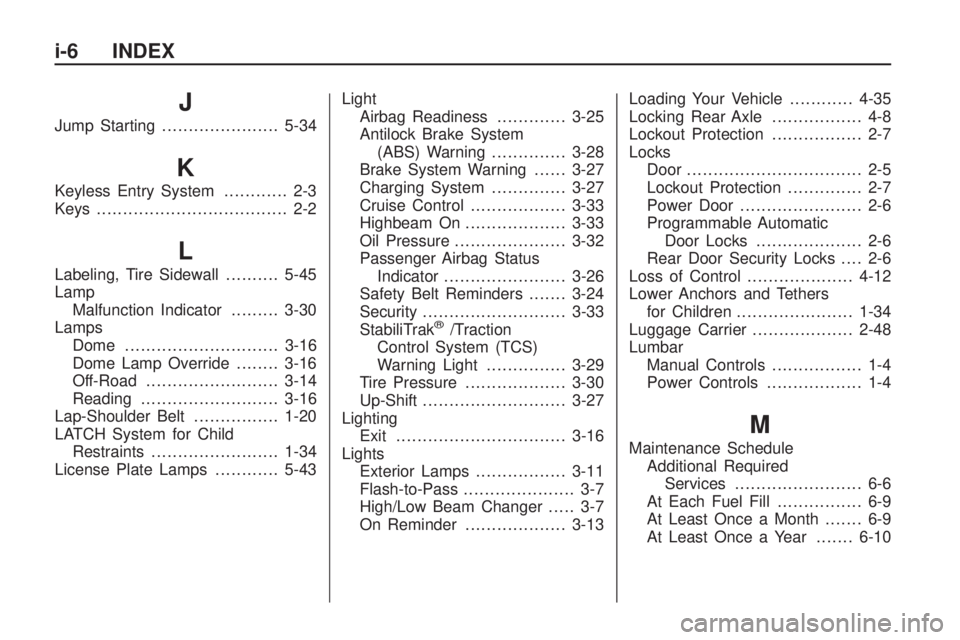
J
Jump Starting......................5-34
K
Keyless Entry System............ 2-3
Keys.................................... 2-2
L
Labeling, Tire Sidewall..........5-45
Lamp
Malfunction Indicator.........3-30
Lamps
Dome .............................3-16
Dome Lamp Override........3-16
Off-Road .........................3-14
Reading..........................3-16
Lap-Shoulder Belt................1-20
LATCH System for Child
Restraints........................1-34
License Plate Lamps............5-43Light
Airbag Readiness.............3-25
Antilock Brake System
(ABS) Warning..............3-28
Brake System Warning......3-27
Charging System..............3-27
Cruise Control..................3-33
Highbeam On...................3-33
Oil Pressure.....................3-32
Passenger Airbag Status
Indicator.......................3-26
Safety Belt Reminders.......3-24
Security...........................3-33
StabiliTrak
®/Traction
Control System (TCS)
Warning Light...............3-29
Tire Pressure...................3-30
Up-Shift...........................3-27
Lighting
Exit................................3-16
Lights
Exterior Lamps.................3-11
Flash-to-Pass..................... 3-7
High/Low Beam Changer..... 3-7
On Reminder...................3-13Loading Your Vehicle............4-35
Locking Rear Axle................. 4-8
Lockout Protection................. 2-7
Locks
Door ................................. 2-5
Lockout Protection.............. 2-7
Power Door....................... 2-6
Programmable Automatic
Door Locks.................... 2-6
Rear Door Security Locks.... 2-6
Loss of Control....................4-12
Lower Anchors and Tethers
for Children......................1-34
Luggage Carrier...................2-48
Lumbar
Manual Controls................. 1-4
Power Controls.................. 1-4
M
Maintenance Schedule
Additional Required
Services........................ 6-6
At Each Fuel Fill................ 6-9
At Least Once a Month....... 6-9
At Least Once a Year.......6-10
i-6 INDEX
Page 377 of 382
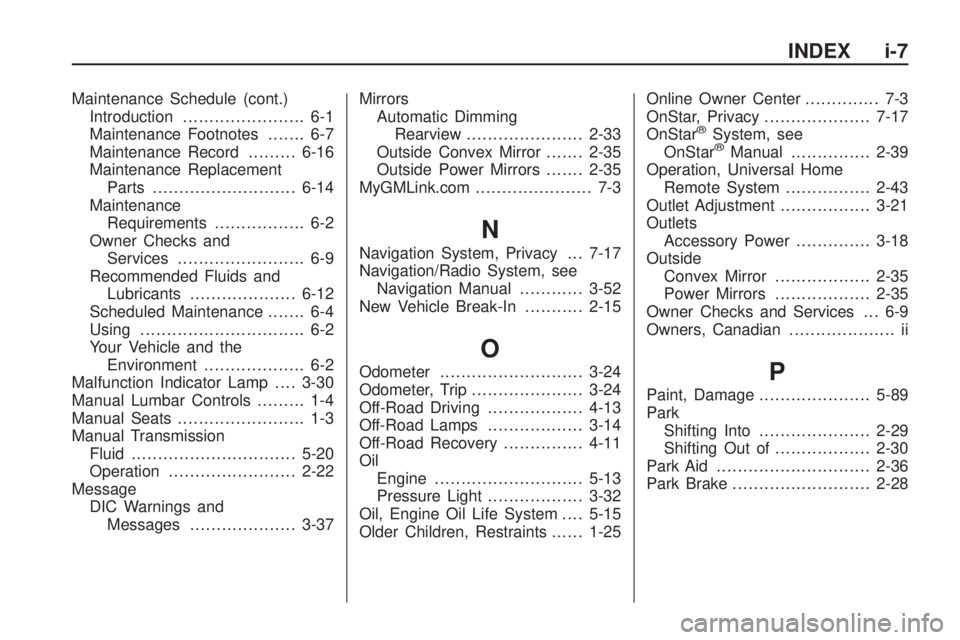
Maintenance Schedule (cont.)
Introduction....................... 6-1
Maintenance Footnotes....... 6-7
Maintenance Record.........6-16
Maintenance Replacement
Parts...........................6-14
Maintenance
Requirements................. 6-2
Owner Checks and
Services........................ 6-9
Recommended Fluids and
Lubricants....................6-12
Scheduled Maintenance....... 6-4
Using............................... 6-2
Your Vehicle and the
Environment................... 6-2
Malfunction Indicator Lamp....3-30
Manual Lumbar Controls......... 1-4
Manual Seats........................ 1-3
Manual Transmission
Fluid...............................5-20
Operation........................2-22
Message
DIC Warnings and
Messages....................3-37Mirrors
Automatic Dimming
Rearview......................2-33
Outside Convex Mirror.......2-35
Outside Power Mirrors.......2-35
MyGMLink.com...................... 7-3
N
Navigation System, Privacy . . . 7-17
Navigation/Radio System, see
Navigation Manual............3-52
New Vehicle Break-In...........2-15
O
Odometer...........................3-24
Odometer, Trip.....................3-24
Off-Road Driving..................4-13
Off-Road Lamps ..................3-14
Off-Road Recovery...............4-11
Oil
Engine............................5-13
Pressure Light..................3-32
Oil, Engine Oil Life System....5-15
Older Children, Restraints......1-25Online Owner Center.............. 7-3
OnStar, Privacy....................7-17
OnStar
®System, see
OnStar®Manual...............2-39
Operation, Universal Home
Remote System................2-43
Outlet Adjustment.................3-21
Outlets
Accessory Power..............3-18
Outside
Convex Mirror..................2-35
Power Mirrors..................2-35
Owner Checks and Services . . . 6-9
Owners, Canadian.................... ii
P
Paint, Damage.....................5-89
Park
Shifting Into.....................2-29
Shifting Out of..................2-30
Park Aid.............................2-36
Park Brake..........................2-28
INDEX i-7