fuel HUMMER H3 2010 User Guide
[x] Cancel search | Manufacturer: HUMMER, Model Year: 2010, Model line: H3, Model: HUMMER H3 2010Pages: 410, PDF Size: 2.24 MB
Page 127 of 410
Instruments and Controls 5-13
This light comes on during a
malfunction in one of two ways:
Light Flashing:A misfire condition
has been detected. A misfire
increases vehicle emissions and
could damage the emission control
system on the vehicle. Diagnosis
and service might be required.
The following can prevent more
serious damage to the vehicle:
.Reduce vehicle speed.
.Avoid hard accelerations.
.Avoid steep uphill grades.
.If towing a trailer, reduce the
amount of cargo being hauled as
soon as it is possible.
If the light continues to flash, when
it is safe to do so, stop the vehicle.
Find a safe place to park the
vehicle. Turn the key off, wait at
least 10 seconds, and restart the
engine. If the light is still flashing,
follow the previous steps and see
your dealer for service as soon as
possible. Light On Steady:
An emission
control system malfunction has
been detected on the vehicle.
Diagnosis and service might be
required.
An emission system malfunction
might be corrected.
.Make sure the fuel cap is fully
installed. See Filling the Tankon
page 9‑68. The diagnostic
system can determine if the
fuel cap has been left off or
improperly installed. A loose or
missing fuel cap allows fuel to
evaporate into the atmosphere.
A few driving trips with the cap
properly installed should turn the
light off.
.If the vehicle has been driven
through a deep puddle of water,
the vehicle's electrical system
might be wet. The condition is
usually corrected when the
electrical system dries out.
A few driving trips should turn
the light off.
.Make sure to fuel the vehicle
with quality fuel. Poor fuel quality
causes the engine not to run as
efficiently as designed and may
cause: stalling after start-up,
stalling when the vehicle is
changed into gear, misfiring,
hesitation on acceleration,
or stumbling on acceleration.
These conditions might go away
once the engine is warmed up.
If one or more of these
conditions occurs, change the
fuel brand used. It will require at
least one full tank of the proper
fuel to turn the light off.
See Recommended Fuel
on
page 9‑64.
If none of the above have made
the light turn off, your dealer can
check the vehicle. The dealer
has the proper test equipment
and diagnostic tools to fix any
mechanical or electrical problems
that might have developed.
Page 135 of 410
Instruments and Controls 5-21
The following are the available
modes:
RFA 1 (default):This mode flashes
the parking lamps when you press
the lock or unlock buttons on the
RKE transmitter.
RFA 2: This mode flashes the
parking lamps and sounds the horn
when you press the lock button on
the RKE transmitter. This mode also
flashes the parking lamps when you
press the unlock button on the RKE
transmitter.
RFA 3: This mode flashes the
parking lamps and sounds the horn
when you press the lock or unlock
buttons on the RKE transmitter.
RFA 4: This mode disables RKE
feedback. There will be no feedback
when you press the lock or unlock
buttons on the RKE transmitter.Vehicle Messages
Messages are displayed on the
DIC to notify the driver that the
status of the vehicle has changed
and that some action may be
needed by the driver to correct
the condition. Multiple messages
may appear one after another.
The messages are displayed for
several seconds each.
Some messages may not require
immediate action, but you should
press and release the trip odometer
reset stem to acknowledge that
you received the messages and to
clear them from the display. Each
message must be acknowledged
individually.
Some messages cannot be cleared
from the DIC display because they
are more urgent. These messages
require action before they can be
cleared. You should take any
messages that appear on the display seriously and remember that
clearing the messages only makes
the messages disappear, not correct
the problem.
The following are the possible
messages that can be displayed
and some information about them.
Battery Voltage and
Charging Messages
SERVICE CHARG (Charge)
SYS (System)
This message displays if there is a
problem with the battery charging
system. Under certain conditions,
the battery warning light may also
turn on in the instrument panel
cluster. See
Charging System Light
on page 5‑11. The battery will not
be charging at an optimal rate and
the vehicle will lose the ability to
enter the fuel economy mode.
Page 138 of 410
5-24 Instruments and Controls
Fuel System Messages
FUEL CAP
This message displays if the
vehicle's fuel cap is either off or
loose. Pull over as soon as possible
and check to see if the fuel cap is
secure. You may also see the check
engine light on the instrument panel
cluster. If the check engine light
does come on when the fuel cap
was loose, it may take a few driving
trips before the light turns off.
SeeMalfunction Indicator Lamp
on
page 5‑12for more information if
the light still remains on. Press
and release the reset stem to
acknowledge the message and
clear it from the display.
LOW FUEL
This message displays if the level of
fuel in the vehicle is low. Also check
the fuel gauge. See Fuel Gauge
on
page 5‑8for more information.
Refill the fuel tank as soon as
possible.
Lamp Messages
TURN SIGNAL
This message displays when the
turn signal is on for about 1.2 km
(0.75 miles) of travel. Press
and release the reset stem to
acknowledge the message and
clear it from the display.
Ride Control System
Messages
SERVICE STAB (Stability)
SYS (System)
This message displays if there is
a problem with the StabiliTrak®
system. Have the vehicle serviced
by your dealer. See StabiliTrak
System
on page 9‑53for more
information.
STAB (Stability)
SYS (System) OFF
This message displays when the
StabiliTrak®system is turned off.
See StabiliTrak Systemon
page 9‑53for more information.
TRAC (Traction) OFF
This message along with the
traction off light displays when the
Traction Control System (TCS) is
turned off by pressing the TCS
button. See Traction Control System
(TCS)
on page 9‑52and Traction
Control System (TCS)/StabiliTrak®
Lighton page 5‑16for more
information.
Page 182 of 410

8-2 Climate Controls
9(Fan Control): Turn clockwise or
counterclockwise to increase or
decrease the fan speed.
Air Delivery Mode Control: Turn
clockwise or counterclockwise to
change the direction of the airflow in
the vehicle. The airflow can be set
between modes.
To change the current mode, select
one of the following:
H (Vent): Air is directed to the
instrument panel outlets.
\(Bi-Level): Air is directed to the
instrument panel outlets, and the
remaining air to the floor outlets
and the defroster and side window
outlets. Cooler air is directed to the
upper outlets and warmer air to the
floor outlets. [
(Floor): Air is directed to the
floor outlets, side window outlets,
and defroster. Recirculation is not
available in this mode.
/ (Floor/Defog): This clears the
windows of fog and moisture. Air is
directed to the windshield, side
window, and floor outlets. The
system runs the air conditioning
unless the outside temperature is
near freezing or below. Recirculation
is not available in this mode.
0 (Defrost): This clears the
windshield of fog or frost more
quickly. Air is directed to the
windshield and side window
outlets. The system runs the air
conditioning system unless the
outside temperature is near or
below freezing. Recirculation is
not available in this mode.
Do not drive the vehicle until all the
windows are clear. #
(Air Conditioning): Press to
turn the air conditioning system
on or off. An indicator light comes
on when the air conditioning is
turned on. This system cools and
dehumidifies the air entering the
vehicle.
The air conditioning will not
function if the fan is turned off.
If air conditioning is selected with
fan off, the indicator light flashes
three times and then turns off.
A slight change in engine
performance may occur when the
air conditioning compressor shuts
off and turns on again. This is
normal. The system is designed
to make adjustments to help with
fuel economy while still maintaining
the selected temperature.
The air conditioning system
removes moisture from the air, so
water might drip under the vehicle
while idling or after turning off the
engine. This is normal.
Page 185 of 410
Driving and Operating 9-1
Driving and
Operating
Driving Information
Defensive Driving . . . . . . . . . . . . . 9-2
Drunk Driving . . . . . . . . . . . . . . . . . 9-2
Control of a Vehicle . . . . . . . . . . . 9-3
Braking . . . . . . . . . . . . . . . . . . . . . . . 9-3
Steering . . . . . . . . . . . . . . . . . . . . . . . 9-4
Off-Road Recovery . . . . . . . . . . . . 9-5
Loss of Control . . . . . . . . . . . . . . . . 9-6
Off-Road Driving . . . . . . . . . . . . . . 9-7
Driving on Wet Roads . . . . . . . 9-22
Highway Hypnosis . . . . . . . . . . . 9-22
Hill and Mountain Roads . . . . . 9-23
Winter Driving . . . . . . . . . . . . . . . 9-24
If the Vehicle is Stuck . . . . . . . . 9-26
Vehicle Load Limits . . . . . . . . . . 9-27
Truck-Camper LoadingInformation . . . . . . . . . . . . . . . . . 9-33
Starting and Operating
New Vehicle Break-In . . . . . . . . 9-33
Ignition Positions . . . . . . . . . . . . 9-34
Retained AccessoryPower (RAP) . . . . . . . . . . . . . . . 9-35
Starting the Engine . . . . . . . . . . 9-35
Engine Coolant Heater . . . . . . . 9-36
Shifting Into Park . . . . . . . . . . . . 9-37
Shifting Out of Park . . . . . . . . . . 9-38
Parking . . . . . . . . . . . . . . . . . . . . . . 9-39
Parking Over Things
That Burn . . . . . . . . . . . . . . . . . . 9-40
Engine Exhaust
Engine Exhaust . . . . . . . . . . . . . . 9-40
Running the Vehicle WhileParked . . . . . . . . . . . . . . . . . . . . . 9-41
Automatic Transmission
Automatic Transmission . . . . . 9-41
Manual Transmission
Manual Transmission . . . . . . . . 9-44
Drive Systems
Four-Wheel Drive . . . . . . . . . . . . 9-46
Brakes
Antilock BrakeSystem (ABS) . . . . . . . . . . . . . . 9-50
Parking Brake . . . . . . . . . . . . . . . 9-51
Brake Assist . . . . . . . . . . . . . . . . . 9-51
Hill Start Assist (HSA) . . . . . . . 9-52
Ride Control Systems
Traction Control System (TCS) . . . . . . . . . . . . . . 9-52
StabiliTrak System . . . . . . . . . . . 9-53
Locking Rear Axle . . . . . . . . . . . 9-54
Locking Front Axle . . . . . . . . . . . 9-55
Cruise Control
Cruise Control . . . . . . . . . . . . . . . 9-57
Object Detection Systems
Rear Vision Camera (RVC) . . . . . . . . . . . . . 9-60
Fuel
Fuel . . . . . . . . . . . . . . . . . . . . . . . . . 9-64
Recommended Fuel . . . . . . . . . 9-64
Gasoline Specifications . . . . . . 9-65
California FuelRequirements . . . . . . . . . . . . . . 9-65
Page 186 of 410
9-2 Driving and Operating
Fuels in Foreign Countries . . . 9-65
Fuel Additives . . . . . . . . . . . . . . . 9-65
Fuel E85 (85% Ethanol) . . . . . 9-66
Filling the Tank . . . . . . . . . . . . . . 9-68
Filling a Portable FuelContainer . . . . . . . . . . . . . . . . . . . 9-69
Towing
General TowingInformation . . . . . . . . . . . . . . . . . 9-70
Driving Characteristics and Towing Tips . . . . . . . . . . . . . . . . 9-70
Trailer Towing . . . . . . . . . . . . . . . . 9-74
Towing Equipment . . . . . . . . . . . 9-78
Trailer Recommendations . . . . 9-81
Conversions and Add-Ons
Add-On Electrical Equipment . . . . . . . . . . . . . . . . . 9-81
Driving Information
Defensive Driving
Defensive driving means “always
expect the unexpected.” The
first step in driving defensively is
to wear your safety belt, see Safety
Belts on page 3‑10.
{WARNING
Assume that other road users
(pedestrians, bicyclists, and other
drivers) are going to be careless
and make mistakes. Anticipate
what they might do and be ready.
In addition:
.Allow enough following
distance between you and
the driver in front of you.
.Focus on the task of driving.
(Continued)
WARNING (Continued)
Driver distraction can cause
collisions resulting in injury or
possible death. These simple
defensive driving techniques
could save your life.
Drunk Driving
{WARNING
Drinking and then driving is
very dangerous. Your reflexes,
perceptions, attentiveness, and
judgment can be affected by even
a small amount of alcohol. You
can have a serious —or even
fatal —collision if you drive after
drinking. Do not drink and drive or
ride with a driver who has been
drinking. Ride home in a cab; or if
you are with a group, designate a
driver who will not drink.
Page 191 of 410
Driving and Operating 9-7
Off-Road Driving
The airbag system is designed to
work properly under a wide range of
conditions, including off‐road usage.
Always wear your safety belt and
observe safe driving speeds,
especially on rough terrain.
Drinking and driving can be very
dangerous on any road and this is
certainly true for off-road driving.
At the very time you need special
alertness and driving skills, your
reflexes, perceptions, and judgment
can be affected by even a small
amount of alcohol. You could have a
serious—or even fatal —accident
if you drink and drive or ride with a
driver who has been drinking. Off-roading can be great fun but has
some definite hazards. The greatest
of these is the terrain itself. When
off-road driving, traffic lanes are not
marked, curves are not banked, and
there are no road signs. Surfaces
can be slippery, rough, uphill,
or downhill.
Avoid sharp turns and abrupt
maneuvers. Failure to operate the
vehicle correctly off‐road could
result in loss of vehicle control or
vehicle rollover.
Off-roading involves some new
skills. That is why it is very
important that you read these
driving tips and suggestions to
help make off-road driving safer
and more enjoyable.
Before You Go Off-Roading
.Have all necessary maintenance
and service work done.
.Make sure there is enough fuel,
that fluid levels are where they
should be, and that the spare
tire is fully inflated.
.Be sure to read all the
information about
four-wheel-drive vehicles
in this manual.
.Make sure all underbody
shields, if the vehicle has them,
are properly attached.
.Know the local laws that apply
to off-roading where you will
be driving or check with law
enforcement people in the area.
.Be sure to get the necessary
permission if you will be on
private land.
Page 205 of 410
Driving and Operating 9-21
Driving in Water
{WARNING
Driving through rushing water can
be dangerous. Deep water can
sweep your vehicle downstream
and you and your passengers
could drown. If it is only shallow
water, it can still wash away the
ground from under your tires, and
you could lose traction and roll
the vehicle over. Do not drive
through rushing water.
Heavy rain can mean flash flooding,
and flood waters demand extreme
caution. Find out how deep the water is
before driving through it. Do not
try it if it is deep enough to cover
the wheel hubs, axles, or exhaust
pipe
—you probably will not get
through. Deep water can damage
the axle and other vehicle parts.
The vehicle is capable of depths up
to 50 cm (20 inches). Know how to
judge whether the water is deeper
than this before proceeding into it.
If the water is not too deep, drive
slowly through it. At faster speeds,
water splashes on the ignition
system and the vehicle can stall.
Stalling can also occur if you get the
tailpipe under water. If the tailpipe is
under water, you will never be able
to start the engine. When going
through water, remember that when
the brakes get wet, it might take
longer to stop. See Driving on Wet
Roads on page 9‑22.
After Off-Road Driving
Remove any brush or debris that
has collected on the underbody,
chassis, or under the hood. These
accumulations can be a fire hazard.
After operation in mud or sand,
have the brake linings cleaned and
checked. These substances can
cause glazing and uneven braking.
Check the engine and oil coolers
for mud accumulation. Thoroughly
and carefully clean these devices
to allow proper cooling. Check
the body structure, steering,
suspension, wheels, tires, and
exhaust system for damage and
check the fuel lines and cooling
system for any leakage.
The vehicle requires more frequent
service due to off-road use. Refer
to the Maintenance Schedule for
additional information.
Page 209 of 410

Driving and Operating 9-25
WARNING (Continued)
If the vehicle is stuck in the snow:
.Clear away snow from around
the base of your vehicle,
especially any that is blocking
the exhaust pipe.
.Check again from time to
time to be sure snow does
not collect there.
.Open a window about 5 cm
(two inches) on the side of
the vehicle that is away from
the wind to bring in fresh air.
.Fully open the air outlets on
or under the instrument
panel.
.Adjust the Climate Control
system to a setting that
circulates the air inside the
vehicle and set the fan speed
to the highest setting. See
Climate Control System in the
Index.(Continued)
WARNING (Continued)
For more information about
carbon monoxide, see Engine
Exhaust on page 9‑40.
Snow can trap exhaust gases
under your vehicle. This can
cause deadly CO (carbon
monoxide) gas to get inside.
CO could overcome you and kill
you. You cannot see it or smell it,
so you might not know it is in your
vehicle. Clear away snow from
around the base of your vehicle,
especially any that is blocking the
exhaust.
Run the engine for short periods
only as needed to keep warm, but
be careful. To save fuel, run the engine for only
short periods as needed to warm
the vehicle and then shut the engine
off and close the window most of
the way to save heat. Repeat this
until help arrives but only when you
feel really uncomfortable from the
cold. Moving about to keep warm
also helps.
If it takes some time for help to
arrive, now and then when you run
the engine, push the accelerator
pedal slightly so the engine runs
faster than the idle speed. This
keeps the battery charged to restart
the vehicle and to signal for help
with the headlamps. Do this as little
as possible to save fuel.
Page 215 of 410
Driving and Operating 9-31
Certification/Tire Label
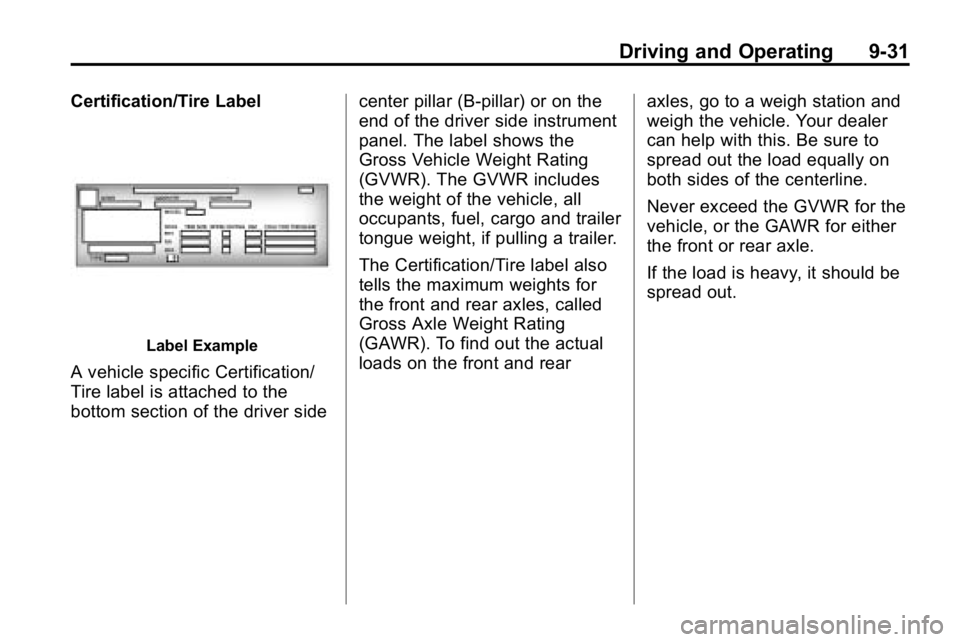
Label Example
A vehicle specific Certification/
Tire label is attached to the
bottom section of the driver sidecenter pillar (B-pillar) or on the
end of the driver side instrument
panel. The label shows the
Gross Vehicle Weight Rating
(GVWR). The GVWR includes
the weight of the vehicle, all
occupants, fuel, cargo and trailer
tongue weight, if pulling a trailer.
The Certification/Tire label also
tells the maximum weights for
the front and rear axles, called
Gross Axle Weight Rating
(GAWR). To find out the actual
loads on the front and rear
axles, go to a weigh station and
weigh the vehicle. Your dealer
can help with this. Be sure to
spread out the load equally on
both sides of the centerline.
Never exceed the GVWR for the
vehicle, or the GAWR for either
the front or rear axle.
If the load is heavy, it should be
spread out.