wheel HUMMER H3 2010 User Guide
[x] Cancel search | Manufacturer: HUMMER, Model Year: 2010, Model line: H3, Model: HUMMER H3 2010Pages: 410, PDF Size: 2.24 MB
Page 73 of 410

Seats and Restraints 3-29
{WARNING
Children who are up against,
or very close to, any airbag
when it inflates can be seriously
injured or killed. Airbags plus
lap-shoulder belts offer protection
for adults and older children, but
not for young children and infants.
Neither the vehicle's safety belt
system nor its airbag system
is designed for them. Young
children and infants need the
protection that a child restraint
system can provide. Always
secure children properly in your
vehicle. To read how, seeOlder
Children
on page 3‑42or Infants
and Young Children
on
page 3‑44
.
There is an airbag readiness light
on the instrument panel cluster,
which shows the airbag symbol.
The system checks the airbag
electrical system for malfunctions.
The light tells you if there is an
electrical problem. See Airbag
Readiness Light
on page 5‑10for
more information.
Where Are the Airbags?
The driver frontal airbag is in the
middle of the steering wheel.
Page 74 of 410

3-30 Seats and Restraints
The right front passenger frontal
airbag is in the instrument panel on
the passenger's side.Driver Side shown, PassengerSide similar
The roof-rail airbags for the
driver, right front passenger, and
second row outboard passengers
are in the ceiling above the side
windows.
{WARNING
If something is between an
occupant and an airbag, the
airbag might not inflate properly
or it might force the object into
that person causing severe injury
or even death. The path of an
inflating airbag must be kept
clear. Do not put anything
between an occupant and an
airbag, and do not attach or put
anything on the steering wheel
hub or on or near any other
airbag covering.
Never secure anything to the roof
of a vehicle with roof-rail airbags
by routing a rope or tie down
through any door or window
opening. If you do, the path of an
inflating roof-rail airbag will be
blocked.
Page 76 of 410

3-32 Seats and Restraints
Roof-rail airbags are not intended to
inflate in rear impacts. Both roof-rail
airbags will deploy when either side
of the vehicle is struck, or if the
sensing system predicts that the
vehicle is about to roll over.
In any particular crash, no one
can say whether an airbag should
have inflated simply because of
the damage to a vehicle or because
of what the repair costs were.
For frontal airbags, inflation is
determined by what the vehicle hits,
the angle of the impact, and how
quickly the vehicle slows down.
For roof-rail airbags, deployment
is determined by the location and
severity of the side impact. In a
rollover event, roof-rail airbag
deployment is determined by the
direction of the roll.What Makes an Airbag
Inflate?
In a deployment event, the sensing
system sends an electrical signal
triggering a release of gas from the
inflator. Gas from the inflator fills the
airbag causing the bag to break out
of the cover and deploy. The inflator,
the airbag, and related hardware are
all part of the airbag module.
Frontal airbag modules are located
inside the steering wheel and
instrument panel. For vehicles with
roof-rail airbags, there are airbag
modules in the ceiling of the vehicle,
near the side windows that have
occupant seating positions.
How Does an Airbag
Restrain?
In moderate to severe frontal or
near frontal collisions, even belted
occupants can contact the steering
wheel or the instrument panel. In
moderate to severe side collisions,
even belted occupants can contact
the inside of the vehicle.
Airbags supplement the protection
provided by safety belts. Frontal
airbags distribute the force of
the impact more evenly over the
occupant's upper body, stopping the
occupant more gradually. Roof-rail
airbags distribute the force of the
impact more evenly over the
occupant's upper body.
Page 84 of 410
3-40 Seats and Restraints
Servicing the
Airbag-Equipped Vehicle
Airbags affect how the vehicle
should be serviced. There are
parts of the airbag system in
several places around the vehicle.
Your dealer and the service manual
have information about servicing
the vehicle and the airbag system.
To purchase a service manual, see
Service Publications Ordering
Information on page 13‑12.
{WARNING
For up to 10 seconds after the
ignition is turned off and the
battery is disconnected, an airbag
can still inflate during improper
service. You can be injured if you
are close to an airbag when it
inflates. Avoid yellow connectors.(Continued)
WARNING (Continued)
They are probably part of the
airbag system. Be sure to follow
proper service procedures, and
make sure the person performing
work for you is qualified to do so.
Adding Equipment to the
Airbag-Equipped Vehicle
Q: Is there anything I might addto or change about the vehicle
that could keep the airbags
from working properly?
A: Yes. If you add things that
change the vehicle's frame,
bumper system, height, front
end or side sheet metal, they
may keep the airbag system
from working properly. Changing
or moving any parts of the front
seats, safety belts, the airbag
sensing and diagnostic module, steering wheel, instrument
panel, roof-rail airbag modules,
ceiling headliner or pillar garnish
trim, overhead console, front
sensors, side impact sensors,
rollover sensor module, or airbag
wiring can affect the operation of
the airbag system.
In addition, the vehicle has a
passenger sensing system
for the right front passenger
position, which includes sensors
that are part of the passenger
seat. The passenger sensing
system may not operate properly
if the original seat trim is
replaced with non-Hummer
covers, upholstery or trim,
or with Hummer covers,
upholstery or trim designed for
a different vehicle. Any object,
such as an aftermarket seat
heater or a comfort enhancing
pad or device, installed under or
Page 85 of 410
Seats and Restraints 3-41
on top of the seat fabric, could
also interfere with the operation
of the passenger sensing
system. This could either
prevent proper deployment of
the passenger airbag(s) or
prevent the passenger sensing
system from properly turning
off the passenger airbag(s).
SeePassenger Sensing System
on page 3‑35.
If you have questions, call
Customer Assistance. The
phone numbers and addresses
for Customer Assistance are
in Step Two of the Customer
Satisfaction Procedure in this
manual.
If the vehicle has rollover
roof-rail airbags, see Different
Size Tires and Wheels
on
page 10‑60for additional
important information. Q: Because I have a disability,
I have to get my vehicle
modified. How can I find out
whether this will affect my
airbag system?
A: If you have questions, call
Customer Assistance. The
phone numbers and addresses
for Customer Assistance are
in Step Two of the Customer
Satisfaction Procedure in this
manual.
In addition, your dealer and the
service manual have information
about the location of the airbag
sensors, sensing and diagnostic
module and airbag wiring.
Airbag System Check
The airbag system does not need
regularly scheduled maintenance
or replacement. Make sure the
airbag readiness light is working.
See Airbag Readiness Light
on
page 5‑10for more information.
Notice: If an airbag covering is
damaged, opened, or broken, the
airbag may not work properly.
Do not open or break the airbag
coverings. If there are any
opened or broken airbag covers,
have the airbag covering and/or
airbag module replaced. For the
location of the airbag modules,
see What Makes an Airbag
Inflate?
on page 3‑32. See your
dealer for service.
Page 115 of 410
Instruments and Controls 5-1
Instruments and
Controls
Controls
Steering Wheel Adjustment . . . 5-2
Horn . . . . . . . . . . . . . . . . . . . . . . . . . . 5-2
Windshield Wiper/Washer . . . . . 5-2
Rear Window Wiper/Washer . . . . . . . . . . . . . . . . . . . . . . 5-3
Compass . . . . . . . . . . . . . . . . . . . . . 5-3
Clock . . . . . . . . . . . . . . . . . . . . . . . . . 5-4
Power Outlets . . . . . . . . . . . . . . . . . 5-5
Cigarette Lighter . . . . . . . . . . . . . . 5-5
Ashtrays . . . . . . . . . . . . . . . . . . . . . . 5-6
Warning Lights, Gauges, and
Indicators
Warning Lights, Gauges, and Indicators . . . . . . . . . . . . . . . . . . . . 5-6
Instrument Cluster . . . . . . . . . . . . 5-7
Speedometer . . . . . . . . . . . . . . . . . 5-8
Odometer . . . . . . . . . . . . . . . . . . . . . 5-8
Trip Odometer . . . . . . . . . . . . . . . . . 5-8 Tachometer . . . . . . . . . . . . . . . . . . . 5-8
Fuel Gauge . . . . . . . . . . . . . . . . . . . 5-8
Engine Coolant Temperature
Gauge . . . . . . . . . . . . . . . . . . . . . . . 5-9
Safety Belt Reminders . . . . . . . . 5-9
Airbag Readiness Light . . . . . . 5-10
Passenger Airbag Status
Indicator . . . . . . . . . . . . . . . . . . . . 5-11
Charging System Light . . . . . . . 5-11
Malfunction Indicator Lamp . . . . . . . . . . . . . 5-12
Brake System Warning Light . . . . . . . . . . . . . . . . . . . . . . . 5-14
Antilock Brake System (ABS) Warning Light . . . . . . . . . . . . . . 5-15
Up-Shift Light . . . . . . . . . . . . . . . . 5-15
Traction Control System (TCS)/StabiliTrak
®Light . . . . 5-16
Tire Pressure Light . . . . . . . . . . 5-16
Engine Oil Pressure Light . . . . 5-17
Security Light . . . . . . . . . . . . . . . . 5-17
High-Beam on Light . . . . . . . . . 5-17
Cruise Control Light . . . . . . . . . 5-18
Information Displays
Driver Information Center (DIC) . . . . . . . . . . . . . . . 5-18
Vehicle Messages
Vehicle Messages . . . . . . . . . . . 5-21
Battery Voltage and ChargingMessages . . . . . . . . . . . . . . . . . . 5-21
Brake System Messages . . . . 5-22
Door Ajar Messages . . . . . . . . . 5-22
Engine Cooling System Messages . . . . . . . . . . . . . . . . . . 5-23
Engine Oil Messages . . . . . . . . 5-23
Engine Power Messages . . . . 5-23
Fuel System Messages . . . . . . 5-24
Lamp Messages . . . . . . . . . . . . . 5-24
Ride Control System Messages . . . . . . . . . . . . . . . . . . 5-24
Service Vehicle Messages . . . 5-25
Tire Messages . . . . . . . . . . . . . . . 5-25
Transmission Messages . . . . . 5-25
Universal Remote System
Universal Remote System . . . 5-26
Universal Remote System Programming . . . . . . . . . . . . . . . 5-26
Universal Remote System Operation . . . . . . . . . . . . . . . . . . 5-30
Page 116 of 410
5-2 Instruments and Controls
Controls
Steering Wheel
Adjustment
A tilt wheel allows the steering
wheel to be adjusted.
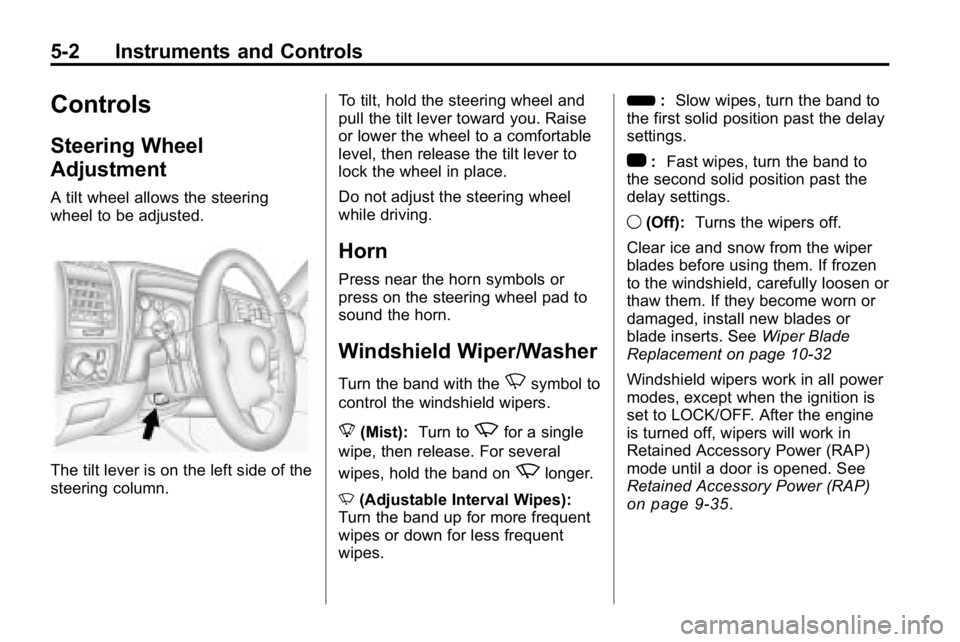
The tilt lever is on the left side of the
steering column.To tilt, hold the steering wheel and
pull the tilt lever toward you. Raise
or lower the wheel to a comfortable
level, then release the tilt lever to
lock the wheel in place.
Do not adjust the steering wheel
while driving.
Horn
Press near the horn symbols or
press on the steering wheel pad to
sound the horn.
Windshield Wiper/Washer
Turn the band with theNsymbol to
control the windshield wipers.
8 (Mist): Turn to
zfor a single
wipe, then release. For several
wipes, hold the band on
zlonger.
N (Adjustable Interval Wipes):
Turn the band up for more frequent
wipes or down for less frequent
wipes. 6
:Slow wipes, turn the band to
the first solid position past the delay
settings.
1 :Fast wipes, turn the band to
the second solid position past the
delay settings.
9 (Off): Turns the wipers off.
Clear ice and snow from the wiper
blades before using them. If frozen
to the windshield, carefully loosen or
thaw them. If they become worn or
damaged, install new blades or
blade inserts. See Wiper Blade
Replacement on page 10‑32
Windshield wipers work in all power
modes, except when the ignition is
set to LOCK/OFF. After the engine
is turned off, wipers will work in
Retained Accessory Power (RAP)
mode until a door is opened. See
Retained Accessory Power (RAP)
on page 9‑35.
Page 130 of 410
5-16 Instruments and Controls
Traction Control System
(TCS)/StabiliTrak®Light
The StabiliTrak system or the
Traction Control System (TCS)
indicator/warning light comes on
briefly while starting the engine.
If it does not, have the vehicle
serviced by your dealer. If the
system is working normally the
indicator light will then go off.
The indicator/warning light flashes
while the StabiliTrak or TCS system
is working to control the vehicle on
a low traction surface.
If the TCS warning light comes on
and stays on while driving, the
vehicle needs service.The light comes on when the TCS
and the StabiliTrak system is turned
off. If the TCS is off, wheel spin is
not limited. If the StabiliTrak system
is off, the system does not assist in
controlling the vehicle. Turn on the
TCS and the StabiliTrak system and
the warning light turns off.
See
StabiliTrak System
on
page 9‑53and Traction Control
System (TCS)on page 9‑52for
more information
Tire Pressure Light
For vehicles with a tire pressure
monitoring system, this light comes
on briefly when the engine is
started. It provides information
about tire pressures and the Tire
Pressure Monitoring System. When the Light is On Steady
This indicates that one or more
of the tires are significantly
underinflated.
A tire pressure message in the
Driver Information Center (DIC),
can accompany the light. See
Tire
Messages
on page 5‑25for
more information. Stop as soon as
possible, and inflate the tires to the
pressure value shown on the tire
loading information label. See Tire
Pressure
on page 10‑51for more
information.
When the Light Flashes First and
Then is On Steady
This indicates that there may be
a problem with the Tire Pressure
Monitor System. The light flashes
for about a minute and stays on
steady for the remainder of the
ignition cycle. This sequence
repeats with every ignition cycle.
See Tire Pressure Monitor
Operation
on page 10‑53for
more information.
Page 139 of 410

Instruments and Controls 5-25
TRACTION FAILED
This message displays if there is a
problem with the Traction Control
System (TCS). Check the TCS as
soon as possible and have the
vehicle serviced by your dealer.
SeeTraction Control System (TCS)/
StabiliTrak
®Lighton page 5‑16for
more information. Press and release
the reset stem to acknowledge the
message and clear it from the
display.
Service Vehicle Messages
SERV (Service) VEH (Vehicle)
This message displays if the vehicle
needs service. Have the vehicle
serviced by your dealer as soon as
possible.
Tire Messages
LOW TIRE
On vehicles with the Tire Pressure
Monitor System (TPMS), this
message displays if a low tire
pressure is detected in any of the
vehicle's tires. Press and release
the reset stem to acknowledge the
message and clear it from the
display. The message appears at
each ignition cycle until the tires
are inflated to the correct inflation
pressure. See Tires
on page 10‑44andTire Pressureon page 10‑51for
more information on tires and the
correct inflation pressures.
SERV (Service)
TPM (Tire Pressure Monitor)
On vehicles with the Tire Pressure
Monitor System (TPMS), this
message displays if a part on the
TPMS is not working properly.
The tire pressure light also flashes and then remains on during the
same ignition cycle. See
Tire
Pressure Light
on page 5‑16.
Several conditions may cause this
message to appear. See Tire
Pressure Monitor Operation
on
page 10‑53for more information.
If the warning comes on and stays
on, there may be a problem with the
TPMS. See your dealer.
Transmission Messages
SERV (Service)
4WD (Four-Wheel Drive)
This message displays when
there is a problem with the transfer
case control system. Check the
transfer case on the vehicle and
have it serviced by your dealer.
See Four-Wheel Drive
on
page 9‑46for more information
about the transfer case. Press
and release the reset stem to
acknowledge the message and
clear it from the display.
Page 145 of 410

Lighting 6-1
Lighting
Exterior Lighting
Exterior Lamp Controls . . . . . . . . 6-1
Exterior Lamps OffReminder . . . . . . . . . . . . . . . . . . . . 6-3
Headlamp High/Low-Beam Changer . . . . . . . . . . . . . . . . . . . . . 6-3
Flash-to-Pass . . . . . . . . . . . . . . . . . 6-3
Daytime Running Lamps (DRL) . . . . . . . . . . . . . . . . 6-3
Automatic Headlamp System . . . . . . . . . . . . . . . . . . . . . . 6-4
Hazard Warning Flashers . . . . . 6-5 Turn and Lane-Change
Signals . . . . . . . . . . . . . . . . . . . . . . 6-5
Fog Lamps . . . . . . . . . . . . . . . . . . . . 6-6
Off-Road Lamps . . . . . . . . . . . . . . 6-6Interior Lighting
Instrument Panel Illumination Control . . . . . . . . . . . . . . . . . . . . . . 6-7
Dome Lamps . . . . . . . . . . . . . . . . . 6-7
Reading Lamps . . . . . . . . . . . . . . . 6-8
Lighting Features
Exit Lighting . . . . . . . . . . . . . . . . . . . 6-8
Battery Load Management . . . . 6-8
Battery Power Protection . . . . . . 6-9
Exterior Lighting
Exterior Lamp Controls
The exterior lamps control is on the
instrument panel to the left of the
steering wheel.
O (Exterior Lamps): Turn the
control to select one of the
four exterior lamp positions.