door lock HUMMER H3 2010 Owner's Manual
[x] Cancel search | Manufacturer: HUMMER, Model Year: 2010, Model line: H3, Model: HUMMER H3 2010Pages: 410, PDF Size: 2.24 MB
Page 77 of 410
Seats and Restraints 3-33
Rollover capable roof-rail airbags
are designed to help contain the
head and chest of occupants in the
outboard seating positions in the
first and second rows. The rollover
capable roof-rail airbags are
designed to help reduce the risk of
full or partial ejection in rollover
events, although no system can
prevent all such ejections.
But airbags would not help in
many types of collisions, primarily
because the occupant's motion is
not toward those airbags. SeeWhen
Should an Airbag Inflate?
on
page 3‑31for more information.
Airbags should never be regarded
as anything more than a supplement
to safety belts.
What Will You See After
an Airbag Inflates?
After the frontal airbags inflate, they
quickly deflate, so quickly that some
people may not even realize an
airbag inflated. Roof-rail airbags
may still be at least partially inflated
for some time after they deploy.
Some components of the airbag
module may be hot for several
minutes. For location of the airbag
modules, see What Makes an
Airbag Inflate? on page 3‑32.
The parts of the airbag that come
into contact with you may be warm,
but not too hot to touch. There may
be some smoke and dust coming
from the vents in the deflated
airbags. Airbag inflation does not
prevent the driver from seeing out
of the windshield or being able to
steer the vehicle, nor does it prevent
people from leaving the vehicle.
{WARNING
When an airbag inflates, there
may be dust in the air. This dust
could cause breathing problems
for people with a history of
asthma or other breathing trouble.
To avoid this, everyone in the
vehicle should get out as soon
as it is safe to do so. If you have
breathing problems but cannot
get out of the vehicle after an
airbag inflates, then get fresh air
by opening a window or a door.
If you experience breathing
problems following an airbag
deployment, you should seek
medical attention.
The vehicle has a feature that may
automatically unlock the doors, turn
on the interior lamps and hazard
warning flashers, and shut off the
fuel system after the airbags inflate.
Page 78 of 410

3-34 Seats and Restraints
You can lock the doors, turn off the
interior lamps and hazard warning
flashers by using the controls for
those features.
{WARNING
A crash severe enough to
inflate the airbags may have
also damaged important functions
in the vehicle, such as the fuel
system, brake and steering
systems, etc. Even if the vehicle
appears to be drivable after a
moderate crash, there may be
concealed damage that could
make it difficult to safely operate
the vehicle.
Use caution if you should attempt
to restart the engine after a crash
has occurred.If damage to the vehicle is minor,
you may attempt to restart the
vehicle's engine. Note: If the fuel
system has been shut off after an
airbag has inflated, you may not
be able to restart the engine for up
to ten minutes. See
Starting the
Engineon page 9‑35for more
information.
In many crashes severe enough to
inflate the airbag, windshields are
broken by vehicle deformation.
Additional windshield breakage
may also occur from the right front
passenger airbag.
.Airbags are designed to inflate
only once. After an airbag
inflates, you will need some
new parts for the airbag system.
If you do not get them, the
airbag system will not be there to help protect you in another
crash. A new system will include
airbag modules and possibly
other parts. The service manual
for your vehicle covers the need
to replace other parts.
.The vehicle has a crash sensing
and diagnostic module which
records information after a
crash. See
Vehicle Data
Recording and Privacy
on
page 13‑15and Event Data
Recorders on page 13‑15.
.Let only qualified technicians
work on the airbag systems.
Improper service can mean that
an airbag system will not work
properly. See your dealer for
service.
Page 115 of 410
Instruments and Controls 5-1
Instruments and
Controls
Controls
Steering Wheel Adjustment . . . 5-2
Horn . . . . . . . . . . . . . . . . . . . . . . . . . . 5-2
Windshield Wiper/Washer . . . . . 5-2
Rear Window Wiper/Washer . . . . . . . . . . . . . . . . . . . . . . 5-3
Compass . . . . . . . . . . . . . . . . . . . . . 5-3
Clock . . . . . . . . . . . . . . . . . . . . . . . . . 5-4
Power Outlets . . . . . . . . . . . . . . . . . 5-5
Cigarette Lighter . . . . . . . . . . . . . . 5-5
Ashtrays . . . . . . . . . . . . . . . . . . . . . . 5-6
Warning Lights, Gauges, and
Indicators
Warning Lights, Gauges, and Indicators . . . . . . . . . . . . . . . . . . . . 5-6
Instrument Cluster . . . . . . . . . . . . 5-7
Speedometer . . . . . . . . . . . . . . . . . 5-8
Odometer . . . . . . . . . . . . . . . . . . . . . 5-8
Trip Odometer . . . . . . . . . . . . . . . . . 5-8 Tachometer . . . . . . . . . . . . . . . . . . . 5-8
Fuel Gauge . . . . . . . . . . . . . . . . . . . 5-8
Engine Coolant Temperature
Gauge . . . . . . . . . . . . . . . . . . . . . . . 5-9
Safety Belt Reminders . . . . . . . . 5-9
Airbag Readiness Light . . . . . . 5-10
Passenger Airbag Status
Indicator . . . . . . . . . . . . . . . . . . . . 5-11
Charging System Light . . . . . . . 5-11
Malfunction Indicator Lamp . . . . . . . . . . . . . 5-12
Brake System Warning Light . . . . . . . . . . . . . . . . . . . . . . . 5-14
Antilock Brake System (ABS) Warning Light . . . . . . . . . . . . . . 5-15
Up-Shift Light . . . . . . . . . . . . . . . . 5-15
Traction Control System (TCS)/StabiliTrak
®Light . . . . 5-16
Tire Pressure Light . . . . . . . . . . 5-16
Engine Oil Pressure Light . . . . 5-17
Security Light . . . . . . . . . . . . . . . . 5-17
High-Beam on Light . . . . . . . . . 5-17
Cruise Control Light . . . . . . . . . 5-18
Information Displays
Driver Information Center (DIC) . . . . . . . . . . . . . . . 5-18
Vehicle Messages
Vehicle Messages . . . . . . . . . . . 5-21
Battery Voltage and ChargingMessages . . . . . . . . . . . . . . . . . . 5-21
Brake System Messages . . . . 5-22
Door Ajar Messages . . . . . . . . . 5-22
Engine Cooling System Messages . . . . . . . . . . . . . . . . . . 5-23
Engine Oil Messages . . . . . . . . 5-23
Engine Power Messages . . . . 5-23
Fuel System Messages . . . . . . 5-24
Lamp Messages . . . . . . . . . . . . . 5-24
Ride Control System Messages . . . . . . . . . . . . . . . . . . 5-24
Service Vehicle Messages . . . 5-25
Tire Messages . . . . . . . . . . . . . . . 5-25
Transmission Messages . . . . . 5-25
Universal Remote System
Universal Remote System . . . 5-26
Universal Remote System Programming . . . . . . . . . . . . . . . 5-26
Universal Remote System Operation . . . . . . . . . . . . . . . . . . 5-30
Page 116 of 410
5-2 Instruments and Controls
Controls
Steering Wheel
Adjustment
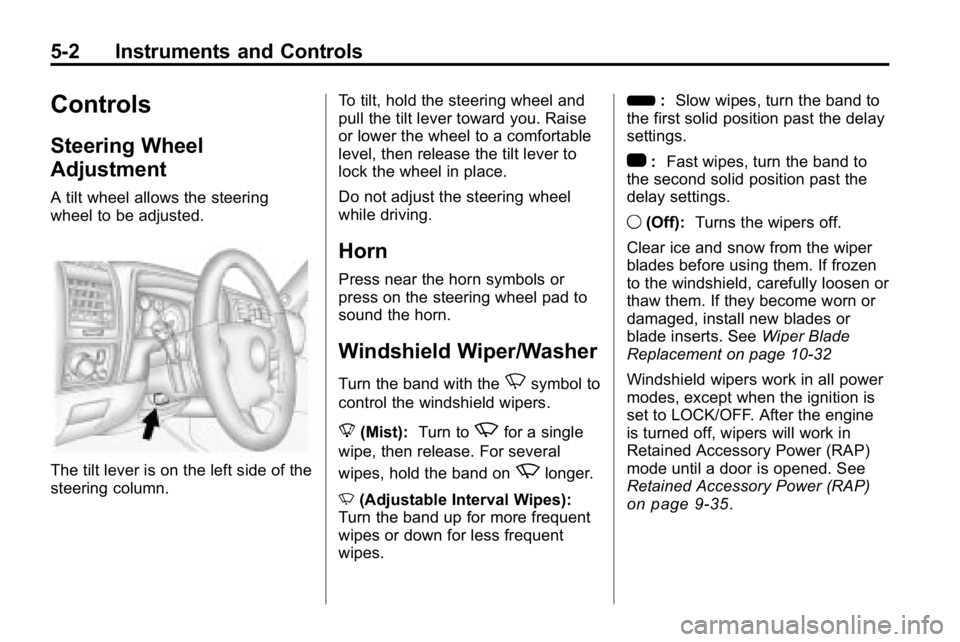
A tilt wheel allows the steering
wheel to be adjusted.
The tilt lever is on the left side of the
steering column.To tilt, hold the steering wheel and
pull the tilt lever toward you. Raise
or lower the wheel to a comfortable
level, then release the tilt lever to
lock the wheel in place.
Do not adjust the steering wheel
while driving.
Horn
Press near the horn symbols or
press on the steering wheel pad to
sound the horn.
Windshield Wiper/Washer
Turn the band with theNsymbol to
control the windshield wipers.
8 (Mist): Turn to
zfor a single
wipe, then release. For several
wipes, hold the band on
zlonger.
N (Adjustable Interval Wipes):
Turn the band up for more frequent
wipes or down for less frequent
wipes. 6
:Slow wipes, turn the band to
the first solid position past the delay
settings.
1 :Fast wipes, turn the band to
the second solid position past the
delay settings.
9 (Off): Turns the wipers off.
Clear ice and snow from the wiper
blades before using them. If frozen
to the windshield, carefully loosen or
thaw them. If they become worn or
damaged, install new blades or
blade inserts. See Wiper Blade
Replacement on page 10‑32
Windshield wipers work in all power
modes, except when the ignition is
set to LOCK/OFF. After the engine
is turned off, wipers will work in
Retained Accessory Power (RAP)
mode until a door is opened. See
Retained Accessory Power (RAP)
on page 9‑35.
Page 133 of 410
Instruments and Controls 5-19
Engine Oil Life System
With the engine off, turn the key
to ON/RUN and then press the
reset stem until OIL LIFE RESET
appears—alternating between
OIL LIFE and RESET —on the DIC
display. The CHANGE OIL message
alerts you to change the oil on a
schedule consistent with your
driving conditions. Always reset
the OIL LIFE message after an
oil change. To reset the message,
see Engine Oil Life System
on
page 10‑11.
In addition to the engine oil life
system monitoring the oil life,
additional maintenance is
recommended in the Maintenance
Schedule in this manual. See
Engine Oil
on page 10‑9and
Scheduled Maintenanceon
page 11‑2for more information.
Language
This feature allows you to choose
the language in which the DIC
display shows information.
To set your choice for this feature:
1. With the engine off, turn the key to ON/RUN, but do not start the
engine.
2. Close all doors so the DOORS message does not display in
the DIC.
3. Momentarily press and release the reset stem until the current
language is displayed: English
(default), Spanish, or French.
4. To select a different language, press and hold the reset stem
until the next language appears. 5. Repeat Step 4 until the desired
language is displayed. Once the
desired language is shown on
the DIC display, the language
is set.
6. To exit the language selection, momentarily press and release
the reset stem. All DIC
messages will now display in
the language selected.
Automatic Door Locks
This feature allows you to program
the door locks to a preferred setting.
To set your choice for this feature:
1. With the engine off, turn the keyto LOCK/OFF. Do not remove
the key from the ignition.
2. Press and hold the power door lock button until the DIC display
shows the current door
lock mode.
Page 134 of 410
5-20 Instruments and Controls
3. To view the next availablemode, press and hold the reset
stem until the mode appears.
Release the reset stem and
press and hold again to view
the next mode.
4. Once the desired mode is shown on the DIC display, briefly press
the reset stem to set your
choice. The DIC display then
clears.
The following are the available
modes:
Lock 1 (default): On vehicles with
an automatic transmission, this
mode locks all of the doors when
the vehicle is shifted out of P (Park)
and unlocks all of the doors when
the vehicle is shifted into P (Park).
On vehicles with a manual
transmission, this mode locks all of
the doors when the vehicle speed is
greater than 24 km/h (15 mph) and
unlocks all of the doors when the
key is removed from the ignition. Lock 2:
On vehicles with an
automatic transmission, this mode
locks all of the doors when the
vehicle is shifted out of P (Park) and
unlocks the driver's door when the
vehicle is shifted into P (Park).
On vehicles with a manual
transmission, this mode locks all of
the doors when the vehicle speed is
greater than 24 km/h (15 mph) and
unlocks the driver's door when the
key is removed from the ignition.
Lock 3: On vehicles with an
automatic transmission, this mode
locks all of the doors when the
vehicle is shifted out of P (Park).
The doors will not automatically
unlock.
On vehicles with a manual
transmission, this mode locks all of
the doors when the vehicle speed is
greater than 24 km/h (15 mph). The
doors will not automatically unlock.Remote Keyless Entry (RKE)
Feedback
This feature allows you to program
the Remote Keyless Entry (RKE)
feedback to a preferred setting.
To set your choice for this feature:
1. With the engine off, turn the key to LOCK/OFF. Do not remove
the key from the ignition.
2. Press and hold the lock and unlock buttons on the RKE
transmitter at the same time.
Hold both buttons until the DIC
display shows the current RKE
feedback mode.
3. To view the next available mode, press and hold the reset
stem until the mode appears.
Release the reset stem and
press and hold again to view
the next mode.
4. Once the desired mode is shown on the DIC display, briefly press
the reset stem to set your
choice. The DIC display then
clears.
Page 136 of 410
5-22 Instruments and Controls
The vehicle is safe to drive,
however have the electrical system
checked by your dealer. Press
and release the reset stem to
acknowledge the message and
clear it from the display.
Brake System Messages
ABS (Antilock Brake System)
FAULT
This message displays if there is a
problem with the Antilock Brake
System (ABS). Check the ABS as
soon as possible and have the
vehicle serviced by your dealer.
SeeAntilock Brake System (ABS)
on page 9‑50andAntilock Brake
System (ABS) Warning Lighton
page 5‑15for more information.
Press and release the reset stem
to acknowledge the message and
clear it from the display.
BRAKES
This message displays if there is a
problem with the brakes. Check the
brakes as soon as possible and
have the vehicle serviced by your
dealer. See Brakes
on page 10‑26andBrake System Warning Lighton
page 5‑14for more information.
Press and release the reset stem
to acknowledge the message and
clear it from the display.
FLUID
This message displays if the brake
fluid is low. Check the brake fluid
as soon as possible and have the
vehicle serviced by your dealer.
See Brake Fluid
on page 10‑27for
more information. Press and release
the reset stem to acknowledge the
message and clear it from the
display.
HSA (Hill Start Assist) ON
This message displays when the
Hill Start Assist is enabled. See Hill
Start Assist (HSA)
on page 9‑52for
more information.
PARK BRK (Brake)
This message displays when the
parking brake is set. See Parking
Brake
on page 9‑51and Brake
System Warning Lighton
page 5‑14for more information.
The message clears from the
display after the parking brake is
released or by pressing and
releasing the reset stem.
Door Ajar Messages
DOORS
This message displays when one or
more of the doors is ajar. Check all
the doors on the vehicle to make
sure they are closed. The message
clears from the display after all of
the doors are closed.
Page 147 of 410
Lighting 6-3
Exterior Lamps Off
Reminder
A headlamp reminder chime will
sound if the following conditions
are met:
.The driver door is open.
.Parking lamps or headlamps are
manually turned on.
.The key is either not in the
ignition switch, or it is in the
LOCK/OFF position of the
ignition switch.
The headlamp reminder cannot be
turned off if the conditions listed
above are met.
In the automatic mode, the
headlamps turn off once the ignition
is in ACC/ACCESSORY.
Headlamp High/
Low-Beam Changer
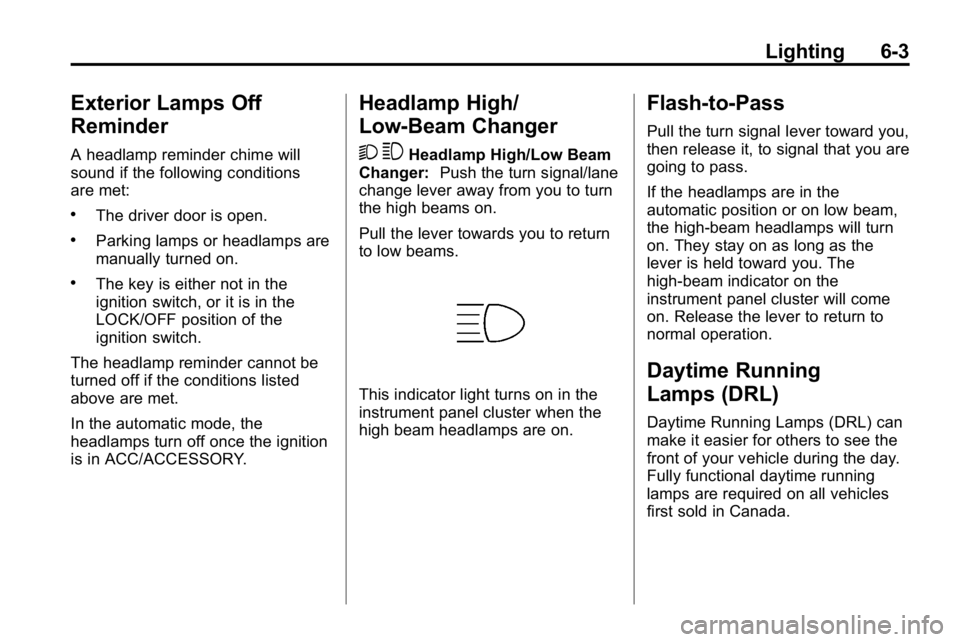
2 3
Headlamp High/Low Beam
Changer: Push the turn signal/lane
change lever away from you to turn
the high beams on.
Pull the lever towards you to return
to low beams.
This indicator light turns on in the
instrument panel cluster when the
high beam headlamps are on.
Flash-to-Pass
Pull the turn signal lever toward you,
then release it, to signal that you are
going to pass.
If the headlamps are in the
automatic position or on low beam,
the high-beam headlamps will turn
on. They stay on as long as the
lever is held toward you. The
high-beam indicator on the
instrument panel cluster will come
on. Release the lever to return to
normal operation.
Daytime Running
Lamps (DRL)
Daytime Running Lamps (DRL) can
make it easier for others to see the
front of your vehicle during the day.
Fully functional daytime running
lamps are required on all vehicles
first sold in Canada.
Page 219 of 410
Driving and Operating 9-35
A warning tone will sound when the
driver door is opened, the ignition is
in ACC/ACCESSORY or LOCK/OFF
and the key is in the ignition.
Retained Accessory
Power (RAP)
These vehicle accessories can be
used for up to 20 minutes after the
engine is turned off:
.Audio System
.Front Wipers
.Power Windows
.Sunroof (if equipped)
These features will work when
the key is in ON/RUN or
ACC/ACCESSORY. Once the
key is turned from ON/RUN to
LOCK/OFF, these features continue
working for up to 20 minutes or until
a door is opened.
Starting the Engine
Place the transmission in the
proper gear.
Automatic Transmission
Move the shift lever to P (Park) or
N (Neutral). The engine will not start
in any other position. To restart the
vehicle when it is already moving,
use N (Neutral) only.
Notice: Do not try to shift to
P (Park) if the vehicle is moving.
If you do, you could damage the
transmission. Shift to P (Park)
only when the vehicle is stopped.
Manual Transmission
The shift lever should be in
N (Neutral) and the parking brake
engaged. Hold the clutch pedal
down to the floor and start the
engine. The vehicle will not start
if the clutch pedal is not all the
way down. Starting Procedure
1. With your foot off the accelerator
pedal, turn the ignition key to
START. When the engine starts,
let go of the key. The idle speed
will go down as the engine
warms. Do not race the engine
immediately after starting it.
Operate the engine and
transmission gently to allow
the oil to warm up and lubricate
all moving parts.
The vehicle has a
Computer-Controlled Cranking
System. This feature assists in
starting the engine and protects
components. If the ignition key is
turned to the START position,
and then released when the
engine begins cranking, the
engine will continue cranking
for a few seconds or until the
vehicle starts. If the engine
does not start and the key is
held in START for many
seconds, cranking will be
stopped after 15 seconds to
prevent cranking motor damage.
Page 398 of 410
13-16 Customer Information
HUMMER will not access this data
or share it with others except: with
the consent of the vehicle owner or,
if the vehicle is leased, with the
consent of the lessee; in response
to an official request of police or
similar government office; as part of
HUMMER's defense of litigation
through the discovery process; or,
as required by law. Data that
HUMMER collects or receives may
also be used for HUMMER research
needs or may be made available to
others for research purposes, where
a need is shown and the data is not
tied to a specific vehicle or vehicle
owner.
OnStar®
If the vehicle has OnStar and you
subscribe to the OnStar services,
please refer to the OnStar Terms
and Conditions in the OnStar
Owners Guide for information on
data collection and use.
Navigation System
If your vehicle has a navigation
system, use of the system may
result in the storage of destinations,
addresses, telephone numbers, and
other trip information. Refer to the
navigation system operating manual
for information on stored data and
for deletion instructions.
Radio Frequency
Identification (RFID)
RFID technology is used in some
vehicles for functions such as tire
pressure monitoring and ignition
system security, as well as in
connection with conveniences
such as key fobs for remote door
locking/unlocking and starting, and
in-vehicle transmitters for garage
door openers. RFID technology in
HUMMER vehicles does not use or
record personal information or link
with any other HUMMER system
containing personal information.
Radio Frequency
Statement
This vehicle has systems that
operate on a radio frequency that
comply with Part 15 of the Federal
Communications Commission (FCC)
Rules and with RSS-210/211 of
Industry Canada.
Operation is subject to the following
two conditions:
1. The device may not causeinterference.
2. The device must accept any interference received, including
interference that may cause
undesired operation of the
device.
Changes or modifications to any of
these systems by other than an
authorized service facility could void
authorization to use this equipment.