key HUMMER H3 2010 Owner's Manual
[x] Cancel search | Manufacturer: HUMMER, Model Year: 2010, Model line: H3, Model: HUMMER H3 2010Pages: 410, PDF Size: 2.24 MB
Page 41 of 410
Keys, Doors and Windows 2-15
Compass Display
Presszto turn the compass
display on or off.
For more information about the
compass, see Compass
on
page 5‑3.
Cleaning the Mirror
Do not spray glass cleaner directly
on the mirror. Use a soft towel
dampened with water.
Windows
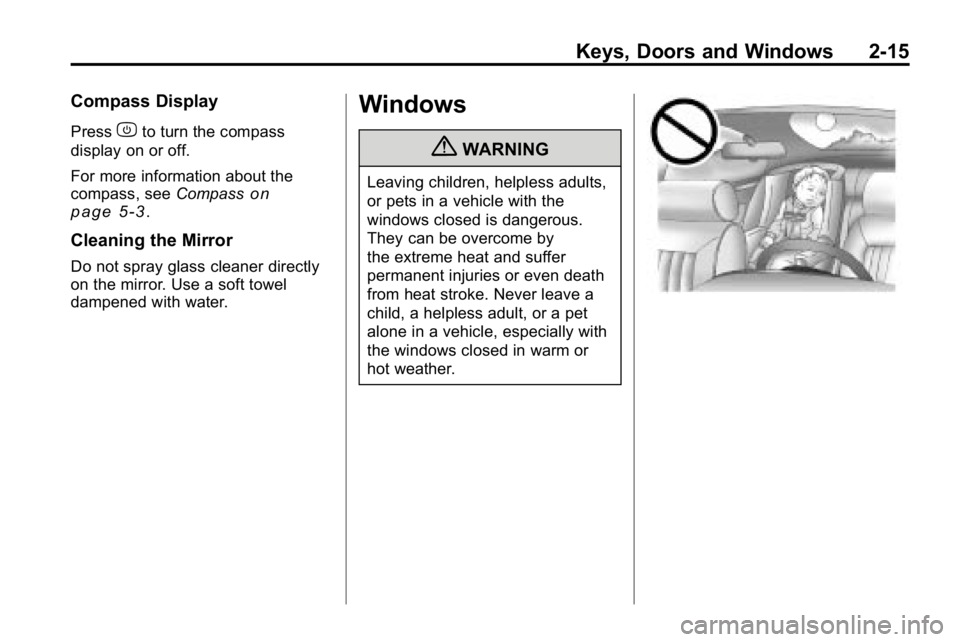
{WARNING
Leaving children, helpless adults,
or pets in a vehicle with the
windows closed is dangerous.
They can be overcome by
the extreme heat and suffer
permanent injuries or even death
from heat stroke. Never leave a
child, a helpless adult, or a pet
alone in a vehicle, especially with
the windows closed in warm or
hot weather.
Page 42 of 410

2-16 Keys, Doors and Windows
Power Windows
{WARNING
Leaving children in a vehicle with
the keys is dangerous for many
reasons, children or others could
be badly injured or even killed.
They could operate the power
windows or other controls or
even make the vehicle move.
The windows will function and
they could be seriously injured or
killed if caught in the path of a
closing window. Do not leave
keys in a vehicle with children.
When there are children in the
rear seat use the window lockout
button to prevent unintentional
operation of the windows.
The power window controls are
located on each door.
The driver's door also has
passenger window switches.
The ignition must be in
ACC/ACCESSORY, ON/RUN,
or in Retained Accessory Power
(RAP). SeeRetained Accessory
Power (RAP) on page 9‑35. Pull up or press down on the front
edge of the switch to raise or lower
the window.
Express‐Down Window
The driver's window has an
express‐down feature that lowers
the window without holding the
switch. Press the front edge of the
switch past the first position to
activate the express‐down mode.
To stop the express‐down, pull up
on the switch. To open the window
partway, press the front of the
switch to the first position until the
window is at the desired level.
Page 43 of 410
Keys, Doors and Windows 2-17
Window Lockout
o(Window Lockout): The window
lockout button is located in front
of the window switches. This feature
disables the passenger's window
switches when the button is
pressed. Press the button again to
turn the lockout off. A red band on
the side of the button is lit when the
windows are not locked out.
Sun Visors
Pull the visor toward you, or move it
to the side to help reduce glare.
Pull out the extenders for further
coverage.
On a visor with a mirror, lift the
cover to use it.
Roof
Sunroof
To operate a power sliding sunroof,
the ignition must be on, or Retained
Accessory Power (RAP) must be
active. See Retained Accessory
Power (RAP) on page 9‑35.
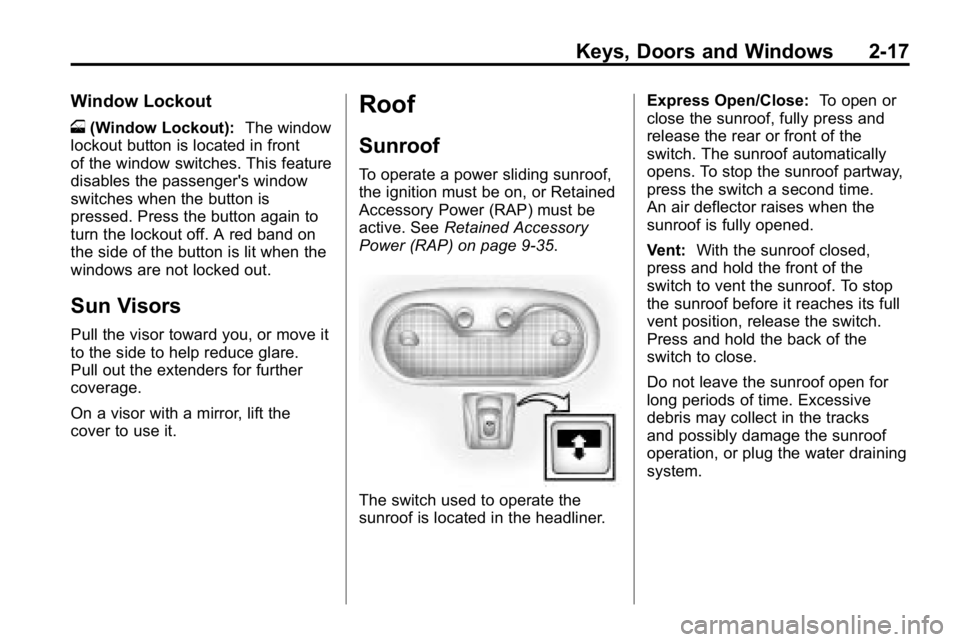
The switch used to operate the
sunroof is located in the headliner. Express Open/Close:
To open or
close the sunroof, fully press and
release the rear or front of the
switch. The sunroof automatically
opens. To stop the sunroof partway,
press the switch a second time.
An air deflector raises when the
sunroof is fully opened.
Vent: With the sunroof closed,
press and hold the front of the
switch to vent the sunroof. To stop
the sunroof before it reaches its full
vent position, release the switch.
Press and hold the back of the
switch to close.
Do not leave the sunroof open for
long periods of time. Excessive
debris may collect in the tracks
and possibly damage the sunroof
operation, or plug the water draining
system.
Page 44 of 410

2-18 Keys, Doors and Windows
Dirt and debris may collect on the
sunroof seal or in the tracks that
could cause an issue with sunroof
operation, noise or plug the water
drainage system. Periodically open
the sunroof and remove any
obstacles or loose debris. Wipe the
sunroof seal and roof sealing area
using a clean cloth, mild soap, and
water. Do not remove grease from
sunroof.
Anti-Pinch Feature
If an object is in the path of the
sunroof when it is closing, the
anti-pinch feature detects the object
and stops the sunroof from closing
at the point of the obstruction. The
sunroof then returns to the full-open
position.
Sunshade Operation
The sunshade automatically opens
with the sunroof. Manually pull it
shut after the sunroof is closed.
To adjust the sunshade, push it
backward or pull it forward to the
desired position. The sunshade
cannot be adjusted further than
the current closed position of the
sunroof.
Page 70 of 410

3-26 Seats and Restraints
The best way to protect the fetus is
to protect the mother. When a safety
belt is worn properly, it is more likely
that the fetus will not be hurt in a
crash. For pregnant women, as for
anyone, the key to making safety
belts effective is wearing them
properly.
Safety Belt Extender
If the vehicle's safety belt will fasten
around you, you should use it.
But if a safety belt is not long
enough, your dealer will order you
an extender. When you go in to
order it, take the heaviest coat you
will wear, so the extender will be
long enough for you. To help avoid
personal injury, do not let someone
else use it, and use it only for the
seat it is made to fit. The extender
has been designed for adults.
Never use it for securing child seats.
To wear it, attach it to the regular
safety belt. For more information,
see the instruction sheet that comes
with the extender.
Safety System Check
Now and then, check that the safety
belt reminder light, safety belts,
buckles, latch plates, retractors and
anchorages are working properly.
Look for any other loose or
damaged safety belt system parts
that might keep a safety belt system
from doing its job. See your dealer
to have it repaired. Torn or frayed
safety belts may not protect you in
a crash. They can rip apart under
impact forces. If a belt is torn or
frayed, get a new one right away.
Make sure the safety belt reminder
light is working. SeeSafety Belt
Reminders
on page 5‑9for more
information.
Keep safety belts clean and dry.
See Safety Belt Care
on
page 3‑26.
Safety Belt Care
Keep belts clean and dry.
{WARNING
Do not bleach or dye safety belts.
It may severely weaken them.
In a crash, they might not be able
to provide adequate protection.
Clean safety belts only with mild
soap and lukewarm water.
Page 113 of 410
Storage 4-5
Adjusting the Crossrails
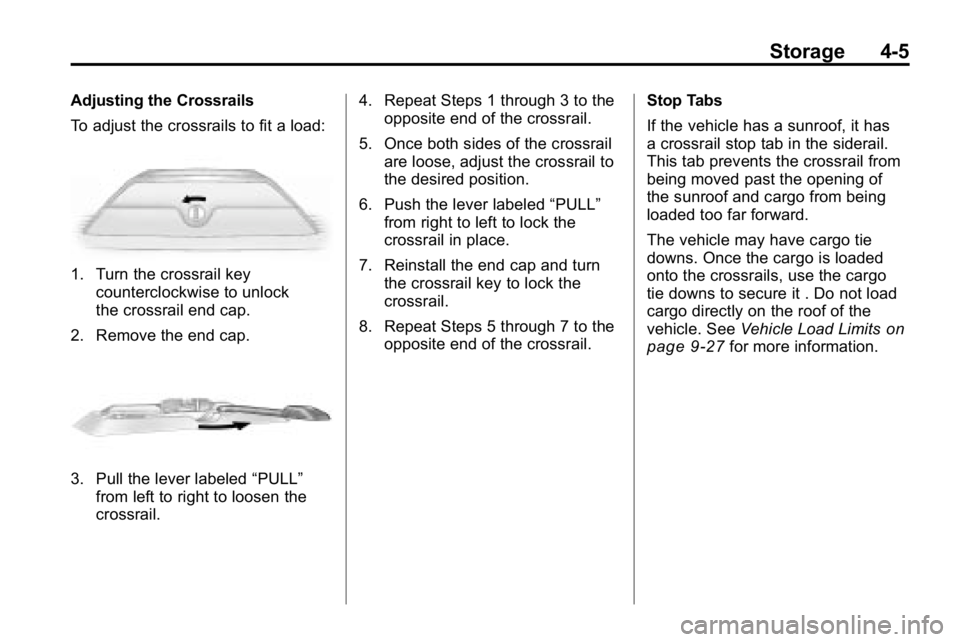
To adjust the crossrails to fit a load:
1. Turn the crossrail keycounterclockwise to unlock
the crossrail end cap.
2. Remove the end cap.
3. Pull the lever labeled “PULL”
from left to right to loosen the
crossrail. 4. Repeat Steps 1 through 3 to the
opposite end of the crossrail.
5. Once both sides of the crossrail are loose, adjust the crossrail to
the desired position.
6. Push the lever labeled “PULL”
from right to left to lock the
crossrail in place.
7. Reinstall the end cap and turn the crossrail key to lock the
crossrail.
8. Repeat Steps 5 through 7 to the opposite end of the crossrail. Stop Tabs
If the vehicle has a sunroof, it has
a crossrail stop tab in the siderail.
This tab prevents the crossrail from
being moved past the opening of
the sunroof and cargo from being
loaded too far forward.
The vehicle may have cargo tie
downs. Once the cargo is loaded
onto the crossrails, use the cargo
tie downs to secure it . Do not load
cargo directly on the roof of the
vehicle. See
Vehicle Load Limits
on
page 9‑27for more information.
Page 125 of 410

Instruments and Controls 5-11
Passenger Airbag Status
Indicator
The vehicle has the passenger
sensing system. SeePassenger
Sensing System
on page 3‑35for
important safety information. The
instrument panel has a passenger
airbag status indicator.
United States
Canada
When the vehicle is started, the
passenger airbag status indicator
will light ON and OFF, or the symbol
for on and off, for several seconds as a system check. Then, after
several more seconds, the status
indicator will light either ON or OFF,
or either the on or off symbol to let
you know the status of the right front
passenger frontal airbag.
If the word ON or the on symbol is
lit on the passenger airbag status
indicator, it means that the right
front passenger frontal airbag is
enabled (may inflate).
If the word OFF or the off symbol is
lit on the airbag status indicator, it
means that the passenger sensing
system has turned off the right front
passenger frontal airbag.
If, after several seconds, both status
indicator lights remain on, or if there
are no lights at all, there may be
a problem with the lights or the
passenger sensing system. See
your dealer for service.
{WARNING
If the airbag readiness light
ever comes on and stays on, it
means that something may be
wrong with the airbag system.
To help avoid injury to yourself or
others, have the vehicle serviced
right away. See
Airbag Readiness
Light
on page 5‑10for more
information, including important
safety information.
Charging System Light
This light comes on briefly when the
ignition key is turned, but the engine
is not running, as a check to show it
is working.
Page 127 of 410
Instruments and Controls 5-13
This light comes on during a
malfunction in one of two ways:
Light Flashing:A misfire condition
has been detected. A misfire
increases vehicle emissions and
could damage the emission control
system on the vehicle. Diagnosis
and service might be required.
The following can prevent more
serious damage to the vehicle:
.Reduce vehicle speed.
.Avoid hard accelerations.
.Avoid steep uphill grades.
.If towing a trailer, reduce the
amount of cargo being hauled as
soon as it is possible.
If the light continues to flash, when
it is safe to do so, stop the vehicle.
Find a safe place to park the
vehicle. Turn the key off, wait at
least 10 seconds, and restart the
engine. If the light is still flashing,
follow the previous steps and see
your dealer for service as soon as
possible. Light On Steady:
An emission
control system malfunction has
been detected on the vehicle.
Diagnosis and service might be
required.
An emission system malfunction
might be corrected.
.Make sure the fuel cap is fully
installed. See Filling the Tankon
page 9‑68. The diagnostic
system can determine if the
fuel cap has been left off or
improperly installed. A loose or
missing fuel cap allows fuel to
evaporate into the atmosphere.
A few driving trips with the cap
properly installed should turn the
light off.
.If the vehicle has been driven
through a deep puddle of water,
the vehicle's electrical system
might be wet. The condition is
usually corrected when the
electrical system dries out.
A few driving trips should turn
the light off.
.Make sure to fuel the vehicle
with quality fuel. Poor fuel quality
causes the engine not to run as
efficiently as designed and may
cause: stalling after start-up,
stalling when the vehicle is
changed into gear, misfiring,
hesitation on acceleration,
or stumbling on acceleration.
These conditions might go away
once the engine is warmed up.
If one or more of these
conditions occurs, change the
fuel brand used. It will require at
least one full tank of the proper
fuel to turn the light off.
See Recommended Fuel
on
page 9‑64.
If none of the above have made
the light turn off, your dealer can
check the vehicle. The dealer
has the proper test equipment
and diagnostic tools to fix any
mechanical or electrical problems
that might have developed.
Page 128 of 410

5-14 Instruments and Controls
Emissions Inspection and
Maintenance Programs
Some state/provincial and local
governments have or might begin
programs to inspect the emission
control equipment on the vehicle.
Failure to pass this inspection
could prevent getting a vehicle
registration.
Here are some things to know to
help the vehicle pass an inspection:
.The vehicle will not pass this
inspection if the check engine
light is on with the engine
running, or if the key is in
ON/RUN and the light is not on.
.The vehicle will not pass
this inspection if the OBD II
(on-board diagnostic) system
determines that critical emission
control systems have not been
completely diagnosed by the
system. The vehicle would
be considered not ready for
inspection. This can happen ifthe battery has recently been
replaced or if the battery has run
down. The diagnostic system is
designed to evaluate critical
emission control systems during
normal driving. This can take
several days of routine driving.
If this has been done and the
vehicle still does not pass the
inspection for lack of OBD II
system readiness, your dealer
can prepare the vehicle for
inspection.
Brake System Warning
Light
The vehicle's hydraulic brake
system is divided into two parts.
If one part is not working, the other
part can still work and stop the
vehicle. For good braking though,
both parts need to be working well.
If the warning light comes on, there
could be a brake problem. Have the
brake system inspected right away.
United StatesCanada
This light comes on briefly when the
ignition key is turned to ON/RUN.
If it does not, have it fixed so it will
be ready to warn if there is a
problem.
When the ignition is on, the brake
system warning light comes on
when the parking brake is set.
See Parking Brake
on page 9‑51for more information. The light stays
on if the parking brake does not
release fully. If it stays on after the
parking brake is fully released, it
means there is a brake problem.
Page 133 of 410
Instruments and Controls 5-19
Engine Oil Life System
With the engine off, turn the key
to ON/RUN and then press the
reset stem until OIL LIFE RESET
appears—alternating between
OIL LIFE and RESET —on the DIC
display. The CHANGE OIL message
alerts you to change the oil on a
schedule consistent with your
driving conditions. Always reset
the OIL LIFE message after an
oil change. To reset the message,
see Engine Oil Life System
on
page 10‑11.
In addition to the engine oil life
system monitoring the oil life,
additional maintenance is
recommended in the Maintenance
Schedule in this manual. See
Engine Oil
on page 10‑9and
Scheduled Maintenanceon
page 11‑2for more information.
Language
This feature allows you to choose
the language in which the DIC
display shows information.
To set your choice for this feature:
1. With the engine off, turn the key to ON/RUN, but do not start the
engine.
2. Close all doors so the DOORS message does not display in
the DIC.
3. Momentarily press and release the reset stem until the current
language is displayed: English
(default), Spanish, or French.
4. To select a different language, press and hold the reset stem
until the next language appears. 5. Repeat Step 4 until the desired
language is displayed. Once the
desired language is shown on
the DIC display, the language
is set.
6. To exit the language selection, momentarily press and release
the reset stem. All DIC
messages will now display in
the language selected.
Automatic Door Locks
This feature allows you to program
the door locks to a preferred setting.
To set your choice for this feature:
1. With the engine off, turn the keyto LOCK/OFF. Do not remove
the key from the ignition.
2. Press and hold the power door lock button until the DIC display
shows the current door
lock mode.