light Hyundai Accent 2004 Owner's Guide
[x] Cancel search | Manufacturer: HYUNDAI, Model Year: 2004, Model line: Accent, Model: Hyundai Accent 2004Pages: 205, PDF Size: 3.2 MB
Page 62 of 205
1FEATURES OF YOUR HYUNDAI
50FRONT FOG LIGHT SWITCH
B360A04A-AAT
(If Installed)
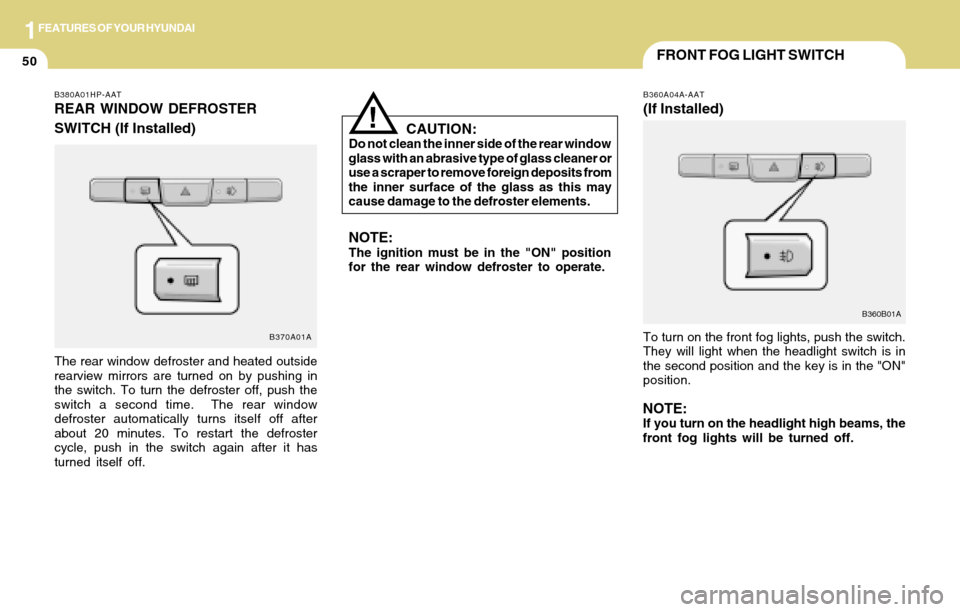
To turn on the front fog lights, push the switch.
They will light when the headlight switch is in
the second position and the key is in the "ON"
position.
NOTE:If you turn on the headlight high beams, the
front fog lights will be turned off.
CAUTION:Do not clean the inner side of the rear window
glass with an abrasive type of glass cleaner or
use a scraper to remove foreign deposits from
the inner surface of the glass as this may
cause damage to the defroster elements.
NOTE:The ignition must be in the "ON" position
for the rear window defroster to operate.
!
B360B01A
B380A01HP-AAT
REAR WINDOW DEFROSTER
SWITCH (If Installed)
The rear window defroster and heated outside
rearview mirrors are turned on by pushing in
the switch. To turn the defroster off, push the
switch a second time. The rear window
defroster automatically turns itself off after
about 20 minutes. To restart the defroster
cycle, push in the switch again after it has
turned itself off.
B370A01A
Page 63 of 205
1FEATURES OF YOUR HYUNDAI
51ASHTRAYCIGARETTE LIGHTERDIGITAL CLOCK
B420A01A-AAT
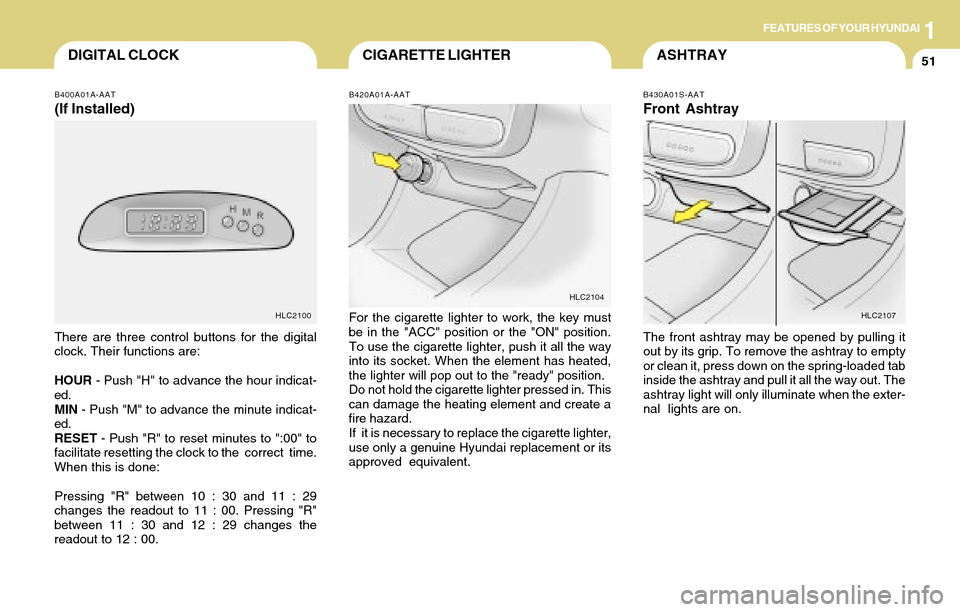
For the cigarette lighter to work, the key must
be in the "ACC" position or the "ON" position.
To use the cigarette lighter, push it all the way
into its socket. When the element has heated,
the lighter will pop out to the "ready" position.
Do not hold the cigarette lighter pressed in. This
can damage the heating element and create a
fire hazard.
If it is necessary to replace the cigarette lighter,
use only a genuine Hyundai replacement or its
approved equivalent.
B430A01S-AAT
Front Ashtray
The front ashtray may be opened by pulling it
out by its grip. To remove the ashtray to empty
or clean it, press down on the spring-loaded tab
inside the ashtray and pull it all the way out. The
ashtray light will only illuminate when the exter-
nal lights are on.
HLC2104
HLC2107
B400A01A-AAT
(If Installed)
There are three control buttons for the digital
clock. Their functions are:
HOUR - Push "H" to advance the hour indicat-
ed.
MIN - Push "M" to advance the minute indicat-
ed.
RESET - Push "R" to reset minutes to ":00" to
facilitate resetting the clock to the correct time.
When this is done:
Pressing "R" between 10 : 30 and 11 : 29
changes the readout to 11 : 00. Pressing "R"
between 11 : 30 and 12 : 29 changes the
readout to 12 : 00.
HLC2100
Page 65 of 205
1FEATURES OF YOUR HYUNDAI
53INTERIOR LIGHT
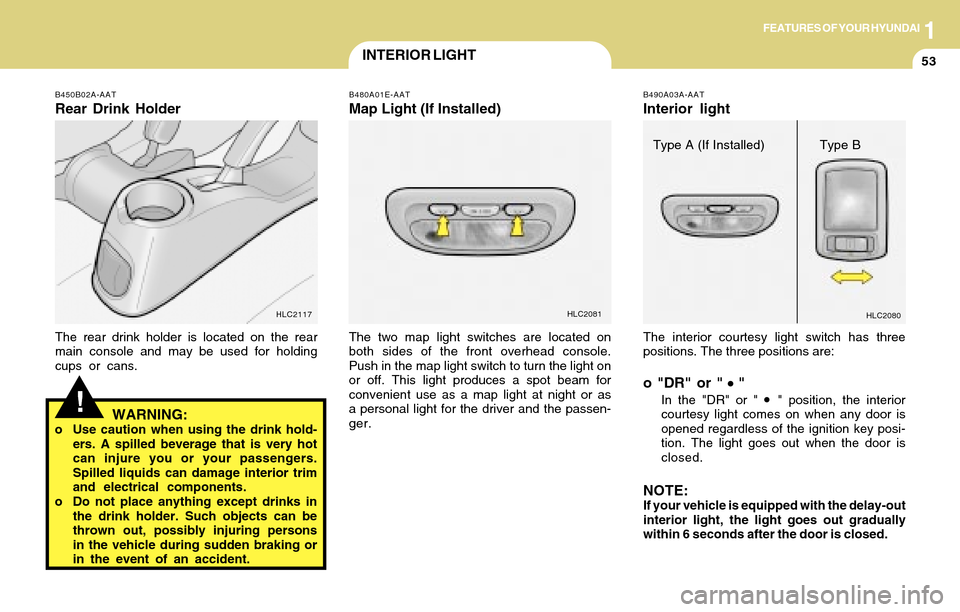
The interior courtesy light switch has three
positions. The three positions are:
o "DR" or " "
In the "DR" or " " position, the interior
courtesy light comes on when any door is
opened regardless of the ignition key posi-
tion. The light goes out when the door is
closed.
NOTE:If your vehicle is equipped with the delay-out
interior light, the light goes out gradually
within 6 seconds after the door is closed.
B490A03A-AAT
Interior light
HLC2080
Type A (If Installed) Type B
B480A01E-AAT
Map Light (If Installed)
The two map light switches are located on
both sides of the front overhead console.
Push in the map light switch to turn the light on
or off. This light produces a spot beam for
convenient use as a map light at night or as
a personal light for the driver and the passen-
ger.
HLC2081
!
B450B02A-AAT
Rear Drink Holder
The rear drink holder is located on the rear
main console and may be used for holding
cups or cans.
HLC2117
WARNING:o Use caution when using the drink hold-
ers. A spilled beverage that is very hot
can injure you or your passengers.
Spilled liquids can damage interior trim
and electrical components.
o Do not place anything except drinks in
the drink holder. Such objects can be
thrown out, possibly injuring persons
in the vehicle during sudden braking or
in the event of an accident.
Page 66 of 205
1FEATURES OF YOUR HYUNDAI
54SEAT POCKETGLOVE BOX
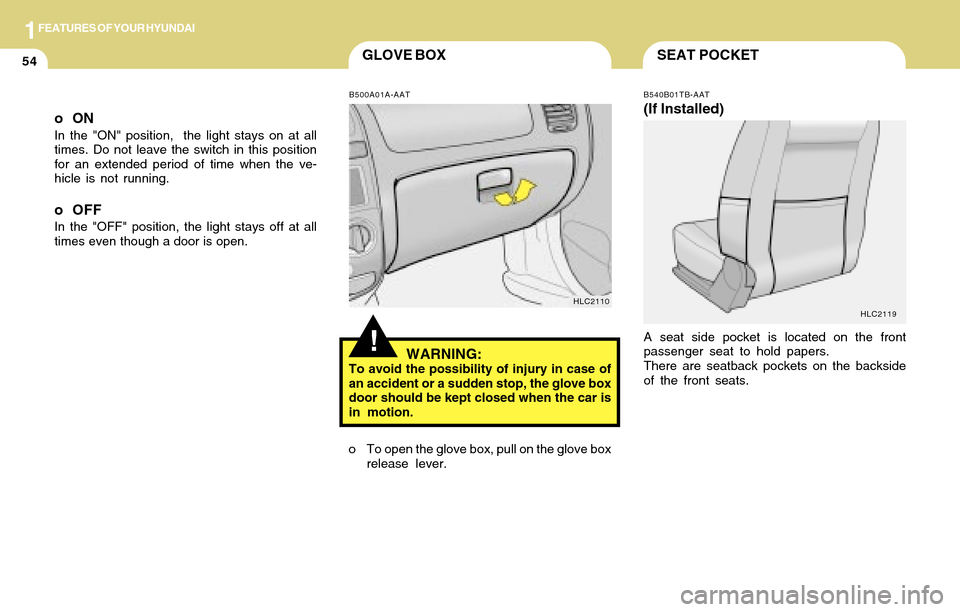
o To open the glove box, pull on the glove box
release lever.
B540B01TB-AAT
(If Installed)
A seat side pocket is located on the front
passenger seat to hold papers.
There are seatback pockets on the backside
of the front seats.
HLC2119
!
oON
In the "ON" position, the light stays on at all
times. Do not leave the switch in this position
for an extended period of time when the ve-
hicle is not running.
o OFF
In the "OFF" position, the light stays off at all
times even though a door is open.
HLC2110 B500A01A-AAT
WARNING:To avoid the possibility of injury in case of
an accident or a sudden stop, the glove box
door should be kept closed when the car is
in motion.
Page 69 of 205
1FEATURES OF YOUR HYUNDAI
57PARKING BRAKEDAY/NIGHT INSIDE REARVIEW
MIRROR
B520A01A-AAT
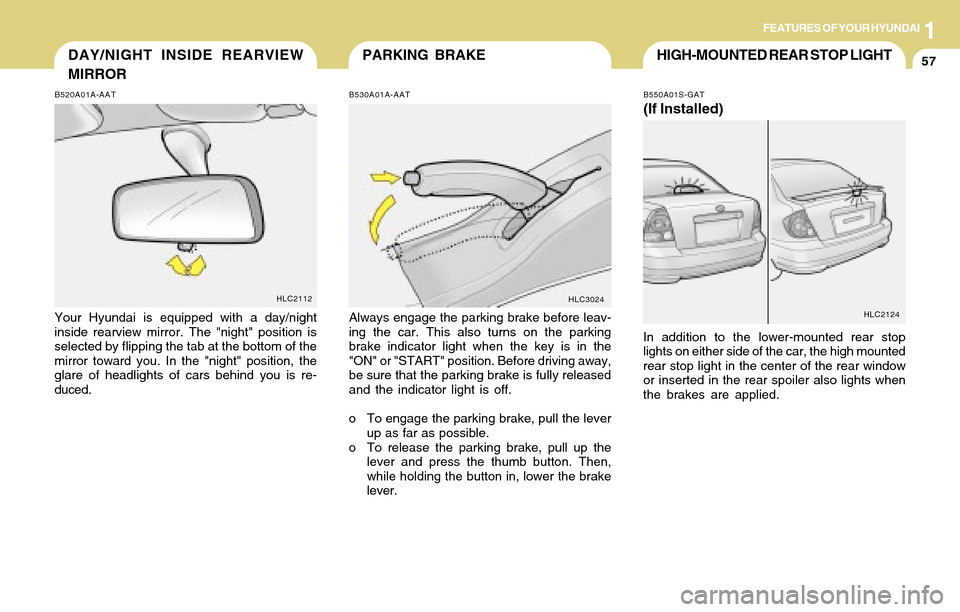
Your Hyundai is equipped with a day/night
inside rearview mirror. The "night" position is
selected by flipping the tab at the bottom of the
mirror toward you. In the "night" position, the
glare of headlights of cars behind you is re-
duced.
HLC2112
B530A01A-AAT
Always engage the parking brake before leav-
ing the car. This also turns on the parking
brake indicator light when the key is in the
"ON" or "START" position. Before driving away,
be sure that the parking brake is fully released
and the indicator light is off.
o To engage the parking brake, pull the lever
up as far as possible.
o To release the parking brake, pull up the
lever and press the thumb button. Then,
while holding the button in, lower the brake
lever.
HLC3024
HIGH-MOUNTED REAR STOP LIGHT
B550A01S-GAT
(If Installed)
In addition to the lower-mounted rear stop
lights on either side of the car, the high mounted
rear stop light in the center of the rear window
or inserted in the rear spoiler also lights when
the brakes are applied.
HLC2124
Page 71 of 205
1FEATURES OF YOUR HYUNDAI
59
B560A02S-AAT
B560A01A-1
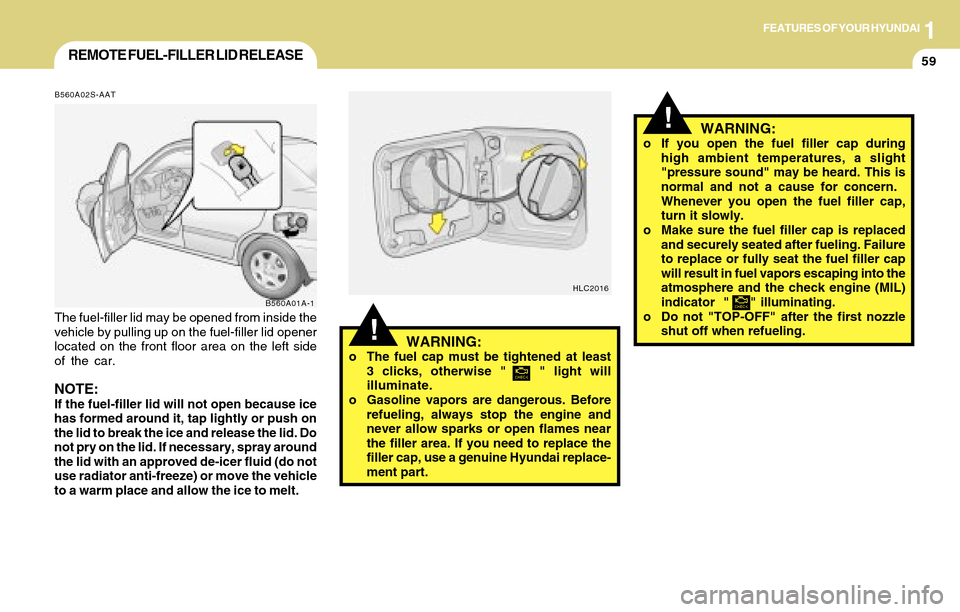
The fuel-filler lid may be opened from inside the
vehicle by pulling up on the fuel-filler lid opener
located on the front floor area on the left side
of the car.
NOTE:If the fuel-filler lid will not open because ice
has formed around it, tap lightly or push on
the lid to break the ice and release the lid. Do
not pry on the lid. If necessary, spray around
the lid with an approved de-icer fluid (do not
use radiator anti-freeze) or move the vehicle
to a warm place and allow the ice to melt.
REMOTE FUEL-FILLER LID RELEASE
!WARNING:o The fuel cap must be tightened at least
3 clicks, otherwise " " light will
illuminate.
o Gasoline vapors are dangerous. Before
refueling, always stop the engine and
never allow sparks or open flames near
the filler area. If you need to replace the
filler cap, use a genuine Hyundai replace-
ment part.
HLC2016
!
o If you open the fuel filler cap during
high ambient temperatures, a slight
"pressure sound" may be heard. This is
normal and not a cause for concern.
Whenever you open the fuel filler cap,
turn it slowly.
o Make sure the fuel filler cap is replaced
and securely seated after fueling. Failure
to replace or fully seat the fuel filler cap
will result in fuel vapors escaping into the
atmosphere and the check engine (MIL)
indicator " " illuminating.
o Do not "TOP-OFF" after the first nozzle
shut off when refueling.WARNING:
Page 72 of 205
1FEATURES OF YOUR HYUNDAI
60TRUNK LID (4 DOOR)
B540C02A-AAT
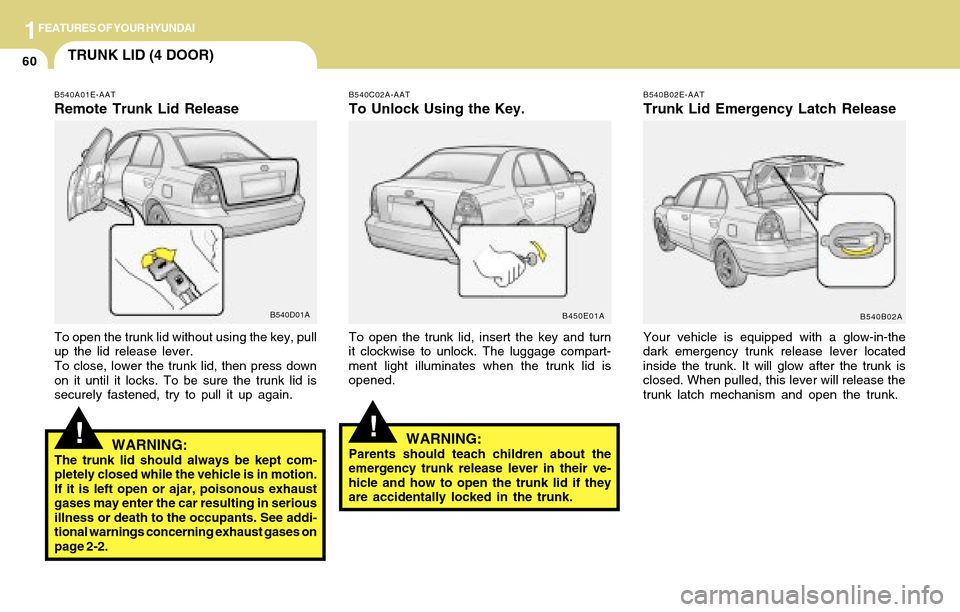
To Unlock Using the Key.
To open the trunk lid, insert the key and turn
it clockwise to unlock. The luggage compart-
ment light illuminates when the trunk lid is
opened.
B450E01AB540B02E-AAT
Trunk Lid Emergency Latch Release
Your vehicle is equipped with a glow-in-the
dark emergency trunk release lever located
inside the trunk. It will glow after the trunk is
closed. When pulled, this lever will release the
trunk latch mechanism and open the trunk.
B540B02A
!
B540A01E-AAT
Remote Trunk Lid Release
B540D01A
To open the trunk lid without using the key, pull
up the lid release lever.
To close, lower the trunk lid, then press down
on it until it locks. To be sure the trunk lid is
securely fastened, try to pull it up again.
WARNING:The trunk lid should always be kept com-
pletely closed while the vehicle is in motion.
If it is left open or ajar, poisonous exhaust
gases may enter the car resulting in serious
illness or death to the occupants. See addi-
tional warnings concerning exhaust gases on
page 2-2.
!WARNING:Parents should teach children about the
emergency trunk release lever in their ve-
hicle and how to open the trunk lid if they
are accidentally locked in the trunk.
Page 82 of 205
1FEATURES OF YOUR HYUNDAI
70
B740B02A-AAT
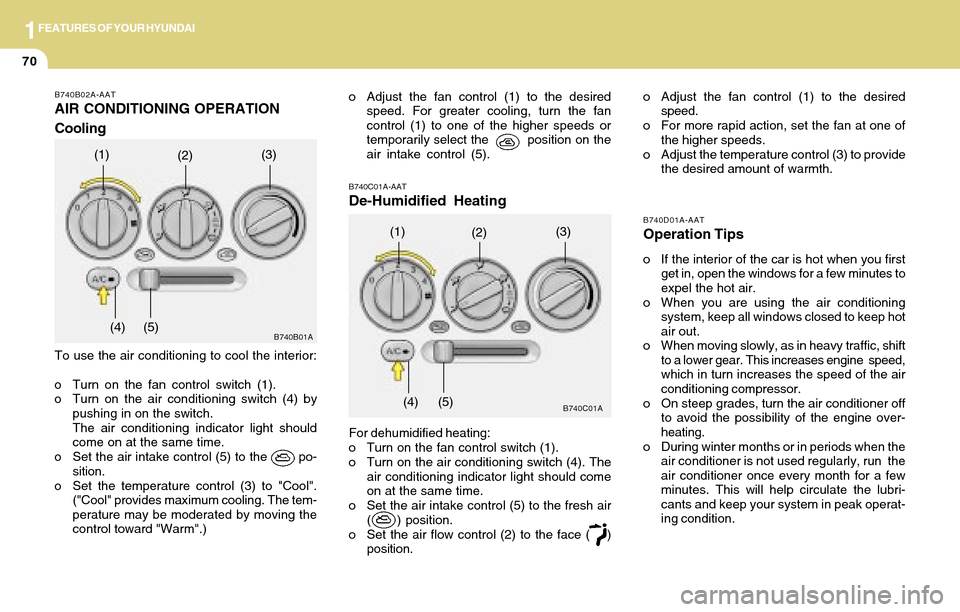
AIR CONDITIONING OPERATION
Cooling
To use the air conditioning to cool the interior:
o Turn on the fan control switch (1).
o Turn on the air conditioning switch (4) by
pushing in on the switch.
The air conditioning indicator light should
come on at the same time.
o Set the air intake control (5) to the po-
sition.
o Set the temperature control (3) to "Cool".
("Cool" provides maximum cooling. The tem-
perature may be moderated by moving the
control toward "Warm".)
(1)(2)(3)
(4) (5)
B740D01A-AAT
Operation Tips
o If the interior of the car is hot when you first
get in, open the windows for a few minutes to
expel the hot air.
o When you are using the air conditioning
system, keep all windows closed to keep hot
air out.
o When moving slowly, as in heavy traffic, shift
to a lower gear. This increases engine speed,
which in turn increases the speed of the air
conditioning compressor.
o On steep grades, turn the air conditioner off
to avoid the possibility of the engine over-
heating.
o During winter months or in periods when the
air conditioner is not used regularly, run the
air conditioner once every month for a few
minutes. This will help circulate the lubri-
cants and keep your system in peak operat-
ing condition.
B740C01A-AAT
De-Humidified Heating
For dehumidified heating:
o Turn on the fan control switch (1).
o Turn on the air conditioning switch (4). The
air conditioning indicator light should come
on at the same time.
o Set the air intake control (5) to the fresh air
( ) position.
o Set the air flow control (2) to the face ( )
position.
B740C01A
(1)(2)(3)
(4) (5)
o Adjust the fan control (1) to the desired
speed. For greater cooling, turn the fan
control (1) to one of the higher speeds or
temporarily select the position on the
air intake control (5).o Adjust the fan control (1) to the desired
speed.
o For more rapid action, set the fan at one of
the higher speeds.
o Adjust the temperature control (3) to provide
the desired amount of warmth.
B740B01A
Page 83 of 205
1FEATURES OF YOUR HYUNDAI
71DEFROSTING/DEFOGGING
NOTE:
When the A/C is operated continuously on the floor-defrost level ( ) or defrost level ( ), it may cause
fog to form on the exterior windshield. If this occurs, set the air flow control to the face level position
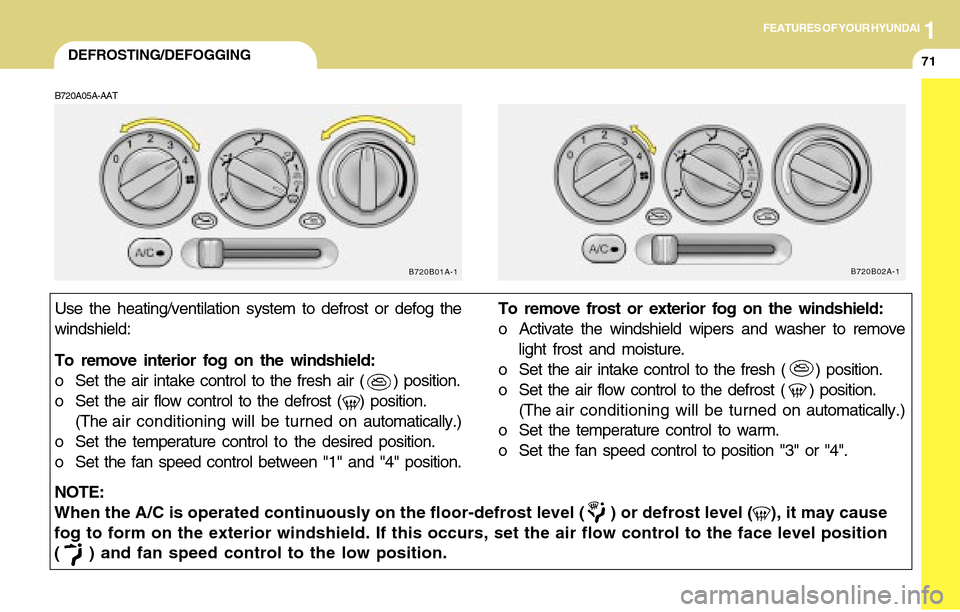
( ) and fan speed control to the low position.Use the heating/ventilation system to defrost or defog the
windshield:
To remove interior fog on the windshield:
o Set the air intake control to the fresh air ( ) position.
o Set the air flow control to the defrost ( ) position.
(The air conditioning will be turned on automatically.)
o Set the temperature control to the desired position.
o Set the fan speed control between "1" and "4" position.To remove frost or exterior fog on the windshield:
o Activate the windshield wipers and washer to remove
light frost and moisture.
o Set the air intake control to the fresh ( ) position.
o Set the air flow control to the defrost ( ) position.
(The air conditioning will be turned on automatically.)
o Set the temperature control to warm.
o Set the fan speed control to position "3" or "4".
B720A05A-AAT
B720B01A-1B720B02A-1
Page 102 of 205
1FEATURES OF YOUR HYUNDAI
90CARE OF CASSETTE TAPESCARE OF DISC
B850A02F-AAT
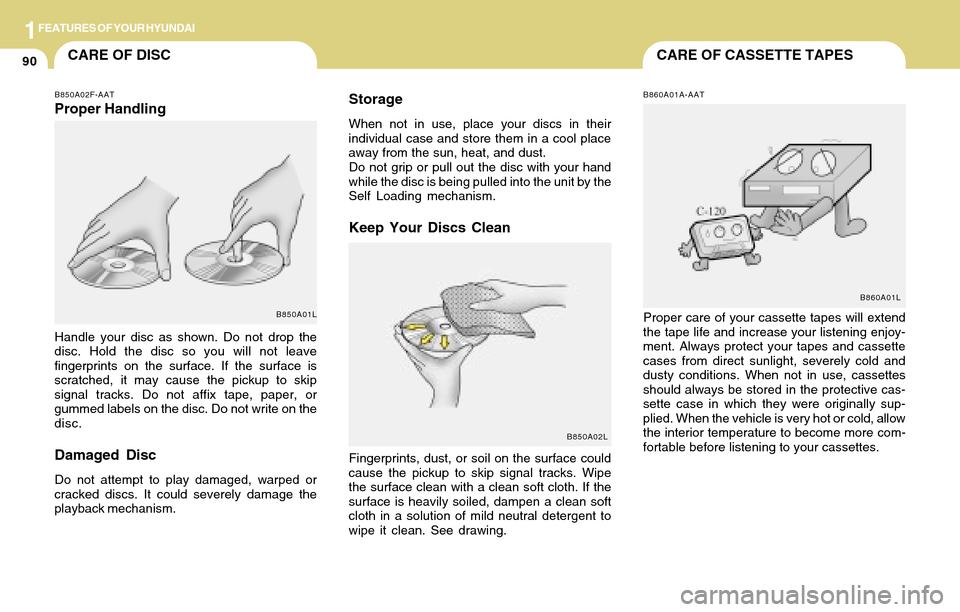
Proper Handling
Handle your disc as shown. Do not drop the
disc. Hold the disc so you will not leave
fingerprints on the surface. If the surface is
scratched, it may cause the pickup to skip
signal tracks. Do not affix tape, paper, or
gummed labels on the disc. Do not write on the
disc.
Damaged Disc
Do not attempt to play damaged, warped or
cracked discs. It could severely damage the
playback mechanism.
Storage
When not in use, place your discs in their
individual case and store them in a cool place
away from the sun, heat, and dust.
Do not grip or pull out the disc with your hand
while the disc is being pulled into the unit by the
Self Loading mechanism.
Keep Your Discs Clean
Fingerprints, dust, or soil on the surface could
cause the pickup to skip signal tracks. Wipe
the surface clean with a clean soft cloth. If the
surface is heavily soiled, dampen a clean soft
cloth in a solution of mild neutral detergent to
wipe it clean. See drawing.
B850A01L
B850A02LB860A01A-AAT
B860A01LProper care of your cassette tapes will extend
the tape life and increase your listening enjoy-
ment. Always protect your tapes and cassette
cases from direct sunlight, severely cold and
dusty conditions. When not in use, cassettes
should always be stored in the protective cas-
sette case in which they were originally sup-
plied. When the vehicle is very hot or cold, allow
the interior temperature to become more com-
fortable before listening to your cassettes.