lock Hyundai Accent 2004 Owner's Guide
[x] Cancel search | Manufacturer: HYUNDAI, Model Year: 2004, Model line: Accent, Model: Hyundai Accent 2004Pages: 205, PDF Size: 3.2 MB
Page 44 of 205
1FEATURES OF YOUR HYUNDAI
32
!
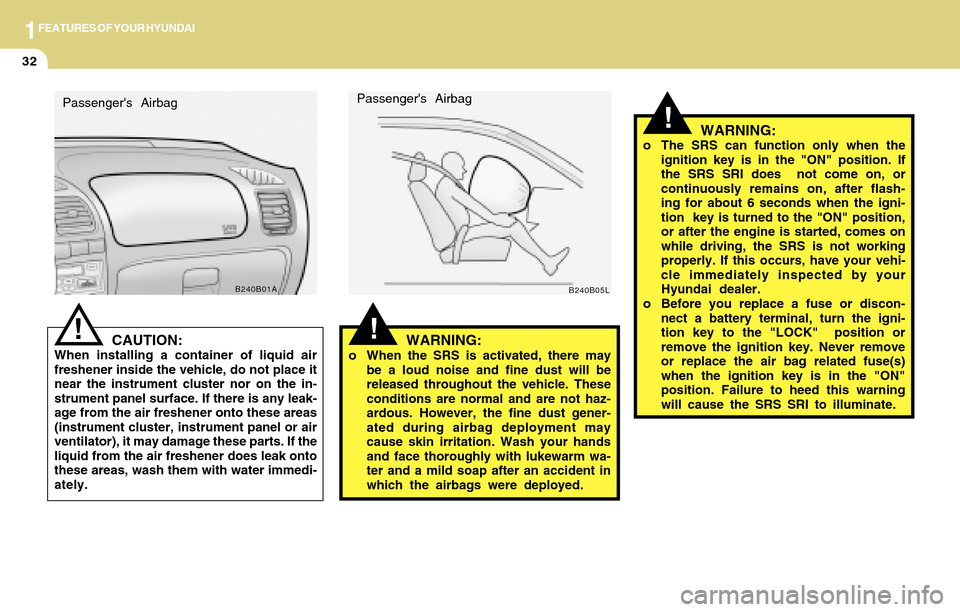
!WARNING:o When the SRS is activated, there may
be a loud noise and fine dust will be
released throughout the vehicle. These
conditions are normal and are not haz-
ardous. However, the fine dust gener-
ated during airbag deployment may
cause skin irritation. Wash your hands
and face thoroughly with lukewarm wa-
ter and a mild soap after an accident in
which the airbags were deployed. Passenger's Airbag
B240B05L
WARNING:o The SRS can function only when the
ignition key is in the "ON" position. If
the SRS SRI does not come on, or
continuously remains on, after flash-
ing for about 6 seconds when the igni-
tion key is turned to the "ON" position,
or after the engine is started, comes on
while driving, the SRS is not working
properly. If this occurs, have your vehi-
cle immediately inspected by your
Hyundai dealer.
o Before you replace a fuse or discon-
nect a battery terminal, turn the igni-
tion key to the "LOCK" position or
remove the ignition key. Never remove
or replace the air bag related fuse(s)
when the ignition key is in the "ON"
position. Failure to heed this warning
will cause the SRS SRI to illuminate.
CAUTION:When installing a container of liquid air
freshener inside the vehicle, do not place it
near the instrument cluster nor on the in-
strument panel surface. If there is any leak-
age from the air freshener onto these areas
(instrument cluster, instrument panel or air
ventilator), it may damage these parts. If the
liquid from the air freshener does leak onto
these areas, wash them with water immedi-
ately.
!
B240B01A
Passenger's Airbag
Page 45 of 205
1FEATURES OF YOUR HYUNDAI
33
!
!
WARNING:o For best protection from the side im-
pact airbag system and to avoid being
injured by the deploying side impact
airbag, both front seat occupants
should sit in an upright position with
the seat belt properly fastened. The
driver's hands should be placed on the
steering wheel at the 9:00 and 3:00
o'clock positions.
The passenger's arms and hands should
be placed on their laps.
o Do not use any accessory seat covers.
o Use of seat covers could reduce or pre-
vent the effectiveness of the system.
o Do not install any accessories on the side
or near the side impact airbag.
o Do not use excessive force on the side of
the seat.
o Do not place any objects over the airbag
or between the airbag and yourself.
o Do not place any objects (an umbrella,
bag, etc.) between the front door and the
front seat. Such objects may become dan-
gerous projectiles and cause injury if the
supplemental side impact airbag inflates.
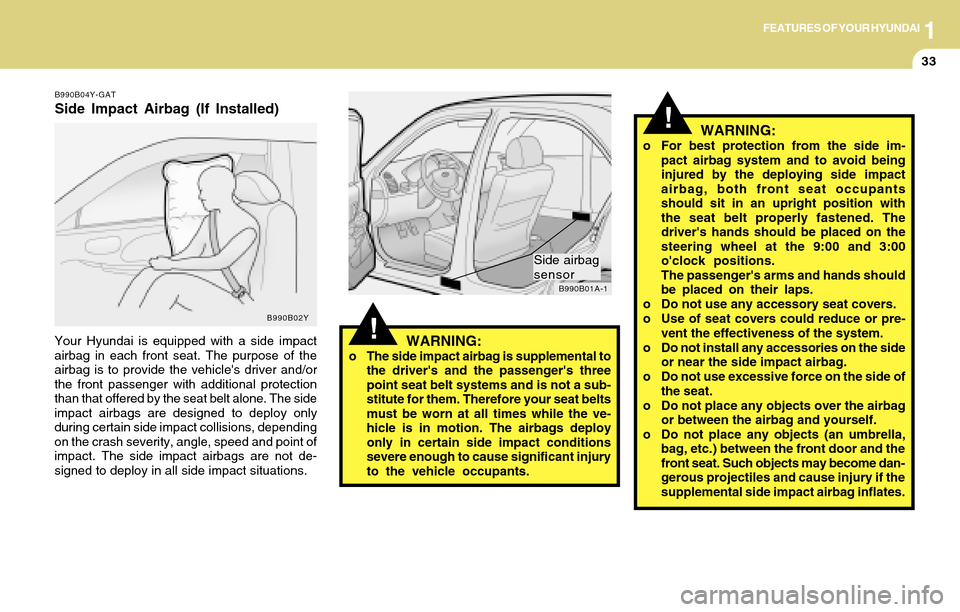
B990B01A-1
Side airbag
sensor
WARNING:o The side impact airbag is supplemental to
the driver's and the passenger's three
point seat belt systems and is not a sub-
stitute for them. Therefore your seat belts
must be worn at all times while the ve-
hicle is in motion. The airbags deploy
only in certain side impact conditions
severe enough to cause significant injury
to the vehicle occupants.
B990B04Y-GAT
Side Impact Airbag (If Installed)
Your Hyundai is equipped with a side impact
airbag in each front seat. The purpose of the
airbag is to provide the vehicle's driver and/or
the front passenger with additional protection
than that offered by the seat belt alone. The side
impact airbags are designed to deploy only
during certain side impact collisions, depending
on the crash severity, angle, speed and point of
impact. The side impact airbags are not de-
signed to deploy in all side impact situations.
B990B02Y
Page 50 of 205
1FEATURES OF YOUR HYUNDAI
38WARNING AND INDICATOR LIGHTS
!
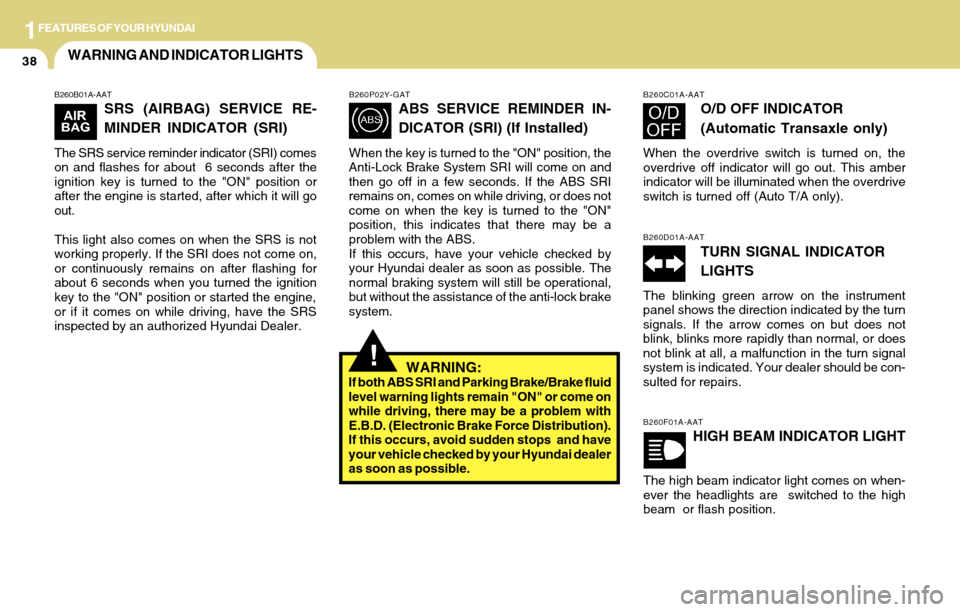
B260B01A-AAT
SRS (AIRBAG) SERVICE RE-
MINDER INDICATOR (SRI)
The SRS service reminder indicator (SRI) comes
on and flashes for about 6 seconds after the
ignition key is turned to the "ON" position or
after the engine is started, after which it will go
out.
This light also comes on when the SRS is not
working properly. If the SRI does not come on,
or continuously remains on after flashing for
about 6 seconds when you turned the ignition
key to the "ON" position or started the engine,
or if it comes on while driving, have the SRS
inspected by an authorized Hyundai Dealer.
B260P02Y-GAT
ABS SERVICE REMINDER IN-
DICATOR (SRI) (If Installed)
When the key is turned to the "ON" position, the
Anti-Lock Brake System SRI will come on and
then go off in a few seconds. If the ABS SRI
remains on, comes on while driving, or does not
come on when the key is turned to the "ON"
position, this indicates that there may be a
problem with the ABS.
If this occurs, have your vehicle checked by
your Hyundai dealer as soon as possible. The
normal braking system will still be operational,
but without the assistance of the anti-lock brake
system.
WARNING:If both ABS SRI and Parking Brake/Brake fluid
level warning lights remain "ON" or come on
while driving, there may be a problem with
E.B.D. (Electronic Brake Force Distribution).
If this occurs, avoid sudden stops and have
your vehicle checked by your Hyundai dealer
as soon as possible.
B260F01A-AAT
HIGH BEAM INDICATOR LIGHT
The high beam indicator light comes on when-
ever the headlights are switched to the high
beam or flash position.
B260C01A-AAT
O/D OFF INDICATOR
(Automatic Transaxle only)
When the overdrive switch is turned on, the
overdrive off indicator will go out. This amber
indicator will be illuminated when the overdrive
switch is turned off (Auto T/A only).
B260D01A-AAT
TURN SIGNAL INDICATOR
LIGHTS
The blinking green arrow on the instrument
panel shows the direction indicated by the turn
signals. If the arrow comes on but does not
blink, blinks more rapidly than normal, or does
not blink at all, a malfunction in the turn signal
system is indicated. Your dealer should be con-
sulted for repairs.
Page 63 of 205
1FEATURES OF YOUR HYUNDAI
51ASHTRAYCIGARETTE LIGHTERDIGITAL CLOCK
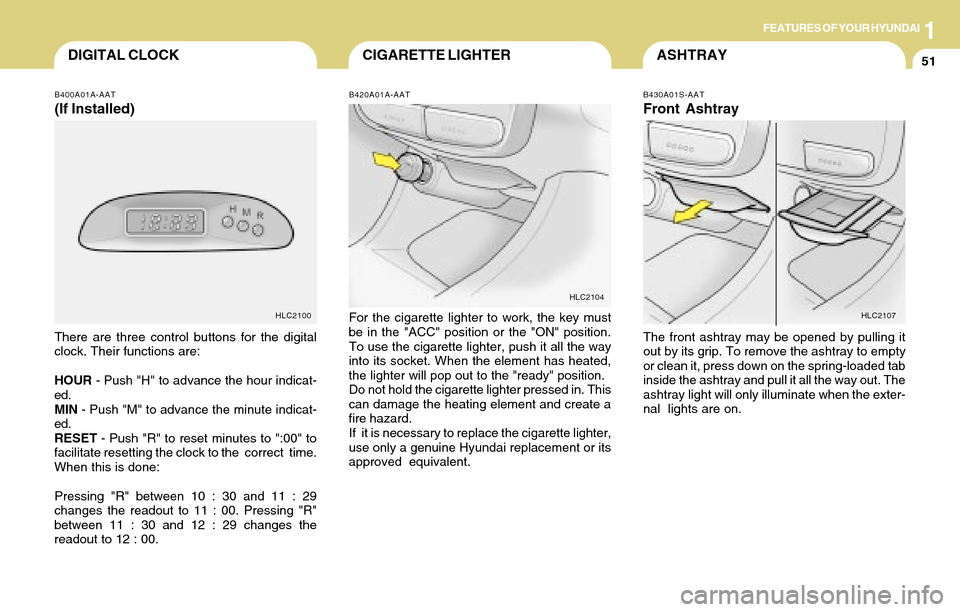
B420A01A-AAT
For the cigarette lighter to work, the key must
be in the "ACC" position or the "ON" position.
To use the cigarette lighter, push it all the way
into its socket. When the element has heated,
the lighter will pop out to the "ready" position.
Do not hold the cigarette lighter pressed in. This
can damage the heating element and create a
fire hazard.
If it is necessary to replace the cigarette lighter,
use only a genuine Hyundai replacement or its
approved equivalent.
B430A01S-AAT
Front Ashtray
The front ashtray may be opened by pulling it
out by its grip. To remove the ashtray to empty
or clean it, press down on the spring-loaded tab
inside the ashtray and pull it all the way out. The
ashtray light will only illuminate when the exter-
nal lights are on.
HLC2104
HLC2107
B400A01A-AAT
(If Installed)
There are three control buttons for the digital
clock. Their functions are:
HOUR - Push "H" to advance the hour indicat-
ed.
MIN - Push "M" to advance the minute indicat-
ed.
RESET - Push "R" to reset minutes to ":00" to
facilitate resetting the clock to the correct time.
When this is done:
Pressing "R" between 10 : 30 and 11 : 29
changes the readout to 11 : 00. Pressing "R"
between 11 : 30 and 12 : 29 changes the
readout to 12 : 00.
HLC2100
Page 70 of 205
1FEATURES OF YOUR HYUNDAI
58FLOOR MAT ANCHORHOOD RELEASE
!
!
CAUTION:Make sure that the support rod has been
released prior to closing the hood.
!
WARNING:o Always double check to be sure that the
hood is firmly latched before driving
away. If it is not latched, the hood could
open while the vehicle is being driven,
causing a total loss of visibility, which
might result in an accident.
o The support rod must be inserted com-
pletely into the hole provided in the hood
whenever you inspect the engine com-
partment. This will prevent the hood
from falling and possibly injuring you.
o Do not move the vehicle with the hood in
the raised position, as vision is obstructed
and the hood could fall or be damaged.
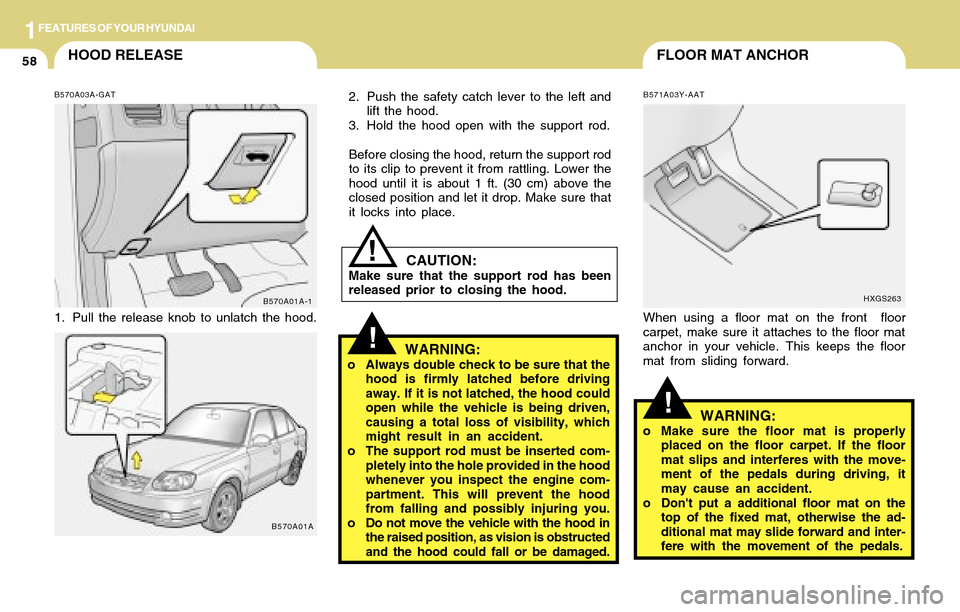
B571A03Y-AAT
When using a floor mat on the front floor
carpet, make sure it attaches to the floor mat
anchor in your vehicle. This keeps the floor
mat from sliding forward.
HXGS263
WARNING:o Make sure the floor mat is properly
placed on the floor carpet. If the floor
mat slips and interferes with the move-
ment of the pedals during driving, it
may cause an accident.
o Don't put a additional floor mat on the
top of the fixed mat, otherwise the ad-
ditional mat may slide forward and inter-
fere with the movement of the pedals. 2. Push the safety catch lever to the left and
lift the hood.
3. Hold the hood open with the support rod.
Before closing the hood, return the support rod
to its clip to prevent it from rattling. Lower the
hood until it is about 1 ft. (30 cm) above the
closed position and let it drop. Make sure that
it locks into place.
B570A01A-1 B570A03A-GAT
1. Pull the release knob to unlatch the hood.
B570A01A
Page 72 of 205
1FEATURES OF YOUR HYUNDAI
60TRUNK LID (4 DOOR)
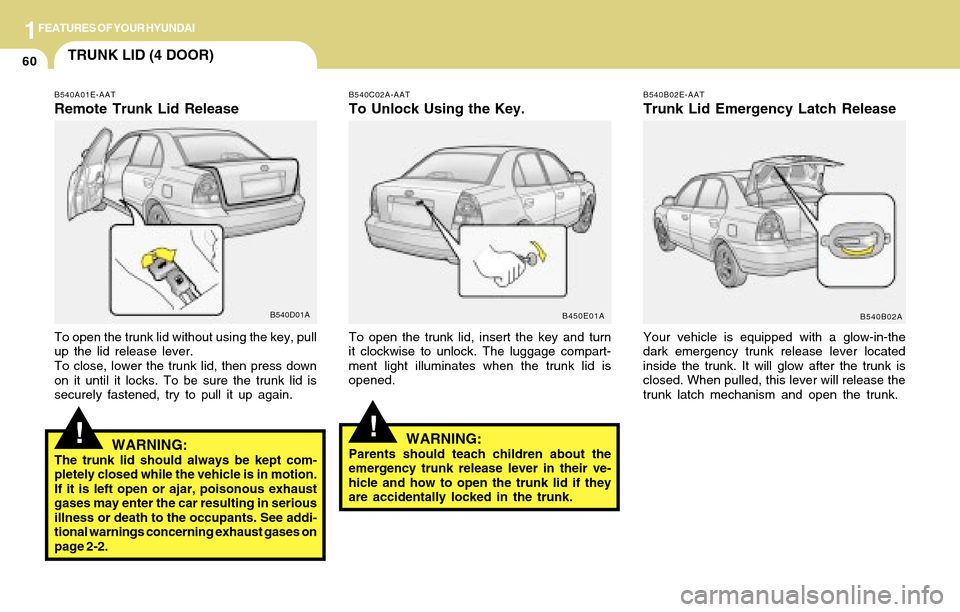
B540C02A-AAT
To Unlock Using the Key.
To open the trunk lid, insert the key and turn
it clockwise to unlock. The luggage compart-
ment light illuminates when the trunk lid is
opened.
B450E01AB540B02E-AAT
Trunk Lid Emergency Latch Release
Your vehicle is equipped with a glow-in-the
dark emergency trunk release lever located
inside the trunk. It will glow after the trunk is
closed. When pulled, this lever will release the
trunk latch mechanism and open the trunk.
B540B02A
!
B540A01E-AAT
Remote Trunk Lid Release
B540D01A
To open the trunk lid without using the key, pull
up the lid release lever.
To close, lower the trunk lid, then press down
on it until it locks. To be sure the trunk lid is
securely fastened, try to pull it up again.
WARNING:The trunk lid should always be kept com-
pletely closed while the vehicle is in motion.
If it is left open or ajar, poisonous exhaust
gases may enter the car resulting in serious
illness or death to the occupants. See addi-
tional warnings concerning exhaust gases on
page 2-2.
!WARNING:Parents should teach children about the
emergency trunk release lever in their ve-
hicle and how to open the trunk lid if they
are accidentally locked in the trunk.
Page 73 of 205
1FEATURES OF YOUR HYUNDAI
61
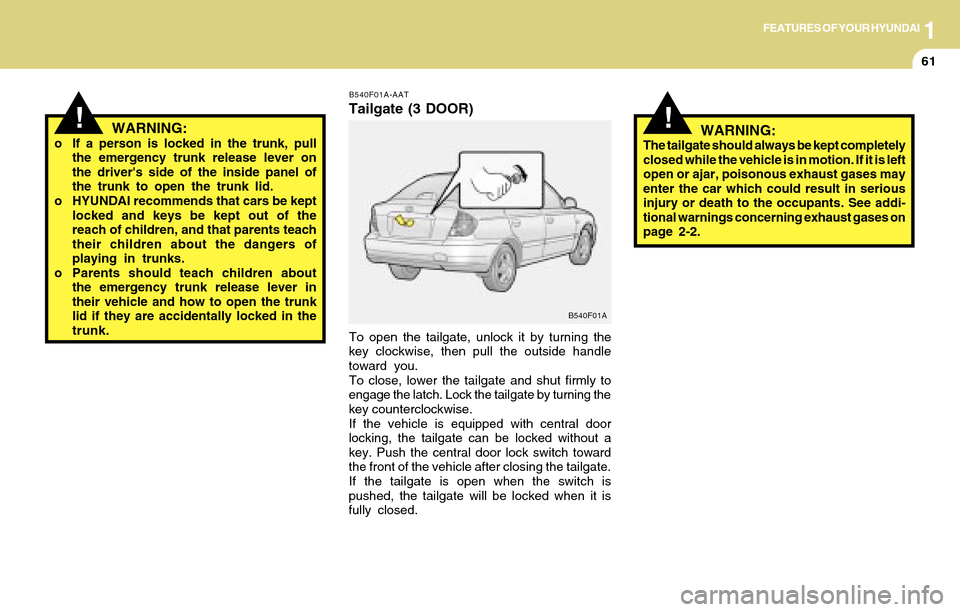
B540F01A-AAT
Tailgate (3 DOOR)
To open the tailgate, unlock it by turning the
key clockwise, then pull the outside handle
toward you.
To close, lower the tailgate and shut firmly to
engage the latch. Lock the tailgate by turning the
key counterclockwise.
If the vehicle is equipped with central door
locking, the tailgate can be locked without a
key. Push the central door lock switch toward
the front of the vehicle after closing the tailgate.
If the tailgate is open when the switch is
pushed, the tailgate will be locked when it is
fully closed.
B540F01A
WARNING:o If a person is locked in the trunk, pull
the emergency trunk release lever on
the driver's side of the inside panel of
the trunk to open the trunk lid.
o HYUNDAI recommends that cars be kept
locked and keys be kept out of the
reach of children, and that parents teach
their children about the dangers of
playing in trunks.
o Parents should teach children about
the emergency trunk release lever in
their vehicle and how to open the trunk
lid if they are accidentally locked in the
trunk.
!!WARNING:The tailgate should always be kept completely
closed while the vehicle is in motion. If it is left
open or ajar, poisonous exhaust gases may
enter the car which could result in serious
injury or death to the occupants. See addi-
tional warnings concerning exhaust gases on
page 2-2.
Page 81 of 205
1FEATURES OF YOUR HYUNDAI
69VENTILATION
B730A01L-AAT
Operation Tips
o To keep dust or unpleasant fumes from
entering the car through the ventilation
system, temporarily set the air intake con-
trol to the position.
Be sure to return the control to the po-
sition when the irritation has passed to keep
fresh air in the vehicle. This will help keep the
driver alert and comfortable.
o Air for the heating/cooling system is drawn in
through the grilles just ahead of the wind-
shield. Care should be taken that these are
not blocked by leaves, snow, ice or other
obstructions.
o To prevent interior fog on the windshield, set
the air intake control to the fresh air ( )
position, fan speed to the desired position,
turn on the air conditioning system, and
adjust temperature control to desired tem-
perature.
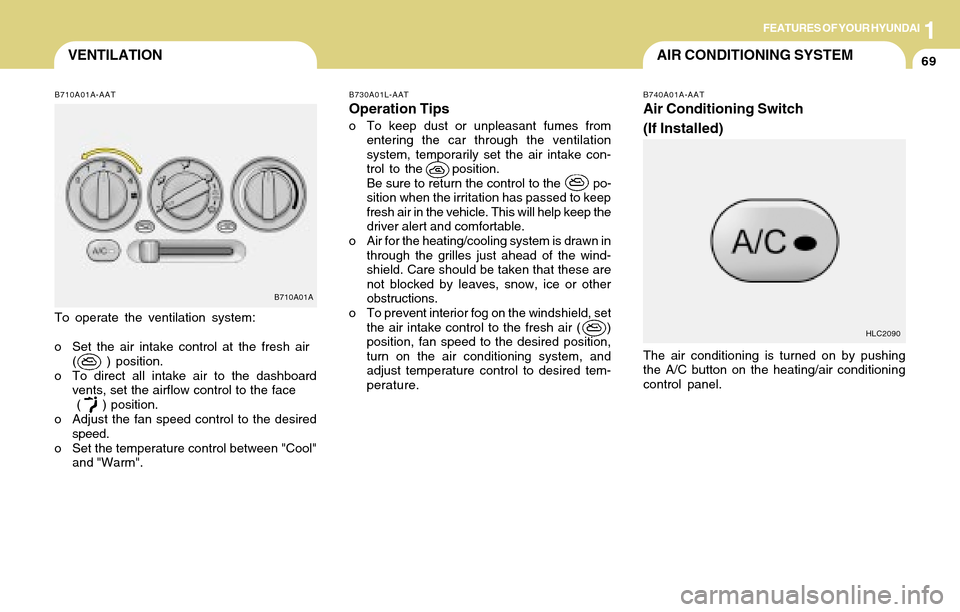
B740A01A-AAT
Air Conditioning Switch
(If Installed)
The air conditioning is turned on by pushing
the A/C button on the heating/air conditioning
control panel.
B710A01A-AAT
To operate the ventilation system:
o Set the air intake control at the fresh air
( ) position.
o To direct all intake air to the dashboard
vents, set the airflow control to the face
( ) position.
o Adjust the fan speed control to the desired
speed.
o Set the temperature control between "Cool"
and "Warm".
B710A01A
HLC2090
AIR CONDITIONING SYSTEM
Page 86 of 205
1FEATURES OF YOUR HYUNDAI
74
!
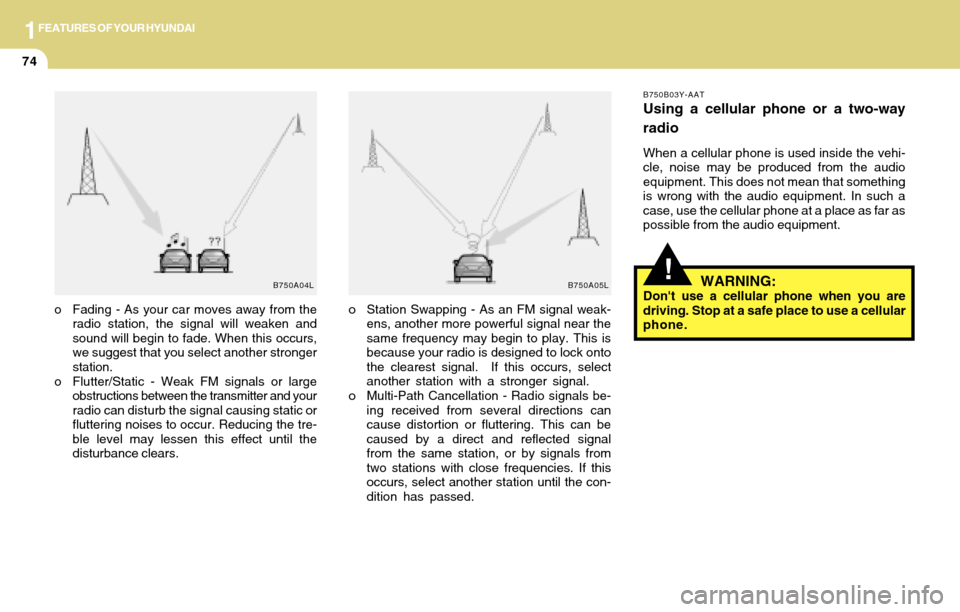
o Station Swapping - As an FM signal weak-
ens, another more powerful signal near the
same frequency may begin to play. This is
because your radio is designed to lock onto
the clearest signal. If this occurs, select
another station with a stronger signal.
o Multi-Path Cancellation - Radio signals be-
ing received from several directions can
cause distortion or fluttering. This can be
caused by a direct and reflected signal
from the same station, or by signals from
two stations with close frequencies. If this
occurs, select another station until the con-
dition has passed.
B750B03Y-AAT
Using a cellular phone or a two-way
radio
When a cellular phone is used inside the vehi-
cle, noise may be produced from the audio
equipment. This does not mean that something
is wrong with the audio equipment. In such a
case, use the cellular phone at a place as far as
possible from the audio equipment.
o Fading - As your car moves away from the
radio station, the signal will weaken and
sound will begin to fade. When this occurs,
we suggest that you select another stronger
station.
o Flutter/Static - Weak FM signals or large
obstructions between the transmitter and your
radio can disturb the signal causing static or
fluttering noises to occur. Reducing the tre-
ble level may lessen this effect until the
disturbance clears.
B750A04L B750A05LWARNING:Don't use a cellular phone when you are
driving. Stop at a safe place to use a cellular
phone.
Page 88 of 205
1FEATURES OF YOUR HYUNDAI
76
2. FAD (Fader Control) Knob
Turn the control knob counterclockwise to em-
phasize front speaker sound (rear speaker
sound will be attenuated). When the control
knob is turned clockwise, rear speaker sound
will be emphasized (front speaker sound will
be attenuated).
3. BASS Control Knob
Press to pop the knob out and turn to the left or
right for the desired bass tone.
TREBLE Control Knob.
Pull the bass control knob further out. Turn to
the left or right for the desired treble tone.
4. BAND Selector
Pressing the button changes the AM, FM1
and FM2 bands. The mode selected is dis-
played on LCD.
5. TUNE (Manual) Select Button
Press the ( ) side or ( ) side to increase or to
decrease the frequency. With the button held
down for 1 sec. or more, the stop signal (broad-
casting radio wave) is ignored and channel
selection continues.
SEEK Operation
(Automatic Channel Selection)
Press the TUNE select button for 1 sec. or
more. When the ( ) side is pressed, the unit will
automatically tune to the next higher frequency
and when the ( ) side is pressed, it will automa-
tically tune to the next lower frequency.
6. PRESET STATION SELECT Button
Six (6) stations for AM, FM1 and FM2 respec-
tively can be preset in the electronic memory
circuit on this unit.
HOW TO PRESET STATIONS
Six AM and twelve FM stations may be pro-
grammed into the memory of the radio. Then, by
simply pressing the band select button and/or
one of the six station select buttons, you may
recall any of these stations instantly. To pro-
gram the stations, follow these steps:
o Press band selector to set the band for AM,
FM1, and FM2.
o Select the desired station to be stored by
seek, scan or manual tuning.
o Determine the preset station select button
you wish to use to access that station.
H210B04O-AAT
1. POWER ON-OFF/VOLUME Control
Knob
The radio unit may be operated when the igni-
tion key is in the "ACC" or "ON" position. Rotate
the knob clockwise to switch the radio unit on
and to increase the volume.
The LCD shows the radio frequency in the radio
mode. Turn the knob counterclockwise to re-
duce the volume and to switch the radio unit off.
BAL (Balance Control) Knob
Pull and turn the control knob clockwise to
emphasize right speaker sound (left speaker
sound will be attenuated). When the control
knob is turned counterclockwise, left speaker
sound will be emphasized (right speaker sound
will be attenuated).
After adjusting the balance, push the knob
again to use the other function.
SCAN Knob
When the scan knob is pressed, the frequency
will increase and the receivable stations will be
tuned in one after another, receiving each sta-
tion for 5 seconds. To stop scanning, press the
scan knob again.
FM
AM