ESP Hyundai Accent 2004 Owner's Manual
[x] Cancel search | Manufacturer: HYUNDAI, Model Year: 2004, Model line: Accent, Model: Hyundai Accent 2004Pages: 205, PDF Size: 3.2 MB
Page 2 of 205
A010A03A-AATWARRANTIES FOR YOUR HYUNDAI VEHICLE
o New Vehicle 60 Months/60,000 Miles Limited Warranty
o New Vehicle 120 Months/100,000 Miles Limited Powertrain Warranty (original owner only)
o Anti-Perforation Limited Warranty
o Emission Defect Warranty - Federal Vehicle
o California Emission Control System Warranty (if applicable)
o Emission Performance Warranty - Federal Vehicle
o Replacement Parts and Accessories Limited Warranty
NOTE:Detailed warranty information is provided in your Hyundai Owner's Handbook.
A020A01A-AAT
RESPONSIBILITY FOR MAINTENANCE
The maintenance requirements for your new Hyundai are found in Section 5. As the owner, it is your responsibility
to see that all maintenance operations specified by the manufacturer are carried out at the appropriate intervals.
When the vehicle is used in severe driving conditions, more frequent maintenance is required for some operations.
Maintenance requirements for severe operating conditions are also included in Section 5.
Page 16 of 205
1FEATURES OF YOUR HYUNDAI
4DOOR LOCKS
!
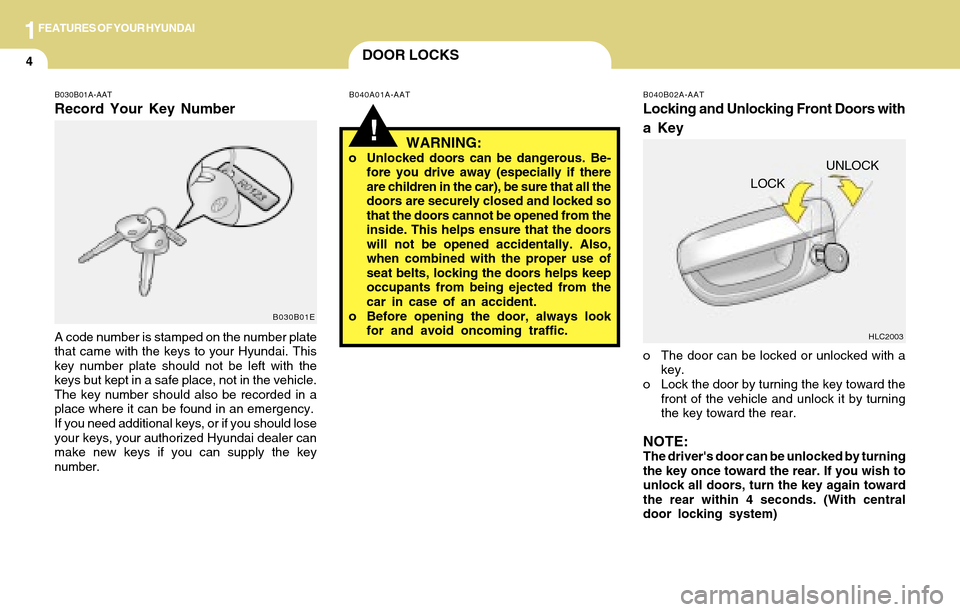
B030B01A-AAT
Record Your Key Number
A code number is stamped on the number plate
that came with the keys to your Hyundai. This
key number plate should not be left with the
keys but kept in a safe place, not in the vehicle.
The key number should also be recorded in a
place where it can be found in an emergency.
If you need additional keys, or if you should lose
your keys, your authorized Hyundai dealer can
make new keys if you can supply the key
number.
B030B01EB040A01A-AAT B040B02A-AAT
Locking and Unlocking Front Doors with
a Key
o The door can be locked or unlocked with a
key.
o Lock the door by turning the key toward the
front of the vehicle and unlock it by turning
the key toward the rear.
NOTE:The driver's door can be unlocked by turning
the key once toward the rear. If you wish to
unlock all doors, turn the key again toward
the rear within 4 seconds. (With central
door locking system)
WARNING:o Unlocked doors can be dangerous. Be-
fore you drive away (especially if there
are children in the car), be sure that all the
doors are securely closed and locked so
that the doors cannot be opened from the
inside. This helps ensure that the doors
will not be opened accidentally. Also,
when combined with the proper use of
seat belts, locking the doors helps keep
occupants from being ejected from the
car in case of an accident.
o Before opening the door, always look
for and avoid oncoming traffic.UNLOCK
HLC2003
LOCK
Page 67 of 205
1FEATURES OF YOUR HYUNDAI
55OUTSIDE REARVIEW MIRROR
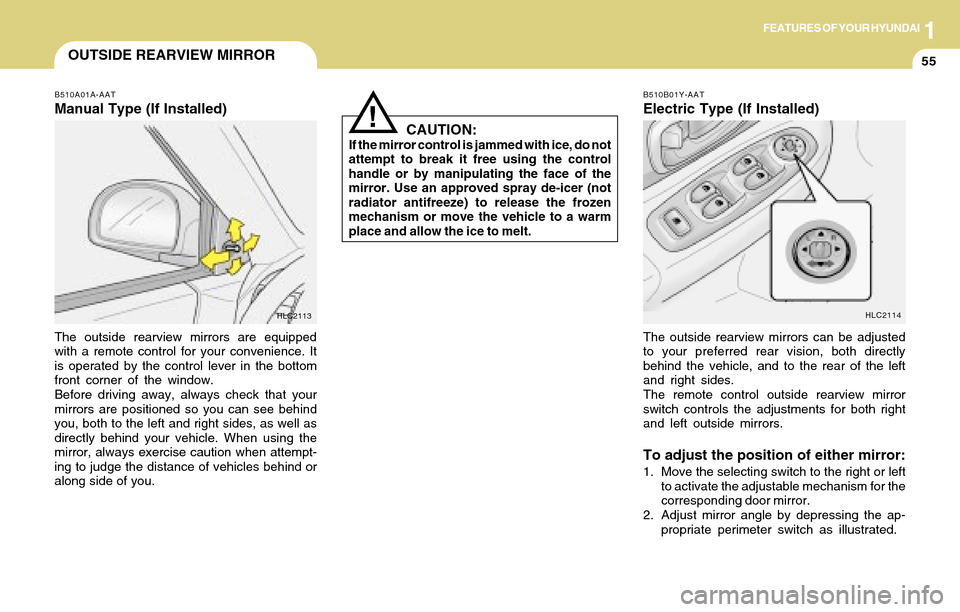
B510A01A-AAT
Manual Type (If Installed)
The outside rearview mirrors are equipped
with a remote control for your convenience. It
is operated by the control lever in the bottom
front corner of the window.
Before driving away, always check that your
mirrors are positioned so you can see behind
you, both to the left and right sides, as well as
directly behind your vehicle. When using the
mirror, always exercise caution when attempt-
ing to judge the distance of vehicles behind or
along side of you.
HLC2113
CAUTION:If the mirror control is jammed with ice, do not
attempt to break it free using the control
handle or by manipulating the face of the
mirror. Use an approved spray de-icer (not
radiator antifreeze) to release the frozen
mechanism or move the vehicle to a warm
place and allow the ice to melt.
!
B510B01Y-AAT
Electric Type (If Installed)
HLC2114
The outside rearview mirrors can be adjusted
to your preferred rear vision, both directly
behind the vehicle, and to the rear of the left
and right sides.
The remote control outside rearview mirror
switch controls the adjustments for both right
and left outside mirrors.
To adjust the position of either mirror:
1. Move the selecting switch to the right or left
to activate the adjustable mechanism for the
corresponding door mirror.
2. Adjust mirror angle by depressing the ap-
propriate perimeter switch as illustrated.
Page 88 of 205
1FEATURES OF YOUR HYUNDAI
76
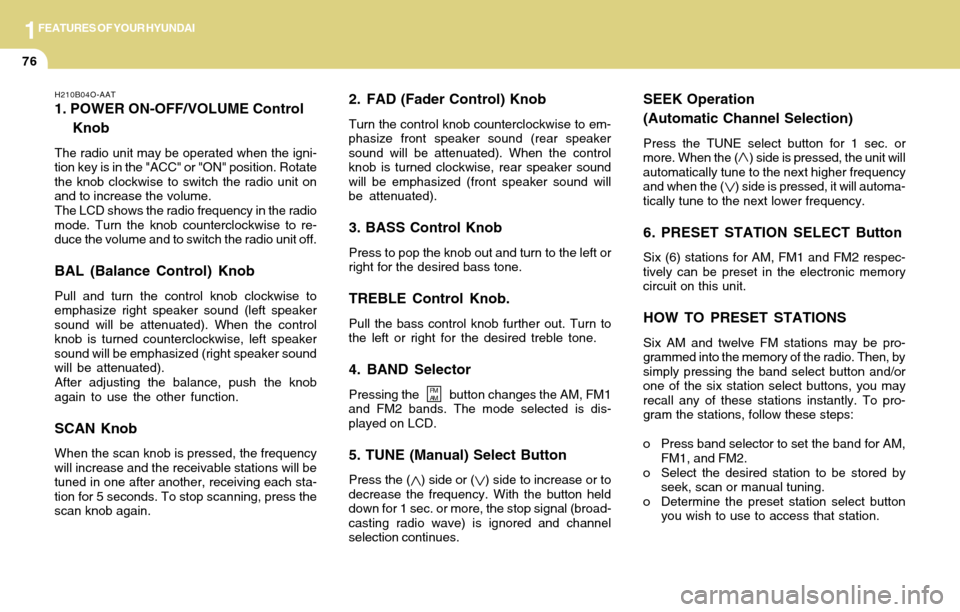
2. FAD (Fader Control) Knob
Turn the control knob counterclockwise to em-
phasize front speaker sound (rear speaker
sound will be attenuated). When the control
knob is turned clockwise, rear speaker sound
will be emphasized (front speaker sound will
be attenuated).
3. BASS Control Knob
Press to pop the knob out and turn to the left or
right for the desired bass tone.
TREBLE Control Knob.
Pull the bass control knob further out. Turn to
the left or right for the desired treble tone.
4. BAND Selector
Pressing the button changes the AM, FM1
and FM2 bands. The mode selected is dis-
played on LCD.
5. TUNE (Manual) Select Button
Press the ( ) side or ( ) side to increase or to
decrease the frequency. With the button held
down for 1 sec. or more, the stop signal (broad-
casting radio wave) is ignored and channel
selection continues.
SEEK Operation
(Automatic Channel Selection)
Press the TUNE select button for 1 sec. or
more. When the ( ) side is pressed, the unit will
automatically tune to the next higher frequency
and when the ( ) side is pressed, it will automa-
tically tune to the next lower frequency.
6. PRESET STATION SELECT Button
Six (6) stations for AM, FM1 and FM2 respec-
tively can be preset in the electronic memory
circuit on this unit.
HOW TO PRESET STATIONS
Six AM and twelve FM stations may be pro-
grammed into the memory of the radio. Then, by
simply pressing the band select button and/or
one of the six station select buttons, you may
recall any of these stations instantly. To pro-
gram the stations, follow these steps:
o Press band selector to set the band for AM,
FM1, and FM2.
o Select the desired station to be stored by
seek, scan or manual tuning.
o Determine the preset station select button
you wish to use to access that station.
H210B04O-AAT
1. POWER ON-OFF/VOLUME Control
Knob
The radio unit may be operated when the igni-
tion key is in the "ACC" or "ON" position. Rotate
the knob clockwise to switch the radio unit on
and to increase the volume.
The LCD shows the radio frequency in the radio
mode. Turn the knob counterclockwise to re-
duce the volume and to switch the radio unit off.
BAL (Balance Control) Knob
Pull and turn the control knob clockwise to
emphasize right speaker sound (left speaker
sound will be attenuated). When the control
knob is turned counterclockwise, left speaker
sound will be emphasized (right speaker sound
will be attenuated).
After adjusting the balance, push the knob
again to use the other function.
SCAN Knob
When the scan knob is pressed, the frequency
will increase and the receivable stations will be
tuned in one after another, receiving each sta-
tion for 5 seconds. To stop scanning, press the
scan knob again.
FM
AM
Page 91 of 205
1FEATURES OF YOUR HYUNDAI
79
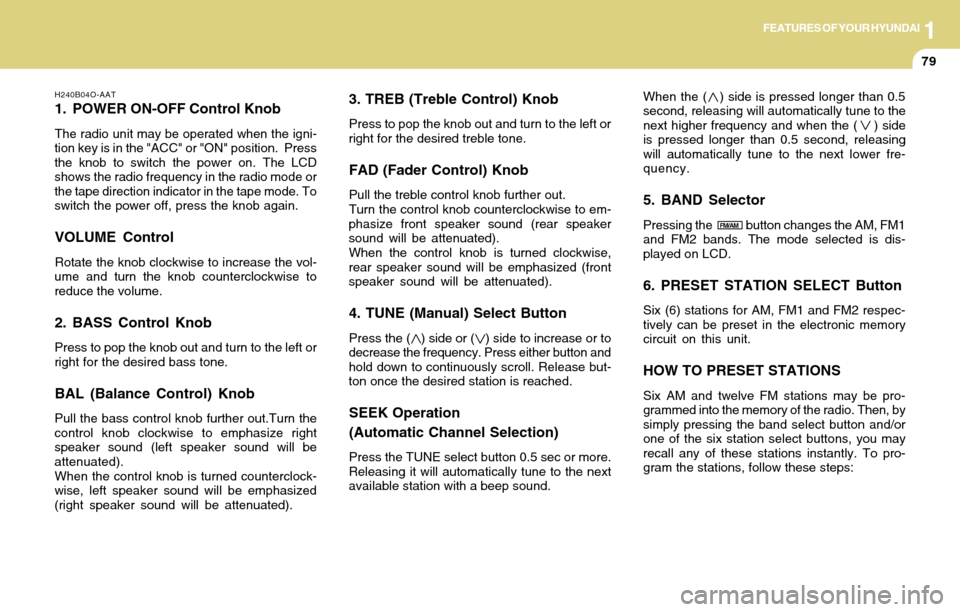
3. TREB (Treble Control) Knob
Press to pop the knob out and turn to the left or
right for the desired treble tone.
FAD (Fader Control) Knob
Pull the treble control knob further out.
Turn the control knob counterclockwise to em-
phasize front speaker sound (rear speaker
sound will be attenuated).
When the control knob is turned clockwise,
rear speaker sound will be emphasized (front
speaker sound will be attenuated).
4. TUNE (Manual) Select Button
Press the ( ) side or ( ) side to increase or to
decrease the frequency. Press either button and
hold down to continuously scroll. Release but-
ton once the desired station is reached.
SEEK Operation
(Automatic Channel Selection)
Press the TUNE select button 0.5 sec or more.
Releasing it will automatically tune to the next
available station with a beep sound.When the ( ) side is pressed longer than 0.5
second, releasing will automatically tune to the
next higher frequency and when the ( ) side
is pressed longer than 0.5 second, releasing
will automatically tune to the next lower fre-
quency.
5. BAND Selector
Pressing the button changes the AM, FM1
and FM2 bands. The mode selected is dis-
played on LCD.
6. PRESET STATION SELECT Button
Six (6) stations for AM, FM1 and FM2 respec-
tively can be preset in the electronic memory
circuit on this unit.
HOW TO PRESET STATIONS
Six AM and twelve FM stations may be pro-
grammed into the memory of the radio. Then, by
simply pressing the band select button and/or
one of the six station select buttons, you may
recall any of these stations instantly. To pro-
gram the stations, follow these steps:
H240B04O-AAT
1. POWER ON-OFF Control Knob
The radio unit may be operated when the igni-
tion key is in the "ACC" or "ON" position. Press
the knob to switch the power on. The LCD
shows the radio frequency in the radio mode or
the tape direction indicator in the tape mode. To
switch the power off, press the knob again.
VOLUME Control
Rotate the knob clockwise to increase the vol-
ume and turn the knob counterclockwise to
reduce the volume.
2. BASS Control Knob
Press to pop the knob out and turn to the left or
right for the desired bass tone.
BAL (Balance Control) Knob
Pull the bass control knob further out.Turn the
control knob clockwise to emphasize right
speaker sound (left speaker sound will be
attenuated).
When the control knob is turned counterclock-
wise, left speaker sound will be emphasized
(right speaker sound will be attenuated).
FM/AM
Page 96 of 205
1FEATURES OF YOUR HYUNDAI
84
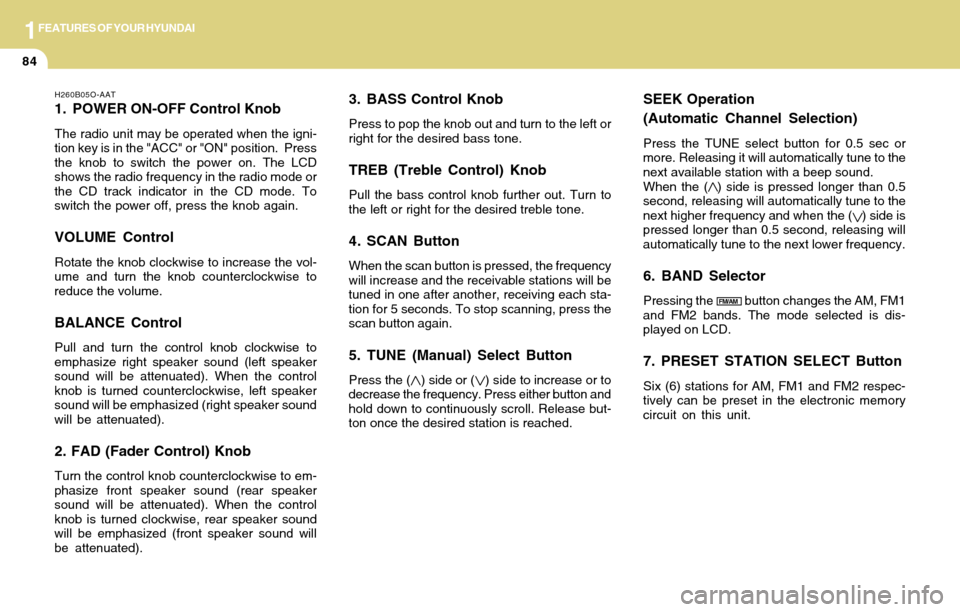
3. BASS Control Knob
Press to pop the knob out and turn to the left or
right for the desired bass tone.
TREB (Treble Control) Knob
Pull the bass control knob further out. Turn to
the left or right for the desired treble tone.
4. SCAN Button
When the scan button is pressed, the frequency
will increase and the receivable stations will be
tuned in one after another, receiving each sta-
tion for 5 seconds. To stop scanning, press the
scan button again.
5. TUNE (Manual) Select Button
Press the ( ) side or ( ) side to increase or to
decrease the frequency. Press either button and
hold down to continuously scroll. Release but-
ton once the desired station is reached.
SEEK Operation
(Automatic Channel Selection)
Press the TUNE select button for 0.5 sec or
more. Releasing it will automatically tune to the
next available station with a beep sound.
When the ( ) side is pressed longer than 0.5
second, releasing will automatically tune to the
next higher frequency and when the ( ) side is
pressed longer than 0.5 second, releasing will
automatically tune to the next lower frequency.
6. BAND Selector
Pressing the button changes the AM, FM1
and FM2 bands. The mode selected is dis-
played on LCD.
7. PRESET STATION SELECT Button
Six (6) stations for AM, FM1 and FM2 respec-
tively can be preset in the electronic memory
circuit on this unit.
H260B05O-AAT
1. POWER ON-OFF Control Knob
The radio unit may be operated when the igni-
tion key is in the "ACC" or "ON" position. Press
the knob to switch the power on. The LCD
shows the radio frequency in the radio mode or
the CD track indicator in the CD mode. To
switch the power off, press the knob again.
VOLUME Control
Rotate the knob clockwise to increase the vol-
ume and turn the knob counterclockwise to
reduce the volume.
BALANCE Control
Pull and turn the control knob clockwise to
emphasize right speaker sound (left speaker
sound will be attenuated). When the control
knob is turned counterclockwise, left speaker
sound will be emphasized (right speaker sound
will be attenuated).
2. FAD (Fader Control) Knob
Turn the control knob counterclockwise to em-
phasize front speaker sound (rear speaker
sound will be attenuated). When the control
knob is turned clockwise, rear speaker sound
will be emphasized (front speaker sound will
be attenuated).
FM/AM
Page 111 of 205
2DRIVING YOUR HYUNDAI
6
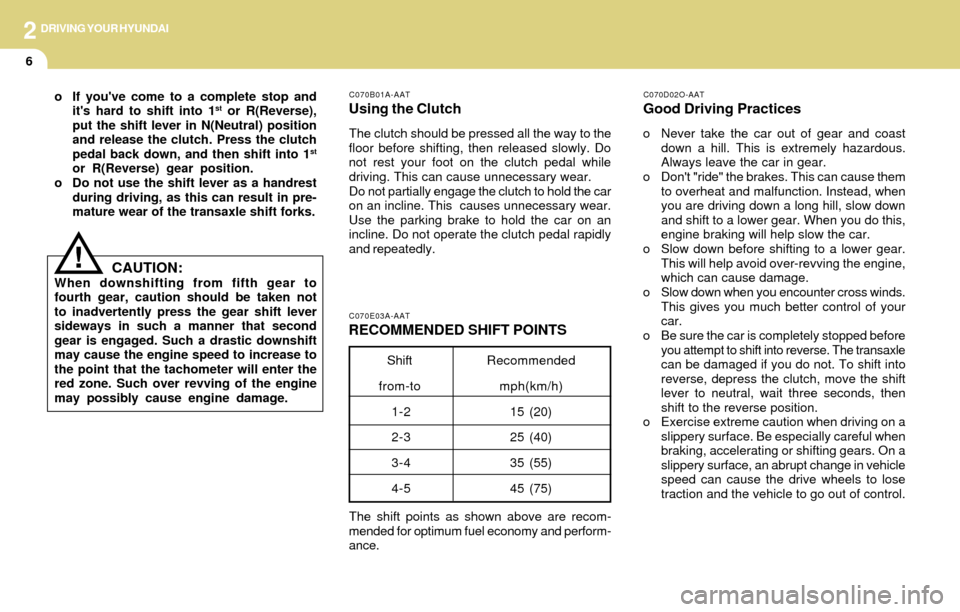
The shift points as shown above are recom-
mended for optimum fuel economy and perform-
ance.
C070E03A-AAT
RECOMMENDED SHIFT POINTS
C070D02O-AAT
Good Driving Practices
o Never take the car out of gear and coast
down a hill. This is extremely hazardous.
Always leave the car in gear.
o Don't "ride" the brakes. This can cause them
to overheat and malfunction. Instead, when
you are driving down a long hill, slow down
and shift to a lower gear. When you do this,
engine braking will help slow the car.
o Slow down before shifting to a lower gear.
This will help avoid over-revving the engine,
which can cause damage.
o Slow down when you encounter cross winds.
This gives you much better control of your
car.
o Be sure the car is completely stopped before
you attempt to shift into reverse. The transaxle
can be damaged if you do not. To shift into
reverse, depress the clutch, move the shift
lever to neutral, wait three seconds, then
shift to the reverse position.
o Exercise extreme caution when driving on a
slippery surface. Be especially careful when
braking, accelerating or shifting gears. On a
slippery surface, an abrupt change in vehicle
speed can cause the drive wheels to lose
traction and the vehicle to go out of control.
C070B01A-AAT
Using the Clutch
The clutch should be pressed all the way to the
floor before shifting, then released slowly. Do
not rest your foot on the clutch pedal while
driving. This can cause unnecessary wear.
Do not partially engage the clutch to hold the car
on an incline. This causes unnecessary wear.
Use the parking brake to hold the car on an
incline. Do not operate the clutch pedal rapidly
and repeatedly.
Shift
from-toRecommended
mph(km/h)
15 (20)
25 (40)
35 (55)
45 (75) 1-2
2-3
3-4
4-5
o If you've come to a complete stop and
it's hard to shift into 1st or R(Reverse),
put the shift lever in N(Neutral) position
and release the clutch. Press the clutch
pedal back down, and then shift into 1
st
or R(Reverse) gear position.
o Do not use the shift lever as a handrest
during driving, as this can result in pre-
mature wear of the transaxle shift forks.
CAUTION:When downshifting from fifth gear to
fourth gear, caution should be taken not
to inadvertently press the gear shift lever
sideways in such a manner that second
gear is engaged. Such a drastic downshift
may cause the engine speed to increase to
the point that the tachometer will enter the
red zone. Such over revving of the engine
may possibly cause engine damage.
!
Page 115 of 205
2DRIVING YOUR HYUNDAI
10GOOD BRAKING PRACTICES
o Turn the overdrive switch on for good fuel
economy and smooth driving. If engine brak-
ing is needed in the "D" range or if repeated
upshifting and downshifting between the 3rd
and 4th gear is needed when climbing a
gentle slope, it is recommended that the
overdrive switch be turned off. Turn the over-
drive switch back on immediately afterward.C090N03A-AAT
Good Driving Practices
o Never move the gear selector lever from "P"
or "N" to any other position with the acceler-
ator pedal depressed.
o Never move the gear selector lever into "P"
when the vehicle is in motion.
o Be sure the car is completely stopped before
you attempt to shift into "R".
o Never take the car out of gear and coast
down a hill. This may be extremely hazard-
ous. Always leave the car in gear when
moving.
o Do not "ride" the brakes. This can cause
them to overheat and malfunction. Instead,
when you are driving down a long hill, slow
down and shift to a lower gear. When you do
this, engine braking will help slow the car.
o Slow down before shifting to a lower gear.
Otherwise, the lower gear may not be en-
gaged.
o Always use the parking brake. Do not de-
pend on placing the transaxle in "P" to keep
the car from moving.
o Exercise extreme caution when driving on a
slippery surface. Be especially careful when
braking, accelerating or shifting gears. On a
slippery surface, an abrupt change in vehicle
speed can cause the drive wheels to lose
traction and the vehicle to go out of control.
WARNING:o Avoid high cornering speeds.
o Do not make quick steering wheel move-
ments, such as sharp lane changes or
fast, sharp turns.
o Always wear your seat belts.
In a collision crash, un unbelted person
is significantly more likely to die than a
person wearing a seatbelt.
o The risk of rollover is greatly increased
if you lose control of your vehicle at
highway speeds.
o Loss of control often occurs if two or
more wheels drop off the roadway and
the driver oversteers to reenter the road-
way.
o In the event your vehicle leaves the
roadway, do not steer sharply. Instead,
slow down before pulling back into the
travel lanes.
o Never exceed posted speed limits.
!
!
C130A01A-AAT
WARNING:Nothing should be carried on top of the
shelf panel behind the rear seat. If there
were an accident or a sudden stop, such
objects could move forward and cause
damage to the vehicle or injure the occu-
pants.
o After being parked, check to be sure the
parking brake is not engaged and that the
parking brake indicator light is out before
driving away.
o Driving through water may get the brakes
wet. They can also get wet when the car is
washed. Wet brakes can be dangerous! Your
car will not stop as quickly if the brakes are
wet. Wet brakes may cause the car to pull to
one side. To dry the brakes, apply the brakes
lightly until the braking action returns to nor-
mal, taking care to keep the car under con-
trol at all times. If the braking action does not
return to normal, stop as soon as it is safe to
do so and call your Hyundai dealer for assis-
tance.
o Don't coast down hills with the car out of
gear. This is extremely hazardous. Keep
the car in gear at all times, use the brakes
to slow down, then shift to a lower gear so
Page 117 of 205
2DRIVING YOUR HYUNDAI
12DRIVING FOR ECONOMY
!WARNING:ABS will not prevent accidents due to
improper or dangerous driving maneu-
vers. Even though vehicle control is im-
proved during emergency braking, always
maintain a safe distance between you and
objects ahead. Vehicle speeds should al-
ways be reduced during extreme road
conditions.
The braking distance for cars equipped
with an anti-lock braking system may be
longer than for those without it in the
following road conditions.
During these conditions the veicle should
be driven at reduced speeds.
o Rough, gravel or snow-covered roads.
o With tire chains installed.
o On roads where the road surface is
pitted or has different surface height.
These roads should be driven at reduced
speeds. The safety features of an ABS
equipped vehicle should not be tested by
high speed driving or cornering. This could
endanger the safety of yourself or others.
C140A01A-AAT
You can save fuel and get more miles from
your car if you follow these suggestions:
o Drive smoothly. Accelerate at a moderate
rate. Don't make "jack-rabbit" starts or full-
throttle shifts and maintain a steady cruising
speed. Don't race between stoplights. Try to
adjust your speed to that of the other traffic
so you don't have to change speeds unnec-
essarily. Avoid heavy traffic whenever possi-
ble. Always maintain a safe distance from
other vehicles so you can avoid unneces-
sary braking. This also reduces brake wear.
o Drive at a moderate speed. The faster you
drive, the more fuel your car uses. Driving at
a moderate speed, especially on the high-
way, is one of the most effective ways to
reduce fuel consumption.
o Don't "ride" the brake or clutch pedal. This
can increase fuel consumption and also in-
crease wear on these components. In addi-
tion, driving with your foot resting on the
brake pedal may cause the brakes to over-
heat, which reduces their effectiveness and
may lead to more serious consequences.
o Take care of your tires. Keep them inflated to
the recommended pressure. Incorrect infla-
tion, either too much or too little, results in
unnecessary tire wear. Check the tire pres-
sures at least once a month.o Be sure that the wheels are aligned cor-
rectly. Improper alignment can result from
hitting curbs or driving too fast over irreg-
ular surfaces. Poor alignment causes faster
tire wear and may also result in other
problems as well as greater fuel consump-
tion.
o Keep your car in good condition. For better
fuel economy and reduced maintenance
costs, maintain your car in accordance with
the maintenance schedule in Section 5. If
you drive your car in severe conditions, more
frequent maintenance is required (see Sec-
tion 5 for details).
o Keep your car clean. For maximum service,
your Hyundai should be kept clean and free
of corrosive materials. It is especially impor-
tant that mud, dirt, ice, etc. not be allowed to
accumulate on the underside of the car. This
extra weight can result in increased fuel
consumption and also contribute to corro-
sion.
o Travel lightly. Don't carry unnecessary weight
in your car. Weight reduces fuel economy.
o Don't let the engine idle longer than neces-
sary. If you are waiting (and not in traffic),
turn off your engine and restart only when
you're ready to go.
Page 118 of 205
DRIVING YOUR HYUNDAI
13
2
o Remember, your Hyundai does not require
extended warm-up. As soon as the engine
is running smoothly, you can drive away. In
very cold weather, however, give your en-
gine a slightly longer warm-up period.
o Don't "lug" or "over-rev" the engine. Lug-
ging is driving too slowly in too high a gear
resulting in the engine bucking. If this hap-
pens, shift to a lower gear. Over-revving is
racing the engine beyond its safe limit. This
can be avoided by shifting at the recom-
mended speeds.
o Use your air conditioning sparingly. The air
conditioning system is operated by engine
power so your fuel economy is reduced
when you use it.
WINTER DRIVINGSMOOTH CORNERING
C160A01A-AAT
The more severe weather conditions of winter
result in greater wear and other problems. To
minimize the problems of winter driving, you
should follow these suggestions:
C160B01A-AATSnowy or Icy Conditions
To drive your vehicle in deep snow, it may be
necessary to use snow tires or to install tire
chains on your tires. If snow tires are needed, it
is necessary to select tires equivalent in size
and type to the original equipment tires. Failure
to do so may adversely affect the safety and
handling of your car. Furthermore, speeding,
rapid acceleration, sudden brake applications,
and sharp turns are potentially very hazardous
practices.
During deceleration, use engine braking to the
fullest extent. Sudden brake applications on
snowy or icy roads may cause skids to occur.
You need to keep sufficient distance between
the vehicle in operation in front and your vehicle.
Also, apply the brake gently. It should be noted
that installing tire chains on the tire will provide
a greater driving force, but will not prevent side
skids.
NOTE:Tire chains are not legal in all states. Check
state laws before fitting tire chains.
C150A01A-AAT
Avoid braking or gear changing in corners,
especially when roads are wet. Ideally, cor-
ners should always be taken under gentle
acceleration. If you follow these suggestions,
tire wear will be held to a minimum.