key Hyundai Accent 2005 Owner's Guide
[x] Cancel search | Manufacturer: HYUNDAI, Model Year: 2005, Model line: Accent, Model: Hyundai Accent 2005Pages: 219, PDF Size: 7.07 MB
Page 66 of 219
1FEATURES OF YOUR HYUNDAI54
INTERIOR LIGHT
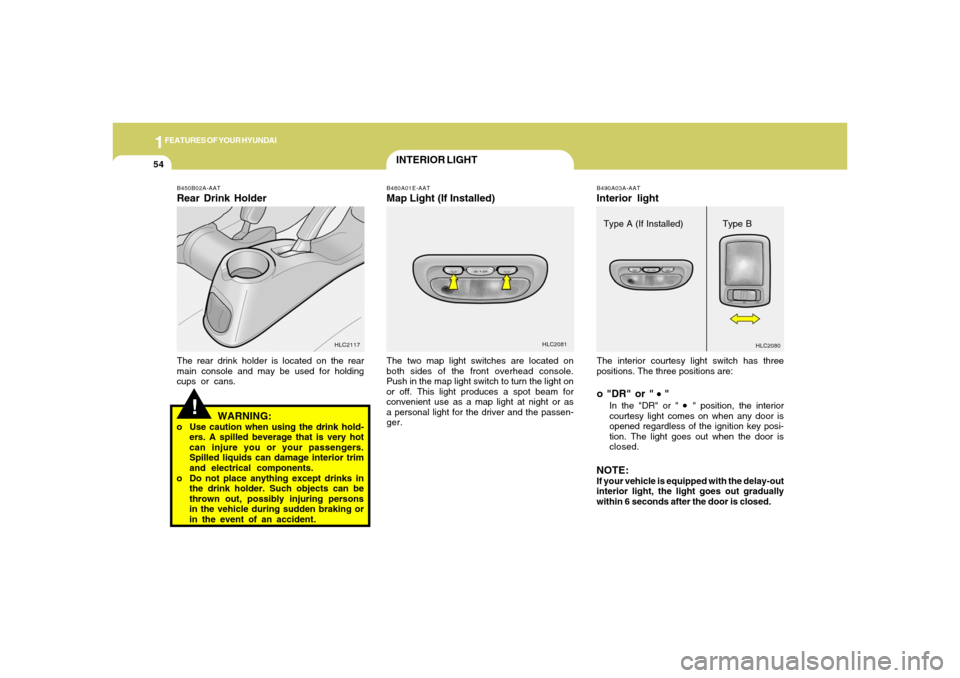
The interior courtesy light switch has three
positions. The three positions are:o "DR" or "
"
In the "DR" or "
" position, the interior
courtesy light comes on when any door is
opened regardless of the ignition key posi-
tion. The light goes out when the door is
closed.
NOTE:If your vehicle is equipped with the delay-out
interior light, the light goes out gradually
within 6 seconds after the door is closed.B490A03A-AATInterior light
HLC2080
Type A (If Installed) Type B
B480A01E-AATMap Light (If Installed)The two map light switches are located on
both sides of the front overhead console.
Push in the map light switch to turn the light on
or off. This light produces a spot beam for
convenient use as a map light at night or as
a personal light for the driver and the passen-
ger.
HLC2081
!
B450B02A-AATRear Drink HolderThe rear drink holder is located on the rear
main console and may be used for holding
cups or cans.
HLC2117
WARNING:
o Use caution when using the drink hold-
ers. A spilled beverage that is very hot
can injure you or your passengers.
Spilled liquids can damage interior trim
and electrical components.
o Do not place anything except drinks in
the drink holder. Such objects can be
thrown out, possibly injuring persons
in the vehicle during sudden braking or
in the event of an accident.
Page 70 of 219
1FEATURES OF YOUR HYUNDAI58
PARKING BRAKE
DAY/NIGHT INSIDE REARVIEW
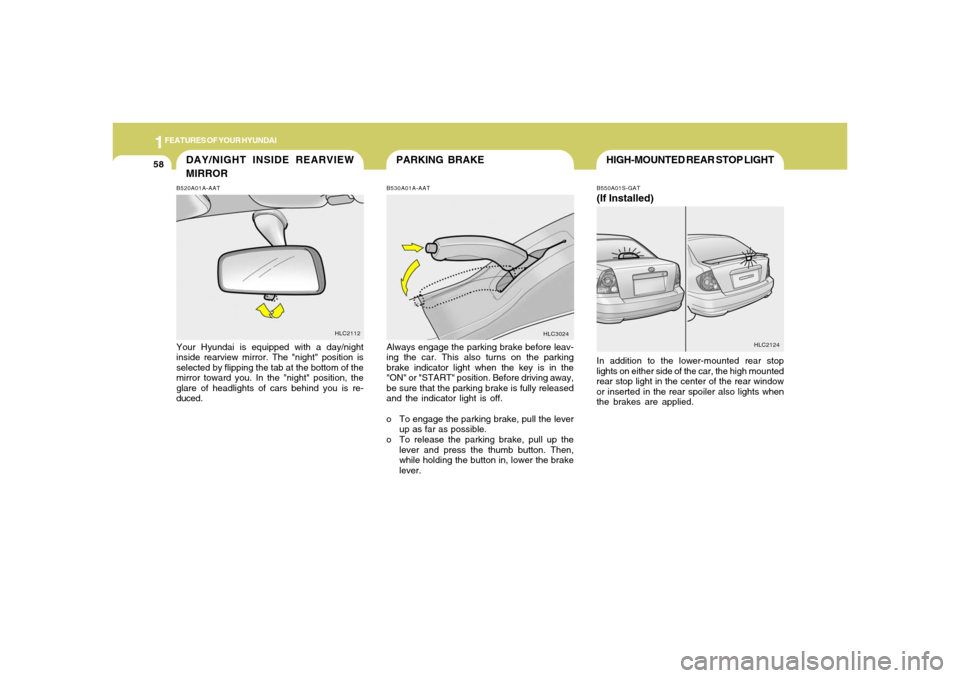
MIRRORB520A01A-AATYour Hyundai is equipped with a day/night
inside rearview mirror. The "night" position is
selected by flipping the tab at the bottom of the
mirror toward you. In the "night" position, the
glare of headlights of cars behind you is re-
duced.
HLC2112
B530A01A-AATAlways engage the parking brake before leav-
ing the car. This also turns on the parking
brake indicator light when the key is in the
"ON" or "START" position. Before driving away,
be sure that the parking brake is fully released
and the indicator light is off.
o To engage the parking brake, pull the lever
up as far as possible.
o To release the parking brake, pull up the
lever and press the thumb button. Then,
while holding the button in, lower the brake
lever.
HLC3024
HIGH-MOUNTED REAR STOP LIGHTB550A01S-GAT(If Installed)In addition to the lower-mounted rear stop
lights on either side of the car, the high mounted
rear stop light in the center of the rear window
or inserted in the rear spoiler also lights when
the brakes are applied.
HLC2124
Page 73 of 219
1
FEATURES OF YOUR HYUNDAI
61
!
TRUNK LID (4 DOOR)
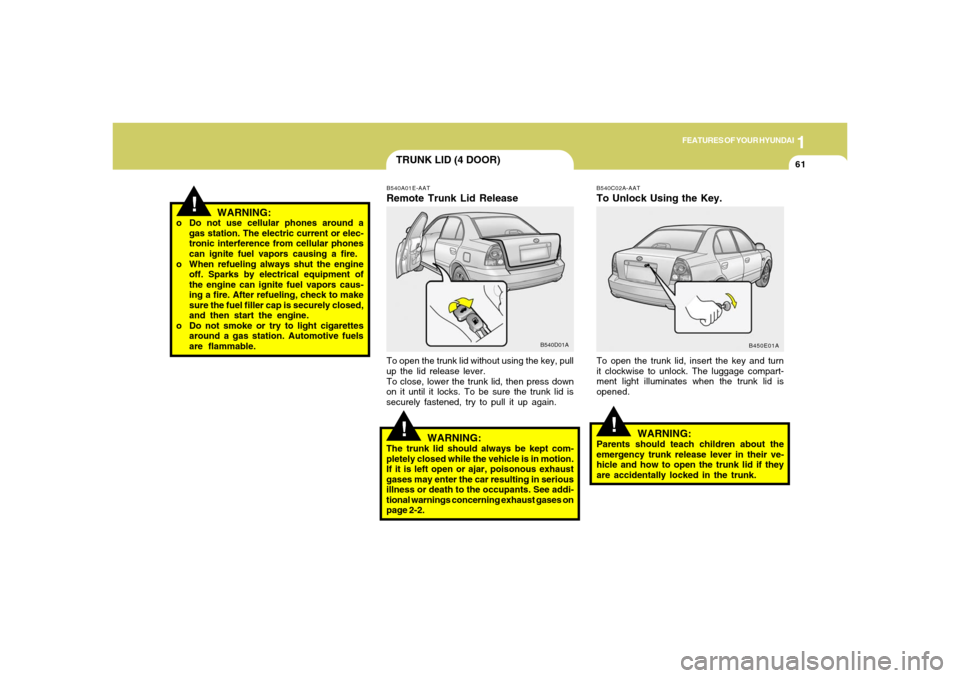
B540C02A-AATTo Unlock Using the Key.To open the trunk lid, insert the key and turn
it clockwise to unlock. The luggage compart-
ment light illuminates when the trunk lid is
opened.
B450E01A
!
B540A01E-AATRemote Trunk Lid Release
B540D01A
To open the trunk lid without using the key, pull
up the lid release lever.
To close, lower the trunk lid, then press down
on it until it locks. To be sure the trunk lid is
securely fastened, try to pull it up again.
WARNING:
The trunk lid should always be kept com-
pletely closed while the vehicle is in motion.
If it is left open or ajar, poisonous exhaust
gases may enter the car resulting in serious
illness or death to the occupants. See addi-
tional warnings concerning exhaust gases on
page 2-2.
!
WARNING:
Parents should teach children about the
emergency trunk release lever in their ve-
hicle and how to open the trunk lid if they
are accidentally locked in the trunk. o Do not use cellular phones around a
gas station. The electric current or elec-
tronic interference from cellular phones
can ignite fuel vapors causing a fire.
o When refueling always shut the engine
off. Sparks by electrical equipment of
the engine can ignite fuel vapors caus-
ing a fire. After refueling, check to make
sure the fuel filler cap is securely closed,
and then start the engine.
o Do not smoke or try to light cigarettes
around a gas station. Automotive fuels
are flammable.
WARNING:
Page 74 of 219
1FEATURES OF YOUR HYUNDAI62
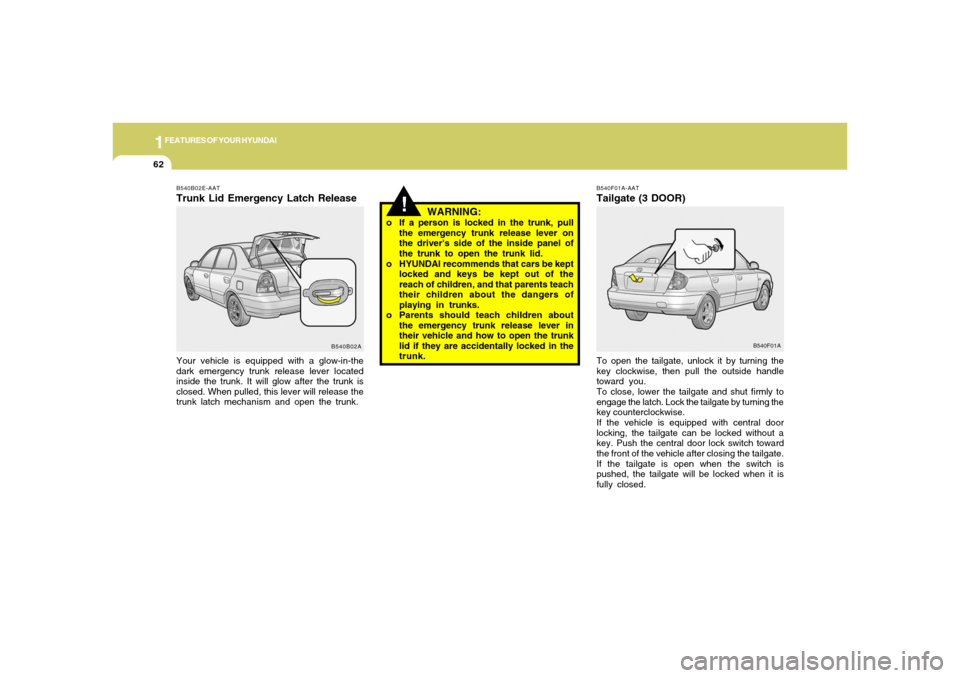
B540F01A-AATTailgate (3 DOOR)To open the tailgate, unlock it by turning the
key clockwise, then pull the outside handle
toward you.
To close, lower the tailgate and shut firmly to
engage the latch. Lock the tailgate by turning the
key counterclockwise.
If the vehicle is equipped with central door
locking, the tailgate can be locked without a
key. Push the central door lock switch toward
the front of the vehicle after closing the tailgate.
If the tailgate is open when the switch is
pushed, the tailgate will be locked when it is
fully closed.
B540B02E-AATTrunk Lid Emergency Latch ReleaseYour vehicle is equipped with a glow-in-the
dark emergency trunk release lever located
inside the trunk. It will glow after the trunk is
closed. When pulled, this lever will release the
trunk latch mechanism and open the trunk.
B540B02AB540F01A
WARNING:
o If a person is locked in the trunk, pull
the emergency trunk release lever on
the driver's side of the inside panel of
the trunk to open the trunk lid.
o HYUNDAI recommends that cars be kept
locked and keys be kept out of the
reach of children, and that parents teach
their children about the dangers of
playing in trunks.
o Parents should teach children about
the emergency trunk release lever in
their vehicle and how to open the trunk
lid if they are accidentally locked in the
trunk.
!
Page 89 of 219
1
FEATURES OF YOUR HYUNDAI
77
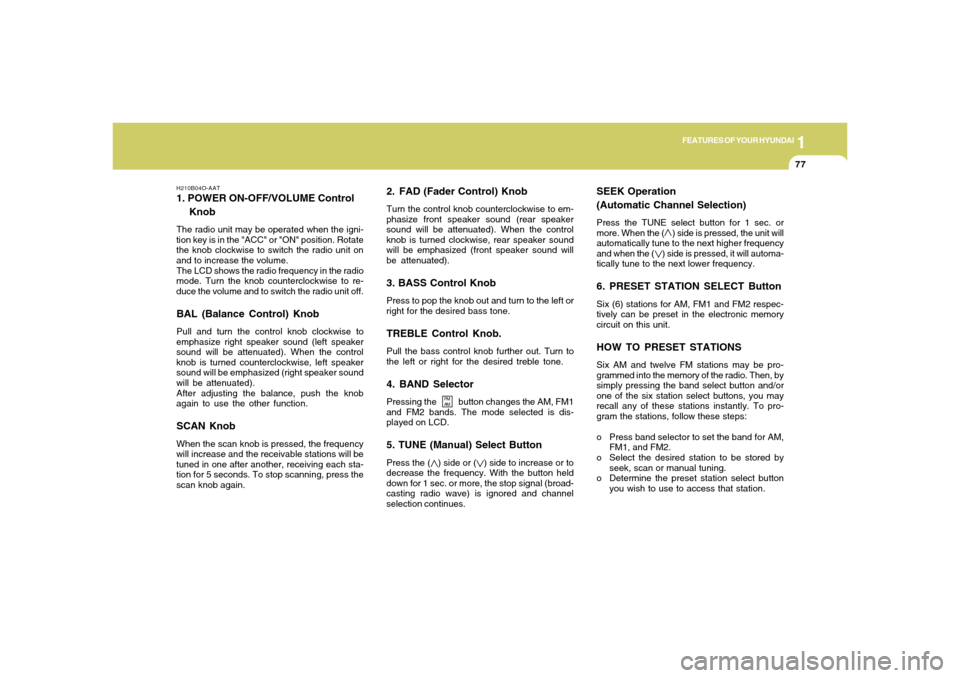
2. FAD (Fader Control) KnobTurn the control knob counterclockwise to em-
phasize front speaker sound (rear speaker
sound will be attenuated). When the control
knob is turned clockwise, rear speaker sound
will be emphasized (front speaker sound will
be attenuated).3. BASS Control KnobPress to pop the knob out and turn to the left or
right for the desired bass tone.TREBLE Control Knob.Pull the bass control knob further out. Turn to
the left or right for the desired treble tone.4. BAND SelectorPressing the button changes the AM, FM1
and FM2 bands. The mode selected is dis-
played on LCD.5. TUNE (Manual) Select ButtonPress the ( ) side or ( ) side to increase or to
decrease the frequency. With the button held
down for 1 sec. or more, the stop signal (broad-
casting radio wave) is ignored and channel
selection continues.
SEEK Operation
(Automatic Channel Selection)Press the TUNE select button for 1 sec. or
more. When the ( ) side is pressed, the unit will
automatically tune to the next higher frequency
and when the ( ) side is pressed, it will automa-
tically tune to the next lower frequency.6. PRESET STATION SELECT ButtonSix (6) stations for AM, FM1 and FM2 respec-
tively can be preset in the electronic memory
circuit on this unit.HOW TO PRESET STATIONSSix AM and twelve FM stations may be pro-
grammed into the memory of the radio. Then, by
simply pressing the band select button and/or
one of the six station select buttons, you may
recall any of these stations instantly. To pro-
gram the stations, follow these steps:
o Press band selector to set the band for AM,
FM1, and FM2.
o Select the desired station to be stored by
seek, scan or manual tuning.
o Determine the preset station select button
you wish to use to access that station.
H210B04O-AAT1. POWER ON-OFF/VOLUME Control
KnobThe radio unit may be operated when the igni-
tion key is in the "ACC" or "ON" position. Rotate
the knob clockwise to switch the radio unit on
and to increase the volume.
The LCD shows the radio frequency in the radio
mode. Turn the knob counterclockwise to re-
duce the volume and to switch the radio unit off.BAL (Balance Control) KnobPull and turn the control knob clockwise to
emphasize right speaker sound (left speaker
sound will be attenuated). When the control
knob is turned counterclockwise, left speaker
sound will be emphasized (right speaker sound
will be attenuated).
After adjusting the balance, push the knob
again to use the other function.SCAN KnobWhen the scan knob is pressed, the frequency
will increase and the receivable stations will be
tuned in one after another, receiving each sta-
tion for 5 seconds. To stop scanning, press the
scan knob again.
FM
AM
Page 92 of 219
1FEATURES OF YOUR HYUNDAI80
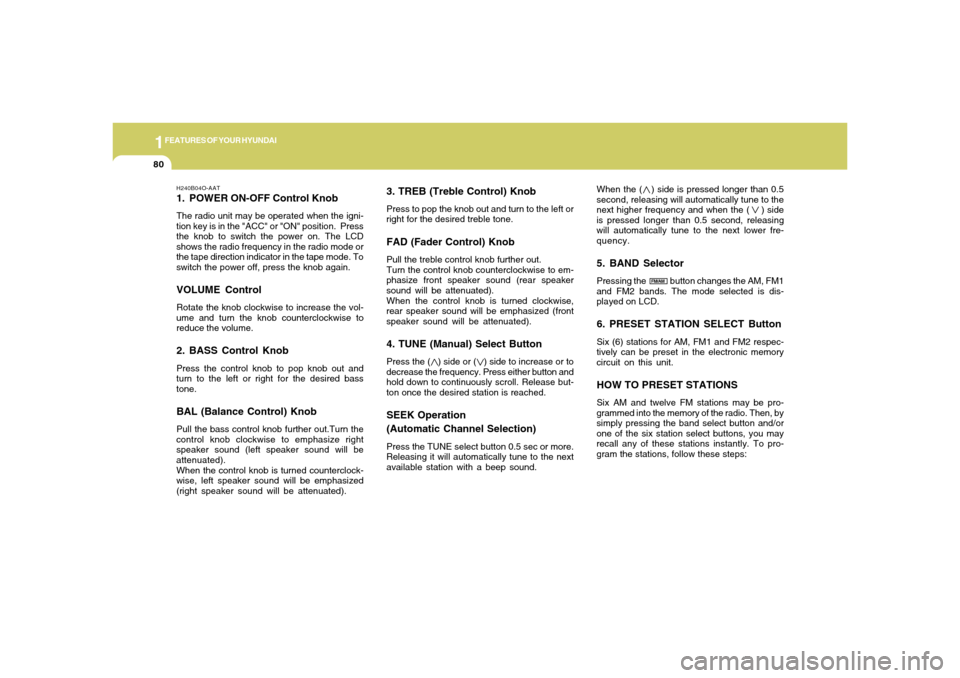
3. TREB (Treble Control) KnobPress to pop the knob out and turn to the left or
right for the desired treble tone.FAD (Fader Control) KnobPull the treble control knob further out.
Turn the control knob counterclockwise to em-
phasize front speaker sound (rear speaker
sound will be attenuated).
When the control knob is turned clockwise,
rear speaker sound will be emphasized (front
speaker sound will be attenuated).4. TUNE (Manual) Select ButtonPress the ( ) side or ( ) side to increase or to
decrease the frequency. Press either button and
hold down to continuously scroll. Release but-
ton once the desired station is reached.SEEK Operation
(Automatic Channel Selection)Press the TUNE select button 0.5 sec or more.
Releasing it will automatically tune to the next
available station with a beep sound.When the ( ) side is pressed longer than 0.5
second, releasing will automatically tune to the
next higher frequency and when the ( ) side
is pressed longer than 0.5 second, releasing
will automatically tune to the next lower fre-
quency.
5. BAND SelectorPressing the button changes the AM, FM1
and FM2 bands. The mode selected is dis-
played on LCD.6. PRESET STATION SELECT ButtonSix (6) stations for AM, FM1 and FM2 respec-
tively can be preset in the electronic memory
circuit on this unit.HOW TO PRESET STATIONSSix AM and twelve FM stations may be pro-
grammed into the memory of the radio. Then, by
simply pressing the band select button and/or
one of the six station select buttons, you may
recall any of these stations instantly. To pro-
gram the stations, follow these steps:
H240B04O-AAT1. POWER ON-OFF Control KnobThe radio unit may be operated when the igni-
tion key is in the "ACC" or "ON" position. Press
the knob to switch the power on. The LCD
shows the radio frequency in the radio mode or
the tape direction indicator in the tape mode. To
switch the power off, press the knob again.VOLUME ControlRotate the knob clockwise to increase the vol-
ume and turn the knob counterclockwise to
reduce the volume.2. BASS Control KnobPress the control knob to pop knob out and
turn to the left or right for the desired bass
tone.BAL (Balance Control) KnobPull the bass control knob further out.Turn the
control knob clockwise to emphasize right
speaker sound (left speaker sound will be
attenuated).
When the control knob is turned counterclock-
wise, left speaker sound will be emphasized
(right speaker sound will be attenuated).
FM/AM
Page 97 of 219
1
FEATURES OF YOUR HYUNDAI
85
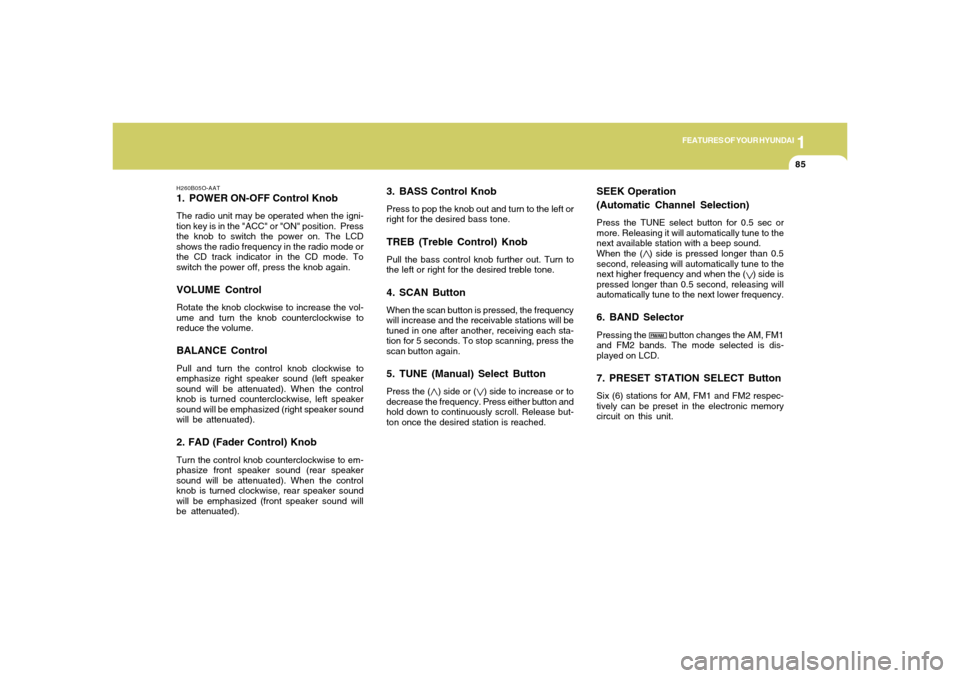
3. BASS Control KnobPress to pop the knob out and turn to the left or
right for the desired bass tone.TREB (Treble Control) KnobPull the bass control knob further out. Turn to
the left or right for the desired treble tone.4. SCAN ButtonWhen the scan button is pressed, the frequency
will increase and the receivable stations will be
tuned in one after another, receiving each sta-
tion for 5 seconds. To stop scanning, press the
scan button again.5. TUNE (Manual) Select ButtonPress the ( ) side or ( ) side to increase or to
decrease the frequency. Press either button and
hold down to continuously scroll. Release but-
ton once the desired station is reached.
SEEK Operation
(Automatic Channel Selection)Press the TUNE select button for 0.5 sec or
more. Releasing it will automatically tune to the
next available station with a beep sound.
When the ( ) side is pressed longer than 0.5
second, releasing will automatically tune to the
next higher frequency and when the ( ) side is
pressed longer than 0.5 second, releasing will
automatically tune to the next lower frequency.6. BAND SelectorPressing the button changes the AM, FM1
and FM2 bands. The mode selected is dis-
played on LCD.7. PRESET STATION SELECT ButtonSix (6) stations for AM, FM1 and FM2 respec-
tively can be preset in the electronic memory
circuit on this unit.
H260B05O-AAT1. POWER ON-OFF Control KnobThe radio unit may be operated when the igni-
tion key is in the "ACC" or "ON" position. Press
the knob to switch the power on. The LCD
shows the radio frequency in the radio mode or
the CD track indicator in the CD mode. To
switch the power off, press the knob again.VOLUME ControlRotate the knob clockwise to increase the vol-
ume and turn the knob counterclockwise to
reduce the volume.BALANCE ControlPull and turn the control knob clockwise to
emphasize right speaker sound (left speaker
sound will be attenuated). When the control
knob is turned counterclockwise, left speaker
sound will be emphasized (right speaker sound
will be attenuated).2. FAD (Fader Control) KnobTurn the control knob counterclockwise to em-
phasize front speaker sound (rear speaker
sound will be attenuated). When the control
knob is turned clockwise, rear speaker sound
will be emphasized (front speaker sound will
be attenuated).
FM/AM
Page 105 of 219
1
FEATURES OF YOUR HYUNDAI
93
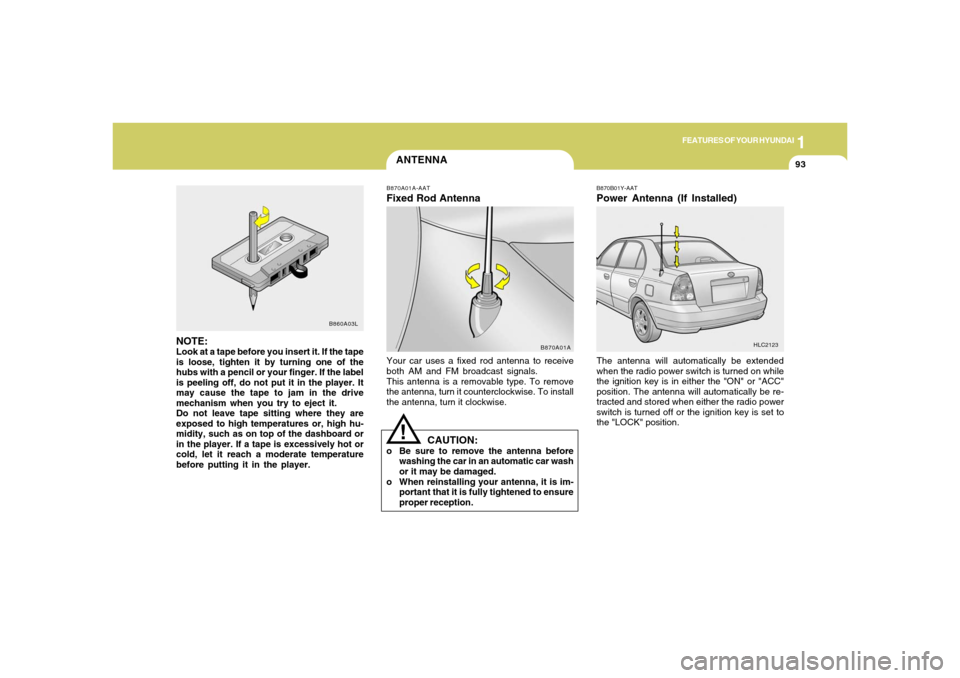
ANTENNAB870A01A-AATFixed Rod AntennaYour car uses a fixed rod antenna to receive
both AM and FM broadcast signals.
This antenna is a removable type. To remove
the antenna, turn it counterclockwise. To install
the antenna, turn it clockwise.
B870B01Y-AATPower Antenna (If Installed)The antenna will automatically be extended
when the radio power switch is turned on while
the ignition key is in either the "ON" or "ACC"
position. The antenna will automatically be re-
tracted and stored when either the radio power
switch is turned off or the ignition key is set to
the "LOCK" position.
HLC2123
B870A01A
NOTE:Look at a tape before you insert it. If the tape
is loose, tighten it by turning one of the
hubs with a pencil or your finger. If the label
is peeling off, do not put it in the player. It
may cause the tape to jam in the drive
mechanism when you try to eject it.
Do not leave tape sitting where they are
exposed to high temperatures or, high hu-
midity, such as on top of the dashboard or
in the player. If a tape is excessively hot or
cold, let it reach a moderate temperature
before putting it in the player.
B860A03L
CAUTION:
o Be sure to remove the antenna before
washing the car in an automatic car wash
or it may be damaged.
o When reinstalling your antenna, it is im-
portant that it is fully tightened to ensure
proper reception.
!
Page 107 of 219
Before Starting the Engine ............................................ 2-3
Key Positions ................................................................ 2-3
Starting ..........................................................................2-4
Operating the Manual Transaxle ................................... 2-5
Automatic Transaxle ..................................................... 2-7
Good Braking Practices..............................................2-10
Anti-Lock Brake System.............................................2-11
Driving for Economy...................................................2-12
Winter Driving.............................................................2-13
Trailer Towing .............................................................2-16
Vehicle Load Limit.......................................................2-16
DRIVING YOUR HYUNDAI
2
2
Page 109 of 219
DRIVING YOUR HYUNDAI
32
TO START THE ENGINE
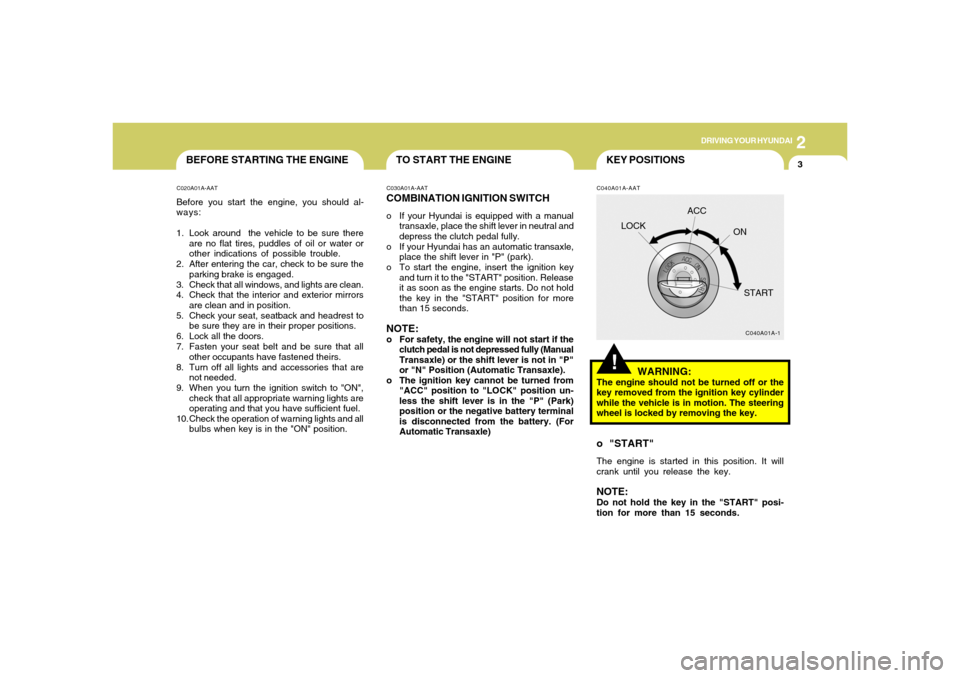
BEFORE STARTING THE ENGINEC020A01A-AATBefore you start the engine, you should al-
ways:
1. Look around the vehicle to be sure there
are no flat tires, puddles of oil or water or
other indications of possible trouble.
2. After entering the car, check to be sure the
parking brake is engaged.
3. Check that all windows, and lights are clean.
4. Check that the interior and exterior mirrors
are clean and in position.
5. Check your seat, seatback and headrest to
be sure they are in their proper positions.
6. Lock all the doors.
7. Fasten your seat belt and be sure that all
other occupants have fastened theirs.
8. Turn off all lights and accessories that are
not needed.
9. When you turn the ignition switch to "ON",
check that all appropriate warning lights are
operating and that you have sufficient fuel.
10. Check the operation of warning lights and all
bulbs when key is in the "ON" position.
C030A01A-AATCOMBINATION IGNITION SWITCHo If your Hyundai is equipped with a manual
transaxle, place the shift lever in neutral and
depress the clutch pedal fully.
o If your Hyundai has an automatic transaxle,
place the shift lever in "P" (park).
o To start the engine, insert the ignition key
and turn it to the "START" position. Release
it as soon as the engine starts. Do not hold
the key in the "START" position for more
than 15 seconds.NOTE:o For safety, the engine will not start if the
clutch pedal is not depressed fully (Manual
Transaxle) or the shift lever is not in "P"
or "N" Position (Automatic Transaxle).
o The ignition key cannot be turned from
"ACC" position to "LOCK" position un-
less the shift lever is in the "P" (Park)
position or the negative battery terminal
is disconnected from the battery. (For
Automatic Transaxle)
C040A01A-AAT
C040A01A-1
LOCKACC
ON
START
WARNING:
The engine should not be turned off or the
key removed from the ignition key cylinder
while the vehicle is in motion. The steering
wheel is locked by removing the key.o "START"The engine is started in this position. It will
crank until you release the key.NOTE:Do not hold the key in the "START" posi-
tion for more than 15 seconds.
!KEY POSITIONS