Key ignition Hyundai Accent 2007 Owner's Guide
[x] Cancel search | Manufacturer: HYUNDAI, Model Year: 2007, Model line: Accent, Model: Hyundai Accent 2007Pages: 282, PDF Size: 10.55 MB
Page 85 of 282
1
FEATURES OF YOUR HYUNDAI
73
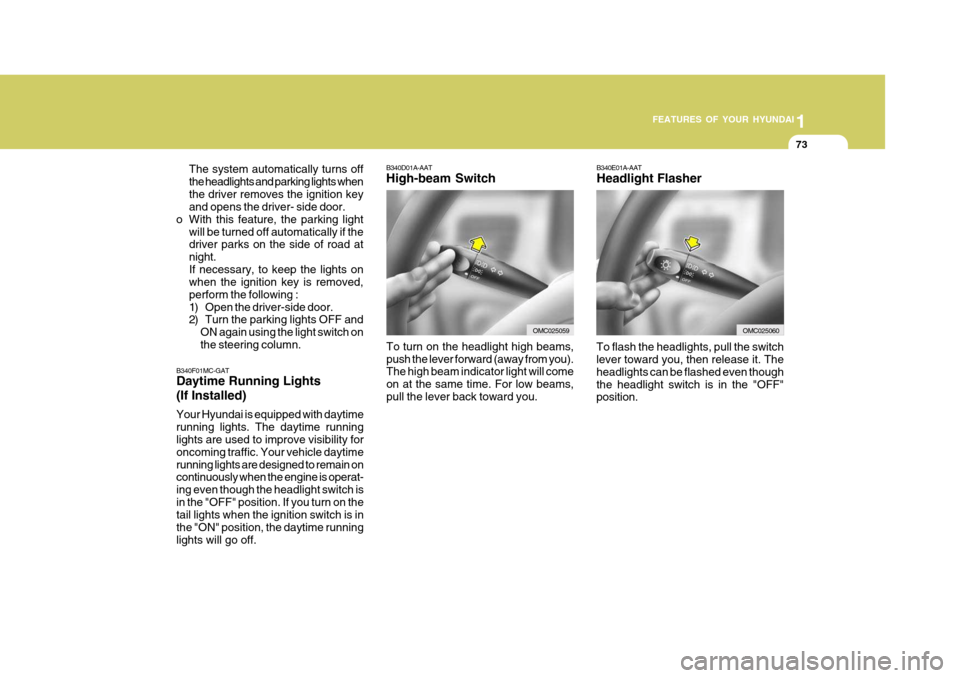
B340E01A-AAT Headlight Flasher
To flash the headlights, pull the switch lever toward you, then release it. The headlights can be flashed even thoughthe headlight switch is in the "OFF" position.
B340D01A-AAT High-beam Switch
B340F01MC-GAT Daytime Running Lights (If Installed) Your Hyundai is equipped with daytime running lights. The daytime running lights are used to improve visibility for oncoming traffic. Your vehicle daytimerunning lights are designed to remain on continuously when the engine is operat- ing even though the headlight switch isin the "OFF" position. If you turn on the tail lights when the ignition switch is in the "ON" position, the daytime runninglights will go off. The system automatically turns offthe headlights and parking lights whenthe driver removes the ignition key and opens the driver- side door.
o With this feature, the parking light
will be turned off automatically if thedriver parks on the side of road at night.If necessary, to keep the lights on when the ignition key is removed, perform the following :
1) Open the driver-side door.
2) Turn the parking lights OFF andON again using the light switch on the steering column.
OMC025060
To turn on the headlight high beams, push the lever forward (away from you). The high beam indicator light will come on at the same time. For low beams,pull the lever back toward you.OMC025059
Page 95 of 282
1
FEATURES OF YOUR HYUNDAI
83
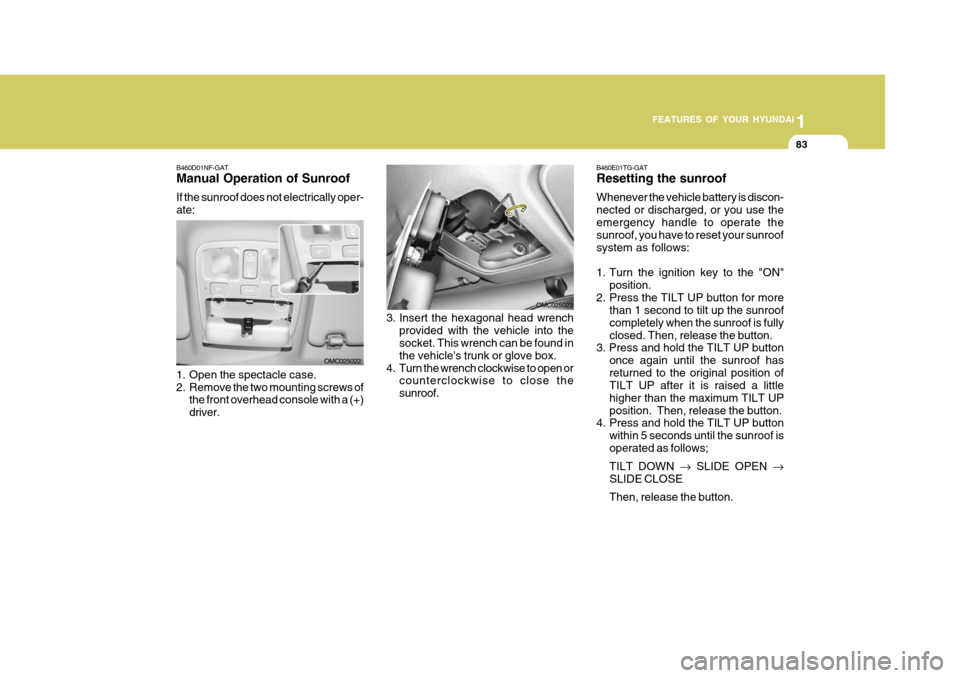
B460D01NF-GAT Manual Operation of Sunroof If the sunroof does not electrically oper- ate:
1. Open the spectacle case.
2. Remove the two mounting screws of
the front overhead console with a (+)driver. OMC025022
3. Insert the hexagonal head wrench
provided with the vehicle into the socket. This wrench can be found in the vehicle's trunk or glove box.
4. Turn the wrench clockwise to open or counterclockwise to close thesunroof. OMC025023B460E01TG-GAT Resetting the sunroof Whenever the vehicle battery is discon- nected or discharged, or you use theemergency handle to operate the sunroof, you have to reset your sunroof system as follows:
1. Turn the ignition key to the "ON"
position.
2. Press the TILT UP button for more than 1 second to tilt up the sunroof completely when the sunroof is fullyclosed. Then, release the button.
3. Press and hold the TILT UP button
once again until the sunroof hasreturned to the original position of TILT UP after it is raised a little higher than the maximum TILT UPposition. Then, release the button.
4. Press and hold the TILT UP button
within 5 seconds until the sunroof isoperated as follows; TILT DOWN SLIDE OPEN
SLIDE CLOSEThen, release the button.
Page 96 of 282
1FEATURES OF YOUR HYUNDAI
84
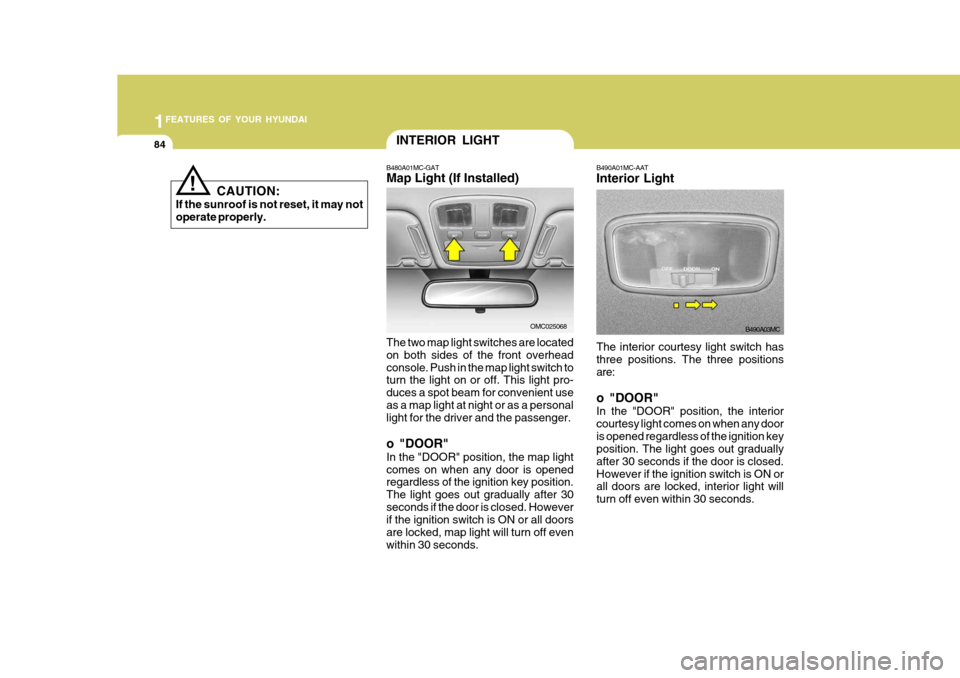
The interior courtesy light switch has three positions. The three positions are: o "DOOR" In the "DOOR" position, the interior courtesy light comes on when any dooris opened regardless of the ignition key position. The light goes out gradually after 30 seconds if the door is closed.However if the ignition switch is ON or all doors are locked, interior light will turn off even within 30 seconds.
B490A01MC-AAT Interior Light
B490A03MC
INTERIOR LIGHT
B480A01MC-GAT Map Light (If Installed) The two map light switches are located on both sides of the front overheadconsole. Push in the map light switch to turn the light on or off. This light pro- duces a spot beam for convenient useas a map light at night or as a personal light for the driver and the passenger. o "DOOR" In the "DOOR" position, the map light comes on when any door is opened regardless of the ignition key position. The light goes out gradually after 30seconds if the door is closed. However if the ignition switch is ON or all doors are locked, map light will turn off evenwithin 30 seconds.
OMC025068
! CAUTION:
If the sunroof is not reset, it may not operate properly.
Page 131 of 282

1
FEATURES OF YOUR HYUNDAI
119
1
FEATURES OF YOUR HYUNDAI
119
1
FEATURES OF YOUR HYUNDAI
119
1
FEATURES OF YOUR HYUNDAI
119
M420B01MC-GAT 1. POWER ON-OFF Control Knob The radio unit may be operated when the ignition key is in the “ACC” or “ON”position. Press the knob to switch the power on. The LCD shows the radio frequency in the radio mode or the tapedirection indicator in the tape mode. To switch the power off, press the knob again. VOLUME Control Rotate the knob clockwise to increase the volume and turn the knob counter- clockwise to reduce the volume. 2. BAND Select Button Pressing the button changes the AM(MW, LW), FM1 and FM2 bands. 3. TUNE/MODE Select Knob Rotate the knob clockwise to increase the frequency and turn the knob coun- terclockwise to reduce the frequency. Mode Select Knob Pressing the MODE knob changes the BASS, MIDDLE, TREBLE, FADER andBALANCE mode. The mode selected is shown on the display.After selecting the each mode, rotate the mode select knob clockwise or counterclockwise. BASS Control To increase the BASS, rotate the knob clockwise, while to decrease the BASS, rotate the knob counterclockwise. MIDDLE Control To increase the MIDDLE, rotate the knob clockwise, while to decrease the MID, rotate the knob counterclockwise. TREBLE Control To increase the TREBLE, rotate the knob clockwise, while to decrease the TREBLE, rotate the knob counterclock- wise.FADER Control Rotate the control knob clockwise to emphasize rear speaker sound (frontspeaker sound will be attenuated). When the control knob is turned counterclock- wise, front speaker sound will be em-phasized (rear speaker sound will be attenuated). BALANCE Control Rotate the knob clockwise to empha- size right speaker sound (left speakersound will be attenuated). When the control knob is turned counterclock- wise, left speaker sound will be empha-sized (right speaker sound will be at- tenuated).
4. AUTO SEEK Select Button
(Automatic Channel Selection)
Press the AUTO SEEK select button. When the side is pressed, the unitwill automatically tune to the next higher frequency and when the side is pressed, it will automatically tune to thenext lower frequency.
FM/AM
Page 136 of 282

1FEATURES OF YOUR HYUNDAI
124
M445B01MC-GAT 1. POWER ON-OFF Control Knob The radio unit may be operated when the ignition key is in the “ACC”or “ON”position. Press the knob to switch the power on. The LCD shows the radio frequency in radio mode or displays theCD track in CD mode. To switch the power off, press the knob again. VOLUME Control Rotate the knob clockwise to increase the volume and turn the knob counter-clockwise to reduce the volume.
2. BAND Selector FM Selection Button Pressing the button changes the FM1 and FM2 bands. AM(MW, LW) Selection Button Pressing the button selects the AM(MW, LW) band. AM(MW, LW) mode is displayed on LCD. 3. TUNE/MODE Select Knob Rotate the knob clockwise to increase the frequency and turn the knob coun-terclockwise to reduce the frequency. Mode Select Knob Pressing the MODE knob changes the BASS, MIDDLE, TREBLE, FADER andBALANCE mode. The mode selected is shown on the display.After selecting the each mode, rotate the mode select knob clockwise or counterclockwise. BASS Control To increase the BASS, rotate the knob clockwise, while to decrease the BASS, rotate the knob counterclockwise. MIDDLE Control To increase the MIDDLE, rotate the knob clockwise, while to decrease the MIDDLE, rotate the knob counterclock-wise.TREBLE Control To increase the TREBLE, rotate the knob clockwise, while to decrease theTREBLE, rotate the knob counterclock- wise. FADER Control Rotate the control knob clockwise to emphasize rear speaker sound (frontspeaker sound will be attenuated). When the control knob is turned counterclock- wise, front speaker sound will be em-phasized (rear speaker sound will be attenuated). BALANCE Control Rotate the knob clockwise to empha- size right speaker sound (left speaker sound will be attenuated). When thecontrol knob is turned counterclock- wise, left speaker sound will be empha- sized (right speaker sound will be at-tenuated).
FM
AM
Page 142 of 282

1FEATURES OF YOUR HYUNDAI
130
M455B01MC-GAT 1. POWER ON-OFF Control Knob
o The radio unit may be operated whenthe ignition key is in the "ACC" or "ON" position. Press the button to switch the power on. The LCD shows the radio frequency in the radio mode,the tape direction indicator in the tape mode or CD/MP3 track in the CD/MP3 mode. To switch the poweroff, press the button again.
o Push the FM/AM(MW, LW), TAPE
or CD/MP3 to turn on that functionwithout pushing Power ON-OFF con- trol knob.
VOLUME Control Rotate the knob clockwise to increase the volume and turn the knob counter-clockwise to reduce the volume. 2. AUDIO Select Button Pressing the AUDIO button changes the BASS, MIDDLE, TREBLE, FADER and BALANCE mode.The mode selected is shown on the display. After selecting the each mode, rotate the Volume control knob clockwise orcounterclockwise. BASS Control To increase the BASS, rotate the knob clockwise, while to decrease the bass, rotate the knob counterclockwise. MIDDLE Control To increase the MIDDLE, rotate the knob clockwise, while to decrease theMIDDLE, rotate the knob counterclock- wise. TREBLE Control Turn to the left or right for the desired treble tone. FADER Control Turn the control knob clockwise to emphasize rear speaker sound (frontspeaker sound will be attenuated). When the control knob is turned counterclock- wise, front speaker sound will be em-phasized (rear speaker sound will be attenuated).
BALANCE Control Rotate the knob clockwise to empha- size right speaker sound. (Left speakersound will be attenuated) When the control knob is turned counter clock- wise, left speaker sound will be empha-sized (Right speaker sound will be at- tenuated). 3. BAND Select Button Pressing the FM/AM button changes the AM(MW, LW), FM1 and FM2 bands.The mode selected is shown on the display.
4. Best Station Memory (BSM)
Button
When the BSM button is pressed, the six channels from the highest field in-tensity are selected next and stored in memory. The stations selected are stored in the sequence frequency fromthe first preset key.
Page 152 of 282

1FEATURES OF YOUR HYUNDAI
140
M465B01MC-GAT 1. POWER ON-OFF Control Knob The radio unit may be operated when the ignition key is in the "ACC" or “ON”position. Press the knob to switch the power on. The LCD shows the radio frequency in the radio mode, the tapedirection indicator in the tape mode or CD track in either the CD mode or CD AUTO CHANGER mode. To switch thepower off, press the knob again. VOLUME Control Rotate the knob clockwise to increase the volume and turn the knob counter- clockwise to reduce the volume. 2. BAND Select Button Pressing the FM/AM button changes the AM(MW, LW), FM1 and FM2 bands.The mode selected is shown on the display. 3. TUNE/MODE Select Knob Rotate the knob clockwise to increase the frequency and turn the knob coun- terclockwise to reduce the frequency. Mode Select Knob Pressing the MODE knob changes the BASS, MIDDLE, TREBLE, FADER andBALANCE mode. The mode selected is shown on the display.After selecting the each mode, rotate the mode select knob clockwise or counterclockwise. BASS Control To increase the BASS, rotate the knob clockwise, while to decrease the BASS, rotate the knob counterclockwise. MIDDLE Control To increase the MIDDLE, rotate the knob clockwise, while to decrease the MID, rotate the knob counterclockwise. TREBLE Control To increase the TREBLE, rotate the knob clockwise, while to decrease the TREBLE, rotate the knob counterclock- wise.
FADER Control Rotate the control knob clockwise to emphasize rear speaker sound (frontspeaker sound will be attenuated). When the control knob is turned counterclock- wise, front speaker sound will be em-phasized (rear speaker sound will be attenuated). BALANCE Control Rotate the knob clockwise to empha- size right speaker sound (left speakersound will be attenuated). When the control knob is turned counterclock- wise, left speaker sound will be empha-sized (right speaker sound will be at- tenuated).
4. AUTO SEEK Select Button
(Automatic Channel Selection)
Press the AUTO SEEK select button. When the side is pressed, the unit will automatically tune to the next higherfrequency and when the side is pressed, it will automatically tune to the next lower frequency.
Page 166 of 282
2
DRIVING YOUR HYUNDAI
3
2
DRIVING YOUR HYUNDAI
3
!
BEFORE STARTING THE EN- GINE
C020A02O-GAT Before you start the engine, you should always:
1. Look around the vehicle to be sure
there are no flat tires, puddles of oil, water or other indications of pos- sible trouble.
2. After entering the car, check to be sure the parking brake is engaged.
3. Check that all windows, and lights are clean.
4. Check that the interior and exterior
mirrors are clean and in position.
5. Check your seat, seatback and headrest to be sure they are in theirproper positions.
6. Lock all the doors.
7. Fasten your seat belt and be sure
that all other occupants have fas- tened theirs.
8. Turn off all lights and accessories
that are not needed.
9. When you turn the ignition switch to "ON", check that all appropriatewarning lights are operating andthat you have sufficient fuel.
10.Check the operation of warning
lights and all bulbs when key is inthe "ON" position. WARNING:
(Diesel Engine)
To ensure that sufficient vacuum exists within the brake system dur-ing cold weather start-up condi- tions, it is necessary to run the engine at idle for several secondsafter starting the engine.TO START THE ENGINE
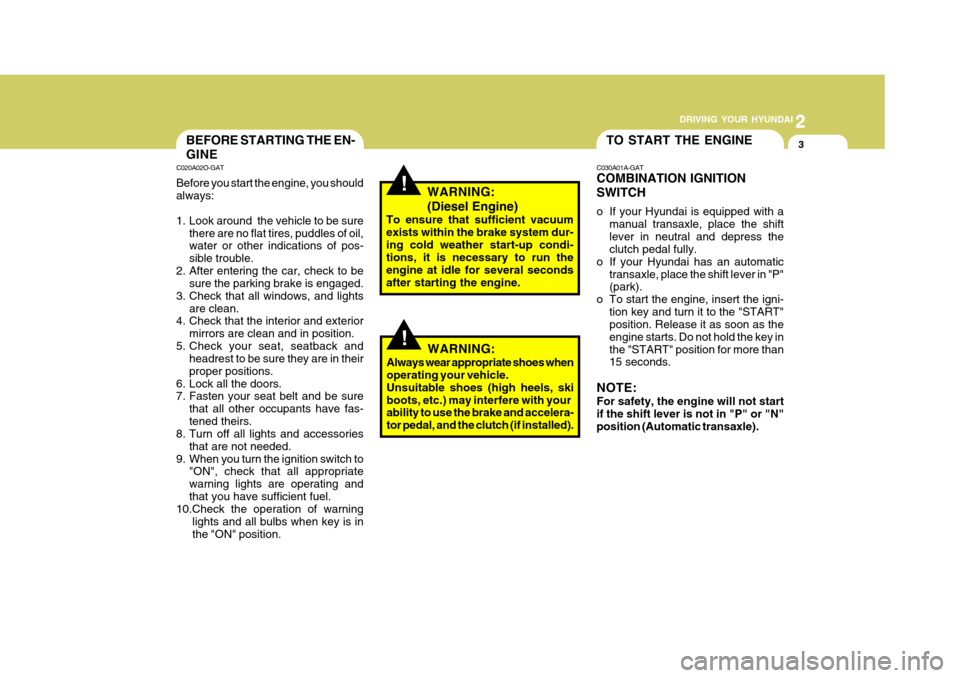
C030A01A-GAT COMBINATION IGNITION SWITCH
o If your Hyundai is equipped with a manual transaxle, place the shift lever in neutral and depress the clutch pedal fully.
o If your Hyundai has an automatic
transaxle, place the shift lever in "P"(park).
o To start the engine, insert the igni- tion key and turn it to the "START"position. Release it as soon as the engine starts. Do not hold the key inthe "START" position for more than 15 seconds.
NOTE: For safety, the engine will not start if the shift lever is not in "P" or "N" position (Automatic transaxle).
!WARNING:
Always wear appropriate shoes when operating your vehicle. Unsuitable shoes (high heels, skiboots, etc.) may interfere with your ability to use the brake and accelera- tor pedal, and the clutch (if installed).
Page 167 of 282
2 DRIVING YOUR HYUNDAI
4
C070C01A-AAT
To Remove The Ignition Key
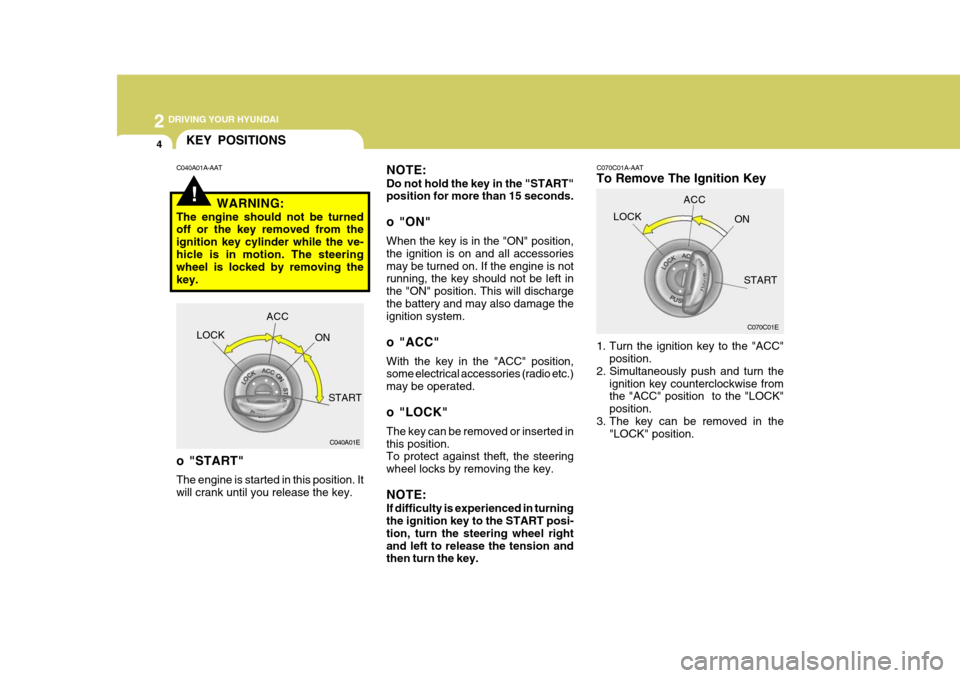
1. Turn the ignition key to the "ACC"position.
2. Simultaneously push and turn the
ignition key counterclockwise from the "ACC" position to the "LOCK" position.
3. The key can be removed in the "LOCK" position.
C070C01E
LOCK
ACC
ON
START
!
KEY POSITIONS
C040A01E
LOCK
ACC
ON
START
o "START" The engine is started in this position. It will crank until you release the key.
C040A01A-AAT
NOTE: Do not hold the key in the "START" position for more than 15 seconds.
o "ON" When the key is in the "ON" position, the ignition is on and all accessoriesmay be turned on. If the engine is not running, the key should not be left in the "ON" position. This will dischargethe battery and may also damage the ignition system.
o "ACC" With the key in the "ACC" position, some electrical accessories (radio etc.) may be operated.
o "LOCK" The key can be removed or inserted in this position. To protect against theft, the steering wheel locks by removing the key. NOTE: If difficulty is experienced in turning the ignition key to the START posi- tion, turn the steering wheel rightand left to release the tension and then turn the key.
WARNING:
The engine should not be turnedoff or the key removed from the ignition key cylinder while the ve-hicle is in motion. The steering wheel is locked by removing the key.
Page 168 of 282
2
DRIVING YOUR HYUNDAI
5
2
DRIVING YOUR HYUNDAI
5
!WARNING:
Never run the engine in a closed or poorly ventilated area any longer than is needed to move your car in or out of the area. The carbon mon-oxide gas emitted is odorless and can cause serious injury or death.
C050A01E C051A01O-GAT STARTING FOR THE DIESEL ENGINE ENGINE COLD
o Turn the ignition key to position
"ON" and wait for the pre-heat indi- cator light to go out.
o Operate the starter until the engine
runs.
ENGINE WARM Operate the starter. If the engine does not respond on the first attempt, wait several seconds and try again usingthe pre-heat.
STARTING
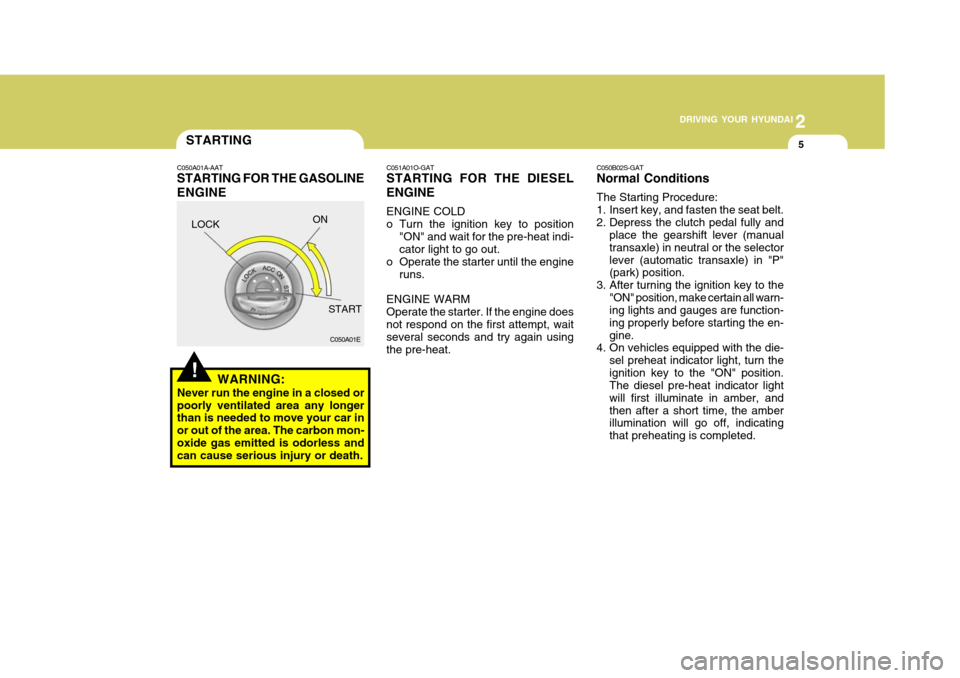
C050A01A-AAT STARTING FOR THE GASOLINE ENGINE C050B02S-GAT Normal Conditions The Starting Procedure:
1. Insert key, and fasten the seat belt.
2. Depress the clutch pedal fully and
place the gearshift lever (manualtransaxle) in neutral or the selectorlever (automatic transaxle) in "P" (park) position.
3. After turning the ignition key to the "ON" position, make certain all warn-ing lights and gauges are function- ing properly before starting the en-gine.
4. On vehicles equipped with the die-
sel preheat indicator light, turn theignition key to the "ON" position. The diesel pre-heat indicator light will first illuminate in amber, andthen after a short time, the amber illumination will go off, indicating that preheating is completed.
LOCK
ON
START