light Hyundai Accent 2007 Service Manual
[x] Cancel search | Manufacturer: HYUNDAI, Model Year: 2007, Model line: Accent, Model: Hyundai Accent 2007Pages: 282, PDF Size: 10.55 MB
Page 109 of 282
1
FEATURES OF YOUR HYUNDAI
97
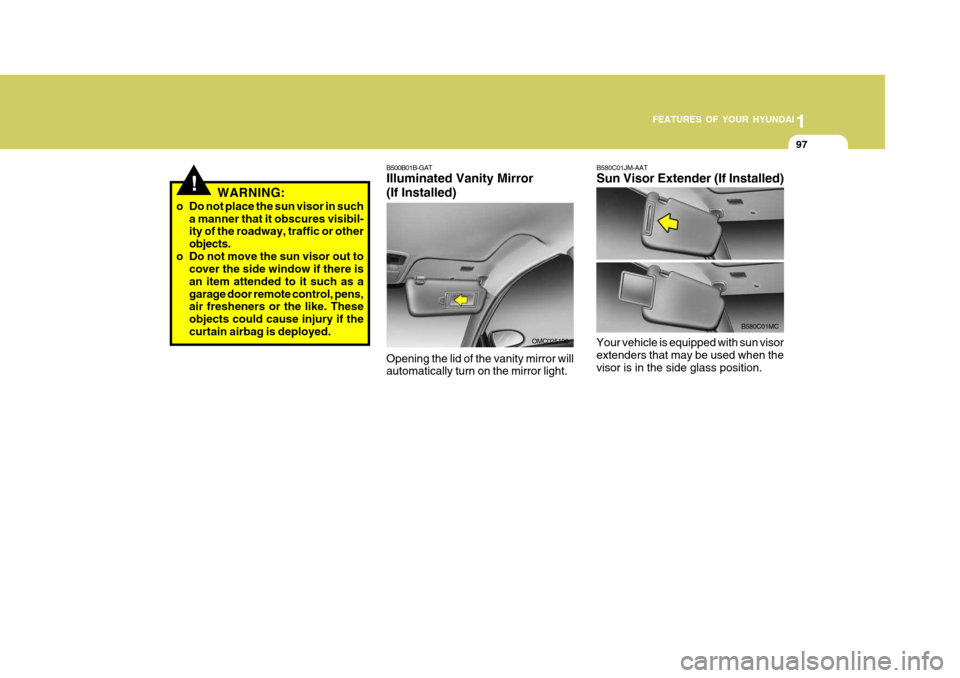
B580C01JM-AAT Sun Visor Extender (If Installed)
Your vehicle is equipped with sun visor extenders that may be used when the visor is in the side glass position.
B580C01MC
B500B01B-GAT Illuminated Vanity Mirror (If Installed) Opening the lid of the vanity mirror will automatically turn on the mirror light. OMC025100
!WARNING:
o Do not place the sun visor in such a manner that it obscures visibil- ity of the roadway, traffic or other objects.
o Do not move the sun visor out to cover the side window if there isan item attended to it such as agarage door remote control, pens, air fresheners or the like. These objects could cause injury if thecurtain airbag is deployed.
Page 119 of 282
1
FEATURES OF YOUR HYUNDAI
107
1
FEATURES OF YOUR HYUNDAI
107
1
FEATURES OF YOUR HYUNDAI
107
For dehumidified heating:
o Turn on the fan control switch.
o Turn on the air conditioning switch. The air conditioning indicator light should come on at the same time.
o Set the air intake control switch to the fresh air (
) position.
o Set the air flow control to the face
(
) position.
o Adjust the fan control to the desired speed.
o For more rapid action, set the fan at one of the higher speeds.
o Adjust the temperature control to
provide the desired amount of warmth.
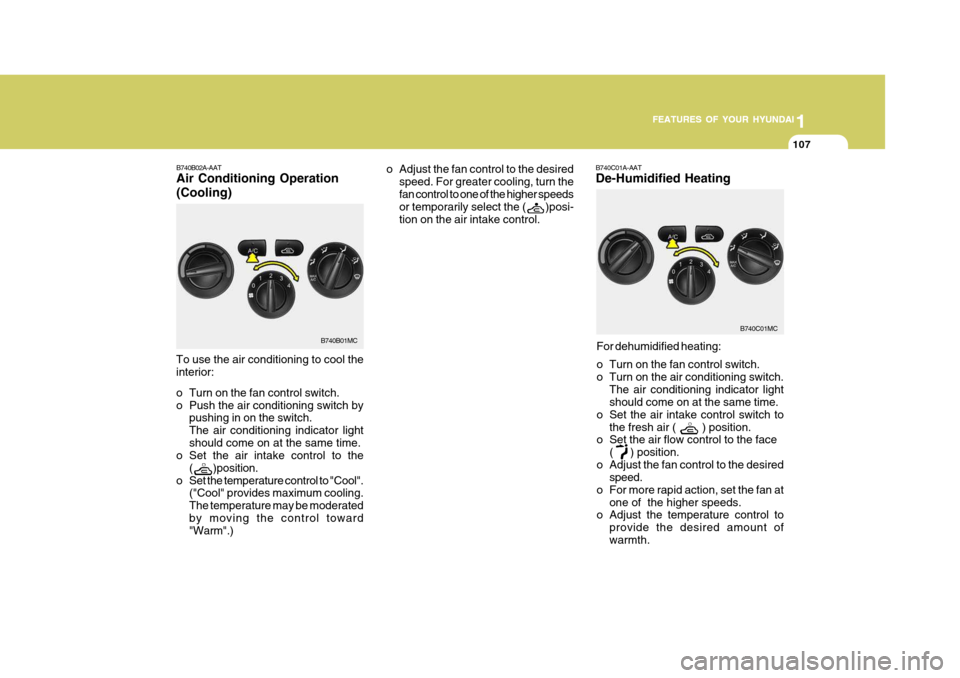
B740B02A-AAT Air Conditioning Operation (Cooling)
B740C01A-AAT De-Humidified Heating
To use the air conditioning to cool the interior:
o Turn on the fan control switch.
o Push the air conditioning switch by pushing in on the switch.The air conditioning indicator lightshould come on at the same time.
o Set the air intake control to the
(
)position.
o Set the temperature control to "Cool". ("Cool" provides maximum cooling. The temperature may be moderatedby moving the control toward "Warm".) o Adjust the fan control to the desired
speed. For greater cooling, turn the fan control to one of the higher speeds or temporarily select the (
)posi-
tion on the air intake control.
B740B01MC
B740C01MC
Page 122 of 282
1FEATURES OF YOUR HYUNDAI
110
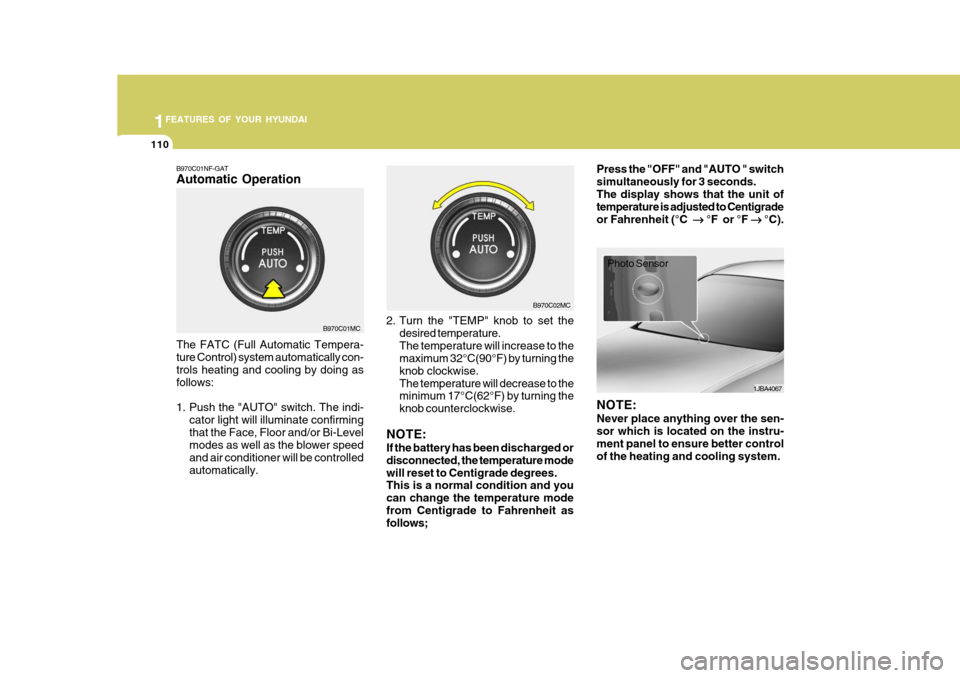
B970C01NF-GAT Automatic Operation The FATC (Full Automatic Tempera- ture Control) system automatically con- trols heating and cooling by doing as follows:
1. Push the "AUTO" switch. The indi-
cator light will illuminate confirming that the Face, Floor and/or Bi-Level modes as well as the blower speed and air conditioner will be controlledautomatically. 2. Turn the "TEMP" knob to set the
desired temperature.The temperature will increase to the maximum 32°C(90°F) by turning the knob clockwise.The temperature will decrease to the minimum 17°C(62°F) by turning the knob counterclockwise.
NOTE: If the battery has been discharged or disconnected, the temperature modewill reset to Centigrade degrees. This is a normal condition and you can change the temperature modefrom Centigrade to Fahrenheit as follows; Press the "OFF" and "AUTO " switch simultaneously for 3 seconds.The display shows that the unit of temperature is adjusted to Centigrade or Fahrenheit (°C
°F or °F
°C).
B970C01MC B970C02MC
1JBA4067
Photo Sensor
NOTE: Never place anything over the sen- sor which is located on the instru- ment panel to ensure better control of the heating and cooling system.
Page 123 of 282
1
FEATURES OF YOUR HYUNDAI
111
1
FEATURES OF YOUR HYUNDAI
111
1
FEATURES OF YOUR HYUNDAI
111
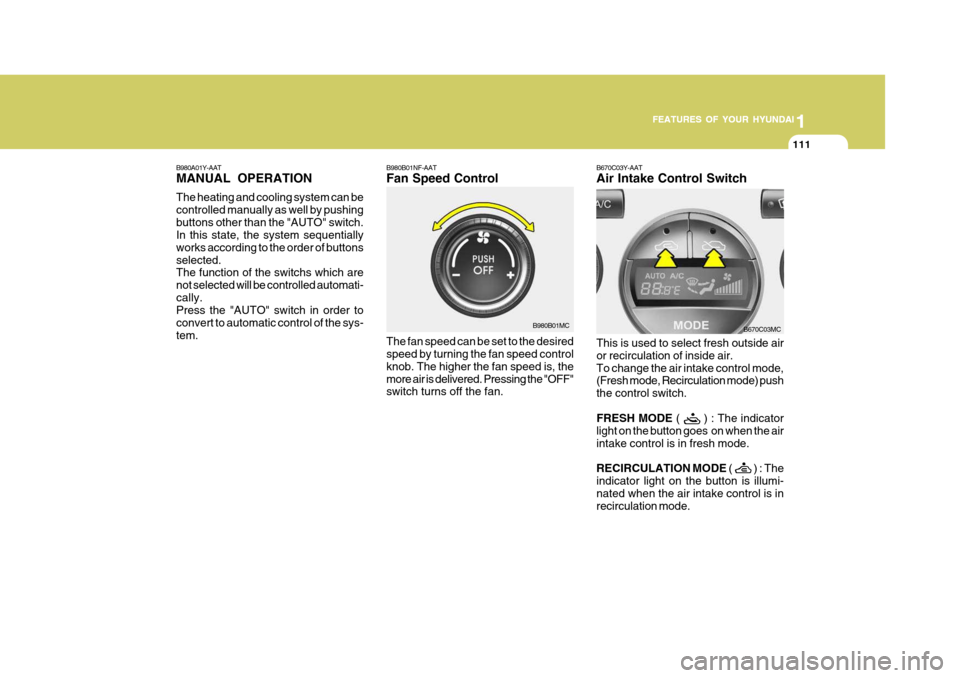
B980B01NF-AAT Fan Speed Control The fan speed can be set to the desired speed by turning the fan speed control knob. The higher the fan speed is, themore air is delivered. Pressing the "OFF" switch turns off the fan. B670C03Y-AAT Air Intake Control Switch This is used to select fresh outside air or recirculation of inside air.To change the air intake control mode, (Fresh mode, Recirculation mode) push the control switch. FRESH MODE
(
) : The indicator
light on the button goes on when the air intake control is in fresh mode. RECIRCULATION MODE (
) : The
indicator light on the button is illumi- nated when the air intake control is in recirculation mode. B670C03MC
B980B01MC
B980A01Y-AAT MANUAL OPERATION The heating and cooling system can be controlled manually as well by pushingbuttons other than the "AUTO" switch. In this state, the system sequentially works according to the order of buttonsselected. The function of the switchs which are not selected will be controlled automati-cally. Press the "AUTO" switch in order to convert to automatic control of the sys-tem.
Page 125 of 282
1
FEATURES OF YOUR HYUNDAI
113
1
FEATURES OF YOUR HYUNDAI
113
1
FEATURES OF YOUR HYUNDAI
113
B670D04MC
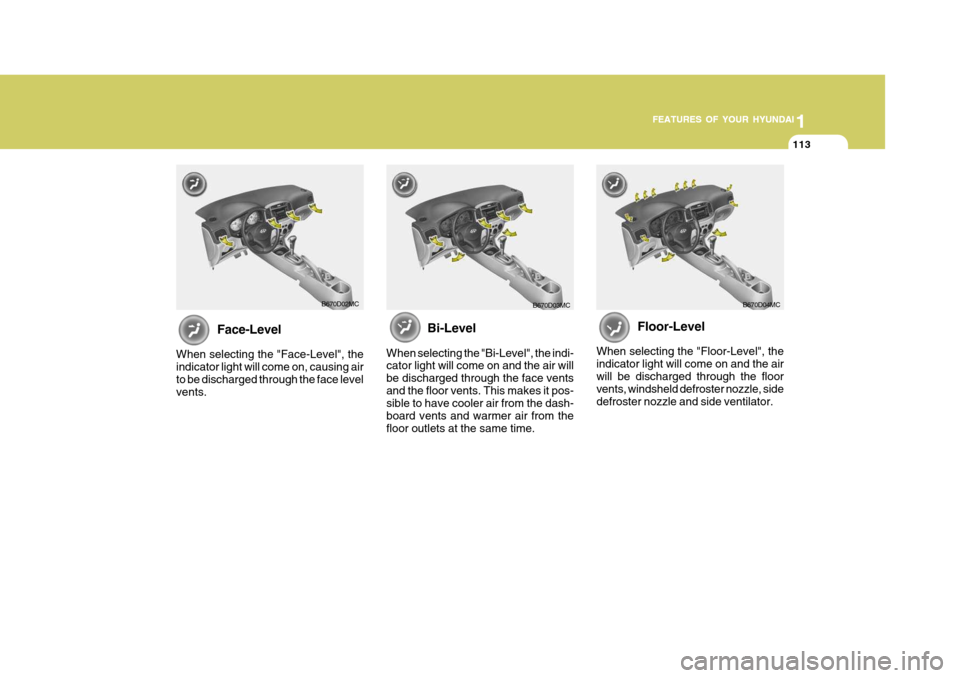
Floor-Level
When selecting the "Floor-Level", the indicator light will come on and the airwill be discharged through the floor vents, windsheld defroster nozzle, side defroster nozzle and side ventilator.
Face-Level
When selecting the "Face-Level", the indicator light will come on, causing air to be discharged through the face levelvents. B670D02MC
Bi-Level
When selecting the "Bi-Level", the indi- cator light will come on and the air will be discharged through the face ventsand the floor vents. This makes it pos- sible to have cooler air from the dash- board vents and warmer air from thefloor outlets at the same time. B670D03MC
Page 126 of 282
1FEATURES OF YOUR HYUNDAI
114
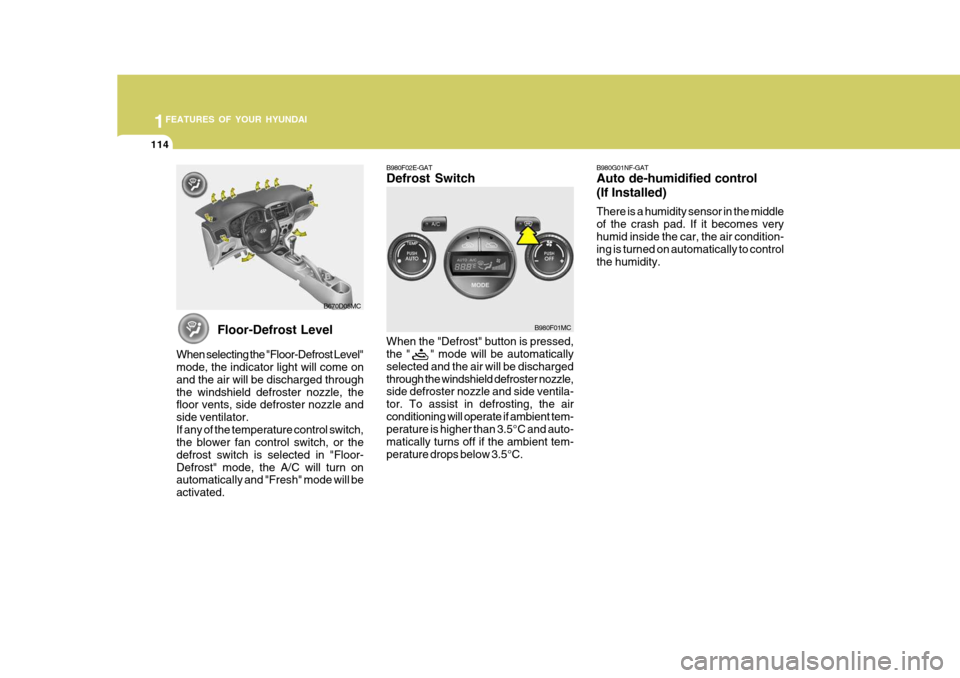
Floor-Defrost Level
When selecting the "Floor-Defrost Level" mode, the indicator light will come on and the air will be discharged throughthe windshield defroster nozzle, the floor vents, side defroster nozzle and side ventilator.If any of the temperature control switch, the blower fan control switch, or the defrost switch is selected in "Floor-Defrost" mode, the A/C will turn on automatically and "Fresh" mode will be activated. B670D05MC
B980F02E-GAT Defrost Switch When the "Defrost" button is pressed, the " " mode will be automatically selected and the air will be dischargedthrough the windshield defroster nozzle, side defroster nozzle and side ventila- tor. To assist in defrosting, the airconditioning will operate if ambient tem- perature is higher than 3.5°C and auto- matically turns off if the ambient tem-perature drops below 3.5°C.
B980F01MCB980G01NF-GAT Auto de-humidified control (If Installed) There is a humidity sensor in the middle of the crash pad. If it becomes veryhumid inside the car, the air condition- ing is turned on automatically to control the humidity.
Page 157 of 282

1
FEATURES OF YOUR HYUNDAI
145
1
FEATURES OF YOUR HYUNDAI
145
1
FEATURES OF YOUR HYUNDAI
145
1
FEATURES OF YOUR HYUNDAI
145
M465F01MC-GAT 1. LOAD Button This compact disc player will accom- modate up to six compact discs.To insert multiple discs into the player, perform the following:
1. Press and release the LOAD Button.
2. Green light on the slot will be illumi- nated and the lowest number of empty slot will blink on the display. After “WAIT” is displayed on the LCD, the slot will open with “LOAD”displayed on the LCD.
3. Insert a disc partway into the slot,
label side up. The player will pull thedisc in.
When the disc is inserted, the disc willbegin to play automatically. NOTE :
o The disc can be only inserted while the green light is blinking on the slot.
o This CD player is suitable only for
12 cm discs, do not use irregularshaped CDs. To insert multiple discs do the follow- ings:
1. Press and hold the LOAD button for
one second or more. You will then hear a beep sound and the green light on the slot will be illuminated, and the numbers ofempty disc will blink on the display.
2. After “WAIT” is displayed on the LCD
with the lowest number of empty slotblinking, the slot will open with “LOAD” displayed on the LCD.
3. Insert a disc partway into the slot, label side up. The player will pull thedisc in. Once the disc is loaded, the num-bers of the empty disc will blink on the display continuously. If the next “DISC NO.” is displayedwhen the slot is illuminated, you can then load another disc.
4. Load the remaining disc by following the same procedures 1 and 2. Whenyou finished loading 6 discs, the CD player will begin to play the last CDloaded.
5. To load more than one disc but less
than six, complete Steps 1 and 2. When you have finished loading discs,press LOAD button to cancel the load-ing function or wait for 10 seconds. The CD player will begin to play the last CD loaded. As each CD starts to play, theDISC number will appear on the dis- play. NOTE : The disc player takes up to six discs. Do not try to load more than six. 2. CD/AUX Button
o Press the CD Button to start CD
playback, during radio operation or cassette tape playing.
o When discs are in the CD deck, if you press the CD button, the CD playerwill begin playing even if the radio orcassette player is being used.
o The CD player can be used when the
ignition switch is in either the “ON” or“ACC” position.
o Push the CD button to start CD
playback without pushing Power ON-OFF control knob. (Only when a CD is in the deck.
Page 161 of 282
1
FEATURES OF YOUR HYUNDAI
149
1
FEATURES OF YOUR HYUNDAI
149
1
FEATURES OF YOUR HYUNDAI
149
1
FEATURES OF YOUR HYUNDAI
149CARE OF CASSETTE TAPESCARE OF DISCS
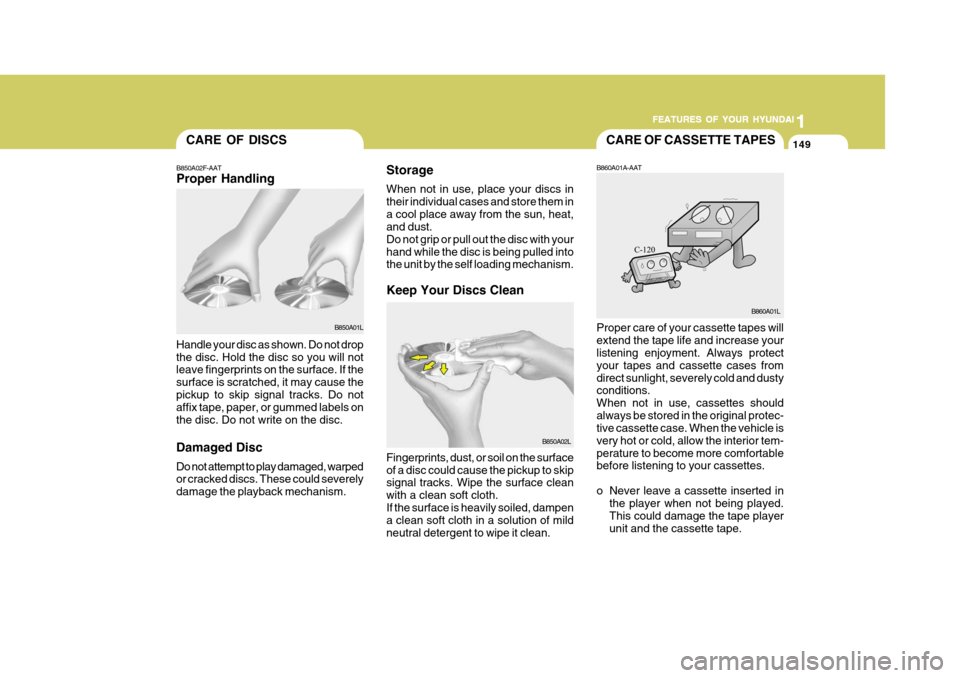
Storage When not in use, place your discs in their individual cases and store them ina cool place away from the sun, heat, and dust. Do not grip or pull out the disc with yourhand while the disc is being pulled into the unit by the self loading mechanism. Keep Your Discs Clean
B850A02F-AAT Proper Handling
Handle your disc as shown. Do not drop the disc. Hold the disc so you will not leave fingerprints on the surface. If the surface is scratched, it may cause thepickup to skip signal tracks. Do not affix tape, paper, or gummed labels on the disc. Do not write on the disc. Damaged Disc Do not attempt to play damaged, warped or cracked discs. These could severely damage the playback mechanism. Fingerprints, dust, or soil on the surfaceof a disc could cause the pickup to skip signal tracks. Wipe the surface clean with a clean soft cloth.If the surface is heavily soiled, dampen a clean soft cloth in a solution of mild neutral detergent to wipe it clean.B860A01A-AAT Proper care of your cassette tapes will extend the tape life and increase your listening enjoyment. Always protect your tapes and cassette cases fromdirect sunlight, severely cold and dusty conditions. When not in use, cassettes shouldalways be stored in the original protec- tive cassette case. When the vehicle is very hot or cold, allow the interior tem-perature to become more comfortable before listening to your cassettes.
o Never leave a cassette inserted in
the player when not being played. This could damage the tape playerunit and the cassette tape.
B850A01L
B850A02L B860A01L
Page 166 of 282
2
DRIVING YOUR HYUNDAI
3
2
DRIVING YOUR HYUNDAI
3
!
BEFORE STARTING THE EN- GINE
C020A02O-GAT Before you start the engine, you should always:
1. Look around the vehicle to be sure
there are no flat tires, puddles of oil, water or other indications of pos- sible trouble.
2. After entering the car, check to be sure the parking brake is engaged.
3. Check that all windows, and lights are clean.
4. Check that the interior and exterior
mirrors are clean and in position.
5. Check your seat, seatback and headrest to be sure they are in theirproper positions.
6. Lock all the doors.
7. Fasten your seat belt and be sure
that all other occupants have fas- tened theirs.
8. Turn off all lights and accessories
that are not needed.
9. When you turn the ignition switch to "ON", check that all appropriatewarning lights are operating andthat you have sufficient fuel.
10.Check the operation of warning
lights and all bulbs when key is inthe "ON" position. WARNING:
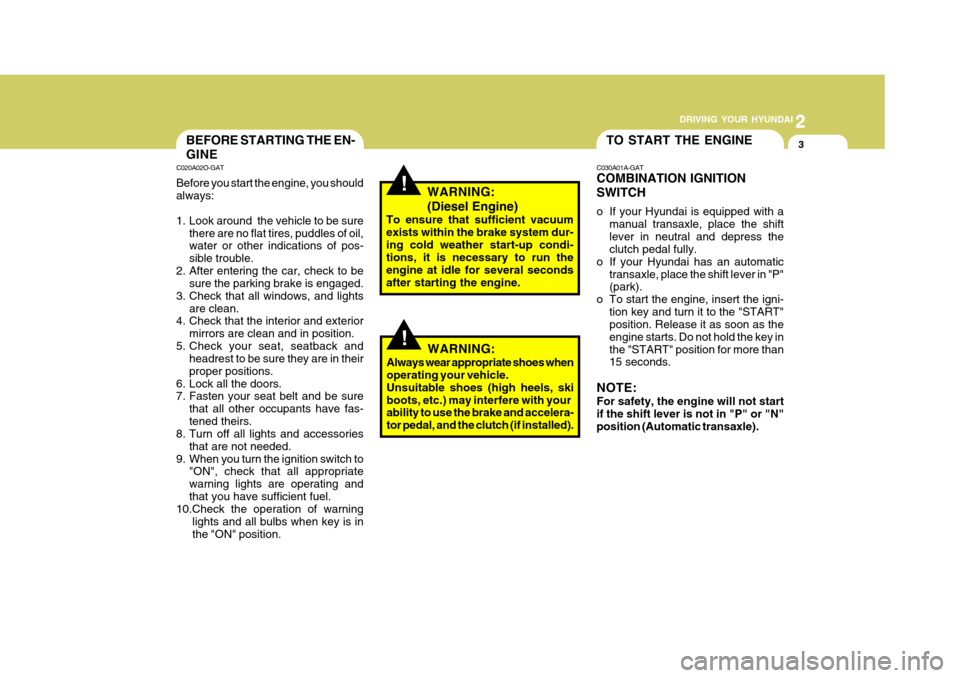
(Diesel Engine)
To ensure that sufficient vacuum exists within the brake system dur-ing cold weather start-up condi- tions, it is necessary to run the engine at idle for several secondsafter starting the engine.TO START THE ENGINE
C030A01A-GAT COMBINATION IGNITION SWITCH
o If your Hyundai is equipped with a manual transaxle, place the shift lever in neutral and depress the clutch pedal fully.
o If your Hyundai has an automatic
transaxle, place the shift lever in "P"(park).
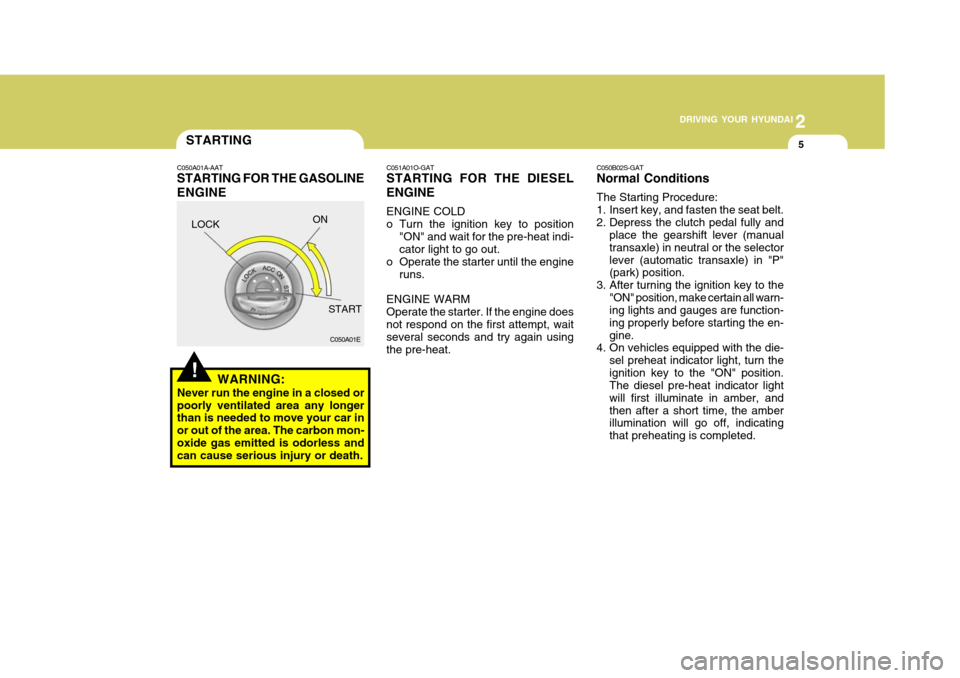
o To start the engine, insert the igni- tion key and turn it to the "START"position. Release it as soon as the engine starts. Do not hold the key inthe "START" position for more than 15 seconds.
NOTE: For safety, the engine will not start if the shift lever is not in "P" or "N" position (Automatic transaxle).
!WARNING:
Always wear appropriate shoes when operating your vehicle. Unsuitable shoes (high heels, skiboots, etc.) may interfere with your ability to use the brake and accelera- tor pedal, and the clutch (if installed).
Page 168 of 282
2
DRIVING YOUR HYUNDAI
5
2
DRIVING YOUR HYUNDAI
5
!WARNING:
Never run the engine in a closed or poorly ventilated area any longer than is needed to move your car in or out of the area. The carbon mon-oxide gas emitted is odorless and can cause serious injury or death.
C050A01E C051A01O-GAT STARTING FOR THE DIESEL ENGINE ENGINE COLD
o Turn the ignition key to position
"ON" and wait for the pre-heat indi- cator light to go out.
o Operate the starter until the engine
runs.
ENGINE WARM Operate the starter. If the engine does not respond on the first attempt, wait several seconds and try again usingthe pre-heat.
STARTING
C050A01A-AAT STARTING FOR THE GASOLINE ENGINE C050B02S-GAT Normal Conditions The Starting Procedure:
1. Insert key, and fasten the seat belt.
2. Depress the clutch pedal fully and
place the gearshift lever (manualtransaxle) in neutral or the selectorlever (automatic transaxle) in "P" (park) position.
3. After turning the ignition key to the "ON" position, make certain all warn-ing lights and gauges are function- ing properly before starting the en-gine.
4. On vehicles equipped with the die-
sel preheat indicator light, turn theignition key to the "ON" position. The diesel pre-heat indicator light will first illuminate in amber, andthen after a short time, the amber illumination will go off, indicating that preheating is completed.
LOCK
ON
START