battery Hyundai Accent 2009 - RHD (UK. Australia) Owner's Guide
[x] Cancel search | Manufacturer: HYUNDAI, Model Year: 2009, Model line: Accent, Model: Hyundai Accent 2009Pages: 232, PDF Size: 8.36 MB
Page 198 of 232
6
DO-IT-YOURSELF MAINTENANCE
17CHECKING AND REPLAC- ING FUSES
!
CAUTION:
When replacing a fusible link, never use anything but a new fusible linkwith the same or lower amperage rating. Never use a piece of wire or a higher-rated fusible link. Thiscould result in serious damage and create a fire hazard. G200B02HP-AAT Replacing Accessory Fuse The fuse box for the lights and other electrical accessories will be found lowon the dashboard on the driver's side. Inside the box you will find a list show- ing the circuits protected by each fuse.If any of your car's lights or other elec- trical accessories stop working, a blown fuse could be the reason. If the fuse hasburned out, you will see that the metal strip inside the fuse has burned through. If you suspect a blown fuse, follow thisprocedure:
1. Turn off the ignition and all other
switches.
2. Open the fuse box and examine
each fuse. Remove each fuse by pulling it toward you (a small "fuse puller" tool is contained in the relay and fuse box of the engine room tosimplify this operation).
3. Be sure to check all other fuses even
if you find one that appears to haveburned out.
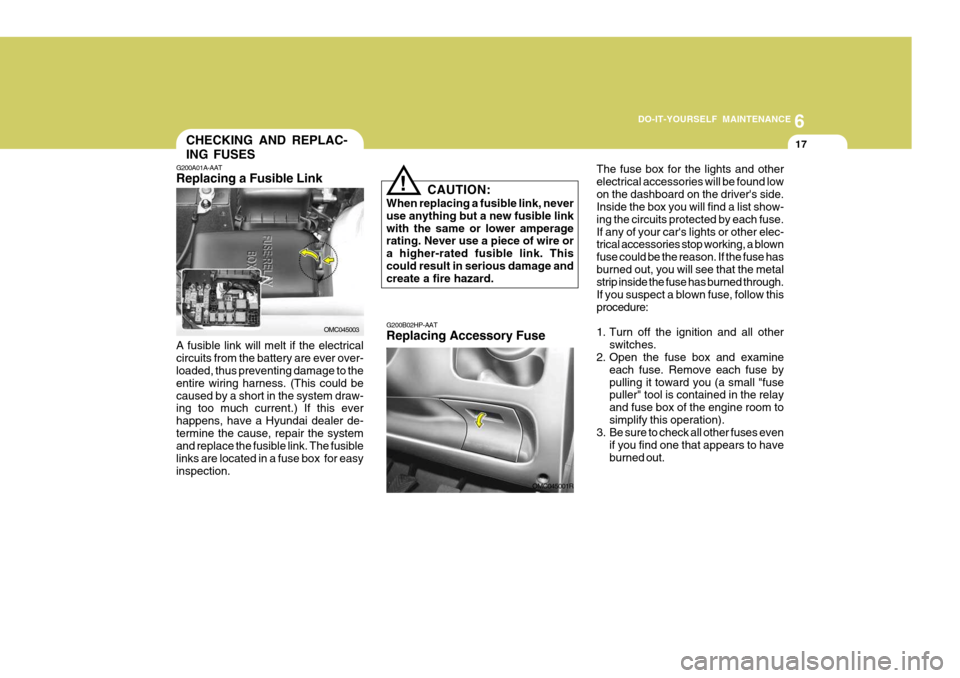
G200A01A-AAT Replacing a Fusible Link
OMC045003
A fusible link will melt if the electrical circuits from the battery are ever over- loaded, thus preventing damage to the entire wiring harness. (This could becaused by a short in the system draw- ing too much current.) If this ever happens, have a Hyundai dealer de-termine the cause, repair the system and replace the fusible link. The fusible links are located in a fuse box for easyinspection.
OMC045001R
Page 199 of 232
6 DO-IT-YOURSELF MAINTENANCE
18
G200B02L
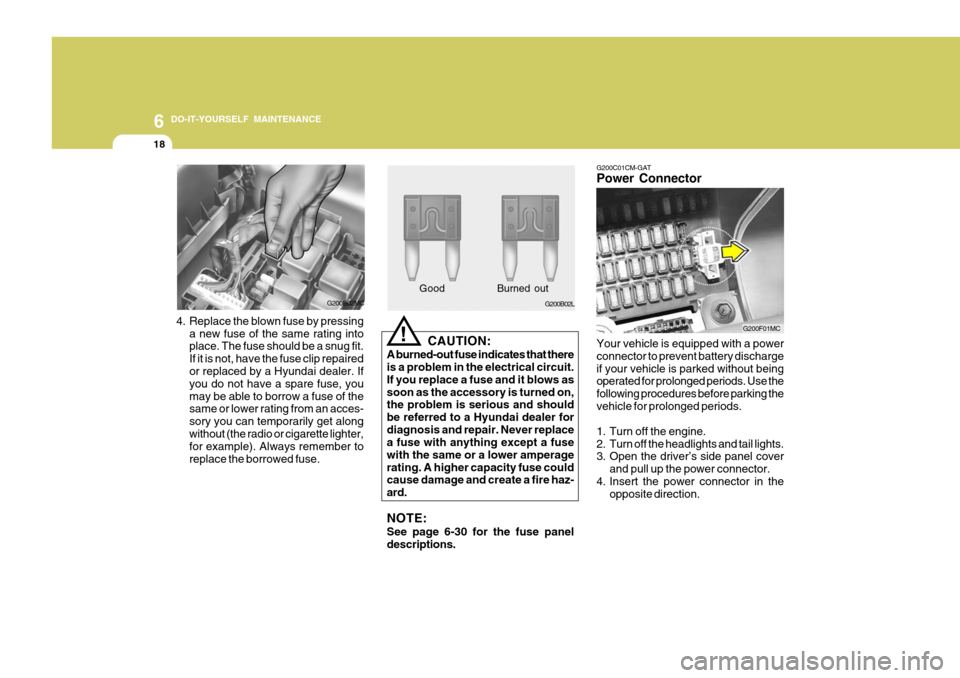
4. Replace the blown fuse by pressing a new fuse of the same rating into place. The fuse should be a snug fit. If it is not, have the fuse clip repaired or replaced by a Hyundai dealer. If you do not have a spare fuse, youmay be able to borrow a fuse of the same or lower rating from an acces- sory you can temporarily get alongwithout (the radio or cigarette lighter, for example). Always remember to replace the borrowed fuse. Good B
urned out
CAUTION:
A burned-out fuse indicates that there is a problem in the electrical circuit. If you replace a fuse and it blows assoon as the accessory is turned on, the problem is serious and should be referred to a Hyundai dealer fordiagnosis and repair. Never replace a fuse with anything except a fuse with the same or a lower amperagerating. A higher capacity fuse could cause damage and create a fire haz- ard. NOTE: See page 6-30 for the fuse panel descriptions.
!
G200B02MC G200C01CM-GAT Power Connector Your vehicle is equipped with a power connector to prevent battery dischargeif your vehicle is parked without being operated for prolonged periods. Use the following procedures before parking thevehicle for prolonged periods.
1. Turn off the engine.
2. Turn off the headlights and tail lights.
3. Open the driver’s side panel cover
and pull up the power connector.
4. Insert the power connector in the opposite direction.
G200F01MC
Page 200 of 232
6
DO-IT-YOURSELF MAINTENANCE
19
!
CHECKING THE BATTERY
o If battery fluid is on your skin, flushthe affected areas with water for at least 15 minutes and then seek medi- cal assistance.
o If battery fluid is in your eyes, rinse
out your eyes with water and getmedical assistance as soon as pos- sible. While you are being driven toget medical assistance, continue to rinse your eyes by using a sponge or soft cloth saturated with water.
o If you swallow battery fluid, drink a large quantity of water or milk fol-lowed by milk of magnesia, eat araw egg or drink vegetable oil. Get medical assistance as soon as pos- sible.
While batteries are being charged (ei- ther by a battery charger or by the vehicle's alternator), they produce ex-plosive gases. Always observe these warnings to reduce the risk of injury:
o Charge batteries only in a well ven- tilated area.
o Do not permit flames, sparks or smoking in the area.
o Keep children away from the area.
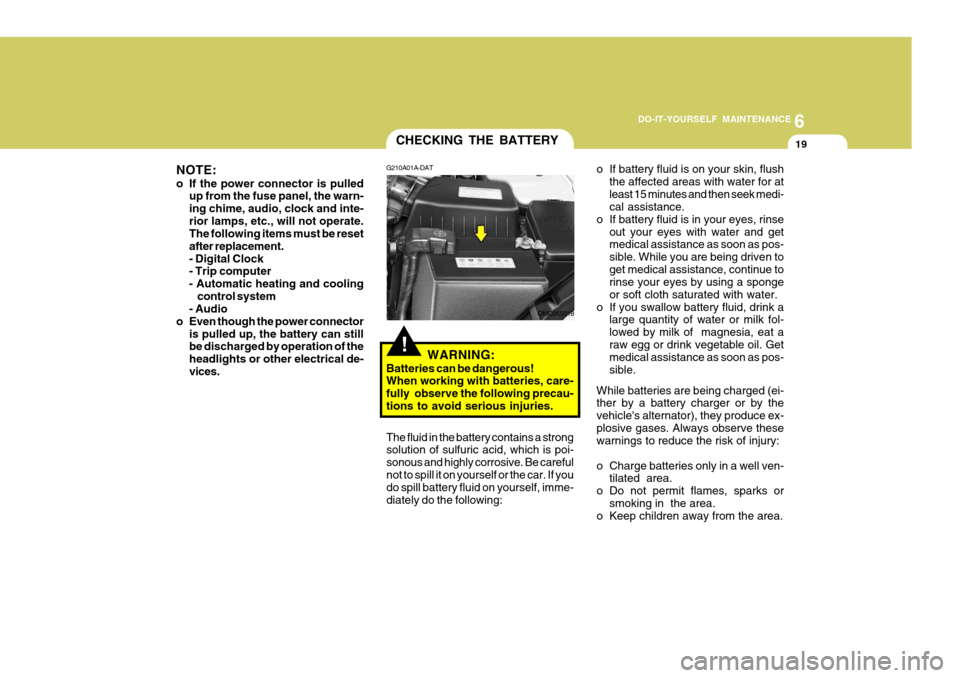
G210A01A-DAT
WARNING:
Batteries can be dangerous! When working with batteries, care- fully observe the following precau-tions to avoid serious injuries.
The fluid in the battery contains a strong solution of sulfuric acid, which is poi- sonous and highly corrosive. Be carefulnot to spill it on yourself or the car. If you do spill battery fluid on yourself, imme- diately do the following:
OMC055018
NOTE:
o If the power connector is pulled
up from the fuse panel, the warn- ing chime, audio, clock and inte-rior lamps, etc., will not operate. The following items must be reset after replacement.- Digital Clock - Trip computer
- Automatic heating and cooling control system
- Audio
o Even though the power connector is pulled up, the battery can stillbe discharged by operation of the headlights or other electrical de-vices.
Page 201 of 232
6 DO-IT-YOURSELF MAINTENANCE
20
!
o Never attempt to charge the bat-
tery when the battery cables are connected.
o The electrical ignition system works with high voltage.Never touch these componentswith the engine running or the ignition switched on.
!
G210B01Y-AAT Checking the Battery Keep the battery clean. Any evidence of corrosion around the battery postsor terminals should be removed using a solution of household baking soda and warm water. After the battery ter-minals are dry, cover them with a light coating of grease.
WARNING:
Always read the following instructions carefully when handling a battery.Keep lighted cigarettes and all other flames or sparks away from the battery.Hydrogen, which is a highly combustible gas, is always present in battery cells andmay explode if ignited. Keep batteries out of the reach of children becausebatteries contain highly cor- rosive SULFURIC ACID. Do not allow battery acid to con-tact your skin, eyes, cloth- ing or paint finish.
If any electrolyte gets into your eyes, flush your eyes with clean water for at least15 minutes and get immedi- ate medical attention. If pos- sible, continue to applywater with a sponge or cloth until medical attention is re- ceived.If electrolyte gets on your skin, thoroughly wash the contacted area.If you feel a pain or a burn- ing sensation, get medical attention immediately.Wear eye protection when charging or working near a battery.Always provide ventilation when working in an en- closed space.
o When lifting a plastic-cased bat- tery, excessive pressure on thecase may cause battery acid to leak, resulting in personal injury. Lift with a battery carrier or withyour hands on opposite corners.
Page 205 of 232
6 DO-IT-YOURSELF MAINTENANCE
24
Headlight
1. Allow the bulb to cool. Wear eye protection.
2. Open the engine bonnet and discon- nect the negative (-) post of the battery.
3. Always grasp the bulb by its plastic base, avoid touching the glass.
4. Disconnect the power cord from the
back of the headlight.
o After heavy, driving rain or wash-ing, headlight and taillight lenses could appear frosty. This condi-tion is caused by the temperature difference between the lamp in- side and outside. This is similarto the condensation on your win- dows inside your vehicle during the rain and doesn’t indicate aproblem with your vehicle. If the water leaks into the lamp bulb circuitry, have the vehicle checkedby an authorised Hyundai dealer.
REPLACEMENT OF LIGHT BULBS
G260A01MC-DAT Before attempting to replace a light bulb, be sure the switch is turned to the "OFF" position. The next paragraph shows how to reachthe light bulbs so they may be changed. Be sure to replace the burned-out bulb with one of the same number and watt-age rating. All bulbs are available from your Hyundai dealers Parts Department. See page 6-29 for the wattage descrip-tions.
CAUTION:
o Keep the lamps out of contact with petroleum products, such as oil, petrol, etc.
o If you don't have necessary tools, the correct bulbs and the exper-tise, consult your authorised Hyundai dealer.
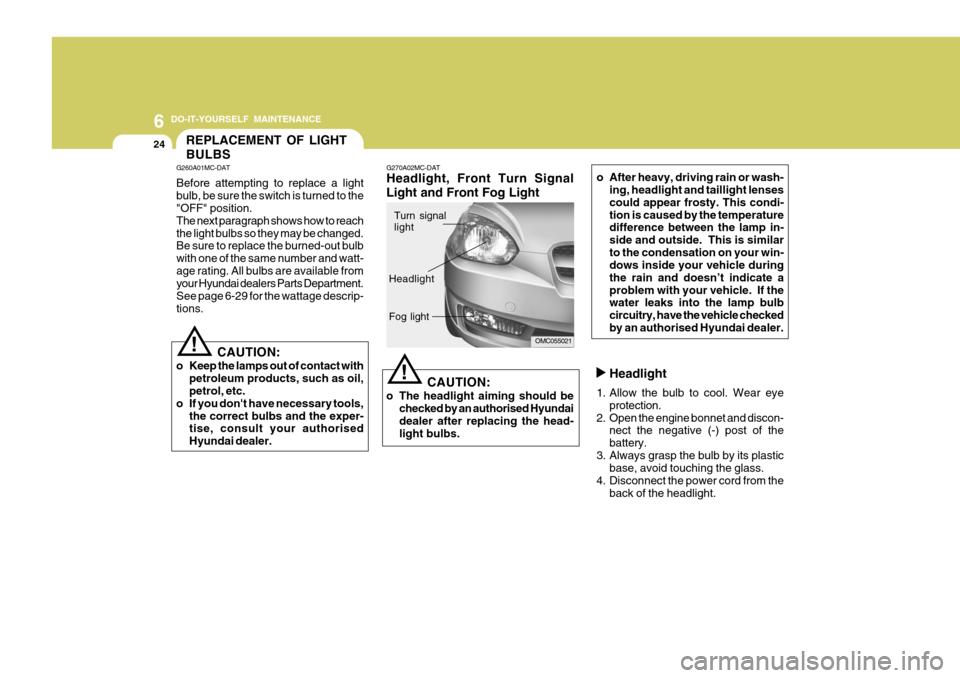
! G270A02MC-DAT Headlight, Front Turn Signal Light and Front Fog Light
CAUTION:
o The headlight aiming should be checked by an authorised Hyundai dealer after replacing the head- light bulbs.
!
OMC055021
Turn signal light
Headlight Fog light
Page 206 of 232
6
DO-IT-YOURSELF MAINTENANCE
25
Front Turn Signal light
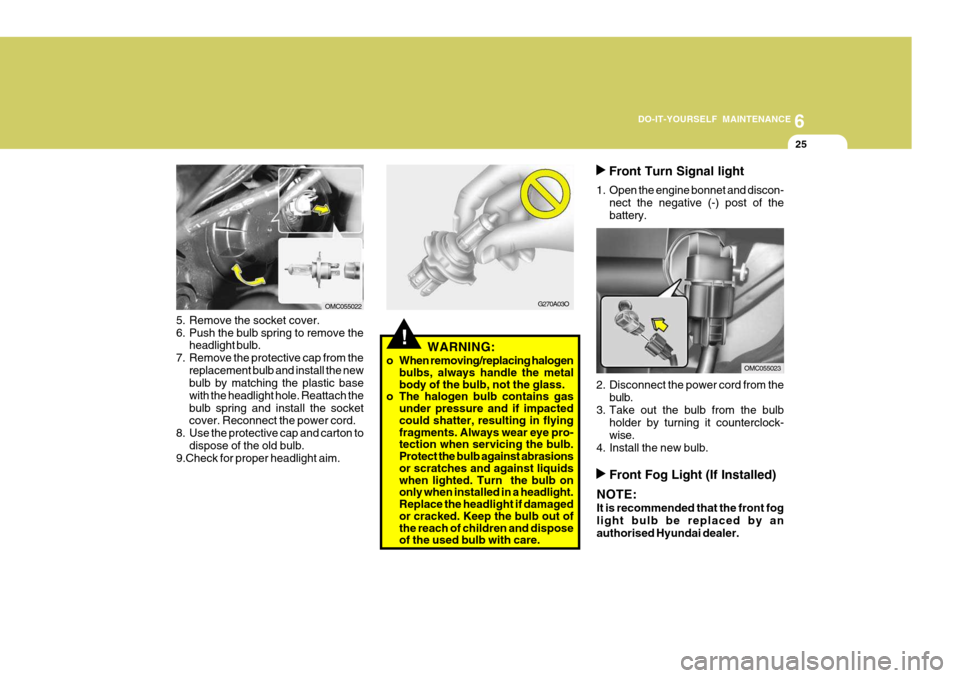
1. Open the engine bonnet and discon- nect the negative (-) post of the battery.
2. Disconnect the power cord from the bulb.
3. Take out the bulb from the bulb holder by turning it counterclock-wise.
4. Install the new bulb.
G270A03O
!WARNING:
o When removing/replacing halogen bulbs, always handle the metal body of the bulb, not the glass.
o The halogen bulb contains gas
under pressure and if impacted could shatter, resulting in flying fragments. Always wear eye pro- tection when servicing the bulb. Protect the bulb against abrasions or scratches and against liquids when lighted. Turn the bulb on only when installed in a headlight. Replace the headlight if damaged or cracked. Keep the bulb out of the reach of children and dispose of the used bulb with care.
5. Remove the socket cover.
6. Push the bulb spring to remove the
headlight bulb.
7. Remove the protective cap from the replacement bulb and install the new bulb by matching the plastic base with the headlight hole. Reattach thebulb spring and install the socket cover. Reconnect the power cord.
8. Use the protective cap and carton to dispose of the old bulb.
9.Check for proper headlight aim.
OMC055022
OMC055023
Front Fog Light (If Installed)
NOTE: It is recommended that the front fog light bulb be replaced by anauthorised Hyundai dealer.
Page 229 of 232

10INDEX
2
A Airbag ........................................................................ 1-37
Curtain airbag ......................................................... 1-42
Driver's and passenger's front airbag ...................... 1-38
Side impact airbag .................................................. 1-41
Air Cleaner Filter .......................................................... 6-8
Air Conditioning
Care ........................................................................ 6-15
Operation ................................................................ 1-96
Switch ..................................................................... 1-96
Antenna ................................................................... 1-103
Ashtray ...................................................................... 1-69
Audio System .......................................................... 1-104
Audio remote control switch ................................... 1-87
B Battery ....................................................................... 6-19
Boot Lid ..................................................................... 1-82
Bonnet Release ......................................................... 1-79
Brake Anti-lock system ..................................................... 2-12
Checking the brakes ............................................... 6-13
Fluid ........................................................................ 6-13
Pad wear warning sound ......................................... 1-55
Bulbs Replacem ent .................................................... 6-24
Bulbs W attage ........................................................... 6-29C
Care of Cassette Tapes ..........................................
1-101
Care of Discs .......................................................... 1-101
Cargo Area Cover ...................................................... 1-84
Catalytic Converter ...................................................... 7-3
Child-Protector Rear Door Lock ................................... 1-6
Child Restraint System .............................................. 1-28
Cigarette Lighter ........................................................ 1-68
Climate Control Air Filter .................................. 1-98, 6-16
Clock ......................................................................... 1-68
Clutch
Checking the cluch fluid ......................................... 6-14
Cooling Fans ............................................................. 6-21
Corrosion Protection .................................................... 4-2
Cleaning the interior .................................................. 4-6
Protecting your Hyundai from corrosion ................... 4-2
Washing and waxing ................................................. 4-4
DDoor Central door locks .................................................... 1-7
Door locks ................................................................ 1-5 Locking, unlocking front doors with a key ................ 1-5
Drink Holder ............................................................... 1-70
Driving
Economical driving ................................................. 2-17
Smooth corneri ng .................................................... 2-18
Winter driving .......................................................... 2-19