ignition Hyundai Accent 2010 Owner's Guide
[x] Cancel search | Manufacturer: HYUNDAI, Model Year: 2010, Model line: Accent, Model: Hyundai Accent 2010Pages: 284, PDF Size: 10.23 MB
Page 102 of 284
1FEATURES OF YOUR HYUNDAI
90
o"ON" In the "ON" position, the light stays on at all times.
CAUTION:
Do not leave the switch in this posi- tion for an extended period of time when the vehicle is not running.
!
o "OFF" In the "OFF" position, the light stays off at all times even though a door is open.
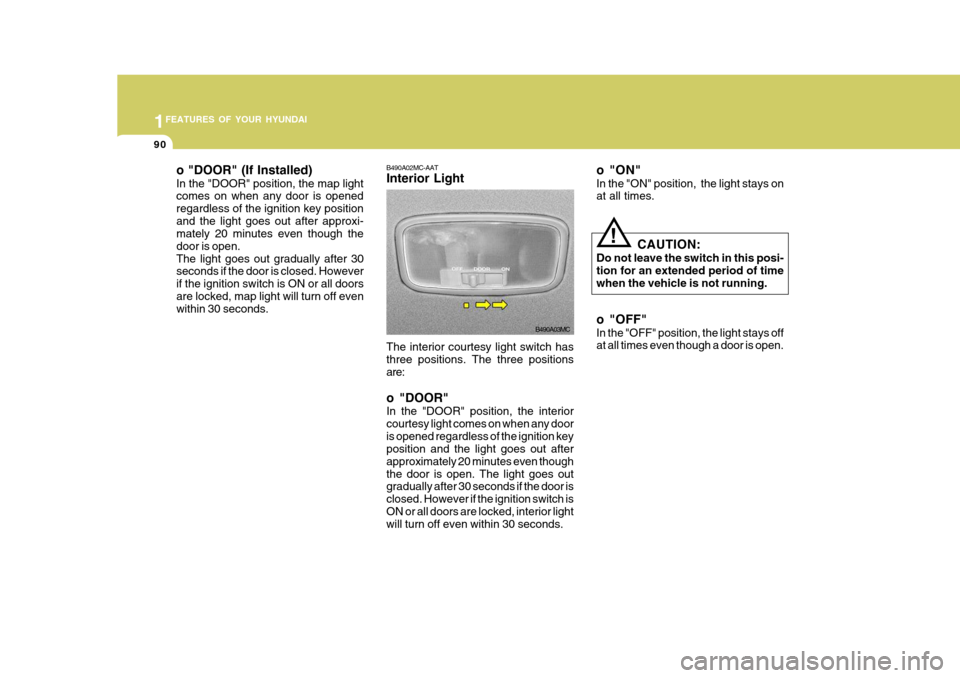
The interior courtesy light switch hasthree positions. The three positions are: o "DOOR" In the "DOOR" position, the interior courtesy light comes on when any dooris opened regardless of the ignition key position and the light goes out after approximately 20 minutes even thoughthe door is open. The light goes out gradually after 30 seconds if the door is closed. However if the ignition switch isON or all doors are locked, interior light will turn off even within 30 seconds.
B490A02MC-AAT Interior Light
B490A03MC
o "DOOR" (If Installed) In the "DOOR" position, the map light comes on when any door is opened regardless of the ignition key positionand the light goes out after approxi- mately 20 minutes even though the door is open.The light goes out gradually after 30 seconds if the door is closed. However if the ignition switch is ON or all doorsare locked, map light will turn off even within 30 seconds.
Page 116 of 284
1FEATURES OF YOUR HYUNDAI
104HORN
B610B01L-GAT
Press the pad on the steering wheel to sound the horn.
OMC025046
!
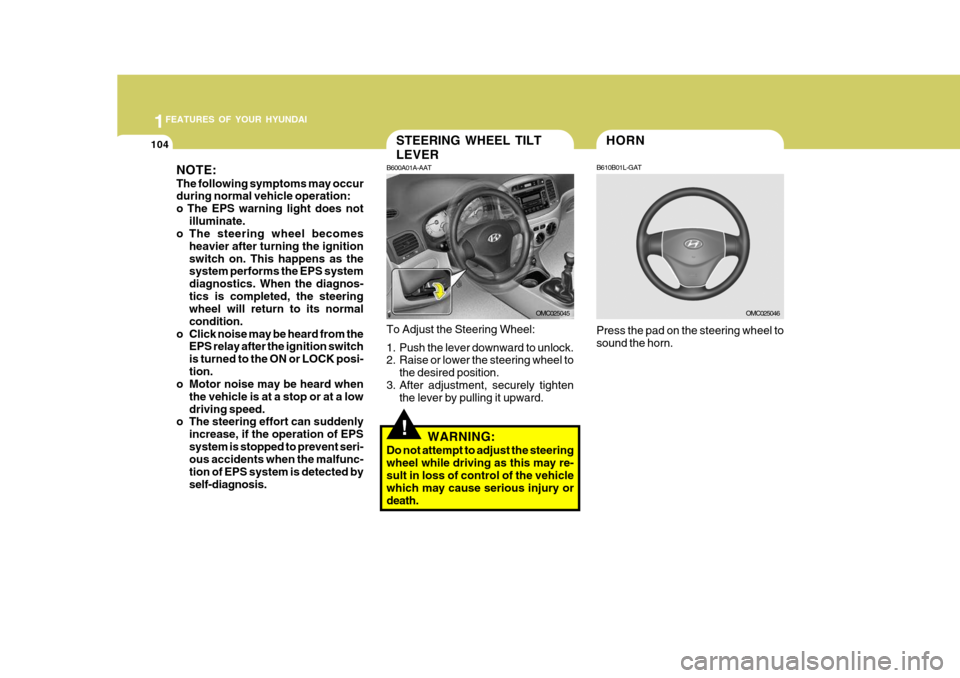
STEERING WHEEL TILT LEVER
B600A01A-AAT To Adjust the Steering Wheel:
1. Push the lever downward to unlock.
2. Raise or lower the steering wheel to
the desired position.
3. After adjustment, securely tighten the lever by pulling it upward.
WARNING:
Do not attempt to adjust the steering wheel while driving as this may re-sult in loss of control of the vehicle which may cause serious injury or death.
OMC025045
NOTE: The following symptoms may occur during normal vehicle operation:
o The EPS warning light does not
illuminate.
o The steering wheel becomes
heavier after turning the ignitionswitch on. This happens as the system performs the EPS system diagnostics. When the diagnos-tics is completed, the steering wheel will return to its normal condition.
o Click noise may be heard from the EPS relay after the ignition switchis turned to the ON or LOCK posi-tion.
o Motor noise may be heard when
the vehicle is at a stop or at a lowdriving speed.
o The steering effort can suddenly
increase, if the operation of EPSsystem is stopped to prevent seri- ous accidents when the malfunc- tion of EPS system is detected byself-diagnosis.
Page 139 of 284

1
FEATURES OF YOUR HYUNDAI
127127127127
M420B01MC-GAT 1. POWER ON-OFF Control Knob The radio unit may be operated when the ignition key is in the “ACC” or “ON”position. Press the knob to switch the power on. The LCD shows the radio frequency in the radio mode or the tapedirection indicator in the tape mode. To switch the power off, press the knob again. VOLUME Control Rotate the knob clockwise to increase the volume and turn the knob counter- clockwise to reduce the volume. 2. BAND Select Button Pressing the button changes the AM(MW, LW), FM1 and FM2 bands. 3. TUNE/MODE Select Knob Rotate the knob clockwise to increase the frequency and turn the knob coun- terclockwise to reduce the frequency. Mode Select Knob Pressing the MODE knob changes the BASS, MIDDLE, TREBLE, FADER andBALANCE mode. The mode selected is shown on the display.After selecting the each mode, rotate the mode select knob clockwise or counterclockwise. BASS Control To increase the BASS, rotate the knob clockwise, while to decrease the BASS, rotate the knob counterclockwise. MIDDLE Control To increase the MIDDLE, rotate the knob clockwise, while to decrease the MID, rotate the knob counterclockwise. TREBLE Control To increase the TREBLE, rotate the knob clockwise, while to decrease the TREBLE, rotate the knob counterclock- wise.FADER Control Rotate the control knob clockwise to emphasize rear speaker sound (frontspeaker sound will be attenuated). When the control knob is turned counterclock- wise, front speaker sound will be em-phasized (rear speaker sound will be attenuated). BALANCE Control Rotate the knob clockwise to empha- size right speaker sound (left speakersound will be attenuated). When the control knob is turned counterclock- wise, left speaker sound will be empha-sized (right speaker sound will be at- tenuated).
4. AUTO SEEK Select Button
(Automatic Channel Selection)
Press the AUTO SEEK select button. When the side is pressed, the unitwill automatically tune to the next higher frequency and when the side is pressed, it will automatically tune to thenext lower frequency.
FM/AM
Page 144 of 284

1FEATURES OF YOUR HYUNDAI
132
H446B01MC-GAT 1. POWER ON-OFF Control Knob
o The radio unit may be operated when
the ignition key is in the "ACC" or "ON" position. Press the button to switch the power on. The LCD shows the radio frequency in the radio mode,CD/MP3 track in the CD/MP3 mode. To switch the power off, press the button again.
o Push the FM, AM or CD/MP3 to turn on that function without pushingpower ON-OFF control knob.
VOLUME Control Rotate the knob clockwise to increase the volume and turn the knob counter- clockwise to reduce the volume. 2. BAND Select Button Pressing the FM, AM button changes the AM, FM1 and FM2 bands. The mode selected is shown on the display. 3. Best Station Memory (BSM)
Button
When the BSM button is pressed, thesix channels from the highest field in-tensity are selected next and stored in memory. The stations selected are stored in the sequence frequency fromthe first preset key. 4. EQ Button Press the EQ button to select the CLAS- SIC, POPS, ROCK, JAZZ and OFFMODE for the desired tone quality. Each press of the button changes the display as follows;
5. AUTO SEEK Select Button (Automatic Channel Selection)
Press the AUTO SEEK select button. When the side is pressed, the unitwill automatically tune to the next higher frequency and when the side is pressed, it will automatically tune to thenext lower frequency. 6. TUNE (Manual) Select Knob Rotate the knob clockwise to increase the frequency and turn the knob coun-terclockwise to reduce the frequency. AUDIO Select Button Pressing the AUDIO button changes the BASS, TREBLE, FADER and BAL- ANCE mode.The mode selected is shown on the display. After selecting the each mode, rotatethe Volume control knob clockwise or counterclockwise. o BASS Control To increase the BASS, rotate the knob clockwise, while to decrease the bass, rotate the knob counterclockwise. o TREBLE Control Turn to the left or right for the desired treble tone.
CLASSIC
POPS ROCK JAZZ OFF
Page 147 of 284

1
FEATURES OF YOUR HYUNDAI
135135135135
H446D01MC-GAT 1. CD Select Button
o Insert the CD with the label facing upward.
o Insert the CD to start CD playback, during radio operation.
o If you press the CD button while a disc is in the CD deck, the CD player will begin playing even if the radio player is being used.
o The CD player can be used when the ignition switch is in either the “ON” or“ACC” position.
o Push the CD button to start CD playback without pushing power ON-OFF control knob. (Only when a CDis in the deck.)
NOTE :
o Do not stick paper or tape etc., on the label side or the recording side of any discs, as it may cause a malfunction.
o The unit can play a multi-session CD-R (recordable CD) and CD-RW(rewritable CD) that consists ofmore than two sessions. Please refer to the manual of CD-R/CD-RW recorder or CD-R/CD-RWsoftware for more information on finalization process.
o Depending on the recording sta-
tus, some CD-Rs/CD-RWs may notbe played on this unit.
o Playback of MP3 and WMA file
formats are supported. Load toplay time for these formats may be longer due to the compressednature of these discs.
AUX Select Button Listening to the external player con- nected to AUX-IN
o Connect the external player to AUX- IN.
o Press CD/AUX button to turn to AUX-
IN.
o You can enjoy the music played in the external player through the auto mobile speaker. NOTE :
o If the AUX device is not connected,
you cannot switch to AUX-IN mode.
o When the AUX device is discon- nected while in AUX-IN mode, the unit automatically switches its mode to last selected mode (CDmode or RADIO mode).
o The quality of sound may be de-
fected or distorted when the unit'sEQ control and AUX device's EQ control are both enabled (not flat). When you want to use the unit'sEQ control feature, disable the AUX device's EQ control feature, and vice versa.
o When using a portable audio de- vice connected to the power out-let, noise may occur during play-back. If this happens, use the power source of the portable audio de- vice.
Page 155 of 284

1
FEATURES OF YOUR HYUNDAI
143143143143
1. CD Loading Slot Please face printed side upward and gently push in. When the ignition switch is on ACC or ON and power is off, poweris automatically turned on if the CD is loaded. This CDP supports only 12cm CD. if VCD, Data CD, are loaded, "Er-6"message will appear and CD will be ejected. 2. CD Indicator When car ignition switch is ACC or ON and if the CD is loaded, this indicator islighted. If the CD is ejected the light is turned off. 3. CD Eject Button Push
button to eject the CD. This
button is enabled when ignition switch is off. 4. CD Selection Button If there is a CD in the CDP DECK it plays the CD. Press CD Button to automatically in-sert CD when the disc is ejected from the deck by pressing CD EJECT. 5. Automatic Track Selection
Button
o Push [SEEK
] button for less than
0.8 second to play from the begin- ning of current song.
o Push [SEEK
] button for less than
0.8 second and press again within 1 seconds to play the previous song.
o Push [SEEK
] button for 0.8 or
longer to initiate reverse direction high speed sound search of current song.
o Push [SEEK
] button for less than
0.8 second to play the next song.
o Push [SEEK
] button for 0.8 or
longer to initiate high speed sound search of current song.
6. Information Display Button Displays the information of the current CD TRACK in the order of DISC TITLE ➟ DISC ARTIST ➟ TRACK TITLE ➟
TRACK ARTIST ➟ TOTAL TRACK ➟
Play Screen ➟ DISC TITLE ➟ ···.(not
displayed if the information is not avail-able on the DISC.) (If MP3 is displayed FILE NAME ➟
TITLE ➟ ARTIST ➟ ALBUM ➟
FOLDER ➟ TOTAL FILE ➟ FILE NAME
➟ ···.) 7. TUNE/ENTER Button Turn this button clockwise to display songs after current song. Also, turn this button counterclockwiseto display songs before current song. To listen to the displayed song, press the button to skip to the song and play. 8. RANDOM Play Button Turns on/off the randomization of the play list of files in the currently playedDISC. To cancel the mode, press the key once again. 9. REPEAT Button Repeats current song when the button is pressed for less than 0.8 second. Repeats current folder when the buttonis pressed for 0.8 second or longer. (If there is no folder, entire disc will be repeated.) 10. SCAN Play Button Plays first 10 seconds of each song in the DISC. To cancel the mode, pressthe key once again.
Page 161 of 284

1
FEATURES OF YOUR HYUNDAI
149149149149
1. CD Loading Slot Please face printed side upward and gently push in. When the ignition switch is on ACC or ON and power is off, poweris automatically turned on if the CD is loaded. This CDP supports only 12cm CD. If VCD, Data CD, are loaded, "Er-6" message will appear and CD will be ejected. 2. CD Indicator When car ignition switch is ACC or ON and if the CD is loaded, this indicator is lighted. If the CD is ejected the light isturned off. 3. CD Eject Button Push button to eject the CD. This but- ton is enabled when ignition switch isoff. 4. CD Selection Button If there is a CD in the CDP DECK it plays the CD. Press CD button to automatically insert CD when the disc is ejected from thedeck by pressing CD EJECT. 5. AUX Selection Button If AUX function is not supported, when you push the button, no function wil be done. (‘NO MEDIA’ will be displayed)
6. Automatic Track Selection
Button
o Push [SEEK
] button for less than
0.8 second to play from the begin- ning of current song.
o Push [SEEK
] button for less than
0.8 second and press again within 1 secondto play the previous song.
o Push [SEEK
] button for 0.8 or
longer to initiate reverse direction high speed sound search of currentsong.
o Push [SEEK
] button for less than
0.8 second to play the next song.
o Push [SEEK
] button for 0.8 or
longer to initiate high speed sound search of current song. 7. Information Display Button Displays the information of the current CD TRACK in the order of DISC TITLE ➟
DISC ARTIST ➟ TRACK TITLE ➟
TRACK ARTIST ➟ TOTAL TRACK ➟
Play Screen ➟ DISC TITLE ➟ ···. (not
displayed if the information is not avail-able on the DISC.) (If MP3 is displayed FILE NAME ➟
TITLE ➟ ARTIST ➟ ALBUM ➟
FOLDER ➟ TOTAL FILE ➟ FILE NAME
➟ ···.)
8. TUNE/ENTER Button Turn this button clockwise to display songs after current song. Also, turn this button counterclockwiseto display songs before current song. To listen to the displayed song, press the button to skip to the song and play. 9. RANDOM Play Button Turns on/off the randomization of the play list of files in the currently played DISC.To cancel the mode, press the key once again.
Page 165 of 284
2
DRIVING YOUR HYUNDAI
3
2
DRIVING YOUR HYUNDAI
3
!
BEFORE STARTING THE EN- GINE
C020A03O-GAT Before you start the engine, you should always:
1. Look around the vehicle to be sure
there are no flat tires, puddles of oil, water or other indications of pos- sible trouble.
2. After entering the car, check to be sure the parking brake is engaged.
3. Check that all windows, and lights are clean.
4. Check that the interior and exterior
mirrors are clean and in position.
5. Check your seat, seatback and headrest to be sure they are in theirproper positions.
6. Lock all the doors.
7. Fasten your seat belt and be sure
that all other occupants have fas- tened theirs.
8. Turn off all lights and accessories
that are not needed.
9. When you turn the ignition switch to "ON", check that all appropriatewarning lights are operating andthat you have sufficient fuel.
10.Check the operation of warning
lights and all bulbs when key is inthe "ON" position. WARNING:
(Diesel Engine)
To ensure that sufficient vacuum exists within the brake system dur-ing cold weather start-up condi- tions, it is necessary to run the engine at idle for several secondsafter starting the engine.TO START THE ENGINE
C030A01A-GAT COMBINATION IGNITION SWITCH
o If your Hyundai is equipped with a manual transaxle, place the shift lever in neutral and depress the clutch pedal fully.
o If your Hyundai has an automatic
transaxle, place the shift lever in "P"(park).
o To start the engine, insert the igni- tion key and turn it to the "START"position. Release it as soon as the engine starts. Do not hold the key inthe "START" position for more than 15 seconds.
NOTE: For safety, the engine will not start if the shift lever is not in "P" or "N" position (Automatic transaxle).
!WARNING:
o Always wear appropriate shoes when operating your vehicle. Unsuitable shoes (high heels, skiboots, etc.) may interfere with your ability to use the brake and accel- erator pedal, and the clutch (ifinstalled).
o When you intend to park or stop
the vehicle with the engine on, becareful not to depress the accel- erator pedal for a long period of time. It may overheat the engine orexhaust system and cause fire.
Page 166 of 284
2 DRIVING YOUR HYUNDAI
4
C070C01A-AAT
To Remove The Ignition Key
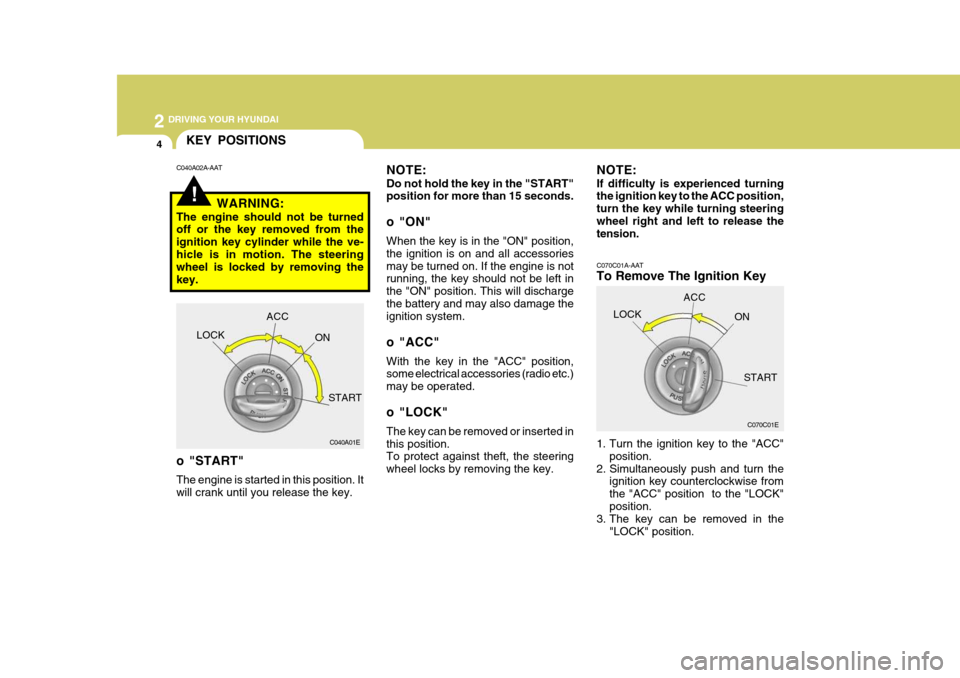
1. Turn the ignition key to the "ACC"position.
2. Simultaneously push and turn the ignition key counterclockwise from the "ACC" position to the "LOCK"position.
3. The key can be removed in the
"LOCK" position.
C070C01E
LOCK
ACC
ON
START
!
KEY POSITIONS
C040A01E
LOCK
ACC
ON
START
o "START" The engine is started in this position. It will crank until you release the key.
C040A02A-AAT
NOTE: Do not hold the key in the "START" position for more than 15 seconds.
o "ON" When the key is in the "ON" position, the ignition is on and all accessoriesmay be turned on. If the engine is not running, the key should not be left in the "ON" position. This will dischargethe battery and may also damage the ignition system.
o "ACC" With the key in the "ACC" position, some electrical accessories (radio etc.) may be operated.
o "LOCK" The key can be removed or inserted in this position. To protect against theft, the steering wheel locks by removing the key.
WARNING:
The engine should not be turned off or the key removed from the ignition key cylinder while the ve-hicle is in motion. The steering wheel is locked by removing the key. NOTE: If difficulty is experienced turning the ignition key to the ACC position, turn the key while turning steeringwheel right and left to release the tension.
Page 167 of 284
2
DRIVING YOUR HYUNDAI
5
2
DRIVING YOUR HYUNDAI
5
!WARNING:
Never run the engine in a closed or poorly ventilated area any longer than is needed to move your car in or out of the area. The carbon mon-oxide gas emitted is odorless and can cause serious injury or death.
C050A01E C051A01O-GAT STARTING FOR THE DIESEL ENGINE ENGINE COLD
o Turn the ignition key to position
"ON" and wait for the pre-heat indi- cator light to go out.
o Operate the starter until the engine
runs.
ENGINE WARM Operate the starter. If the engine does not respond on the first attempt, wait several seconds and try again usingthe pre-heat.
STARTING
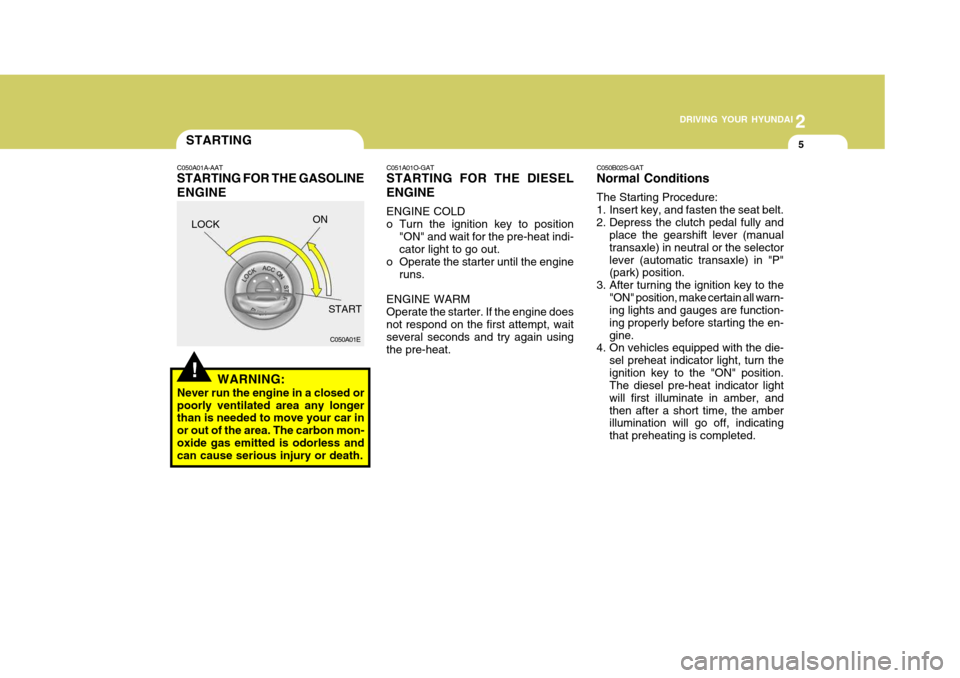
C050A01A-AAT STARTING FOR THE GASOLINE ENGINE C050B02S-GAT Normal Conditions The Starting Procedure:
1. Insert key, and fasten the seat belt.
2. Depress the clutch pedal fully and
place the gearshift lever (manualtransaxle) in neutral or the selectorlever (automatic transaxle) in "P" (park) position.
3. After turning the ignition key to the "ON" position, make certain all warn-ing lights and gauges are function- ing properly before starting the en-gine.
4. On vehicles equipped with the die-
sel preheat indicator light, turn theignition key to the "ON" position. The diesel pre-heat indicator light will first illuminate in amber, andthen after a short time, the amber illumination will go off, indicating that preheating is completed.
LOCK
ON
START