lock Hyundai Accent 2010 Workshop Manual
[x] Cancel search | Manufacturer: HYUNDAI, Model Year: 2010, Model line: Accent, Model: Hyundai Accent 2010Pages: 284, PDF Size: 10.23 MB
Page 158 of 284
![Hyundai Accent 2010 Workshop Manual 1FEATURES OF YOUR HYUNDAI
146
1. AM Selection Button Pressing the [AM] button selects the AM band. 2. FM Selection Button Turns to FM mode and toggles FM1 and FM2 when the button is pressed each time.](/img/35/14390/w960_14390-157.png "Hyundai Accent 2010 Workshop Manual 1FEATURES OF YOUR HYUNDAI
146
1. AM Selection Button Pressing the [AM] button selects the AM band. 2. FM Selection Button Turns to FM mode and toggles FM1 and FM2 when the button is pressed each time.")
1FEATURES OF YOUR HYUNDAI
146
1. AM Selection Button Pressing the [AM] button selects the AM band. 2. FM Selection Button Turns to FM mode and toggles FM1 and FM2 when the button is pressed each time.
3. Automatic Channel SelectionButton
o When the [SEEK
] button is
pressed, it reduces the band fre- quency by 50khz to automatically select channel. Stops at the previ- ous frequency if no channel is found.
o When the [SEEK
] button is
pressed, it increases the band fre- quency by 50khz to automaticallyselect channel. Stops at the previous frequency if no channel is found. 4. Power ON/OFF & Volume
Control Button
Turns on/off the set when the IGNI- TION SWITCH is on ACC or ON. If the button is turned to the right, it increasesthe volume and left, decreases the volume. 5. SCAN Button If this button is pressed, the frequen- cies will become increased and receive the corresponding broadcasts. This function will play the frequenciesfor 10 seconds each and find other broadcasts as the frequency increases. Press the button again when desiring tocontinue listening to the currently play- ing broadcast. 6. AUTO STORE Button When the button is pressed, it auto- matically selects and saves channels with high reception rate to PRESETbuttons (1~6) and plays the channel saved on PRESET1. If no channel os saved after AST, it willplay the previous channel. 7. SETUP Button Press this button to turn to the SCROLL and P.BASS adjustment mode. If no action is taken for 5 seconds afterpressing the button, it will return to the play mode.(After entering SETUP mode, move between items using the left,right and PUSH functions of the TUNE button.) The setup Items changes from SCROLL↔
P.BASS.
8. TUNE/ENTER Button Turn this button clockwise one notch to increase frequency from current fre- quency. Turn this button counterclockwise byone notch to decrease frequency from current frequency. The frequency cahnges by 0.2Mhz inFM MODE and 9Khz in AM MODE. Press this button while holding SETUP button to activate/inactivate the itemto. Select SETUP item using left and right function of the Tune button.
Page 161 of 284

1
FEATURES OF YOUR HYUNDAI
149149149149
1. CD Loading Slot Please face printed side upward and gently push in. When the ignition switch is on ACC or ON and power is off, poweris automatically turned on if the CD is loaded. This CDP supports only 12cm CD. If VCD, Data CD, are loaded, "Er-6" message will appear and CD will be ejected. 2. CD Indicator When car ignition switch is ACC or ON and if the CD is loaded, this indicator is lighted. If the CD is ejected the light isturned off. 3. CD Eject Button Push button to eject the CD. This but- ton is enabled when ignition switch isoff. 4. CD Selection Button If there is a CD in the CDP DECK it plays the CD. Press CD button to automatically insert CD when the disc is ejected from thedeck by pressing CD EJECT. 5. AUX Selection Button If AUX function is not supported, when you push the button, no function wil be done. (‘NO MEDIA’ will be displayed)
6. Automatic Track Selection
Button
o Push [SEEK
] button for less than
0.8 second to play from the begin- ning of current song.
o Push [SEEK
] button for less than
0.8 second and press again within 1 secondto play the previous song.
o Push [SEEK
] button for 0.8 or
longer to initiate reverse direction high speed sound search of currentsong.
o Push [SEEK
] button for less than
0.8 second to play the next song.
o Push [SEEK
] button for 0.8 or
longer to initiate high speed sound search of current song. 7. Information Display Button Displays the information of the current CD TRACK in the order of DISC TITLE ➟
DISC ARTIST ➟ TRACK TITLE ➟
TRACK ARTIST ➟ TOTAL TRACK ➟
Play Screen ➟ DISC TITLE ➟ ···. (not
displayed if the information is not avail-able on the DISC.) (If MP3 is displayed FILE NAME ➟
TITLE ➟ ARTIST ➟ ALBUM ➟
FOLDER ➟ TOTAL FILE ➟ FILE NAME
➟ ···.)
8. TUNE/ENTER Button Turn this button clockwise to display songs after current song. Also, turn this button counterclockwiseto display songs before current song. To listen to the displayed song, press the button to skip to the song and play. 9. RANDOM Play Button Turns on/off the randomization of the play list of files in the currently played DISC.To cancel the mode, press the key once again.
Page 163 of 284
2
Engine Exhaust can be Dangerous! ............................. 2-2
Before Starting the Engine ............................................ 2-3
Key Position ................................................................. 2-4Starting ......................................................................... 2-5
Operating the Manual Transaxle .................................. 2-7
Automatic Transaxle ..................................................... 2-9Anti-lock Brake System (ABS) .................................... 2-13
Electronic Stability Program (ESP) ..............................2-14
Vehicle Stability Management (VSM) ..........................2-15
Rear Parking Assist System ....................................... 2-16
Good Braking Practices .............................................. 2-18
Driving for Economy .................................................... 2-19
Smooth Cornering ........................................................ 2-21
Winter Driving .............................................................. 2-21
Trailer or Vehicle Towing ............................................. 2-24
DRIVING YOUR HYUNDAI
2
Page 165 of 284
2
DRIVING YOUR HYUNDAI
3
2
DRIVING YOUR HYUNDAI
3
!
BEFORE STARTING THE EN- GINE
C020A03O-GAT Before you start the engine, you should always:
1. Look around the vehicle to be sure
there are no flat tires, puddles of oil, water or other indications of pos- sible trouble.
2. After entering the car, check to be sure the parking brake is engaged.
3. Check that all windows, and lights are clean.
4. Check that the interior and exterior
mirrors are clean and in position.
5. Check your seat, seatback and headrest to be sure they are in theirproper positions.
6. Lock all the doors.
7. Fasten your seat belt and be sure
that all other occupants have fas- tened theirs.
8. Turn off all lights and accessories
that are not needed.
9. When you turn the ignition switch to "ON", check that all appropriatewarning lights are operating andthat you have sufficient fuel.
10.Check the operation of warning
lights and all bulbs when key is inthe "ON" position. WARNING:
(Diesel Engine)
To ensure that sufficient vacuum exists within the brake system dur-ing cold weather start-up condi- tions, it is necessary to run the engine at idle for several secondsafter starting the engine.TO START THE ENGINE
C030A01A-GAT COMBINATION IGNITION SWITCH
o If your Hyundai is equipped with a manual transaxle, place the shift lever in neutral and depress the clutch pedal fully.
o If your Hyundai has an automatic
transaxle, place the shift lever in "P"(park).
o To start the engine, insert the igni- tion key and turn it to the "START"position. Release it as soon as the engine starts. Do not hold the key inthe "START" position for more than 15 seconds.
NOTE: For safety, the engine will not start if the shift lever is not in "P" or "N" position (Automatic transaxle).
!WARNING:
o Always wear appropriate shoes when operating your vehicle. Unsuitable shoes (high heels, skiboots, etc.) may interfere with your ability to use the brake and accel- erator pedal, and the clutch (ifinstalled).
o When you intend to park or stop
the vehicle with the engine on, becareful not to depress the accel- erator pedal for a long period of time. It may overheat the engine orexhaust system and cause fire.
Page 166 of 284
2 DRIVING YOUR HYUNDAI
4
C070C01A-AAT
To Remove The Ignition Key
1. Turn the ignition key to the "ACC"position.
2. Simultaneously push and turn the ignition key counterclockwise from the "ACC" position to the "LOCK"position.
3. The key can be removed in the
"LOCK" position.
C070C01E
LOCK
ACC
ON
START
!
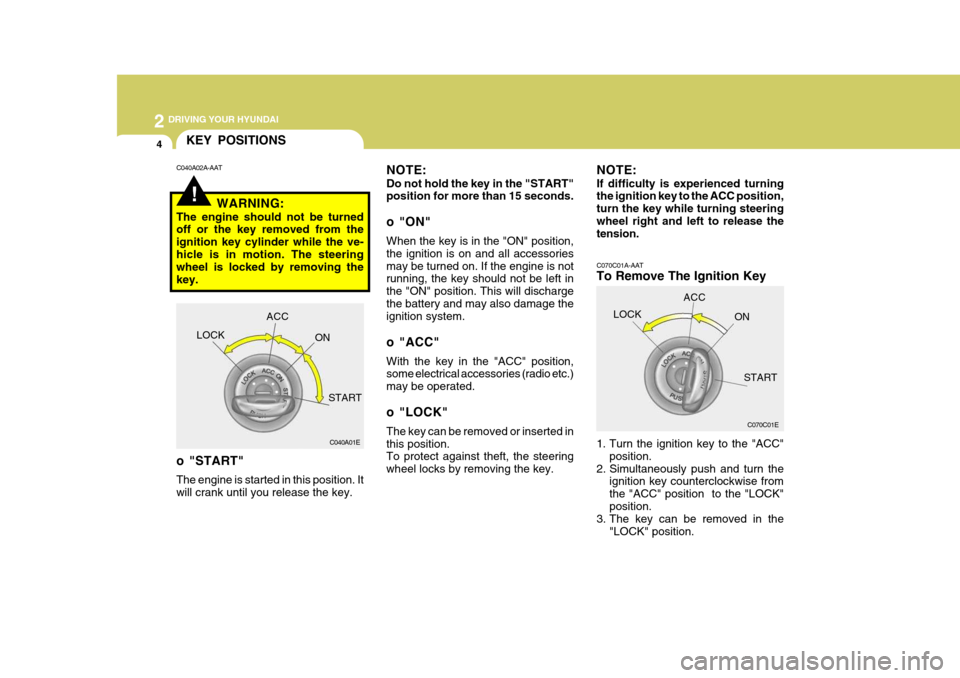
KEY POSITIONS
C040A01E
LOCK
ACC
ON
START
o "START" The engine is started in this position. It will crank until you release the key.
C040A02A-AAT
NOTE: Do not hold the key in the "START" position for more than 15 seconds.
o "ON" When the key is in the "ON" position, the ignition is on and all accessoriesmay be turned on. If the engine is not running, the key should not be left in the "ON" position. This will dischargethe battery and may also damage the ignition system.
o "ACC" With the key in the "ACC" position, some electrical accessories (radio etc.) may be operated.
o "LOCK" The key can be removed or inserted in this position. To protect against theft, the steering wheel locks by removing the key.
WARNING:
The engine should not be turned off or the key removed from the ignition key cylinder while the ve-hicle is in motion. The steering wheel is locked by removing the key. NOTE: If difficulty is experienced turning the ignition key to the ACC position, turn the key while turning steeringwheel right and left to release the tension.
Page 167 of 284
2
DRIVING YOUR HYUNDAI
5
2
DRIVING YOUR HYUNDAI
5
!WARNING:
Never run the engine in a closed or poorly ventilated area any longer than is needed to move your car in or out of the area. The carbon mon-oxide gas emitted is odorless and can cause serious injury or death.
C050A01E C051A01O-GAT STARTING FOR THE DIESEL ENGINE ENGINE COLD
o Turn the ignition key to position
"ON" and wait for the pre-heat indi- cator light to go out.
o Operate the starter until the engine
runs.
ENGINE WARM Operate the starter. If the engine does not respond on the first attempt, wait several seconds and try again usingthe pre-heat.
STARTING
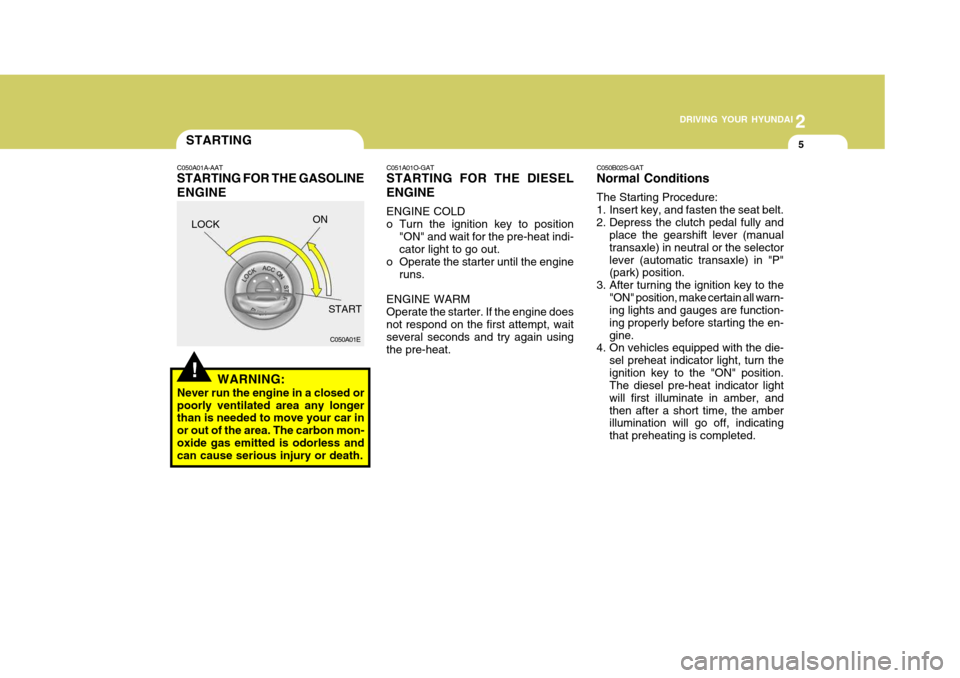
C050A01A-AAT STARTING FOR THE GASOLINE ENGINE C050B02S-GAT Normal Conditions The Starting Procedure:
1. Insert key, and fasten the seat belt.
2. Depress the clutch pedal fully and
place the gearshift lever (manualtransaxle) in neutral or the selectorlever (automatic transaxle) in "P" (park) position.
3. After turning the ignition key to the "ON" position, make certain all warn-ing lights and gauges are function- ing properly before starting the en-gine.
4. On vehicles equipped with the die-
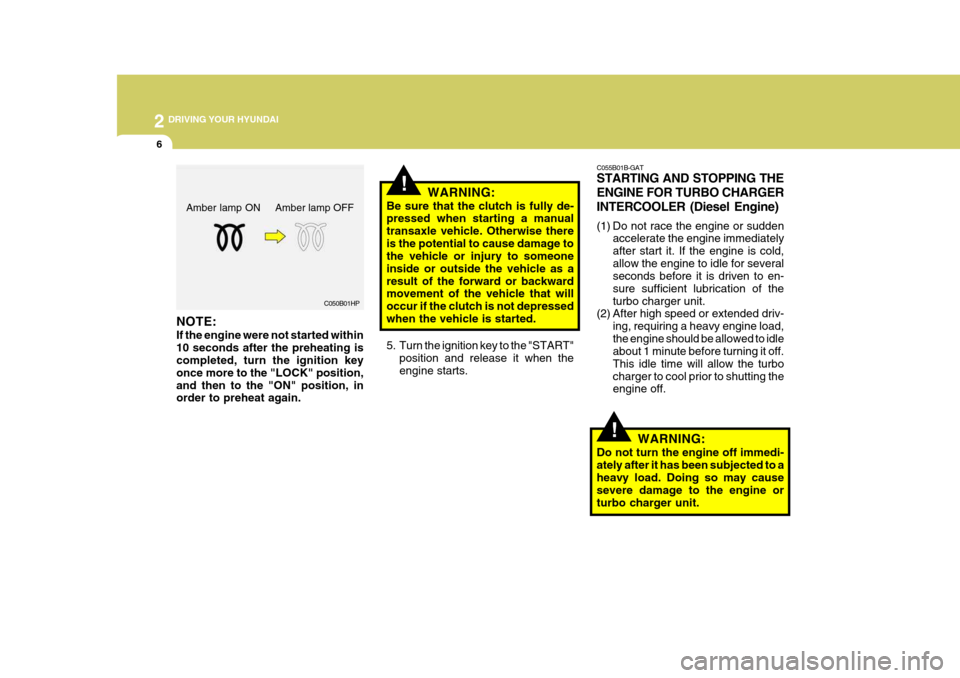
sel preheat indicator light, turn theignition key to the "ON" position. The diesel pre-heat indicator light will first illuminate in amber, andthen after a short time, the amber illumination will go off, indicating that preheating is completed.
LOCK
ON
START
Page 168 of 284
2 DRIVING YOUR HYUNDAI
6
!
C055B01B-GAT STARTING AND STOPPING THE ENGINE FOR TURBO CHARGERINTERCOOLER (Diesel Engine)
(1) Do not race the engine or sudden
accelerate the engine immediately after start it. If the engine is cold,allow the engine to idle for several seconds before it is driven to en- sure sufficient lubrication of theturbo charger unit.
(2) After high speed or extended driv-
ing, requiring a heavy engine load,the engine should be allowed to idle about 1 minute before turning it off. This idle time will allow the turbocharger to cool prior to shutting the engine off.
WARNING:
Do not turn the engine off immedi- ately after it has been subjected to a heavy load. Doing so may cause severe damage to the engine orturbo charger unit.
!
C050B01HP
NOTE: If the engine were not started within 10 seconds after the preheating is completed, turn the ignition key once more to the "LOCK" position,and then to the "ON" position, in order to preheat again. WARNING:
Be sure that the clutch is fully de-pressed when starting a manual transaxle vehicle. Otherwise there
is the potential to cause damage to the vehicle or injury to someone inside or outside the vehicle as aresult of the forward or backward movement of the vehicle that will occur if the clutch is not depressedwhen the vehicle is started.
5. Turn the ignition key to the "START" position and release it when the engine starts.
Amber lamp ON Amber lamp OFF
Page 170 of 284
2 DRIVING YOUR HYUNDAI
8
C070D02O-AAT Good Driving Practices
o Never take the car out of gear andcoast down a hill. This is extremely hazardous. Always leave the car in gear.
o Don't "ride" the brakes. This can cause them to overheat and mal-function. Instead, when you are driv- ing down a long hill, slow down andshift to a lower gear. When you do this, engine braking will help slow the car.
o Slow down before shifting to a lower gear. This will help avoid over-rev-ving the engine, which can causedamage.
o Slow down when you encounter cross
winds. This gives you much bettercontrol of your car.
o Be sure the car is completely stopped
before you attempt to shift into re-verse. The transaxle can be dam- aged if you do not. To shift into reverse, depress the clutch, movethe shift lever to neutral, wait three seconds, then shift to the reverse position.
o Exercise extreme caution when driv- ing on a slippery surface. Be espe-
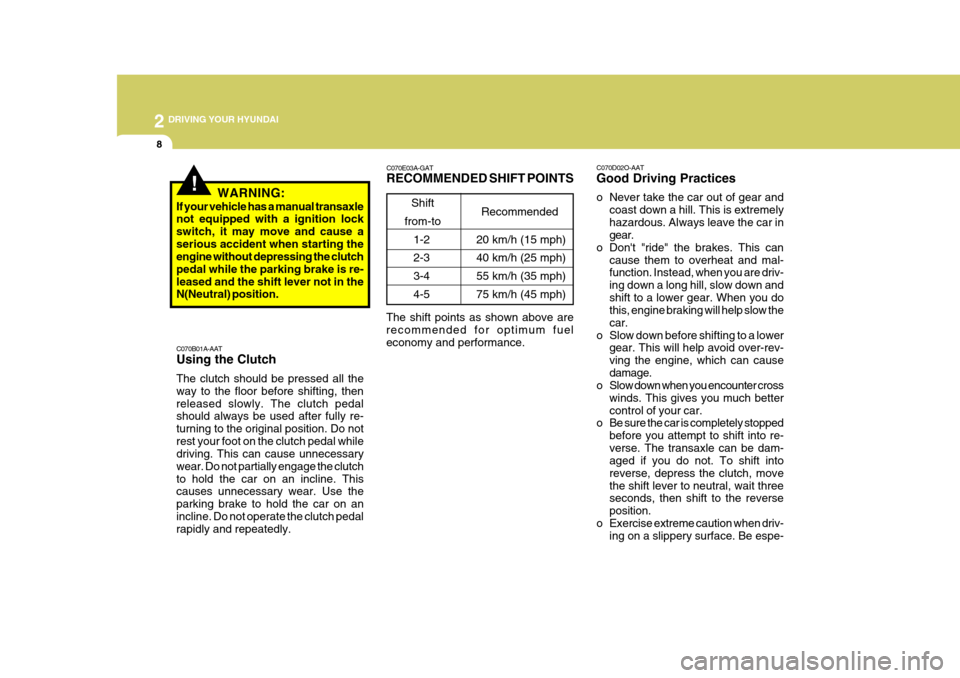
C070E03A-GAT RECOMMENDED SHIFT POINTS
Shift
from-to Recommended
The shift points as shown above are recommended for optimum fuel economy and performance. 20 km/h (15 mph) 40 km/h (25 mph)55 km/h (35 mph) 75 km/h (45 mph)
1-2 2-33-4 4-5
C070B01A-AAT Using the Clutch The clutch should be pressed all the way to the floor before shifting, thenreleased slowly. The clutch pedal should always be used after fully re- turning to the original position. Do notrest your foot on the clutch pedal while driving. This can cause unnecessary wear. Do not partially engage the clutchto hold the car on an incline. This causes unnecessary wear. Use the parking brake to hold the car on anincline. Do not operate the clutch pedal rapidly and repeatedly.
!WARNING:
If your vehicle has a manual transaxle not equipped with a ignition lock switch, it may move and cause aserious accident when starting the engine without depressing the clutch pedal while the parking brake is re-leased and the shift lever not in the N(Neutral) position.
Page 173 of 284
2
DRIVING YOUR HYUNDAI
11
2
DRIVING YOUR HYUNDAI
11
o The brake pedal fully depressed in order to move the shift lever from the "P" (Park) position to any of the other positions.
o It is always possible to shift from
"R", "N", "D", "2", "L" position to"P" position. The vehicle must be fully stopped to avoidtransaxle damage.
C090I02MC-AAT
CAUTION:
o Shift into "R", "D" and "P" posi- tion only when the vehicle has completely stopped.
o Do not accelerate the engine in reverse or any of the forwardpositions with the brakes applied.
o Always apply the footbrake when shifting from "P" or "N", to "R",
"D", "2" or "L" position.
o Do not use the "P" (Park) position in place of the parking brake.Always set the parking brake, shift the transaxle into "P" (Park)position and turn off the ignition when you leave the vehicle, even momentarily.
!
OMC035016
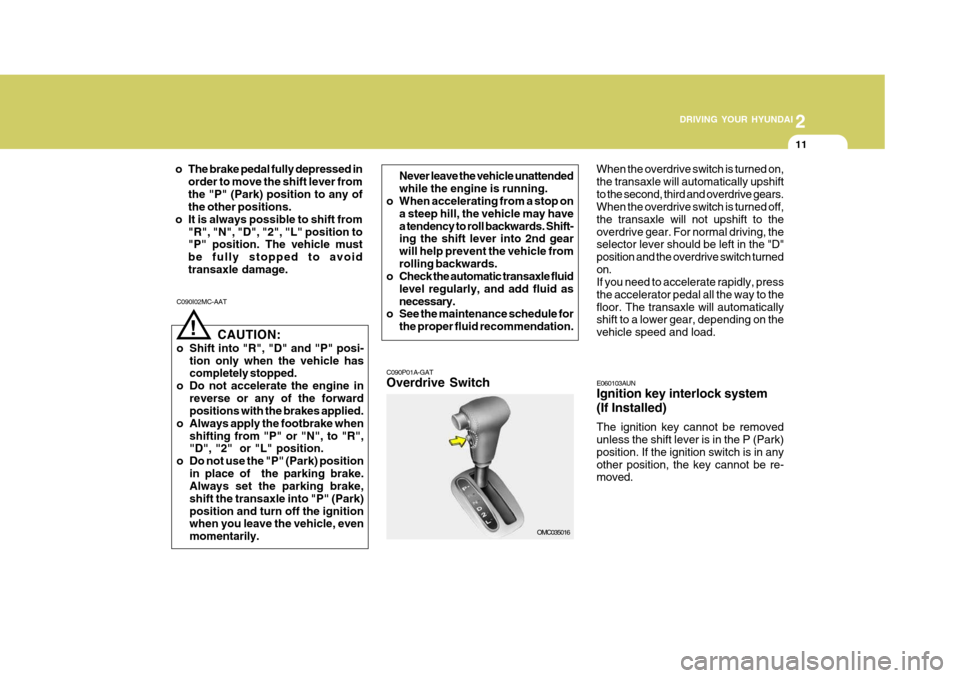
C090P01A-GAT Overdrive Switch When the overdrive switch is turned on, the transaxle will automatically upshiftto the second, third and overdrive gears. When the overdrive switch is turned off, the transaxle will not upshift to theoverdrive gear. For normal driving, the selector lever should be left in the "D" position and the overdrive switch turnedon. If you need to accelerate rapidly, press the accelerator pedal all the way to thefloor. The transaxle will automatically shift to a lower gear, depending on the vehicle speed and load.
Never leave the vehicle unattendedwhile the engine is running.
o When accelerating from a stop on
a steep hill, the vehicle may havea tendency to roll backwards. Shift- ing the shift lever into 2nd gear will help prevent the vehicle fromrolling backwards.
o Check the automatic transaxle fluid
level regularly, and add fluid asnecessary.
o See the maintenance schedule for
the proper fluid recommendation.
E060103AUN Ignition key interlock system (If Installed) The ignition key cannot be removed unless the shift lever is in the P (Park) position. If the ignition switch is in anyother position, the key cannot be re- moved.
Page 175 of 284
2
DRIVING YOUR HYUNDAI
13
2
DRIVING YOUR HYUNDAI
13
!WARNING:
ABS (ESP) will not prevent accidents due to improper or dangerous driv- ing maneuvers. Even though vehiclecontrol is improved during emer- gency braking, always maintain a safe distance between you and ob-jects ahead. Vehicle speeds should always be reduced during extreme road conditions. The braking distance for cars equipped with an anti-lock braking system (Electronic Stability Program)may be longer than for those without it in the following road conditions. During these conditions, the ve-hicle should be driven at reduced speeds.
o Rough, gravel or snow-covered roads.
o With tire chains installed.
o On roads where the road surface
is pitted or has different surface height. The safety features of an ABS (ESP) equipped vehicle should not be testedby high speed driving or cornering. This could endanger the safety of yourself or others.
ANTI-LOCK BRAKE SYSTEM
C120A01FC-GAT (If Installed) The Anti-Lock Brake System (ABS) is designed to prevent wheel lock-upduring sudden braking or on hazard- ous road surfaces. The ABS control module monitors the wheel speed andcontrols the pressure applied to each brake. Thus, in emergency situations or on slick roads, ABS will increasevehicle control during braking. NOTE:
o A click sound may be heard in the engine compartment when the ve- hicle begins to move after the en- gine is started. These conditionsare normal and indicate that the anti-lock brake system (Electronic Stability Program) is functioningproperly.
o During ABS (ESP) operation, a
slight pulsation may be felt in thebrake pedal when the brakes are applied. Also, a noise may be heard in the engine compartment whilebraking. These conditions are normal and indicate that the anti- lock brake system (Electronic Sta-bility Program) is functioning prop- erly.