battery Hyundai Accent 2011 Owner's Manual
[x] Cancel search | Manufacturer: HYUNDAI, Model Year: 2011, Model line: Accent, Model: Hyundai Accent 2011Pages: 282, PDF Size: 14.82 MB
Page 11 of 282
F11
!
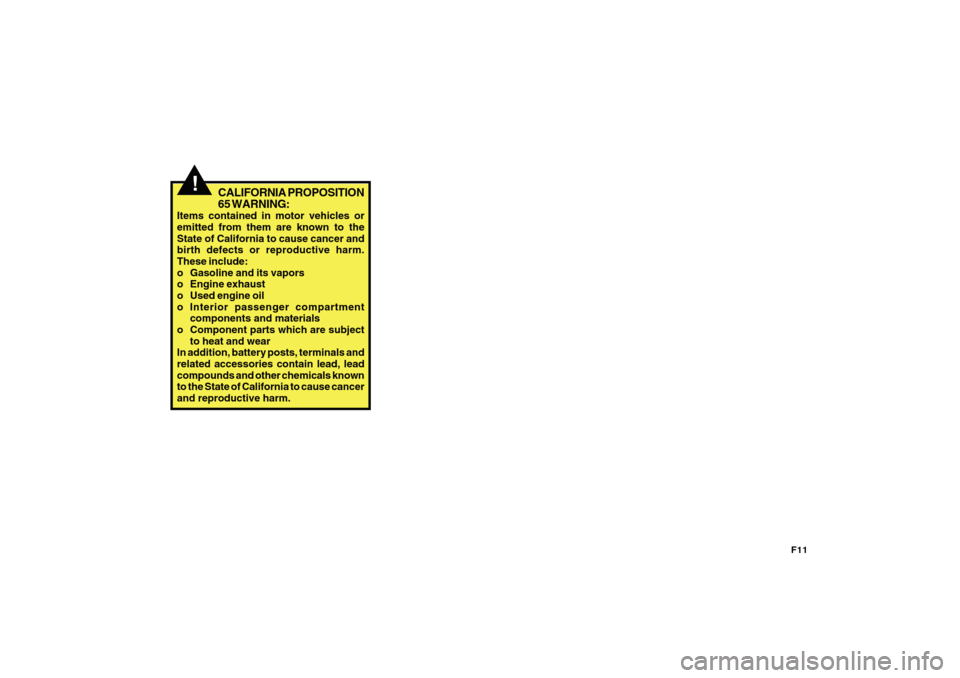
CALIFORNIA PROPOSITION
65 WARNING:
Items contained in motor vehicles or
emitted from them are known to the
State of California to cause cancer and
birth defects or reproductive harm.
These include:
o Gasoline and its vapors
o Engine exhaust
o Used engine oil
o Interior passenger compartment
components and materials
o Component parts which are subject
to heat and wear
In addition, battery posts, terminals and
related accessories contain lead, lead
compounds and other chemicals known
to the State of California to cause cancer
and reproductive harm.
Page 19 of 282
1FEATURES OF YOUR HYUNDAI8
THEFT-ALARM SYSTEMB070A01A-AAT(If Installed)This system is designed to provide pro-
tection from unauthorized entry into the
car. This system is operated in three
stages: the first is the "Armed" stage, the
second is the "Alarm" stage, and the third
is the "Disarmed" stage. If triggered, the
system provides an audible alarm with
blinking of the turn signal lights.
!
B070B02MC-A B070B02MC-AAT
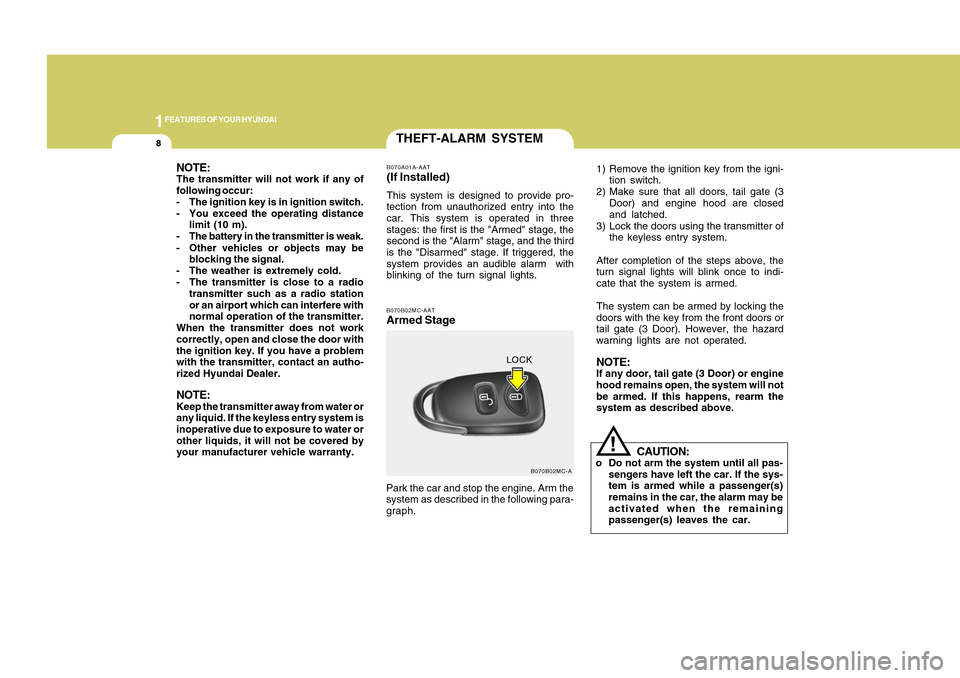
Armed StagePark the car and stop the engine. Arm the
system as described in the following para-
graph.1) Remove the ignition key from the igni-
tion switch.
2) Make sure that all doors, tail gate (3
Door) and engine hood are closed
and latched.
3) Lock the doors using the transmitter of
the keyless entry system.
After completion of the steps above, the
turn signal lights will blink once to indi-
cate that the system is armed.
The system can be armed by locking the
doors with the key from the front doors or
tail gate (3 Door). However, the hazard
warning lights are not operated.
NOTE:If any door, tail gate (3 Door) or engine
hood remains open, the system will not
be armed. If this happens, rearm the
system as described above.
CAUTION:
o Do not arm the system until all pas-
sengers have left the car. If the sys-
tem is armed while a passenger(s)
remains in the car, the alarm may be
activated when the remaining
passenger(s) leaves the car.
LOCK
NOTE:The transmitter will not work if any of
following occur:
- The ignition key is in ignition switch.
- You exceed the operating distance
limit (10 m).
- The battery in the transmitter is weak.
- Other vehicles or objects may be
blocking the signal.
- The weather is extremely cold.
- The transmitter is close to a radio
transmitter such as a radio station
or an airport which can interfere with
normal operation of the transmitter.
When the transmitter does not work
correctly, open and close the door with
the ignition key. If you have a problem
with the transmitter, contact an autho-
rized Hyundai Dealer.NOTE:Keep the transmitter away from water or
any liquid. If the keyless entry system is
inoperative due to exposure to water or
other liquids, it will not be covered by
your manufacturer vehicle warranty.
Page 21 of 282
1FEATURES OF YOUR HYUNDAI10
Battery
1KMA2003 B070E02MC-AAT
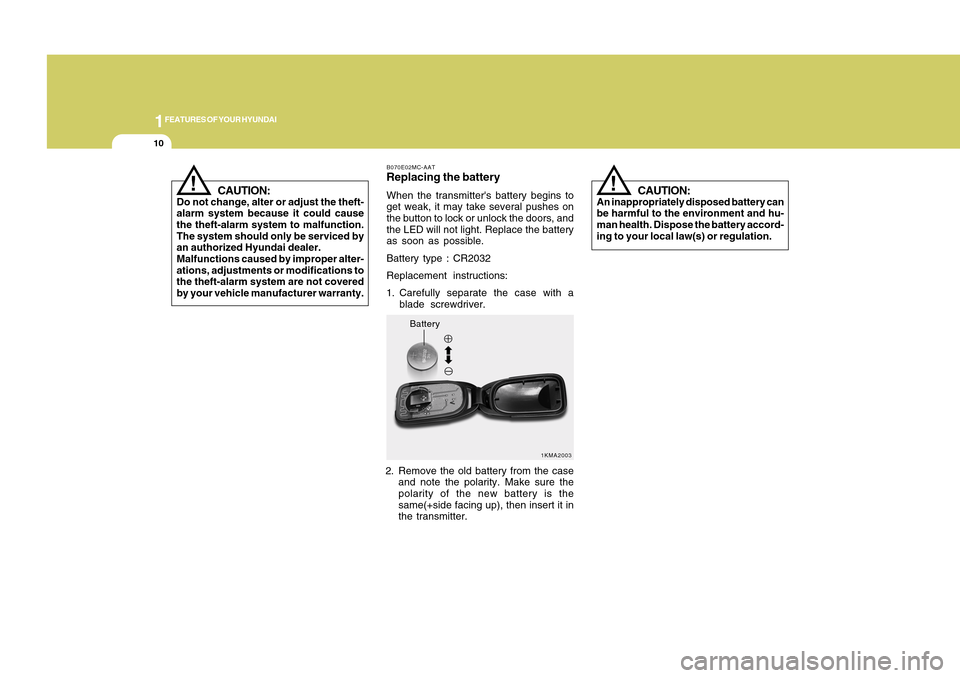
Replacing the batteryWhen the transmitter's battery begins to
get weak, it may take several pushes on
the button to lock or unlock the doors, and
the LED will not light. Replace the battery
as soon as possible.
Battery type : CR2032
Replacement instructions:
1. Carefully separate the case with a
blade screwdriver.
2. Remove the old battery from the case
and note the polarity. Make sure the
polarity of the new battery is the
same(+side facing up), then insert it in
the transmitter.
CAUTION:
An inappropriately disposed battery can
be harmful to the environment and hu-
man health. Dispose the battery accord-
ing to your local law(s) or regulation.
!
CAUTION:
Do not change, alter or adjust the theft-
alarm system because it could cause
the theft-alarm system to malfunction.
The system should only be serviced by
an authorized Hyundai dealer.
Malfunctions caused by improper alter-
ations, adjustments or modifications to
the theft-alarm system are not covered
by your vehicle manufacturer warranty.
!
Page 60 of 282
1
FEATURES OF YOUR HYUNDAI
491
FEATURES OF YOUR HYUNDAI
49
!
o Before you replace a fuse or discon-
nect a battery terminal, turn the igni-
tion key to the "LOCK" position and
remove the ignition key. Never re-
move or replace the airbag related
fuse(s) when the ignition key is in the
"ON" position. Failure to heed this
warning will cause the SRS "AIR
BAG" warning light to illuminate.
WARNING:
The occupant classification system cre-
ates a field which is designed to detect
the presence of a properly-seated front
passenger and determine if the
passenger's front air bag should be en-
abled (may inflate) or not. The driver's
front air bag is not affected or controlled
by the occupant classification system.Main components of occupant clas-
sification system• An Electronic Capacity measurement
system in the front passenger seat
which detects major characteristics of
a person or object on the seat.
Electronic system to determine whether
the passenger air bag systems (both
front and side) should be activated or
deactivated.
A warning light located on the instru-
ment panel which illuminates the words
"PASSENGER AIR BAG OFF" indicat-
ing the front passenger air bag system
is deactivated.
The instrument panel air bag warning
light is interconnected with the occu-
pant classification system.
OMC029200N
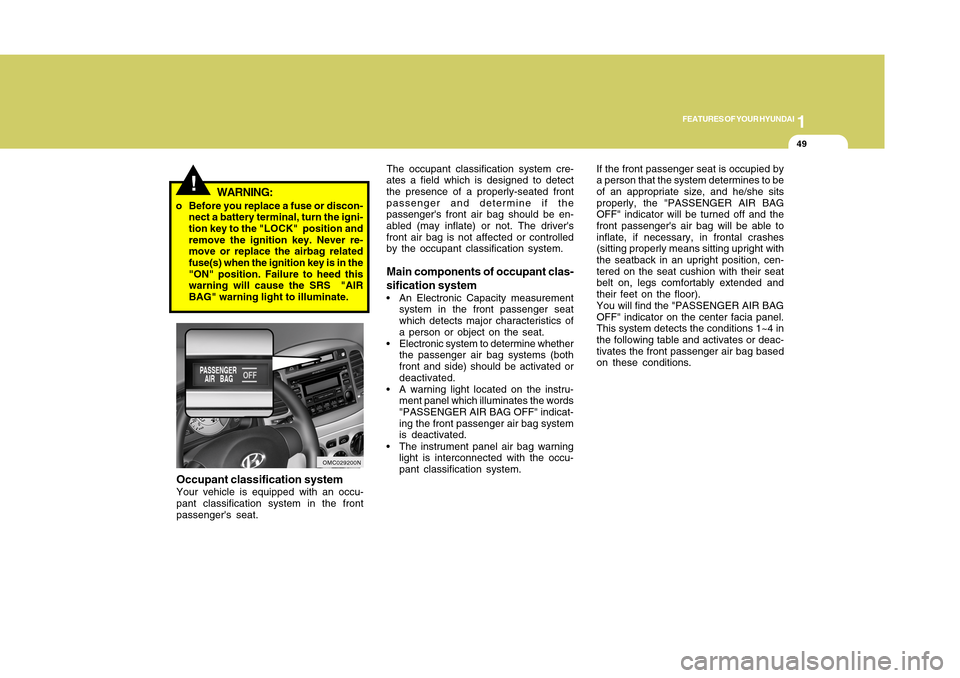
Occupant classification systemYour vehicle is equipped with an occu-
pant classification system in the front
passenger's seat.If the front passenger seat is occupied by
a person that the system determines to be
of an appropriate size, and he/she sits
properly, the "PASSENGER AIR BAG
OFF" indicator will be turned off and the
front passenger's air bag will be able to
inflate, if necessary, in frontal crashes
(sitting properly means sitting upright with
the seatback in an upright position, cen-
tered on the seat cushion with their seat
belt on, legs comfortably extended and
their feet on the floor).
You will find the "PASSENGER AIR BAG
OFF" indicator on the center facia panel.
This system detects the conditions 1~4 in
the following table and activates or deac-
tivates the front passenger air bag based
on these conditions.
Page 85 of 282
1FEATURES OF YOUR HYUNDAI74
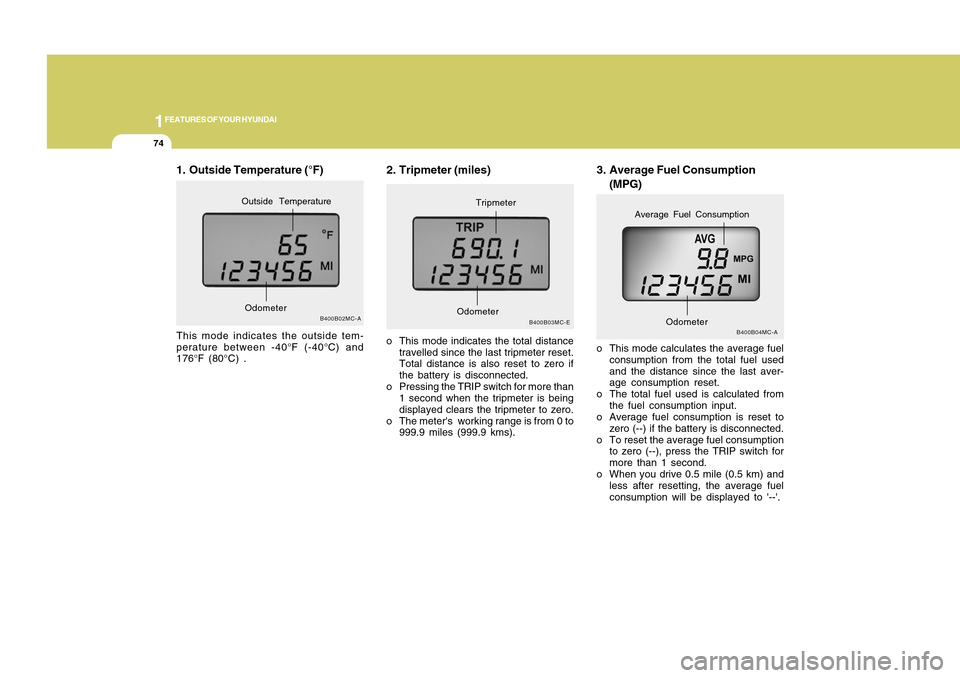
3. Average Fuel Consumption
(MPG)
B400B04MC-A
o This mode calculates the average fuel
consumption from the total fuel used
and the distance since the last aver-
age consumption reset.
o The total fuel used is calculated from
the fuel consumption input.
o Average fuel consumption is reset to
zero (--) if the battery is disconnected.
o To reset the average fuel consumption
to zero (--), press the TRIP switch for
more than 1 second.
o When you drive 0.5 mile (0.5 km) and
less after resetting, the average fuel
consumption will be displayed to '--'.
Odometer
Average Fuel Consumption
2. Tripmeter (miles)o This mode indicates the total distance
travelled since the last tripmeter reset.
Total distance is also reset to zero if
the battery is disconnected.
o Pressing the TRIP switch for more than
1 second when the tripmeter is being
displayed clears the tripmeter to zero.
o The meter's working range is from 0 to
999.9 miles (999.9 kms).
B400B03MC-E
OdometerTripmeter
1. Outside Temperature (°F)This mode indicates the outside tem-
perature between -40°F (-40°C) and
176°F (80°C) .
B400B02MC-A
OdometerOutside Temperature
Page 88 of 282
1
FEATURES OF YOUR HYUNDAI
771
FEATURES OF YOUR HYUNDAI
77
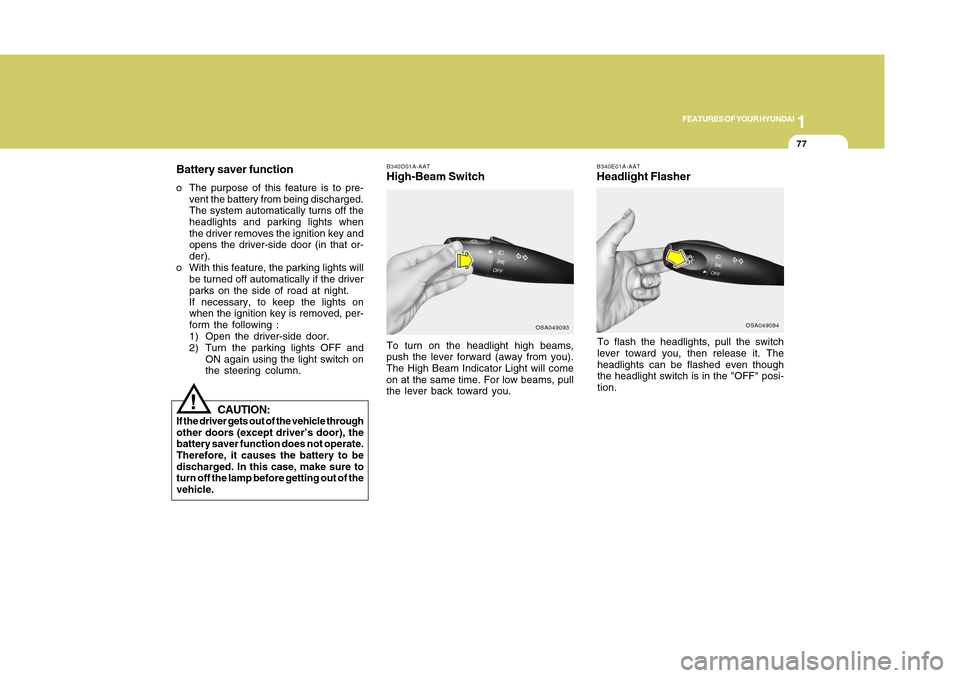
B340E01A-AATHeadlight FlasherTo flash the headlights, pull the switch
lever toward you, then release it. The
headlights can be flashed even though
the headlight switch is in the "OFF" posi-
tion.
B340D01A-AATHigh-Beam Switch
OSA049094
Battery saver functiono The purpose of this feature is to pre-
vent the battery from being discharged.
The system automatically turns off the
headlights and parking lights when
the driver removes the ignition key and
opens the driver-side door (in that or-
der).
o With this feature, the parking lights will
be turned off automatically if the driver
parks on the side of road at night.
If necessary, to keep the lights on
when the ignition key is removed, per-
form the following :
1) Open the driver-side door.
2) Turn the parking lights OFF and
ON again using the light switch on
the steering column.To turn on the headlight high beams,
push the lever forward (away from you).
The High Beam Indicator Light will come
on at the same time. For low beams, pull
the lever back toward you.
OSA049093
CAUTION:
If the driver gets out of the vehicle through
other doors (except driver’s door), the
battery saver function does not operate.
Therefore, it causes the battery to be
discharged. In this case, make sure to
turn off the lamp before getting out of the
vehicle.
!
Page 94 of 282
1
FEATURES OF YOUR HYUNDAI
831
FEATURES OF YOUR HYUNDAI
83
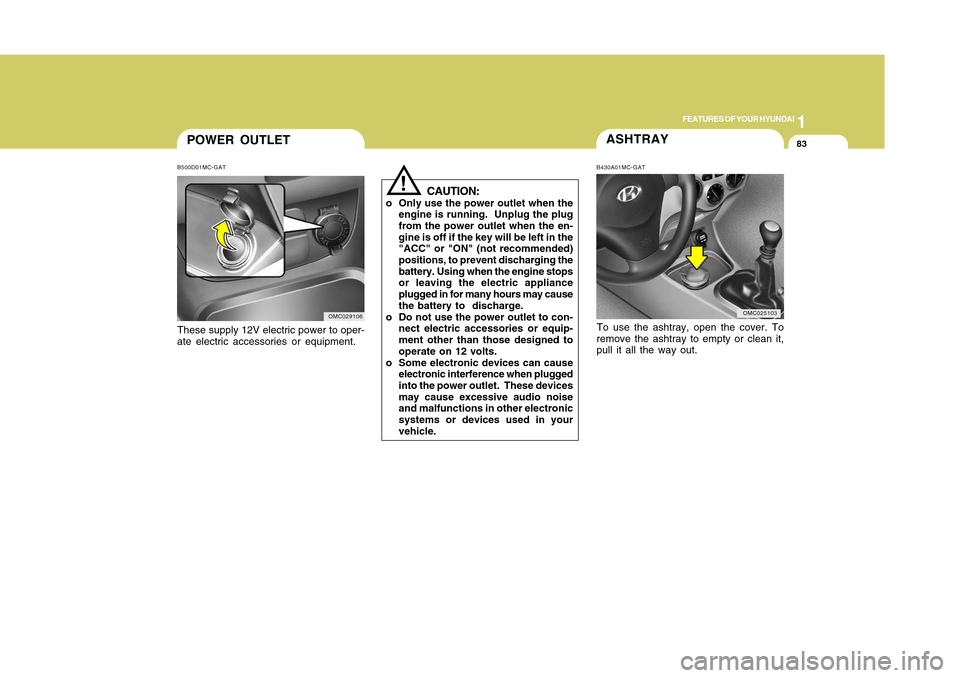
POWER OUTLETB500D01MC-GATThese supply 12V electric power to oper-
ate electric accessories or equipment.
OMC029106
ASHTRAYTo use the ashtray, open the cover. To
remove the ashtray to empty or clean it,
pull it all the way out.B430A01MC-GAT
OMC025103
!
CAUTION:
o Only use the power outlet when the
engine is running. Unplug the plug
from the power outlet when the en-
gine is off if the key will be left in the
"ACC" or "ON" (not recommended)
positions, to prevent discharging the
battery. Using when the engine stops
or leaving the electric appliance
plugged in for many hours may cause
the battery to discharge.
o Do not use the power outlet to con-
nect electric accessories or equip-
ment other than those designed to
operate on 12 volts.
o Some electronic devices can cause
electronic interference when plugged
into the power outlet. These devices
may cause excessive audio noise
and malfunctions in other electronic
systems or devices used in your
vehicle.
Page 97 of 282
1FEATURES OF YOUR HYUNDAI86
!
CAUTION:
If the sunroof is not reset, it may not
operate properly.B460E02TG-GATResetting the sunroofWhenever the vehicle battery is discon-
nected or discharged, you have to reset
your sunroof system as follows:
1. Turn the ignition key to the "ON" posi-
tion.
2. Press the TILT UP button for more than
1 second to tilt up the sunroof com-
pletely when the sunroof is fully closed.
Then, release the button.
3. Press and hold the TILT UP button
once again until the sunroof has re-
turned to the original position of TILT
UP after it is raised a little higher than
the maximum TILT UP position. Then,
release the button.
4. Press and hold the TILT UP button
within 5 seconds until the sunroof is
operated as follows;
TILT DOWN → SLIDE OPEN → SLIDE
CLOSE
Then, release the button.
!
CAUTION:
o Do not open the sunroof in severely
cold temperature or when it is cov-
ered with ice or snow.
o Periodically remove any dirt that may
have accumulated on the guide rails.
o Do not press any sunroof control
button longer than necessary.
Damage to the motor or system com-
ponents could occur.
Manual tilt downTo close the sunroof, press the SLIDE
OPEN button on the overhead console
and hold it until the sunroof is closed.NOTE:After washing the car or after there is
rain, be sure to wipe off any water that is
on the sunroof before operating it.
!
WARNING:
o Do not close a sunroof if anyone's
hands, arms or body are between
the sliding glass and the sunroof
sash, as this could result in injury.
o Do not place your head or arms out
of the sunroof opening at any time.
o While the vehicle is moving, always
keep the head, hands and other parts
of the body of all occupants away
from the roof opening. Otherwise,
you could be seriously injured if the
vehicle stops suddenly or if the ve-
hicle is involved in an accident.
Page 138 of 282
1127127
DRIVING YOUR HYUNDAI
1
11. SCAN Play ButtonPlays first 10 seconds of each song in the
DISC. To cancel the mode, press the key
once again.12. FOLDER ButtonFolder up/down operation.
o Folder is moved up or down from cur-
rently playing and folder name be-
comes displayed.
o Press enter key to play the
selectedfolder.
o If the enter key is not pressed with in 5
seconds, then the previous folder name
will be displayed again.
NOTE:o To assure Proper operation of the
unit, keep the vehicle interior tem-
perature within a nomal range by
using the vehicle’s air conditioning
or heating system.
o When replacing the fuse, replace it
with a fuse having the correct capac-
ity.
o All stored bookmarks are all erased
when the car battery is disconnected
or power to the vehocle is lost. if this
occurs, the bookmarks will have to
be reset.
o This equipment is designed to be
used only in a 12 volt DC battery
system with negative ground.
o This unit is made of precision parts.
Do not attempt to disassemble or
adjust any parts.
o when driving your vehicle, be sure to
keep the volume of the unit set low
enough to allow you to hear sounds
coming from the outside.
o Do not expose this equipment (in-
cluding the speakers and CD) to water
or excessive moisture.
!
CAUTION:
o Do not insert warped or poor quality
discs into the CD player as damage
to the unit may occur.
o Do not insert anything like coins into
the player slot as damage to the unit
may occur.
o Do not place beverages close to the
audio system. The playback mecha-
nism may be damaged if you spill
them.
o Do not strike or allow anything to
impact the audio system, damage to
the system mechanisms could oc-
cur.
o Off-road or rough sunface driving
may cause the compact disc to skip.
Do not use the compact disc when
driving in such conditions as dam-
age to the compact disc face could
occur.
o Do not attempt to grab or pull the
compact disc out while the disc is
being pulled into the audio unit by the
self-loading mechanism. Damage to
the audio unit and compact disc could
occur.
Page 144 of 282
1133133
DRIVING YOUR HYUNDAI
1
!
CAUTION:
o You need the power cable exclusive
for an iPod in order to operate the
iPod with the buttons on the audio
system. The PC cable provided by
Apple may cause a malfunction and
should not be used in the vehicle.
o When connecting the device with the
iPod cable, push in the jack fully.
o When adjusting the sound effects of
the iPod and the audio system, the
sound effects of both devices may
overlap and distort the quality of the
sound.
o Deactivate (turn off) the equalizer
function of the iPod when adjusting
the audio system's volume, and turn
off the equalizer of the audio system
when using the equalizer of the iPod.
o When the iPod cable is connected,
the system can be switched to the
AUX mode even without the iPod
device and may cause noise. Dis-
connect the iPod cable when not
using the iPod device.
o When the iPod is not used with the
audio system, the iPod cable should
be removed from the iPod.
NOTE:o Some iPod models might not support
the communication protocol and the
files will not be played. (iPod models
supported: Mini, 4G, Photo, Nano,
5G)
o The order of search or playback of
songs in the iPod can be different
from the order searched in the audio
system.
o If the iPod crashes due to its own
trouble, reset the iPod. (Reset: Refer
to iPod manual)
o An iPod may not operate normally on
low battery.
o Some iPod devices, such as the
iPhone, can be connected through
the Bluetooth interface. The device
must have audio Bluetooth capabil-
ity (such as for stereo headphone
Bluetooth). The device can play, but
it will not be controlled by the audio
system.