ECU Hyundai Accent 2012 Owner's Guide
[x] Cancel search | Manufacturer: HYUNDAI, Model Year: 2012, Model line: Accent, Model: Hyundai Accent 2012Pages: 370
Page 100 of 370
Features of your vehicle
22
4
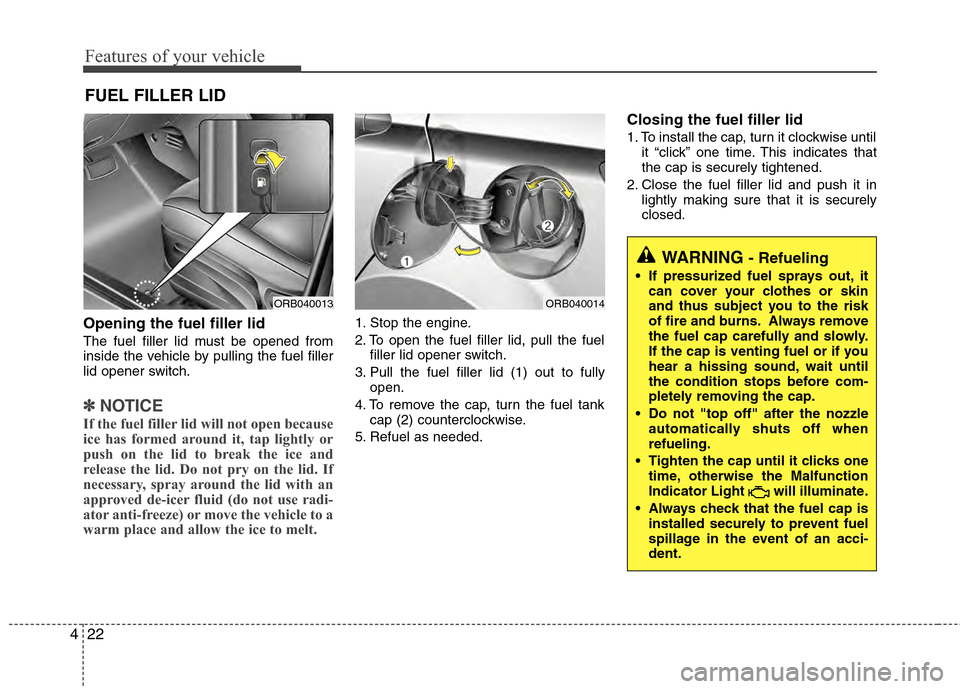
Opening the fuel filler lid
The fuel filler lid must be opened from
inside the vehicle by pulling the fuel filler
lid opener switch.
✽ ✽
NOTICE
If the fuel filler lid will not open because
ice has formed around it, tap lightly or
push on the lid to break the ice and
release the lid. Do not pry on the lid. If
necessary, spray around the lid with an
approved de-icer fluid (do not use radi-
ator anti-freeze) or move the vehicle to a
warm place and allow the ice to melt.
1. Stop the engine.
2. To open the fuel filler lid, pull the fuel
filler lid opener switch.
3. Pull the fuel filler lid (1) out to fully open.
4. To remove the cap, turn the fuel tank cap (2) counterclockwise.
5. Refuel as needed.
Closing the fuel filler lid
1. To install the cap, turn it clockwise until it “click” one time. This indicates that
the cap is securely tightened.
2. Close the fuel filler lid and push it in lightly making sure that it is securely
closed.
FUEL FILLER LID
ORB040013ORB040014
WARNING - Refueling
If pressurized fuel sprays out, itcan cover your clothes or skin
and thus subject you to the risk
of fire and burns. Always remove
the fuel cap carefully and slowly.
If the cap is venting fuel or if you
hear a hissing sound, wait until
the condition stops before com-
pletely removing the cap.
Do not "top off" after the nozzle automatically shuts off when
refueling.
Tighten the cap until it clicks one time, otherwise the Malfunction
Indicator Light will illuminate.
Always check that the fuel cap is installed securely to prevent fuel
spillage in the event of an acci-
dent.
Page 101 of 370
423
Features of your vehicle
(Continued)Use only approved portable plas-
tic fuel containers designed to
carry and store gasoline.
Do not use cellular phones while refueling. Electric current and/or
electronic interference from cel-
lular phones can potentially
ignite fuel vapors causing a fire.
When refueling, always shut the engine off. Sparks produced by
electrical components related to
the engine can ignite fuel vapors
causing a fire. Once refueling is
complete, check to make sure the
filler cap and filler door are
securely closed, before starting
the engine.
DO NOT use matches or a lighter and DO NOT SMOKE or leave a lit
cigarette in your vehicle while at
a gas station especially during
refueling. Automotive fuel is
highly flammable and can, when
ignited, result in fire.
(Continued)(Continued)
Do not get back into a vehicleonce you have begun refueling
since you can generate static
electricity by touching, rubbing
or sliding against any item or fab-
ric (polyester, satin, nylon, etc.)
capable of producing static elec-
tricity. Static electricity discharge
can ignite fuel vapors resulting in
rapid burning. If you must re-
enter the vehicle, you should
once again eliminate potentially
dangerous static electricity dis-
charge by touching a metal part
of the vehicle, away from the fuel
filler neck, nozzle or other gaso-
line source.
When using an approved portable fuel container, be sure to
place the container on the
ground prior to refueling. Static
electricity discharge from the
container can ignite fuel vapors
causing a fire. Once refueling has
begun, contact with the vehicle
should be maintained until the
filling is complete.
(Continued)WARNING - Refueling dan-
gers
Automotive fuels are flammable
materials. When refueling, please
note the following guidelines care-
fully. Failure to follow these guide-
lines may result in severe personal
injury, severe burns or death by fire
or explosion.
Read and follow all warningsposted at the gas station facility.
Before refueling, note the loca- tion of the Emergency Gasoline
Shut-Off, if available, at the gas
station facility.
Before touching the fuel nozzle, you should eliminate potentially
dangerous static electricity dis-
charge by touching another metal
part of the vehicle, a safe dis-
tance away from the fuel filler
neck, nozzle, or other gas source.
(Continued)
Page 102 of 370
Features of your vehicle
24
4
(Continued)
If a fire breaks out during refuel-
ing, leave the vicinity of the vehi-
cle, and immediately contact the
manager of the gas station and
then contact the local fire depart-
ment or 911. Follow any safety
instructions they provide.CAUTION
Make sure to refuel your vehicle according to the "Fuel require-ments" suggested in section 1.
If the fuel filler cap requires replacement, use only a genuineHYUNDAI cap or the equivalentspecified for your vehicle. An incorrect fuel filler cap can resultin a serious malfunction of thefuel system or emission controlsystem.
Do not spill fuel on the exterior surfaces of the vehicle. Any typeof fuel spilled on painted surfacesmay damage the paint.
After refueling, make sure the fuel cap is installed securely to pre-vent fuel spillage in the event ofan accident.
Page 124 of 370
Features of your vehicle
46
4
Automatic Transaxle shift
indicator
The indicator displays which automatic
transaxle shift position is selected.
Manual transaxle shift indicator (if equipped)
This indicator informs you which gear is
desired while driving to save fuel.
For example
: Indicates that shifting up to the 3rdgear is desired (currently the shift
lever is in the 2nd gear).
: Indicates that shifting down to the 3rd gear is desired (currently the
shift lever is in the 4th gear).
Charging system warninglight
This warning light indicates a malfunction
of either the generator or electrical
charging system.
If the warning light comes on while the
vehicle is in motion:
1. Drive to the nearest safe location.
2. With the engine off, check the genera- tor drive belt for looseness or break-
age.
3. If the belt is adjusted properly, a prob- lem exists somewhere in the electrical
charging system. Have an authorized
HYUNDAI dealer correct the problem
as soon as possible.
✽ ✽NOTICE
When the charging system warning light
comes on or the voltage is low (when the
alteranator (or battery) does not operate
normally or it malfunctions), the steer-
ing wheel may get heavy and become dif-
ficult to control operate abnormally.
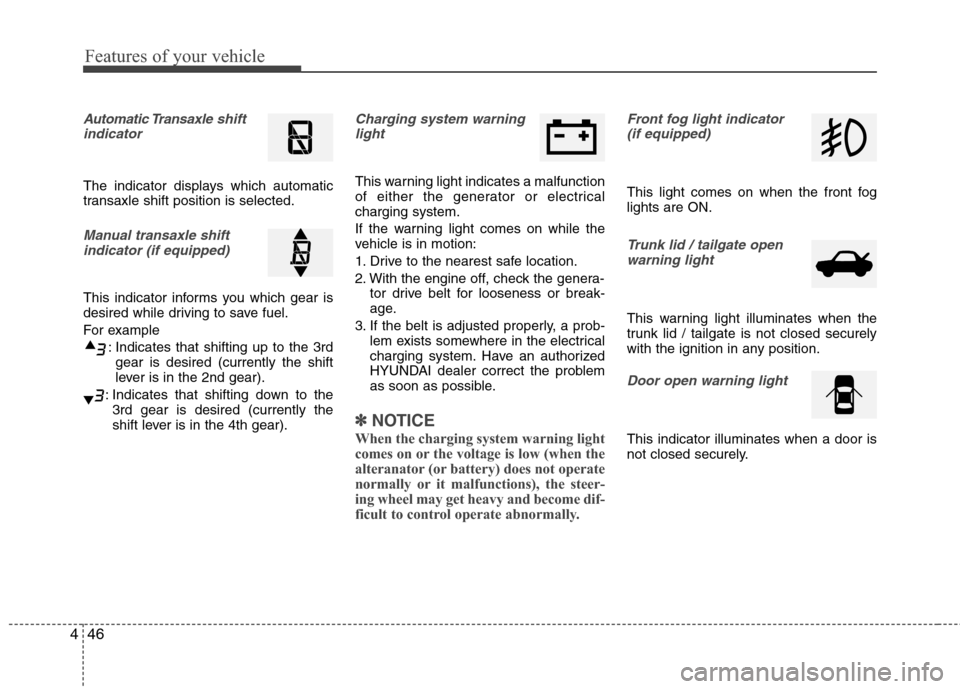
Front fog light indicator
(if equipped)
This light comes on when the front fog
lights are ON.
Trunk lid / tailgate open warning light
This warning light illuminates when the
trunk lid / tailgate is not closed securely
with the ignition in any position.
Door open warning light
This indicator illuminates when a door is
not closed securely.
Page 127 of 370
449
Features of your vehicle
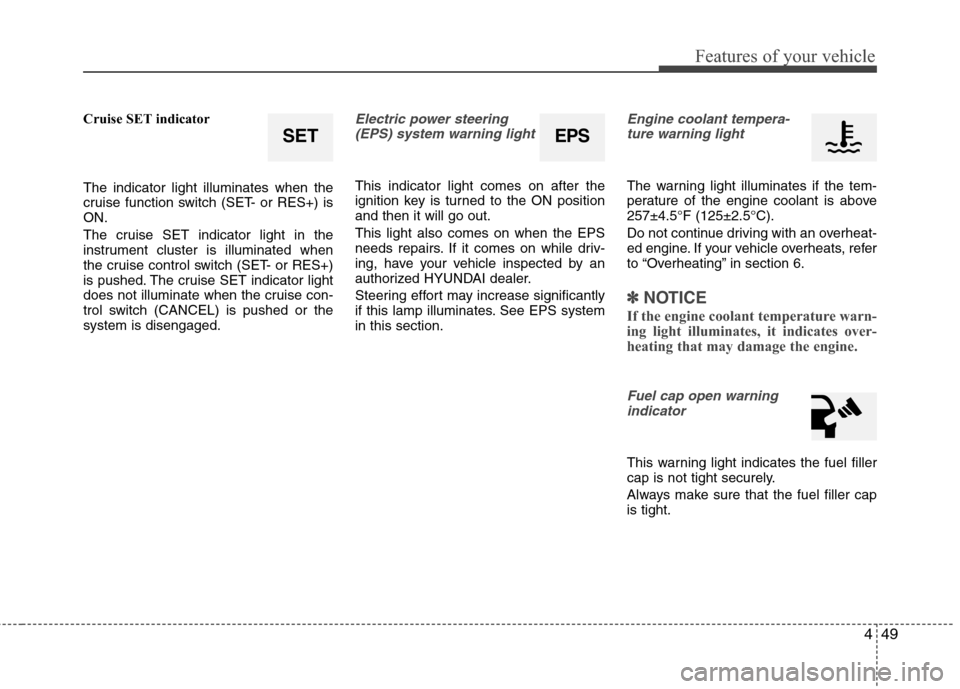
Cruise SET indicator
The indicator light illuminates when the
cruise function switch (SET- or RES+) is
ON.
The cruise SET indicator light in the
instrument cluster is illuminated when
the cruise control switch (SET- or RES+)
is pushed. The cruise SET indicator light
does not illuminate when the cruise con-
trol switch (CANCEL) is pushed or the
system is disengaged.Electric power steering(EPS) system warning light
This indicator light comes on after the
ignition key is turned to the ON position
and then it will go out.
This light also comes on when the EPS
needs repairs. If it comes on while driv-
ing, have your vehicle inspected by an
authorized HYUNDAI dealer.
Steering effort may increase significantly
if this lamp illuminates. See EPS system
in this section.
Engine coolant tempera-ture warning light
The warning light illuminates if the tem-
perature of the engine coolant is above
257±4.5°F (125±2.5°C).
Do not continue driving with an overheat-
ed engine. If your vehicle overheats, refer
to “Overheating” in section 6.
✽ ✽ NOTICE
If the engine coolant temperature warn-
ing light illuminates, it indicates over-
heating that may damage the engine.
Fuel cap open warning
indicator
This warning light indicates the fuel filler
cap is not tight securely.
Always make sure that the fuel filler cap
is tight.
SETEPS
Page 137 of 370
459
Features of your vehicle
In the DOOR position, the light comes on
when any door is opened regardless of
the ignition switch position.
When doors are unlocked by the trans-
mitter, the light comes on for approxi-
mately 30 seconds as long as any door is
not open. The light goes out gradually
after approximately 30 seconds if the
door is closed. However, if the ignition
switch is ON or all doors are locked, the
light will turn off immediately.
If a door is opened with the ignition
switch in the ACC or LOCK position, the
light stays on for about 20 minutes.
However, if a door is opened with the
ignition switch in the ON position, the
light stays on continuously.
In the OFF position, the light stays off at
all times even when a door is open.
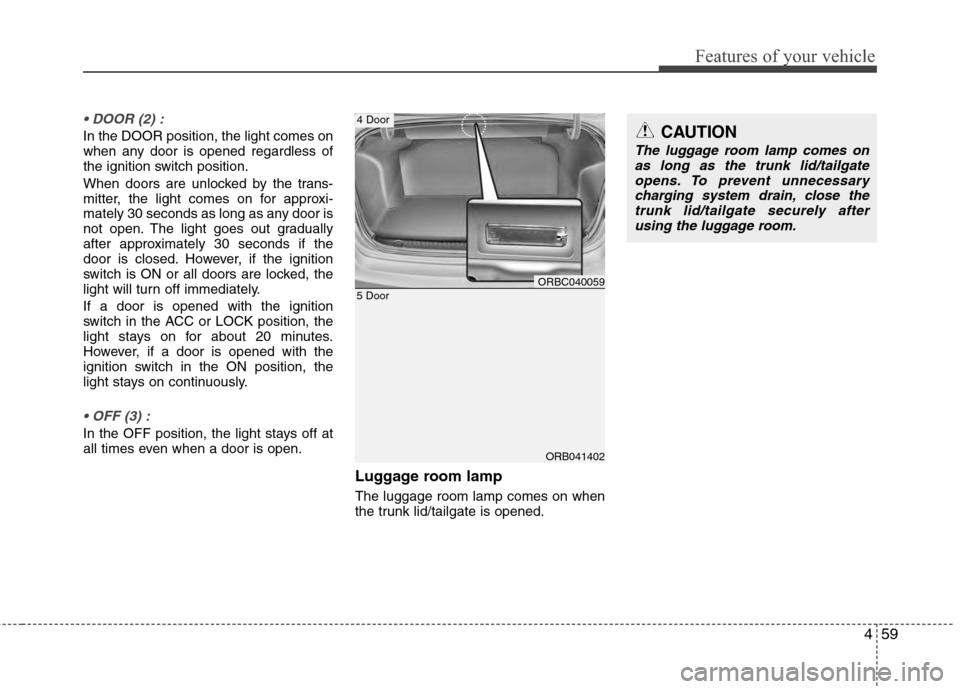
Luggage room lamp
The luggage room lamp comes on when
the trunk lid/tailgate is opened.
ORB041402
5 DoorORBC040059
4 DoorCAUTION
The luggage room lamp comes onas long as the trunk lid/tailgateopens. To prevent unnecessary charging system drain, close thetrunk lid/tailgate securely afterusing the luggage room.
Page 158 of 370
Features of your vehicle
80
4
These compartments can be used to
store small items.
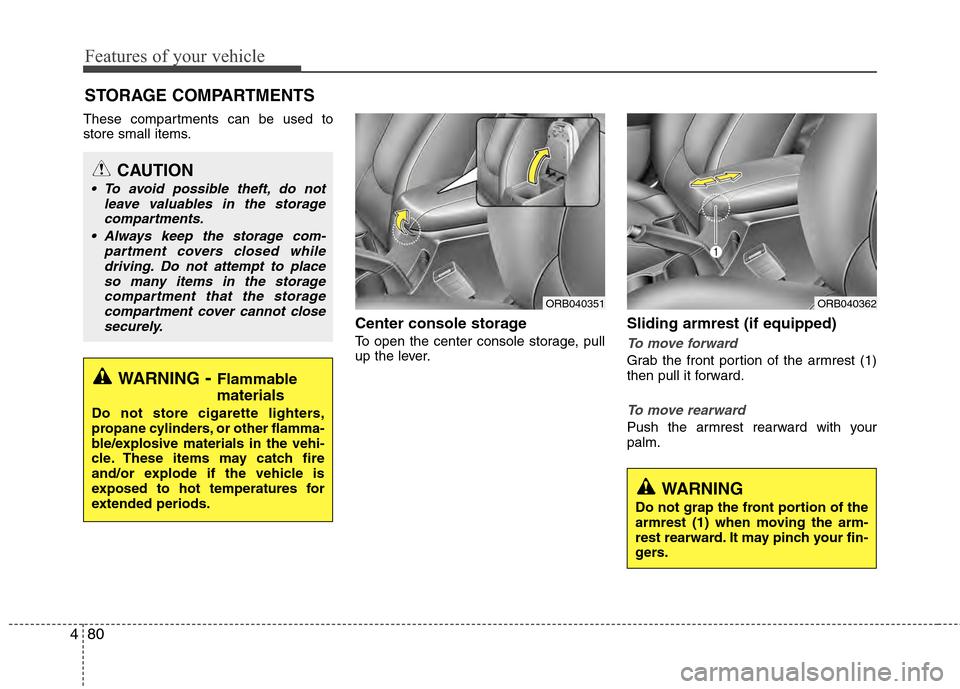
Center console storage
To open the center console storage, pull
up the lever.
Sliding armrest (if equipped)
To move forward
Grab the front portion of the armrest (1)
then pull it forward.
To move rearward
Push the armrest rearward with your
palm.
STORAGE COMPARTMENTS
WARNING- Flammable
materials
Do not store cigarette lighters,
propane cylinders, or other flamma-
ble/explosive materials in the vehi-
cle. These items may catch fire
and/or explode if the vehicle is
exposed to hot temperatures for
extended periods.
CAUTION
To avoid possible theft, do not
leave valuables in the storagecompartments.
Always keep the storage com- partment covers closed whiledriving. Do not attempt to placeso many items in the storage compartment that the storagecompartment cover cannot closesecurely.
WARNING
Do not grap the front portion of the
armrest (1) when moving the arm-
rest rearward. It may pinch your fin-
gers.
ORB040351ORB040362
Page 161 of 370
483
Features of your vehicle
INTERIOR FEATURES
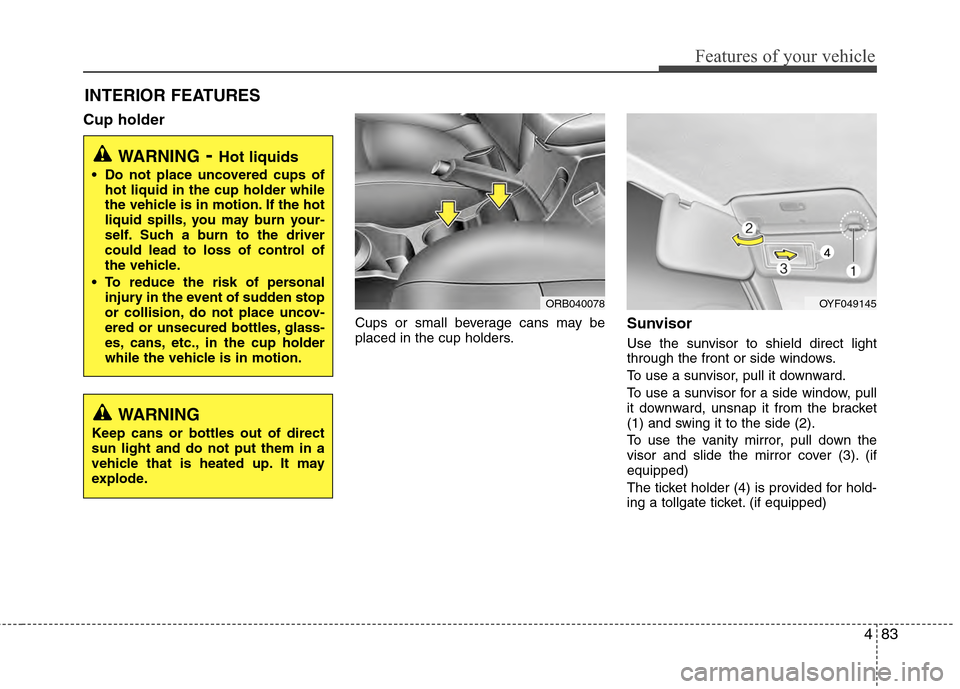
Cup holder
Cups or small beverage cans may be
placed in the cup holders.Sunvisor
Use the sunvisor to shield direct light
through the front or side windows.
To use a sunvisor, pull it downward.
To use a sunvisor for a side window, pull
it downward, unsnap it from the bracket
(1) and swing it to the side (2).
To use the vanity mirror, pull down the
visor and slide the mirror cover (3). (if
equipped)
The ticket holder (4) is provided for hold-
ing a tollgate ticket. (if equipped)
WARNING- Hot liquids
Do not place uncovered cups ofhot liquid in the cup holder while
the vehicle is in motion. If the hot
liquid spills, you may burn your-
self. Such a burn to the driver
could lead to loss of control of
the vehicle.
To reduce the risk of personal injury in the event of sudden stop
or collision, do not place uncov-
ered or unsecured bottles, glass-
es, cans, etc., in the cup holder
while the vehicle is in motion.
OYF049145
WARNING
Keep cans or bottles out of direct
sun light and do not put them in a
vehicle that is heated up. It may
explode.
ORB040078
Page 164 of 370
Features of your vehicle
86
4
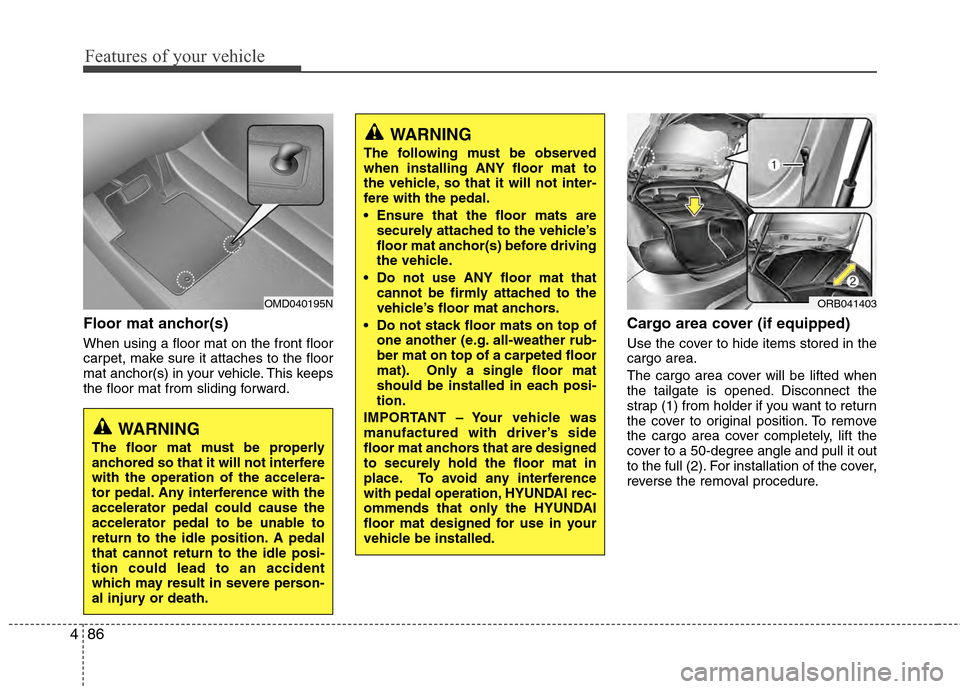
Floor mat anchor(s)
When using a floor mat on the front floor
carpet, make sure it attaches to the floor
mat anchor(s) in your vehicle. This keeps
the floor mat from sliding forward.
Cargo area cover (if equipped)
Use the cover to hide items stored in the
cargo area.
The cargo area cover will be lifted when
the tailgate is opened. Disconnect the
strap (1) from holder if you want to return
the cover to original position. To remove
the cargo area cover completely, lift the
cover to a 50-degree angle and pull it out
to the full (2). For installation of the cover,
reverse the removal procedure.
OMD040195N
WARNING
The floor mat must be properly
anchored so that it will not interfere
with the operation of the accelera-
tor pedal. Any interference with the
accelerator pedal could cause the
accelerator pedal to be unable to
return to the idle position. A pedal
that cannot return to the idle posi-
tion could lead to an accident
which may result in severe person-
al injury or death.
WARNING
The following must be observed
when installing ANY floor mat to
the vehicle, so that it will not inter-
fere with the pedal.
Ensure that the floor mats are
securely attached to the vehicle’s
floor mat anchor(s) before driving
the vehicle.
Do not use ANY floor mat that cannot be firmly attached to the
vehicle’s floor mat anchors.
Do not stack floor mats on top of one another (e.g. all-weather rub-
ber mat on top of a carpeted floor
mat). Only a single floor mat
should be installed in each posi-
tion.
IMPORTANT – Your vehicle was
manufactured with driver’s side
floor mat anchors that are designed
to securely hold the floor mat in
place. To avoid any interference
with pedal operation, HYUNDAI rec-
ommends that only the HYUNDAI
floor mat designed for use in your
vehicle be installed.
ORB041403
Page 194 of 370
![Hyundai Accent 2012 Owners Guide Features of your vehicle
116
4
Call [Name]Ex) Call John (at Home)
Ex) Dial 911
Dial [Number]
Redial
Call Back
Add entryPhonebook
Change name
Delete name
By phone
By voice
CallBy name
By number
✽
✽](/img/35/14378/w960_14378-193.png "Hyundai Accent 2012 Owners Guide Features of your vehicle
116
4
Call [Name]Ex) Call John (at Home)
Ex) Dial 911
Dial [Number]
Redial
Call Back
Add entryPhonebook
Change name
Delete name
By phone
By voice
CallBy name
By number
✽
✽")
Features of your vehicle
116
4
Call [Name]Ex) Call John (at Home)
Ex) Dial 911
Dial [Number]
Redial
Call Back
Add entryPhonebook
Change name
Delete name
By phone
By voice
CallBy name
By number
✽
✽
Tip
■Voice Operation
To get the best performance out of the
Voice Recognition System, observe the
followings:
- Keep the interior of the vehicle as quiet as possible. Close the window
to eliminate surrounding noise
(traffic noise, vibration sounds,
etc), which may disturb recogniz-
ing the voice command correctly.
- Speak a command after a beep sound within 5 seconds. Otherwise
the command will not be received
properly.
- Speak in a natural voice without pausing between words.
- While receiving voice commands, press the button on the steer-
ing wheel remote controller to ter-
minate guidance. Voice command
will convert back to waiting mode
to allow the user to say a new voice
command.
■Voice Recognition Activation
in the Bluetooth®System can be acti-
vated in the following conditions:
- Button Activation
The voice recognition system will be
active when the button is pressed
and after the sound of a Beep.
- Active Listening The voice recognition system will be
active for a period of time when the
Voice Recognition system has asked
for a customer response.
from zero to nine while number greater
than ten will not be recognized.
tion mode in following cases : When
pressing the button and saying
cancel following the beep. When not
making a call and pressing the
button. When voice recognition has
failed 3 consecutive times.
will announce what commands are
available.
■Menu tree
The menu tree identifies available voice
recognition Bluetooth®functions.