ignition Hyundai Accent 2013 User Guide
[x] Cancel search | Manufacturer: HYUNDAI, Model Year: 2013, Model line: Accent, Model: Hyundai Accent 2013Pages: 402, PDF Size: 8.49 MB
Page 73 of 402
43
Features of your vehicle
Record your key number
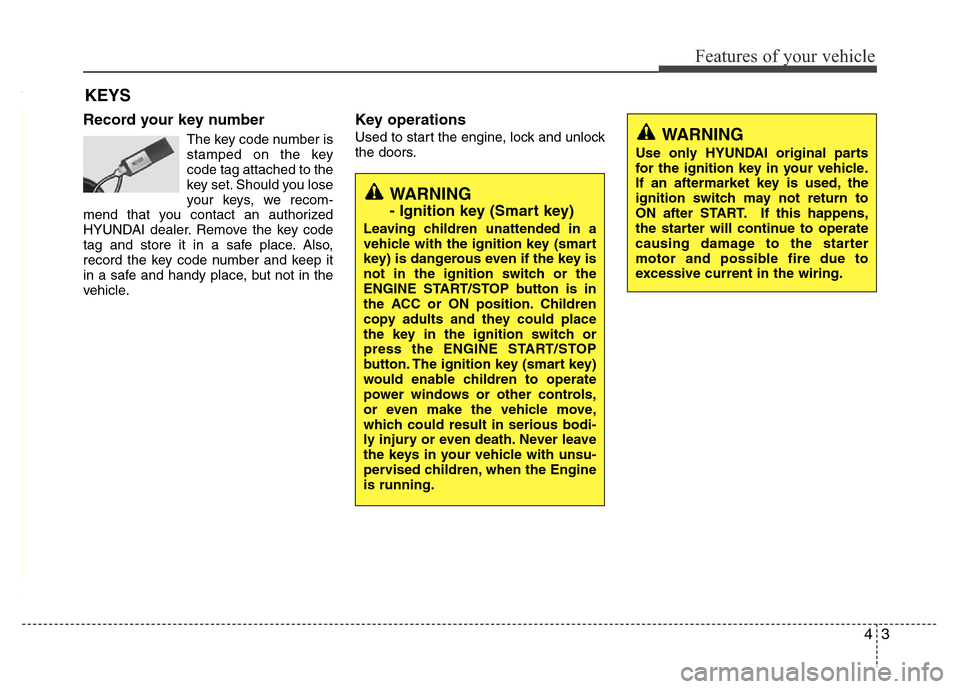
The key code number is
stamped on the key
code tag attached to the
key set. Should you lose
your keys, we recom-
mend that you contact an authorized
HYUNDAI dealer. Remove the key code
tag and store it in a safe place. Also,
record the key code number and keep it
in a safe and handy place, but not in the
vehicle.
Key operations
Used to start the engine, lock and unlock
the doors.
KEYS
WARNING
Use only HYUNDAI original parts
for the ignition key in your vehicle.
If an aftermarket key is used, the
ignition switch may not return to
ON after START. If this happens,
the starter will continue to operate
causing damage to the starter
motor and possible fire due to
excessive current in the wiring.
WARNING
- Ignition key (Smart key)
Leaving children unattended in a
vehicle with the ignition key (smart
key) is dangerous even if the key is
not in the ignition switch or the
ENGINE START/STOP button is in
the ACC or ON position. Children
copy adults and they could place
the key in the ignition switch or
press the ENGINE START/STOP
button. The ignition key (smart key)
would enable children to operate
power windows or other controls,
or even make the vehicle move,
which could result in serious bodi-
ly injury or even death. Never leave
the keys in your vehicle with unsu-
pervised children, when the Engine
is running.
Page 74 of 402
Features of your vehicle
4 4
Immobilizer system (if equipped)
Your vehicle may be equipped with an
electronic engine immobilizer system to
reduce the risk of unauthorized vehicle
use.
Your immobilizer system is comprised of
a small transponder in the ignition key
and electronic devices inside the vehicle.
With the immobilizer system, whenever
you insert your ignition key into the igni-
tion switch and turn it to ON, it checks
and determines and verifies if the ignition
key is valid or not.
If the key is determined to be valid, the
engine will start.
If the key is determined to be invalid, the
engine will not start.
To activate the immobilizer system:
Turn the ignition key to the OFF position.
The immobilizer system activates auto-
matically. Without a valid ignition key for
your vehicle, the engine will not start.
To deactivate the immobilizer sys-
tem:
Insert the ignition key into the key cylin-
der and turn it to the ON position.
✽NOTICE
When starting the engine, do not use the
key with other immobilizer keys around.
Otherwise the engine may not start or
may stop soon after it starts. Keep each
key separate in order to avoid a starting
malfunction.
✽NOTICE
If you need additional keys or lose your
keys, consult an authorized HYUNDAI
dealer.
WARNING
In order to prevent theft of your
vehicle, do not leave spare keys
anywhere in your vehicle. Your
immobilizer password is a cus-
tomer unique password and should
be kept confidential. Do not leave
this number anywhere in your vehi-
cle.
CAUTION
The transponder in your ignition
key is an important part of the
immobilizer system. It is designed
to give years of trouble-free service,
however you should avoid expo-
sure to moisture, static electricity
and rough handling. Immobilizer
system malfunction could occur.
CAUTION
Do not put metal accessories near
the ignition switch.
The engine may not start because
the metal accessories may interrupt
the transponder signal from trans-
mitting normally.
Page 77 of 402
47
Features of your vehicle
However, if any door remains open, the
doors won't lock and the chime will sound
for 3 seconds. Close the door and try
again to lock the doors.
If trunk/tailgate remains open, the hazard
warning light won't operate. After this,
trunk/tailgate is closed, the hazard warn-
ing lights blink once.
The button will only operate when the
smart key is within 0.7~1 m (28~40 in.)
from the outside door handle. If you want
to make sure that a door has locked or
not, you should check the door lock but-
ton inside the vehicle or pull the outside
door handle.
Even though you press the outside door
handle buttons, the doors will not lock
and the chime will sound for 3 seconds if
any of following occur:
• The smart key is in the vehicle.
• The ignition switch is in ACC or ON
position.
• Any door except the trunk/tailgate is
open.Using the button on the smart key
All doors (and trunk/tailgate) are locked if
the lock button(1) is pressed. If all doors
(and trunk/tailgate) are closed, the haz-
ard warning lights will blink once to indi-
cate that all doors are locked.
However, if any door (or trunk/tailgate)
remains open, the hazard warning lights
will not operate. If all doors (and trunk/
tailgate) are closed after the lock button
is pressed, the hazard warning lights
blink once.Unlocking
Using the door handle switch
Press the button of the front outside door
handles with all doors (and trunk/tailgate)
closed and locked, unlocks all the doors
(and trunk/tailgate). The hazard warning
lights blink twice to indicate that all doors
(and trunk/tailgate) are unlocked. The
button will only operate when the smart
key is within 0.7~1 m (28~40 in.) from the
outside door handle.
When the smart key is recognized in the
area of 0.7~1 m (28~40 in.) from the front
outside door handle, other people can
also open the door without possession of
the smart key.
After pressing the button, the doors will
lock automatically unless you open any
door within 30 seconds.
Using the button on the smart key
All doors (and trunk/tailgate) are
unlocked if the unlock button (2) is
pressed. The hazard warning lights will
blink twice to indicate that all doors are
unlocked.
After pressing this button, the doors will
lock automatically unless you open any
door within 30 seconds.
Page 81 of 402
411
Features of your vehicle
Transmitter precautions
✽NOTICE
• The transmitter will not work if any of
following occur:
- The ignition key is in ignition switch.
- You exceed the operating distance
limit (about 10 m [30 feet]).
- The battery in the transmitter is
weak.
- Other vehicles or objects may be
blocking the signal.
- The weather is extremely cold.
- The transmitter is close to a radio
transmitter such as a radio station or
an airport which can interfere with
normal operation of the transmitter.
When the transmitter does not work
correctly, open and close the door with
the ignition key. If you have a problem
with the transmitter, contact an author-
ized HYUNDAI dealer.
(Continued)(Continued)
• If the transmitter is in close proximity
to your cell phone or smart phone, the
signal from the transmitter could be
blocked by normal operation of your
cell phone or smart phone. This is
especially important when the phone
is active such as making call, receiving
calls, text messaging, and/or send-
ing/receiving emails. Avoid placing
the transmitter and your cell phone or
smart phone in the same pants or
jacket pocket and maintain adequate
distance between the two devices.
CAUTION
Changes or modifications not
expressly approved by the party
responsible for compliance could
void the user’s authority to operate
the equipment. If the keyless entry
system is inoperative due to
changes or modifications not
expressly approved by the party
responsible for compliance, it will
not be covered by your manufactur-
er’s vehicle warranty.
CAUTION
Keep the transmitter away from
water or any liquid. If the keyless
entry system is inoperative due to
exposure to water or liquids, it will
not be covered by your manufactur-
er vehicle warranty.
Page 83 of 402
413
Features of your vehicle
Operating door locks from out-
side the vehicle
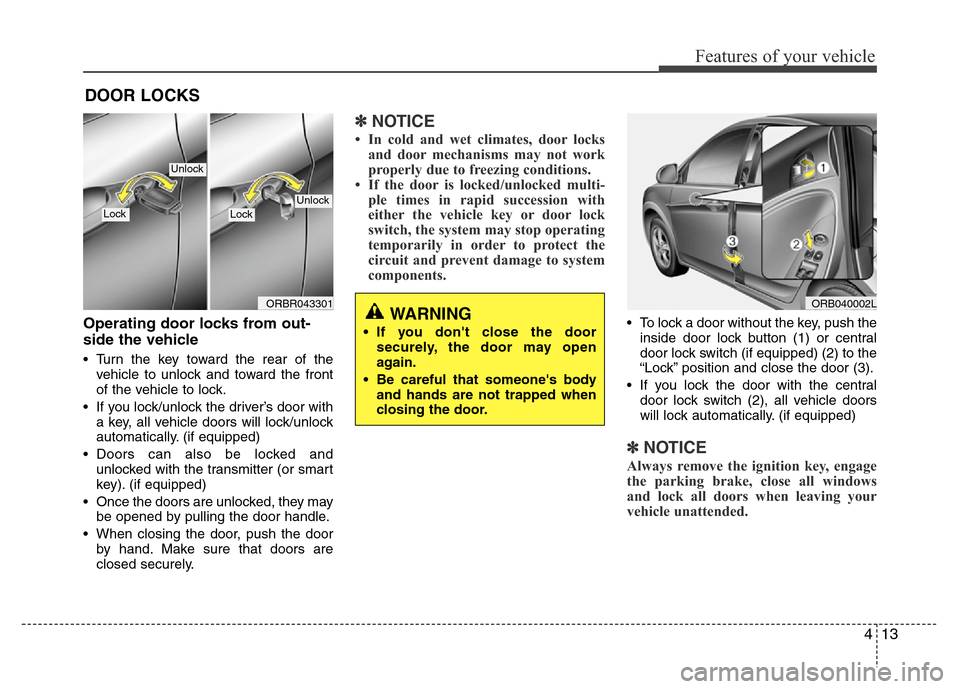
• Turn the key toward the rear of the
vehicle to unlock and toward the front
of the vehicle to lock.
• If you lock/unlock the driver’s door with
a key, all vehicle doors will lock/unlock
automatically. (if equipped)
• Doors can also be locked and
unlocked with the transmitter (or smart
key). (if equipped)
• Once the doors are unlocked, they may
be opened by pulling the door handle.
• When closing the door, push the door
by hand. Make sure that doors are
closed securely.
✽NOTICE
• In cold and wet climates, door locks
and door mechanisms may not work
properly due to freezing conditions.
• If the door is locked/unlocked multi-
ple times in rapid succession with
either the vehicle key or door lock
switch, the system may stop operating
temporarily in order to protect the
circuit and prevent damage to system
components.
• To lock a door without the key, push the
inside door lock button (1) or central
door lock switch (if equipped) (2
) to the
“Lock” position and close the door (3).
• If you lock the door with the central
door lock switch (2), all vehicle doors
will lock automatically. (if equipped)
✽NOTICE
Always remove the ignition key, engage
the parking brake, close all windows
and lock all doors when leaving your
vehicle unattended.
DOOR LOCKS
ORB040002LWARNING
• If you don't close the door
securely, the door may open
again.
• Be careful that someone's body
and hands are not trapped when
closing the door.
ORBR043301
UnlockLockLock
Unlock
Page 84 of 402
Features of your vehicle
14 4
Operating door locks from inside
the vehicle
With the door lock button
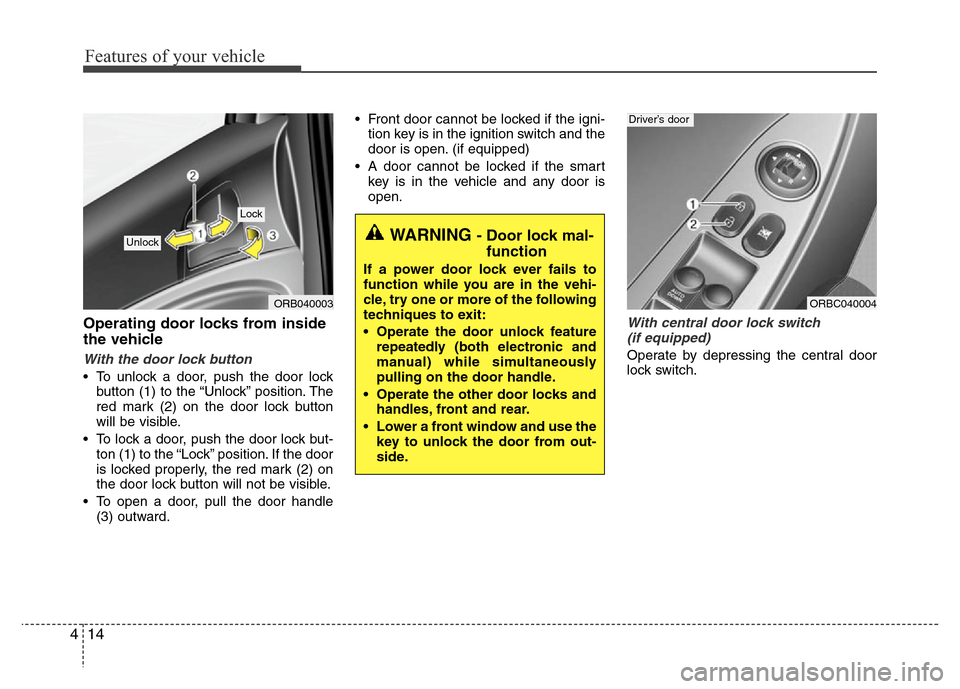
• To unlock a door, push the door lock
button (1) to the “Unlock” position. The
red mark (2) on the door lock button
will be visible.
• To lock a door, push the door lock but-
ton (1) to the “Lock” position. If the door
is locked properly, the red mark (2) on
the door lock button will not be visible.
• To open a door, pull the door handle
(3) outward.• Front door cannot be locked if the igni-
tion key is in the ignition switch and the
door is open. (if equipped)
• A door cannot be locked if the smart
key is in the vehicle and any door is
open.
With central door lock switch
(if equipped)
Operate by depressing the central door
lock switch.
WARNING - Door lock mal-
function
If a power door lock ever fails to
function while you are in the vehi-
cle, try one or more of the following
techniques to exit:
• Operate the door unlock feature
repeatedly (both electronic and
manual) while simultaneously
pulling on the door handle.
• Operate the other door locks and
handles, front and rear.
• Lower a front window and use the
key to unlock the door from out-
side.
ORB040003
Lock
Unlock
ORBC040004
Driver’s door
Page 85 of 402
415
Features of your vehicle
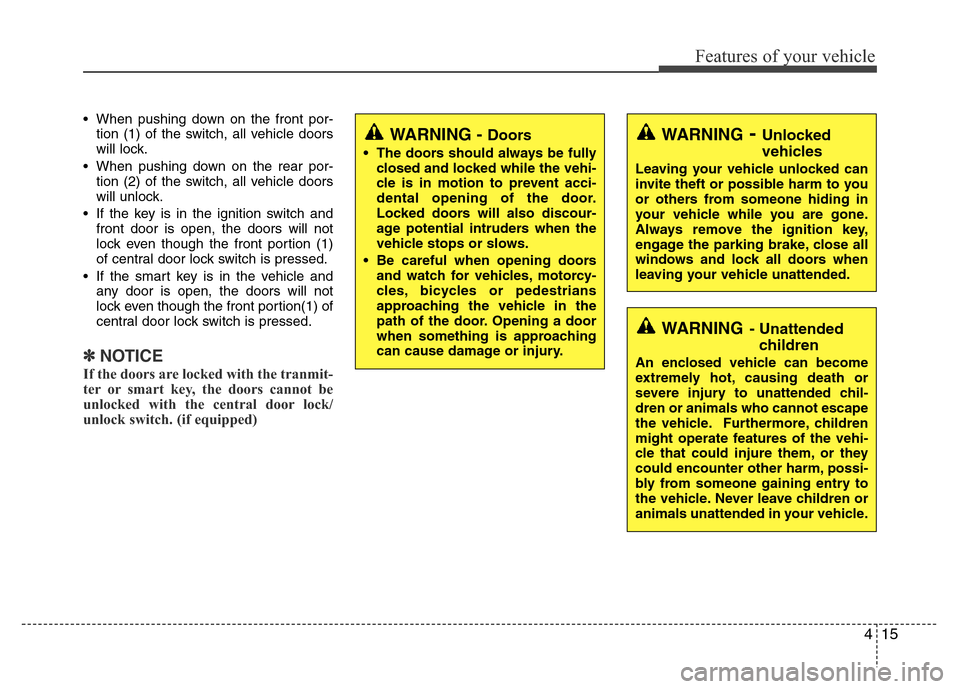
• When pushing down on the front por-
tion (1) of the switch, all vehicle doors
will lock.
• When pushing down on the rear por-
tion (2) of the switch, all vehicle doors
will unlock.
• If the key is in the ignition switch and
front door is open, the doors will not
lock even though the front portion (1)
of central door lock switch is pressed.
• If the smart key is in the vehicle and
any door is open, the doors will not
lock even though the front portion(1) of
central door lock switch is pressed.
✽NOTICE
If the doors are locked with the tranmit-
ter or smart key, the doors cannot be
unlocked with the central door lock/
unlock switch. (if equipped)
WARNING- Unlocked
vehicles
Leaving your vehicle unlocked can
invite theft or possible harm to you
or others from someone hiding in
your vehicle while you are gone.
Always remove the ignition key,
engage the parking brake, close all
windows and lock all doors when
leaving your vehicle unattended.
WARNING- Unattended
children
An enclosed vehicle can become
extremely hot, causing death or
severe injury to unattended chil-
dren or animals who cannot escape
the vehicle. Furthermore, children
might operate features of the vehi-
cle that could injure them, or they
could encounter other harm, possi-
bly from someone gaining entry to
the vehicle. Never leave children or
animals unattended in your vehicle.
WARNING - Doors
• The doors should always be fully
closed and locked while the vehi-
cle is in motion to prevent acci-
dental opening of the door.
Locked doors will also discour-
age potential intruders when the
vehicle stops or slows.
• Be careful when opening doors
and watch for vehicles, motorcy-
cles, bicycles or pedestrians
approaching the vehicle in the
path of the door. Opening a door
when something is approaching
can cause damage or injury.
Page 86 of 402
Features of your vehicle
16 4
Speed sensing door lock system
(if equipped)
All doors will be automatically locked
after the vehicle speed exceeds 15 km/h.
And all doors will be automatically
unlocked when you turn the engine off or
when you remove the ignition key. (if
equipped)
Impact sensing door unlock sys-
tem (if equipped)
All doors will be automatically unlocked
after an impact causes the air bags to
deploy.
Child-protector rear door lock
The child safety lock is provided to help
prevent children from accidentally open-
ing the rear doors from inside the vehicle.
The rear door safety locks should be
used whenever children are in the vehi-
cle.
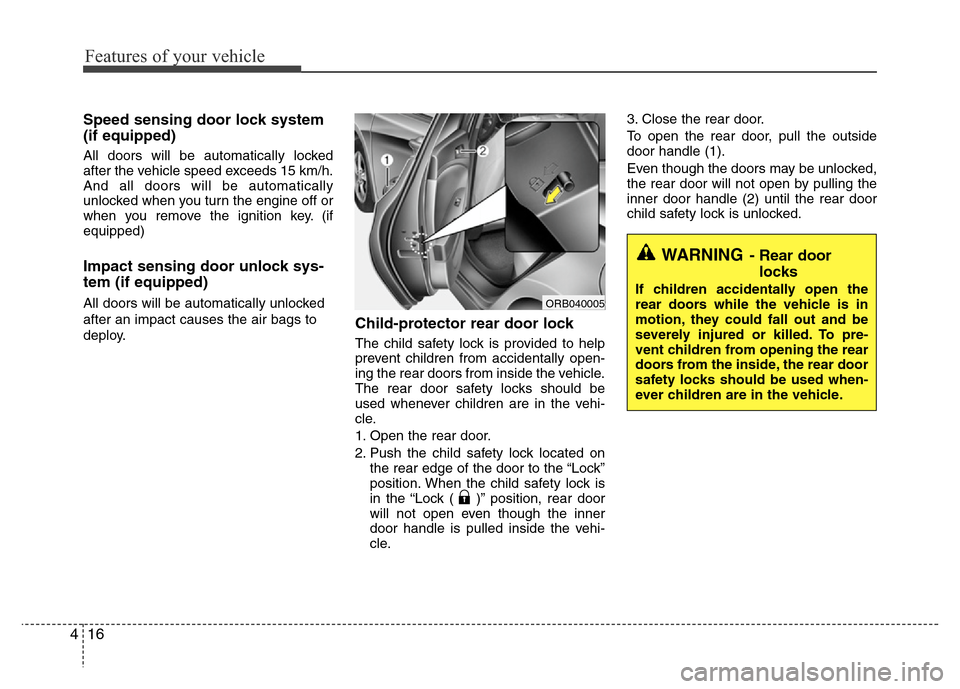
1. Open the rear door.
2. Push the child safety lock located on
the rear edge of the door to the “Lock”
position. When the child safety lock is
in the “Lock ( )” position, rear door
will not open even though the inner
door handle is pulled inside the vehi-
cle.3. Close the rear door.
To open the rear door, pull the outside
door handle (1).
Even though the doors may be unlocked,
the rear door will not open by pulling the
inner door handle (2) until the rear door
child safety lock is unlocked.
WARNING- Rear door
locks
If children accidentally open the
rear doors while the vehicle is in
motion, they could fall out and be
severely injured or killed. To pre-
vent children from opening the rear
doors from the inside, the rear door
safety locks should be used when-
ever children are in the vehicle.ORB040005
Page 94 of 402
Features of your vehicle
24 4
Power windows (if equipped)
• The ignition switch must be in the ON
position for power windows to operate.
Each door has a power window switch
that controls the door's window. The
driver has a power window lock switch
which can block the operation of pas-
senger windows.
• The power windows can be operated
for approximately 30 seconds after the
ignition key is removed or turned to the
ACC or LOCK position. However, if the
front doors open, the power windows
cannot be operated within the 30 sec-
ond period after ignition key removal
(if equipped: remote keyless entry sys-
tem or smart key).
✽NOTICE
While driving with the rear windows
down or with the sunroof (if equipped)
in an open (or partially open position),
your vehicle may demonstrate a wind
buffeting or pulsation noise. This
noise is a normal occurrence and can be
reduced or eliminated by taking the fol-
lowing actions. If the noise occurs with
one or both of the rear windows down,
partially lower both front windows
approximately one inch. If you expe-
rience the noise with the sunroof open,
slightly reduce the size of the sunroof
opening.
Window opening and closing
The driver’s door has a master power
window switch that controls all the win-
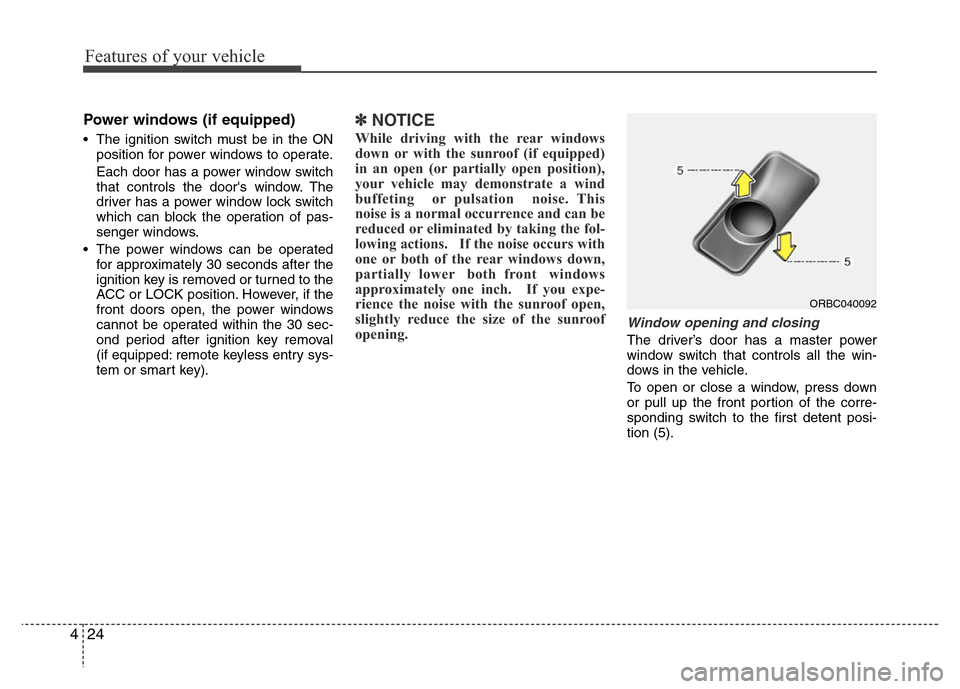
dows in the vehicle.
To open or close a window, press down
or pull up the front portion of the corre-
sponding switch to the first detent posi-
tion (5).
ORBC040092
Page 95 of 402
425
Features of your vehicle
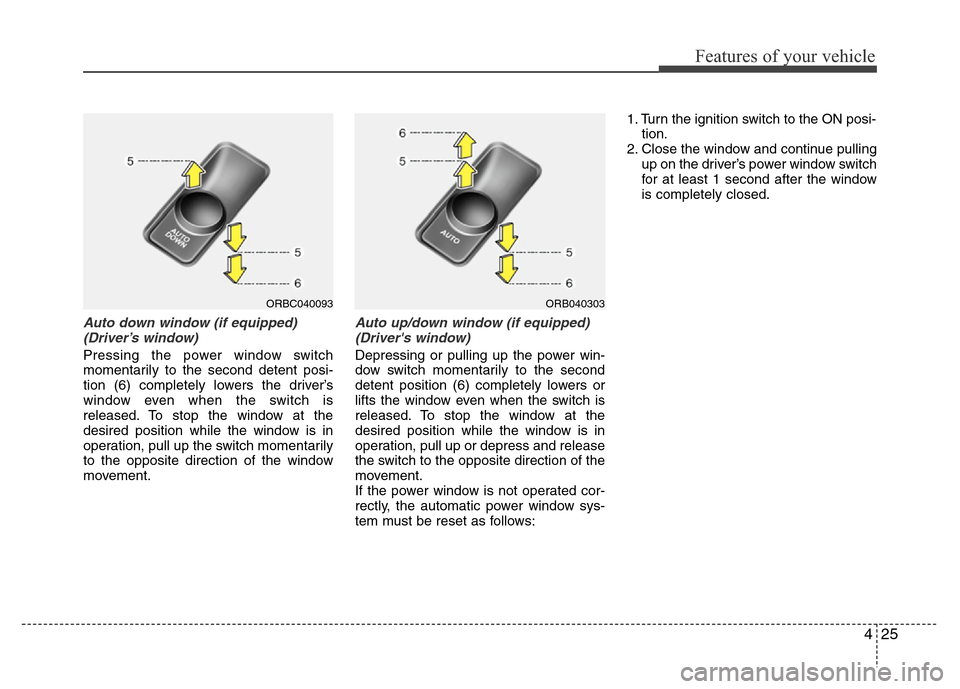
Auto down window (if equipped)
(Driver’s window)
Pressing the power window switch
momentarily to the second detent posi-
tion (6) completely lowers the driver’s
window even when the switch is
released. To stop the window at the
desired position while the window is in
operation, pull up the switch momentarily
to the opposite direction of the window
movement.
Auto up/down window (if equipped)
(Driver's window)
Depressing or pulling up the power win-
dow switch momentarily to the second
detent position (6) completely lowers or
lifts the window even when the switch is
released. To stop the window at the
desired position while the window is in
operation, pull up or depress and release
the switch to the opposite direction of the
movement.
If the power window is not operated cor-
rectly, the automatic power window sys-
tem must be reset as follows:1. Turn the ignition switch to the ON posi-
tion.
2. Close the window and continue pulling
up on the driver’s power window switch
for at least 1 second after the window
is completely closed.
ORB040303ORBC040093