Eco Hyundai Accent 2013 Manual Online
[x] Cancel search | Manufacturer: HYUNDAI, Model Year: 2013, Model line: Accent, Model: Hyundai Accent 2013Pages: 402, PDF Size: 8.49 MB
Page 217 of 402
4147
Features of your vehicle
(Continued)
• If the USB device is divided by
logical drives, only the music files
on the highest-priority drive are
recognized by car audio.
• Devices such as MP3 Player/
Cellular phone/Digital camera can
be unrecognizable by standard
USB I/F can be unrecognizable.
• Some non-standard USB devices
(METAL COVER TYPE USB) can
be unrecognizable.
• Some USB flash memory readers
(such as CF, SD, microSD, etc.) or
external-HDD type devices can be
unrecognizable.
• Music files protected by DRM
(DIGITAL RIGHTS MANAGE-
MENT) are not recognizable.
• The data in the USB memory may
be lost while using this audio.
Always back up important data on
a personal storage device.
(Continued)(Continued)
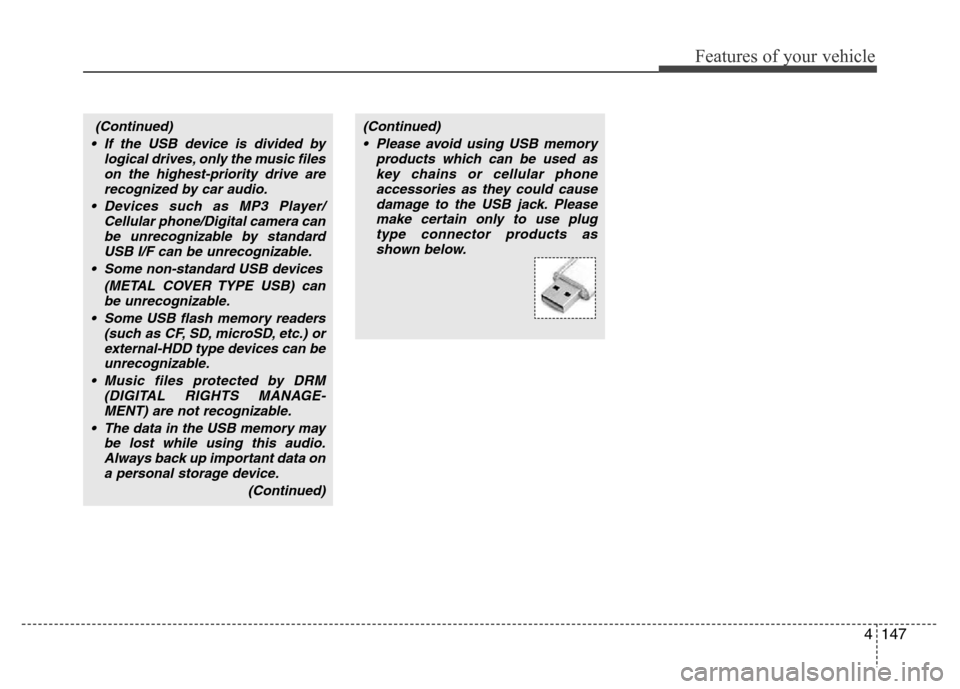
• Please avoid using USB memory
products which can be used as
key chains or cellular phone
accessories as they could cause
damage to the USB jack. Please
make certain only to use plug
type connector products as
shown below.
Page 218 of 402
Features of your vehicle
148 4
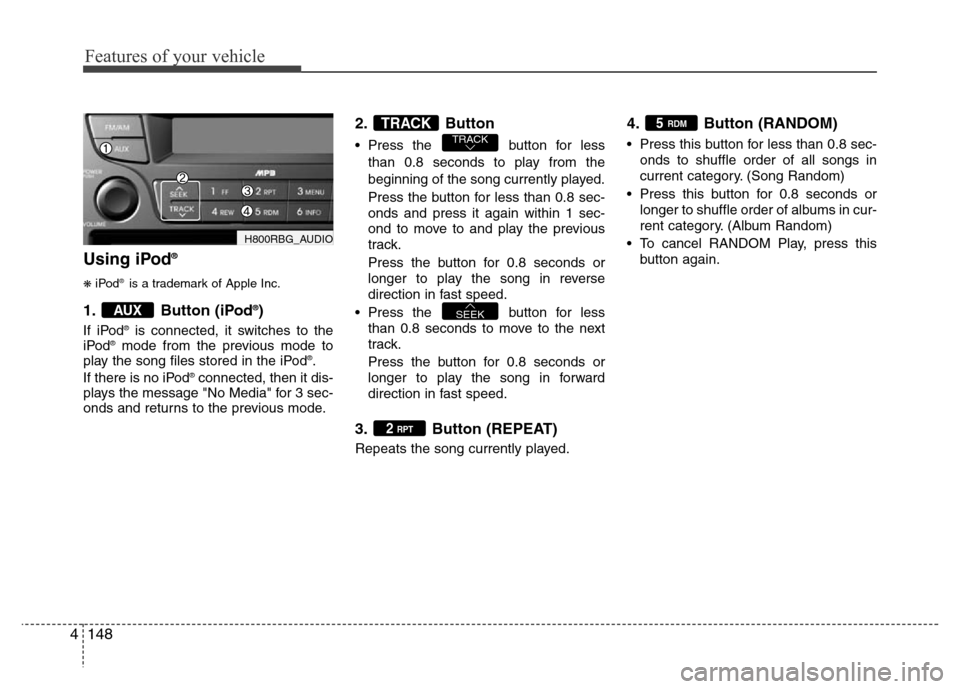
Using iPod®
❋iPod®is a trademark of Apple Inc.
1. Button (iPod®)
If iPod®is connected, it switches to the
iPod®mode from the previous mode to
play the song files stored in the iPod®.
If there is no iPod®connected, then it dis-
plays the message "No Media" for 3 sec-
onds and returns to the previous mode.
2. Button
• Press the button for less
than 0.8 seconds to play from the
beginning of the song currently played.
Press the button for less than 0.8 sec-
onds and press it again within 1 sec-
ond to move to and play the previous
track.
Press the button for 0.8 seconds or
longer to play the song in reverse
direction in fast speed.
• Press the button for less
than 0.8 seconds to move to the next
track.
Press the button for 0.8 seconds or
longer to play the song in forward
direction in fast speed.
3. Button (REPEAT)
Repeats the song currently played.
4. Button (RANDOM)
• Press this button for less than 0.8 sec-
onds to shuffle order of all songs in
current category. (Song Random)
• Press this button for 0.8 seconds or
longer to shuffle order of albums in cur-
rent category. (Album Random)
• To cancel RANDOM Play, press this
button again.
5 RDM
2 RPT
SEEK
TRACKTRACK
AUX
H800RBG_AUDIO
Page 221 of 402
5
Before driving / 5-3
Key / 5-5
Engine Start/Stop button / 5-8
Manual transaxle / 5-14
Automatic transaxle / 5-17
Brake system / 5-23
Economical operation / 5-34
Special driving conditions / 5-36
Winter driving / 5-40
Trailer towing / 5-44
Vehicle weight / 5-53
Driving your vehicle
Page 226 of 402
Driving your vehicle
6 5
Starting the engineStarting the gasoline engine
(if equipped)
1. Make sure the parking brake is
applied.
2.Manual Transaxle- Depress the
clutch pedal fully and shift the
transaxle into Neutral. Keep the clutch
pedal and brake pedal depressed
while turning the ignition switch to the
start position.
Automatic Transaxle- Place the
transaxle shift lever in P (Park).
Depress the brake pedal fully.
You can also start the engine when
the shift lever is in the N (Neutral)
position.
3. Turn the ignition switch to START and
hold it there until the engine starts (a
maximum of 10 seconds), then
release the key.
4. In extremely cold weather (below
-18°C / 0°F) or after the vehicle has
not been operated for several days, let
the engine warm up without depress-
ing the accelerator.
Whether the engine is cold or warm, it
should be started without depressing
the accelerator.
WARNING
Always wear appropriate shoes
when operating your vehicle.
Unsuitable shoes (high heels, ski
boots,etc.) may interfere with your
ability to use the brake and acceler-
ator pedal, and the clutch (if
equipped).
CAUTION
If the engine stalls while you are in
motion, do not attempt to move the
shift lever to the P (Park) position. If
traffic and road conditions permit,
you may put the shift lever in the N
(Neutral) position while the vehicle
is still moving and turn the ignition
switch to the START position in an
attempt to restart the engine.
CAUTION
Do not engage the starter for more
than 10 seconds. If the engine stalls
or fails to start, wait 5 to 10 seconds
before re-engaging the starter.
Improper use of the starter may
damage it.
Page 227 of 402
57
Driving your vehicle
Starting the diesel engine
(if equipped)
To start the diesel engine when the
engine is cold, it has to be pre-heated
before starting the engine and then have
to be warmed up before starting to drive.
1. Make sure the parking brake is
applied.
2.Manual Transaxle- Depress the
clutch pedal fully and shift the
transaxle into Neutral. Keep the clutch
pedal and brake pedal depressed
while turning the ignition switch to the
start position.
Automatic Transaxle- Place the
transaxle shift lever in P (park).
Depress the brake pedal fully.
You can also start the engine when the
shift lever is in the N (neutral) position.
3. Turn the ignition switch to the ON posi-
tion to pre-heat the engine. Then the
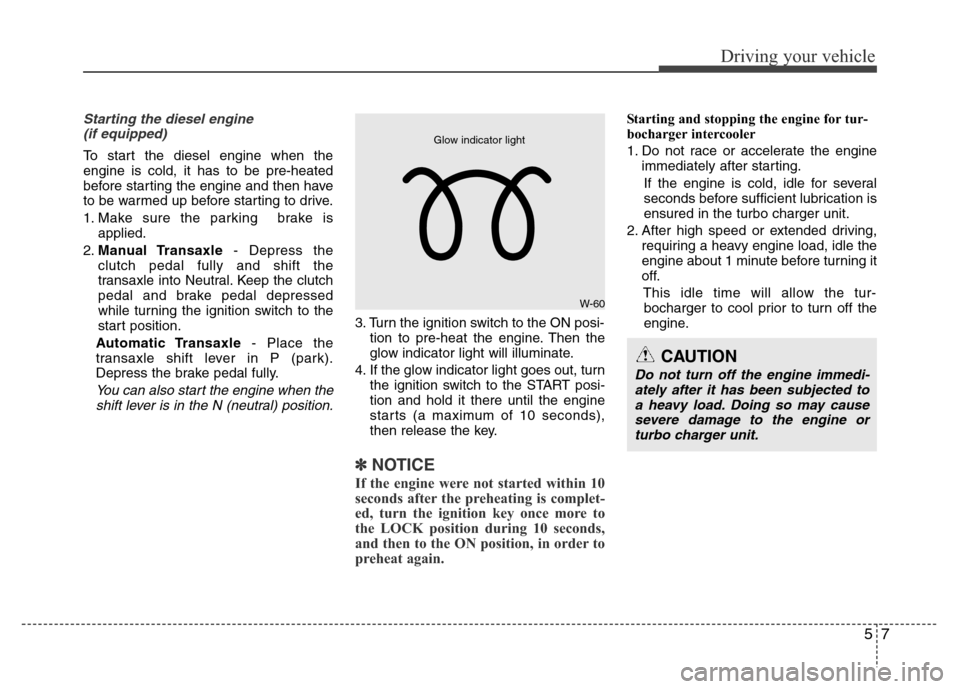
glow indicator light will illuminate.
4. If the glow indicator light goes out, turn
the ignition switch to the START posi-
tion and hold it there until the engine
starts (a maximum of 10 seconds),
then release the key.
✽ NOTICE
If the engine were not started within 10
seconds after the preheating is complet-
ed, turn the ignition key once more to
the LOCK position during 10 seconds,
and then to the ON position, in order to
preheat again.
Starting and stopping the engine for tur-
bocharger intercooler
1. Do not race or accelerate the engine
immediately after starting.
If the engine is cold, idle for several
seconds before sufficient lubrication is
ensured in the turbo charger unit.
2. After high speed or extended driving,
requiring a heavy engine load, idle the
engine about 1 minute before turning it
off.
This idle time will allow the tur-
bocharger to cool prior to turn off the
engine.
W-60
Glow indicator light
CAUTION
Do not turn off the engine immedi-
ately after it has been subjected to
a heavy load. Doing so may cause
severe damage to the engine or
turbo charger unit.
Page 228 of 402
Driving your vehicle
8 5
Illuminated engine start/stop but-
ton
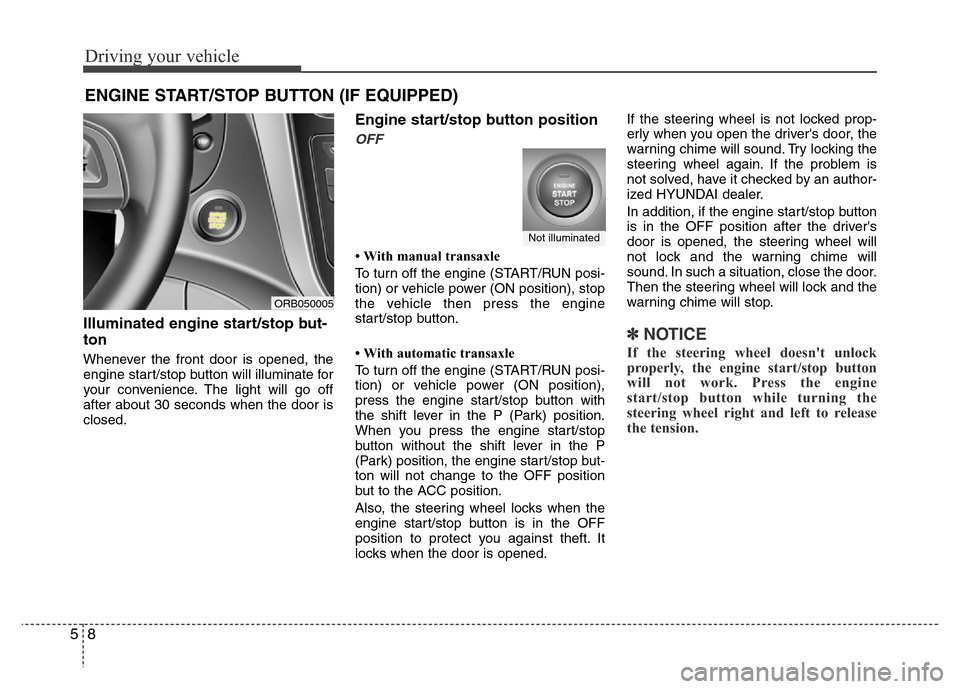
Whenever the front door is opened, the
engine start/stop button will illuminate for
your convenience. The light will go off
after about 30 seconds when the door is
closed.
Engine start/stop button position
OFF
• With manual transaxle
To turn off the engine (START/RUN posi-
tion) or vehicle power (ON position), stop
the vehicle then press the engine
start/stop button.
• With automatic transaxle
To turn off the engine (START/RUN posi-
tion) or vehicle power (ON position),
press the engine start/stop button with
the shift lever in the P (Park) position.
When you press the engine start/stop
button without the shift lever in the P
(Park) position, the engine start/stop but-
ton will not change to the OFF position
but to the ACC position.
Also, the steering wheel locks when the
engine start/stop button is in the OFF
position to protect you against theft. It
locks when the door is opened.If the steering wheel is not locked prop-
erly when you open the driver's door, the
warning chime will sound. Try locking the
steering wheel again. If the problem is
not solved, have it checked by an author-
ized HYUNDAI dealer.
In addition, if the engine start/stop button
is in the OFF position after the driver's
door is opened, the steering wheel will
not lock and the warning chime will
sound. In such a situation, close the door.
Then the steering wheel will lock and the
warning chime will stop.
✽ NOTICE
If the steering wheel doesn't unlock
properly, the engine start/stop button
will not work. Press the engine
start/stop button while turning the
steering wheel right and left to release
the tension.
ENGINE START/STOP BUTTON (IF EQUIPPED)
ORB050005
Not illuminated
Page 229 of 402
59
Driving your vehicle
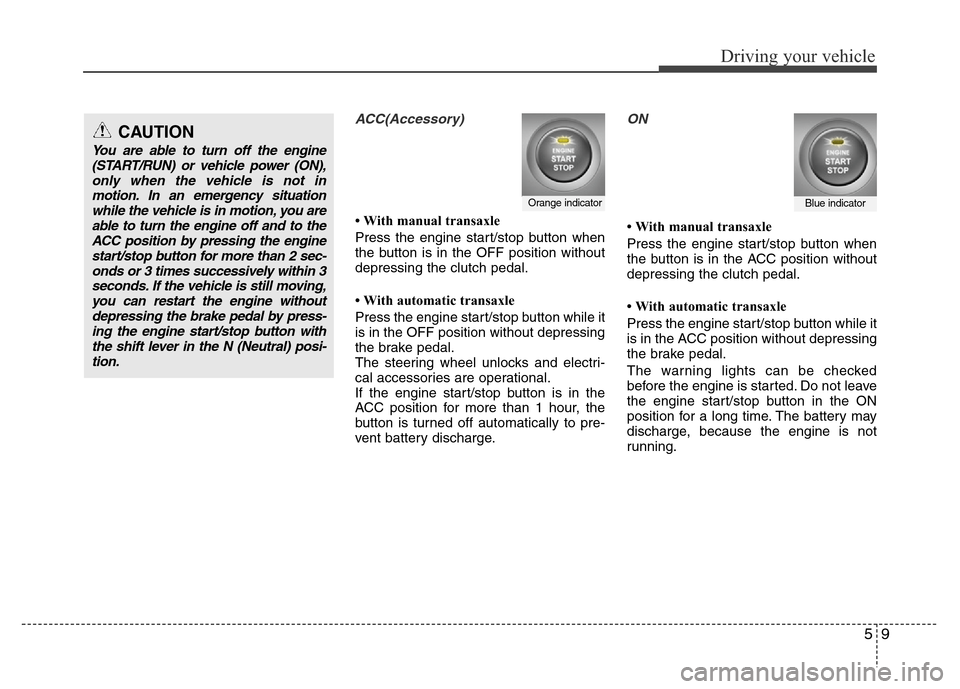
ACC(Accessory)
• With manual transaxle
Press the engine start/stop button when
the button is in the OFF position without
depressing the clutch pedal.
• With automatic transaxle
Press the engine start/stop button while it
is in the OFF position without depressing
the brake pedal.
The steering wheel unlocks and electri-
cal accessories are operational.
If the engine start/stop button is in the
ACC position for more than 1 hour, the
button is turned off automatically to pre-
vent battery discharge.
ON
• With manual transaxle
Press the engine start/stop button when
the button is in the ACC position without
depressing the clutch pedal.
• With automatic transaxle
Press the engine start/stop button while it
is in the ACC position without depressing
the brake pedal.
The warning lights can be checked
before the engine is started. Do not leave
the engine start/stop button in the ON
position for a long time. The battery may
discharge, because the engine is not
running.
Orange indicatorBlue indicator
CAUTION
You are able to turn off the engine
(START/RUN) or vehicle power (ON),
only when the vehicle is not in
motion. In an emergency situation
while the vehicle is in motion, you are
able to turn the engine off and to the
ACC position by pressing the engine
start/stop button for more than 2 sec-
onds or 3 times successively within 3
seconds. If the vehicle is still moving,
you can restart the engine without
depressing the brake pedal by press-
ing the engine start/stop button with
the shift lever in the N (Neutral) posi-
tion.
Page 232 of 402
Driving your vehicle
12 5
3. Press the engine start/stop button
while depressing the brake pedal.
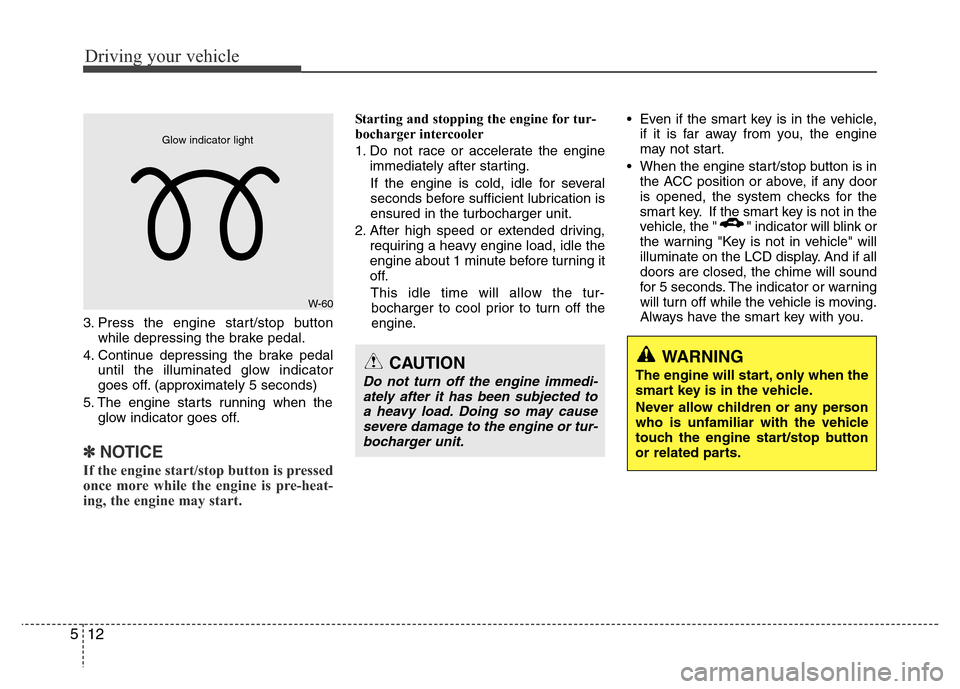
4. Continue depressing the brake pedal
until the illuminated glow indicator
goes off. (approximately 5 seconds)
5. The engine starts running when the
glow indicator goes off.
✽ NOTICE
If the engine start/stop button is pressed
once more while the engine is pre-heat-
ing, the engine may start.
Starting and stopping the engine for tur-
bocharger intercooler
1. Do not race or accelerate the engine
immediately after starting.
If the engine is cold, idle for several
seconds before sufficient lubrication is
ensured in the turbocharger unit.
2. After high speed or extended driving,
requiring a heavy engine load, idle the
engine about 1 minute before turning it
off.
This idle time will allow the tur-
bocharger to cool prior to turn off the
engine.• Even if the smart key is in the vehicle,
if it is far away from you, the engine
may not start.
• When the engine start/stop button is in
the ACC position or above, if any door
is opened, the system checks for the
smart key. If the smart key is not in the
vehicle, the " " indicator will blink or
the warning "Key is not in vehicle" will
illuminate on the LCD display. And if all
doors are closed, the chime will sound
for 5 seconds. The indicator or warning
will turn off while the vehicle is moving.
Always have the smart key with you.
WARNING
The engine will start, only when the
smart key is in the vehicle.
Never allow children or any person
who is unfamiliar with the vehicle
touch the engine start/stop button
or related parts.CAUTION
Do not turn off the engine immedi-
ately after it has been subjected to
a heavy load. Doing so may cause
severe damage to the engine or tur-
bocharger unit.
W-60
Glow indicator light
Page 233 of 402
513
Driving your vehicle
✽ NOTICE
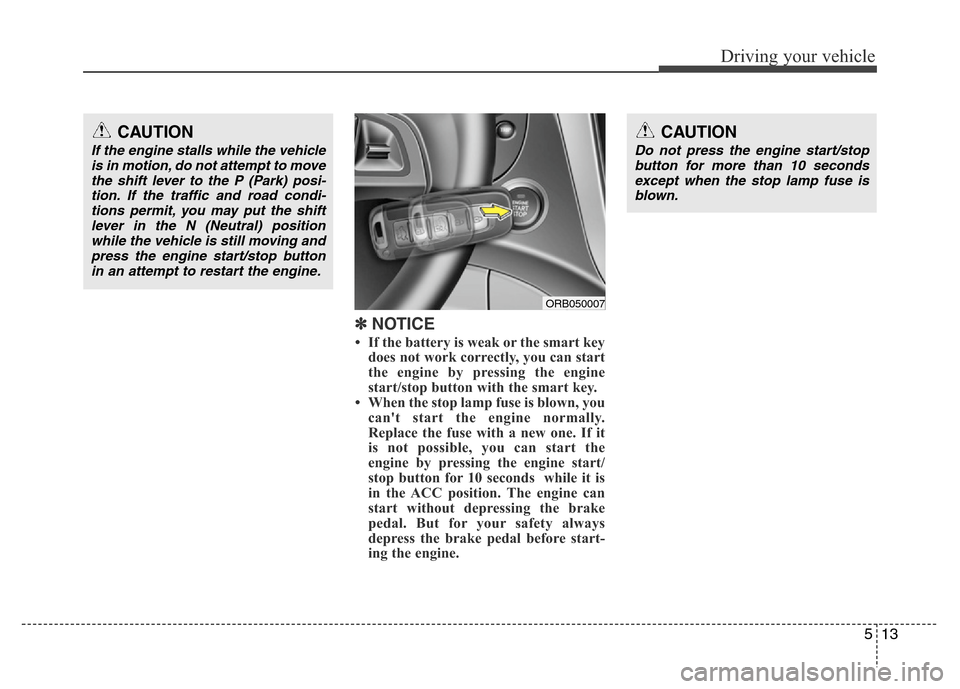
• If the battery is weak or the smart key
does not work correctly, you can start
the engine by pressing the engine
start/stop button with the smart key.
• When the stop lamp fuse is blown, you
can't start the engine normally.
Replace the fuse with a new one. If it
is not possible, you can start the
engine by pressing the engine start/
stop button for 10 seconds while it is
in the ACC position. The engine can
start without depressing the brake
pedal. But for your safety always
depress the brake pedal before start-
ing the engine.
CAUTION
Do not press the engine start/stop
button for more than 10 seconds
except when the stop lamp fuse is
blown.
CAUTION
If the engine stalls while the vehicle
is in motion, do not attempt to move
the shift lever to the P (Park) posi-
tion. If the traffic and road condi-
tions permit, you may put the shift
lever in the N (Neutral) position
while the vehicle is still moving and
press the engine start/stop button
in an attempt to restart the engine.
ORB050007
Page 234 of 402
Driving your vehicle
14 5
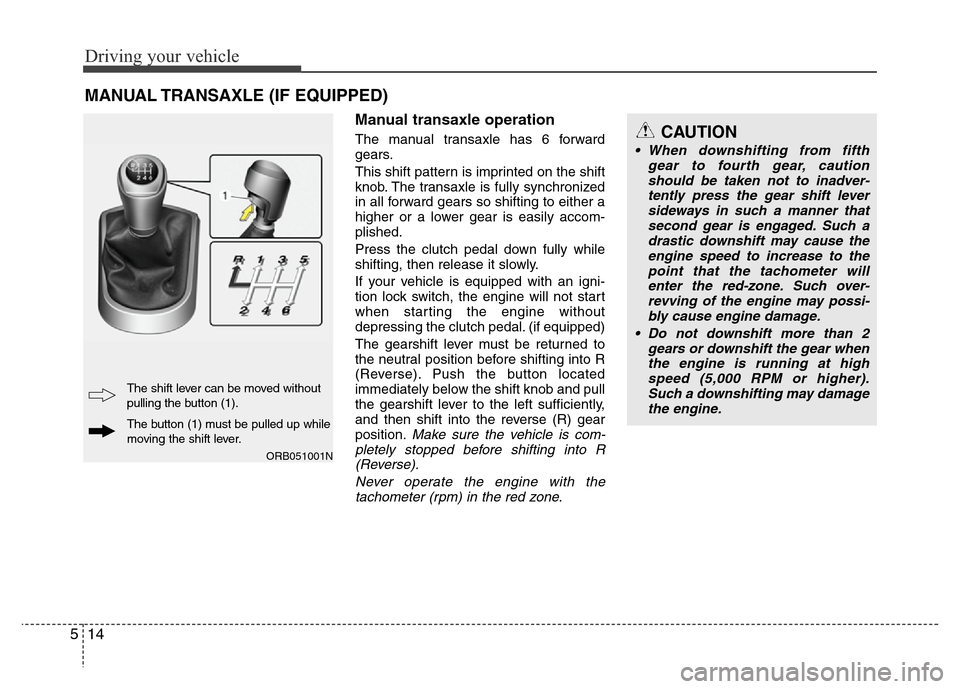
Manual transaxle operation
The manual transaxle has 6 forward
gears.
This shift pattern is imprinted on the shift
knob. The transaxle is fully synchronized
in all forward gears so shifting to either a
higher or a lower gear is easily accom-
plished.
Press the clutch pedal down fully while
shifting, then release it slowly.
If your vehicle is equipped with an igni-
tion lock switch, the engine will not start
when starting the engine without
depressing the clutch pedal. (if equipped)
The gearshift lever must be returned to
the neutral position before shifting into R
(Reverse). Push the button located
immediately below the shift knob and pull
the gearshift lever to the left sufficiently,
and then shift into the reverse (R) gear
position.
Make sure the vehicle is com-
pletely stopped before shifting into R
(Reverse).
Never operate the engine with the
tachometer (rpm) in the red zone.
MANUAL TRANSAXLE (IF EQUIPPED)
CAUTION
• When downshifting from fifth
gear to fourth gear, caution
should be taken not to inadver-
tently press the gear shift lever
sideways in such a manner that
second gear is engaged. Such a
drastic downshift may cause the
engine speed to increase to the
point that the tachometer will
enter the red-zone. Such over-
revving of the engine may possi-
bly cause engine damage.
• Do not downshift more than 2
gears or downshift the gear when
the engine is running at high
speed (5,000 RPM or higher).
Such a downshifting may damage
the engine.
ORB051001N
The button (1) must be pulled up while
moving the shift lever. The shift lever can be moved without
pulling the button (1).