ignition Hyundai Accent 2014 Owner's Guide
[x] Cancel search | Manufacturer: HYUNDAI, Model Year: 2014, Model line: Accent, Model: Hyundai Accent 2014Pages: 406, PDF Size: 33.11 MB
Page 94 of 406
417
Features of your vehicle
Power windows
The ignition switch must be in the ON
position for power windows to operate.
Each door has a power window switch
that controls that door's window. The
driver has a power window lock switch
which can block the operation of pas-
senger windows. The driver’s door has
a master power window switch that
controls all the windows in the vehicle.
The power windows can be operated for
approximately 30 seconds after the igni-
tion key is removed or turned to the ACC
or LOCK position. However, if the front
doors open, the power windows cannot
be operated within the 30 second period
(if equipped : remote keyless entry sys-
tem).
✽ ✽
NOTICE
While driving with the rear windows
down or with the sunroof (if equipped) in
an open (or partially open) position, your
vehicle may demonstrate a wind buffet-
ing or pulsation noise. This noise is a
normal occurrence and can be reduced
or eliminated by taking the following
actions. If the noise occurs with one or
both of the rear windows down, partially
lower both front windows approximate-
ly one inch. If you experience the noise
with the sunroof open, slightly reduce the
size of the sunroof opening.
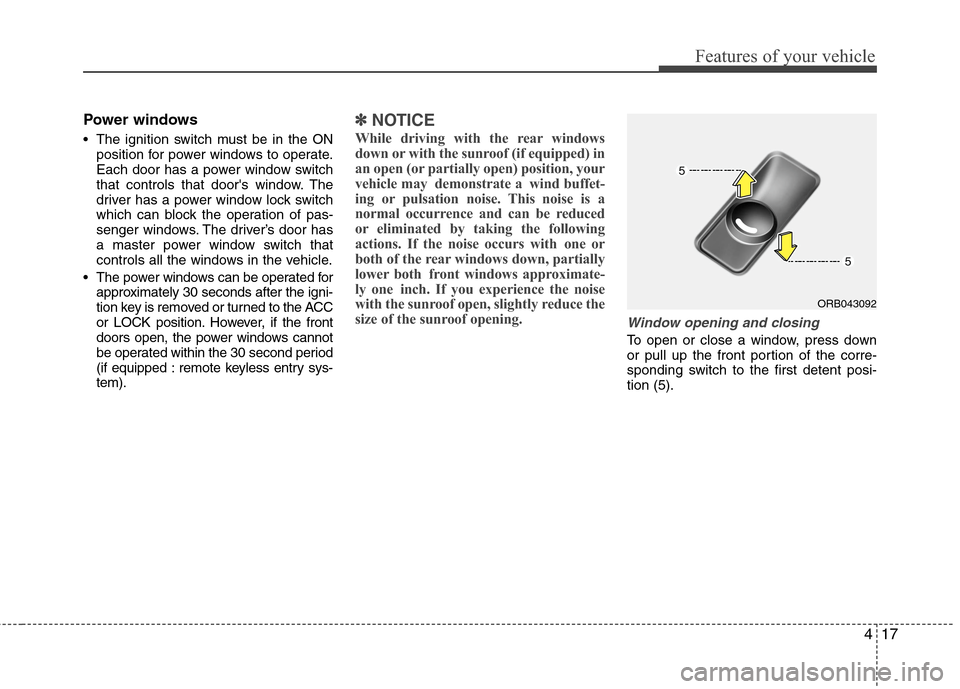
Window opening and closing
To open or close a window, press down
or pull up the front portion of the corre-
sponding switch to the first detent posi-
tion (5).
ORB043092
Page 95 of 406
Features of your vehicle
18 4
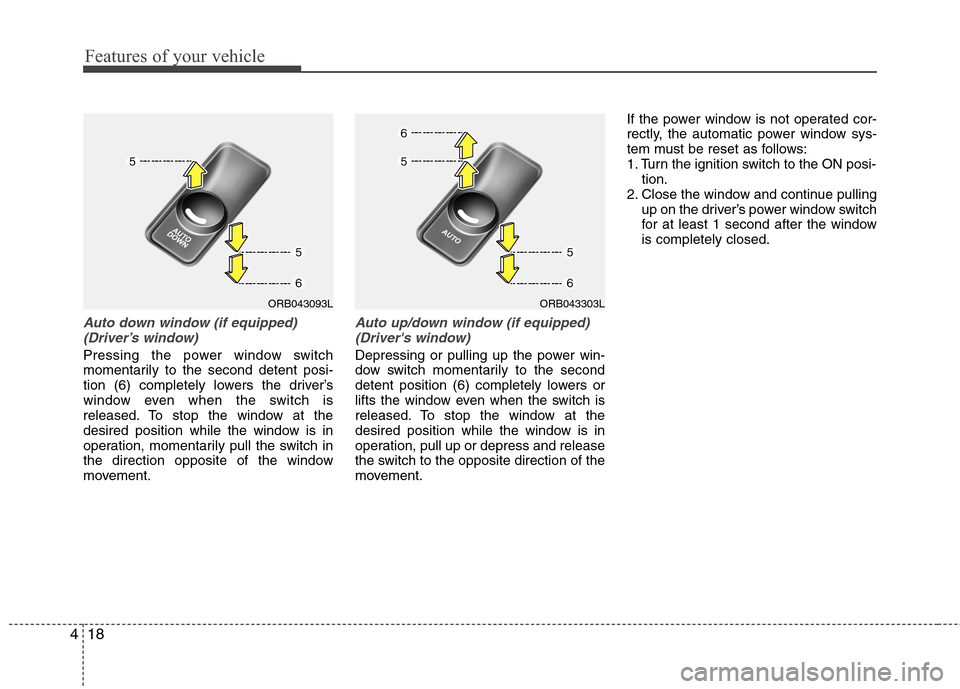
Auto down window (if equipped)
(Driver’s window)
Pressing the power window switch
momentarily to the second detent posi-
tion (6) completely lowers the driver’s
window even when the switch is
released. To stop the window at the
desired position while the window is in
operation, momentarily pull the switch in
the direction opposite of the window
movement.
Auto up/down window (if equipped)
(Driver's window)
Depressing or pulling up the power win-
dow switch momentarily to the second
detent position (6) completely lowers or
lifts the window even when the switch is
released. To stop the window at the
desired position while the window is in
operation, pull up or depress and release
the switch to the opposite direction of the
movement.If the power window is not operated cor-
rectly, the automatic power window sys-
tem must be reset as follows:
1. Turn the ignition switch to the ON posi-
tion.
2. Close the window and continue pulling
up on the driver’s power window switch
for at least 1 second after the window
is completely closed.
ORB043093LORB043303L
Page 103 of 406
Features of your vehicle
26 4
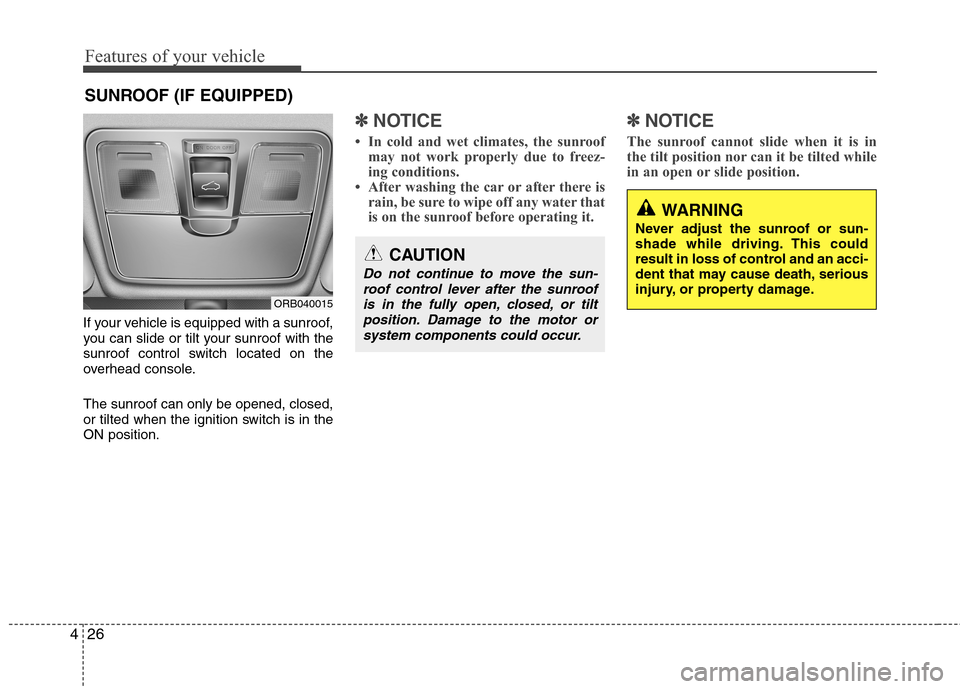
If your vehicle is equipped with a sunroof,
you can slide or tilt your sunroof with the
sunroof control switch located on the
overhead console.
The sunroof can only be opened, closed,
or tilted when the ignition switch is in the
ON position.
✽ ✽
NOTICE
• In cold and wet climates, the sunroof
may not work properly due to freez-
ing conditions.
• After washing the car or after there is
rain, be sure to wipe off any water that
is on the sunroof before operating it.
✽ ✽
NOTICE
The sunroof cannot slide when it is in
the tilt position nor can it be tilted while
in an open or slide position.
CAUTION
Do not continue to move the sun-
roof control lever after the sunroof
is in the fully open, closed, or tilt
position. Damage to the motor or
system components could occur.
WARNING
Never adjust the sunroof or sun-
shade while driving. This could
result in loss of control and an acci-
dent that may cause death, serious
injury, or property damage.
SUNROOF (IF EQUIPPED)
ORB040015
Page 106 of 406
429
Features of your vehicle
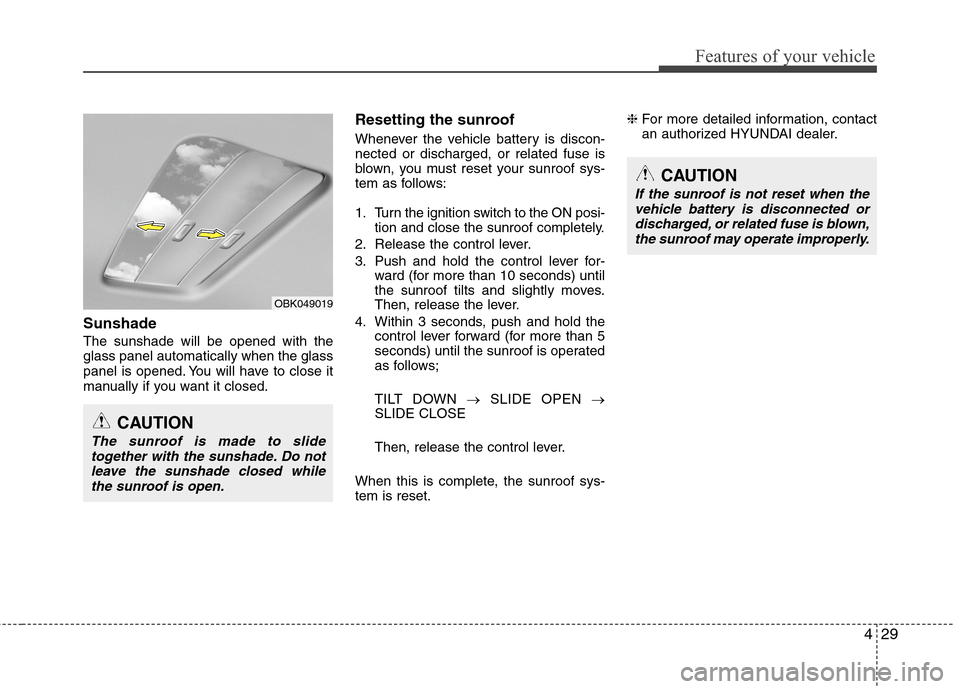
Sunshade
The sunshade will be opened with the
glass panel automatically when the glass
panel is opened. You will have to close it
manually if you want it closed.
Resetting the sunroof
Whenever the vehicle battery is discon-
nected or discharged, or related fuse is
blown, you must reset your sunroof sys-
tem as follows:
1. Turn the ignition switch to the ON posi-
tion and close the sunroof completely.
2. Release the control lever.
3. Push and hold the control lever for-
ward (for more than 10 seconds) until
the sunroof tilts and slightly moves.
Then, release the lever.
4. Within 3 seconds, push and hold the
control lever forward (for more than 5
seconds) until the sunroof is operated
as follows;
TILT DOWN →SLIDE OPEN →
SLIDE CLOSE
Then, release the control lever.
When this is complete, the sunroof sys-
tem is reset.❈For more detailed information, contact
an authorized HYUNDAI dealer.
CAUTION
The sunroof is made to slide
together with the sunshade. Do not
leave the sunshade closed while
the sunroof is open.
OBK049019
CAUTION
If the sunroof is not reset when the
vehicle battery is disconnected or
discharged, or related fuse is blown,
the sunroof may operate improperly.
Page 107 of 406
Features of your vehicle
30 4
Electric power steering (EPS)
The power steering uses a motor to
assist you in steering the vehicle. If the
engine is off or if the power steering sys-
tem becomes inoperative, the vehicle
may still be steered, but it will require
increased steering effort.
The motor driven power steering is con-
trolled by a power steering control unit
which senses the steering wheel torque
and vehicle speed to command the
motor.
The steering becomes heavier as the
vehicle’s speed increases and becomes
lighter as the vehicle’s speed decreases
for optimum steering control.
Should you notice any change in the
effort required to steer during normal
vehicle operation, have the power steer-
ing checked by an authorized HYUNDAI
dealer.
✽ ✽
NOTICE
The following symptoms may occur dur-
ing normal vehicle operation:
• The EPS warning light does not illu-
minate.
• The steering gets heavy immediately
after turning the ignition switch on.
This happens as the system performs
the EPS system diagnostics. When the
diagnostics is completed, the steering
wheel will return to its normal condi-
tion.
• A click noise may be heard from the
EPS relay after the ignition switch is
turned to the ON or LOCK (OFF)
position.
• A motor noise may be heard when the
vehicle is at a stop or at a low driving
speed.
• If the Electric Power Steering System
does not operate normally, the warning
light will illuminate on the instrument
cluster. The steering wheel may
become difficult to control or operate
abnormally. Take your vehicle to an
authorized HYUNDAI dealer and have
the vehicle checked as soon as possible.
• When you operate the steering wheel in
low temperature, abnormal noise could
occur. If temperature rises, the noise will
disappear. This is a normal condition.
(Continued)
STEERING WHEEL
CAUTION
If the Electric Power Steering
System does not operate normal-
ly, the warning light will illuminate
on the instrument cluster. The
steering wheel may become diffi-
cult to control or operate abnor-
mally. Take your vehicle to an
authorized HYUNDAI dealer and
have the vehicle checked as soon
as possible.
When you operate the steering
wheel in low temperature, abnor-
mal noise could occur. If tempera-
ture rises, the noise will disap-
pear. This is a normal condition.
When the vehicle is stationary, if
you turn the steering wheel all the
way to the left or right continu-
ously, the steering wheel
becomes heavier from the end.
But this is for your safety, not sys-
tem malfunction. As time passes,
the steering wheel will return to
its normal condition.
Page 111 of 406
Remote control
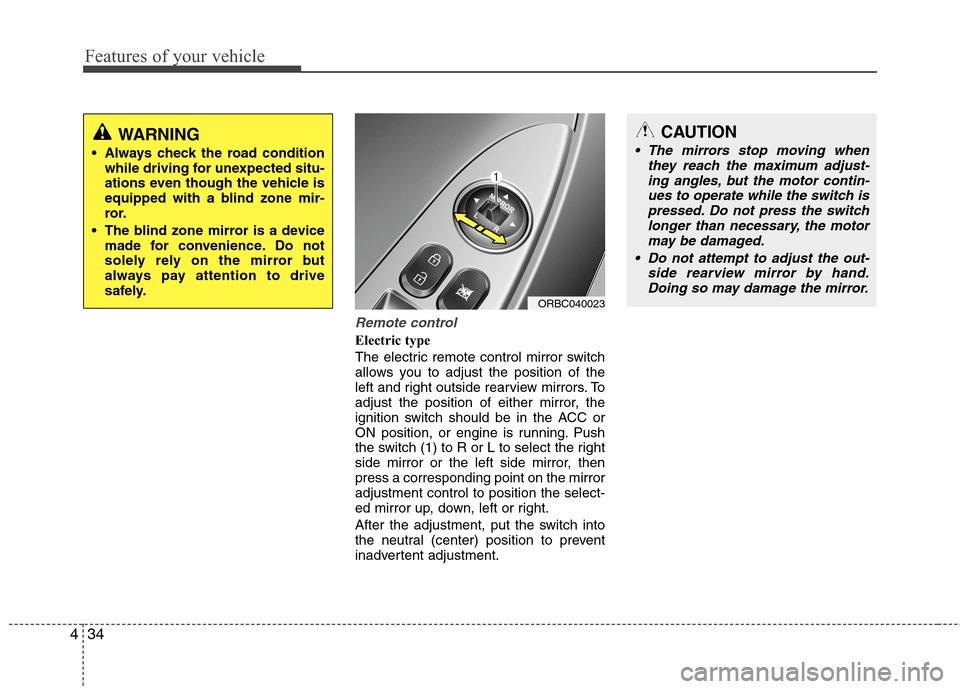
Electric type
The electric remote control mirror switch
allows you to adjust the position of the
left and right outside rearview mirrors. To
adjust the position of either mirror, the
ignition switch should be in the ACC or
ON position, or engine is running. Push
the switch (1) to R or L to select the right
side mirror or the left side mirror, then
press a corresponding point on the mirror
adjustment control to position the select-
ed mirror up, down, left or right.
After the adjustment, put the switch into
the neutral (center) position to prevent
inadvertent adjustment.
CAUTION
The mirrors stop moving when
they reach the maximum adjust-
ing angles, but the motor contin-
ues to operate while the switch is
pressed. Do not press the switch
longer than necessary, the motor
may be damaged.
Do not attempt to adjust the out-
side rearview mirror by hand.
Doing so may damage the mirror.
ORBC040023
Features of your vehicle
34 4
WARNING
Always check the road condition
while driving for unexpected situ-
ations even though the vehicle is
equipped with a blind zone mir-
ror.
The blind zone mirror is a device
made for convenience. Do not
solely rely on the mirror but
always pay attention to drive
safely.
Page 115 of 406
Features of your vehicle
38 4
When the door is open, or if the engine is
not started within 1 minute, the tachometer
pointer may move slightly in ON position
with the engine OFF. This movement is
normal and will not affect the accuracy of
the tachometer once the engine is running.
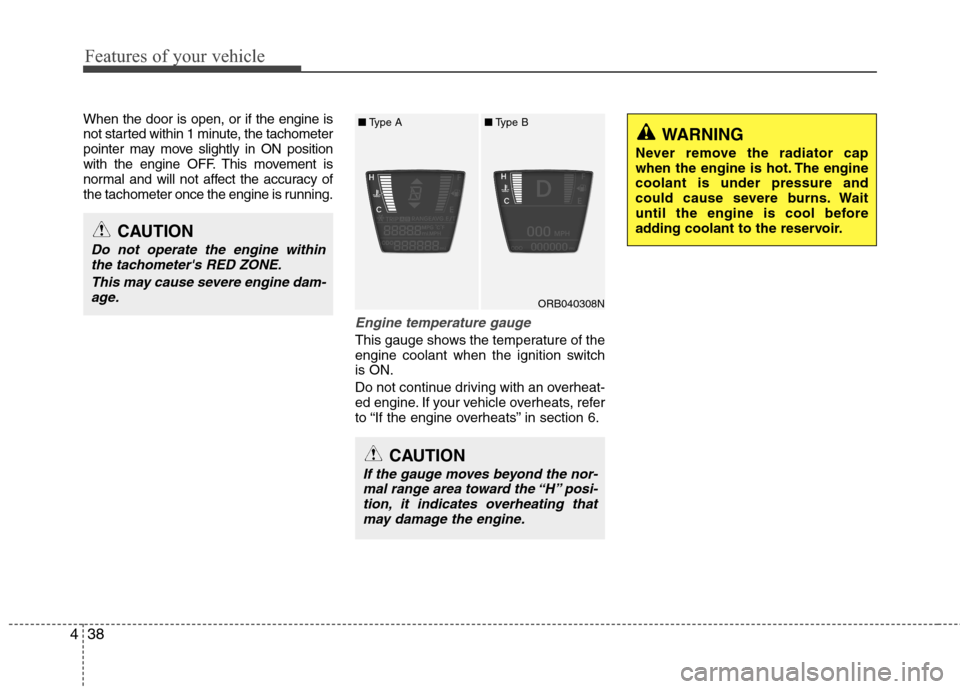
Engine temperature gauge
This gauge shows the temperature of the
engine coolant when the ignition switch
is ON.
Do not continue driving with an overheat-
ed engine. If your vehicle overheats, refer
to “If the engine overheats” in section 6.
ORB040308N
CAUTION
If the gauge moves beyond the nor-
mal range area toward the “H” posi-
tion, it indicates overheating that
may damage the engine.
CAUTION
Do not operate the engine within
the tachometer's RED ZONE.
This may cause severe engine dam-
age.
WARNING
Never remove the radiator cap
when the engine is hot. The engine
coolant is under pressure and
could cause severe burns. Wait
until the engine is cool before
adding coolant to the reservoir.
■Type A■Type B
Page 116 of 406
439
Features of your vehicle
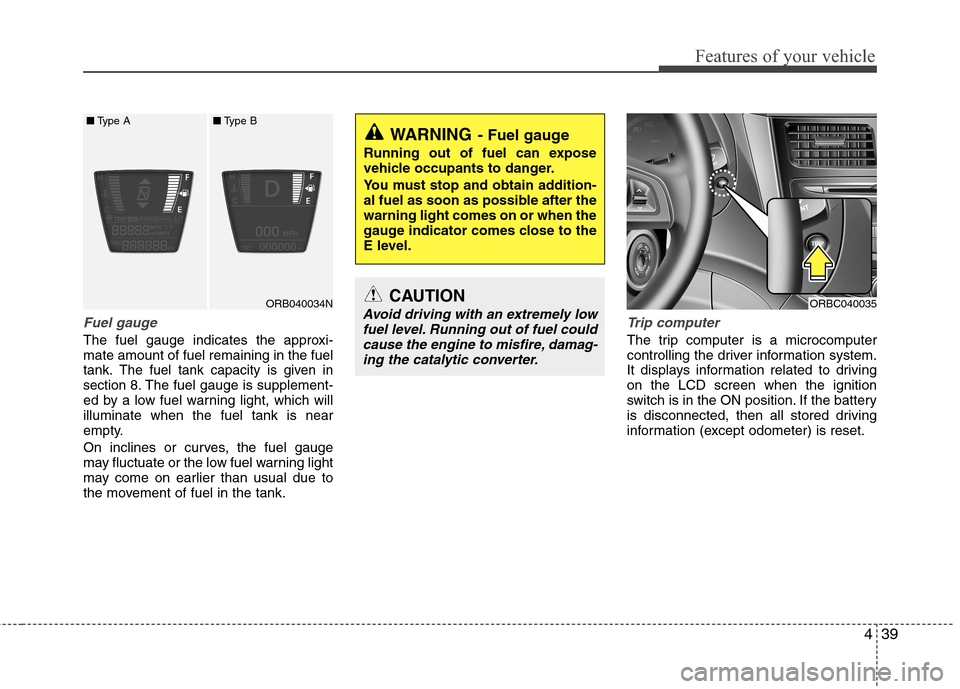
Fuel gauge
The fuel gauge indicates the approxi-
mate amount of fuel remaining in the fuel
tank.
The fuel tank capacity is given in
section 8.The fuel gauge is supplement-
ed by a low fuel warning light, which will
illuminate when the fuel tank is near
empty.
On inclines or curves, the fuel gauge
may fluctuate or the low fuel warning light
may come on earlier than usual due to
the movement of fuel in the tank.
Trip computer
The trip computer is a microcomputer
controlling the driver information system.
It displays information related to driving
on the LCD screen when the ignition
switch is in the ON position. If the battery
is disconnected, then all stored driving
information (except odometer) is reset.
WARNING- Fuel gauge
Running out of fuel can expose
vehicle occupants to danger.
You must stop and obtain addition-
al fuel as soon as possible after the
warning light comes on or when the
gauge indicator comes close to the
E level.
CAUTION
Avoid driving with an extremely low
fuel level. Running out of fuel could
cause the engine to misfire, damag-
ing the catalytic converter.ORB040034NORBC040035
■Type A■Type B
Page 120 of 406
443
Features of your vehicle
Warnings and indicators
All warning lights are checked by turning
the ignition switch ON (do not start the
engine). Any light that does not illuminate
should be checked by an authorized
HYUNDAI dealer.
After starting the engine, check to make
sure that all warning lights are off. If any
are still on, this indicates a situation that
needs attention. When releasing the
parking brake, the brake system warning
light should go off. The fuel warning light
will stay on if the fuel level is low.
ECO indicator
Active ECO system
When the active ECO is operating the
ECO indicator is green.
For more detailed information, refer to
“Active ECO” in chapter 5.
Air bag warning light
This warning light will illuminate for
approximately 6 seconds each time you
turn the ignition switch to the ON posi-
tion.
This light also comes on when the
Supplemental Restraint System (SRS) is
not working properly. If the SRS air bag
warning light does not come on, or
continuously remains on after operating
for about 6 seconds when you turned the
ignition switch to the ON position or start-
ed the engine, or if it comes on while
driving, have the SRS inspected by an
authorized HYUNDAI dealer.
ECO
WARNING
Don't keep watching the indicator
while driving. It will distract you
while driving and cause an accident
that results in severe personal injury.
Page 121 of 406
Features of your vehicle
44 4
Anti-lock brake system
(ABS) warning light
This light illuminates if the ignition switch
is turned ON and goes off in approxi-
mately 3 seconds if the system is operat-
ing normally.
If the ABS warning light remains on,
comes on while driving, or does not
come on when the ignition switch is
turned to the ON position, this indicates
that there may be a malfunction with the
ABS.
If this occurs, have your vehicle checked
by an authorized HYUNDAI dealer as
soon as possible. The normal braking
system will still be operational, but with-
out the assistance of the anti-lock brake
system.If the ABS warning light turns on while
driving
1. Park the vehicle in a safe place and
turn off the engine.
2. Turn on the engine again.
3. If the warning light illuminates and
turns off in approximately 3 seconds,
the system is operating normally.
If the warning light does not turn off, have
your vehicle checked by an authorized
HYUNDAI dealer as soon as possible.Electronic brake force distri-
bution (EBD) system warning
light
If these two warning lights illuminate at
the same time while driving, your vehicle
may have a malfunction with the ABS
and EBD system.
In this case, your ABS and regular brake
system may not work normally. Have the
vehicle checked by an authorized
HYUNDAI dealer as soon as possible.
WARNING
If the both ABS and brake warning
lights are on and stay on, your vehi-
cle’s brake system will not work
normally during sudden braking. In
this case, avoid high speed driving
and abrupt braking. Have your vehi-
cle checked by an authorized
HYUNDAI dealer as soon as possi-
ble.