battery Hyundai Accent 2015 User Guide
[x] Cancel search | Manufacturer: HYUNDAI, Model Year: 2015, Model line: Accent, Model: Hyundai Accent 2015Pages: 406, PDF Size: 33.11 MB
Page 125 of 406
Features of your vehicle
48 4
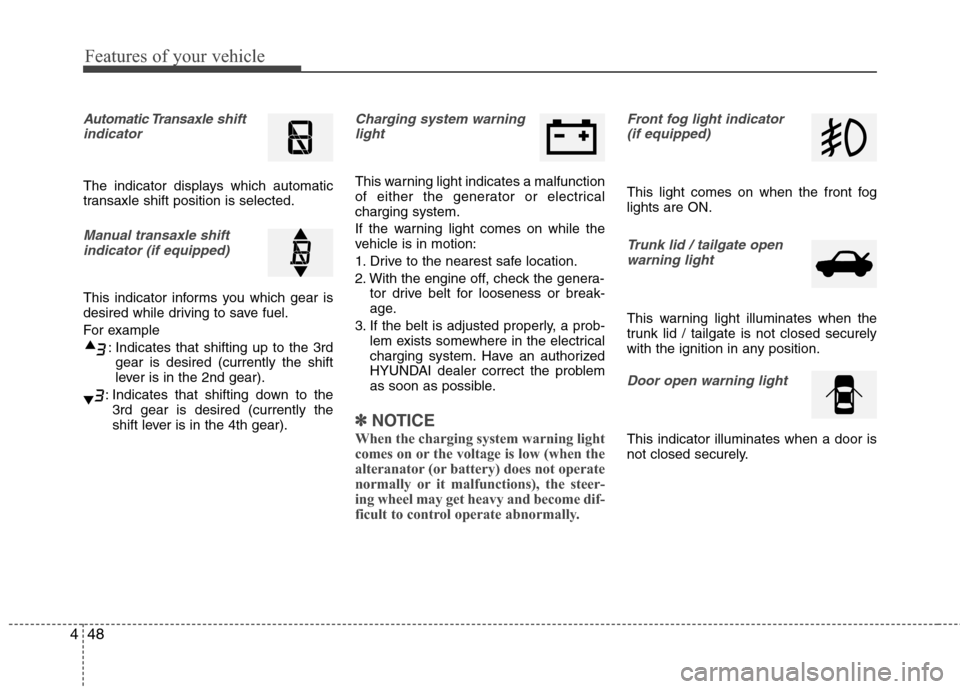
Automatic Transaxleshift
indicator
The indicator displays which automatic
transaxle shift position is selected.
Manual transaxle shift
indicator (if equipped)
This indicator informs you which gear is
desired while driving to save fuel.
For example
: Indicates that shifting up to the 3rd
gear is desired (currently the shift
lever is in the 2nd gear).
: Indicates that shifting down to the
3rd gear is desired (currently the
shift lever is in the 4th gear).
Charging system warning
light
This warning light indicates a malfunction
of either the generator or electrical
charging system.
If the warning light comes on while the
vehicle is in motion:
1. Drive to the nearest safe location.
2. With the engine off, check the genera-
tor drive belt for looseness or break-
age.
3. If the belt is adjusted properly, a prob-
lem exists somewhere in the electrical
charging system. Have an authorized
HYUNDAI dealer correct the problem
as soon as possible.
✽ ✽
NOTICE
When the charging system warning light
comes on or the voltage is low (when the
alteranator (or battery) does not operate
normally or it malfunctions), the steer-
ing wheel may get heavy and become dif-
ficult to control operate abnormally.
Front fog light indicator
(if equipped)
This light comes on when the front fog
lights are ON.
Trunk lid / tailgate open
warning light
This warning light illuminates when the
trunk lid / tailgate is not closed securely
with the ignition in any position.
Door open warning light
This indicator illuminates when a door is
not closed securely.
Page 129 of 406
Features of your vehicle
52 4
CAUTION
If the driver gets out of the vehicle
through other doors, the battery
saver function does not operate.
Therefore, it causes the battery to
be discharged. In this case, make
sure to turn off the lamp before get-
ting out of the vehicle.
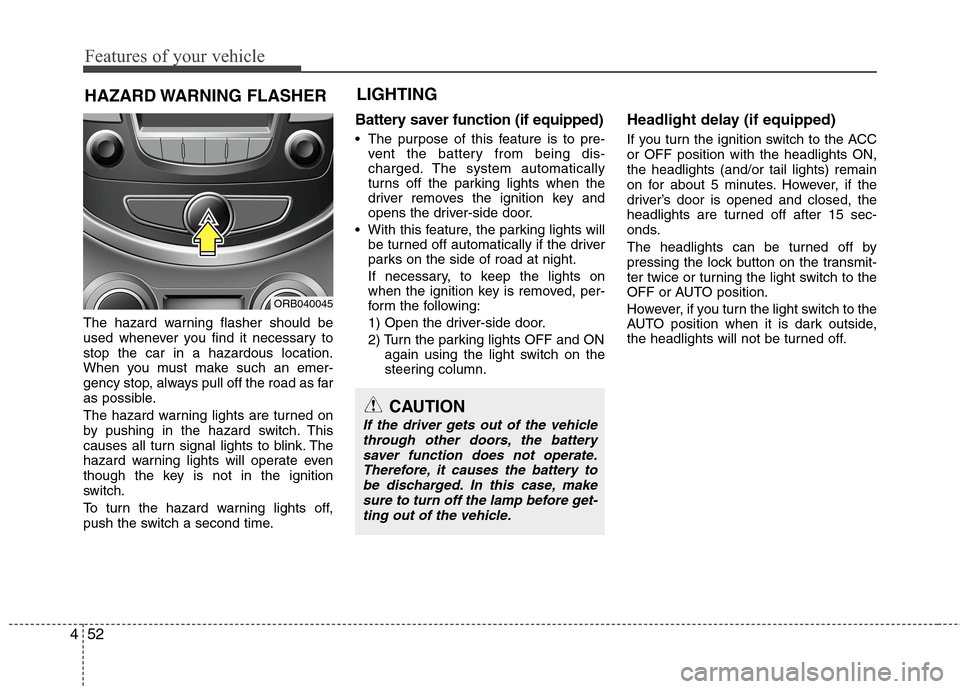
The hazard warning flasher should be
used whenever you find it necessary to
stop the car in a hazardous location.
When you must make such an emer-
gency stop, always pull off the road as far
as possible.
The hazard warning lights are turned on
by pushing in the hazard switch. This
causes all turn signal lights to blink. The
hazard warning lights will operate even
though the key is not in the ignition
switch.
To turn the hazard warning lights off,
push the switch a second time.
Battery saver function (if equipped)
The purpose of this feature is to pre-
vent the battery from being dis-
charged. The system automatically
turns off the parking lights when the
driver removes the ignition key and
opens the driver-side door.
With this feature, the parking lights will
be turned off automatically if the driver
parks on the side of road at night.
If necessary, to keep the lights on
when the ignition key is removed, per-
form the following:
1) Open the driver-side door.
2) Turn the parking lights OFF and ON
again using the light switch on the
steering column.
Headlight delay (if equipped)
If you turn the ignition switch to the ACC
or OFF position with the headlights ON,
the headlights (and/or tail lights) remain
on for about 5 minutes. However, if the
driver’s door is opened and closed, the
headlights are turned off after 15 sec-
onds.
The headlights can be turned off by
pressing the lock button on the transmit-
ter twice or turning the light switch to the
OFF or AUTO position.
However, if you turn the light switch to the
AUTO position when it is dark outside,
the headlights will not be turned off.
HAZARD WARNING FLASHER
ORB040045
LIGHTING
Page 130 of 406
453
Features of your vehicle
Headlight welcome function
(if equipped)
When the headlight switch is in the ON or
AUTO position and all doors (and tail-
gate) are closed and locked, if you press
the door unlock button on the transmitter,
the headlights will come on for about 15
seconds.
If the headlight switch is in the AUTO
position, the function can only operate at
night.
At this time, if you press the door unlock
button again or door lock button on the
transmitter, the headlights will turn off
immediately.
Tail lamp warning chime
(if equipped)
If you turn the ignition switch to the OFF
position with the tail lamps ON and the
driver's door in an open position, the
warning chime will sound.
To stop the chime, perform one of the fol-
lowing:
1) Turn the ignition key to the ON posi-
tion.
2) Turn the tail lamps OFF.
3) Close the driver's door.
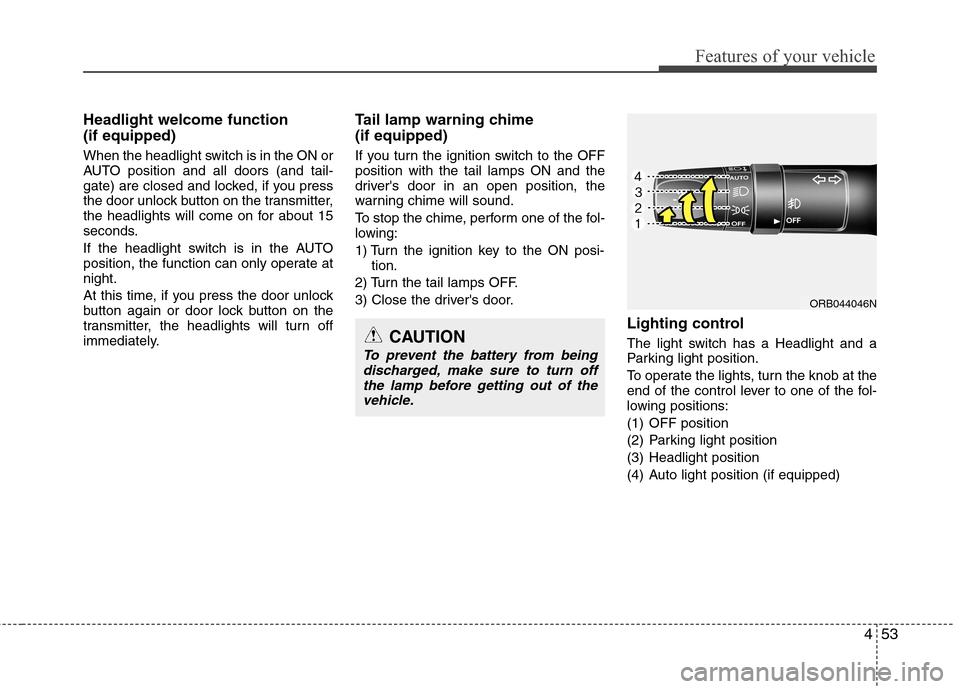
Lighting control
The light switch has a Headlight and a
Parking light position.
To operate the lights, turn the knob at the
end of the control lever to one of the fol-
lowing positions:
(1) OFF position
(2) Parking light position
(3) Headlight position
(4) Auto light position (if equipped)CAUTION
To prevent the battery from being
discharged, make sure to turn off
the lamp before getting out of the
vehicle.
ORB044046N
Page 132 of 406
455
Features of your vehicle
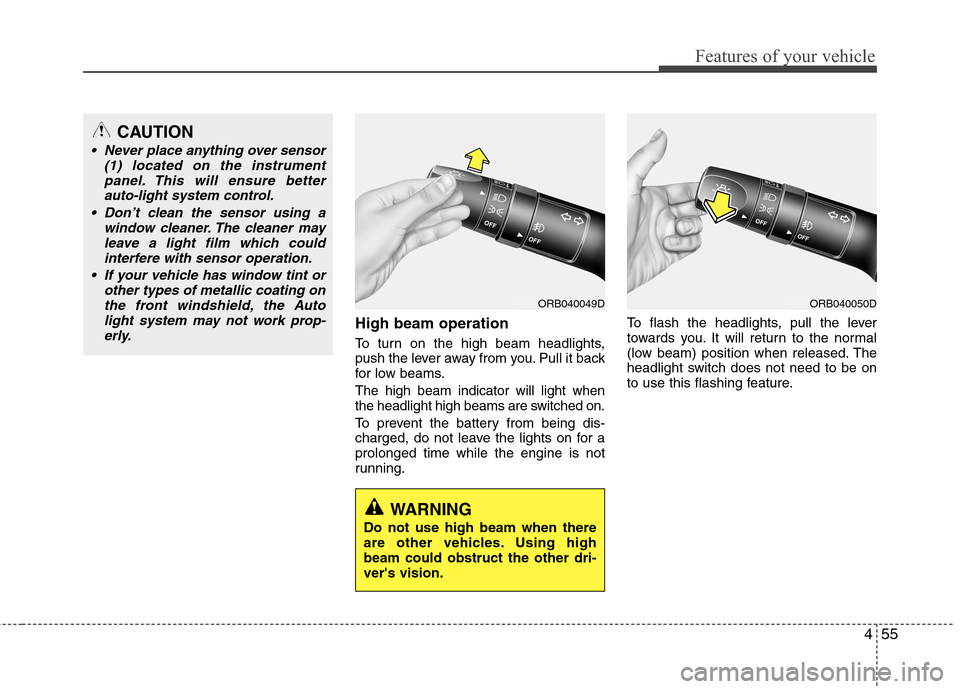
High beam operation
To turn on the high beam headlights,
push the lever away from you. Pull it back
for low beams.
The high beam indicator will light when
the headlight high beams are switched on.
To prevent the battery from being dis-
charged, do not leave the lights on for a
prolonged time while the engine is not
running.To flash the headlights, pull the lever
towards you. It will return to the normal
(low beam) position when released. The
headlight switch does not need to be on
to use this flashing feature.
CAUTION
Never place anything over sensor
(1) located on the instrument
panel. This will ensure better
auto-light system control.
Don’t clean the sensor using a
window cleaner. The cleaner may
leave a light film which could
interfere with sensor operation.
If your vehicle has window tint or
other types of metallic coating on
the front windshield, the Auto
light system may not work prop-
erly.
ORB040049DORB040050D
WARNING
Do not use high beam when there
are other vehicles. Using high
beam could obstruct the other dri-
ver's vision.
Page 133 of 406
Features of your vehicle
56 4
Turn signals and lane change sig-
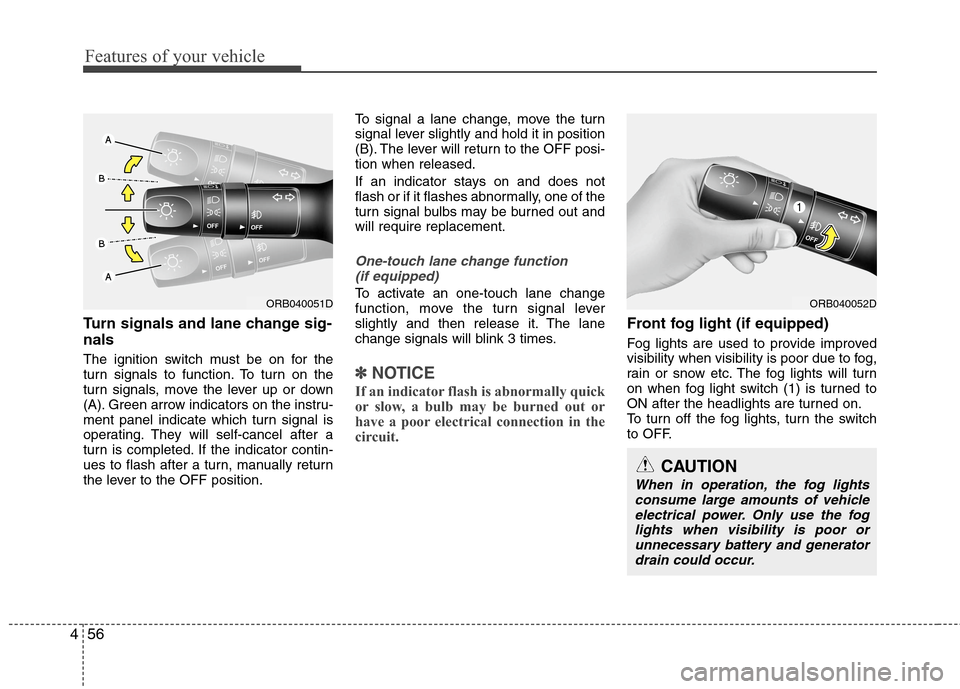
nals
The ignition switch must be on for the
turn signals to function. To turn on the
turn signals, move the lever up or down
(A). Green arrow indicators on the instru-
ment panel indicate which turn signal is
operating. They will self-cancel after a
turn is completed. If the indicator contin-
ues to flash after a turn, manually return
the lever to the OFF position.To signal a lane change, move the turn
signal lever slightly and hold it in position
(B). The lever will return to the OFF posi-
tion when released.
If an indicator stays on and does not
flash or if it flashes abnormally, one of the
turn signal bulbs may be burned out and
will require replacement.
One-touch lane change function
(if equipped)
To activate an one-touch lane change
function, move the turn signal lever
slightly and then release it. The lane
change signals will blink 3 times.
✽ ✽
NOTICE
If an indicator flash is abnormally quick
or slow, a bulb may be burned out or
have a poor electrical connection in the
circuit.
Front fog light (if equipped)
Fog lights are used to provide improved
visibility when visibility is poor due to fog,
rain or snow etc. The fog lights will turn
on when fog light switch (1) is turned to
ON after the headlights are turned on.
To turn off the fog lights, turn the switch
to OFF.
ORB040051D
CAUTION
When in operation, the fog lights
consume large amounts of vehicle
electrical power. Only use the fog
lights when visibility is poor or
unnecessary battery and generator
drain could occur.
ORB040052D
Page 138 of 406
461
Features of your vehicle
Automatic turn off function
(if equipped)
The interior lights automatically turn off
approximately 20 minutes after the igni-
tion switch is turned off.
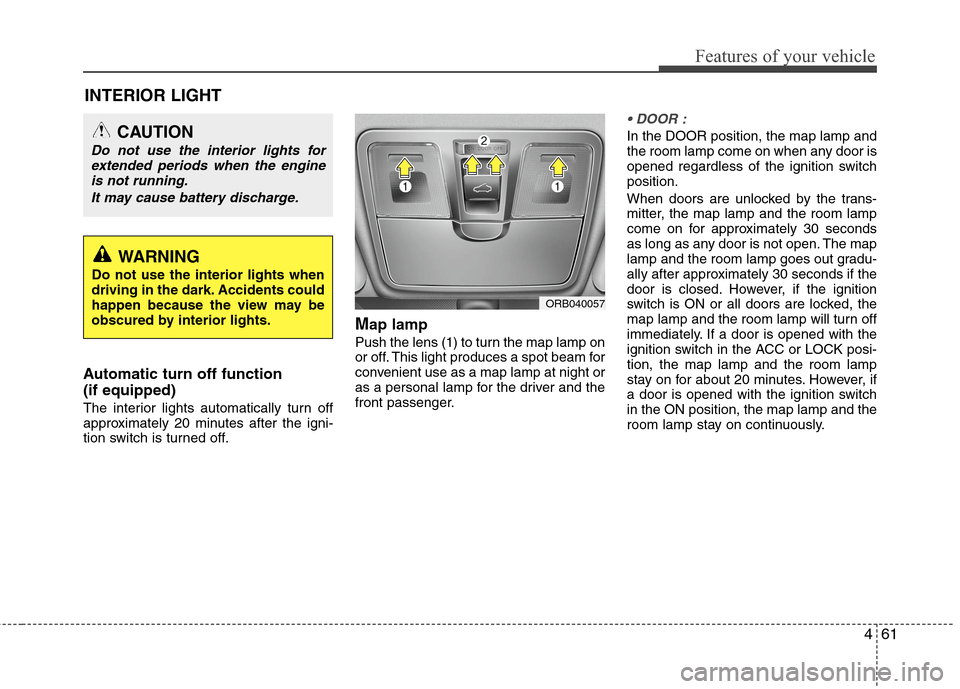
Map lamp
Push the lens (1) to turn the map lamp on
or off. This light produces a spot beam for
convenient use as a map lamp at night or
as a personal lamp for the driver and the
front passenger.
In the DOOR position, the map lamp and
the room lamp come on when any door is
opened regardless of the ignition switch
position.
When doors are unlocked by the trans-
mitter, the map lamp and the room lamp
come on for approximately 30 seconds
as long as any door is not open. The map
lamp and the room lamp goes out gradu-
ally after approximately 30 seconds if the
door is closed. However, if the ignition
switch is ON or all doors are locked, the
map lamp and the room lamp will turn off
immediately. If a door is opened with the
ignition switch in the ACC or LOCK posi-
tion, the map lamp and the room lamp
stay on for about 20 minutes. However, if
a door is opened with the ignition switch
in the ON position, the map lamp and the
room lamp stay on continuously.
INTERIOR LIGHT
WARNING
Do not use the interior lights when
driving in the dark. Accidents could
happen because the view may be
obscured by interior lights.
CAUTION
Do not use the interior lights for
extended periods when the engine
is not running.
It may cause battery discharge.
ORB040057
Page 160 of 406
483
Features of your vehicle
Defogging logic
To reduce the probability of fogging up
the inside of the windshield, the air intake
or air conditioning are controlled auto-
matically according to certain conditions
such as or position. To cancel or
return the defogging logic, do the follow-
ing.
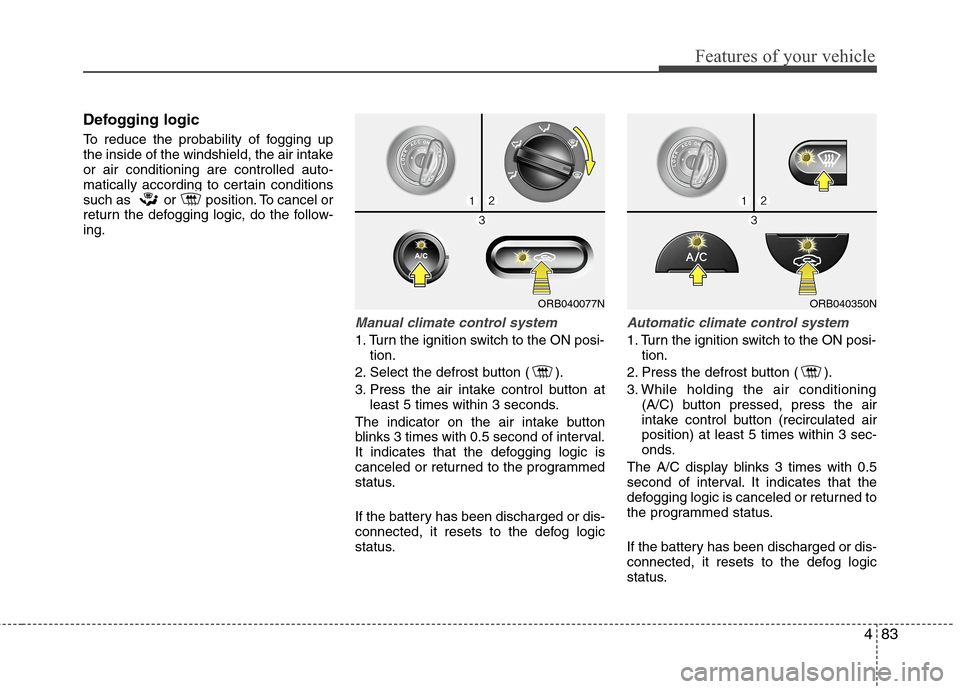
Manual climate control system
1. Turn the ignition switch to the ON posi-
tion.
2. Select the defrost button ( ).
3. Press the air intake control button at
least 5 times within 3 seconds.
The indicator on the air intake button
blinks 3 times with 0.5 second of interval.
It indicates that the defogging logic is
canceled or returned to the programmed
status.
If the battery has been discharged or dis-
connected, it resets to the defog logic
status.
Automatic climate control system
1. Turn the ignition switch to the ON posi-
tion.
2. Press the defrost button ( ).
3. While holding the air conditioning
(A/C) button pressed, press the air
intake control button (recirculated air
position) at least 5 times within 3 sec-
onds.
The A/C display blinks 3 times with 0.5
second of interval. It indicates that the
defogging logic is canceled or returned to
the programmed status.
If the battery has been discharged or dis-
connected, it resets to the defog logic
status.
ORB040077NORB040350N
Page 165 of 406
Features of your vehicle
88 4
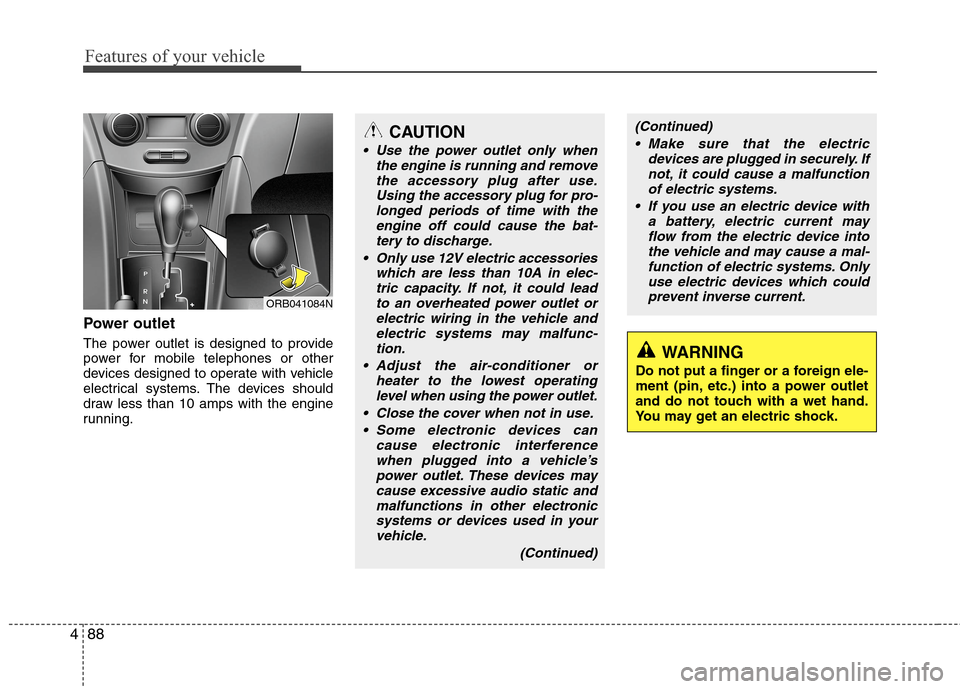
Power outlet
The power outlet is designed to provide
power for mobile telephones or other
devices designed to operate with vehicle
electrical systems. The devices should
draw less than 10 amps with the engine
running.
CAUTION
Use the power outlet only when
the engine is running and remove
the accessory plug after use.
Using the accessory plug for pro-
longed periods of time with the
engine off could cause the bat-
tery to discharge.
Only use 12V electric accessories
which are less than 10A in elec-
tric capacity. If not, it could lead
to an overheated power outlet or
electric wiring in the vehicle and
electric systems may malfunc-
tion.
Adjust the air-conditioner or
heater to the lowest operating
level when using the power outlet.
Close the cover when not in use.
Some electronic devices can
cause electronic interference
when plugged into a vehicle’s
power outlet. These devices may
cause excessive audio static and
malfunctions in other electronic
systems or devices used in your
vehicle.
(Continued)
WARNING
Do not put a finger or a foreign ele-
ment (pin, etc.) into a power outlet
and do not touch with a wet hand.
You may get an electric shock.
ORB041084N
(Continued)
Make sure that the electric
devices are plugged in securely. If
not, it could cause a malfunction
of electric systems.
If you use an electric device with
a battery, electric current may
flow from the electric device into
the vehicle and may cause a mal-
function of electric systems. Only
use electric devices which could
prevent inverse current.
Page 166 of 406
489
Features of your vehicle
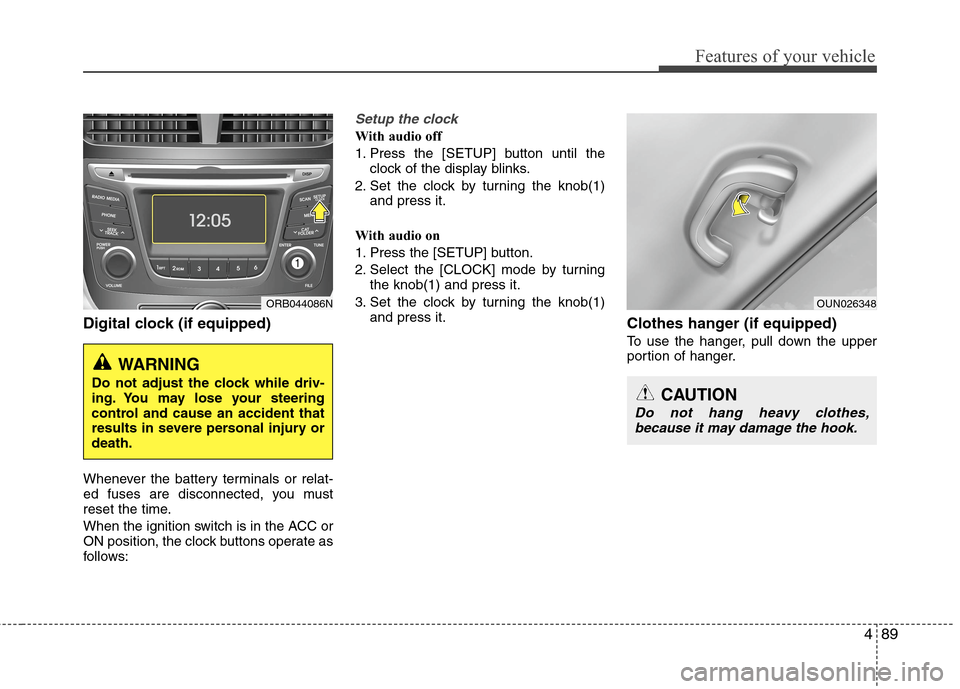
Digital clock (if equipped)
Whenever the battery terminals or relat-
ed fuses are disconnected, you must
reset the time.
When the ignition switch is in the ACC or
ON position, the clock buttons operate as
follows:
Setup the clock
With audio off
1. Press the [SETUP] button until the
clock of the display blinks.
2. Set the clock by turning the knob(1)
and press it.
With audio on
1. Press the [SETUP] button.
2. Select the [CLOCK] mode by turning
the knob(1) and press it.
3. Set the clock by turning the knob(1)
and press it.
Clothes hanger (if equipped)
To use the hanger, pull down the upper
portion of hanger.
WARNING
Do not adjust the clock while driv-
ing. You may lose your steering
control and cause an accident that
results in severe personal injury or
death.
ORB044086NOUN026348
CAUTION
Do not hang heavy clothes,
because it may damage the hook.
Page 176 of 406
499
Features of your vehicle
WARNING
Do not stare at the screen while
driving. Staring at the screen for
prolonged periods of time could
lead to traffic accidents.
Do not disassemble, assemble, or
modify the audio system. Such
acts could result in accidents,
fire, or electric shock.
Using the phone while driving
may lead to a lack of attention of
traffic conditions and increase
the likelihood of accidents.
Use the phone feature after park-
ing the vehicle.
Heed caution not to spill water or
introduce foreign objects into the
device. Such acts could lead to
smoke, fire, or product malfunc-
tion.
(Continued)
(Continued)
Please refrain from use if the
screen is blank or no sound can
be heard as these signs may indi-
cate product malfunction.
Continued use in such conditions
could lead to accidents(fires,
electric shock) or product mal-
functions.
Do not touch the antenna during
thunder or lightening as such
acts may lead to lightning
induced electric shock.
Do not stop or park in parking-
restricted areas to operate the
product. Such acts could lead to
traffic accidents.
Use the system with the vehicle
ignition turned on. Prolonged use
with the ignition turned off could
result in battery discharge.