automatic Hyundai Accent 2015 Service Manual
[x] Cancel search | Manufacturer: HYUNDAI, Model Year: 2015, Model line: Accent, Model: Hyundai Accent 2015Pages: 406, PDF Size: 33.11 MB
Page 192 of 406
4115
Features of your vehicle
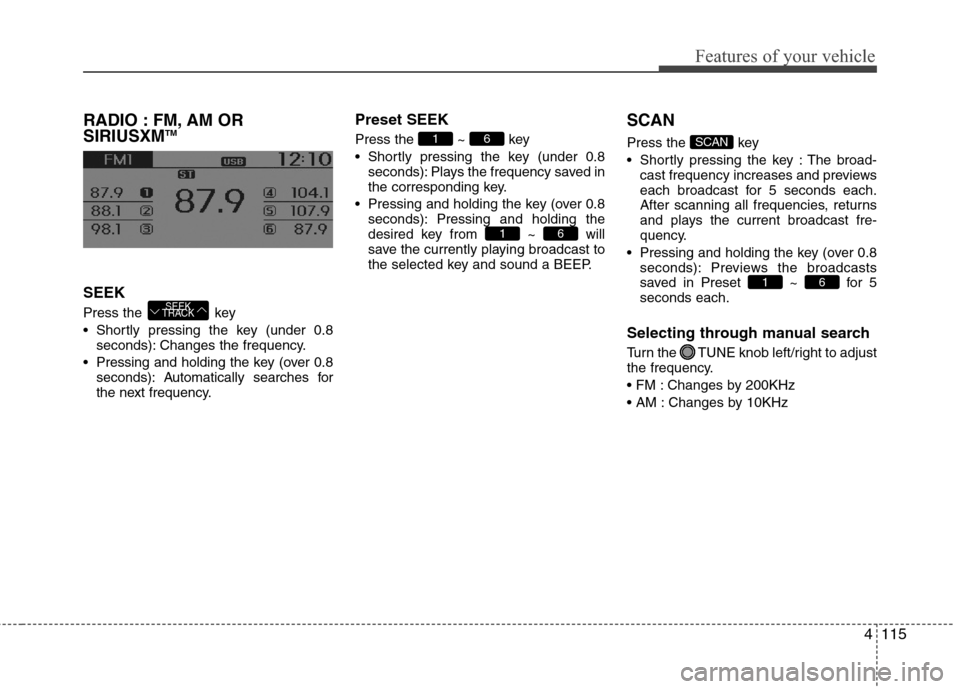
RADIO : FM, AM OR
SIRIUSXMTM
SEEK
Press the key
Shortly pressing the key (under 0.8
seconds): Changes the frequency.
Pressing and holding the key (over 0.8
seconds): Automatically searches for
the next frequency.
Preset SEEK
Press the ~ key
Shortly pressing the key (under 0.8
seconds): Plays the frequency saved in
the corresponding key.
Pressing and holding the key (over 0.8
seconds): Pressing and holding the
desired key from ~ will
save the currently playing broadcast to
the selected key and sound a BEEP.
SCAN
Press the key
Shortly pressing the key : The broad-
cast frequency increases and previews
each broadcast for 5 seconds each.
After scanning all frequencies, returns
and plays the current broadcast fre-
quency.
Pressing and holding the key (over 0.8
seconds): Previews the broadcasts
saved in Preset ~ for 5
seconds each.
Selecting through manual search
Turn the TUNE knob left/right to adjust
the frequency.
Changes by 200KHz
Changes by 10KHz
61
SCAN
61
61
SEEK
TRACK
Page 194 of 406
4117
Features of your vehicle
Satellite Radio channels:
SiriusXMTMSatellite Radio offers 150+
channels with 100% commercial-free
music, plus sports, news, talk and enter-
tainment, available nationwide in your
vehicle. For more information and a com-
plete list of SiriusXM
TMSatellite Radio
channels, visit www.siriusxm.com in the
United States, sirius-canada.ca in
Canada, or call SiriusXM
TMat 1-800-643-
2112.
Satellite Radio reception factors:
To receive the satellite signal, your vehi-
cle has been equipped with a satellite
radio antenna located on the roof of your
vehicle. The vehicle roof provides the
best location for an unobstructed, open
view of the sky, a requirement of a satel-
lite radio system. Like AM/FM, there are
several factors that can affect satellite
radio reception performance:
Antenna obstructions: For optimal
reception performance, keep the
antenna clear of snow and ice build-up
and keep luggage and other material
as far away from the antenna as possi-
ble. Terrain: Hills, mountains, tall buildings,
bridges, tunnels, freeway overpasses,
parking garages, dense tree foliage
and thunderstorms can interfere with
your reception.
SiriusXM
TMSatellite Radio service:
SiriusXMTMSatellite Radio is a subscrip-
tion-based satellite radio service that
broadcasts music, sports, news and
entertainment programming to radio
receivers, which are available for installa-
tion in motor vehicles or factory installed,
as well as for the home, portable and
wireless devices, and through an Internet
connection on personal computer.
Vehicles that are equipped with a factory
installed
SiriusXMTMSatellite Radio sys-
tem include:
Hardware and an introductory trial sub-
scription term, which begins on the
date of sale or lease of the vehicle.
For a small upgrade fee, access to
SiriusXMTMmusic channels, and other
select channels over the Internet using
any computer connected to the
Internet (U.S. customers only).
For information on extended subscrip-
tion terms, contact
SiriusXMTMat 1-
866-635-2349.NOTE:
All SiriusXM
TMservices require a sub-
scription, sold separately or as a
package, after 3-month trial included
with vehicle purchase or lease. If you
decide to continue your SiriusXM
TM
service at the end of your trial sub-
scription, the plan you choose will
automatically renew and bill at then-
current rates until you call us at 1-866-
635-2349 to cancel. See our Customer
Agreement for complete terms at
www.siriusxm.com. Other fees and
taxes apply. All fees and program-
ming are subject to change. Sirius
satellite service is available only to
those at least 18 and older in the 48
contiguous USA, D.C., and PR (with
coverage limitations). Our Internet
radio service is available throughout
our satellite service area and in AK
and HI. Certain channels are not avail-
able on our Internet radio service or
on mobile devices.
© 2013 Sirius XM Radio Inc. Sirius, XM
and all related marks and logos are
trademarks of SiriusXM
TMRadio Inc.
All rights reserved
SiriusXMTMSatellite Radio information
Page 197 of 406
Features of your vehicle
120 4
BASIC METHOD OF USE :
AUDIO CD / MP3 CD / USB /
iPOD
®/ MY MUSIC
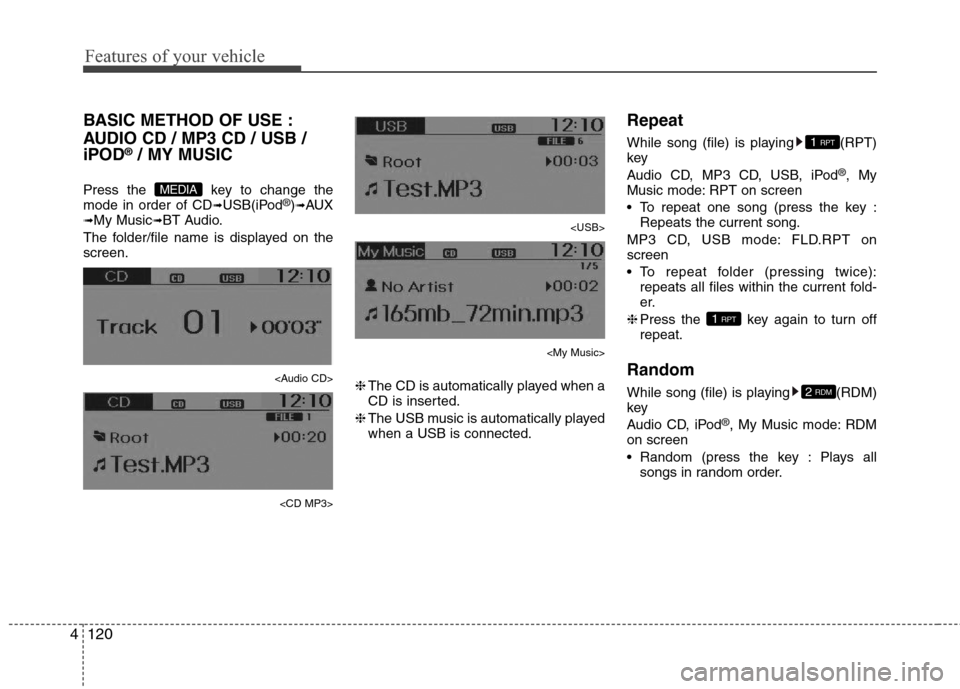
Press the key to change the
mode in order of CD➟USB(iPod®)➟AUX➟My Music➟BT Audio.
The folder/file name is displayed on the
screen.
Page 203 of 406
Features of your vehicle
126 4
✽
✽
NOTICE - USING THE MY
MUSIC
• Even if memory is available, a maxi-
mum of 6,000 songs can be stored.
• The same song can be copied up to
1,000 times.
• Memory info can be checked in the
System menu of Setup.
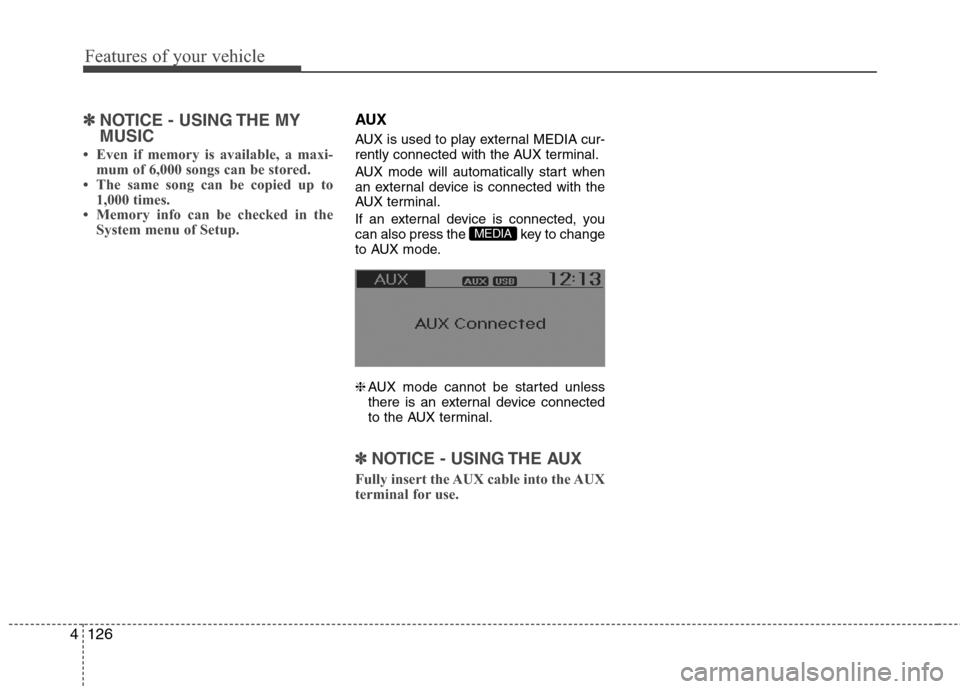
AUX
AUX is used to play external MEDIA cur-
rently connected with the AUX terminal.
AUX mode will automatically start when
an external device is connected with the
AUX terminal.
If an external device is connected, you
can also press the key to change
to AUX mode.
❈AUX mode cannot be started unless
there is an external device connected
to the AUX terminal.
✽ ✽
NOTICE - USING THE AUX
Fully insert the AUX cable into the AUX
terminal for use.
MEDIA
Page 204 of 406
4127
Features of your vehicle
Bluetooth®Wireless Technology
AUDIO (if equipped model)
What is
Bluetooth®Wireless
Technology
?
Bluetooth®Wireless Technology allows
devices to be connected in a short distance,
including hands-free devices, stereo head-
sets, wireless remote controllers, etc. For
more information, visit
the Bluetooth®
Wireless Technologywebsite atwww.Bluetooth.com
Before using Bluetooth®Wireless
Technologyaudio features
Bluetooth®Wireless Technologyaudio
may not be supported depending on
the compatibility of your
Bluetooth®
Wireless Technologymobile phone.
In order to use
Bluetooth®Wireless
Technologyaudio, you must first pair
and connect the
Bluetooth®Wireless
Technologymobile phone.
Bluetooth®Wireless Technologyaudio
can be used only when the [Audio
Streaming] of Phone is turned .
❈Setting
Bluetooth®Wireless TechnologyAudio Streaming : Press the
key Select [Phone] Select [Audio
Streaming] through the TUNE
knob Set
/
Starting Bluetooth®Wireless
Technology Audio
Press the key to change the
mode in order of CD➟USB➟AUX➟My
Music➟BT Audio.
If BT Audio is selected,
Bluetooth®
Wireless Technology audio will start
playing.
❈Audio may not automatically start play-
ing in some mobile phones.
Using the Bluetooth®Wireless
Technology audio features
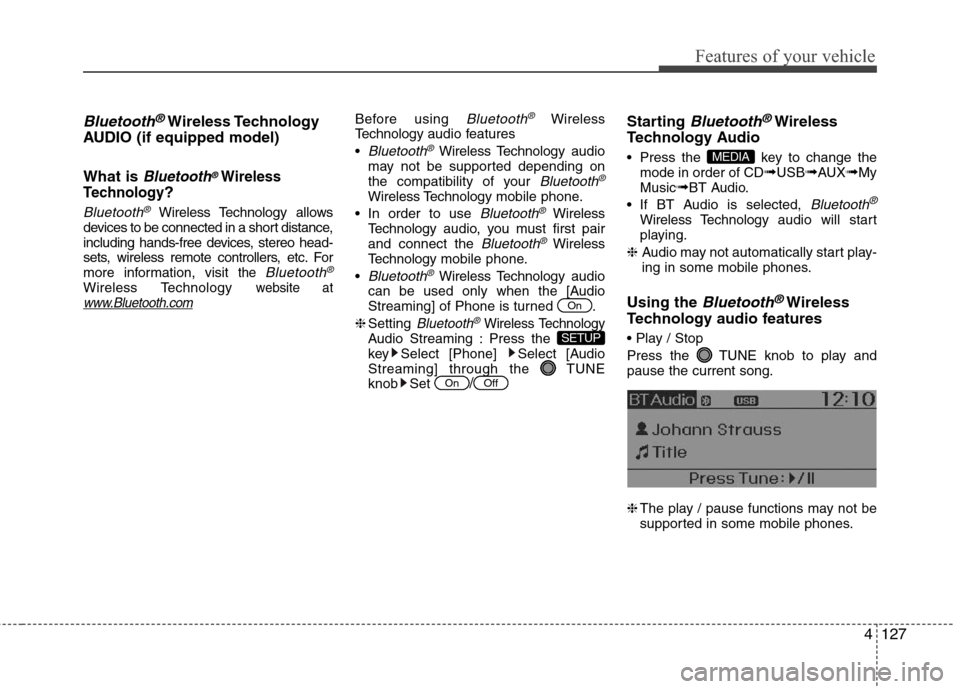
Press the TUNE knob to play and
pause the current song.
❈The play / pause functions may not be
supported in some mobile phones.
MEDIA
OffOn
SETUP
On
Page 205 of 406
Features of your vehicle
128 4
PHONE
Before using the Bluetooth®Wireless
Technology phone features
In order to use
Bluetooth®Wireless
Technology phone, you must first pair
and connect the
Bluetooth®Wireless
Technology mobile phone.
If the mobile phone is not paired or con-
nected, it is not possible to enter Phone
mode. Once a phone is paired or con-
nected, the guidance screen will be dis-
played.
If Priority is set upon vehicle
ignition(IGN/ACC ON), the
Bluetooth®
Wireless Technology phone will be auto-
matically connected. Even if you are out-
side, the first
Bluetooth® Wireless
Technology phone will be automatically
connected once you are in the vicinity of
the vehicle. If you do not want automatic
Bluetooth®Wireless Technology phone
connection, set the Bluetooth®Wireless
Technology power to OFF.
PHONE
(if equipped model)
Making a call using the Steering
wheel mount controls
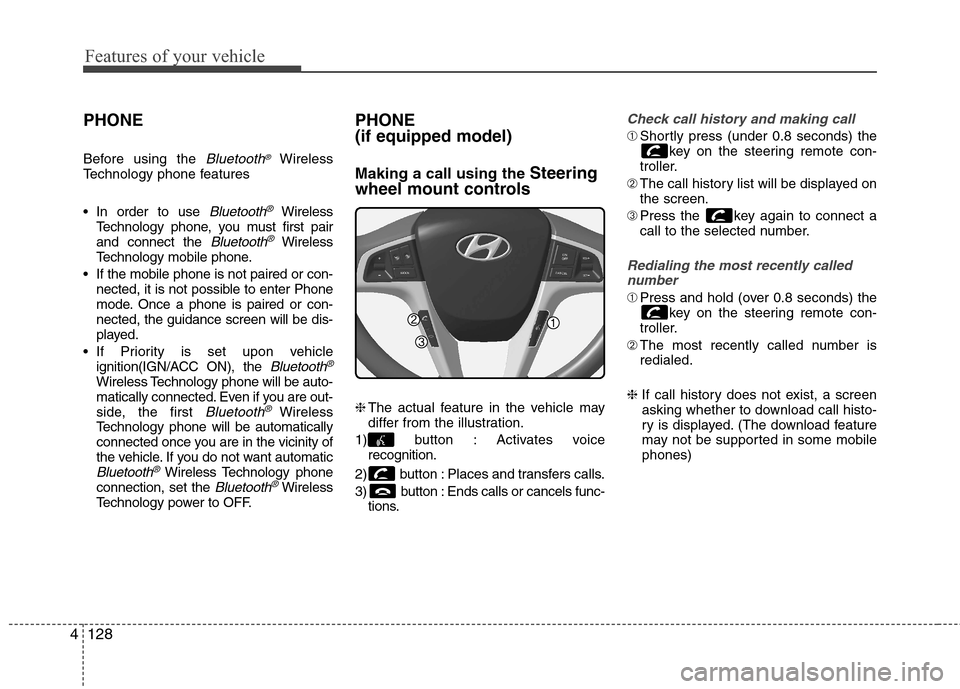
❈The actual feature in the vehicle may
differ from the illustration.
1) button : Activates voice
recognition.
2) button : Places and transfers calls.
3) button : Ends calls or cancels func-
tions.
Check call history and making call
➀Shortly press (under 0.8 seconds) the
key on the steering remote con-
troller.
➁The call history list will be displayed on
the screen.
➂Press the key again to connect a
call to the selected number.
Redialing the most recently called
number
➀Press and hold (over 0.8 seconds) the
key on the steering remote con-
troller.
➁The most recently called number is
redialed.
❈ If call history does not exist, a screen
asking whether to download call histo-
ry is displayed. (The download feature
may not be supported in some mobile
phones)
Page 209 of 406
Features of your vehicle
132 4
• Bluetooth related operations are pos-
sible only within devices that support
Handsfree or audio features, such as a
Bluetooth
®Wireless Technology
mobile phone or a Bluetooth audio
device.
• If a connected Bluetooth
®Wireless
Technology device becomes discon-
nected due to being out of communi-
cation range, turning the device OFF,
or a Bluetooth
®Wireless Technology
communication error, corresponding
Bluetooth
®Wireless Technology
devices are automatically searched
and reconnected.
• If the system becomes unstable due to
communication errors between the
car Handsfree and the Bluetooth
®
Wireless Technology device, reset the
device by turning off and back on
again. Upon resetting Bluetooth
®
Wireless Technology device, the sys-
tem will be restored.• After pairing is complete, a contacts
download request is sent once to the
mobile phone. Some mobile phones
may require confirmation upon
receiving a download request, ensure
your mobile phone accepts the con-
nection. Refer to your phones user’s
manual for additional information
regarding phone pairing and connec-
tions.
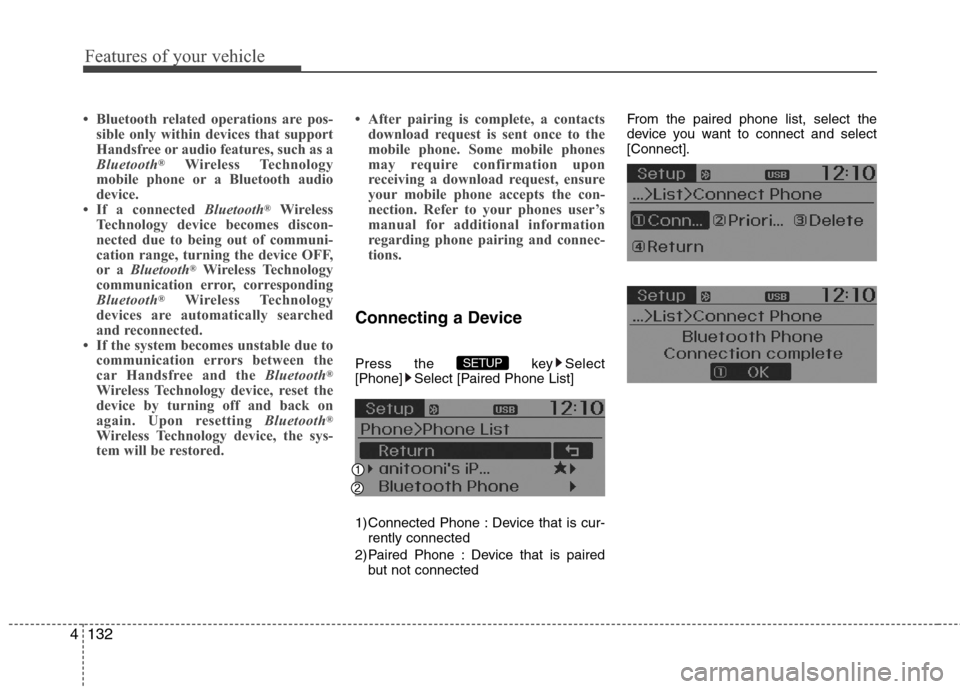
Connecting a Device
Press the key Select
[Phone] Select [Paired Phone List]
1) Connected Phone : Device that is cur-
rently connected
2) Paired Phone : Device that is paired
but not connectedFrom the paired phone list, select the
device you want to connect and select
[Connect].SETUP
Page 211 of 406
![Hyundai Accent 2015 Service Manual Features of your vehicle
134 4
Disconnecting a Device
Press the key Select
[Phone] Select [Paired Phone List]
From the paired phone list, select the
currently connected device and select
[Disconnect]](/img/35/14361/w960_14361-210.png "Hyundai Accent 2015 Service Manual Features of your vehicle
134 4
Disconnecting a Device
Press the key Select
[Phone] Select [Paired Phone List]
From the paired phone list, select the
currently connected device and select
[Disconnect]")
Features of your vehicle
134 4
Disconnecting a Device
Press the key Select
[Phone] Select [Paired Phone List]
From the paired phone list, select the
currently connected device and select
[Disconnect] button.
Deleting a Device
Press the key Select
[Phone] Select [Paired Phone List]
From the paired phone list, select the
device you want to delete and select
[Delete] button.
✽ ✽
NOTICE
• When deleting the currently connected
device, the device will automatically be
disconnected to proceed with the delet-
ing process.
• If a paired Bluetooth
®Wireless
Technology device is deleted, the
device’s call history and contacts data
will also be deleted.
• To re-use a deleted device, you must
pair the device again.
SETUP SETUP
Page 213 of 406
Features of your vehicle
136 4
✽
✽
NOTICE
• When an incoming call pop-up is dis-
played, most Audio and SETUP mode
features are disabled. Only the call
volume will operate.
• The telephone number may not be
properly displayed in some mobile
phones.
• When a call is answered with the
mobile phone, the call mode will auto-
matically revert to Private mode.
Favorites
Press the key Select
[Favorites]
1) Saved favorite contact : Connects call
upon selection
2) To add favorite : Downloaded contacts
be saved as favorite.
✽ ✽
NOTICE
• To save Favorite, contacts should be
downloaded.
• Contact saved in Favorites will not be
automatically updated if the contact
has been updated in the phone. To
update Favorites, delete the Favorite
and create a new Favorite.
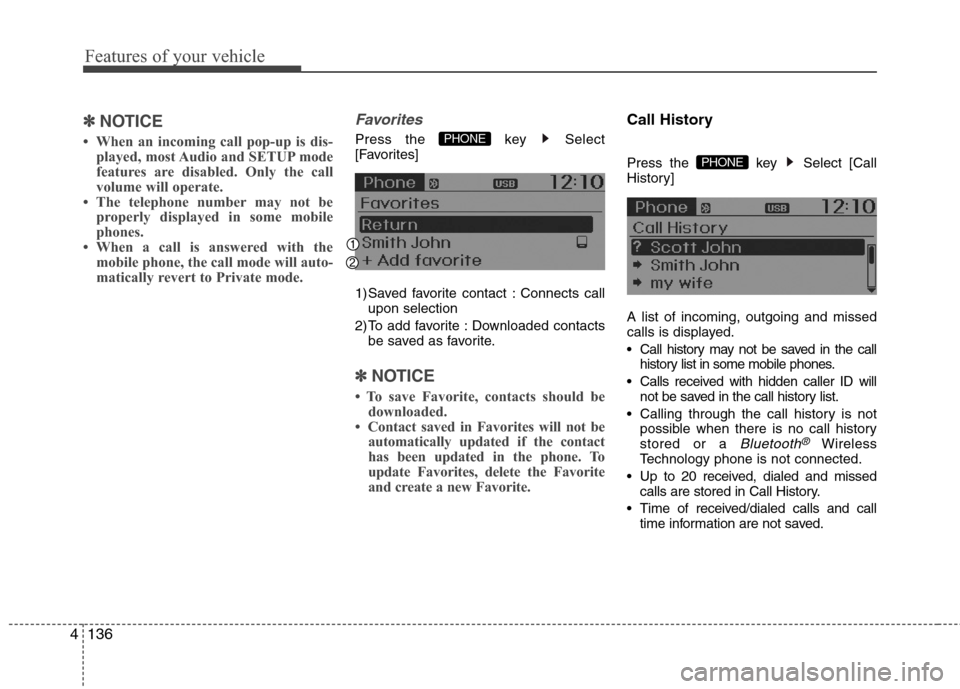
Call History
Press the key Select [Call
History]
A list of incoming, outgoing and missed
calls is displayed.
Call history may not be saved in the call
history list in some mobile phones.
Calls received with hidden caller ID will
not be saved in the call history list.
Calling through the call history is not
possible when there is no call history
stored or a
Bluetooth®Wireless
Technology phone is not connected.
Up to 20 received, dialed and missed
calls are stored in Call History.
Time of received/dialed calls and call
time information are not saved.
PHONE
PHONE
Page 216 of 406
4139
Features of your vehicle
✽ ✽
NOTICE BEFORE DOWN-
LOADING CONTACTS
• Only contacts within connected
phones can be downloaded. Also
check to see that your mobile phone
supports the download feature.
• To learn more about whether your
mobile phone supports contacts
downloads, refer to your mobile
phone user’s manual.
• The contacts for only the connected
phone can be downloaded.
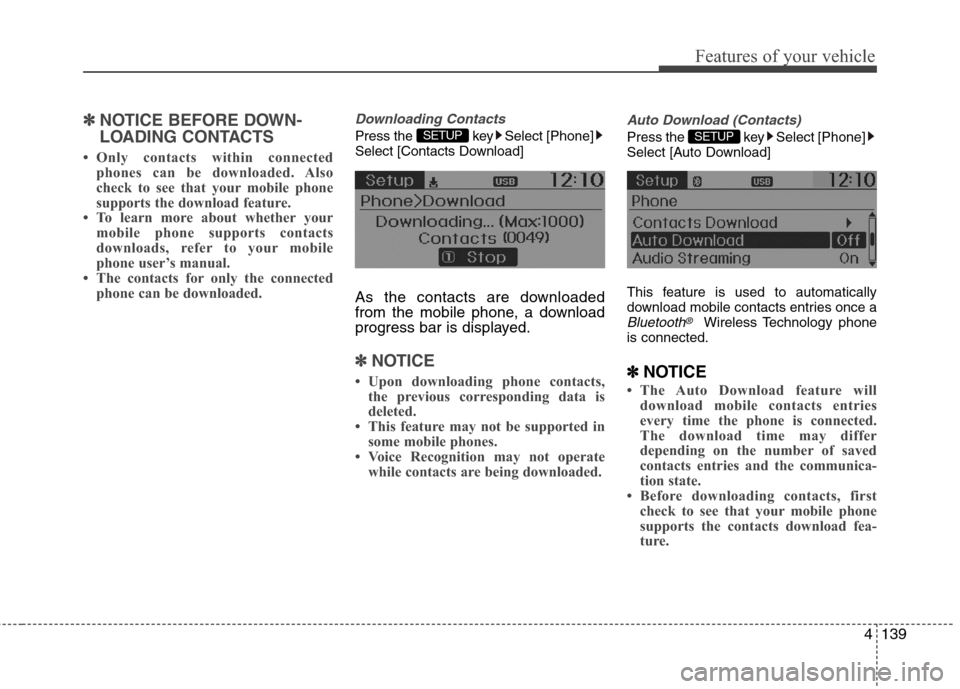
Downloading Contacts
Press the key Select [Phone]
Select [Contacts Download]
As the contacts are downloaded
from the mobile phone, a download
progress bar is displayed.
✽ ✽
NOTICE
• Upon downloading phone contacts,
the previous corresponding data is
deleted.
• This feature may not be supported in
some mobile phones.
• Voice Recognition may not operate
while contacts are being downloaded.
Auto Download (Contacts)
Press the key Select [Phone]
Select [Auto Download]
This feature is used to automatically
download mobile contacts entries once a
Bluetooth®Wireless Technology phone
is connected.
✽ ✽
NOTICE
• The Auto Download feature will
download mobile contacts entries
every time the phone is connected.
The download time may differ
depending on the number of saved
contacts entries and the communica-
tion state.
• Before downloading contacts, first
check to see that your mobile phone
supports the contacts download fea-
ture.
SETUP SETUP