set clock Hyundai Accent 2016 User Guide
[x] Cancel search | Manufacturer: HYUNDAI, Model Year: 2016, Model line: Accent, Model: Hyundai Accent 2016Pages: 456, PDF Size: 16.41 MB
Page 220 of 456
![Hyundai Accent 2016 User Guide 4143
Features of your vehicle
Bluetooth®Wireless
Technology Setting
Pairing a New Device
Press the key Select [Phone]
Select [Pair Phone]
Bluetooth®Wireless Technology devices
can be paired with th](/img/35/14353/w960_14353-219.png "Hyundai Accent 2016 User Guide 4143
Features of your vehicle
Bluetooth®Wireless
Technology Setting
Pairing a New Device
Press the key Select [Phone]
Select [Pair Phone]
Bluetooth®Wireless Technology devices
can be paired with th")
4143
Features of your vehicle
Bluetooth®Wireless
Technology Setting
Pairing a New Device
Press the key Select [Phone]
Select [Pair Phone]
Bluetooth®Wireless Technology devices
can be paired with the audio system.
For more information, refer to the “Pairing
through Phone Setup” section within
Bluetooth®Wireless Technology.
Viewing Paired Phone List
Press the key Select [Phone]
Select [Paired Phone List]
This feature is used to view mobile
phones that have been paired with the
audio system. Upon selecting a paired
phone, the setup menu is displayed.
For more information, refer to the “Setting
Bluetooth®Wireless Technology
Connection” section within Bluetooth®
Wireless Technology. 1) Connect/Disconnect Phone : Connect/
disconnects currently selected phone
2) Change Priority : Sets currently select- ed phone to highest connection priori-
ty
3) Delete : Deletes the currently selected phone
4) Return : Moves to the previous screen
SETUPCLOCK
SETUPCLOCK
Page 221 of 456
Features of your vehicle
144
4
✽
✽
NOTICE BEFORE DOWN-
LOADING CONTACTS
• Only contacts within connected
phones can be downloaded. Also
check to see that your mobile phone
supports the download feature.
• To learn more about whether your mobile phone supports contacts
downloads, refer to your mobile
phone user’s manual.
• The contacts for only the connected phone can be downloaded.
Downloading Contacts
Press the key Select [Phone]
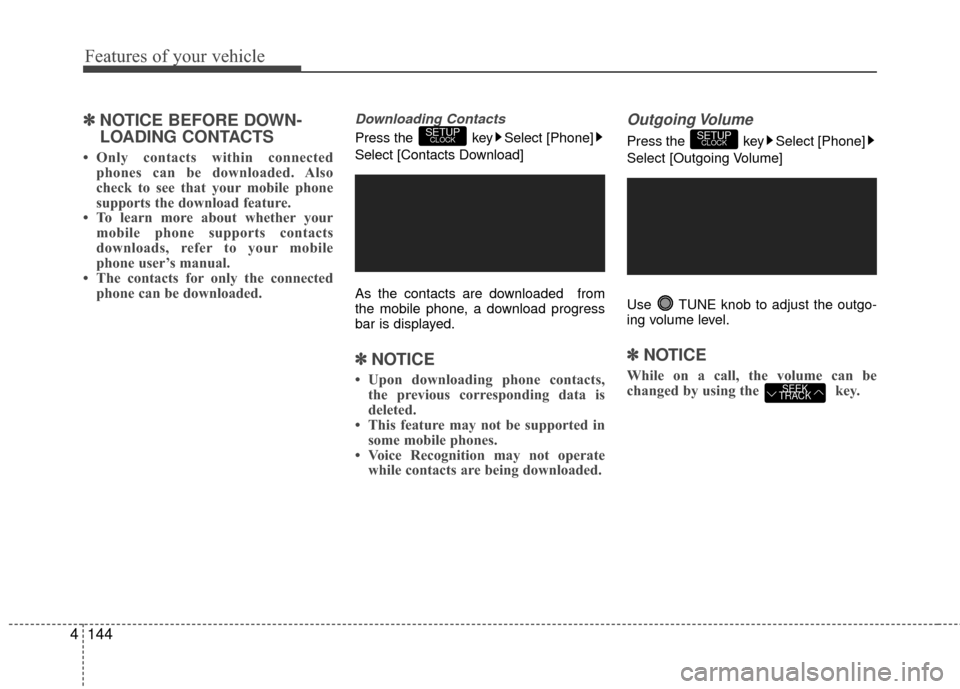
Select [Contacts Download]
As the contacts are downloaded from
the mobile phone, a download progress
bar is displayed.
✽ ✽ NOTICE
• Upon downloading phone contacts,
the previous corresponding data is
deleted.
• This feature may not be supported in some mobile phones.
• Voice Recognition may not operate while contacts are being downloaded.
Outgoing Volume
Press the key Select [Phone]
Select [Outgoing Volume]
Use TUNE knob to adjust the outgo-
ing volume level.
✽ ✽ NOTICE
While on a call, the volume can be
changed by using the key.SEEK
TRACK
SETUPCLOCKSETUPCLOCK
Page 222 of 456
![Hyundai Accent 2016 User Guide 4145
Features of your vehicle
Turning Bluetooth System Off
Press the key Select [Phone]
Select [Bluetooth System Off]
Once
Bluetooth®Wireless Technology is
turned off, Bluetooth®Wireless
Technolog](/img/35/14353/w960_14353-221.png "Hyundai Accent 2016 User Guide 4145
Features of your vehicle
Turning Bluetooth System Off
Press the key Select [Phone]
Select [Bluetooth System Off]
Once
Bluetooth®Wireless Technology is
turned off, Bluetooth®Wireless
Technolog")
4145
Features of your vehicle
Turning Bluetooth System Off
Press the key Select [Phone]
Select [Bluetooth System Off]
Once
Bluetooth®Wireless Technology is
turned off, Bluetooth®Wireless
Technology related features will not be
supported within the audio system.
✽ ✽ NOTICE
To turn Bluetooth®Wireless Technology
back on, go to [Phone] and
select “Yes”.SETUPCLOCK
SETUPCLOCK
Page 223 of 456
Features of your vehicle
146
4
VOICE RECOGNITION
(if equipped model)
Using Voice Recognition
Starting Voice Recognition
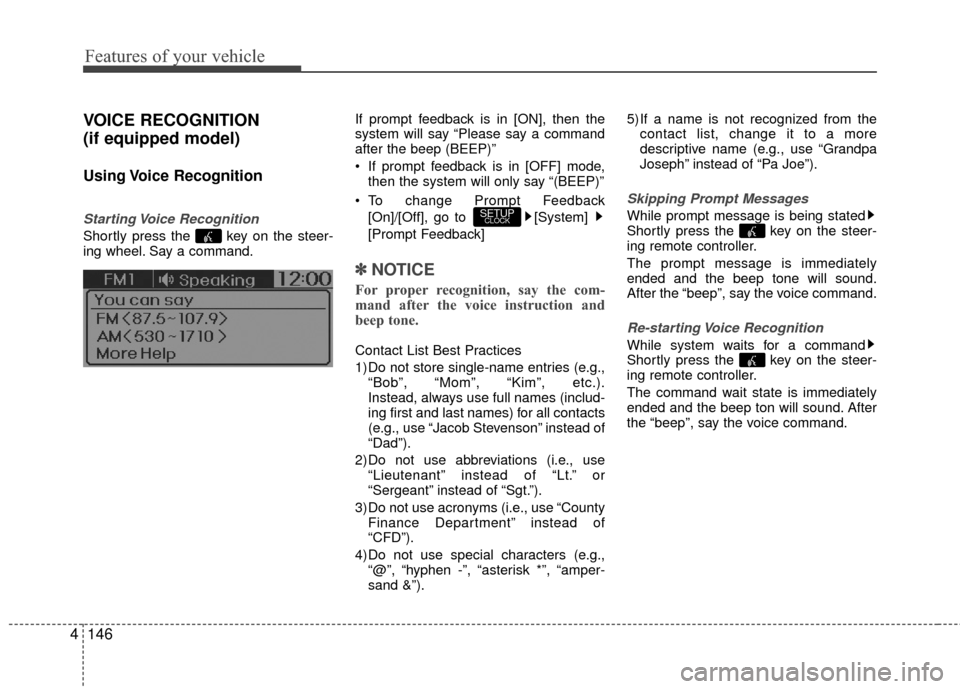
Shortly press the key on the steer-
ing wheel. Say a command. If prompt feedback is in [ON], then the
system will say “Please say a command
after the beep (BEEP)”
If prompt feedback is in [OFF] mode,
then the system will only say “(BEEP)”
To change Prompt Feedback [On]/[Off], go to [System]
[Prompt Feedback]
✽ ✽ NOTICE
For proper recognition, say the com-
mand after the voice instruction and
beep tone.
Contact List Best Practices
1) Do not store single-name entries (e.g.,
“Bob”, “Mom”, “Kim”, etc.).
Instead, always use full names (includ-
ing first and last names) for all contacts
(e.g., use “Jacob Stevenson” instead of
“Dad”).
2) Do not use abbreviations (i.e., use “Lieutenant” instead of “Lt.” or
“Sergeant” instead of “Sgt.”).
3) Do not use acronyms (i.e., use “County Finance Department” instead of
“CFD”).
4) Do not use special characters (e.g., “@”, “hyphen -”, “asterisk *”, “amper-
sand &”). 5) If a name is not recognized from the
contact list, change it to a more
descriptive name (e.g., use “Grandpa
Joseph” instead of “Pa Joe”).
Skipping Prompt Messages
While prompt message is being stated
Shortly press the key on the steer-
ing remote controller.
The prompt message is immediately
ended and the beep tone will sound.
After the “beep”, say the voice command.
Re-starting Voice Recognition
While system waits for a command
Shortly press the key on the steer-
ing remote controller.
The command wait state is immediately
ended and the beep ton will sound. After
the “beep”, say the voice command.
SETUPCLOCK
Page 234 of 456
4157
Features of your vehicle
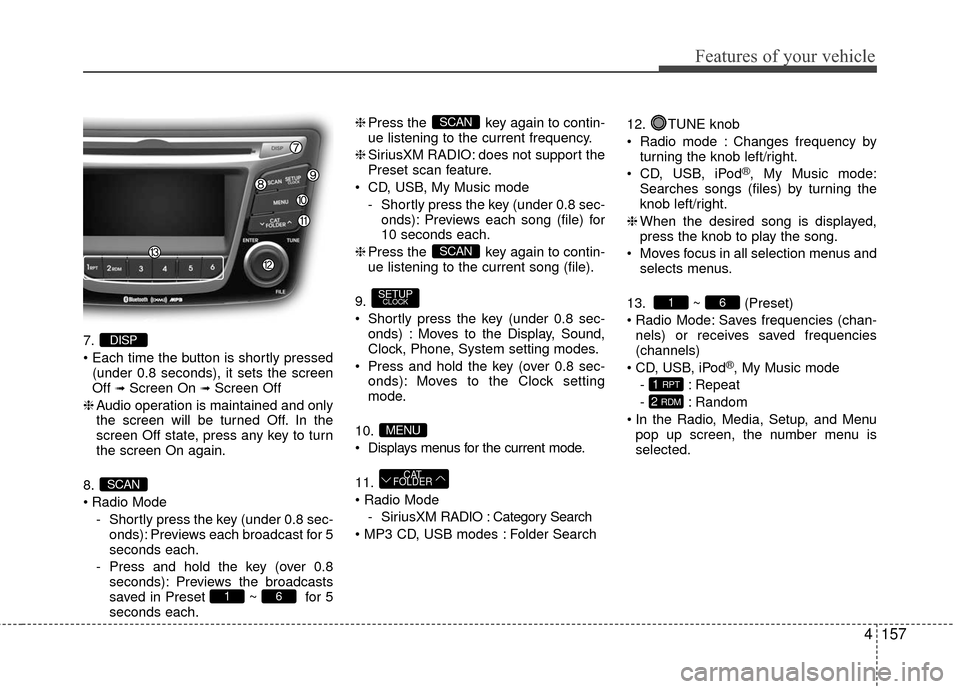
7.
(under 0.8 seconds), it sets the screen
Off
➟Screen On ➟Screen Off
❈ Audio operation is maintained and only
the screen will be turned Off. In the
screen Off state, press any key to turn
the screen On again.
8.
Radio Mode - Shortly press the key (under 0.8 sec-onds): Previews each broadcast for 5
seconds each.
- Press and hold the key (over 0.8 seconds): Previews the broadcasts
saved in Preset ~ for 5
seconds each. ❈
Press the key again to contin-
ue listening to the current frequency.
❈ SiriusXM RADIO: does not support the
Preset scan feature.
CD, USB, My Music mode - Shortly press the key (under 0.8 sec-onds): Previews each song (file) for
10 seconds each.
❈ Press the key again to contin-
ue listening to the current song (file).
9.
Shortly press the key (under 0.8 sec- onds) : Moves to the Display, Sound,
Clock, Phone, System setting modes.
Press and hold the key (over 0.8 sec- onds): Moves to the Clock setting
mode.
10.
Displays menus for the current mode.
11.
- SiriusXM RADIO : Category Search
Folder Search 12. TUNE knob
Radio mode : Changes frequency by
turning the knob left/right.
CD, USB, iPod
®, My Music mode:
Searches songs (files) by turning the
knob left/right.
❈ When the desired song is displayed,
press the knob to play the song.
Moves focus in all selection menus and selects menus.
13. ~ (Preset)
Radio Mode: Saves frequencies (chan- nels) or receives saved frequencies
(channels)
CD, USB, iPod
®, My Music mode
- : Repeat
- : Random
In the Radio, Media, Setup, and Menu pop up screen, the number menu is
selected.
2 RDM
1 RPT
61
CAT
FOLDER
MENU
SETUPCLOCK
SCAN
SCAN
61
SCAN
DISP
Page 236 of 456
![Hyundai Accent 2016 User Guide 4159
Features of your vehicle
SETUP
Display Settings
Press the key Select [Display]
Select menu through
TUNE knob
Mode Pop up
[Mode Pop up] Changes /selection mode
orkey to display the
mode change](/img/35/14353/w960_14353-235.png "Hyundai Accent 2016 User Guide 4159
Features of your vehicle
SETUP
Display Settings
Press the key Select [Display]
Select menu through
TUNE knob
Mode Pop up
[Mode Pop up] Changes /selection mode
orkey to display the
mode change")
4159
Features of your vehicle
SETUP
Display Settings
Press the key Select [Display]
Select menu through
TUNE knob
Mode Pop up
[Mode Pop up] Changes /selection mode
orkey to display the
mode change pop up screen.
Media Display
When playing an MP3 file, select the
desired display info from ‘Folder/File’ or
‘Album/Artist/Song’.
Sound Settings
Press the key Select [Sound]
Select menu through TUNE knob
SETUPCLOCK
MEDIARADIO
OffOn
SETUPCLOCK
Page 238 of 456
![Hyundai Accent 2016 User Guide 4161
Features of your vehicle
CLOCK SETTINGS
Press the key Select[Clock]
through
TUNE knobor key
Selectmenu through TUNE knob
Clock Settings
This menu is used to set the time.
Select [Clock Setting](/img/35/14353/w960_14353-237.png "Hyundai Accent 2016 User Guide 4161
Features of your vehicle
CLOCK SETTINGS
Press the key Select[Clock]
through
TUNE knobor key
Selectmenu through TUNE knob
Clock Settings
This menu is used to set the time.
Select [Clock Setting")
4161
Features of your vehicle
CLOCK SETTINGS
Press the key Select[Clock]
through
TUNE knobor key
Selectmenu through TUNE knob
Clock Settings
This menu is used to set the time.
Select [Clock Settings] Set through
TUNE knob Press TUNE knob
❈Adjust the number currently in focus to set the [hour] and press the tune knob to
set the [minute].
Calendar Settings
This menu is used to set the date
(DD/MM/YYYY).
Select [Calendar Settings]
Set through
TUNE knob Press TUNEknob
❈Adjust the number currently in focus to make the settings and press the tune
knob to move to the next setting. (Set in
order of Day/Month/Year)
Time Format
This function is used to set the 12/24
hour time format of the audio system.
Select [Time Format] Set 12Hr / 24Hr
through TUNE
knob
Clock Display when Power is OFF
Select [Clock Disp.(Pwr Off) Set / through TUNEknob
: Displays time/date on screen
: Turn off.Off
On
OffOn
3
SETUPCLOCK
Page 239 of 456
![Hyundai Accent 2016 User Guide Features of your vehicle
162
4
SYSTEM SETTINGS
Press the keySelect [System]
Select menu through TUNE knob
Memory Information
Displays currently used memory and
total system memory.
Select [Memory Inf](/img/35/14353/w960_14353-238.png "Hyundai Accent 2016 User Guide Features of your vehicle
162
4
SYSTEM SETTINGS
Press the keySelect [System]
Select menu through TUNE knob
Memory Information
Displays currently used memory and
total system memory.
Select [Memory Inf")
Features of your vehicle
162
4
SYSTEM SETTINGS
Press the keySelect [System]
Select menu through TUNE knob
Memory Information
Displays currently used memory and
total system memory.
Select [Memory Information] OK
The currently used memory is displayed
on the left side while the total system
memory is displayed on the right side.
Prompt Feedback
This feature is used to change voice
command feedback between Normal and
Expert modes.
Select [Prompt Feedback] Set through
TUNEknob
Normal(On) : This mode is for beginner users and provides detailed instruc-
tions during voice command operation.
Expert(Off) : This mode is for expert users and omits some information dur-
ing voice command operation. (When
using Expert mode, guidance instruc-
tions can be heard through the [Help]
or [Menu] commands.
Language
This menu is used to set the display and
voice recognition language.
Select [Language] Set through
TUNE knob
❈ The system will reboot after the lan-
guage is changed.
❈ Language support by region
- English, Français, EspañolSETUPCLOCK
Page 256 of 456
4179
Features of your vehicle
✽
✽NOTICE
If Bluetooth®Wireless Technology
devices are paired but none are current-
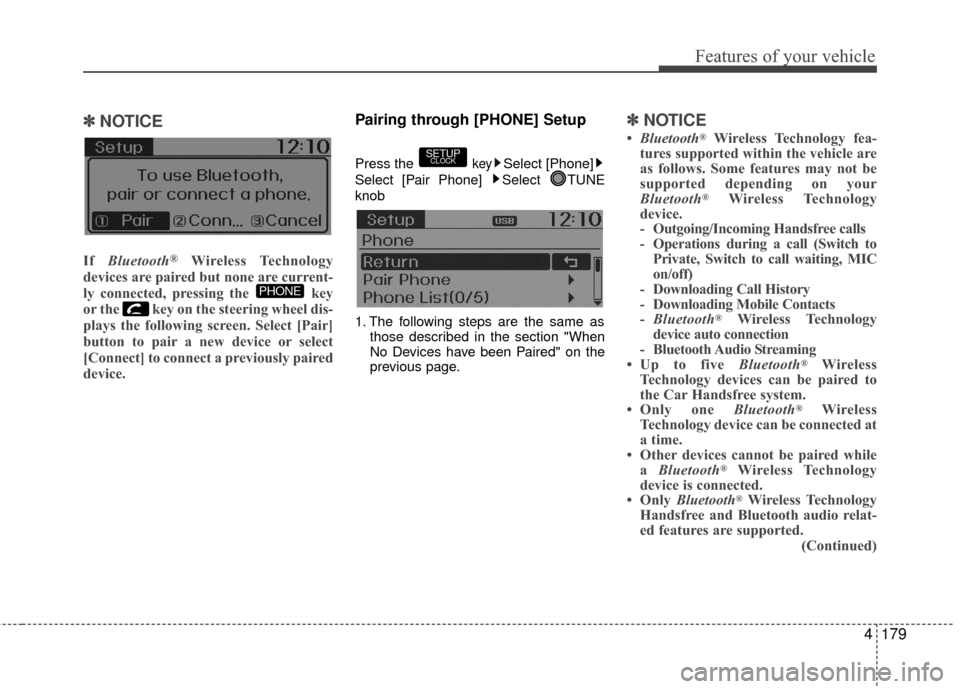
ly connected, pressing the key
or the key on the steering wheel dis-
plays the following screen. Select [Pair]
button to pair a new device or select
[Connect] to connect a previously paired
device.
Pairing through [PHONE] Setup
Press the keySelect [Phone]
Select [Pair Phone] Select TUNE
knob
1. The following steps are the same as those described in the section "When
No Devices have been Paired" on the
previous page.
✽ ✽NOTICE
•Bluetooth®Wireless Technology fea-
tures supported within the vehicle are
as follows. Some features may not be
supported depending on your
Bluetooth
®Wireless Technology
device.
- Outgoing/Incoming Handsfree calls
- Operations during a call (Switch to Private, Switch to call waiting, MIC
on/off)
- Downloading Call History
- Downloading Mobile Contacts
- Bluetooth
®Wireless Technology
device auto connection
- Bluetooth Audio Streaming
• Up to five Bluetooth
®Wireless
Technology devices can be paired to
the Car Handsfree system.
• Only one Bluetooth
®Wireless
Technology device can be connected at
a time.
• Other devices cannot be paired while a Bluetooth
®Wireless Technology
device is connected.
• Only Bluetooth
®Wireless Technology
Handsfree and Bluetooth audio relat-
ed features are supported.
(Continued)
SETUPCLOCK
PHONE
Page 257 of 456
Features of your vehicle
180
4
(Continued)
Bluetooth related operations are pos-
sible only within devices that support
Handsfree or audio features, such as a
Bluetooth
®Wireless Technology
mobile phone or a Bluetooth audio
device.
• If a connected Bluetooth
®Wireless
Technology device becomes discon-
nected due to being out of communi-
cation range, turning the device OFF,
or a Bluetooth
®Wireless Technology
communication error, corresponding
Bluetooth
®Wireless Technology
devices are automatically searched
and reconnected.
• If the system becomes unstable due to communication errors between the
car Handsfree and the Bluetooth
®
Wireless Technology device, reset the
device by turning off and back on
again. Upon resetting Bluetooth
®
Wireless Technology device, the sys-
tem will be restored. (Continued)(Continued)
• After pairing is complete, a contacts
download request is sent once to the
mobile phone. Some mobile phones
may require confirmation upon
receiving a download request, ensure
your mobile phone accepts the con-
nection. Refer to your phones user’s
manual for additional information
regarding phone pairing and connec-
tions.
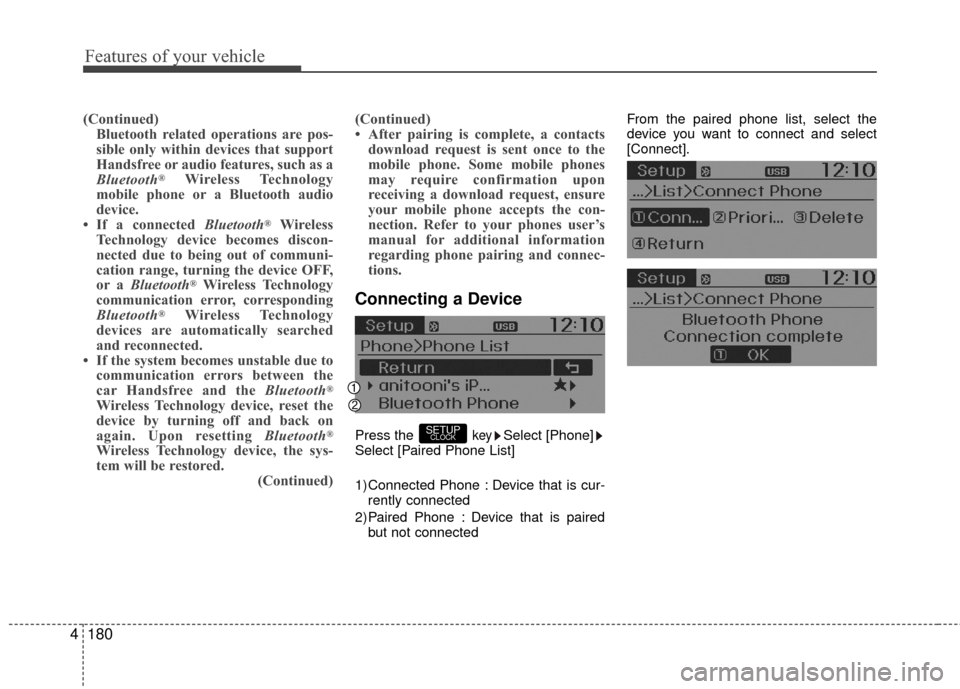
Connecting a Device
Press the keySelect [Phone]
Select [Paired Phone List]
1) Connected Phone : Device that is cur- rently connected
2) Paired Phone : Device that is paired but not connected From the paired phone list, select the
device you want to connect and select
[Connect].SETUPCLOCK