light Hyundai Accent 2016 Workshop Manual
[x] Cancel search | Manufacturer: HYUNDAI, Model Year: 2016, Model line: Accent, Model: Hyundai Accent 2016Pages: 456, PDF Size: 16.41 MB
Page 137 of 456
Features of your vehicle
60
4
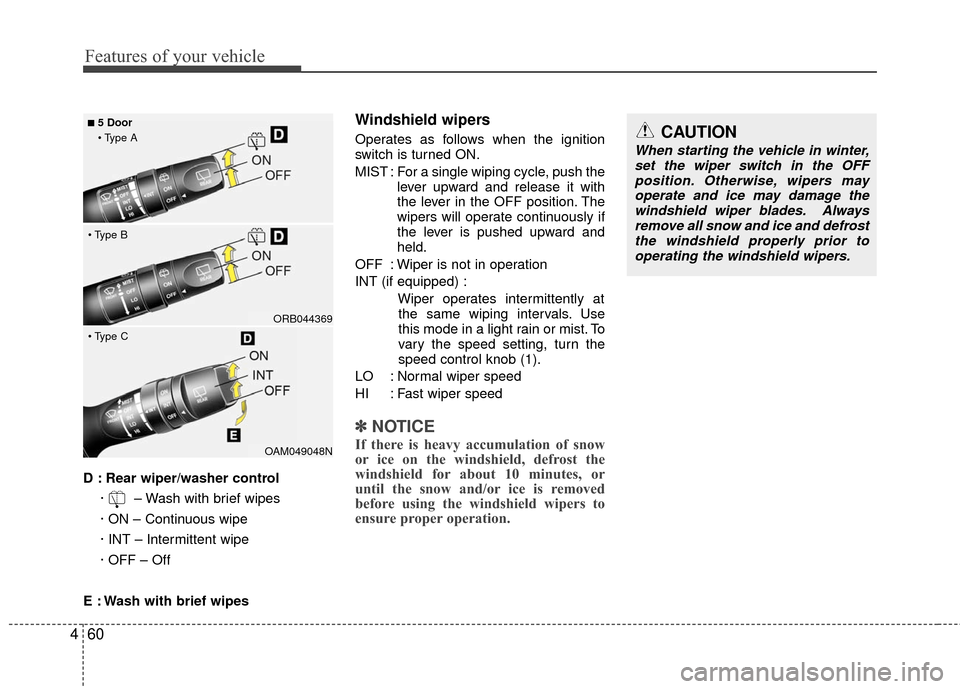
D : Rear wiper/washer control
· – Wash with brief wipes
· ON – Continuous wipe
· INT – Intermittent wipe
· OFF – Off
E : Wash with brief wipes
Windshield wipers
Operates as follows when the ignition
switch is turned ON.
MIST : For a single wiping cycle, push the lever upward and release it with
the lever in the OFF position. The
wipers will operate continuously if
the lever is pushed upward and
held.
OFF : Wiper is not in operation
INT (if equipped) : Wiper operates intermittently atthe same wiping intervals. Use
this mode in a light rain or mist. To
vary the speed setting, turn the
speed control knob (1).
LO : Normal wiper speed
HI : Fast wiper speed
✽ ✽ NOTICE
If there is heavy accumulation of snow
or ice on the windshield, defrost the
windshield for about 10 minutes, or
until the snow and/or ice is removed
before using the windshield wipers to
ensure proper operation.OAM049048N
ORB044369
■5 Door
CAUTION
When starting the vehicle in winter, set the wiper switch in the OFFposition. Otherwise, wipers may operate and ice may damage thewindshield wiper blades. Alwaysremove all snow and ice and defrost the windshield properly prior tooperating the windshield wipers.
Page 140 of 456
463
Features of your vehicle
Automatic turn off function
(if equipped)
The interior lights automatically turn off
approximately 20 minutes after the igni-
tion switch is turned off.
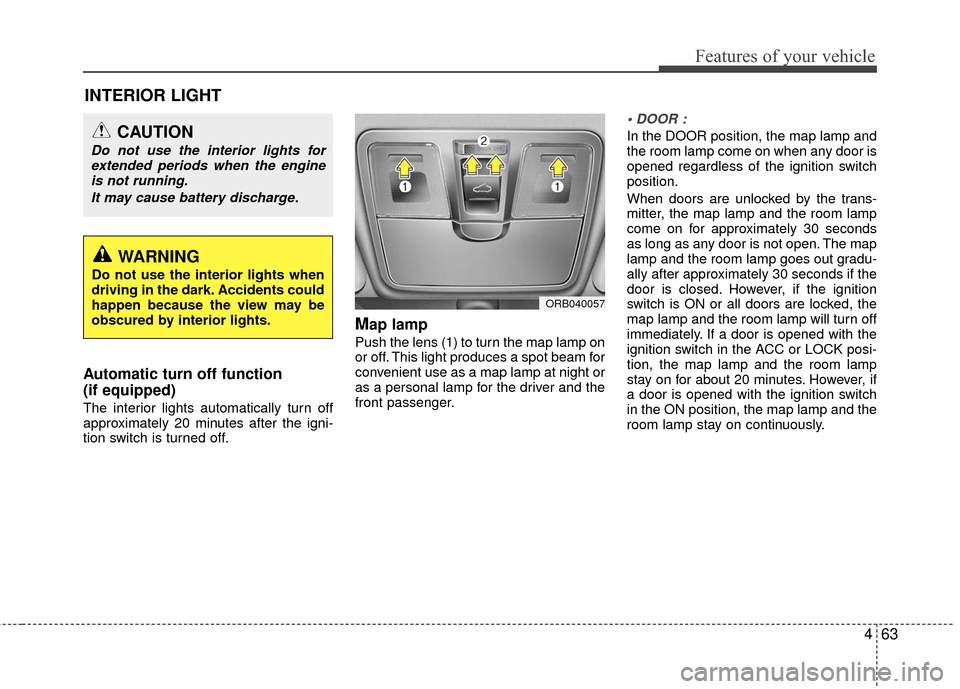
Map lamp
Push the lens (1) to turn the map lamp on
or off. This light produces a spot beam for
convenient use as a map lamp at night or
as a personal lamp for the driver and the
front passenger.
In the DOOR position, the map lamp and
the room lamp come on when any door is
opened regardless of the ignition switch
position.
When doors are unlocked by the trans-
mitter, the map lamp and the room lamp
come on for approximately 30 seconds
as long as any door is not open. The map
lamp and the room lamp goes out gradu-
ally after approximately 30 seconds if the
door is closed. However, if the ignition
switch is ON or all doors are locked, the
map lamp and the room lamp will turn off
immediately. If a door is opened with the
ignition switch in the ACC or LOCK posi-
tion, the map lamp and the room lamp
stay on for about 20 minutes. However, if
a door is opened with the ignition switch
in the ON position, the map lamp and the
room lamp stay on continuously.
INTERIOR LIGHT
WARNING
Do not use the interior lights when
driving in the dark. Accidents could
happen because the view may be
obscured by interior lights.
CAUTION
Do not use the interior lights forextended periods when the engineis not running.
It may cause battery discharge.
ORB040057
Page 141 of 456
Features of your vehicle
64
4
Map lamp and room lamp stay on at all
times.
The lights turn off even if a door is
opened.
❈ When the lamp is turned ON by press-
ing the lens (1) the lamp does not turn
off even if the switch (2) is in the OFF
position.
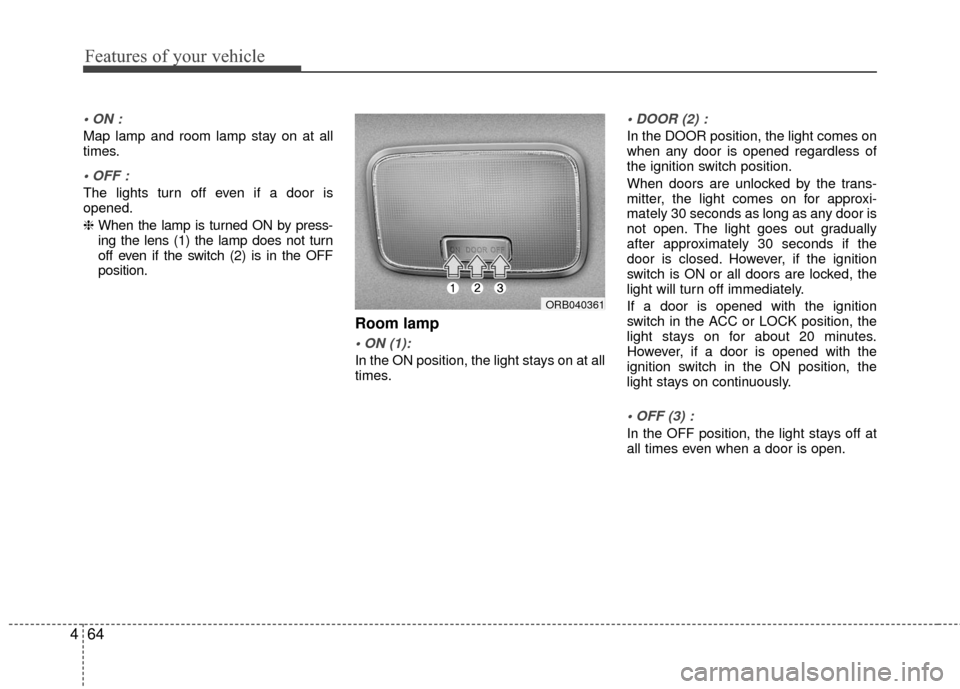
Room lamp
In the ON position, the light stays on at all
times.
In the DOOR position, the light comes on
when any door is opened regardless of
the ignition switch position.
When doors are unlocked by the trans-
mitter, the light comes on for approxi-
mately 30 seconds as long as any door is
not open. The light goes out gradually
after approximately 30 seconds if the
door is closed. However, if the ignition
switch is ON or all doors are locked, the
light will turn off immediately.
If a door is opened with the ignition
switch in the ACC or LOCK position, the
light stays on for about 20 minutes.
However, if a door is opened with the
ignition switch in the ON position, the
light stays on continuously.
In the OFF position, the light stays off at
all times even when a door is open.
ORB040361
Page 149 of 456
Features of your vehicle
72
4
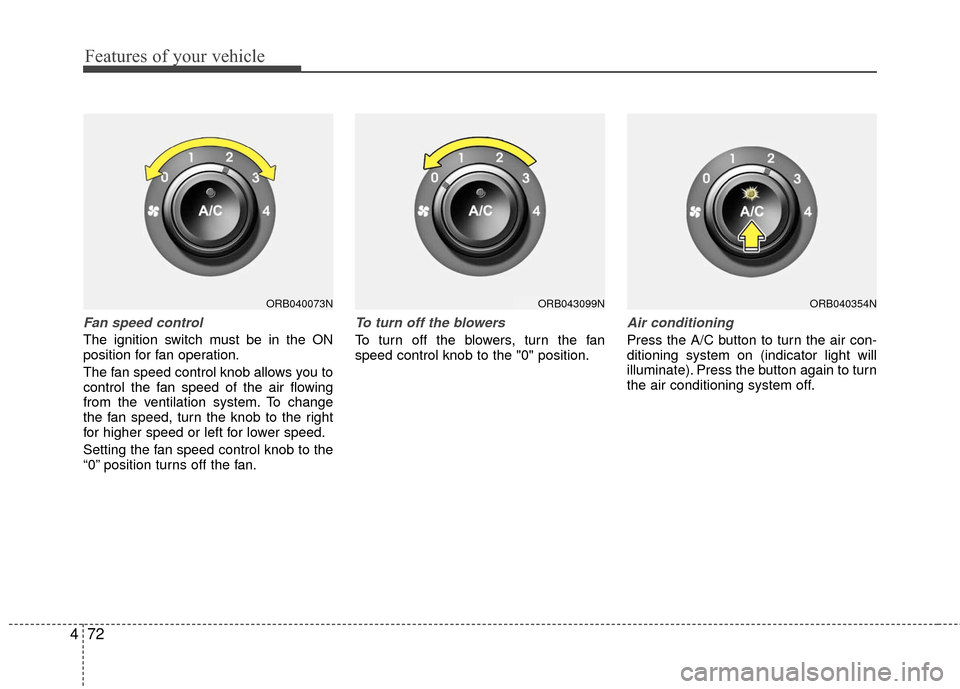
Fan speed control
The ignition switch must be in the ON
position for fan operation.
The fan speed control knob allows you to
control the fan speed of the air flowing
from the ventilation system. To change
the fan speed, turn the knob to the right
for higher speed or left for lower speed.
Setting the fan speed control knob to the
“0” position turns off the fan.
To turn off the blowers
To turn off the blowers, turn the fan
speed control knob to the "0" position.
Air conditioning
Press the A/C button to turn the air con-
ditioning system on (indicator light will
illuminate). Press the button again to turn
the air conditioning system off.
ORB040073NORB040354NORB043099N
Page 151 of 456
Features of your vehicle
74
4
✽
✽
NOTICE
• When using the air conditioning sys-
tem, monitor the temperature gauge
closely while driving up hills or in
heavy traffic when outside tempera-
tures are high. Air conditioning sys-
tem operation may cause engine over-
heating. Continue to use the blower
fan but turn the air conditioning sys-
tem off if the temperature gauge indi-
cates engine overheating.
• When opening the windows in humid weather air conditioning may create
water droplets inside the vehicle.
Since excessive water droplets may
cause damage to electrical equipment,
air conditioning should only be used
with the windows closed.
Air conditioning system operation tips
If the vehicle has been parked in direct
sunlight during hot weather, open the
windows for a short time to let the hot
air inside the vehicle escape.
To help reduce moisture inside of the windows on rainy or humid days,
decrease the humidity inside the vehi-
cle by operating the air conditioning
system.
During air conditioning system opera- tion, you may occasionally notice a
slight change in engine speed as the
air conditioning compressor cycles.
This is a normal system operation
characteristic.
Use the air conditioning system every month only for a few minutes to ensure
maximum system performance. When using the air conditioning sys-
tem, you may notice clear water drip-
ping (or even puddling) on the ground
under the passenger side of the vehi-
cle. This is a normal system operation
characteristic.
Operating the air conditioning system in the recirculated air position provides
maximum cooling, however, continual
operation in this mode may cause the
air inside the vehicle to become stale.
During cooling operation, you may occasionally notice a misty air flow
because of rapid cooling and humid air
intake. This is a normal system opera-
tion characteristic.
If you operate air conditioner exces- sively, the difference between the tem-
perature of the outside air and that of
the windshield could cause the outer
surface of the windshield to fog up,
causing loss of visibility. In this case,
set the mode selection knob or button
to the position and fan speed con-
trol to the lower speed.
Page 159 of 456
Features of your vehicle
82
4
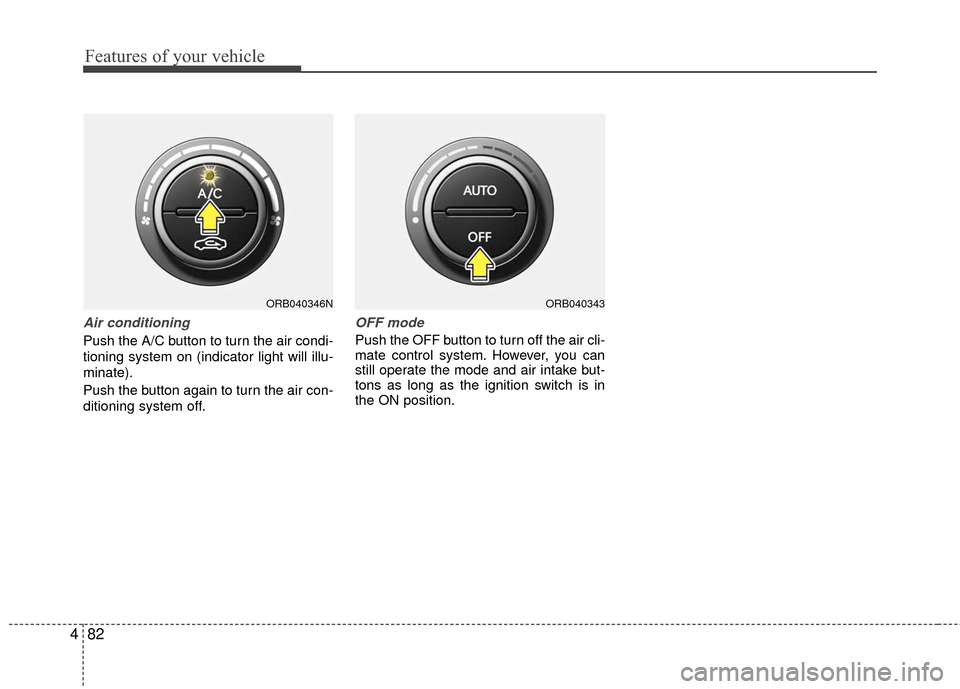
Air conditioning
Push the A/C button to turn the air condi-
tioning system on (indicator light will illu-
minate).
Push the button again to turn the air con-
ditioning system off.
OFF mode
Push the OFF button to turn off the air cli-
mate control system. However, you can
still operate the mode and air intake but-
tons as long as the ignition switch is in
the ON position.
ORB040343ORB040346N
Page 164 of 456
487
Features of your vehicle
These compartments can be used to
store small items.
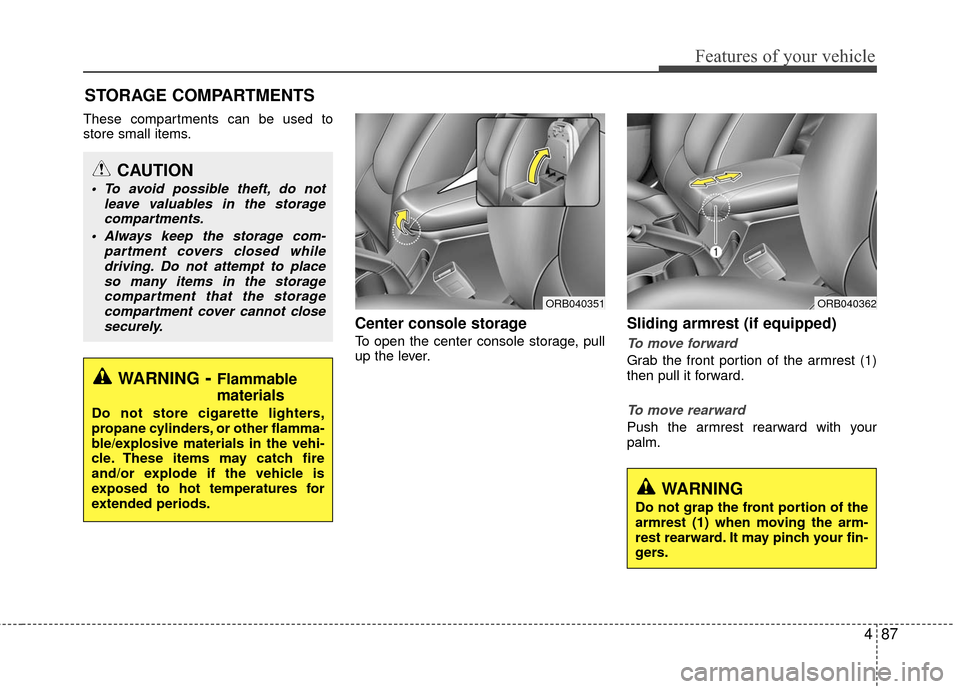
Center console storage
To open the center console storage, pull
up the lever.
Sliding armrest (if equipped)
To move forward
Grab the front portion of the armrest (1)
then pull it forward.
To move rearward
Push the armrest rearward with your
palm.
STORAGE COMPARTMENTS
WARNING- Flammable
materials
Do not store cigarette lighters,
propane cylinders, or other flamma-
ble/explosive materials in the vehi-
cle. These items may catch fire
and/or explode if the vehicle is
exposed to hot temperatures for
extended periods.
CAUTION
To avoid possible theft, do not
leave valuables in the storagecompartments.
Always keep the storage com- partment covers closed whiledriving. Do not attempt to placeso many items in the storage compartment that the storagecompartment cover cannot closesecurely.
WARNING
Do not grap the front portion of the
armrest (1) when moving the arm-
rest rearward. It may pinch your fin-
gers.
ORB040351ORB040362
Page 167 of 456
Features of your vehicle
90
4
INTERIOR FEATURES
Cup holder
Cups or small beverage cans may be
placed in the cup holders.Sunvisor
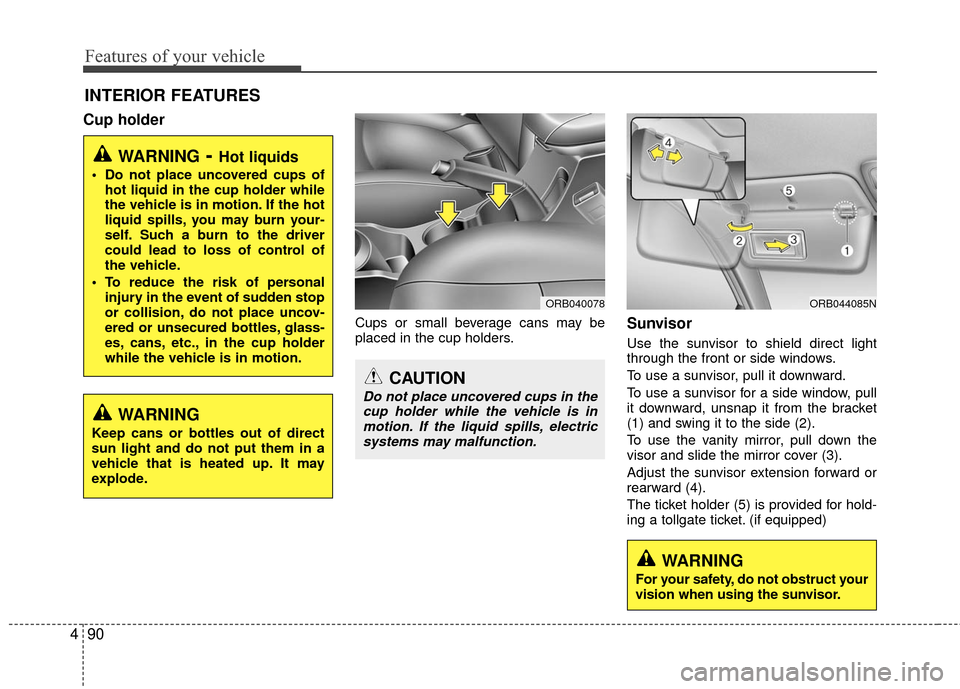
Use the sunvisor to shield direct light
through the front or side windows.
To use a sunvisor, pull it downward.
To use a sunvisor for a side window, pull
it downward, unsnap it from the bracket
(1) and swing it to the side (2).
To use the vanity mirror, pull down the
visor and slide the mirror cover (3).
Adjust the sunvisor extension forward or
rearward (4).
The ticket holder (5) is provided for hold-
ing a tollgate ticket. (if equipped)
WARNING- Hot liquids
Do not place uncovered cups of
hot liquid in the cup holder while
the vehicle is in motion. If the hot
liquid spills, you may burn your-
self. Such a burn to the driver
could lead to loss of control of
the vehicle.
To reduce the risk of personal injury in the event of sudden stop
or collision, do not place uncov-
ered or unsecured bottles, glass-
es, cans, etc., in the cup holder
while the vehicle is in motion.
ORB044085N
WARNING
Keep cans or bottles out of direct
sun light and do not put them in a
vehicle that is heated up. It may
explode.
ORB040078
CAUTION
Do not place uncovered cups in thecup holder while the vehicle is inmotion. If the liquid spills, electricsystems may malfunction.
WARNING
For your safety, do not obstruct your
vision when using the sunvisor.
Page 180 of 456
4103
Features of your vehicle
WARNING
Do not stare at the screen whiledriving. Staring at the screen for
prolonged periods of time could
lead to traffic accidents.
Do not disassemble, assemble, or modify the audio system. Such
acts could result in accidents,
fire, or electric shock.
Using the phone while driving may lead to a lack of attention of
traffic conditions and increase
the likelihood of accidents.
Use the phone feature after park-
ing the vehicle.
Heed caution not to spill water or introduce foreign objects into the
device. Such acts could lead to
smoke, fire, or product malfunc-
tion.
(Continued)
(Continued)
Please refrain from use if thescreen is blank or no sound can
be heard as these signs may indi-
cate product malfunction.
Continued use in such conditions
could lead to accidents(fires,
electric shock) or product mal-
functions.
Do not touch the antenna during thunder or lightening as such
acts may lead to lightning
induced electric shock.
Do not stop or park in parking- restricted areas to operate the
product. Such acts could lead to
traffic accidents.
Use the system with the vehicle ignition turned on. Prolonged use
with the ignition turned off could
result in battery discharge.CAUTION
Operating the device while driv- ing could lead to accidents due toa lack of attention to external sur- roundings. First park the vehiclebefore operating the device.
Adjust the volume to levels that allow the driver to hear soundsfrom outside of the vehicle.Driving in a state where external sounds cannot be heard may leadto accidents.
Pay attention to the volume set- ting when turning the device on.A sudden output of extreme vol- ume upon turning the device oncould lead to hearing impairment.(Adjust the volume to a suitablelevels before turning off thedevice.)
(Continued)
Page 200 of 456
4123
Features of your vehicle
SiriusXMTMRADIO
Using
SiriusXMTMSatellite
Radio
Your vehicle is equipped with a 3 month
complimentary period of SiriusXMTM
Satellite Radio. XM provides access to
over 130 channels of music, information,
and entertainment programming.
SEEK
Press the key
Shortly pressing the key: select previ-
ous or next channel.
Pressing and holding the key (over 0.8 seconds): continuously move to previ-
ous or next channel.
❈ If the “Category” icon is displayed,
channels are changed within the cur-
rent category.
SCAN
Press the key
Shortly pressing the key: Previews each broadcast for 5 seconds each
❈ Press the key again to contin-
ue listening to the current frequency
❈ If the “Category” icon is displayed,
channels are changed within the cur-
rent category.
Category
Press the key Set through
the
TUNEknob The display will indicate the category
menus, highlight the category that the
current channel belongs to.
In the Category List Mode, press the key to navigate category
list.
Press the tune knob to select the low- est channel in the highlighted category.
❈ If channel is selected by selecting cat-
egory, then the “CATEGORY” icon is
displayed at the top of the screen.Preset
Press the ~ key
Shortly pressing the key: Plays the fre- quency saved in the corresponding
key.
Pressing and holding the key (over 0.8 seconds): Pressing and holding the
desired key from ~ will
save the current broadcast to the
selected key and sound a BEEP.
61
61
CAT
FOLDER
CAT
FOLDER
SCAN
SCAN
SEEK
TRACK