ignition Hyundai Accent 2017 Service Manual
[x] Cancel search | Manufacturer: HYUNDAI, Model Year: 2017, Model line: Accent, Model: Hyundai Accent 2017Pages: 380, PDF Size: 12.45 MB
Page 124 of 380
Features of your vehicle
4-50
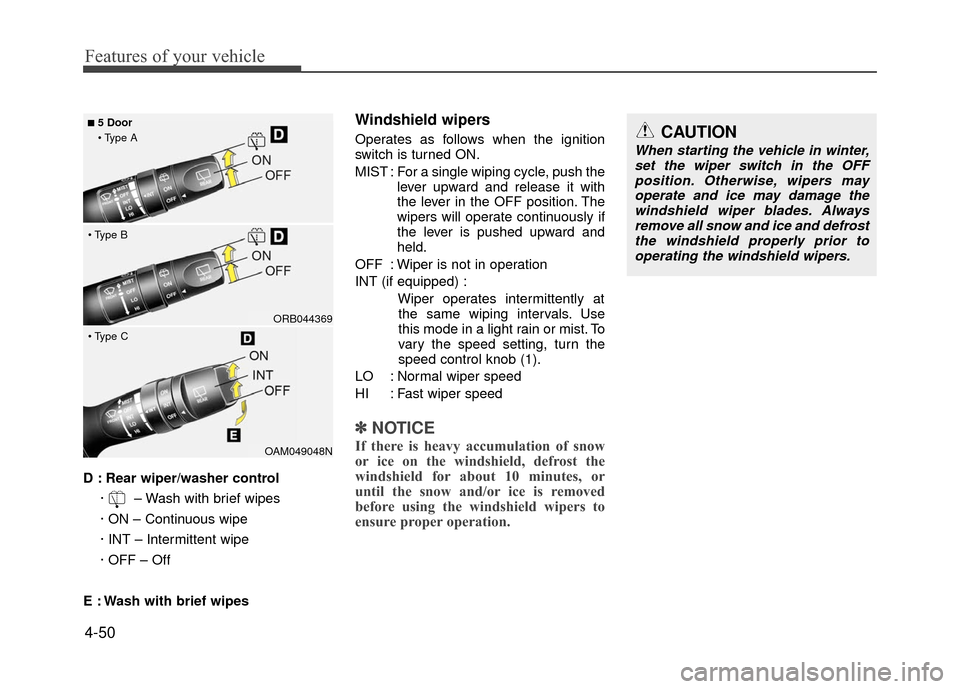
D : Rear wiper/washer control· – Wash with brief wipes
· ON – Continuous wipe
· INT – Intermittent wipe
· OFF – Off
E : Wash with brief wipes
Windshield wipers
Operates as follows when the ignition
switch is turned ON.
MIST : For a single wiping cycle, push the lever upward and release it with
the lever in the OFF position. The
wipers will operate continuously if
the lever is pushed upward and
held.
OFF : Wiper is not in operation
INT (if equipped) : Wiper operates intermittently atthe same wiping intervals. Use
this mode in a light rain or mist. To
vary the speed setting, turn the
speed control knob (1).
LO : Normal wiper speed
HI : Fast wiper speed
✽ ✽ NOTICE
If there is heavy accumulation of snow
or ice on the windshield, defrost the
windshield for about 10 minutes, or
until the snow and/or ice is removed
before using the windshield wipers to
ensure proper operation.OAM049048N
ORB044369
■5 Door
CAUTION
When starting the vehicle in winter, set the wiper switch in the OFFposition. Otherwise, wipers may operate and ice may damage thewindshield wiper blades. Alwaysremove all snow and ice and defrost the windshield properly prior tooperating the windshield wipers.
Page 127 of 380
4-53
Features of your vehicle
Automatic turn off function
(if equipped)
The interior lights automatically turn off
approximately 20 minutes after the igni-
tion switch is turned off.
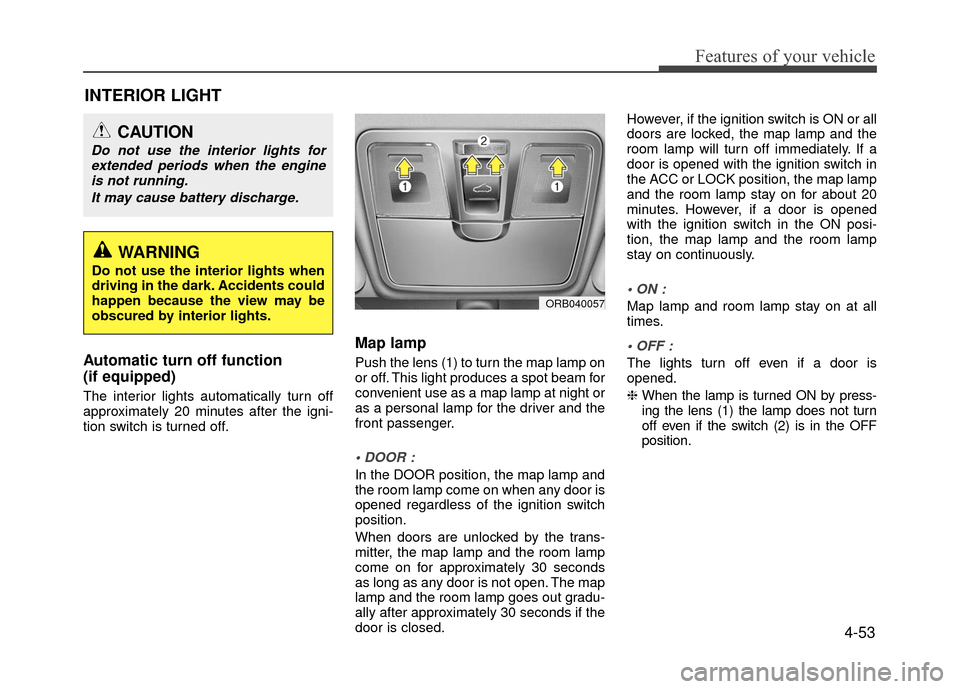
Map lamp
Push the lens (1) to turn the map lamp on
or off. This light produces a spot beam for
convenient use as a map lamp at night or
as a personal lamp for the driver and the
front passenger.
In the DOOR position, the map lamp and
the room lamp come on when any door is
opened regardless of the ignition switch
position.
When doors are unlocked by the trans-
mitter, the map lamp and the room lamp
come on for approximately 30 seconds
as long as any door is not open. The map
lamp and the room lamp goes out gradu-
ally after approximately 30 seconds if the
door is closed.However, if the ignition switch is ON or all
doors are locked, the map lamp and the
room lamp will turn off immediately. If a
door is opened with the ignition switch in
the ACC or LOCK position, the map lamp
and the room lamp stay on for about 20
minutes. However, if a door is opened
with the ignition switch in the ON posi-
tion, the map lamp and the room lamp
stay on continuously.
Map lamp and room lamp stay on at all
times.
The lights turn off even if a door is
opened.
❈
When the lamp is turned ON by press-
ing the lens (1) the lamp does not turn
off even if the switch (2) is in the OFF
position.
INTERIOR LIGHT
ORB040057
WARNING
Do not use the interior lights when
driving in the dark. Accidents could
happen because the view may be
obscured by interior lights.
CAUTION
Do not use the interior lights for
extended periods when the engineis not running.
It may cause battery discharge.
Page 128 of 380
Features of your vehicle
4-54
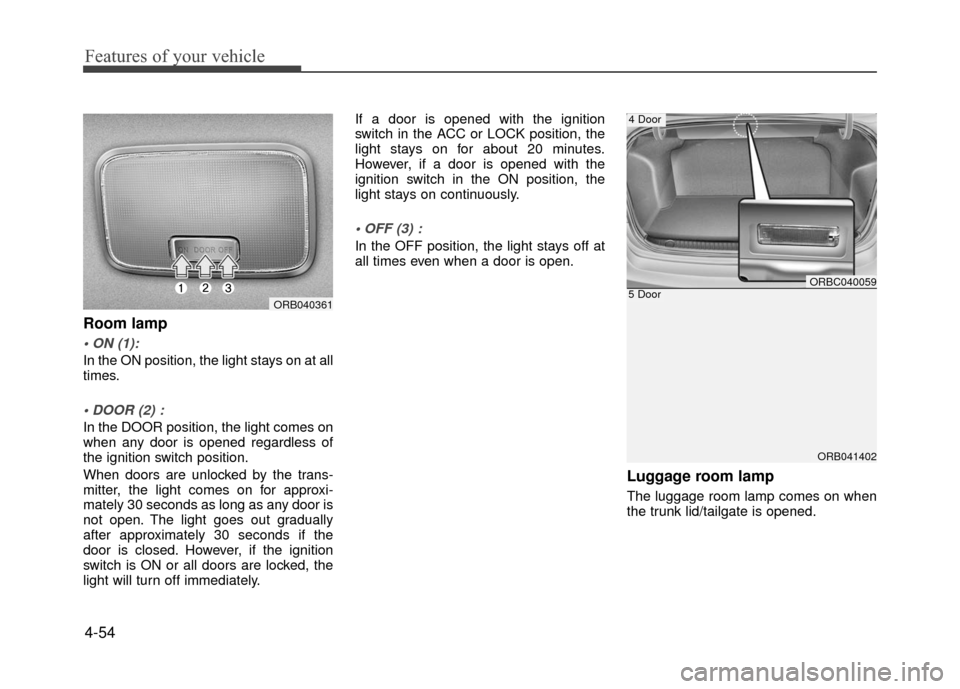
Room lamp
In the ON position, the light stays on at all
times.
In the DOOR position, the light comes on
when any door is opened regardless of
the ignition switch position.
When doors are unlocked by the trans-
mitter, the light comes on for approxi-
mately 30 seconds as long as any door is
not open. The light goes out gradually
after approximately 30 seconds if the
door is closed. However, if the ignition
switch is ON or all doors are locked, the
light will turn off immediately.If a door is opened with the ignition
switch in the ACC or LOCK position, the
light stays on for about 20 minutes.
However, if a door is opened with the
ignition switch in the ON position, the
light stays on continuously.
In the OFF position, the light stays off at
all times even when a door is open.
Luggage room lamp
The luggage room lamp comes on when
the trunk lid/tailgate is opened.
ORB041402
5 DoorORBC040059
4 Door
ORB040361
Page 129 of 380
4-55
Features of your vehicle
✽
✽NOTICE
If you want to defrost and defog the
front windshield, refer to "Windshield
defrosting and defogging" in this sec-
tion.
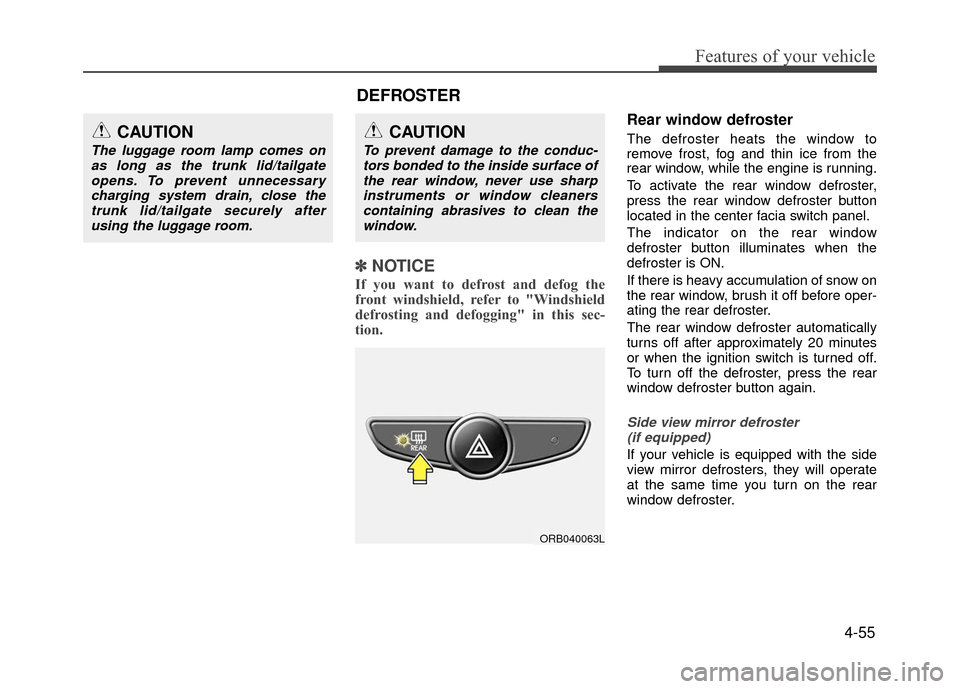
Rear window defroster
The defroster heats the window to
remove frost, fog and thin ice from the
rear window, while the engine is running.
To activate the rear window defroster,
press the rear window defroster button
located in the center facia switch panel.
The indicator on the rear window
defroster button illuminates when the
defroster is ON.
If there is heavy accumulation of snow on
the rear window, brush it off before oper-
ating the rear defroster.
The rear window defroster automatically
turns off after approximately 20 minutes
or when the ignition switch is turned off.
To turn off the defroster, press the rear
window defroster button again.
Side view mirror defroster
(if equipped)
If your vehicle is equipped with the side
view mirror defrosters, they will operate
at the same time you turn on the rear
window defroster.
CAUTION
To prevent damage to the conduc-tors bonded to the inside surface ofthe rear window, never use sharpinstruments or window cleanerscontaining abrasives to clean the window.
ORB040063L
CAUTION
The luggage room lamp comes onas long as the trunk lid/tailgateopens. To prevent unnecessarycharging system drain, close thetrunk lid/tailgate securely after using the luggage room.
DEFROSTER
Page 135 of 380
4-61
Features of your vehicle
Fan speed control
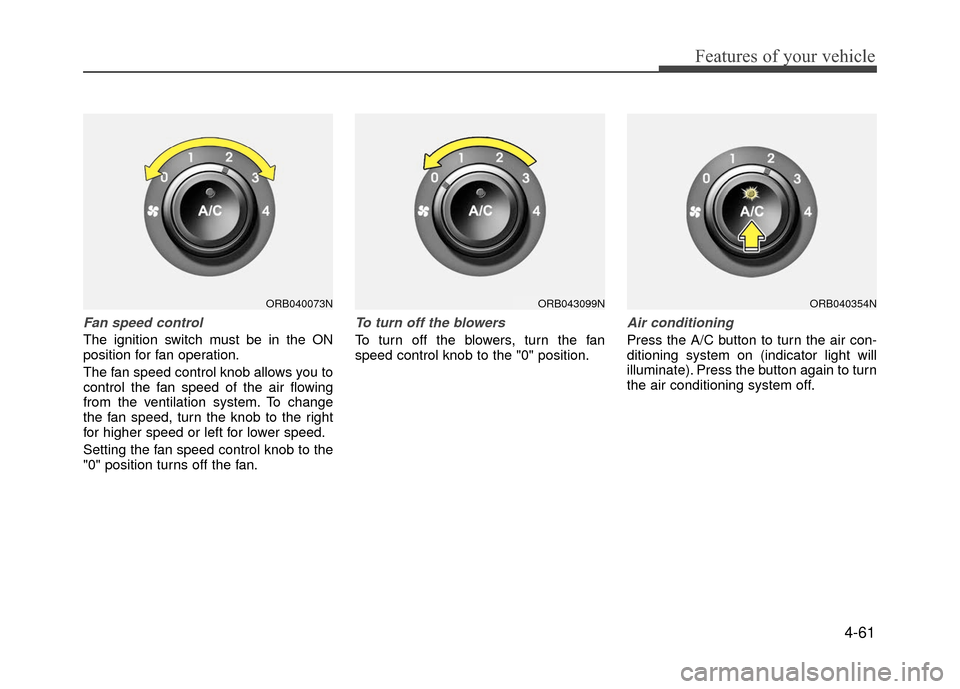
The ignition switch must be in the ON
position for fan operation.
The fan speed control knob allows you to
control the fan speed of the air flowing
from the ventilation system. To change
the fan speed, turn the knob to the right
for higher speed or left for lower speed.
Setting the fan speed control knob to the
"0" position turns off the fan.
To turn off the blowers
To turn off the blowers, turn the fan
speed control knob to the "0" position.
Air conditioning
Press the A/C button to turn the air con-
ditioning system on (indicator light will
illuminate). Press the button again to turn
the air conditioning system off.
ORB040354NORB043099NORB040073N
Page 145 of 380
4-71
Features of your vehicle
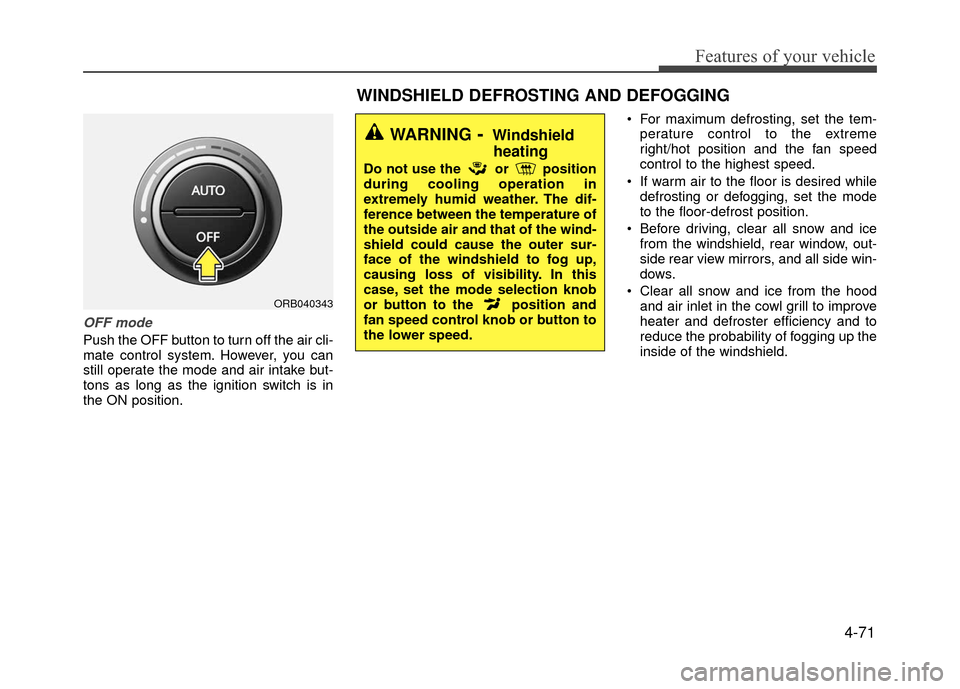
OFF mode
Push the OFF button to turn off the air cli-
mate control system. However, you can
still operate the mode and air intake but-
tons as long as the ignition switch is in
the ON position. For maximum defrosting, set the tem-
perature control to the extreme
right/hot position and the fan speed
control to the highest speed.
If warm air to the floor is desired while defrosting or defogging, set the mode
to the floor-defrost position.
Before driving, clear all snow and ice from the windshield, rear window, out-
side rear view mirrors, and all side win-
dows.
Clear all snow and ice from the hood and air inlet in the cowl grill to improve
heater and defroster efficiency and to
reduce the probability of fogging up the
inside of the windshield.
ORB040343
WINDSHIELD DEFROSTING AND DEFOGGING
WARNING- Windshieldheating
Do not use the or position
during cooling operation in
extremely humid weather. The dif-
ference between the temperature of
the outside air and that of the wind-
shield could cause the outer sur-
face of the windshield to fog up,
causing loss of visibility. In this
case, set the mode selection knob
or button to the position and
fan speed control knob or button to
the lower speed.
Page 147 of 380
4-73
Features of your vehicle
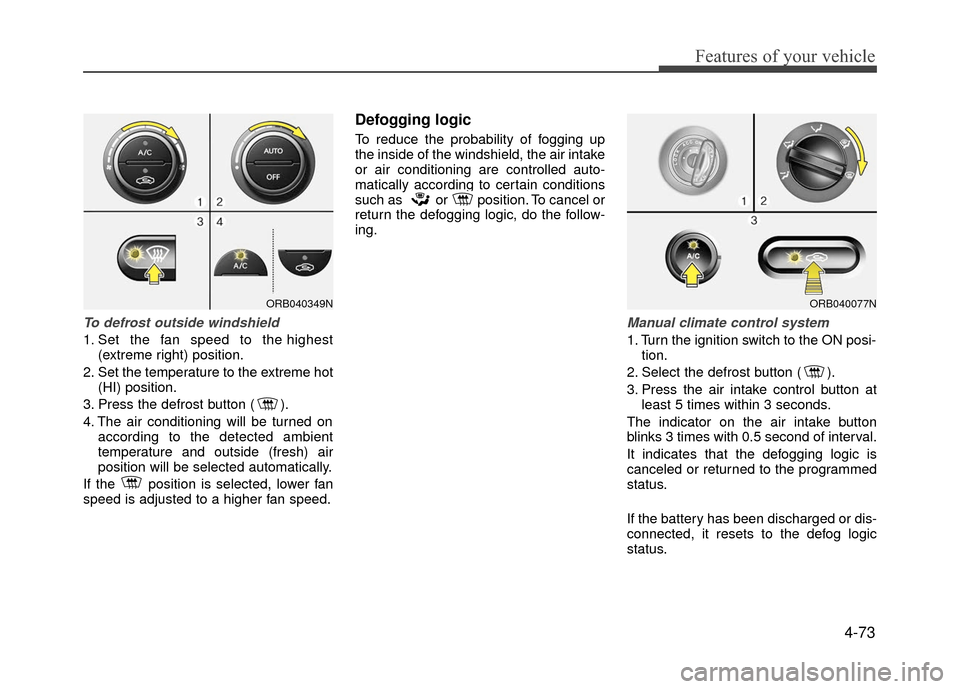
To defrost outside windshield
1. Set the fan speed to the highest(extreme right) position.
2. Set the temperature to the extreme hot (HI) position.
3. Press the defrost button ( ).
4. The air conditioning will be turned on according to the detected ambient
temperature and outside (fresh) air
position will be selected automatically.
If the position is selected, lower fan
speed is adjusted to a higher fan speed.
Defogging logic
To reduce the probability of fogging up
the inside of the windshield, the air intake
or air conditioning are controlled auto-
matically according to certain conditions
such as or position. To cancel or
return the defogging logic, do the follow-
ing.
Manual climate control system
1. Turn the ignition switch to the ON posi- tion.
2. Select the defrost button ( ).
3. Press the air intake control button at least 5 times within 3 seconds.
The indicator on the air intake button
blinks 3 times with 0.5 second of interval.
It indicates that the defogging logic is
canceled or returned to the programmed
status.
If the battery has been discharged or dis-
connected, it resets to the defog logic
status.
ORB040349NORB040077N
Page 148 of 380
Features of your vehicle
4-74
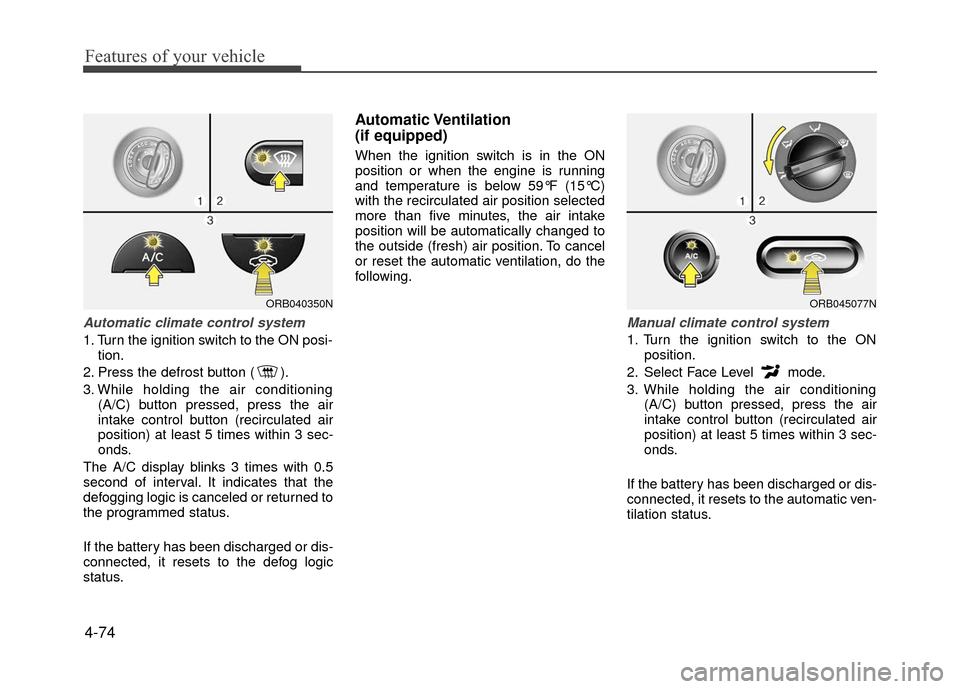
Automatic climate control system
1. Turn the ignition switch to the ON posi-tion.
2. Press the defrost button ( ).
3. While holding the air conditioning (A/C) button pressed, press the air
intake control button (recirculated air
position) at least 5 times within 3 sec-
onds.
The A/C display blinks 3 times with 0.5
second of interval. It indicates that the
defogging logic is canceled or returned to
the programmed status.
If the battery has been discharged or dis-
connected, it resets to the defog logic
status.
Automatic Ventilation
(if equipped)
When the ignition switch is in the ON
position or when the engine is running
and temperature is below 59°F (15°C)
with the recirculated air position selected
more than five minutes, the air intake
position will be automatically changed to
the outside (fresh) air position. To cancel
or reset the automatic ventilation, do the
following.
Manual climate control system
1. Turn the ignition switch to the ON position.
2. Select Face Level mode.
3. While holding the air conditioning (A/C) button pressed, press the air
intake control button (recirculated air
position) at least 5 times within 3 sec-
onds.
If the battery has been discharged or dis-
connected, it resets to the automatic ven-
tilation status.
ORB040350NORB045077N
Page 149 of 380
4-75
Features of your vehicle
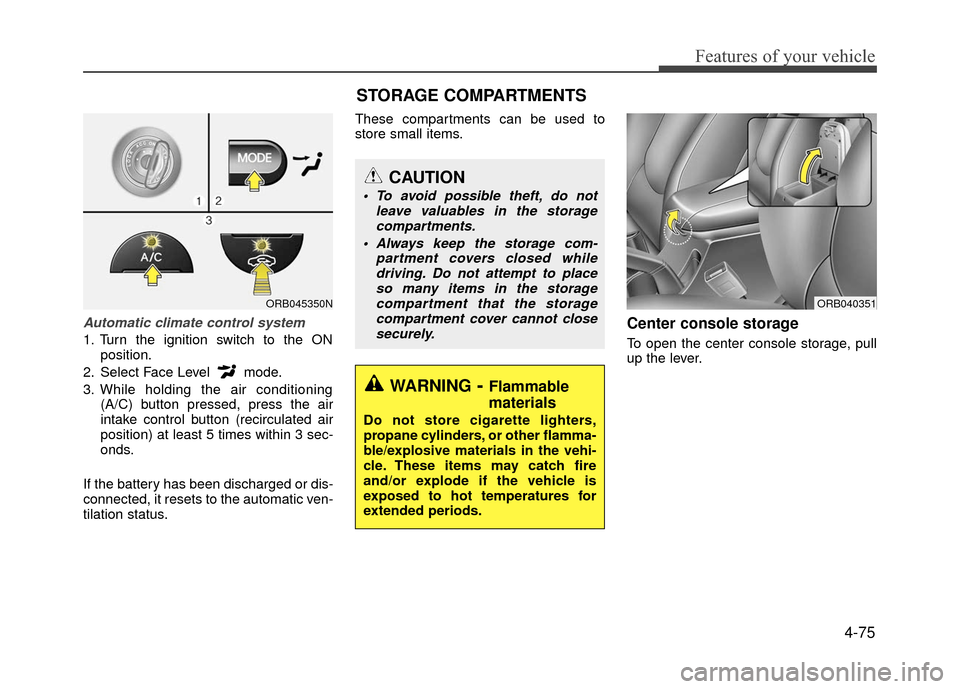
Automatic climate control system
1. Turn the ignition switch to the ONposition.
2. Select Face Level mode.
3. While holding the air conditioning (A/C) button pressed, press the air
intake control button (recirculated air
position) at least 5 times within 3 sec-
onds.
If the battery has been discharged or dis-
connected, it resets to the automatic ven-
tilation status. These compartments can be used to
store small items.
Center console storage
To open the center console storage, pull
up the lever.
ORB045350N
STORAGE COMPARTMENTS
WARNING- Flammable
materials
Do not store cigarette lighters,
propane cylinders, or other flamma-
ble/explosive materials in the vehi-
cle. These items may catch fire
and/or explode if the vehicle is
exposed to hot temperatures for
extended periods.
CAUTION
To avoid possible theft, do not
leave valuables in the storagecompartments.
Always keep the storage com- partment covers closed whiledriving. Do not attempt to placeso many items in the storagecompartment that the storagecompartment cover cannot closesecurely.
ORB040351
Page 154 of 380
Features of your vehicle
4-80
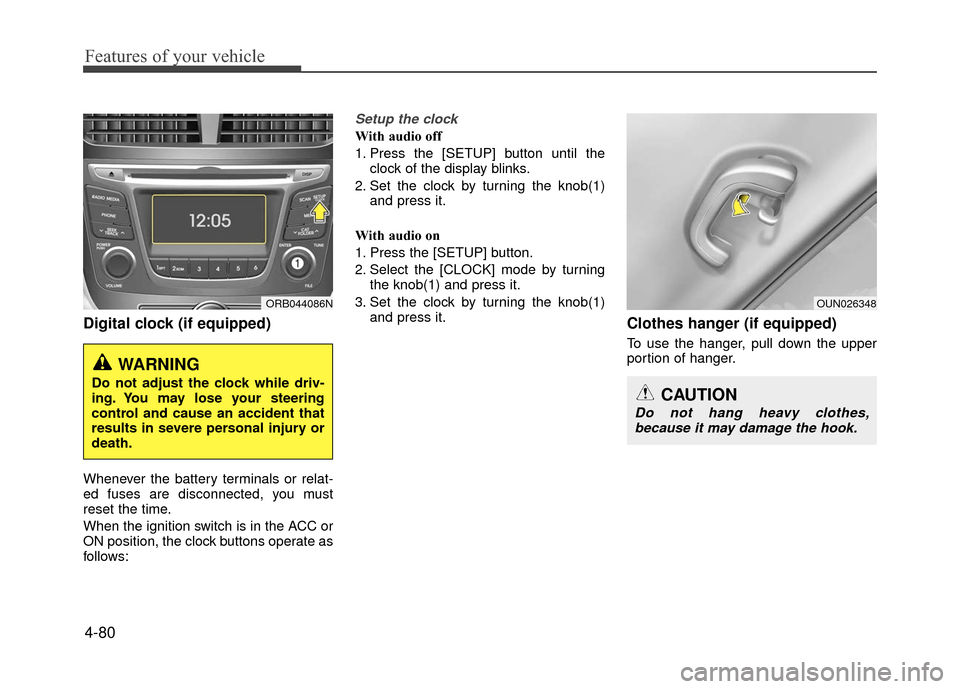
Digital clock (if equipped)
Whenever the battery terminals or relat-
ed fuses are disconnected, you must
reset the time.
When the ignition switch is in the ACC or
ON position, the clock buttons operate as
follows:
Setup the clock
With audio off
1. Press the [SETUP] button until theclock of the display blinks.
2. Set the clock by turning the knob(1) and press it.
With audio on
1. Press the [SETUP] button.
2. Select the [CLOCK] mode by turning the knob(1) and press it.
3. Set the clock by turning the knob(1) and press it.
Clothes hanger (if equipped)
To use the hanger, pull down the upper
portion of hanger.
WARNING
Do not adjust the clock while driv-
ing. You may lose your steering
control and cause an accident that
results in severe personal injury or
death.
ORB044086NOUN026348
CAUTION
Do not hang heavy clothes,because it may damage the hook.