charging Hyundai Accent 2018 User Guide
[x] Cancel search | Manufacturer: HYUNDAI, Model Year: 2018, Model line: Accent, Model: Hyundai Accent 2018Pages: 442, PDF Size: 13.99 MB
Page 340 of 442
7
Maintenance
7
Maintenance
Engine compartment .............................................7-3
Maintenance services ...........................................7-4
Owner's Responsibility .....................................................7-4
Owner Maintenance Precautions..................................7-4
Owner maintenance ...............................................7-5
Owner Maintenance Schedule .......................................7-6
Scheduled maintenance services.........................7-7
Normal Maintenance Schedule (Gamma 1.6 GDI) .....7-8
Maintenance Under Severe Usage Conditions
(Gamma 1.6 GDI) ..............................................................7-11
Explanation of scheduled maintenance items .7-13
Engine oil ..............................................................7-16
Checking the Engine Oil Level .....................................7-16
Checking the Engine Oil and Filter .............................7-17
Engine coolant......................................................7-18
Checking the Engine Coolant Level ............................7-18
Changing Engine Coolant .............................................7-20
Brake/clutch fluid ................................................7-21
Checking the Brake/Clutch Fluid Level .....................7-21
Washer fluid .........................................................7-22
Checking the Washer Fluid Level................................7-22
Parking brake .......................................................7-22
Checking the Parking Brake .........................................7-22
Air cleaner ............................................................7-23
Filter Replacement ..........................................................7-23
Climate control air filter .....................................7-24
Filter Inspection ...............................................................7-24
Wiper blades .........................................................7-26
Blade Inspection ..............................................................7-26
Blade Replacement .........................................................7-26
Battery...................................................................7-28
For Best Battery Service ..............................................7-29
Battery Recharging ........................................................7-29
Reset Features.................................................................7-30
7
Page 368 of 442
7-29
7
Maintenance
When you do not use the vehiclefor a long time in a low tempera-
ture area, disconnect the battery
and keep it indoors.
Always charge the battery fully to prevent battery case damage
in low temperature areas.
For Best Battery Service
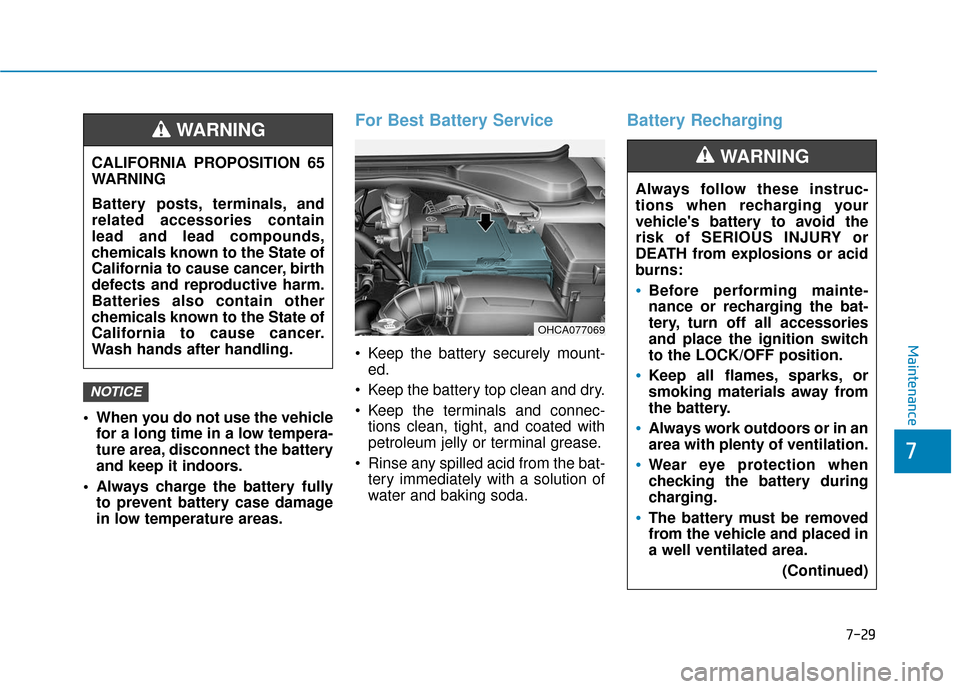
Keep the battery securely mount-ed.
Keep the battery top clean and dry.
Keep the terminals and connec- tions clean, tight, and coated with
petroleum jelly or terminal grease.
Rinse any spilled acid from the bat- tery immediately with a solution of
water and baking soda.
Battery Recharging
NOTICE
CALIFORNIA PROPOSITION 65
WARNING
Battery posts, terminals, and
related accessories contain
lead and lead compounds,
chemicals known to the State of
California to cause cancer, birth
defects and reproductive harm.
Batteries also contain other
chemicals known to the State of
California to cause cancer.
Wash hands after handling.
WARNING
Always follow these instruc-
tions when recharging your
vehicle's battery to avoid the
risk of SERIOUS INJURY or
DEATH from explosions or acid
burns:
Before performing mainte-
nance or recharging the bat-
tery, turn off all accessories
and place the ignition switch
to the LOCK/OFF position.
Keep all flames, sparks, or
smoking materials away from
the battery.
Always work outdoors or in an
area with plenty of ventilation.
Wear eye protection when
checking the battery during
charging.
The battery must be removed
from the vehicle and placed in
a well ventilated area.
(Continued)
WARNING
OHCA077069
Page 369 of 442
7-30
Maintenance
By jump starting
After a jump start from a good bat-
tery, drive the vehicle for 20-30 min-
utes before it is shutoff. The vehicle
may not restart if you shut it off
before the battery had a chance to
adequately recharge. See "Jump
Starting" in chapter 6 for more infor-
mation on jump starting procedures.
Information
An inappropriately disposedbattery can be harmful to
the environment and human
health. Dispose of the bat-
tery according to your local
law(s) or regulations.
Reset Features
The following items may need to be
reset after the battery has been dis-
charged or the battery has been dis-
connected. See chapter 3 or 4 for:
Power Windows
Trip Computer
Climate Control System
Clock
Audio System
Sunroof
i
(Continued)
Watch the battery during
charging, and stop or reduce
the charging rate if the battery
cells begin boiling violently.
The negative battery cable
must be removed first and
installed last when the battery
is disconnected. Disconnect
the battery charger in the fol-
lowing order:
(1) Turn off the battery charg- er main switch.
(2) Unhook the negative
clamp from the negative
battery terminal.
(3) Unhook the positive clamp from the positive battery
terminal.
Always use a genuine
HYUNDAI approved battery
when you replace the battery.
Page 393 of 442

7-54
Maintenance
Fuse NameFuse RatingCircuit Protected
MODULE17.5ABCM, SLM, Key Interlock
SMART KEY25ASmart Key Control Module
A/C27.5A-
WIPER RR15AMultifunction Switch, Rear Wiper Motor, Rear Wiper Relay
WIPER FRT25AMultifunction Switch, Front Wiper Motor, E/R Junction Block(Wiper Lo Relay)
ACC10AI/P Junction Block(Power Outlet Relay), BCM, SLM, Audio,
Key Interlock Power Outside Mirror Switch, Smart Key Control Module, USB Charging Connecto
SPARE320ASpare
A/BAG IND7.5AInstrument Cluster, A/C Control Module
CLUSTER7.5AInstrument Cluster
MDPS27.5AMDPS Unit
AUDIO20AAudio
ROOM LP10AI/P Junction Block(Room Lamp Relay), Overhead Console Lamp , A/C Control Module, SLM, BCM,
Auto Light & Photo Sensor, TPMS Unit ,Instrument Cluster, Data Link Connector, Room Lamp,
Trunk Room Lamp, Electro Chromic Mirror
Page 436 of 442

I-2
Accessing Your Vehicle ....................................................3-3Immobilizer System....................................................3-\
11
Remote Key ..................................................................3-3
Smart Key.....................................................................3-6\
Air bag - Advanced supplemental restraint system ........2-39 Additional Safety Precautions ....................................2-61
Air Bag Warning Labels.............................................2-61
How Does the Air Bag System Operate? ...................2-44
Occupant Classification System (OCS) .....................2-50
SRS Care ....................................................................2-60\
What to Expect After an Air Bag Inflates ..................2-49
Where Are the Air Bags? ...........................................2-41
Why Didn't My Air Bag Go Off in a Collision?........2-55
Air cleaner.......................................................................7\
-23 Filter Replacement .....................................................7-23
Air Conditioning System ..................................................8-5
Appearance care..............................................................7-72 Exterior Care ..............................................................7-72
Interior Care ...............................................................7-76 Audio (With Touch Screen) ..............................................4-9
Feature of Your Audio.......................................4-10, 4-13
List ........................................................................\
......4-19
Media ........................................................................\
..4-22
Phone ........................................................................\
....4-1
Radio ........................................................................\
..4-18
Setup ........................................................................\
.....4-1
SiriusXM Radio..........................................................4-21
Automatic Climate Control System..............................3-104 Automatic Heating and Air Conditioning ................3-105
Manual Heating and Air Conditioning .....................3-106
System Maintenance.................................................3-113
System Operation .....................................................3-111
Automatic transmission ..................................................5-18 Automatic Transmission Operation............................5-18
Good Driving Practices ..............................................5-22
Battery ........................................................................\
.....7-28 Battery Recharging .....................................................7-29
For Best Battery Service ............................................7-29
Reset Features ............................................................7-30
Before driving ...................................................................5-3 Before Entering the Vehicle .........................................5-3
Before Starting .............................................................5-3
Index
A
B