heating Hyundai Accent 2018 Owner's Guide
[x] Cancel search | Manufacturer: HYUNDAI, Model Year: 2018, Model line: Accent, Model: Hyundai Accent 2018Pages: 442, PDF Size: 13.99 MB
Page 304 of 442
5-52
Driving your vehicle
Information
The ESC system must be turned OFF
before rocking the vehicle.
If you are still stuck after rocking
the vehicle a few times, have the
vehicle pulled out by a tow vehicle
to avoid engine overheating, pos-
sible damage to the transmission,
and tire damage. See "Towing" in
chapter 6.
Smooth Cornering
Avoid braking or gear changing in
corners, especially when roads are
wet. Ideally, corners should always
be taken under gentle acceleration.
Driving at Night
Night driving presents more hazards
than driving in the daylight. Here are
some important tips to remember:
Slow down and keep more dis-tance between you and other vehi-
cles, as it may be more difficult to
see at night, especially in areas
where there may not be any street
lights.
Adjust your mirrors to reduce the glare from other driver's head-
lamps.
Keep your headlamps clean and properly aimed. Dirty or improperly
aimed headlamps will make it
much more difficult to see at night.
Avoid staring directly at the head- lamps of oncoming vehicles. You
could be temporarily blinded, and it
will take several seconds for your
eyes to readjust to the darkness.
Driving in the Rain
Rain and wet roads can make driving
dangerous. Here are a few things to
consider when driving in the rain or
on slick pavement:
Slow down and allow extra follow-ing distance. A heavy rainfall
makes it harder to see and increas-
es the distance needed to stop
your vehicle.
Turn OFF your Cruise Control.
Replace your windshield wiper blades when they show signs of
streaking or missing areas on the
windshield.
Tires should be properly main- tained with at least 2/32nds of an
inch of tread depth. If your tires do
not have enough tread, making a
quick stop on wet pavement can
cause a skid and possibly lead to
an accident. See "Tire Tread" in
chapter 7.
Turn on your headlamps to make it easier for others to see you.
NOTICE
i
Page 321 of 442
6-6
What to do in an emergency
7. Connect the other end of the sec- ond jumper cable to the black,
negative (-) chassis ground of
your vehicle (4).
Do not allow the jumper cables to
contact anything except the cor-
rect battery or jumper terminals or
the correct ground. Do not lean
over the battery when making
connections.
8. Start the engine of the assisting vehicle and let it run at approxi-
mately 2,000 rpm for a few min-
utes. Then start your vehicle.
If your vehicle will not start after a
few attempts, it probably requires
servicing. In this event please seek
qualified assistance. If the cause of
your battery discharging is not
apparent, have your vehicle checked
by an authorized HYUNDAI dealer. Disconnect the jumper cables in the
exact reverse order you connected
them:
1. Disconnect the jumper cable from
the black, negative (-) chassis
ground of your vehicle (4).
2. Disconnect the other end of the jumper cable from the black, neg-
ative (-) battery/chassis ground of
the assisting vehicle (3).
3. Disconnect the second jumper cable from the red, positive (+)
battery/jumper terminal of the
assisting vehicle (2).
4. Disconnect the other end of the jumper cable from the red, positive
(+) jumper terminal of your vehicle
(1). If your temperature gage indicates
overheating, you experience a loss
of power, or hear loud pinging or
knocking, the engine may be over-
heating. If this happens, you should:
1. Pull off the road and stop as soon
as it is safe to do so.
2. Place the shift lever in P (Park) and set the parking brake. If the air
conditioning is ON, turn it OFF.
3. If engine coolant is running out under the vehicle or steam is com-
ing out from the hood, stop the
engine. Do not open the hood until
the coolant has stopped running
or the steaming has stopped. If
there is no visible loss of engine
coolant and no steam, leave the
engine running and check to be
sure the engine cooling fan is
operating. If the fan is not running,
turn the engine off.
I IF
F
T
T H
H E
E
E
E N
N G
GI
IN
N E
E
O
O V
VE
ER
R H
H E
EA
A T
TS
S
Page 322 of 442
6-7
What to do in an emergency
6
4. Check for coolant leaking from theradiator, hoses or under the vehi-
cle. (If the air conditioning had
been in use, it is normal for cold
water to be draining from it when
you stop.)
5. If engine coolant is leaking out, stop the engine immediately and
call the nearest authorized
HYUNDAI dealer for assistance. 6. If you cannot find the cause of the
overheating, wait until the engine
temperature has returned to nor-
mal. Then, if coolant has been
lost, carefully add coolant to the
reservoir to bring the fluid level in
the reservoir up to the halfway
mark.
7. Proceed with caution, keeping alert for further signs of overheat-
ing. If overheating happens again,
call an authorized HYUNDAI deal-
er for assistance.
Serious loss of coolant indi-
cates a leak in the cooling sys-
tem and should be checked as
soon as possible by an author-
ized HYUNDAI dealer.
CAUTION
While the engine is running,
keep hands, clothing and tools
away from the moving parts
such as the cooling fan and
drive belt to prevent serious
injury.
WARNING
Your vehicle is
equipped with a
pressurized
coolant reserve
tank. NEVER
remove the
engine coolant
reservoir
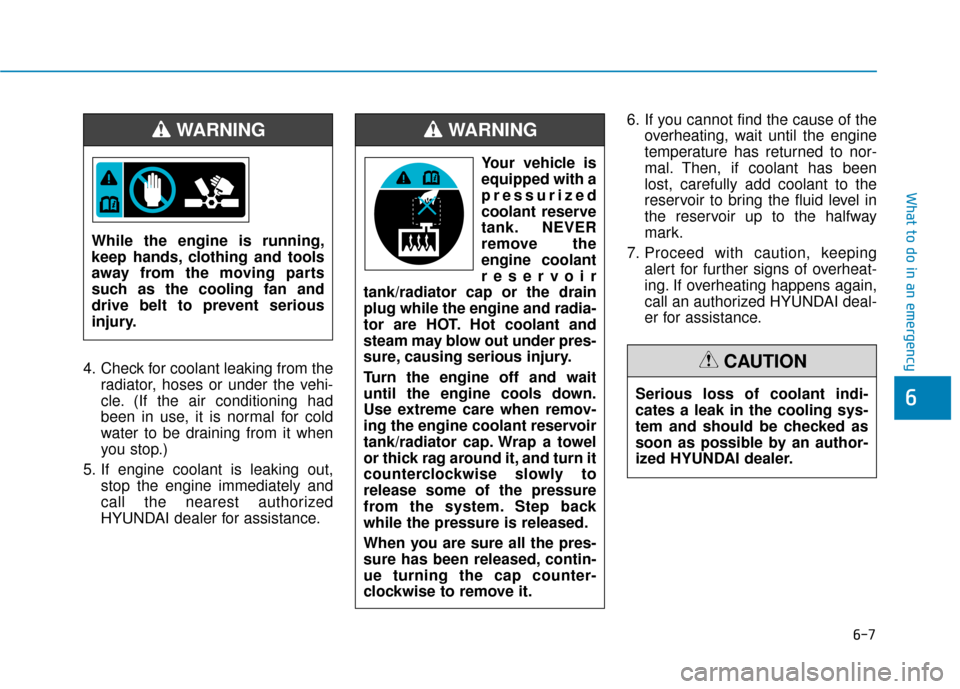
tank/radiator cap or the drain
plug while the engine and radia-
tor are HOT. Hot coolant and
steam may blow out under pres-
sure, causing serious injury.
Turn the engine off and wait
until the engine cools down.
Use extreme care when remov-
ing the engine coolant reservoir
tank/radiator cap. Wrap a towel
or thick rag around it, and turn it
counterclockwise slowly to
release some of the pressure
from the system. Step back
while the pressure is released.
When you are sure all the pres-
sure has been released, contin-
ue turning the cap counter-
clockwise to remove it.
WARNING
Page 436 of 442

I-2
Accessing Your Vehicle ....................................................3-3Immobilizer System....................................................3-\
11
Remote Key ..................................................................3-3
Smart Key.....................................................................3-6\
Air bag - Advanced supplemental restraint system ........2-39 Additional Safety Precautions ....................................2-61
Air Bag Warning Labels.............................................2-61
How Does the Air Bag System Operate? ...................2-44
Occupant Classification System (OCS) .....................2-50
SRS Care ....................................................................2-60\
What to Expect After an Air Bag Inflates ..................2-49
Where Are the Air Bags? ...........................................2-41
Why Didn't My Air Bag Go Off in a Collision?........2-55
Air cleaner.......................................................................7\
-23 Filter Replacement .....................................................7-23
Air Conditioning System ..................................................8-5
Appearance care..............................................................7-72 Exterior Care ..............................................................7-72
Interior Care ...............................................................7-76 Audio (With Touch Screen) ..............................................4-9
Feature of Your Audio.......................................4-10, 4-13
List ........................................................................\
......4-19
Media ........................................................................\
..4-22
Phone ........................................................................\
....4-1
Radio ........................................................................\
..4-18
Setup ........................................................................\
.....4-1
SiriusXM Radio..........................................................4-21
Automatic Climate Control System..............................3-104 Automatic Heating and Air Conditioning ................3-105
Manual Heating and Air Conditioning .....................3-106
System Maintenance.................................................3-113
System Operation .....................................................3-111
Automatic transmission ..................................................5-18 Automatic Transmission Operation............................5-18
Good Driving Practices ..............................................5-22
Battery ........................................................................\
.....7-28 Battery Recharging .....................................................7-29
For Best Battery Service ............................................7-29
Reset Features ............................................................7-30
Before driving ...................................................................5-3 Before Entering the Vehicle .........................................5-3
Before Starting .............................................................5-3
Index
A
B
Page 439 of 442
I-5
Instrument Cluster...........................................................3-51Gauges and Meters .....................................................3-53
Instrument Cluster Control .........................................3-52
LCD Display Messages ..............................................3-68
Transmission shift indicator .......................................3-56
Warning and Indicator Lights.....................................3-58
Instrument Panel Overview ..............................................1-5
Interior Features ............................................................3-123 Clock ........................................................................\
3-127
Clothes Hanger .........................................................3-127
Cup Holder ...............................................................3-123
Floor Mat Anchor(s) .................................................3-128
Luggage Net Holder .................................................3-128
Power Outlet.............................................................3-125
Sunvisor ....................................................................3-12\
4
Interior Overview..............................................................1-4
Jump Starting ....................................................................6-4 LCD Display ...................................................................3-72
LCD Display Control .................................................3-72
LCD Display Modes ..................................................3-72
Light bulbs ......................................................................7-\
61 Headlamp, Position lamp, Fog lamp, Daytime Running Light, Turn Signal Lamp and
Side Marker .............................................................7-61
High Mounted Stop Lamp Replacement....................7-70
License Plate Light Bulb Replacement ......................7-70
Rear Combination Light Bulb Replacement ..............7-67
Side Repeater Lamp Replacement .............................7-67
Lighting ........................................................................\
...3-85 Exterior Lights............................................................3-85
Interior Lights.............................................................3-90
Welcome System ........................................................3-91
Maintenance services ........................................................7-4 Owner Maintenance Precautions..................................7-4
Owner's Responsibility.................................................7-4
Manual Climate Control System ....................................3-95 Heating and Air Conditioning ....................................3-96
System Maintenance ................................................3-102
System Operation .....................................................3-100
I
Index
J
L
M