Ac system Hyundai Accent 2019 Owner's Manual
[x] Cancel search | Manufacturer: HYUNDAI, Model Year: 2019, Model line: Accent, Model: Hyundai Accent 2019Pages: 442, PDF Size: 14.14 MB
Page 150 of 442
3-72
Convenient features of your vehicle
L
LC
C D
D
D
D I
IS
S P
P L
LA
A Y
Y
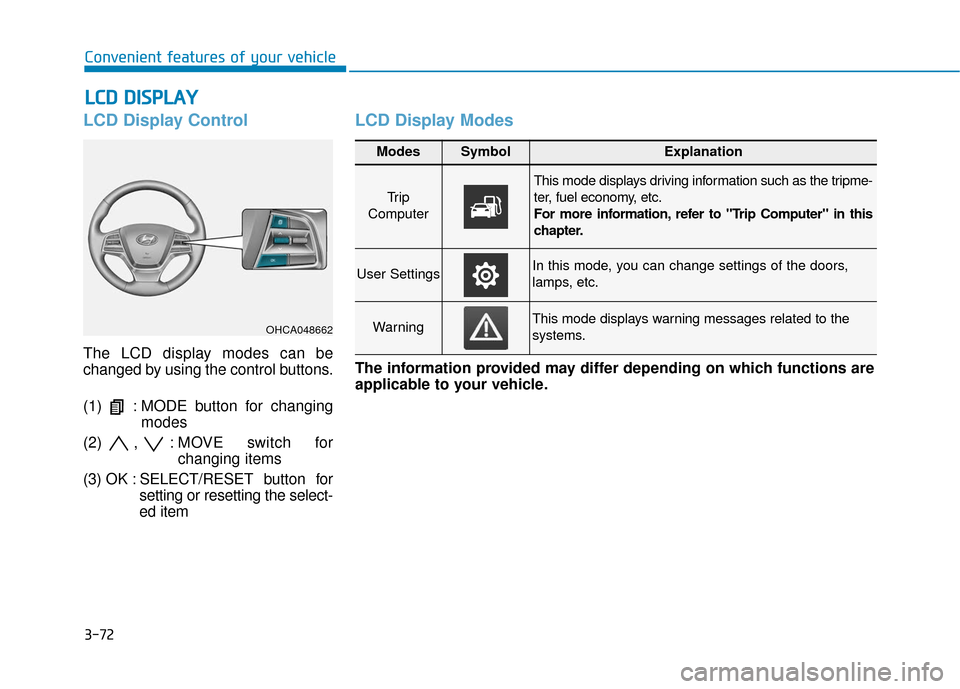
LCD Display Control
The LCD display modes can be
changed by using the control buttons.
(1) : MODE button for changing
modes
(2) , : MOVE s witch for
changing items
(3) OK : SELECT/ RESET button for
setting or resetting the select-
ed item
LCD Display Modes
OHCA048662
Modes SymbolExplanation
Tr i p
Computer
This mode displays driving information such as the tripme-
ter, fuel economy, etc.
For more information, refer to "Trip Computer" in this
chapter.
User SettingsIn this mode, you can change settings of the doors,
lamps, etc.
WarningThis mode displays warning messages related to the
systems.
The information provided may differ depending on which functions are
applicable to your vehicle.
Page 151 of 442
3-73
Convenient features of your vehicle
3
Engage parking brake to editsettings/Shift to P to edit set-tings
This warning message appears if
you try to adjust the User Settings
while driving.
- Manual transmission
For your safety, change the User
Settings after parking the vehicle,
applying the parking brake and
moving the shift lever to neutral.
- Automatic transmission For your safety, change the User
Settings after parking the vehicle,
applying the parking brake and
moving the shift lever to P (Park).
Quick guide help
This mode provides quick guides for
the systems in the User Settings
mode.
Select an item, press and hold the
OK button.
For more information about each
system, refer to this Owner's
Manual.
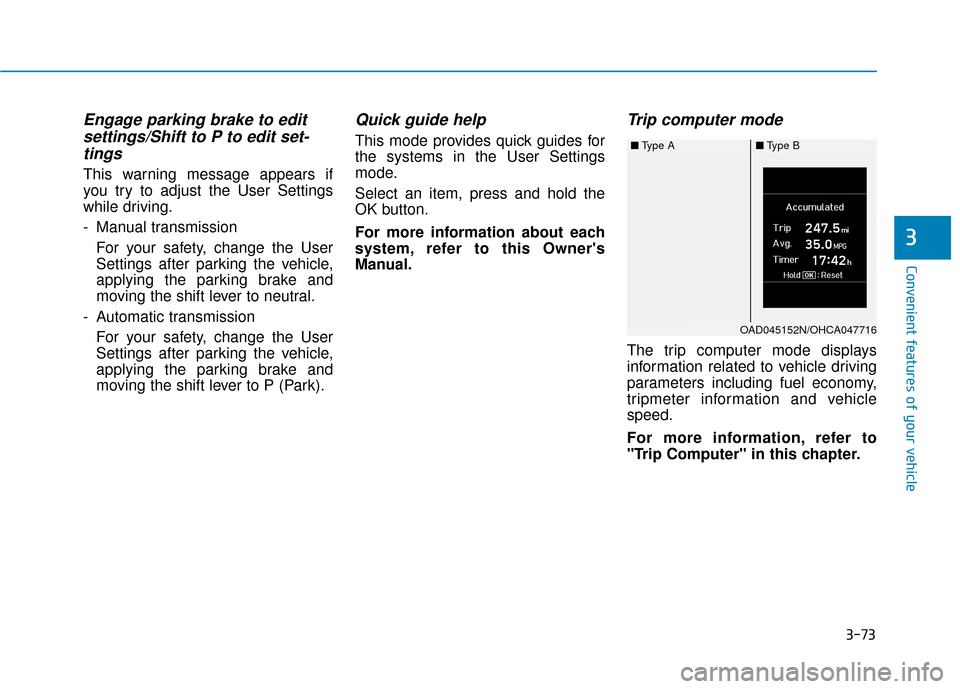
Trip computer mode
The trip computer mode displays
information related to vehicle driving
parameters including fuel economy,
tripmeter information and vehicle
speed.
For more information, refer to
"Trip Computer" in this chapter.
■ Type A ■Type B
OAD045152N/OHCA047716
Page 152 of 442
3-74
Convenient features of your vehicle
Assist mode
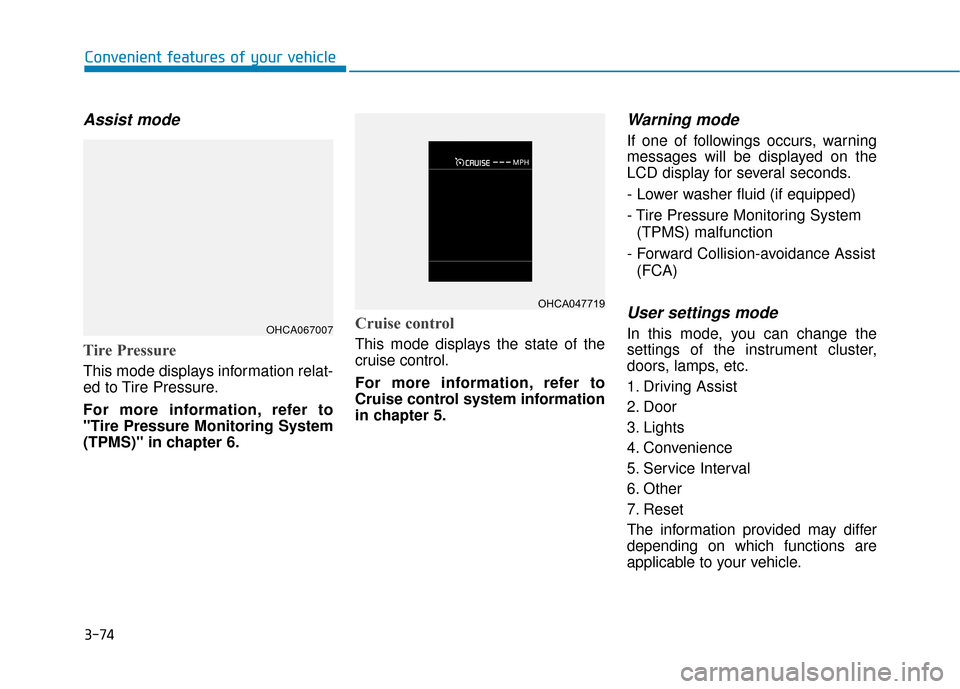
Tire Pressure
This mode displays information relat-
ed to Tire Pressure.
For more information, refer to
"Tire Pressure Monitoring System
(TPMS)" in chapter 6.
Cruise control
This mode displays the state of the
cruise control.
For more information, refer to
Cruise control system information
in chapter 5.
Warning mode
If one of followings occurs, warning
messages will be displayed on the
LCD display for several seconds.
- Lower washer fluid (if equipped)
- Tire Pressure Monitoring System(TPMS) malfunction
- Forward Collision-avoidance Assist (FCA)
User settings mode
In this mode, you can change the
settings of the instrument cluster,
doors, lamps, etc.
1. Driving Assist
2. Door
3. Lights
4. Convenience
5. Service Interval
6. Other
7. Reset
The information provided may differ
depending on which functions are
applicable to your vehicle.OHCA067007
OHCA047719
Page 153 of 442
3-75
Convenient features of your vehicle
3
1. Driving Assist
(FCA)
To activate or deactivate the Forward
Collision-avoidance Assist (FCA).
For more information, refer to
"Forward Collision-avoidance
Assist (FCA)" in chapter 5.
2. Door
- Enable on Speed: All doors will be automatically locked when the vehi-
cle speed exceeds 9.3 mph (15
km/h).
- Enable on Shift: All doors will be automatically locked if the automat-
ic transmission shift lever is shifted
from the P (Park) position to the R
(Reverse), N (Neutral), or D (Drive)
position.
- Disable: The auto door unlock oper- ation will be canceled.
- On Key Out: All doors will be auto- matically unlocked when the ignition
key is removed from the key ignition
switch (if equipped with remote key). - Vehicle Off: All doors will be auto-
matically unlocked when the Engine
Start/Stop button is set to the OFF
position (if equipped with smart key).
- On Shift to P: All doors will be auto- matically unlocked if the automatic
transmission shift lever is shifted to
the P (Park) position.
- Off: The two press unlock function will be deactivated. Therefore, all
doors will unlock if the door unlock
button is pressed.
- On: Only the driver's door will unlock if the door unlock button is
pressed. When the door unlock but-
ton is pressed again within 4 sec-
onds, the remaining doors will
unlock.
To activate or deactivate the Smart
Trunk system.
For more information, refer to
"Smart Trunk" in this chapter. 3. Lights
- Off: The one touch turn signal func-
tion will be deactivated.
- 3, 5, 7 Flashes: The turn signal indi- cator will blink 3, 5, or 7 times when
the turn signal lever is moved slightly.
For more information, refer to
"Lighting" in this chapter.
If this item is checked, the Headlight
Delay will be activated.
4. Convenience
To activate or deactivate the Wiper/
Light mode.
When activated, the LCD display
shows the selected Wiper/Light mode
whenever you change the mode.
To activate or deactivate the gear
position pop-up.
When activated, the gear position
will be displayed on the LCD display.
(if equipped with automatic transmis-
sion)
Page 164 of 442
3-86
Convenient features of your vehicle
Daytime running light (DRL)
(if equipped)
The Daytime Running Lights (DRL)
can make it easier for others to see
the front of your vehicle during the
day, especially after dawn and before
sunset.
The DRL system will turn the dedi-
cated lamp OFF when :
• The light switch is in the DRL OFFposition.
The headlamps are ON.
The parking lamps are ON.
The vehicle is turned off.
The parking brake is set.
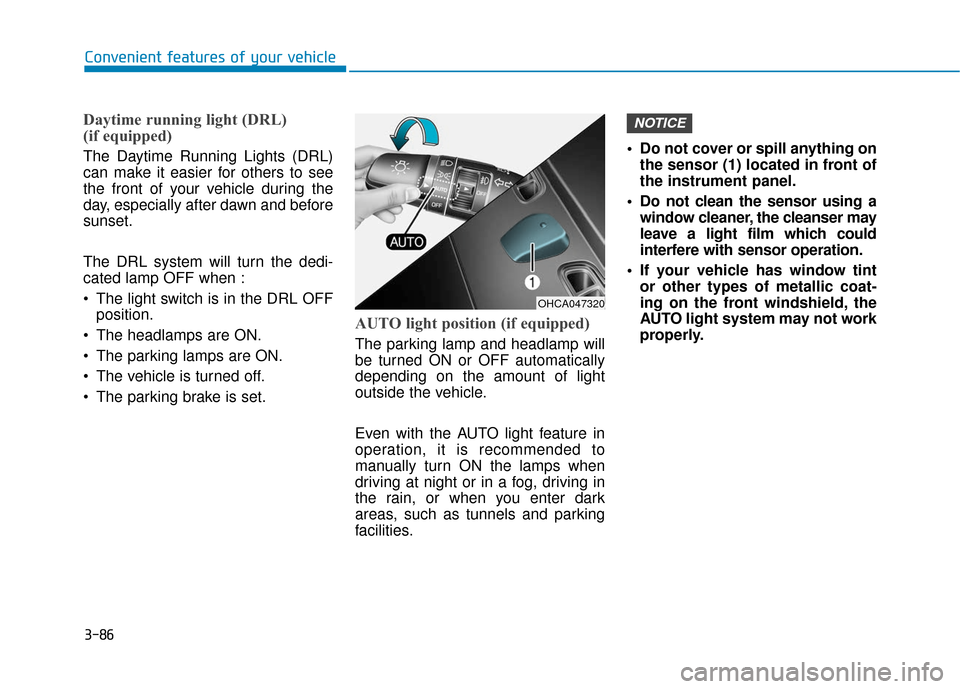
AUTO light position (if equipped)
The parking lamp and headlamp will
be turned ON or OFF automatically
depending on the amount of light
outside the vehicle.
Even with the AUTO light feature in
operation, it is recommended to
manually turn ON the lamps when
driving at night or in a fog, driving in
the rain, or when you enter dark
areas, such as tunnels and parking
facilities. • Do not cover or spill anything on
the sensor (1) located in front of
the instrument panel.
Do not clean the sensor using a window cleaner, the cleanser may
leave a light film which could
interfere with sensor operation.
If your vehicle has window tint or other types of metallic coat-
ing on the front windshield, the
AUTO light system may not work
properly.
NOTICE
OHCA047320
Page 167 of 442
3-89
Convenient features of your vehicle
3
Onetouch turn signal function
To activate the One Touch Turn
Signal function, push the turn signal
lever up or down to position (B) and
then release it.
The lane change signals will blink 3,
5 or 7 times.
You can activate or deactivate the
One Touch Turn Signal function or
choose the number of blinks (3, 5, or
7) from the User Settings mode
(Light) on the LCD display.
For more information, refer to the
"LCD Display" section in this
chapter.
Battery saver function
The purpose of this feature is to pre-
vent the battery from being dis-
charged. The system automatically
turns off the parking lamp when the
driver turns the vehicle off and opens
the driver-side door.
With this feature, the parking lamps
will turn off automatically if the driver
parks on the side of road at night.If necessary, to keep the lamps on
when the vehicle is turned off, perform
the following:
1) Open the driver-side door.
2) Turn the parking lamps OFF and
ON again using the light switch on
the steering column.
Headlamp delay function (if equipped)
If the key is removed from the ignition
switch or placed in the ACC position
or the LOCK/OFF position with the
headlamps ON, the headlamps
(and/or parking lamps) remain on for
about 5 minutes. However, if the dri-
ver’s door is opened and closed, the
headlights are turned off after 15
seconds. Also, with the engine off if
the driver's door is opened and
closed, the headlamps (and/or park-
ing lamps) are turned off after 15
seconds.
The headlamps (and/or parking
lamps) can be turned off by pressing
the lock button on the remote key or
smart key twice or turning the light
switch to the OFF or AUTO position. You can activate or deactivate the
Headlamp Delay function from the
User Settings Mode (Light) on the
LCD display.
For more information, refer to the
"LCD Display" section in this
chapter.
If the driver gets out of the vehicle
through other doors (except dri-
ver's door), the battery saver func-
tion does not operate and the
headlamp delay function does not
turn off automatically. Therefore, It
causes the battery to be dis-
charged. In this case, make sure
to turn off the lamp before getting
out of the vehicle.
NOTICE
Page 169 of 442
3-91
Convenient features of your vehicle
3
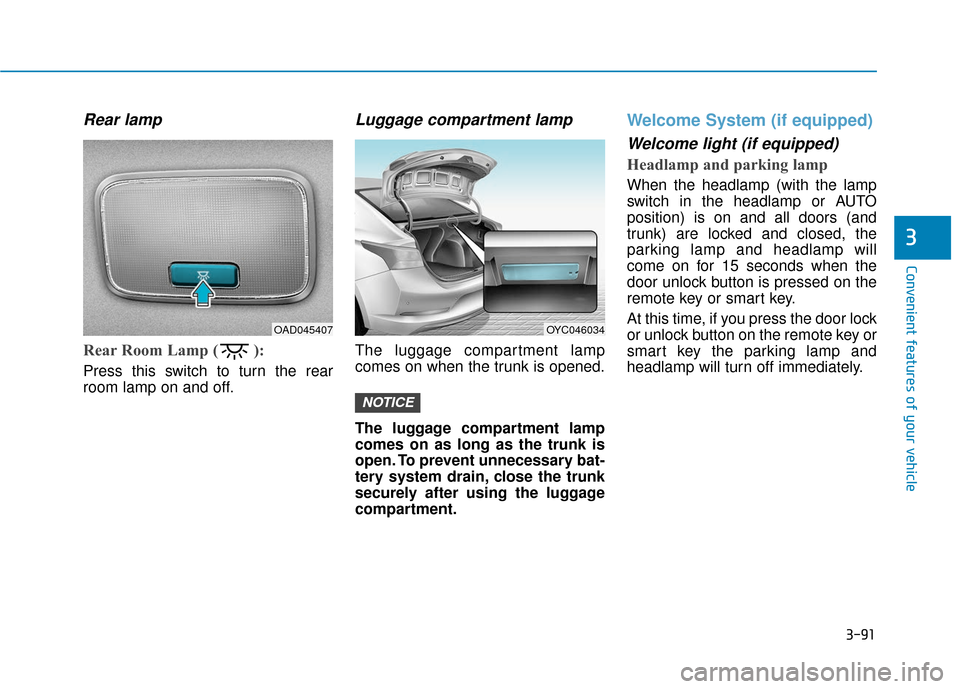
Rear lamp
Rear Room Lamp ( ):
Press this switch to turn the rear
room lamp on and off.
Luggage compartment lamp
The luggage compartment lamp
comes on when the trunk is opened.
The luggage compartment lamp
comes on as long as the trunk is
open. To prevent unnecessary bat-
tery system drain, close the trunk
securely after using the luggage
compartment.
Welcome System (if equipped)
Welcome light (if equipped)
Headlamp and parking lamp
When the headlamp (with the lamp
switch in the headlamp or AUTO
position) is on and all doors (and
trunk) are locked and closed, the
parking lamp and headlamp will
come on for 15 seconds when the
door unlock button is pressed on the
remote key or smart key.
At this time, if you press the door lock
or unlock button on the remote key or
smart key the parking lamp and
headlamp will turn off immediately.
NOTICE
OYC046034OAD045407
Page 171 of 442
3-93
Convenient features of your vehicle
3
INT : Wiper operates intermittently atthe same wiping intervals. To
vary the speed setting, move
the speed control lever. The top
most setting will run the wipers
most frequently (for more rain).
The bottom setting will run the
wipers the least frequently (for
less rain).
LO : The wiper runs at a lower speed.
HI : The wiper runs at a higher speed.
Information
If there is heavy accumulation of snow
or ice on the windshield, defrost the
windshield for about 10 minutes, or
until the snow and/or ice is removed
before using the windshield wipers to
ensure proper operation.
If you do not remove the snow and/or
ice before using the wiper and washer,
it may damage the wiper and washer
system.
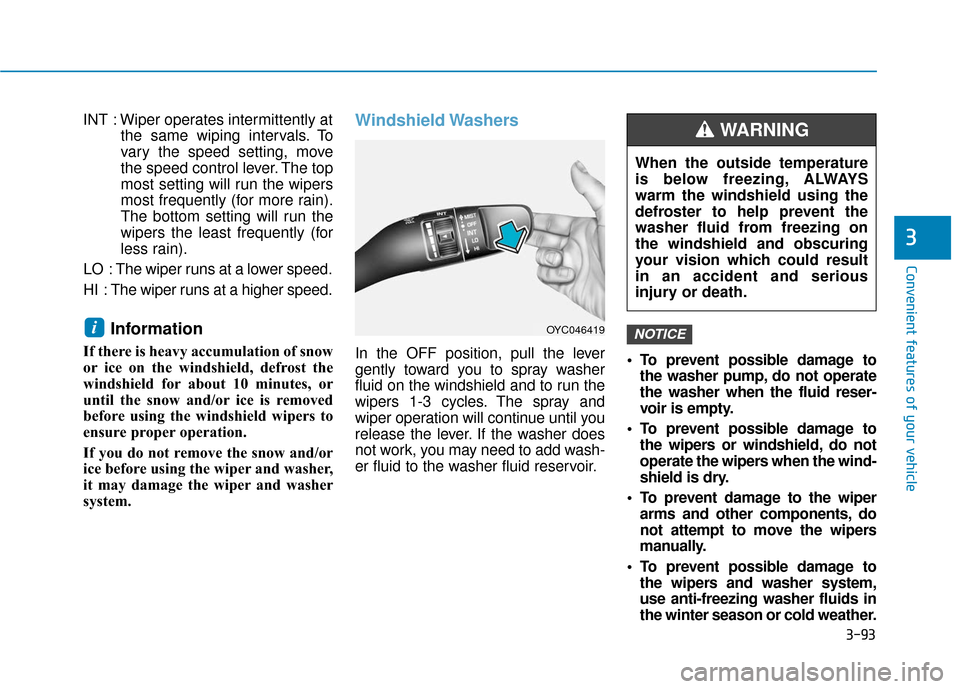
Windshield Washers
In the OFF position, pull the lever
gently toward you to spray washer
fluid on the windshield and to run the
wipers 1-3 cycles. The spray and
wiper operation will continue until you
release the lever. If the washer does
not work, you may need to add wash-
er fluid to the washer fluid reservoir. To prevent possible damage to
the washer pump, do not operate
the washer when the fluid reser-
voir is empty.
To prevent possible damage to the wipers or windshield, do not
operate the wipers when the wind-
shield is dry.
To prevent damage to the wiper arms and other components, do
not attempt to move the wipers
manually.
To prevent possible damage to the wipers and washer system,
use anti-freezing washer fluids in
the winter season or cold weather.
NOTICEi
When the outside temperature
is below freezing, ALWAYS
warm the windshield using the
defroster to help prevent the
washer fluid from freezing on
the windshield and obscuring
your vision which could result
in an accident and serious
injury or death.
WARNING
OYC046419
Page 172 of 442
3-94
Convenient features of your vehicle
Rear View Monitor
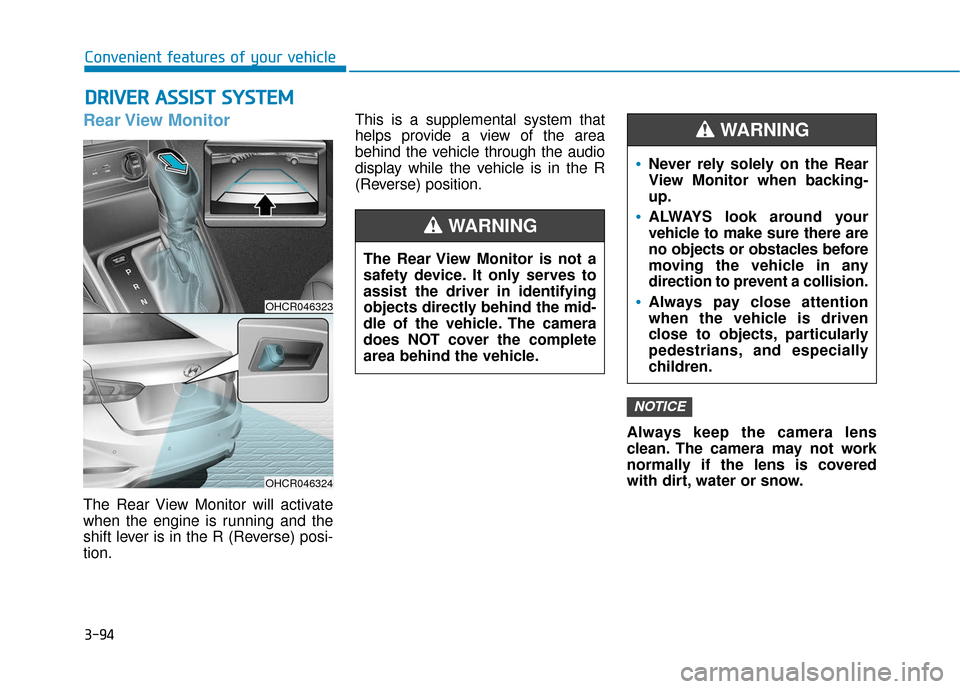
The Rear View Monitor will activate
when the engine is running and the
shift lever is in the R (Reverse) posi-
tion.This is a supplemental system that
helps provide a view of the area
behind the vehicle through the audio
display while the vehicle is in the R
(Reverse) position.
Always keep the camera lens
clean. The camera may not work
normally if the lens is covered
with dirt, water or snow.
NOTICE
D DR
RI
IV
V E
ER
R
A
A S
SS
SI
IS
S T
T
S
S Y
Y S
ST
T E
EM
M
The Rear View Monitor is not a
safety device. It only serves to
assist the driver in identifying
objects directly behind the mid-
dle of the vehicle. The camera
does NOT cover the complete
area behind the vehicle.
WARNING
Never rely solely on the Rear
View Monitor when backing-
up.
ALWAYS look around your
vehicle to make sure there are
no objects or obstacles before
moving the vehicle in any
direction to prevent a collision.
Always pay close attention
when the vehicle is driven
close to objects, particularly
pedestrians, and especially
children.
WARNING
OHCR046323
OHCR046324
Page 174 of 442
3-96
Convenient features of your vehicle
Heating and Air Conditioning
1. Start the engine.
2. Set the mode to the desired posi-tion.
To improve the effectiveness of heating and cooling, select:
- Heating:
- Cooling:
3. Set the temperature control to the desired position.
4. Set the air intake control to the outside (fresh) air or recirculated
air position.
5. Set the fan speed control to the desired speed.
6. If air conditioning is desired, turn the air conditioning system on.
Mode selection
OHCR046365/OYC046322
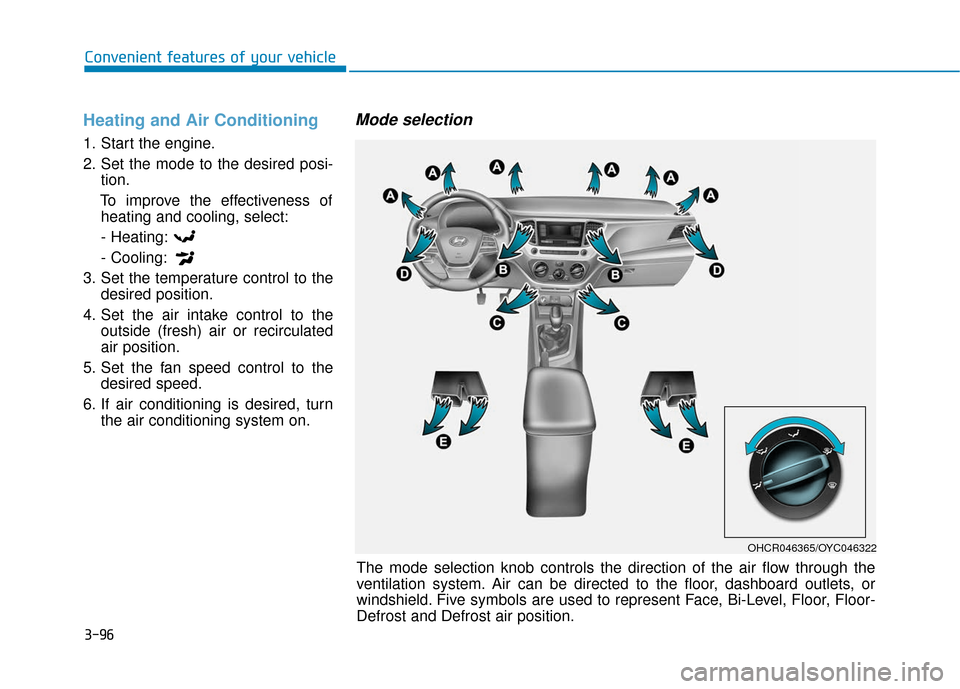
The mode selection knob controls the direction of the air flow through the
ventilation system. Air can be directed to the floor, dashboard outlets, or
windshield. Five symbols are used to represent Face, Bi-Level, Floor, Floor-
Defrost and Defrost air position.