eco Hyundai Accent 2020 Manual PDF
[x] Cancel search | Manufacturer: HYUNDAI, Model Year: 2020, Model line: Accent, Model: Hyundai Accent 2020Pages: 445, PDF Size: 42.28 MB
Page 164 of 445
3-76
Convenient features of your vehicle
5. Service Interval
To activate or deactivate the service
interval function.
If the service interval menu is acti-
vated, you may adjust the time and
distance.
Information
To use the service interval menu, con-
sult an authorized HYUNDAI dealer.
If the service interval is activated and
the time and distance is adjusted,
messages are displayed in the fol-
lowing situations each time the vehi-
cle is turned on.
- Service in
: Displayed to inform the driver the
remaining mileage and days to
service.
- Service required
: Displayed when the mileage and
days to service has been reached
or passed.
Information
If any of the following conditions
occur, the mileage and number of days
to service may be incorrect.
- The battery cable is disconnected.
- The fuse switch is turned off.
- The battery is discharged.
6. Other
Reset
- Off: The average fuel economy will
not reset automatically whenever
refueling.
- After Ignition: When the engine has
been OFF for 4 hours or longer the
average fuel economy will reset
automatically.
- After Refueling: The average fuel
economy will reset automatically
after adding 1.6 gallons (6 liters) of
fuel or more and after driving speed
exceeds 1 mph (1 km/h).
For more information, refer to
"Trip Computer" in this chapter. Unit
To select the fuel economy unit.
(US gallon, UK gallon)
To select the temperature unit.
(°C,°F)
To select language.
7. Reset
You can reset the menus in the User
Settings Mode. All menus in the User
Settings Mode are reset to factory
settings, except language and service
interval.
i
i
HCa HMA 3a(~84).qxp 4/9/2019 3:03 PM Page 76
Page 165 of 445
3-77
Convenient features of your vehicle
3
Type A
The trip computer is a microcomput-
er-controlled driver information sys-
tem that displays information related
to driving.
Information
Some driving information stored in
the trip computer (for example
Average Vehicle Speed) resets if the
battery is disconnected.
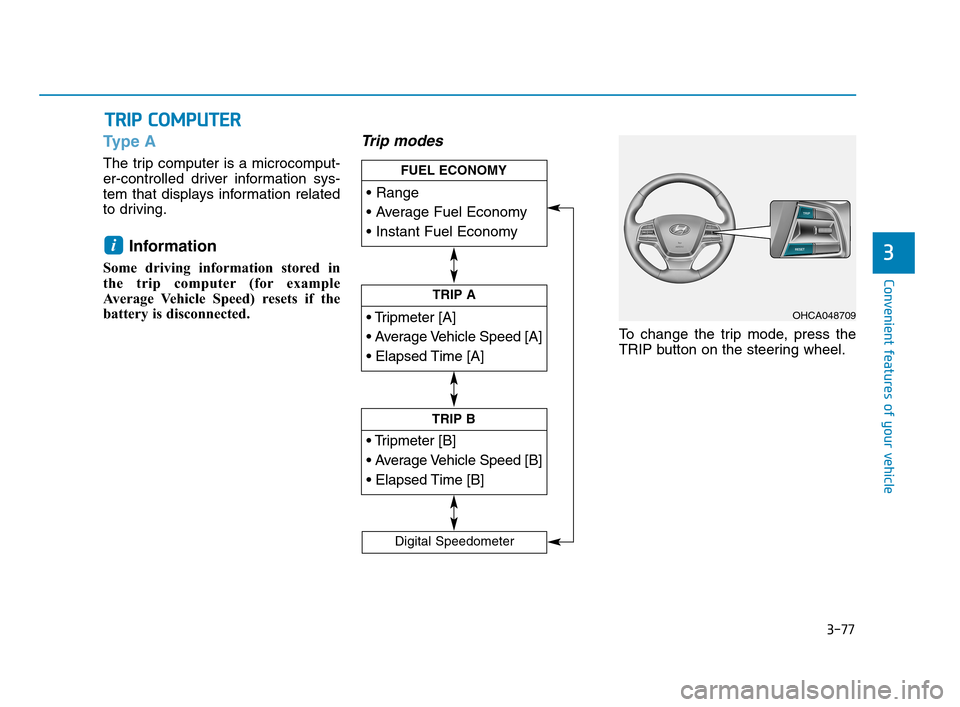
Trip modes
To change the trip mode, press the
TRIP button on the steering wheel.
i
T TR
RI
IP
P
C
CO
OM
MP
PU
UT
TE
ER
R
TRIP A
TRIP B
FUEL ECONOMY
Digital Speedometer
OHCA048709
HCa HMA 3a(~84).qxp 4/9/2019 3:03 PM Page 77
Page 166 of 445
3-78
Convenient features of your vehicle
Range
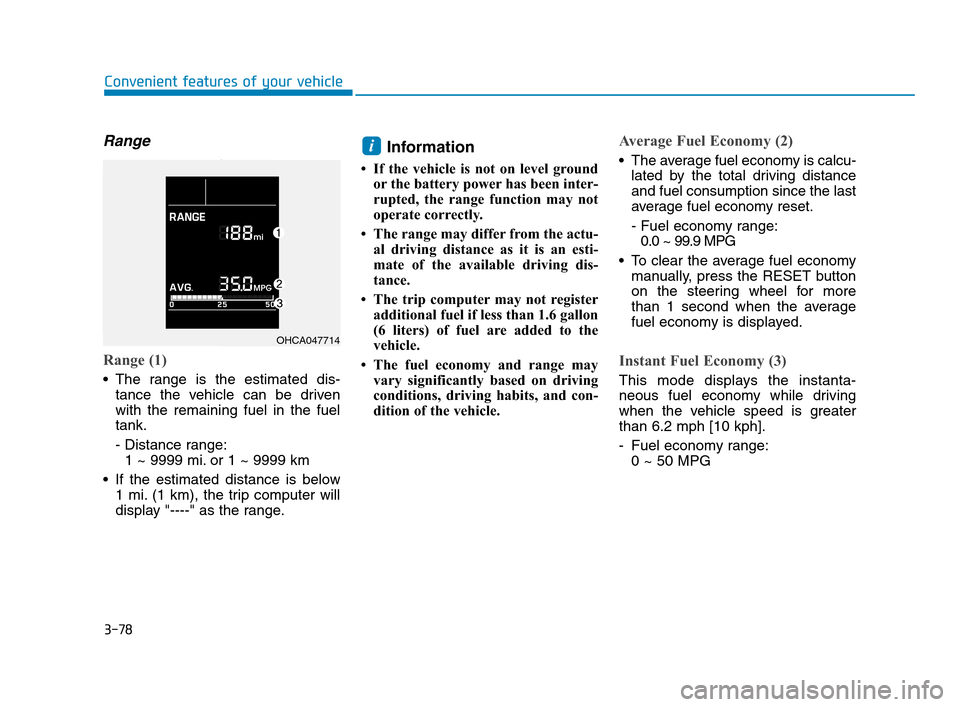
Range (1)
The range is the estimated dis-
tance the vehicle can be driven
with the remaining fuel in the fuel
tank.
- Distance range:
1 ~ 9999 mi. or 1 ~ 9999 km
If the estimated distance is below
1 mi. (1 km), the trip computer will
display "----" as the range.
Information
• If the vehicle is not on level ground
or the battery power has been inter-
rupted, the range function may not
operate correctly.
• The range may differ from the actu-
al driving distance as it is an esti-
mate of the available driving dis-
tance.
• The trip computer may not register
additional fuel if less than 1.6 gallon
(6 liters) of fuel are added to the
vehicle.
• The fuel economy and range may
vary significantly based on driving
conditions, driving habits, and con-
dition of the vehicle.
Average Fuel Economy (2)
The average fuel economy is calcu-
lated by the total driving distance
and fuel consumption since the last
average fuel economy reset.
- Fuel economy range:
0.0 ~ 99.9 MPG
To clear the average fuel economy
manually, press the RESET button
on the steering wheel for more
than 1 second when the average
fuel economy is displayed.
Instant Fuel Economy (3)
This mode displays the instanta-
neous fuel economy while driving
when the vehicle speed is greater
than 6.2 mph [10 kph].
- Fuel economy range:
0 ~ 50 MPG
i
OHCA047714
HCa HMA 3a(~84).qxp 4/9/2019 3:03 PM Page 78
Page 167 of 445
3-79
Convenient features of your vehicle
3
Trip A/B
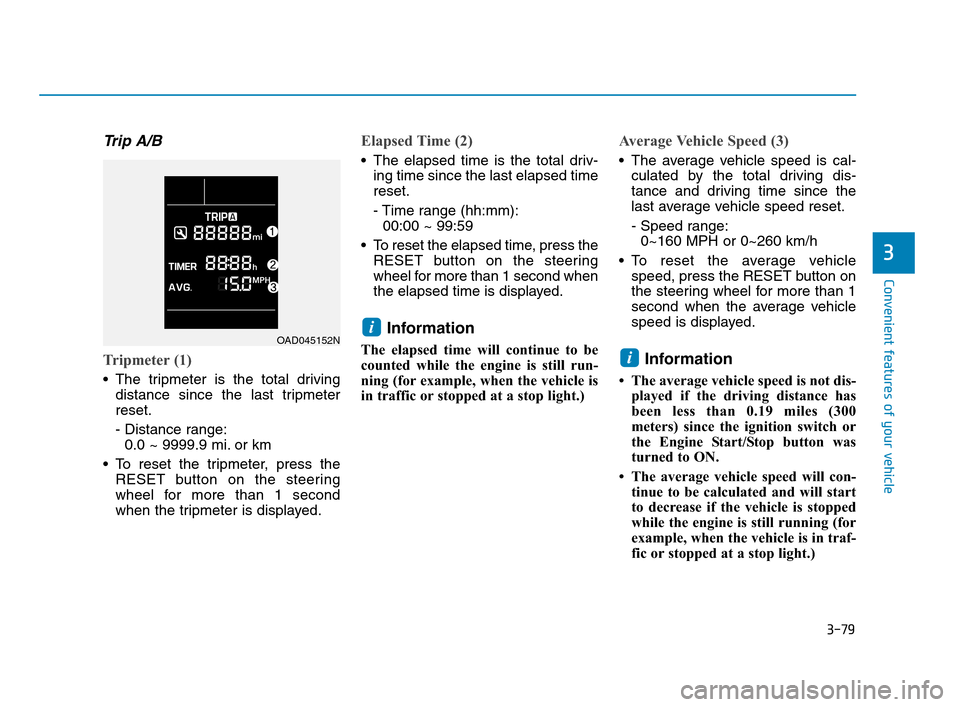
Tripmeter (1)
The tripmeter is the total driving
distance since the last tripmeter
reset.
- Distance range:
0.0 ~ 9999.9 mi. or km
To reset the tripmeter, press the
RESET button on the steering
wheel for more than 1 second
when the tripmeter is displayed.
Elapsed Time (2)
The elapsed time is the total driv-
ing time since the last elapsed time
reset.
- Time range (hh:mm):
00:00 ~ 99:59
To reset the elapsed time, press the
RESET button on the steering
wheel for more than 1 second when
the elapsed time is displayed.
Information
The elapsed time will continue to be
counted while the engine is still run-
ning (for example, when the vehicle is
in traffic or stopped at a stop light.)
Average Vehicle Speed (3)
The average vehicle speed is cal-
culated by the total driving dis-
tance and driving time since the
last average vehicle speed reset.
- Speed range:
0~160 MPH or 0~260 km/h
To reset the average vehicle
speed, press the RESET button on
the steering wheel for more than 1
second when the average vehicle
speed is displayed.
Information
• The average vehicle speed is not dis-
played if the driving distance has
been less than 0.19 miles (300
meters) since the ignition switch or
the Engine Start/Stop button was
turned to ON.
• The average vehicle speed will con-
tinue to be calculated and will start
to decrease if the vehicle is stopped
while the engine is still running (for
example, when the vehicle is in traf-
fic or stopped at a stop light.)
i
iOAD045152N
HCa HMA 3a(~84).qxp 4/9/2019 3:03 PM Page 79
Page 168 of 445
3-80
Convenient features of your vehicle
Service information
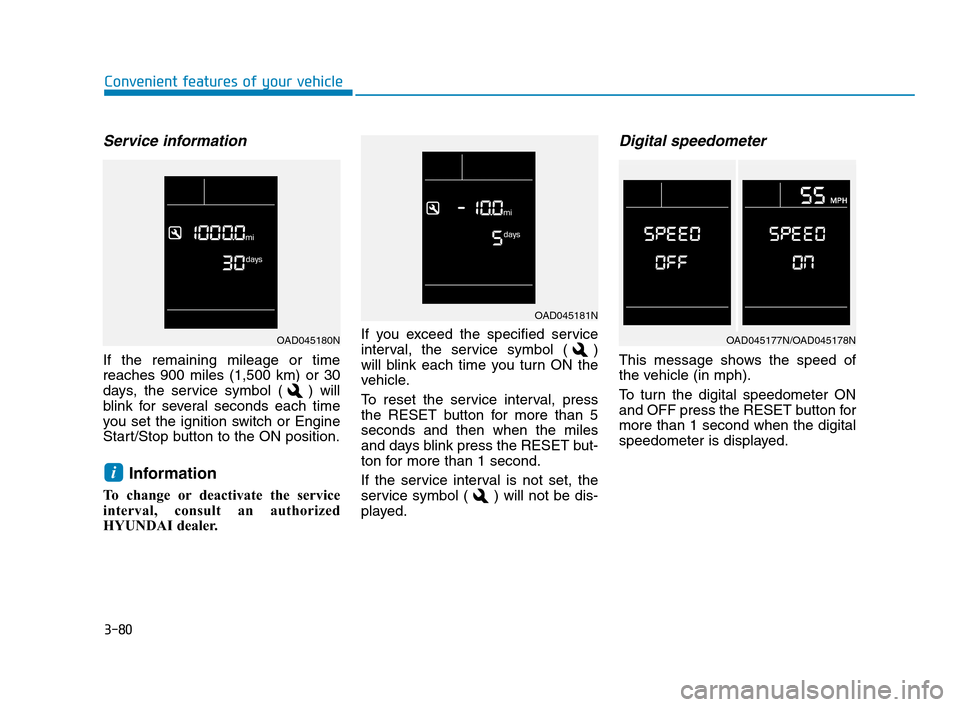
If the remaining mileage or time
reaches 900 miles (1,500 km) or 30
days, the service symbol ( ) will
blink for several seconds each time
you set the ignition switch or Engine
Start/Stop button to the ON position.
Information
To change or deactivate the service
interval, consult an authorized
HYUNDAI dealer.If you exceed the specified service
interval, the service symbol ( )
will blink each time you turn ON the
vehicle.
To reset the service interval, press
the RESET button for more than 5
seconds and then when the miles
and days blink press the RESET but-
ton for more than 1 second.
If the service interval is not set, the
service symbol ( ) will not be dis-
played.
Digital speedometer
This message shows the speed of
the vehicle (in mph).
To turn the digital speedometer ON
and OFF press the RESET button for
more than 1 second when the digital
speedometer is displayed.
i
OAD045181N
OAD045177N/OAD045178NOAD045180N
HCa HMA 3a(~84).qxp 4/9/2019 3:03 PM Page 80
Page 169 of 445
3-81
Convenient features of your vehicle
3
Type B
The trip computer is a microcomput-
er-controlled driver information sys-
tem that displays information related
to driving.
Information
Some driving information stored in the
trip computer (for example Average
Vehicle Speed) resets if the battery is
disconnected.
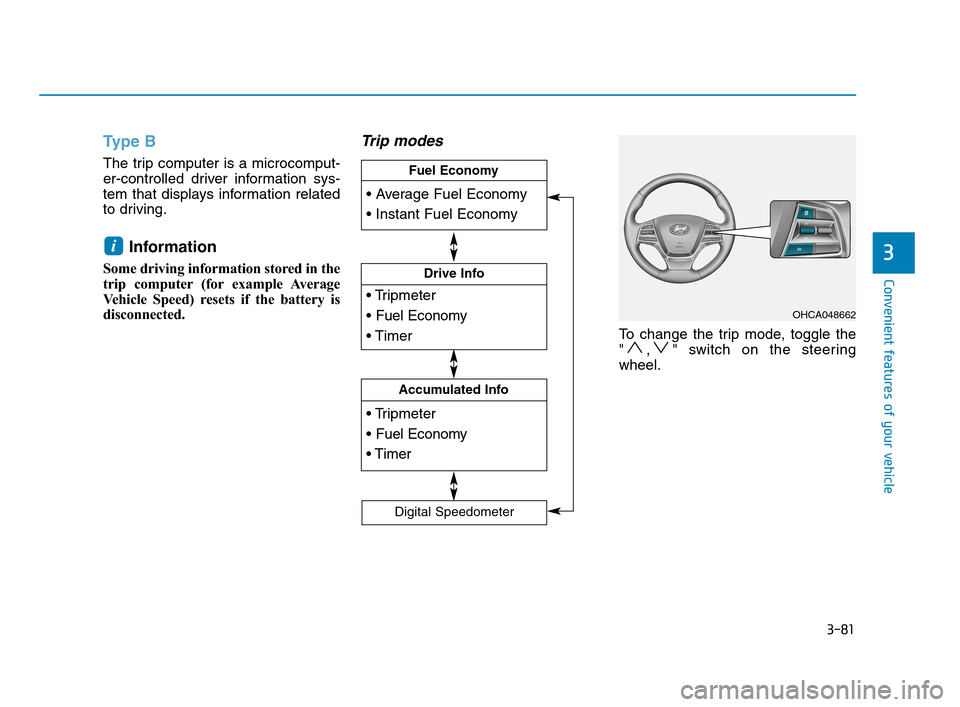
Trip modes
To change the trip mode, toggle the
" , " switch on the steering
wheel.
i
OHCA048662
Drive Info
Accumulated Info
Fuel Economy
Digital Speedometer
HCa HMA 3a(~84).qxp 4/9/2019 3:03 PM Page 81
Page 170 of 445
3-82
Convenient features of your vehicle
Average fuel economy/
Instant fuel economy
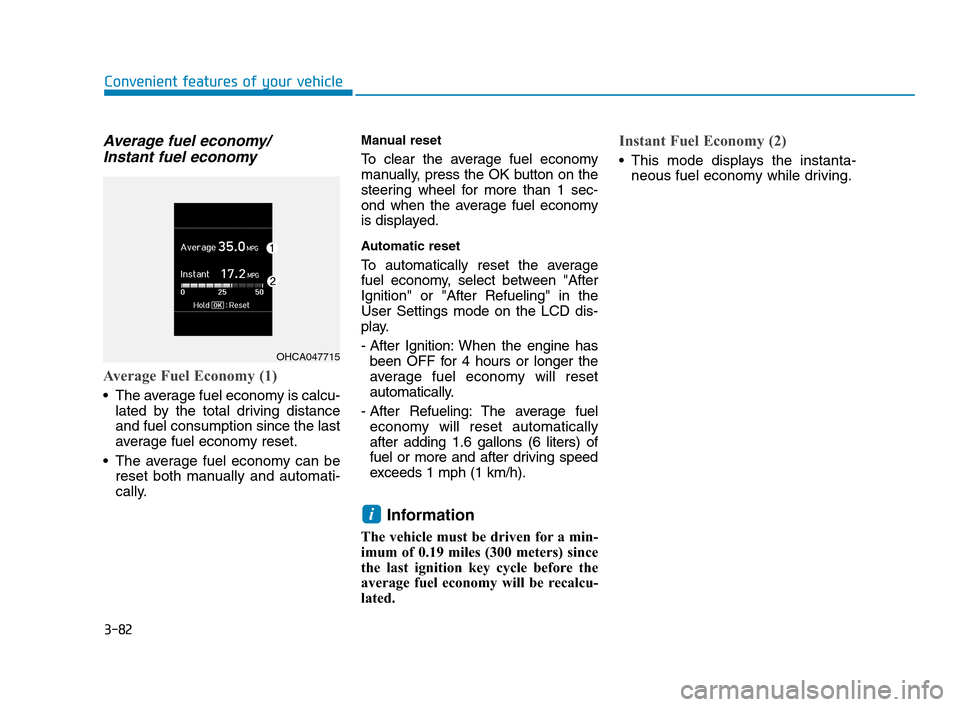
Average Fuel Economy (1)
The average fuel economy is calcu-
lated by the total driving distance
and fuel consumption since the last
average fuel economy reset.
The average fuel economy can be
reset both manually and automati-
cally.
Manual reset
To clear the average fuel economy
manually, press the OK button on the
steering wheel for more than 1 sec-
ond when the average fuel economy
is displayed.
Automatic reset
To automatically reset the average
fuel economy, select between "After
Ignition" or "After Refueling" in the
User Settings mode on the LCD dis-
play.
- After Ignition: When the engine has
been OFF for 4 hours or longer the
average fuel economy will reset
automatically.
- After Refueling: The average fuel
economy will reset automatically
after adding 1.6 gallons (6 liters) of
fuel or more and after driving speed
exceeds 1 mph (1 km/h).
Information
The vehicle must be driven for a min-
imum of 0.19 miles (300 meters) since
the last ignition key cycle before the
average fuel economy will be recalcu-
lated.
Instant Fuel Economy (2)
This mode displays the instanta-
neous fuel economy while driving.
i
OHCA047715
HCa HMA 3a(~84).qxp 4/9/2019 3:03 PM Page 82
Page 171 of 445
3-83
Convenient features of your vehicle
3
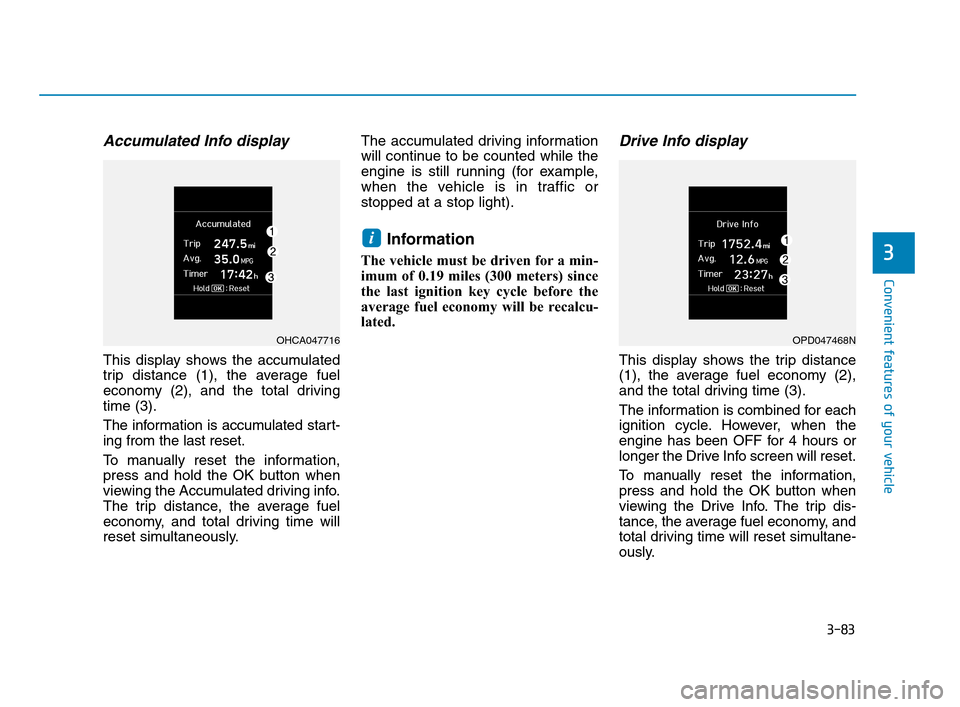
Accumulated Info display
This display shows the accumulated
trip distance (1), the average fuel
economy (2), and the total driving
time (3).
The information is accumulated start-
ing from the last reset.
To manually reset the information,
press and hold the OK button when
viewing the Accumulated driving info.
The trip distance, the average fuel
economy, and total driving time will
reset simultaneously.The accumulated driving information
will continue to be counted while the
engine is still running (for example,
when the vehicle is in traffic or
stopped at a stop light).
Information
The vehicle must be driven for a min-
imum of 0.19 miles (300 meters) since
the last ignition key cycle before the
average fuel economy will be recalcu-
lated.
Drive Info display
This display shows the trip distance
(1), the average fuel economy (2),
and the total driving time (3).
The information is combined for each
ignition cycle. However, when the
engine has been OFF for 4 hours or
longer the Drive Info screen will reset.
To manually reset the information,
press and hold the OK button when
viewing the Drive Info. The trip dis-
tance, the average fuel economy, and
total driving time will reset simultane-
ously.
i
OHCA047716OPD047468N
HCa HMA 3a(~84).qxp 4/9/2019 3:03 PM Page 83
Page 172 of 445
The driving information will continue
to be counted while the engine is still
running (for example, when the vehi-
cle is in traffic or stopped at a stop
light).
Information
The vehicle must be driven for a mini-
mum of 0.19 miles (300 meters) since the
last ignition key cycle before the average
fuel economy will be recalculated.
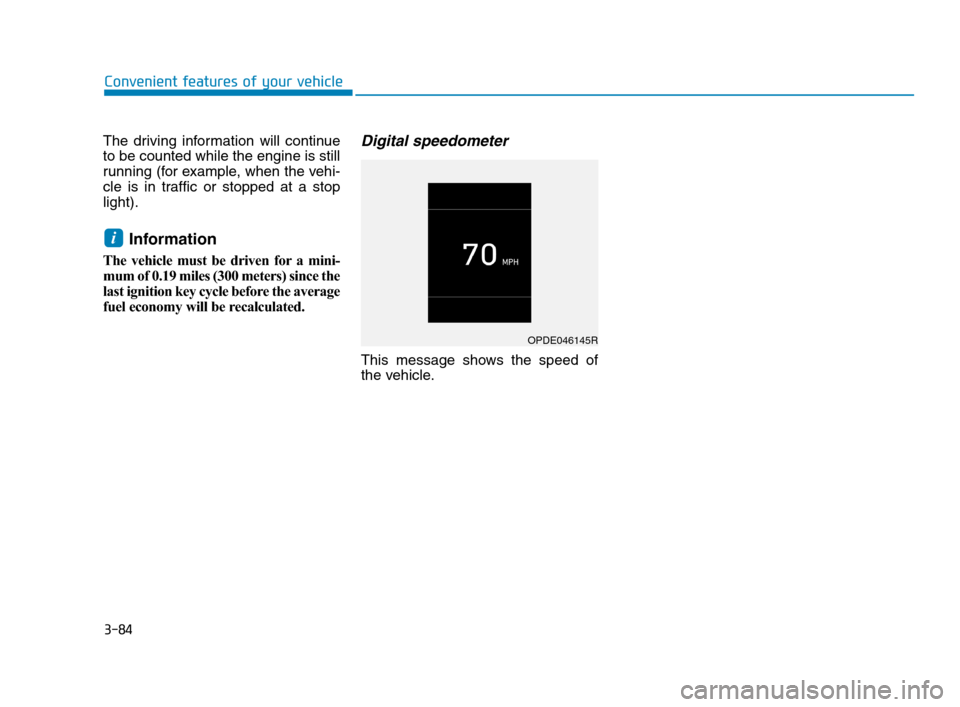
Digital speedometer
This message shows the speed of
the vehicle.
i
OPDE046145R
Convenient features of your vehicle
3-84
HCa HMA 3a(~84).qxp 4/9/2019 3:03 PM Page 84
Page 174 of 445
3-86
Convenient features of your vehicle
Daytime running light (DRL)
(if equipped)
The Daytime Running Lights (DRL)
can make it easier for others to see
the front of your vehicle during the
day, especially after dawn and before
sunset.
The DRL system will turn the dedi-
cated lamp OFF when :
• The light switch is in the DRL OFF
position.
The headlamps are ON.
The parking lamps are ON.
The vehicle is turned off.
The parking brake is set.
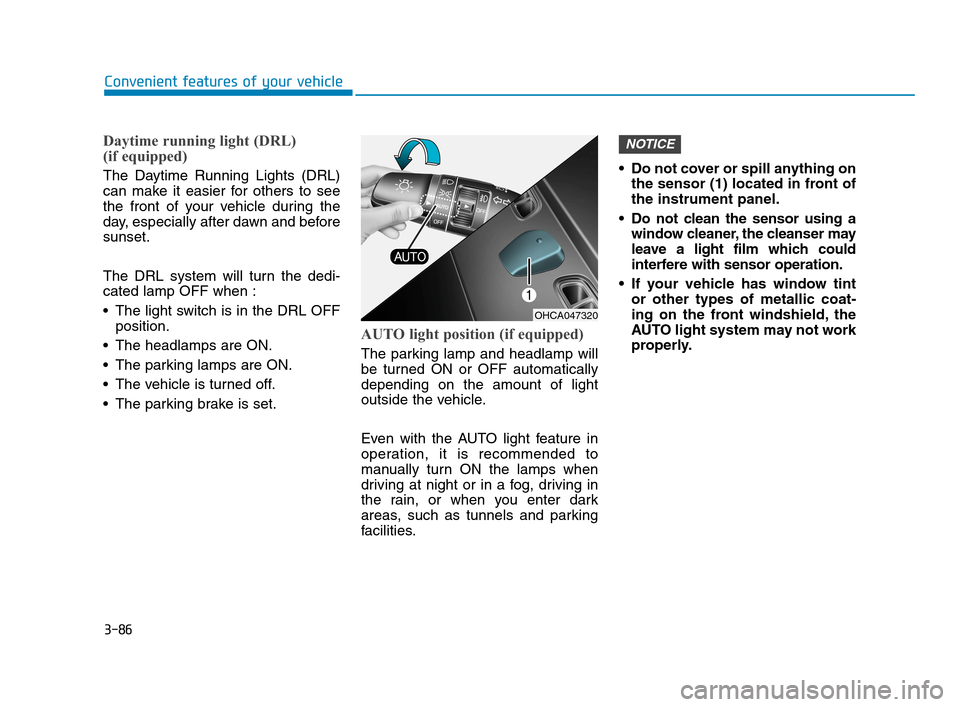
AUTO light position (if equipped)
The parking lamp and headlamp will
be turned ON or OFF automatically
depending on the amount of light
outside the vehicle.
Even with the AUTO light feature in
operation, it is recommended to
manually turn ON the lamps when
driving at night or in a fog, driving in
the rain, or when you enter dark
areas, such as tunnels and parking
facilities.• Do not cover or spill anything on
the sensor (1) located in front of
the instrument panel.
Do not clean the sensor using a
window cleaner, the cleanser may
leave a light film which could
interfere with sensor operation.
If your vehicle has window tint
or other types of metallic coat-
ing on the front windshield, the
AUTO light system may not work
properly.
NOTICE
OHCA047320
HCa HMA 3b(85~).qxp 5/7/2018 12:19 PM Page 86