transmission HYUNDAI ACCENT 2023 User Guide
[x] Cancel search | Manufacturer: HYUNDAI, Model Year: 2023, Model line: ACCENT, Model: HYUNDAI ACCENT 2023Pages: 443, PDF Size: 42.78 MB
Page 153 of 443
3-75
Convenient features of your vehicle
3
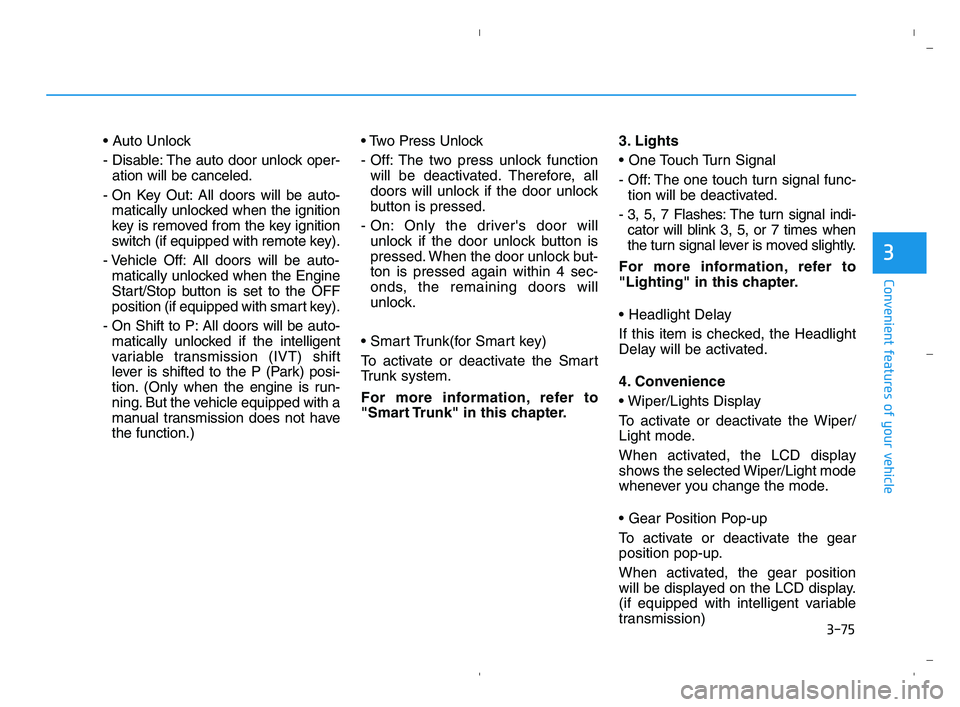
- Disable: The auto door unlock oper-
ation will be canceled.
- On Key Out: All doors will be auto-
matically unlocked when the ignition
key is removed from the key ignition
switch (if equipped with remote key).
- Vehicle Off: All doors will be auto-
matically unlocked when the Engine
Start/Stop button is set to the OFF
position (if equipped with smart key).
- On Shift to P: All doors will be auto-
matically unlocked if the intelligent
variable transmission (IVT) shift
lever is shifted to the P (Park) posi-
tion. (Only when the engine is run-
ning. But the vehicle equipped with a
manual transmission does not have
the function.)
- Off: The two press unlock function
will be deactivated. Therefore, all
doors will unlock if the door unlock
button is pressed.
- On: Only the driver's door will
unlock if the door unlock button is
pressed. When the door unlock but-
ton is pressed again within 4 sec-
onds, the remaining doors will
unlock.
To activate or deactivate the Smart
Trunk system.
For more information, refer to
"Smart Trunk" in this chapter.3. Lights
- Off: The one touch turn signal func-
tion will be deactivated.
- 3, 5, 7 Flashes: The turn signal indi-
cator will blink 3, 5, or 7 times when
the turn signal lever is moved slightly.
For more information, refer to
"Lighting" in this chapter.
If this item is checked, the Headlight
Delay will be activated.
4. Convenience
To activate or deactivate the Wiper/
Light mode.
When activated, the LCD display
shows the selected Wiper/Light mode
whenever you change the mode.
To activate or deactivate the gear
position pop-up.
When activated, the gear position
will be displayed on the LCD display.
(if equipped with intelligent variable
transmission)
HCa HMA 3a(~84).qxp 5/25/2020 10:39 AM Page 75
Page 253 of 443
Driving your vehicle
5
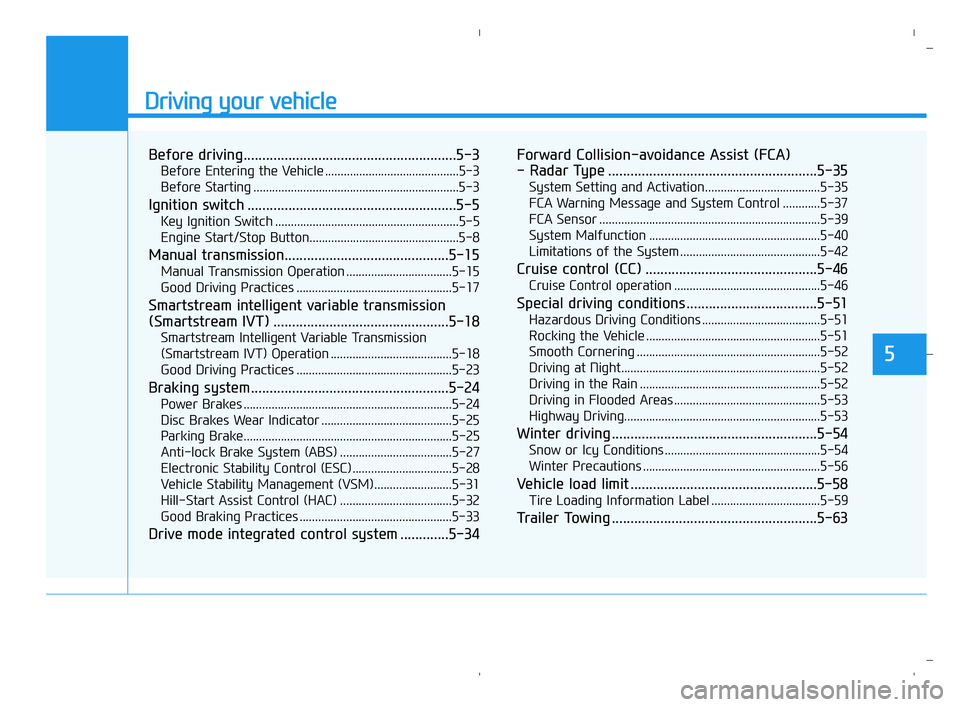
Before driving.........................................................5-3
Before Entering the Vehicle ...........................................5-3
Before Starting ..................................................................5-3
Ignition switch ........................................................5-5
Key Ignition Switch ...........................................................5-5
Engine Start/Stop Button................................................5-8
Manual transmission............................................5-15
Manual Transmission Operation ..................................5-15
Good Driving Practices ..................................................5-17
Smartstream intelligent variable transmission
(Smartstream IVT) ...............................................5-18
Smartstream Intelligent Variable Transmission
(Smartstream IVT) Operation .......................................5-18
Good Driving Practices ..................................................5-23
Braking system.....................................................5-24
Power Brakes ...................................................................5-24
Disc Brakes Wear Indicator ..........................................5-25
Parking Brake...................................................................5-25
Anti-lock Brake System (ABS) ....................................5-27
Electronic Stability Control (ESC)................................5-28
Vehicle Stability Management (VSM).........................5-31
Hill-Start Assist Control (HAC) ....................................5-32
Good Braking Practices .................................................5-33
Drive mode integrated control system .............5-34Forward Collision-avoidance Assist (FCA)
- Radar Type ........................................................5-35
System Setting and Activation.....................................5-35
FCA Warning Message and System Control ............5-37
FCA Sensor .......................................................................5-39
System Malfunction .......................................................5-40
Limitations of the System .............................................5-42
Cruise control (CC) ..............................................5-46
Cruise Control operation ...............................................5-46
Special driving conditions ...................................5-51
Hazardous Driving Conditions ......................................5-51
Rocking the Vehicle ........................................................5-51
Smooth Cornering ...........................................................5-52
Driving at Night................................................................5-52
Driving in the Rain ..........................................................5-52
Driving in Flooded Areas ...............................................5-53
Highway Driving...............................................................5-53
Winter driving .......................................................5-54
Snow or Icy Conditions ..................................................5-54
Winter Precautions .........................................................5-56
Vehicle load limit ..................................................5-58
Tire Loading Information Label ...................................5-59
Trailer Towing .......................................................5-63
HCa HMA 5.QXP 5/25/2020 10:20 AM Page 1
Page 258 of 443
5-6
Driving your vehicle
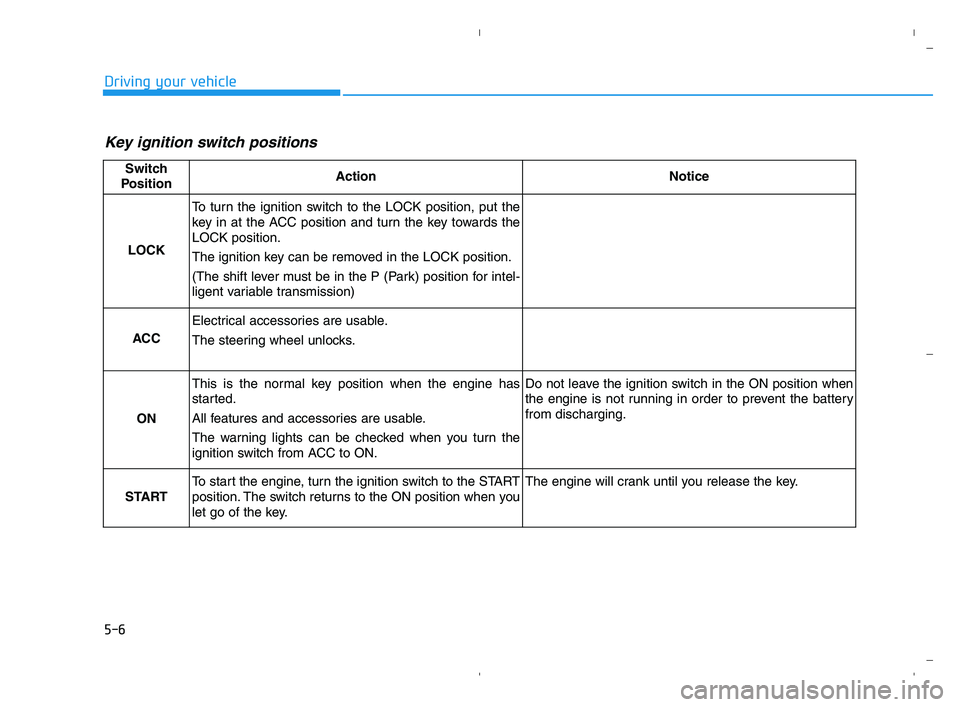
Key ignition switch positions
Switch
PositionActionNotice
LOCK
To turn the ignition switch to the LOCK position, put the
key in at the ACC position and turn the key towards the
LOCK position.
The ignition key can be removed in the LOCK position.
(The shift lever must be in the P (Park) position for intel-
ligent variable transmission)
ACC
Electrical accessories are usable.
The steering wheel unlocks.
ON
This is the normal key position when the engine has
started.
All features and accessories are usable.
The warning lights can be checked when you turn the
ignition switch from ACC to ON.Do not leave the ignition switch in the ON position when
the engine is not running in order to prevent the battery
from discharging.
START
To start the engine, turn the ignition switch to the START
position. The switch returns to the ON position when you
let go of the key.The engine will crank until you release the key.
HCa HMA 5.QXP 5/25/2020 10:20 AM Page 6
Page 259 of 443
5-7
Driving your vehicle
5
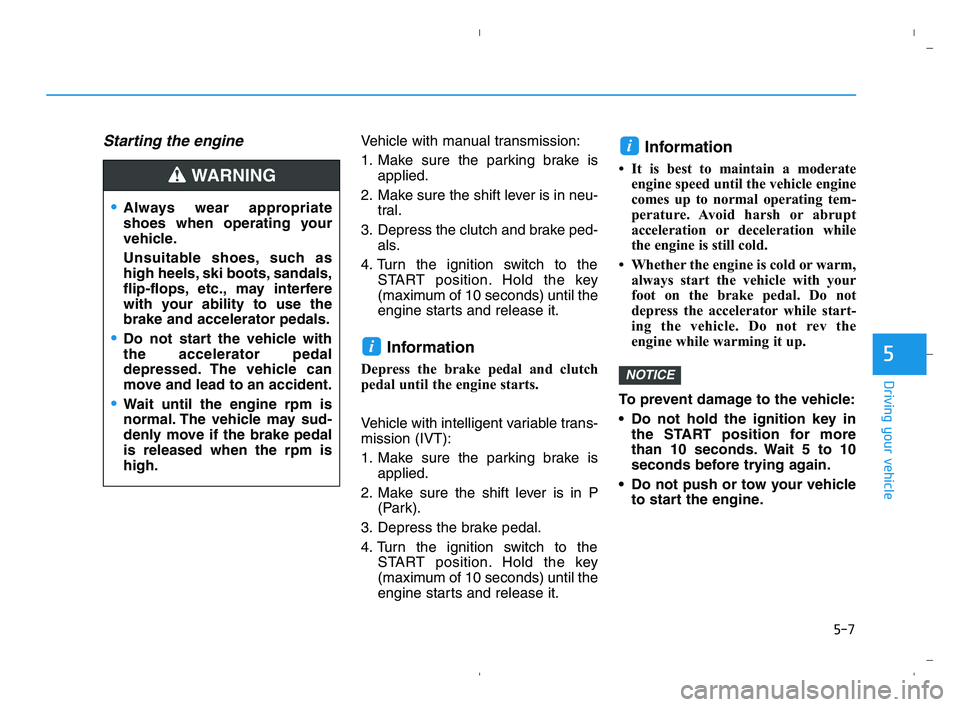
Starting the engine Vehicle with manual transmission:
1. Make sure the parking brake is
applied.
2. Make sure the shift lever is in neu-
tral.
3. Depress the clutch and brake ped-
als.
4. Turn the ignition switch to the
START position. Hold the key
(maximum of 10 seconds) until the
engine starts and release it.
Information
Depress the brake pedal and clutch
pedal until the engine starts.
Vehicle with intelligent variable trans-
mission (IVT):
1. Make sure the parking brake is
applied.
2. Make sure the shift lever is in P
(Park).
3. Depress the brake pedal.
4. Turn the ignition switch to the
START position. Hold the key
(maximum of 10 seconds) until the
engine starts and release it.
Information
• It is best to maintain a moderate
engine speed until the vehicle engine
comes up to normal operating tem-
perature. Avoid harsh or abrupt
acceleration or deceleration while
the engine is still cold.
• Whether the engine is cold or warm,
always start the vehicle with your
foot on the brake pedal. Do not
depress the accelerator while start-
ing the vehicle. Do not rev the
engine while warming it up.
To prevent damage to the vehicle:
Do not hold the ignition key in
the START position for more
than 10 seconds. Wait 5 to 10
seconds before trying again.
Do not push or tow your vehicle
to start the engine.
NOTICE
i
i
Always wear appropriate
shoes when operating your
vehicle.
Unsuitable shoes, such as
high heels, ski boots, sandals,
flip-flops, etc., may interfere
with your ability to use the
brake and accelerator pedals.
Do not start the vehicle with
the accelerator pedal
depressed. The vehicle can
move and lead to an accident.
Wait until the engine rpm is
normal. The vehicle may sud-
denly move if the brake pedal
is released when the rpm is
high.
WARNING
HCa HMA 5.QXP 5/25/2020 10:20 AM Page 7
Page 261 of 443
5-9
Driving your vehicle
5
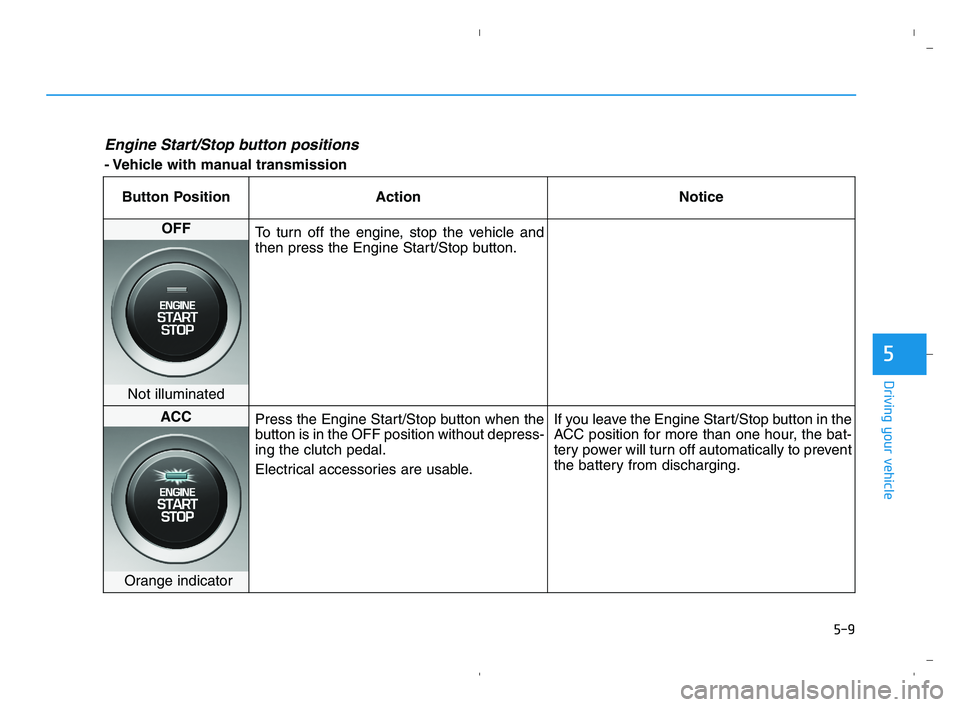
Engine Start/Stop button positions
- Vehicle with manual transmission
Button Position Action Notice
OFF
To turn off the engine, stop the vehicle and
then press the Engine Start/Stop button.
Not illuminated
ACC
Press the Engine Start/Stop button when the
button is in the OFF position without depress-
ing the clutch pedal.
Electrical accessories are usable.If you leave the Engine Start/Stop button in the
ACC position for more than one hour, the bat-
tery power will turn off automatically to prevent
the battery from discharging.
Orange indicator
HCa HMA 5.QXP 5/25/2020 10:20 AM Page 9
Page 262 of 443
5-10
Driving your vehicle
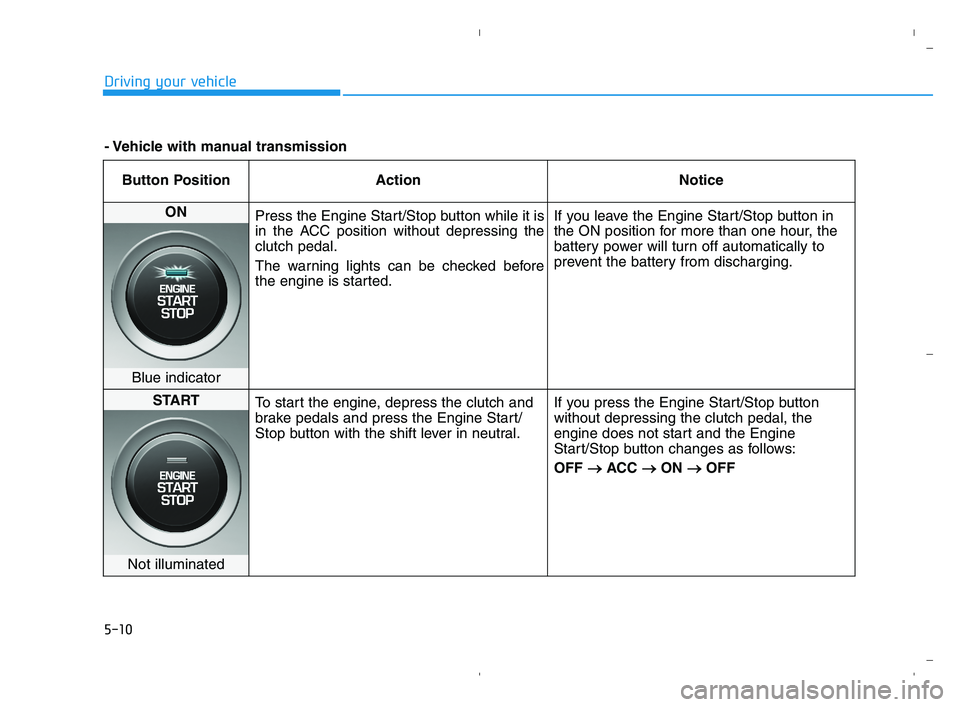
Button Position Action Notice
ON
Press the Engine Start/Stop button while it is
in the ACC position without depressing the
clutch pedal.
The warning lights can be checked before
the engine is started.If you leave the Engine Start/Stop button in
the ON position for more than one hour, the
battery power will turn off automatically to
prevent the battery from discharging.
Blue indicator
START
To start the engine, depress the clutch and
brake pedals and press the Engine Start/
Stop button with the shift lever in neutral.If you press the Engine Start/Stop button
without depressing the clutch pedal, the
engine does not start and the Engine
Start/Stop button changes as follows:
OFF → →
ACC → →
ON → →
OFF
Not illuminated
- Vehicle with manual transmission
HCa HMA 5.QXP 5/25/2020 10:20 AM Page 10
Page 263 of 443
5-11
Driving your vehicle
5
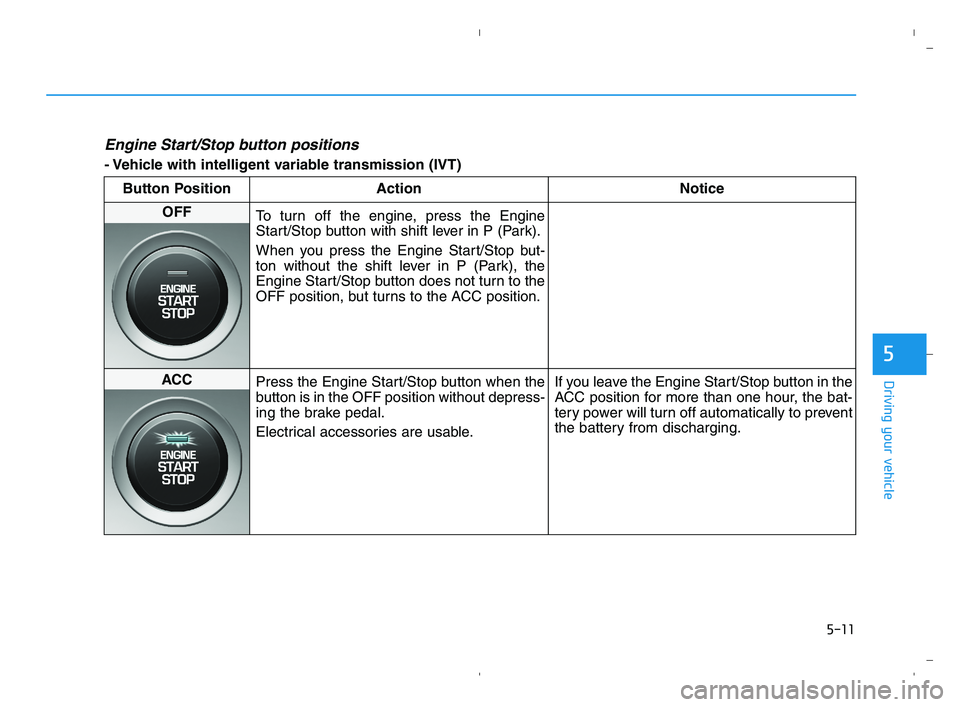
Engine Start/Stop button positions
- Vehicle with intelligent variable transmission (IVT)
Button Position Action Notice
OFF
To turn off the engine, press the Engine
Start/Stop button with shift lever in P (Park).
When you press the Engine Start/Stop but-
ton without the shift lever in P (Park), the
Engine Start/Stop button does not turn to the
OFF position, but turns to the ACC position.
ACC
Press the Engine Start/Stop button when the
button is in the OFF position without depress-
ing the brake pedal.
Electrical accessories are usable.If you leave the Engine Start/Stop button in the
ACC position for more than one hour, the bat-
tery power will turn off automatically to prevent
the battery from discharging.
HCa HMA 5.QXP 5/25/2020 10:20 AM Page 11
Page 264 of 443
5-12
Driving your vehicle
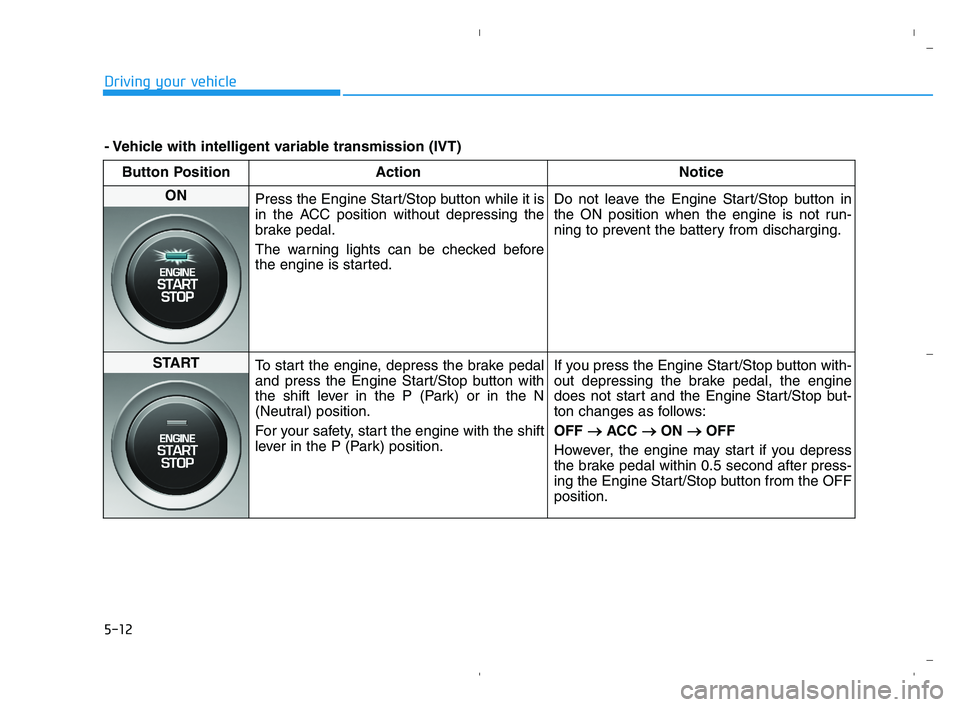
Button Position Action Notice
ON
Press the Engine Start/Stop button while it is
in the ACC position without depressing the
brake pedal.
The warning lights can be checked before
the engine is started.Do not leave the Engine Start/Stop button in
the ON position when the engine is not run-
ning to prevent the battery from discharging.
START
To start the engine, depress the brake pedal
and press the Engine Start/Stop button with
the shift lever in the P (Park) or in the N
(Neutral) position.
For your safety, start the engine with the shift
lever in the P (Park) position.If you press the Engine Start/Stop button with-
out depressing the brake pedal, the engine
does not start and the Engine Start/Stop but-
ton changes as follows:
OFF → →
ACC → →
ON → →
OFF
However, the engine may start if you depress
the brake pedal within 0.5 second after press-
ing the Engine Start/Stop button from the OFF
position.
- Vehicle with intelligent variable transmission (IVT)
HCa HMA 5.QXP 5/25/2020 10:20 AM Page 12
Page 265 of 443
5-13
Driving your vehicle
5
Starting the engine Information
• The engine will start by pressing the
Engine Start/Stop button, only when
the smart key is in the vehicle.
• Even if the smart key is in the vehi-
cle, if it is far away from the driver,
the engine may not start.
• When the Engine Start/Stop button
is in the ACC or ON position, if any
door is open, the system checks for
the smart key. If the smart key is not
in the vehicle, the " " indicator
will blink and the warning "Key not
in vehicle" will come on and if all
doors are closed, the chime will also
sound for about 5 seconds. Keep the
smart key in the vehicle when using
the ACC position or if the vehicle
engine is ON.Vehicle with manual transmission:
1. Always carry the smart key with
you.
2. Make sure the parking brake is
applied.
3. Make sure the shift lever is in neu-
tral.
4. Depress the clutch and brake ped-
als.
5. Press the Engine Start/Stop but-
ton.
Information
Depress the brake pedal and clutch
pedal until the engine starts.
Vehicle with intelligent variable trans-
mission (IVT):
1. Always carry the smart key with
you.
2. Make sure the parking brake is
applied.
3. Make sure the shift lever is in P
(Park).
4. Depress the brake pedal.
5. Press the Engine Start/Stop but-
ton.
i
i
Always wear appropriate shoes
when operating your vehicle.
Unsuitable shoes, such as
high heels, ski boots, sandals,
flip-flops, etc., may interfere
with your ability to use the
brake and accelerator pedals.
Do not start the vehicle with the
accelerator pedal depressed.
The vehicle can move and lead
to an accident.
Wait until the engine rpm is
normal. The vehicle may sud-
denly move if the brake pedal
is released when the rpm is
high.
WARNING
HCa HMA 5.QXP 5/25/2020 10:20 AM Page 13
Page 267 of 443
5-15
Driving your vehicle
5
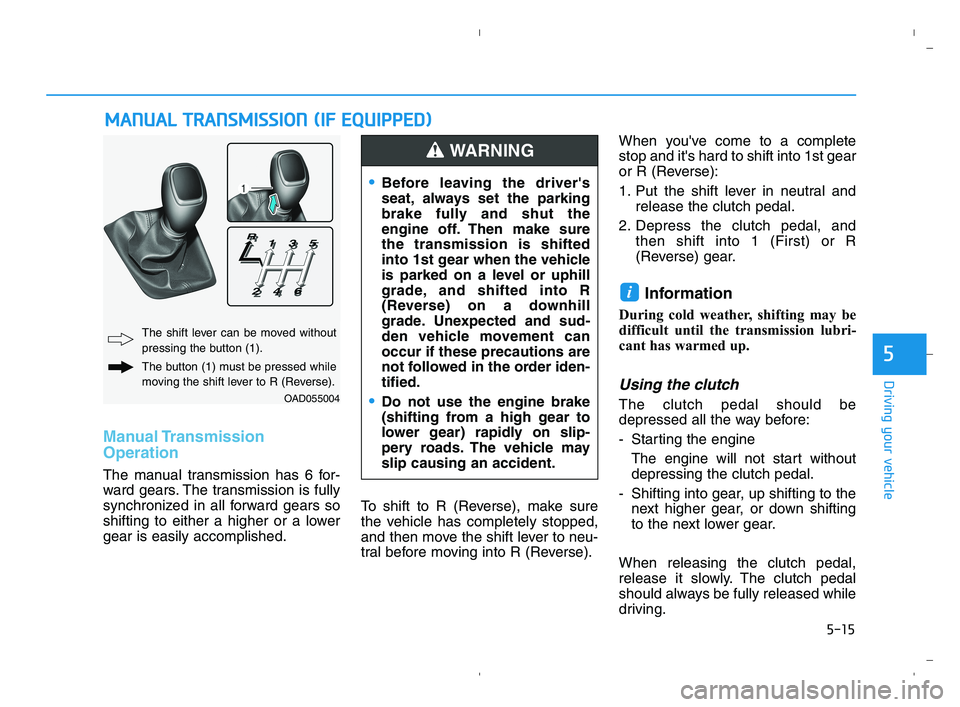
Manual Transmission
Operation
The manual transmission has 6 for-
ward gears. The transmission is fully
synchronized in all forward gears so
shifting to either a higher or a lower
gear is easily accomplished.To shift to R (Reverse), make sure
the vehicle has completely stopped,
and then move the shift lever to neu-
tral before moving into R (Reverse).When you've come to a complete
stop and it's hard to shift into 1st gear
or R (Reverse):
1. Put the shift lever in neutral and
release the clutch pedal.
2. Depress the clutch pedal, and
then shift into 1 (First) or R
(Reverse) gear.
Information
During cold weather, shifting may be
difficult until the transmission lubri-
cant has warmed up.
Using the clutch
The clutch pedal should be
depressed all the way before:
- Starting the engine
The engine will not start without
depressing the clutch pedal.
- Shifting into gear, up shifting to the
next higher gear, or down shifting
to the next lower gear.
When releasing the clutch pedal,
release it slowly. The clutch pedal
should always be fully released while
driving.
i
M MA
AN
NU
UA
AL
L
T
TR
RA
AN
NS
SM
MI
IS
SS
SI
IO
ON
N
(
(I
IF
F
E
EQ
QU
UI
IP
PP
PE
ED
D)
)
OAD055004
The shift lever can be moved without
pressing the button (1).
The button (1) must be pressed while
moving the shift lever to R (Reverse).
Before leaving the driver's
seat, always set the parking
brake fully and shut the
engine off. Then make sure
the transmission is shifted
into 1st gear when the vehicle
is parked on a level or uphill
grade, and shifted into R
(Reverse) on a downhill
grade. Unexpected and sud-
den vehicle movement can
occur if these precautions are
not followed in the order iden-
tified.
Do not use the engine brake
(shifting from a high gear to
lower gear) rapidly on slip-
pery roads. The vehicle may
slip causing an accident.
WARNING
HCa HMA 5.QXP 5/25/2020 10:20 AM Page 15