CD player Hyundai Azera 2005 User Guide
[x] Cancel search | Manufacturer: HYUNDAI, Model Year: 2005, Model line: Azera, Model: Hyundai Azera 2005Pages: 297, PDF Size: 13.2 MB
Page 173 of 297
1FEATURES OF YOUR HYUNDAI
156
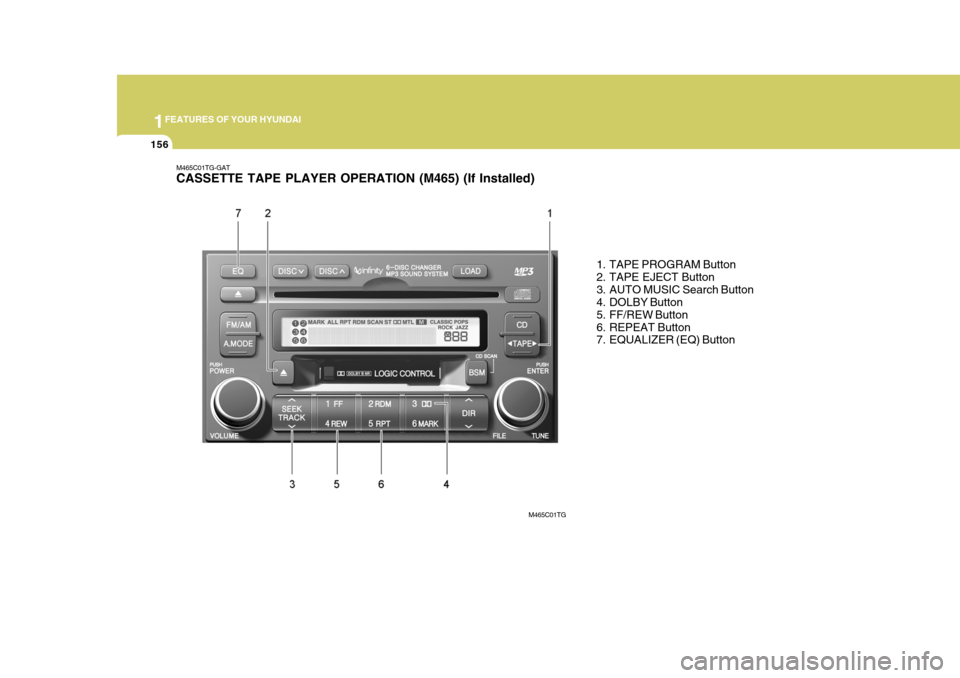
M465C01TG-GAT CASSETTE TAPE PLAYER OPERATION (M465) (If Installed)
1. TAPE PROGRAM Button
2. TAPE EJECT Button
3. AUTO MUSIC Search Button
4. DOLBY Button
5. FF/REW Button
6. REPEAT Button
7. EQUALIZER (EQ) Button
M465C01TG
Page 175 of 297
1FEATURES OF YOUR HYUNDAI
158
CAUTION
o Do not insert anything like coins into the player slot as damage to the unit may occur.
o Do not place beverages close to the audio system. The playbackmechanism may be damaged ifyou spill them.
o Do not strike or allow anything to
impact the audio system, damageto the system mechanisms could occur.
!
Page 176 of 297
1
FEATURES OF YOUR HYUNDAI
159
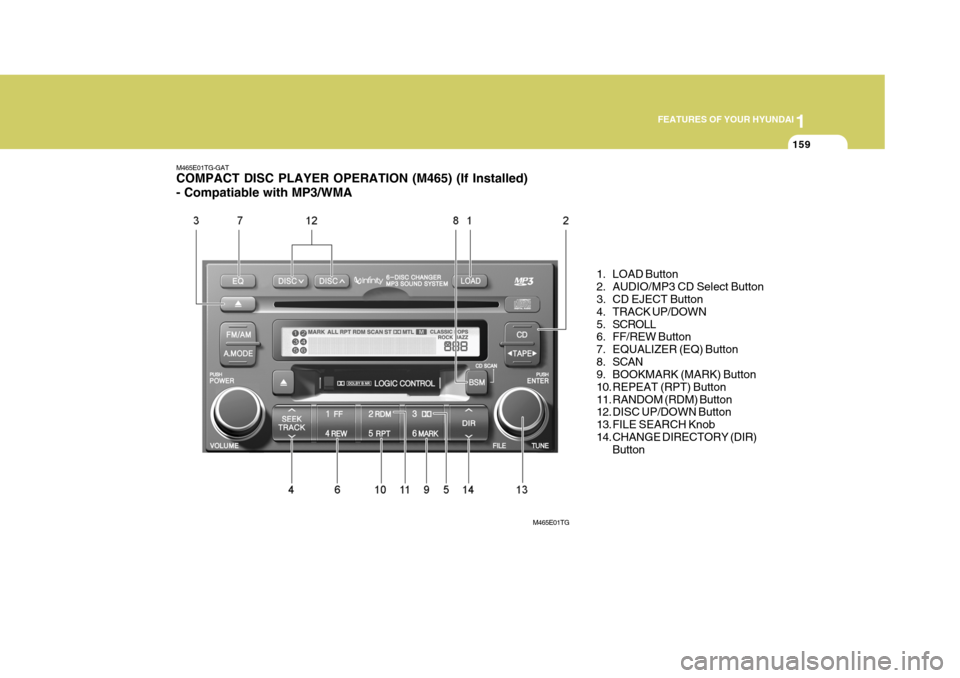
M465E01TG-GAT COMPACT DISC PLAYER OPERATION (M465) (If Installed) - Compatiable with MP3/WMA
1. LOAD Button
2. AUDIO/MP3 CD Select Button
3. CD EJECT Button
4. TRACK UP/DOWN
5. SCROLL
6. FF/REW Button
7. EQUALIZER (EQ) Button
8. SCAN
9. BOOKMARK (MARK) Button
10. REPEAT (RPT) Button
11. RANDOM (RDM) Button
12. DISC UP/DOWN Button
13. FILE SEARCH Knob
14. CHANGE DIRECTORY (DIR)Button
M465E01TG
Page 177 of 297

1FEATURES OF YOUR HYUNDAI
160
M465F01TG-GAT 1. LOAD Button This compact disc player will accom- modate up to six compact discs.
To insert one disc into the player, do the following:
1. Press and release the LOAD Button.
2. Green light on the slot will be illumi-nated and the lowest number of emptyslot will blink on the display. After"WAIT" is displayed on the LCD, the slot will open with "LOAD" displayed on the LCD.
3. Insert a disc partway into the slot, label side up. The player will pull the
disc in. When the disc is inserted,the disc will begin to play automati- cally.
NOTE:
o The disc can be only inserted while the green light is blinking on the slot.
o This CD player is suitable only for 12 cm discs, do not use irregularshaped CDs. To insert multiple discs into the player,do the followings:
1. Press and hold the LOAD button for
one second or more. You will thenhear a beep sound and the green lighton the slot will be illuminated, and the numbers of empty disc will blink on the display.
2. After "WAIT" is displayed on the LCD with the lowest number of emptyslot blinking, the slot will open with"LOAD" displayed on the LCD.
3. Insert a disc partway into the slot,
label side up. The player will pull the
disc in. Once the disc is loaded, the numbers of the empty disc will blink
on the display continuously. If thenext "DISC NO." is displayed when the slot is illuminated, you can then load another disc.
4. Load the remaining disc by following the same procedures 1 and 2. Whenyou finished loading 6 discs, the CDplayer will begin to play the last CD loaded. 5. To load more than one disc but less
than six, complete Steps 1 and 2. When you have finished loading discs, press LOAD button to cancel the loading function or wait for 10seconds. The CD player will begin to play the last CD loaded. As each CD starts to play, the DISC number willappear on the display.
NOTE: The disc player takes up to six discs. Do not try to load more than six. 2. Audio/MP3 CD Select Button
o Press the CD Button to start CD playback, during radio operation or cassette tape playing.
o When discs are in the CD deck, if you
press the CD button, the CD playerwill begin playing even if the radio or cassette player is being used.
o The CD player can be used when the ignition switch is in either the "ON" or"ACC" position.
Page 178 of 297
1
FEATURES OF YOUR HYUNDAI
161
3. CD EJECT Button
o When the EJECT button is pressed with a CD loaded, the CD will eject.
o To eject all of the discs, press this button for one second or more.
4. TRACK UP/DOWN
o The desired track on the disc cur- rently being played can be selected using the track number.
o Press ( ) once to skip forward to the
beginning of the next track.
o Press ( ) once to skip back to the beginning of the track.
5. SCROLL Press the button and you can check the file title more than 16 characters on MP3 CD. The button doesn't work onfile title less than 16 characters. 6. FF/REW Button While the disc is playing, if you hold
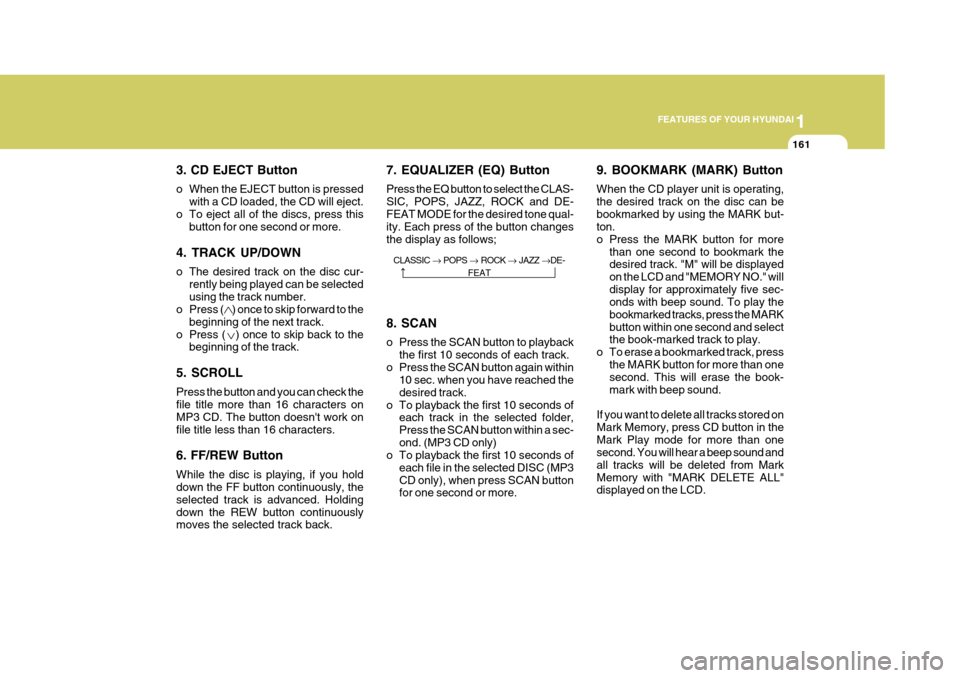
down the FF button continuously, the selected track is advanced. Holdingdown the REW button continuously moves the selected track back. 7. EQUALIZER (EQ) Button Press the EQ button to select the CLAS- SIC, POPS, JAZZ, ROCK and DE-FEAT MODE for the desired tone qual- ity. Each press of the button changes the display as follows;
9. BOOKMARK (MARK) Button When the CD player unit is operating, the desired track on the disc can bebookmarked by using the MARK but- ton.
o Press the MARK button for more
than one second to bookmark the desired track. "M" will be displayed on the LCD and "MEMORY NO." willdisplay for approximately five sec- onds with beep sound. To play the bookmarked tracks, press the MARKbutton within one second and select the book-marked track to play.
o To erase a bookmarked track, press the MARK button for more than onesecond. This will erase the book- mark with beep sound.
If you want to delete all tracks stored onMark Memory, press CD button in theMark Play mode for more than one second. You will hear a beep sound and all tracks will be deleted from MarkMemory with "MARK DELETE ALL" displayed on the LCD.
8. SCAN
o Press the SCAN button to playback
the first 10 seconds of each track.
o Press the SCAN button again within 10 sec. when you have reached the desired track.
o To playback the first 10 seconds of each track in the selected folder,Press the SCAN button within a sec-ond. (MP3 CD only)
o To playback the first 10 seconds of
each file in the selected DISC (MP3CD only), when press SCAN button for one second or more.
CLASSIC
POPS ROCK JAZZ DE-
FEAT
Page 180 of 297
1
FEATURES OF YOUR HYUNDAI
163
NOTE:
o To assure proper operation of the unit, keep the vehicle interior tem- perature within a normal range byusing the vehicle’s air condition- ing or heating system.
o When replacing the fuse, replace it with a fuse having the correctcapacity.
o All stored bookmarks are all erased when the car battery is discon-nected or power to the vehicle is lost. If this occurs, the bookmarkswill have to be reset.
o Do not add any oil to the rotating
parts. Keep magnets, screwdriv-ers and other metallic objects away from the tape mechanism and head. o Do not attempt to grab or pull the
compact disc out while the disc is being pulled into the audio unit by
the self-loading mechanism. Dam- age to the audio unit and compactdisc could occur.
o This equipment is designed to be
used only in a 12 volt DC batterysystem with negative ground.
o This unit is made of precision
parts. Do not attempt to disas-semble or adjust any parts.
o When driving your vehicle, be sure
to keep the volume of the unit setlow enough to allow you to hear sounds coming from the outside.
o Do not expose this equipment (in- cluding the speakers and tape) towater or excessive moisture.
o Avoid using recorded compact discs in your audio unit. Originalcompact discs are recommended.
o The unit is not sure of playing CD- RW (Rewritable).
CAUTION
o Do not insert warped or poor qual- ity discs into the CD player asdamage to the unit may occur.
o Do not insert anything like coins
into the player slot as damage tothe unit may occur.
o Do not place beverages close to the audio system. The playbackmechanism may be damaged if you spill them.
o Do not strike or allow anything to impact the audio system, damageto the system mechanisms couldoccur.
o Off-road or rough surface driving
may cause the com- pact disc to
skip. Do not use the compact disc when driving in such conditions as damage to the compact discface could occur.
!
Page 182 of 297
1
FEATURES OF YOUR HYUNDAI
165
B860A01TG
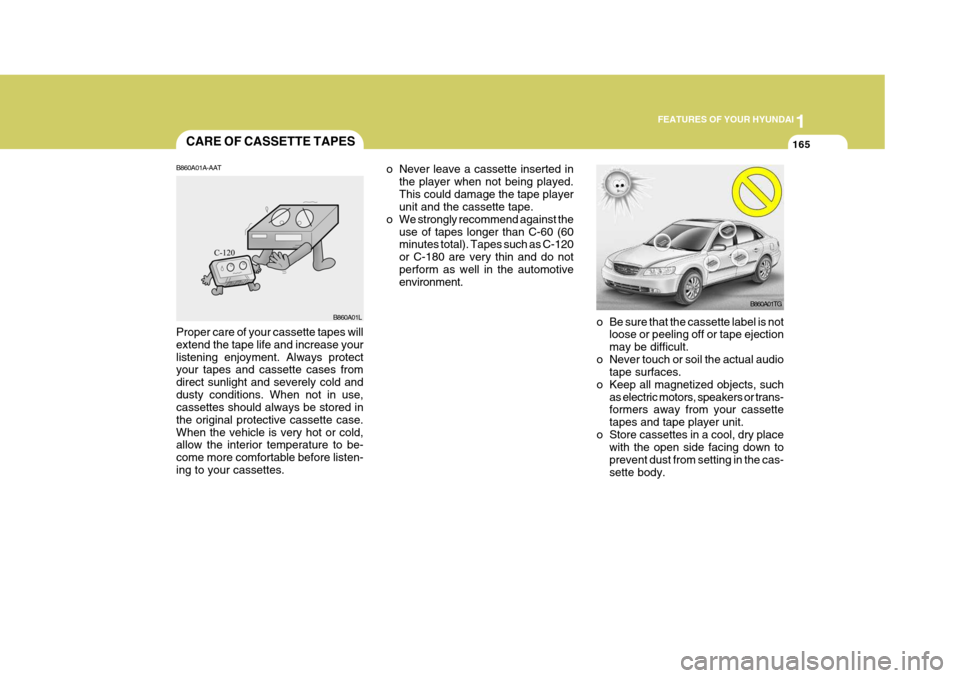
o Be sure that the cassette label is not loose or peeling off or tape ejection may be difficult.
o Never touch or soil the actual audio tape surfaces.
o Keep all magnetized objects, such as electric motors, speakers or trans- formers away from your cassette tapes and tape player unit.
o Store cassettes in a cool, dry place with the open side facing down toprevent dust from setting in the cas-sette body.
o Never leave a cassette inserted in
the player when not being played.This could damage the tape player unit and the cassette tape.
o We strongly recommend against the
use of tapes longer than C-60 (60minutes total). Tapes such as C-120 or C-180 are very thin and do notperform as well in the automotive environment.
CARE OF CASSETTE TAPES
B860A01A-AAT Proper care of your cassette tapes will extend the tape life and increase yourlistening enjoyment. Always protect your tapes and cassette cases from direct sunlight and severely cold anddusty conditions. When not in use, cassettes should always be stored in the original protective cassette case.When the vehicle is very hot or cold, allow the interior temperature to be- come more comfortable before listen-ing to your cassettes. B860A01L
Page 183 of 297
1FEATURES OF YOUR HYUNDAI
166
B860A03L
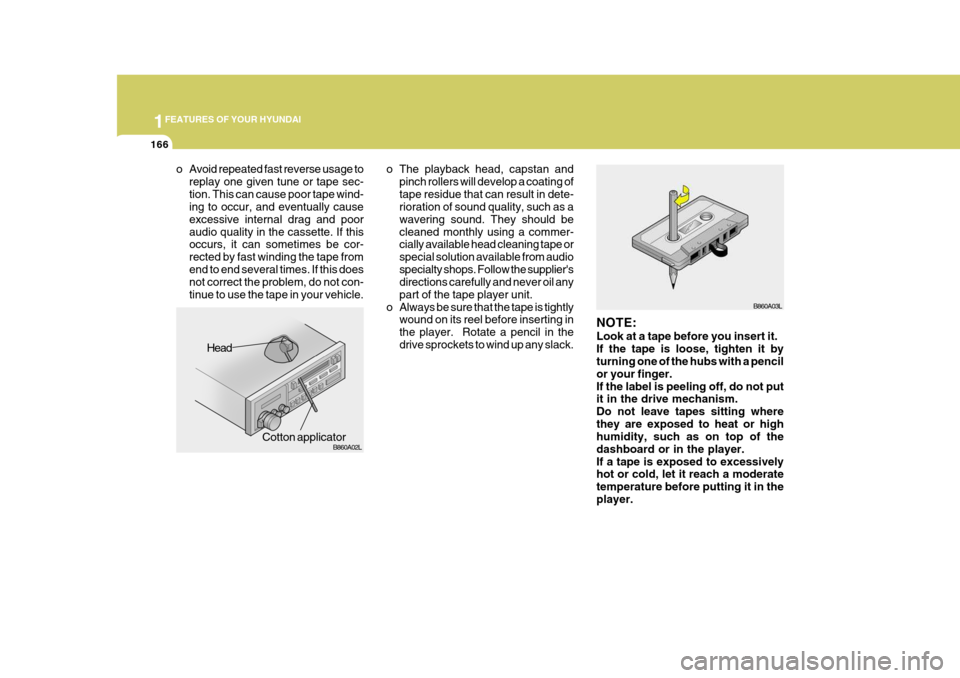
NOTE: Look at a tape before you insert it. If the tape is loose, tighten it by turning one of the hubs with a pencil or your finger.If the label is peeling off, do not put it in the drive mechanism. Do not leave tapes sitting wherethey are exposed to heat or high humidity, such as on top of the dashboard or in the player.If a tape is exposed to excessively hot or cold, let it reach a moderate temperature before putting it in theplayer.
o The playback head, capstan and
pinch rollers will develop a coating oftape residue that can result in dete- rioration of sound quality, such as a wavering sound. They should becleaned monthly using a commer- cially available head cleaning tape or special solution available from audiospecialty shops. Follow the supplier's directions carefully and never oil any part of the tape player unit.
o Always be sure that the tape is tightly wound on its reel before inserting inthe player. Rotate a pencil in thedrive sprockets to wind up any slack.
Head
Cotton applicator B860A02L
o Avoid repeated fast reverse usage to
replay one given tune or tape sec- tion. This can cause poor tape wind- ing to occur, and eventually cause excessive internal drag and pooraudio quality in the cassette. If this occurs, it can sometimes be cor- rected by fast winding the tape fromend to end several times. If this does not correct the problem, do not con- tinue to use the tape in your vehicle.
Page 293 of 297

10INDEX
2
A Accessory Box .......................................................... 1-95
Air Cleaner Filter ........................................................ 6-10
Air Conditioning Care ........................................................................ 6-18
Filter ............................................................ 1-132, 6-18
Operation .......................................... 1-121, 1-124, 6-18
Switch ........................................................ 1-120, 1-127
Airbag ........................................................................ 1-46
Curtain airbag ......................................................... 1-54
Driver's and passenger's front airbag ...................... 1-47
Passenger's front airbag O N/OFF switch ...............1-51
Side impact airbag .................................................. 1-53
Antenna ................................................................... 1-167
Ashtray ...................................................................... 1-87
Audio System Audio remote control switch ................................. 1-112
Cassette tape player operation (M455) .................1-146
Cassette tape player operation (M465) .................1-156
Compact disc player operation (M445) .................1-139
Compact disc player operation (M455) .................1-149
Compact disc player operation (M465) .................1-159
Stereo radio operation (M445) ..............................1-136
Stereo radio operation (M455) ..............................1-143
Stereo radio operation (M465) ..............................1-153
Automatic Heating and Cooling Control System ...... 1-123BBack Warning
System ............................................... 2-12
Battery .............................................................. 2-17, 6-23
Brake Anti-lock brake system (ABS) ................................ 2-10
Checking the brakes ............................................... 6-16
Fluid ........................................................................ 6-16
Pedal clearance ...................................................... 6-20
Pedal free-play ........................................................ 6-20
Practices ................................................................ 2-13
Breaking-In your New Hyundai .................................... 1-3
C
Care of Cassette Tapes .......................................... 1-165
Care of Discs .......................................................... 1-164
Catalytic Converter ...................................................... 7-3
Child Restraint System .............................................. 1-37
Child-Protector Rear Door Lock ................................. 1-12
Cigarette Lighter ........................................................ 1-85
Clock ......................................................................... 1-85
Combination Light
Auto light ................................................................ 1-78
Daytime running lights ............................................ 1-78
Headlight flasher ..................................................... 1-79
Headlight swi tch ..................................................... 1-77
High-beam switch ................................................... 1-79
Lane change si gnal ................................................. 1-77
Parking light auto cut ............................................. 1-78
Turn signal operation .............................................. 1-77