ECO mode Hyundai Azera 2005 User Guide
[x] Cancel search | Manufacturer: HYUNDAI, Model Year: 2005, Model line: Azera, Model: Hyundai Azera 2005Pages: 297, PDF Size: 13.2 MB
Page 160 of 297
1
FEATURES OF YOUR HYUNDAI
143
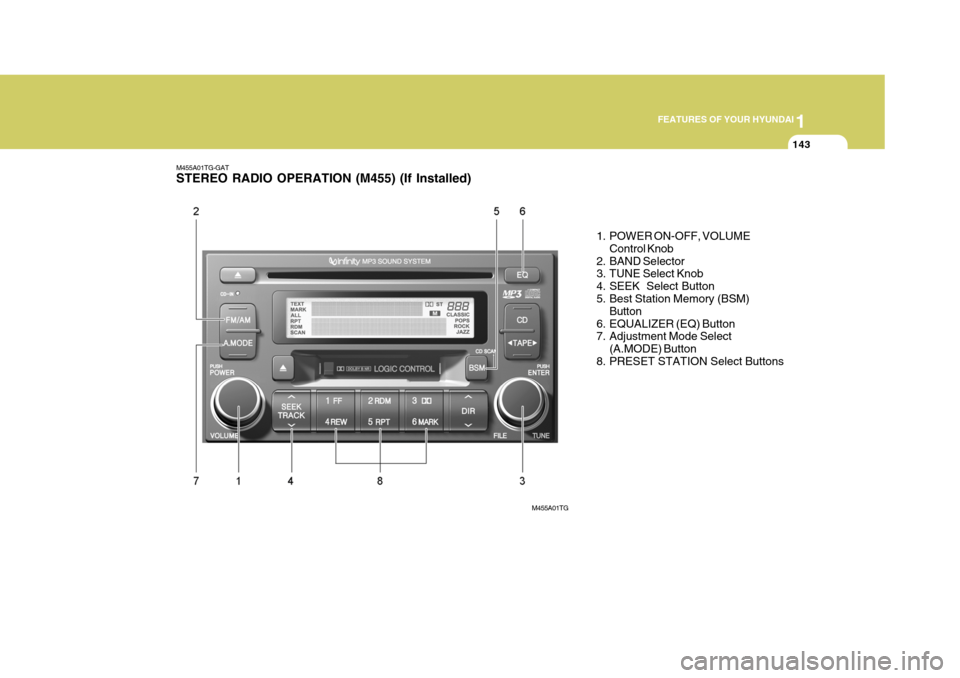
M455A01TG-GAT STEREO RADIO OPERATION (M455) (If Installed)
1. POWER ON-OFF, VOLUMEControl Knob
2. BAND Selector
3. TUNE Select Knob
4. SEEK Select Button
5. Best Station Memory (BSM) Button
6. EQUALIZER (EQ) Button
7. Adjustment Mode Select (A.MODE) Button
8. PRESET STATION Select Buttons
M455A01TG
Page 164 of 297
1
FEATURES OF YOUR HYUNDAI
147
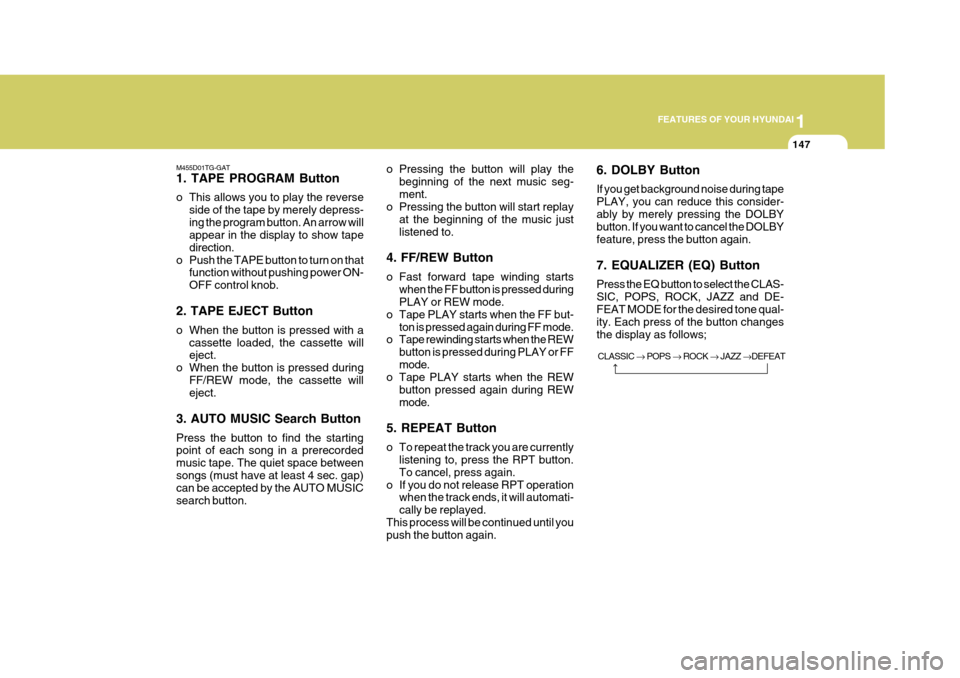
M455D01TG-GAT 1. TAPE PROGRAM Button
o This allows you to play the reverse side of the tape by merely depress- ing the program button. An arrow will appear in the display to show tape direction.
o Push the TAPE button to turn on that function without pushing power ON-OFF control knob.
2. TAPE EJECT Button
o When the button is pressed with a cassette loaded, the cassette will eject.
o When the button is pressed during
FF/REW mode, the cassette willeject.
3. AUTO MUSIC Search Button Press the button to find the starting point of each song in a prerecorded music tape. The quiet space betweensongs (must have at least 4 sec. gap) can be accepted by the AUTO MUSIC search button. o Pressing the button will play the
beginning of the next music seg-ment.
o Pressing the button will start replay
at the beginning of the music justlistened to.
4. FF/REW Button
o Fast forward tape winding starts when the FF button is pressed during PLAY or REW mode.
o Tape PLAY starts when the FF but- ton is pressed again during FF mode.
o Tape rewinding starts when the REW
button is pressed during PLAY or FF mode.
o Tape PLAY starts when the REW
button pressed again during REWmode.
5. REPEAT Button
o To repeat the track you are currently listening to, press the RPT button. To cancel, press again.
o If you do not release RPT operation when the track ends, it will automati-cally be replayed.
This process will be continued until you push the button again. 6. DOLBY Button If you get background noise during tape PLAY, you can reduce this consider-ably by merely pressing the DOLBY button. If you want to cancel the DOLBY feature, press the button again. 7. EQUALIZER (EQ) Button Press the EQ button to select the CLAS- SIC, POPS, ROCK, JAZZ and DE- FEAT MODE for the desired tone qual- ity. Each press of the button changesthe display as follows;
CLASSIC POPS ROCK JAZZ DEFEAT
Page 168 of 297
1
FEATURES OF YOUR HYUNDAI
151
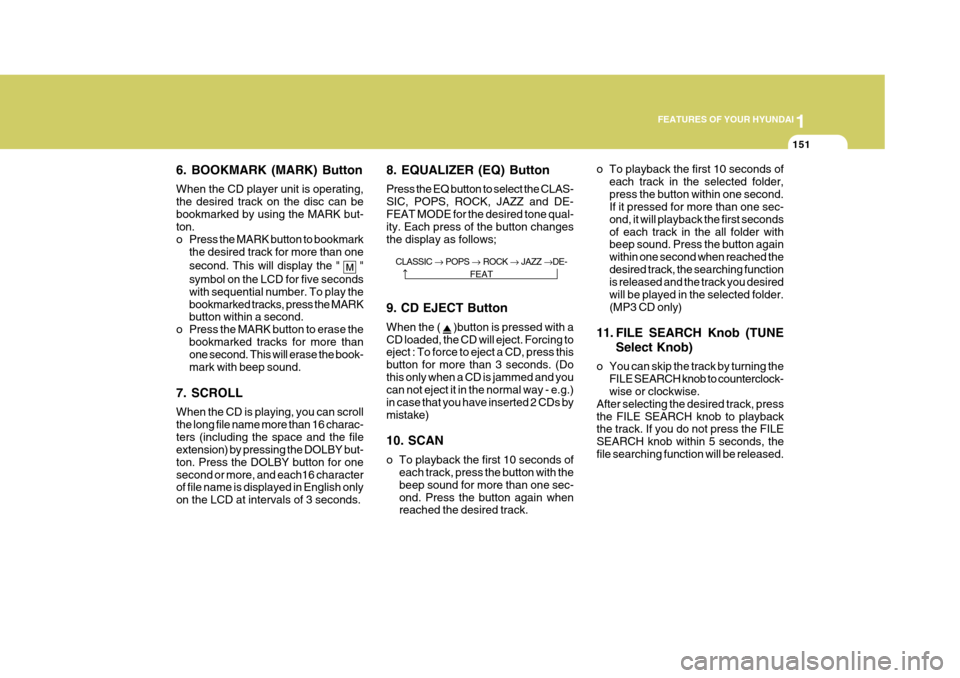
6. BOOKMARK (MARK) Button When the CD player unit is operating, the desired track on the disc can bebookmarked by using the MARK but- ton.
o Press the MARK button to bookmark the desired track for more than one second. This will display the "
"
symbol on the LCD for five seconds with sequential number. To play the
bookmarked tracks, press the MARK button within a second.
o Press the MARK button to erase the
bookmarked tracks for more than
one second. This will erase the book- mark with beep sound.
7. SCROLL When the CD is playing, you can scroll the long file name more than 16 charac-
ters (including the space and the file
extension) by pressing the DOLBY but-
ton. Press the DOLBY button for onesecond or more, and each16 character
of file name is displayed in English only on the LCD at intervals of 3 seconds. 8. EQUALIZER (EQ) Button Press the EQ button to select the CLAS-
SIC, POPS, ROCK, JAZZ and DE-FEAT MODE for the desired tone qual- ity. Each press of the button changes the display as follows;
o To playback the first 10 seconds of
each track in the selected folder,press the button within one second. If it pressed for more than one sec- ond, it will playback the first secondsof each track in the all folder with beep sound. Press the button again within one second when reached thedesired track, the searching function is released and the track you desired will be played in the selected folder.(MP3 CD only)
11. FILE SEARCH Knob (TUNE Select Knob)
o You can skip the track by turning the FILE SEARCH knob to counterclock- wise or clockwise.
After selecting the desired track, press the FILE SEARCH knob to playback the track. If you do not press the FILE SEARCH knob within 5 seconds, thefile searching function will be released.
CLASSIC
POPS ROCK JAZZ DE-
FEAT
9. CD EJECT Button When the (
)button is pressed with a
CD loaded, the CD will eject. Forcing to eject : To force to eject a CD, press this button for more than 3 seconds. (Dothis only when a CD is jammed and you can not eject it in the normal way - e.g.) in case that you have inserted 2 CDs bymistake) 10. SCAN
o To playback the first 10 seconds of each track, press the button with the beep sound for more than one sec-ond. Press the button again when reached the desired track.
Page 170 of 297
1
FEATURES OF YOUR HYUNDAI
153
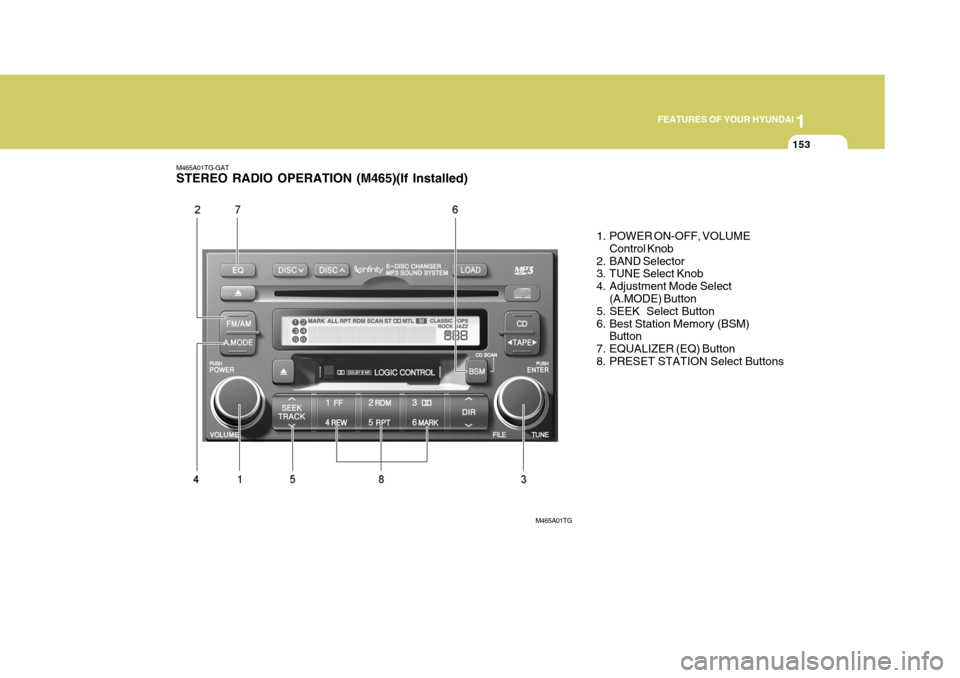
M465A01TG-GAT STEREO RADIO OPERATION (M465)(If Installed)
1. POWER ON-OFF, VOLUMEControl Knob
2. BAND Selector
3. TUNE Select Knob
4. Adjustment Mode Select (A.MODE) Button
5. SEEK Select Button
6. Best Station Memory (BSM)
Button
7. EQUALIZER (EQ) Button
8. PRESET STATION Select Buttons
M465A01TG
Page 172 of 297
1
FEATURES OF YOUR HYUNDAI
155
6. Best Station Memory (BSM) Button
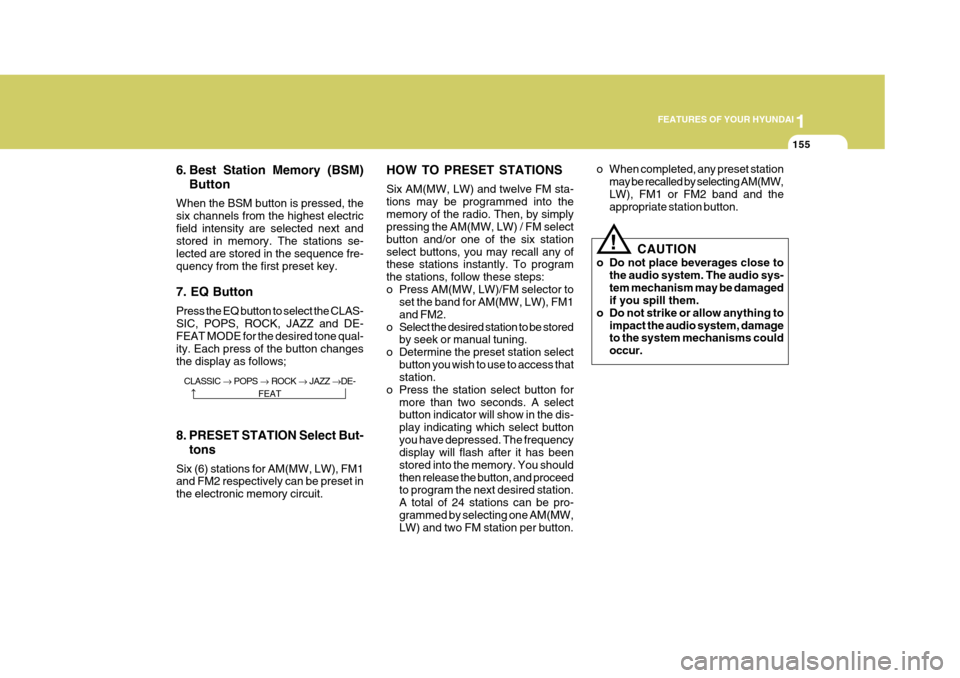
When the BSM button is pressed, the six channels from the highest electricfield intensity are selected next and stored in memory. The stations se- lected are stored in the sequence fre-quency from the first preset key. 7. EQ Button Press the EQ button to select the CLAS- SIC, POPS, ROCK, JAZZ and DE- FEAT MODE for the desired tone qual- ity. Each press of the button changesthe display as follows; HOW TO PRESET STATIONS Six AM(MW, LW) and twelve FM sta- tions may be programmed into thememory of the radio. Then, by simply pressing the AM(MW, LW) / FM select button and/or one of the six stationselect buttons, you may recall any of these stations instantly. To program the stations, follow these steps:
o Press AM(MW, LW)/FM selector to
set the band for AM(MW, LW), FM1and FM2.
o Select the desired station to be stored by seek or manual tuning.
o Determine the preset station select button you wish to use to access that station.
o Press the station select button for more than two seconds. A selectbutton indicator will show in the dis- play indicating which select buttonyou have depressed. The frequency display will flash after it has been stored into the memory. You shouldthen release the button, and proceed to program the next desired station. A total of 24 stations can be pro-grammed by selecting one AM(MW, LW) and two FM station per button. o When completed, any preset station
may be recalled by selecting AM(MW, LW), FM1 or FM2 band and the appropriate station button.
8. PRESET STATION Select But- tons
Six (6) stations for AM(MW, LW), FM1and FM2 respectively can be preset in the electronic memory circuit.
! CAUTION
o Do not place beverages close to the audio system. The audio sys- tem mechanism may be damaged if you spill them.
o Do not strike or allow anything to
impact the audio system, damageto the system mechanisms could occur.
CLASSIC POPS ROCK JAZZ DE-
FEAT
Page 174 of 297
1
FEATURES OF YOUR HYUNDAI
157
M465D01TG-GAT 1. TAPE PROGRAM Button
o This allows you to play the reverse side of the tape by merely pressing the program button. The PLAY and an arrow will appear in the display to show tape direction.
o Push the TAPE button to turn on that function without pushing Power ON/OFF control knob.
2. TAPE EJECT Button
o When the EJECT button is pressed with a cassette loaded, the cassette will eject.
o When the EJECT button is pressed
during FF/REW mode, the cassettewill eject.
3. AUTO MUSIC Search Button Press the button to find the starting point of each song in a prerecorded music tape. The quiet space betweensongs (must have at least a 4 sec. gap) can be identified by the AUTO MUSIC search button.
o Pressing the (
) will play the be-
ginning of the next music segment. o Pressing the (
) will start replay
at the beginning of the music just listened to.
o To stop FF or REW action, press the button again.
4. DOLBY Button If you get background noise during tape PLAY, you can reduce this consider- ably by merely pressing the DOLBYbutton. If you want to cancel the DOLBY feature (
), press the button again.
5. FF/REW Button
o Fast forward tape winding starts when the FF button is pressed during PLAY or REW mode.
o Tape PLAY starts when the FF but- ton is pressed again during FF mode.
o Tape rewinding starts when the REW
button is pressed during PLAY or FF mode.
o Tape PLAY starts when the REW
button pressed again during REWmode. 6. REPEAT Button
o To repeat the track you are currently
listening to, press the RPT button. To cancel, press again.
o If you do not release RPT operation
when the track ends, it will automati-cally be replayed.
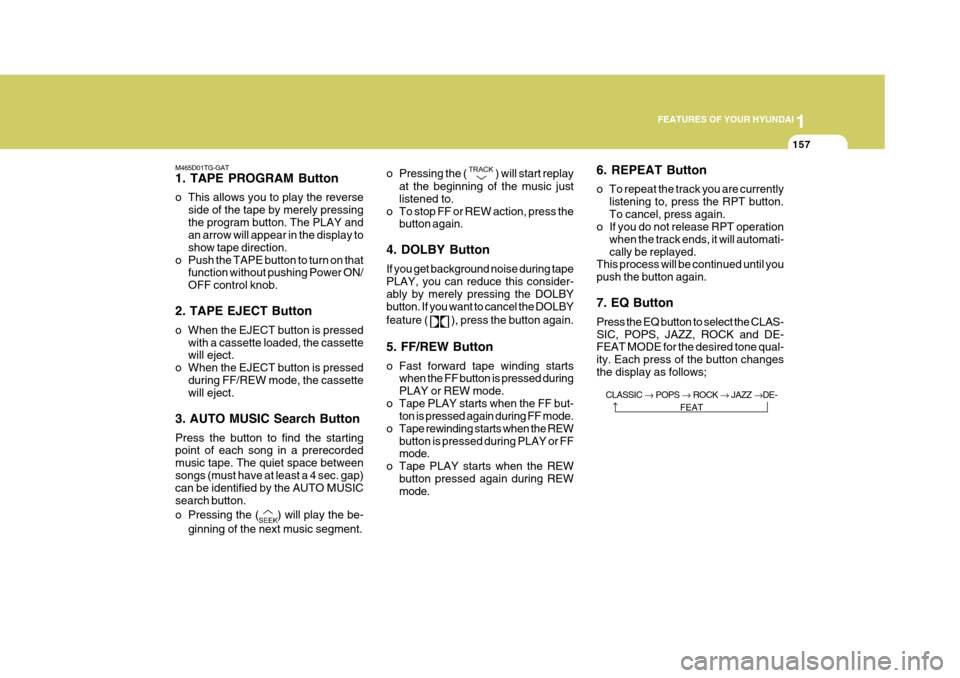
This process will be continued until youpush the button again. 7. EQ Button Press the EQ button to select the CLAS- SIC, POPS, JAZZ, ROCK and DE- FEAT MODE for the desired tone qual- ity. Each press of the button changesthe display as follows;
CLASSIC POPS ROCK JAZZ DE-
FEAT
Page 178 of 297
1
FEATURES OF YOUR HYUNDAI
161
3. CD EJECT Button
o When the EJECT button is pressed with a CD loaded, the CD will eject.
o To eject all of the discs, press this button for one second or more.
4. TRACK UP/DOWN
o The desired track on the disc cur- rently being played can be selected using the track number.
o Press ( ) once to skip forward to the
beginning of the next track.
o Press ( ) once to skip back to the beginning of the track.
5. SCROLL Press the button and you can check the file title more than 16 characters on MP3 CD. The button doesn't work onfile title less than 16 characters. 6. FF/REW Button While the disc is playing, if you hold
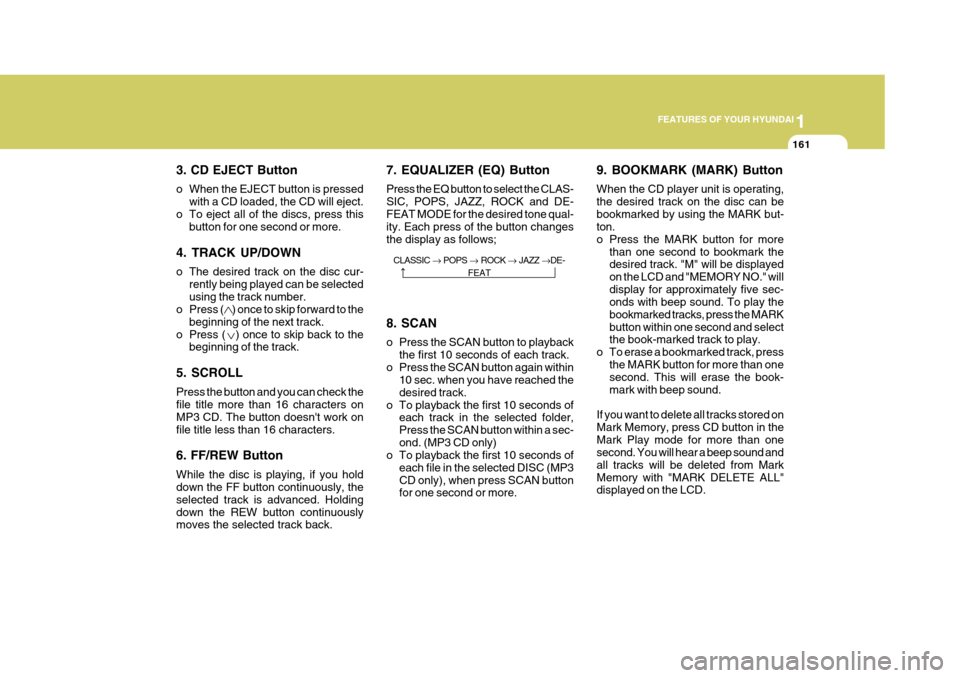
down the FF button continuously, the selected track is advanced. Holdingdown the REW button continuously moves the selected track back. 7. EQUALIZER (EQ) Button Press the EQ button to select the CLAS- SIC, POPS, JAZZ, ROCK and DE-FEAT MODE for the desired tone qual- ity. Each press of the button changes the display as follows;
9. BOOKMARK (MARK) Button When the CD player unit is operating, the desired track on the disc can bebookmarked by using the MARK but- ton.
o Press the MARK button for more
than one second to bookmark the desired track. "M" will be displayed on the LCD and "MEMORY NO." willdisplay for approximately five sec- onds with beep sound. To play the bookmarked tracks, press the MARKbutton within one second and select the book-marked track to play.
o To erase a bookmarked track, press the MARK button for more than onesecond. This will erase the book- mark with beep sound.
If you want to delete all tracks stored onMark Memory, press CD button in theMark Play mode for more than one second. You will hear a beep sound and all tracks will be deleted from MarkMemory with "MARK DELETE ALL" displayed on the LCD.
8. SCAN
o Press the SCAN button to playback
the first 10 seconds of each track.
o Press the SCAN button again within 10 sec. when you have reached the desired track.
o To playback the first 10 seconds of each track in the selected folder,Press the SCAN button within a sec-ond. (MP3 CD only)
o To playback the first 10 seconds of
each file in the selected DISC (MP3CD only), when press SCAN button for one second or more.
CLASSIC
POPS ROCK JAZZ DE-
FEAT
Page 191 of 297
2
DRIVING YOUR HYUNDAI
7
SKIP
: By rapidly moving the selector
forward or backward twice, it is pos- sible to skip one gear, i.e. 1st to 3rd or 3rd to 1st .
CAUTION:
o In sports mode, the driver must execute upward shifts in accor-dance with prevailing road con- ditions, taking care to keep theengine speed below the red zone.
o For engine protection, upward
shifts are made automatically when the engine rpm reaches the red zone.
o By rapidly moving the selector lever backwards (-) twice it ispossible to skip one gear, i.e.,3rd to 1st, 4th to 2nd or 5th to 3rd. Since sudden engine braking and/or rapid acceleration cancause a loss of traction, how- ever, downshifts must be made carefully in accordance with thevehicle's speed.
!
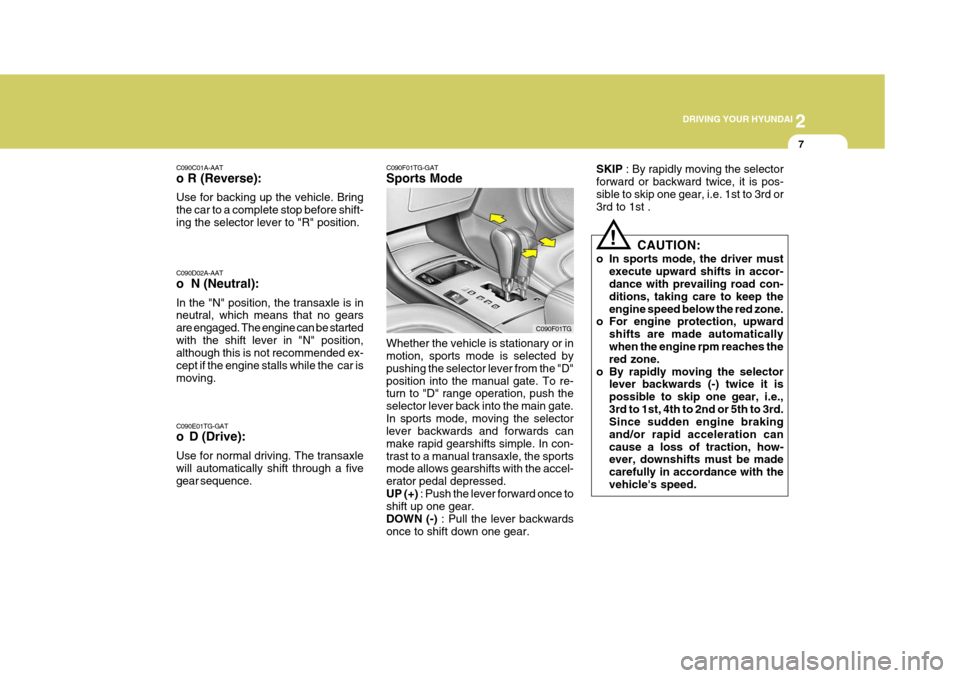
C090F01TG-GAT Sports Mode Whether the vehicle is stationary or in motion, sports mode is selected by pushing the selector lever from the "D"position into the manual gate. To re- turn to "D" range operation, push the selector lever back into the main gate.In sports mode, moving the selector lever backwards and forwards can make rapid gearshifts simple. In con-trast to a manual transaxle, the sports mode allows gearshifts with the accel- erator pedal depressed.UP (+)
: Push the lever forward once to
shift up one gear.DOWN (-) : Pull the lever backwards
once to shift down one gear. C090F01TG
C090D02A-AAT o N (Neutral): In the "N" position, the transaxle is in neutral, which means that no gears are engaged. The engine can be startedwith the shift lever in "N" position, although this is not recommended ex- cept if the engine stalls while the car ismoving. C090E01TG-GAT
o D (Drive): Use for normal driving. The transaxle will automatically shift through a five gear sequence.
C090C01A-AAT o R (Reverse): Use for backing up the vehicle. Bring the car to a complete stop before shift-ing the selector lever to "R" position.
Page 198 of 297
2 DRIVING YOUR HYUNDAI
14DRIVING FOR ECONOMY
o Don't coast down hills with the car out of gear. This is extremely haz- ardous. Keep the car in gear at all times, use the brakes to slow down, then shift to a lower gear so thatengine braking will help you main- tain a safe speed.
o Don't "ride" the brake pedal. Rest- ing your foot on the brake pedalwhile driving can be dangerous be- cause it can result in the brakesoverheating and losing their effec- tiveness. It also increases the wear of thebrake components.
o If a tire goes flat while you are
driving, apply the brakes gently andkeep the car pointed straight ahead while you slow down. When you are moving slowly enough for it to besafe to do so, pull off the road and stop in a safe place.
o If your car is equipped with an auto- matic transaxle, don't let your carcreep forward. To avoid creeping forward, keep your foot on the brakepedal when the car is stopped.
o Use caution when parking on a hill.
Engage the parking brake and placethe gear selector lever in "P" (auto- matic transaxle) or in first or reversegear (manual transaxle). If your caris facing downhill, turn the front wheels into the curb to help keep the car from rolling. If your car is facinguphill, turn the front wheels away from the curb to help keep the car from rolling. If there is no curb or if itis required by other conditions to keep the car from rolling, block the wheels.
o Under some conditions your park- ing brake can freeze in the engagedposition. This is most likely to hap-pen when there is an accumulation of snow or ice around or near the rear brakes or if the brakes are wet.If there is a risk that the parking brake may freeze, apply it only tem- porarily while you put the gear se-lector lever in "P" (automatic) or in first or reverse gear (manual transaxle) and block the rear wheelsso the car cannot roll. Then release the parking brake.
o Do not hold the vehicle on the up- grade with the accelerator pedal.This can cause the transaxle to overheat. Always use the brakepedal or parking brake. C140A01A-AAT You can save fuel and get more miles from your car if you follow these sug- gestions:
o Drive smoothly. Accelerate at a
moderate rate. Don't make "jack- rabbit" starts or full-throttle shiftsand maintain a steady cruising speed. Don't race between stop- lights. Try to adjust your speed tothat of the other traffic so you don't have to change speeds unneces- sarily. Avoid heavy traffic wheneverpossible. Always maintain a safe distance from other vehicles so you can avoid unnecessary braking. Thisalso reduces brake wear.
o Drive at a moderate speed. The
faster you drive, the more fuel yourcar uses. Driving at a moderate speed, especially on the highway, is one of the most effective ways toreduce fuel consumption.
o Don't "ride" the brake or clutch pedal.
This can increase fuel consumptionand also increase wear on these components. In addition, driving with