clock Hyundai Azera 2005 User Guide
[x] Cancel search | Manufacturer: HYUNDAI, Model Year: 2005, Model line: Azera, Model: Hyundai Azera 2005Pages: 297, PDF Size: 13.2 MB
Page 168 of 297
1
FEATURES OF YOUR HYUNDAI
151
6. BOOKMARK (MARK) Button When the CD player unit is operating, the desired track on the disc can bebookmarked by using the MARK but- ton.
o Press the MARK button to bookmark the desired track for more than one second. This will display the "
"
symbol on the LCD for five seconds with sequential number. To play the
bookmarked tracks, press the MARK button within a second.
o Press the MARK button to erase the
bookmarked tracks for more than
one second. This will erase the book- mark with beep sound.
7. SCROLL When the CD is playing, you can scroll the long file name more than 16 charac-
ters (including the space and the file
extension) by pressing the DOLBY but-
ton. Press the DOLBY button for onesecond or more, and each16 character
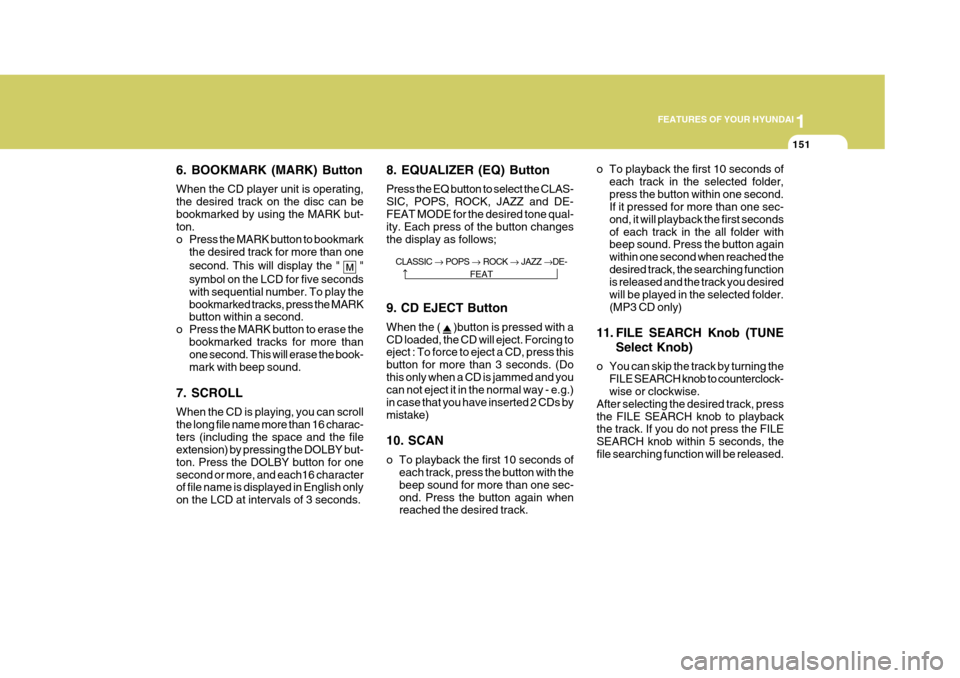
of file name is displayed in English only on the LCD at intervals of 3 seconds. 8. EQUALIZER (EQ) Button Press the EQ button to select the CLAS-
SIC, POPS, ROCK, JAZZ and DE-FEAT MODE for the desired tone qual- ity. Each press of the button changes the display as follows;
o To playback the first 10 seconds of
each track in the selected folder,press the button within one second. If it pressed for more than one sec- ond, it will playback the first secondsof each track in the all folder with beep sound. Press the button again within one second when reached thedesired track, the searching function is released and the track you desired will be played in the selected folder.(MP3 CD only)
11. FILE SEARCH Knob (TUNE Select Knob)
o You can skip the track by turning the FILE SEARCH knob to counterclock- wise or clockwise.
After selecting the desired track, press the FILE SEARCH knob to playback the track. If you do not press the FILE SEARCH knob within 5 seconds, thefile searching function will be released.
CLASSIC
POPS ROCK JAZZ DE-
FEAT
9. CD EJECT Button When the (
)button is pressed with a
CD loaded, the CD will eject. Forcing to eject : To force to eject a CD, press this button for more than 3 seconds. (Dothis only when a CD is jammed and you can not eject it in the normal way - e.g.) in case that you have inserted 2 CDs bymistake) 10. SCAN
o To playback the first 10 seconds of each track, press the button with the beep sound for more than one sec-ond. Press the button again when reached the desired track.
Page 171 of 297
1FEATURES OF YOUR HYUNDAI
154
M465B01TG-GAT 1. POWER ON-OFF Control Knob The radio unit may be operated when the ignition key is in the "ACC" or "ON"position. Press the knob to switch the power on. The LCD shows the radio frequency in the radio mode, the tapedirection indicator in the tape mode or CD track in either the CD mode or CD AUTO CHANGER mode. To switch thepower off, press the knob again. VOLUME Control Rotate the knob clockwise to increase the volume and turn the knob counter- clockwise to reduce the volume. 2. BAND Selector Pressing the button changes the AM(MW, LW), FM1 and FM2 bands.The mode selected is shown on the display. 3. TUNE Select Knob
Rotate the knob clockwise to increase the frequency and turn the knob coun-terclockwise to reduce the frequency. 4. Adjustment mode
select(A.MODE) Button
Pressing the A. MODE button changesthe BASS, MIDDLE, TREBLE, FADERand BALANCE mode. The mode se- lected is shown on the display. After selecting the each mode, rotate the VOLUME control knob clockwise or counterclockwise. BASS Control To increase the BASS, rotate the knob clockwise, while to decrease the BASS,rotate the knob counterclockwise. MIDDLE Control To increase the MIDDLE, rotate the knob clockwise, while to decrease the MIDDLE, rotate the knob counterclock-wise. TREBLE Control To increase the TREBLE, rotate the knob clockwise, while to decrease the TREBLE, rotate the knob counterclock- wise. FADER Control Rotate the control knob clockwise to emphasize rear speaker sound (frontspeaker sound will be attenuated). When the control knob is turned coun- terclockwise, front speaker sound willbe emphasized (rear speaker sound will be attenuated). BALANCE Control Rotate the knob clockwise to empha- size right speaker sound (left speakersound will be attenuated). When the control knob is turned counterclock- wise, left speaker sound will be empha-sized (right speaker sound will be at- tenuated).
5. SEEK Select Button (Auto-
matic Channel Selection)
Press the SEEK select button. When the (
) side is pressed, the unit will
automatically tune to the next higher
frequency and when the (
) side is
pressed, it will automatically tune to the next lower frequency.
Page 179 of 297
1FEATURES OF YOUR HYUNDAI
162
NOTE: Tracks stored on Mark Memory will be automatically erased after you eject CDs that contain those tracks. 10. REPEAT (RPT) Button
o To repeat the track you are currentlylistening to, press the RPT button. To cancel, press it again. If it pressedfor more than one second at this time, it will be repeated all tracks.
o To repeat the music within currently
played folder, press the RPT buttonfor more than one second. Then it will be repeated in sequential order withinthe currently played folder. To can- cel, press it again. (MP3 CD only)
o If you do not release RPT operation when the track ends, it will automati-cally be replayed. This process will be continued until you push the but-ton again. 11. RANDOM (RDM) Button
o For listen to the music in random
order, press the RDM Button with beep sound for more than one sec- ond. To cancel, press it again.
o For listen to the music within the currently played folder in randomorder, press the RDM Button within one second. To cancel, press it againwithin one second. If it pressed for more than one second, it will be played all in random order withincurrently played CD (MP3 CD only).
12. DISC UP/DOWN Button
o By pressing "DISC
"/"DISC "
while CD changer is playing, you can move to the previews/next disc andplayback automatically begins.
o If any of the slots does not contain a
CD, your car audio will skip emptyslot and plays only slot that contains a CD. When switching CD’s, the LCD displays the selected CD’s num-ber. 13. FILE SEARCH Knob(TUNE
SELECT Knob)
o You can move through the track by turning the FILE SEARCH knob clock-wise or counterclockwise.
o After moving the desired file, press
the FILE SEARCH knob to playbackin the selected file.
o If you do not press the FILE SEARCH
knob within five seconds, the file
searching function will be released.
14. CHANGE DIRECTORY(DIR) Button
o You can move through the folder by pushing the DIR button to up ()
and down (
).
o After moving the desired folder, press
the FILE SEARCH knob to play back
in the the selected folder. If you do not press the FILE SEARCH knobwithin 5 seconds, the folder search- ing function will be released. It is not operated in a single folder.
Page 188 of 297
2 DRIVING YOUR HYUNDAI
4
!
KEY POSITIONS
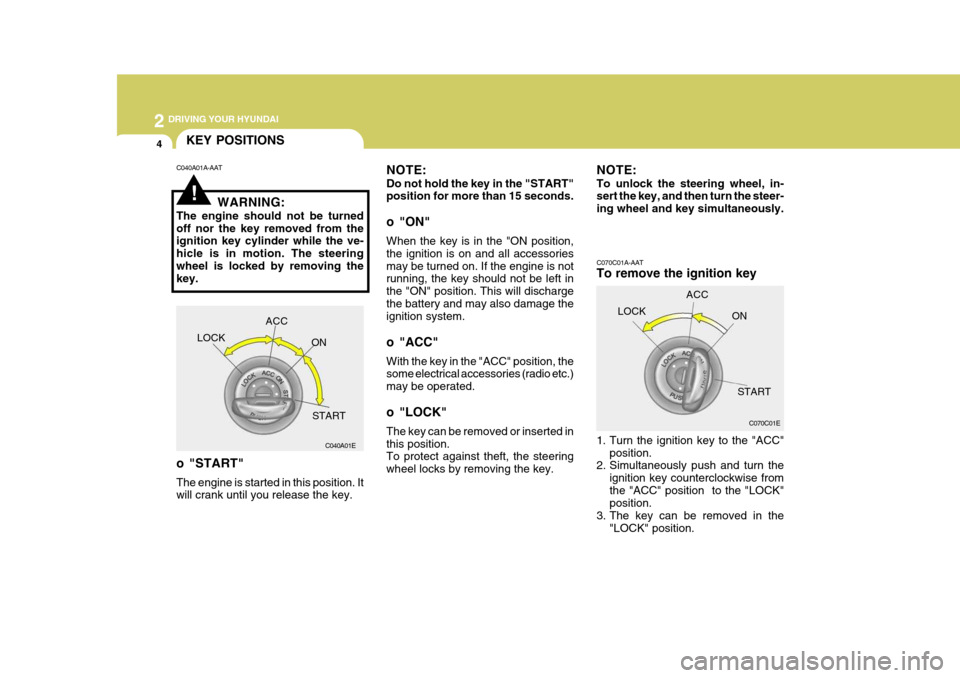
C070C01A-AAT To remove the ignition key
1. Turn the ignition key to the "ACC"position.
2. Simultaneously push and turn the
ignition key counterclockwise from the "ACC" position to the "LOCK" position.
3. The key can be removed in the
"LOCK" position.
NOTE: Do not hold the key in the "START" position for more than 15 seconds.
o "ON" When the key is in the "ON position, the ignition is on and all accessoriesmay be turned on. If the engine is not running, the key should not be left in the "ON" position. This will dischargethe battery and may also damage the ignition system.
o "ACC" With the key in the "ACC" position, the some electrical accessories (radio etc.) may be operated.
o "LOCK" The key can be removed or inserted in this position. To protect against theft, the steering wheel locks by removing the key.
C040A01A-AAT
WARNING:
The engine should not be turnedoff nor the key removed from the ignition key cylinder while the ve- hicle is in motion. The steeringwheel is locked by removing the key.
o "START" The engine is started in this position. It will crank until you release the key. NOTE: To unlock the steering wheel, in- sert the key, and then turn the steer- ing wheel and key simultaneously.
LOCK ACC
ON
START C070C01E
C040A01E LOCK
ACC
ON
START
Page 212 of 297
3
WHAT TO DO IN AN EMERGENCY
5
6. If you cannot find the cause of the
overheating, wait until the engine temperature has returned to nor- mal. Then, if coolant has been lost, carefully add coolant to the reservoir(Page 6-8) to bring the fluid level in the reservoir up to the halfway mark.
7. Proceed with caution, keeping alert for further signs of overheating. Ifoverheating happens again, call a Hyundai dealer for assistance.
! CAUTION:
Serious loss of coolant indicates there is a leak in the cooling system and this should be checked as soonas possible by a Hyundai dealer.
SPARE TIRE
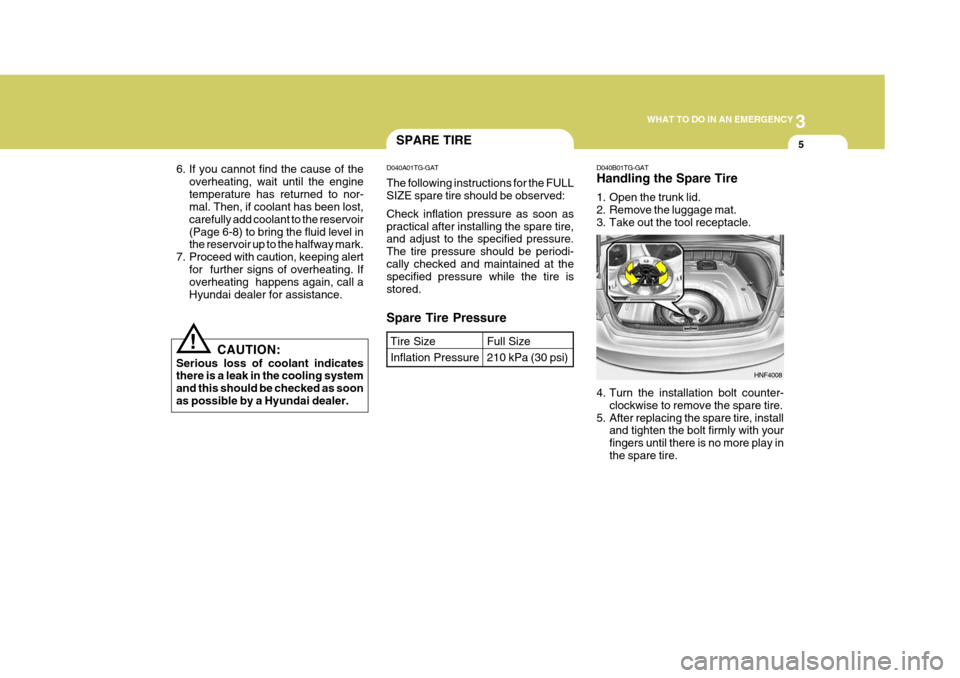
D040B01TG-GAT Handling the Spare Tire
1. Open the trunk lid.
2. Remove the luggage mat.
3. Take out the tool receptacle.
Spare Tire Pressure
D040A01TG-GAT The following instructions for the FULL SIZE spare tire should be observed: Check inflation pressure as soon as practical after installing the spare tire, and adjust to the specified pressure. The tire pressure should be periodi-cally checked and maintained at the specified pressure while the tire is stored.
Tire Size Inflation PressureFull Size 210 kPa (30 psi)
HNF4008
4. Turn the installation bolt counter- clockwise to remove the spare tire.
5. After replacing the spare tire, install and tighten the bolt firmly with your fingers until there is no more play inthe spare tire.
Page 213 of 297
3 WHAT TO DO IN AN EMERGENCY
6CHANGING A FLAT TIREIF YOU HAVE A FLAT TIRE
D060A01TG-AAT The procedure described on the follow- ing pages can be used to rotate tires as well as to change a flat tire. When preparing to change a flat tire, check tobe sure the gear selector lever is in "P" and that the parking brake is set, then:
D050A01TG-AAT If a tire goes flat while you are driving:
1. Take your foot off the accelerator
pedal and let the car slow down while driving straight ahead. Do not apply the brakes immediately or at- tempt to pull off the road as this maycause a loss of control. When the car has slowed to such a speed that it is safe to do so, brake carefullyand pull off the road. Drive off the road as far as possible and park on firm, level ground. If you are on adivided highway, do not park in the median area between the two traffic lanes.
2. When the car is stopped, turn on your emergency hazard flashers, set theparking brake and put the transaxlein "P".
3. Have all passengers get out of the
car. Be sure they all get out on theside of the car that is away from traffic.
4. Change the tire according to the instructions provided as follows. D060A01TG
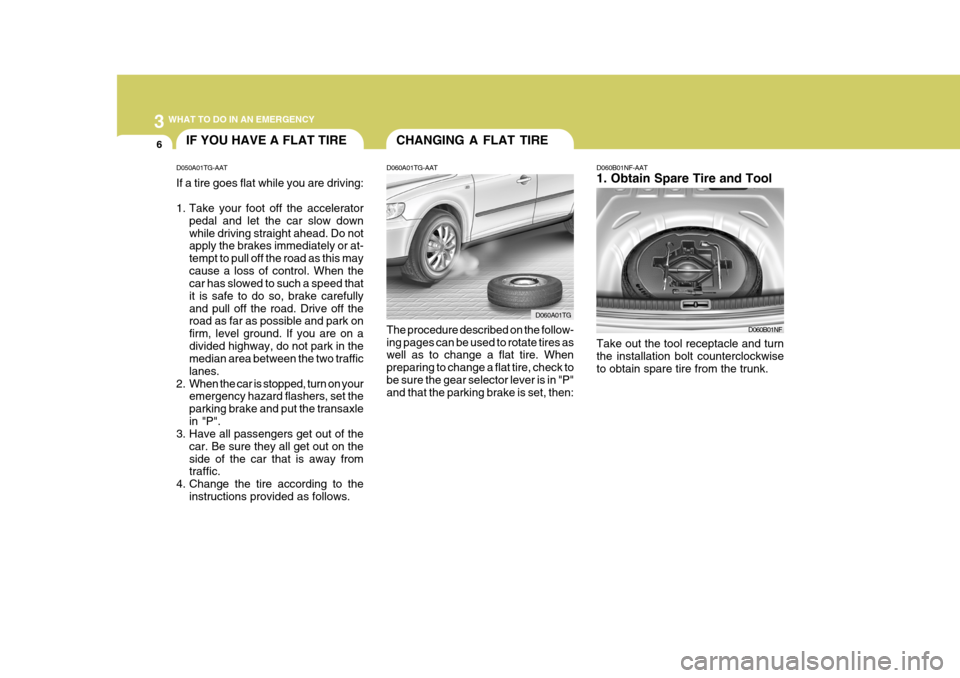
D060B01NF-AAT 1. Obtain Spare Tire and Tool
D060B01NF
Take out the tool receptacle and turn the installation bolt counterclockwiseto obtain spare tire from the trunk.
Page 214 of 297
3
WHAT TO DO IN AN EMERGENCY
7
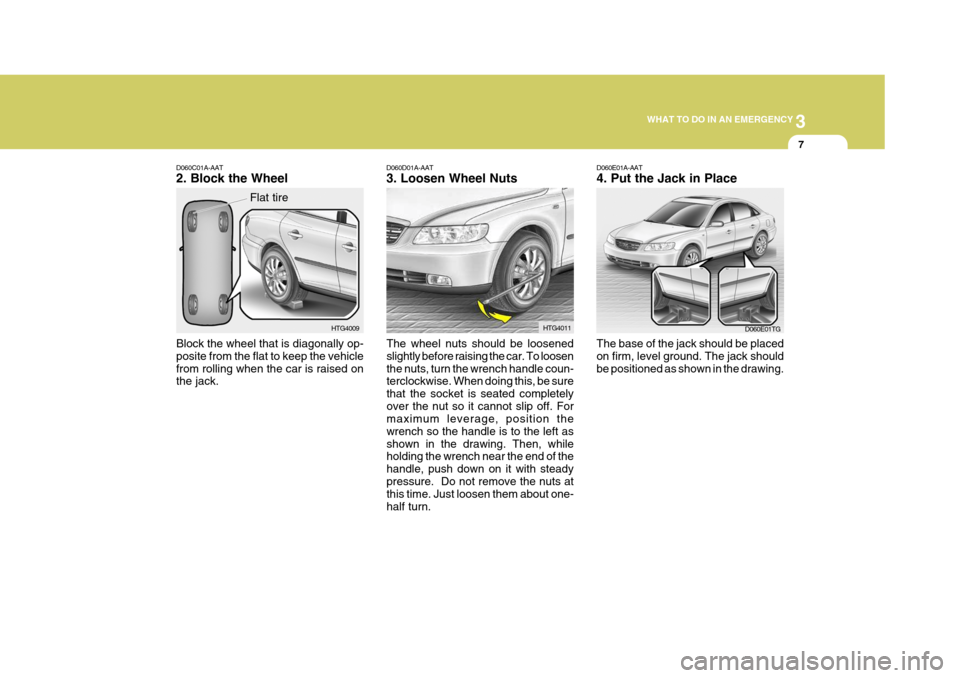
D060C01A-AAT 2. Block the Wheel Block the wheel that is diagonally op- posite from the flat to keep the vehiclefrom rolling when the car is raised on the jack. HTG4009
Flat tireD060E01A-AAT 4. Put the Jack in Place The base of the jack should be placed on firm, level ground. The jack shouldbe positioned as shown in the drawing.
D060D01A-AAT 3. Loosen Wheel Nuts
The wheel nuts should be loosened slightly before raising the car. To loosenthe nuts, turn the wrench handle coun- terclockwise. When doing this, be sure that the socket is seated completelyover the nut so it cannot slip off. For maximum leverage, position the wrench so the handle is to the left asshown in the drawing. Then, while holding the wrench near the end of the handle, push down on it with steadypressure. Do not remove the nuts at this time. Just loosen them about one- half turn. HTG4011
D060E01TG
Page 215 of 297
3 WHAT TO DO IN AN EMERGENCY
8
!
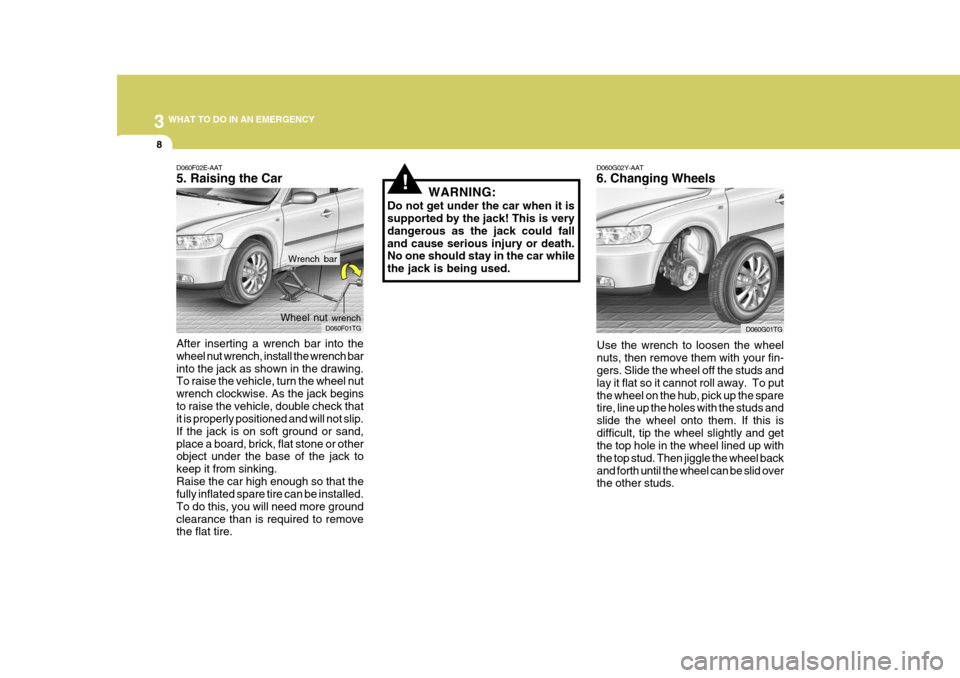
D060G02Y-AAT 6. Changing Wheels
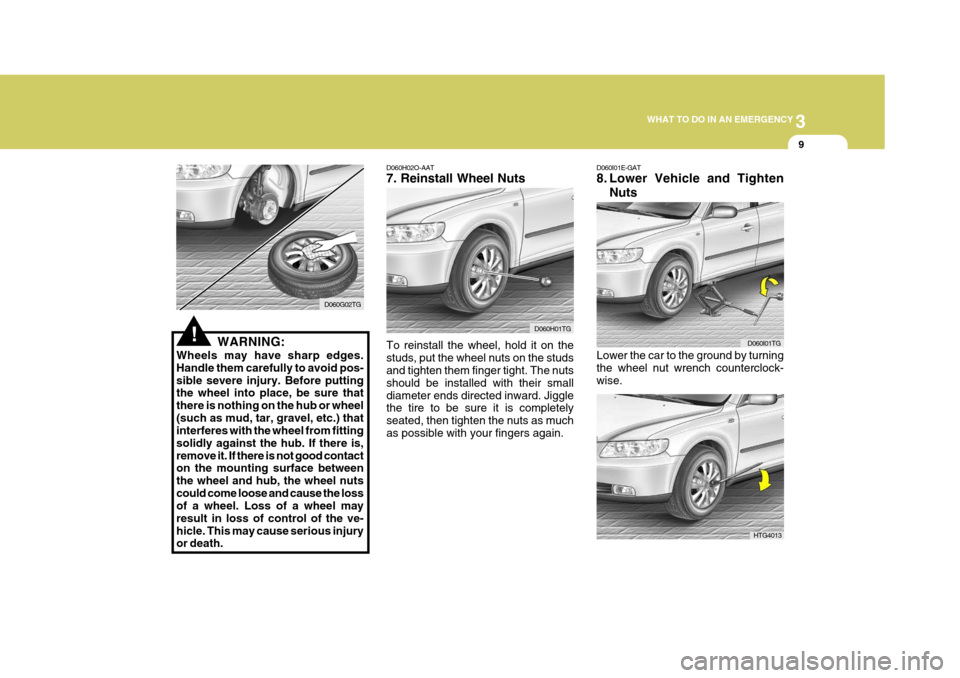
Use the wrench to loosen the wheel nuts, then remove them with your fin- gers. Slide the wheel off the studs and lay it flat so it cannot roll away. To putthe wheel on the hub, pick up the spare tire, line up the holes with the studs and slide the wheel onto them. If this isdifficult, tip the wheel slightly and get the top hole in the wheel lined up with the top stud. Then jiggle the wheel backand forth until the wheel can be slid over the other studs.
D060F02E-AAT 5. Raising the Car After inserting a wrench bar into the wheel nut wrench, install the wrench barinto the jack as shown in the drawing. To raise the vehicle, turn the wheel nut wrench clockwise. As the jack beginsto raise the vehicle, double check that it is properly positioned and will not slip. If the jack is on soft ground or sand,place a board, brick, flat stone or other object under the base of the jack to keep it from sinking.Raise the car high enough so that the fully inflated spare tire can be installed. To do this, you will need more groundclearance than is required to remove the flat tire. WARNING:
Do not get under the car when it issupported by the jack! This is very dangerous as the jack could falland cause serious injury or death. No one should stay in the car while the jack is being used.
D060F01TG
Wheel nut
wrench
D060G01TG
Wrench bar
Page 216 of 297
3
WHAT TO DO IN AN EMERGENCY
9
!WARNING:
Wheels may have sharp edges. Handle them carefully to avoid pos-sible severe injury. Before putting the wheel into place, be sure that there is nothing on the hub or wheel(such as mud, tar, gravel, etc.) that interferes with the wheel from fitting solidly against the hub. If there is,remove it. If there is not good contact on the mounting surface between the wheel and hub, the wheel nutscould come loose and cause the loss of a wheel. Loss of a wheel may result in loss of control of the ve-hicle. This may cause serious injury or death. D060G02TG
Lower the car to the ground by turning the wheel nut wrench counterclock- wise.
D060I01E-GAT
8. Lower Vehicle and Tighten
Nuts
D060H02O-AAT7. Reinstall Wheel Nuts To reinstall the wheel, hold it on the studs, put the wheel nuts on the studs and tighten them finger tight. The nuts should be installed with their smalldiameter ends directed inward. Jiggle the tire to be sure it is completely seated, then tighten the nuts as muchas possible with your fingers again. D060H01TG
D060I01TG
HTG4013
Page 242 of 297
6 DO-IT-YOURSELF MAINTENANCE
6
!
!
CAUTION:
Slowly pour the recommended oil using by a funnel. Do not overfill not to damage engine.
WARNING:
Be very careful not to touch theradiator hose when adding the en- gine oil as it may be hot enough to burn you.! NOTE: Always dispose of used engine oil
in an environmentally acceptable manner. It is suggested that it be placed in a sealed container and taken to a service station for recla-mation. Do not pour the oil on the ground or put it into the household trash.
WARNING:
Used motor oil may cause irritationor cancer of the skin if left in contactwith the skin for prolonged periods of time. Wash your hands thoroughly with soap and warm water as soonas possible after handling used oil.
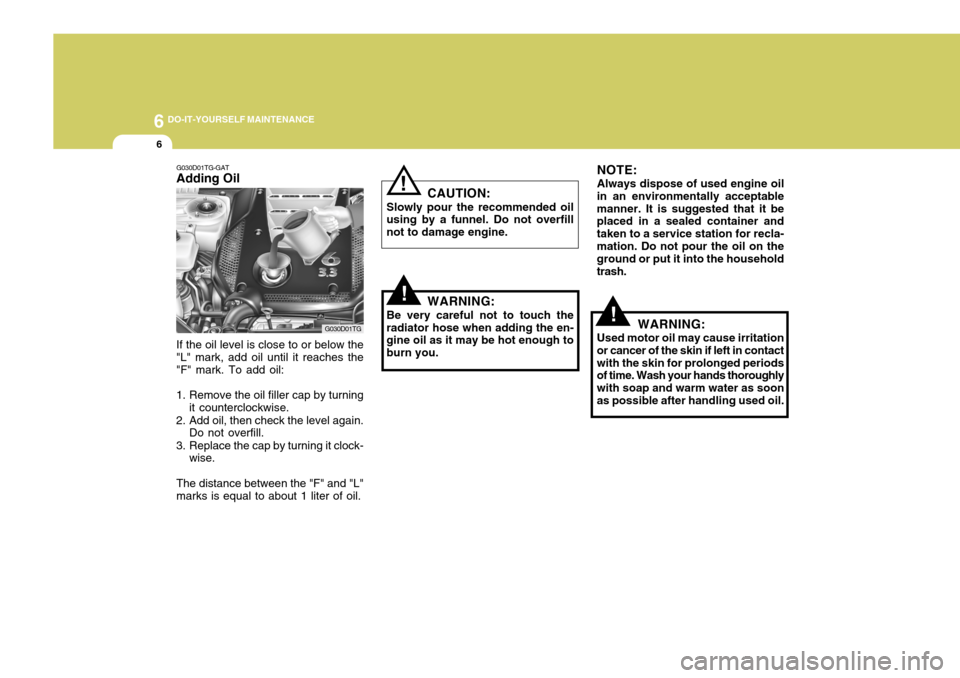
G030D01TG-GAT Adding Oil If the oil level is close to or below the "L" mark, add oil until it reaches the "F" mark. To add oil:
1. Remove the oil filler cap by turning it counterclockwise.
2. Add oil, then check the level again. Do not overfill.
3. Replace the cap by turning it clock- wise.
The distance between the "F" and "L" marks is equal to about 1 liter of oil. G030D01TG