radio Hyundai Azera 2005 User Guide
[x] Cancel search | Manufacturer: HYUNDAI, Model Year: 2005, Model line: Azera, Model: Hyundai Azera 2005Pages: 297, PDF Size: 13.2 MB
Page 162 of 297
1
FEATURES OF YOUR HYUNDAI
145
!
MIDDLE Control To increase the MIDDLE, rotate the knob clockwise, while to decrease theMIDDLE, rotate the knob counterclock- wise. TREBLE Control To increase the TREBLE, rotate the knob clockwise, while to decrease the TREBLE, rotate the knob counterclock-wise. FADER Control Turn the control knob clockwise to emphasize rear speaker sound (frontspeaker sound will be attenuated). When the control knob is turned coun- terclockwise, front speaker sound willbe emphasized (rear speaker sound will be attenuated). BALANCE Control Rotate the knob clockwise to empha- size right speaker sound. (Left speaker sound will be attenuated) When the control knob is turned counterclockwise, left speaker sound will beemphasized (Right speaker sound will be attenuated).
8. PRESET STATION Select But-
tons
Six (6) stations for AM (MW, LW), FM1 and FM2 respectively can be preset in the electronic memory circuit. HOW TO PRESET STATIONS Six AM and twelve FM stations may be programmed into the memory of the radio. Then, by simply pressing the
band select button and/or one of the six
station select buttons, you may recall any of these stations instantly. To program the stations, follow thesesteps:
o Press band selector to set the band for AM (MW, LW), FM and FM2.
o Select the desired station to be stored by seek or manual tuning.
o Determine the preset station select button you wish to use to access thatstation. o Press the station select button for
more than two seconds. Beep sound will be heard while depressing the button. You should then release the button, and proceed to program thenext desired station. A total of 24 stations can be programmed by se- lecting one AM (MW, LW) and twoFM station per button.
o When completed, any preset station
may be recalled by selecting AM (MW, LW), FM1 or FM2 band and theappropriate station button.
CAUTION:
o Do not place beverages close to the audio system. The playback mechanism may be damaged if you spill them.
o Do not impact on the audio sys- tem, or the playback mechanismcould be damaged.
Page 167 of 297
1FEATURES OF YOUR HYUNDAI
150
M455F01TG-GAT 1. AUDIO/MP3 CD Select Button
o Insert the CD with the label facingupward.
o Insert the CD to start CD playback, during radio operation or cassette tape playing.
o When a disc is in the CD deck, if you press the CD button the CD playerwill begin playing even if the radio orcassette player is being used.
o The CD player can be used when the
ignition switch is in either the "ON" or"ACC" position.
o Push the CD button to turn on that
function without pushing Power ON-OFF control knob.
NOTE:
o Do not stick paper or tape etc., on the label side or the recording side of any discs, as it may cause a malfunction.
o The unit cannot play a CDR (Re- cordable CD) and CDRW(Rewritable CD) that is not final-ized. Please refer to the manual of CDR/CD-RW recoder or CD-R/
CDRW software for more informa-tion on finalization process. o Depending on the recording sta-
tus, some CD-Rs/CD-RWs may notbe played on this unit.
2. TRACK UP/DOWN
o The desired track on the disc cur- rently being played can be selected using the track number.
o Press button once to skip forward to the beginning of the next track. Pressbutton once to skip back to the be- ginning of the track.
3. FF/REW Button If you want to fast forward or reverse through the compact disc track, push and hold the FF or REW button. When you release the button, the compactdisc player will resume playing. 4. REPEAT (RPT) Button
o To repeat the track you are currently listening to, press the RPT button. To cancel, press it again. o To repeat the music within currently
played folder, press the RPT button for more than one second. Then it will be repeated in sequential order within the currently played folder. To can-cel, press it again. (MP3 CD only)
o If you do not release RPT operation
when the track ends, it will automati-cally be replayed. This process will be continued until you push the but- ton again.
5. RANDOM (RDM) Button
o For listen to the music in random order, press the RDM Button with beep sound for more than one sec- ond. To cancel, press it again.
o For listen to the music within the currently played folder in randomorder, press the RDM Button within one second. To cancel, press it againwithin one second. (If it pressed for more than one second, it will be played all in random order.) (MP3 CDonly)
Page 170 of 297
1
FEATURES OF YOUR HYUNDAI
153
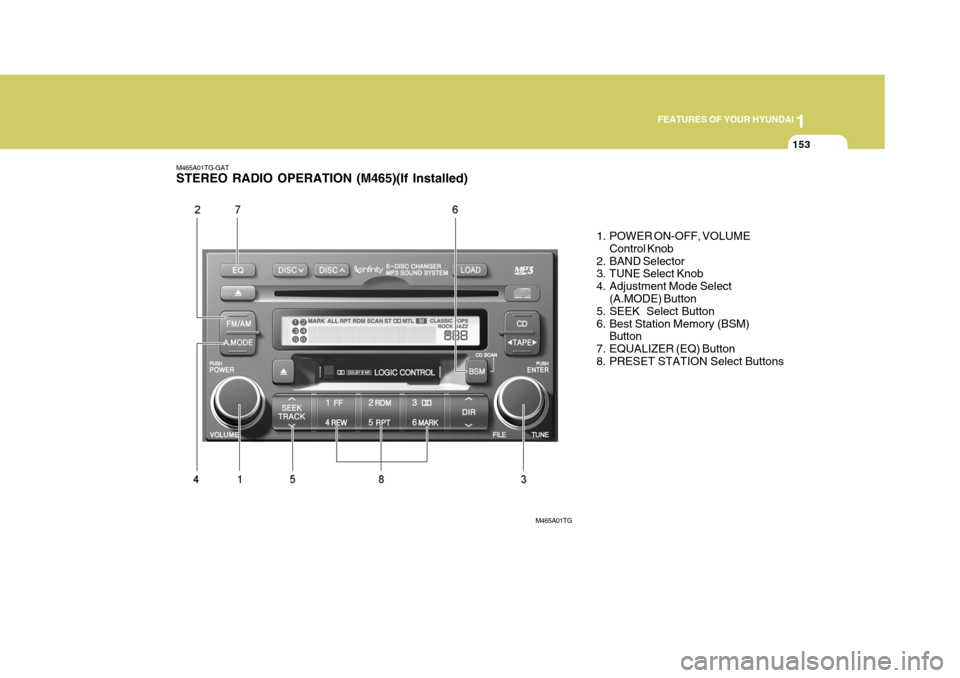
M465A01TG-GAT STEREO RADIO OPERATION (M465)(If Installed)
1. POWER ON-OFF, VOLUMEControl Knob
2. BAND Selector
3. TUNE Select Knob
4. Adjustment Mode Select (A.MODE) Button
5. SEEK Select Button
6. Best Station Memory (BSM)
Button
7. EQUALIZER (EQ) Button
8. PRESET STATION Select Buttons
M465A01TG
Page 171 of 297
1FEATURES OF YOUR HYUNDAI
154
M465B01TG-GAT 1. POWER ON-OFF Control Knob The radio unit may be operated when the ignition key is in the "ACC" or "ON"position. Press the knob to switch the power on. The LCD shows the radio frequency in the radio mode, the tapedirection indicator in the tape mode or CD track in either the CD mode or CD AUTO CHANGER mode. To switch thepower off, press the knob again. VOLUME Control Rotate the knob clockwise to increase the volume and turn the knob counter- clockwise to reduce the volume. 2. BAND Selector Pressing the button changes the AM(MW, LW), FM1 and FM2 bands.The mode selected is shown on the display. 3. TUNE Select Knob
Rotate the knob clockwise to increase the frequency and turn the knob coun-terclockwise to reduce the frequency. 4. Adjustment mode
select(A.MODE) Button
Pressing the A. MODE button changesthe BASS, MIDDLE, TREBLE, FADERand BALANCE mode. The mode se- lected is shown on the display. After selecting the each mode, rotate the VOLUME control knob clockwise or counterclockwise. BASS Control To increase the BASS, rotate the knob clockwise, while to decrease the BASS,rotate the knob counterclockwise. MIDDLE Control To increase the MIDDLE, rotate the knob clockwise, while to decrease the MIDDLE, rotate the knob counterclock-wise. TREBLE Control To increase the TREBLE, rotate the knob clockwise, while to decrease the TREBLE, rotate the knob counterclock- wise. FADER Control Rotate the control knob clockwise to emphasize rear speaker sound (frontspeaker sound will be attenuated). When the control knob is turned coun- terclockwise, front speaker sound willbe emphasized (rear speaker sound will be attenuated). BALANCE Control Rotate the knob clockwise to empha- size right speaker sound (left speakersound will be attenuated). When the control knob is turned counterclock- wise, left speaker sound will be empha-sized (right speaker sound will be at- tenuated).
5. SEEK Select Button (Auto-
matic Channel Selection)
Press the SEEK select button. When the (
) side is pressed, the unit will
automatically tune to the next higher
frequency and when the (
) side is
pressed, it will automatically tune to the next lower frequency.
Page 172 of 297
1
FEATURES OF YOUR HYUNDAI
155
6. Best Station Memory (BSM) Button
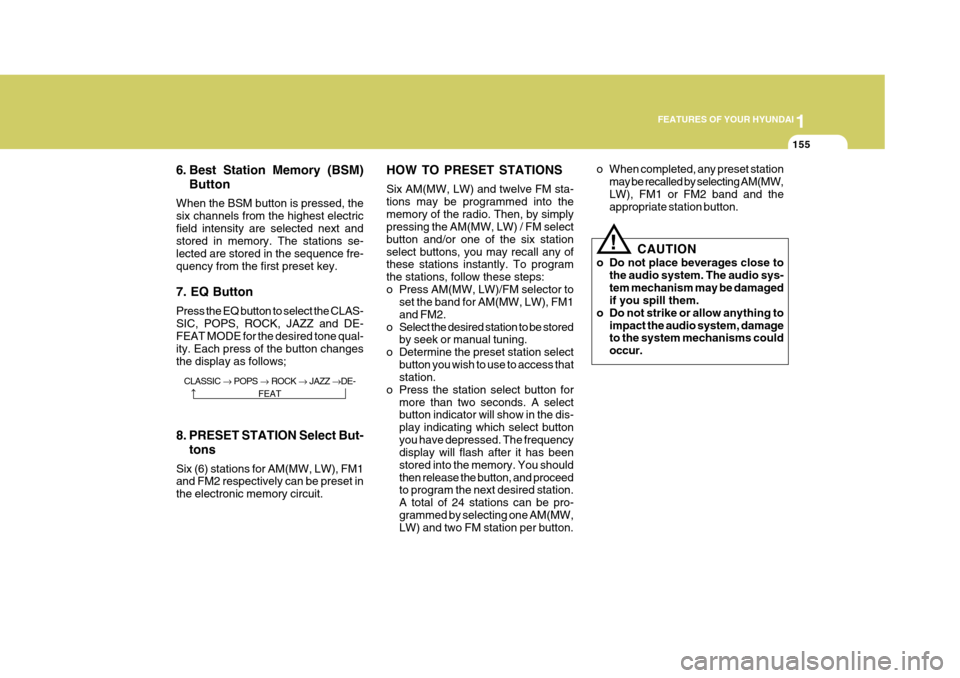
When the BSM button is pressed, the six channels from the highest electricfield intensity are selected next and stored in memory. The stations se- lected are stored in the sequence fre-quency from the first preset key. 7. EQ Button Press the EQ button to select the CLAS- SIC, POPS, ROCK, JAZZ and DE- FEAT MODE for the desired tone qual- ity. Each press of the button changesthe display as follows; HOW TO PRESET STATIONS Six AM(MW, LW) and twelve FM sta- tions may be programmed into thememory of the radio. Then, by simply pressing the AM(MW, LW) / FM select button and/or one of the six stationselect buttons, you may recall any of these stations instantly. To program the stations, follow these steps:
o Press AM(MW, LW)/FM selector to
set the band for AM(MW, LW), FM1and FM2.
o Select the desired station to be stored by seek or manual tuning.
o Determine the preset station select button you wish to use to access that station.
o Press the station select button for more than two seconds. A selectbutton indicator will show in the dis- play indicating which select buttonyou have depressed. The frequency display will flash after it has been stored into the memory. You shouldthen release the button, and proceed to program the next desired station. A total of 24 stations can be pro-grammed by selecting one AM(MW, LW) and two FM station per button. o When completed, any preset station
may be recalled by selecting AM(MW, LW), FM1 or FM2 band and the appropriate station button.
8. PRESET STATION Select But- tons
Six (6) stations for AM(MW, LW), FM1and FM2 respectively can be preset in the electronic memory circuit.
! CAUTION
o Do not place beverages close to the audio system. The audio sys- tem mechanism may be damaged if you spill them.
o Do not strike or allow anything to
impact the audio system, damageto the system mechanisms could occur.
CLASSIC POPS ROCK JAZZ DE-
FEAT
Page 177 of 297
1FEATURES OF YOUR HYUNDAI
160
M465F01TG-GAT 1. LOAD Button This compact disc player will accom- modate up to six compact discs.
To insert one disc into the player, do the following:
1. Press and release the LOAD Button.
2. Green light on the slot will be illumi-nated and the lowest number of emptyslot will blink on the display. After"WAIT" is displayed on the LCD, the slot will open with "LOAD" displayed on the LCD.
3. Insert a disc partway into the slot, label side up. The player will pull the
disc in. When the disc is inserted,the disc will begin to play automati- cally.
NOTE:
o The disc can be only inserted while the green light is blinking on the slot.
o This CD player is suitable only for 12 cm discs, do not use irregularshaped CDs. To insert multiple discs into the player,do the followings:
1. Press and hold the LOAD button for
one second or more. You will thenhear a beep sound and the green lighton the slot will be illuminated, and the numbers of empty disc will blink on the display.
2. After "WAIT" is displayed on the LCD with the lowest number of emptyslot blinking, the slot will open with"LOAD" displayed on the LCD.
3. Insert a disc partway into the slot,
label side up. The player will pull the
disc in. Once the disc is loaded, the numbers of the empty disc will blink
on the display continuously. If thenext "DISC NO." is displayed when the slot is illuminated, you can then load another disc.
4. Load the remaining disc by following the same procedures 1 and 2. Whenyou finished loading 6 discs, the CDplayer will begin to play the last CD loaded. 5. To load more than one disc but less
than six, complete Steps 1 and 2. When you have finished loading discs, press LOAD button to cancel the loading function or wait for 10seconds. The CD player will begin to play the last CD loaded. As each CD starts to play, the DISC number willappear on the display.
NOTE: The disc player takes up to six discs. Do not try to load more than six. 2. Audio/MP3 CD Select Button
o Press the CD Button to start CD playback, during radio operation or cassette tape playing.
o When discs are in the CD deck, if you
press the CD button, the CD playerwill begin playing even if the radio or cassette player is being used.
o The CD player can be used when the ignition switch is in either the "ON" or"ACC" position.
Page 184 of 297
1
FEATURES OF YOUR HYUNDAI
167ANTENNA
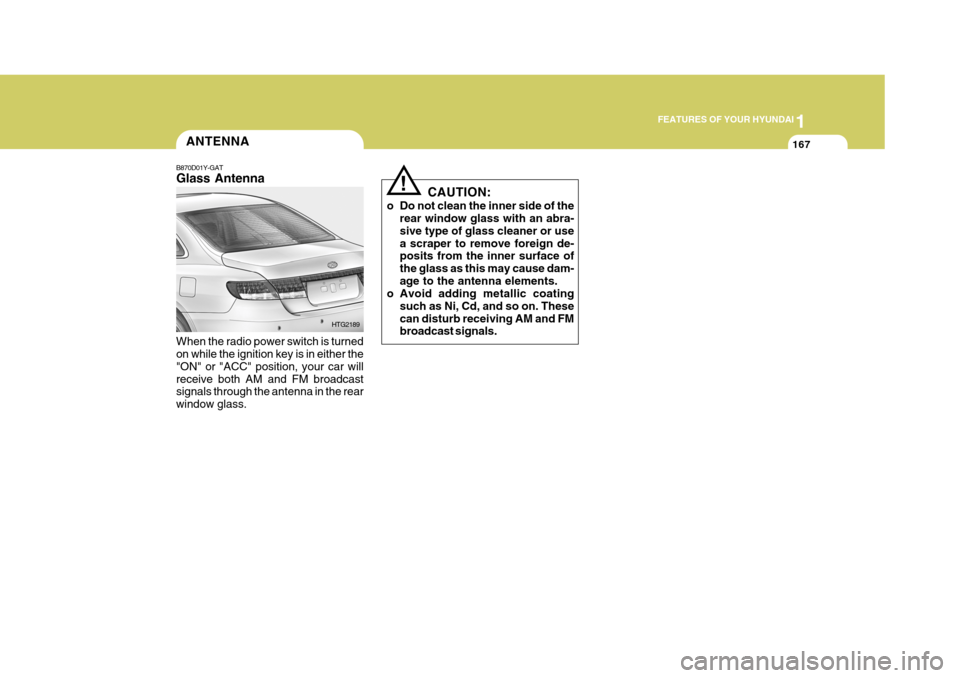
B870D01Y-GAT Glass Antenna When the radio power switch is turned on while the ignition key is in either the "ON" or "ACC" position, your car willreceive both AM and FM broadcast signals through the antenna in the rear window glass. HTG2189CAUTION:
o Do not clean the inner side of the rear window glass with an abra-sive type of glass cleaner or usea scraper to remove foreign de- posits from the inner surface of the glass as this may cause dam-age to the antenna elements.
o Avoid adding metallic coating
such as Ni, Cd, and so on. Thesecan disturb receiving AM and FM broadcast signals.
!
Page 188 of 297
2 DRIVING YOUR HYUNDAI
4
!
KEY POSITIONS
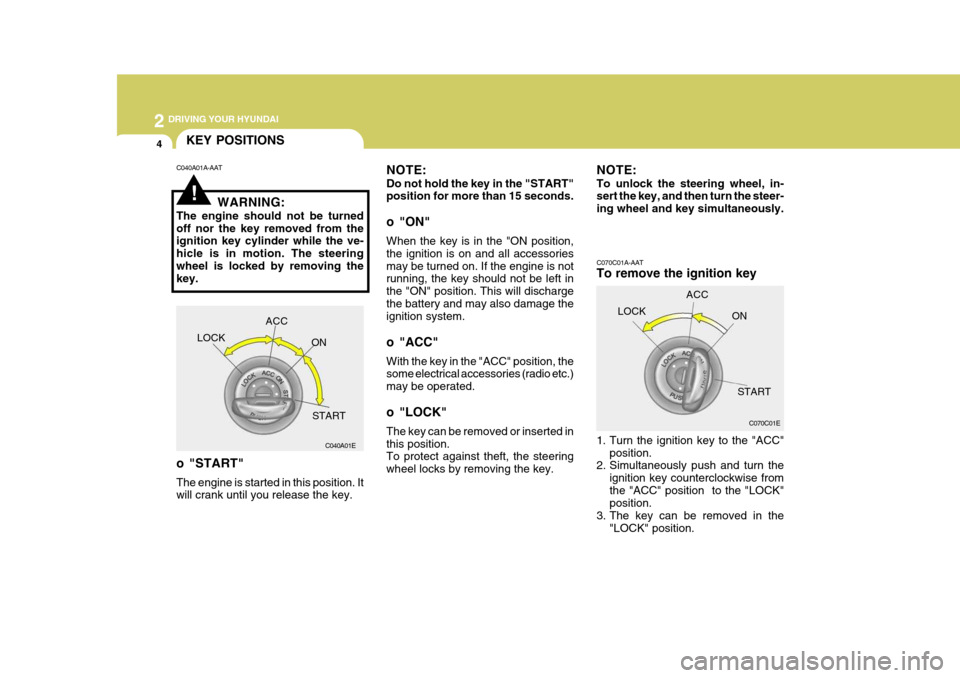
C070C01A-AAT To remove the ignition key
1. Turn the ignition key to the "ACC"position.
2. Simultaneously push and turn the
ignition key counterclockwise from the "ACC" position to the "LOCK" position.
3. The key can be removed in the
"LOCK" position.
NOTE: Do not hold the key in the "START" position for more than 15 seconds.
o "ON" When the key is in the "ON position, the ignition is on and all accessoriesmay be turned on. If the engine is not running, the key should not be left in the "ON" position. This will dischargethe battery and may also damage the ignition system.
o "ACC" With the key in the "ACC" position, the some electrical accessories (radio etc.) may be operated.
o "LOCK" The key can be removed or inserted in this position. To protect against theft, the steering wheel locks by removing the key.
C040A01A-AAT
WARNING:
The engine should not be turnedoff nor the key removed from the ignition key cylinder while the ve- hicle is in motion. The steeringwheel is locked by removing the key.
o "START" The engine is started in this position. It will crank until you release the key. NOTE: To unlock the steering wheel, in- sert the key, and then turn the steer- ing wheel and key simultaneously.
LOCK ACC
ON
START C070C01E
C040A01E LOCK
ACC
ON
START
Page 245 of 297
6
DO-IT-YOURSELF MAINTENANCE
9
!WARNING:
The cooling fan is controlled by engine coolant temperature and may sometimes operate even when theengine is not running. Use extreme caution when working near the blades of the coolant fan so that youare not injured by a rotating fan blade. As the engine coolant tem- perature decreases, the fan will au-tomatically shut off. This is a nor- mal condition.
SPARK PLUGS
G060A01TG-GAT
G060A01L
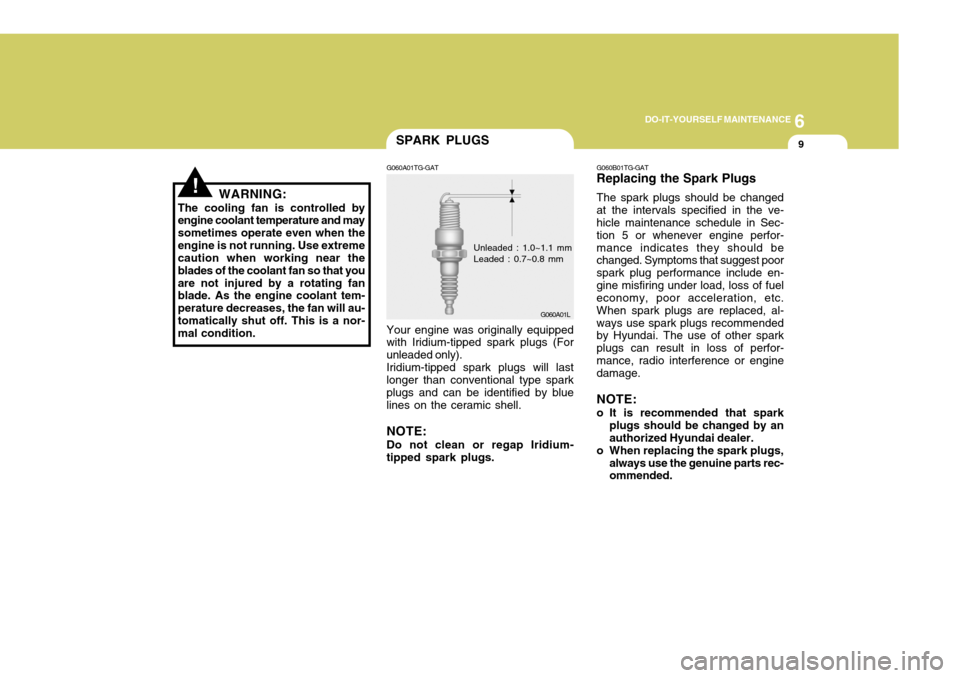
Your engine was originally equipped with Iridium-tipped spark plugs (For unleaded only).Iridium-tipped spark plugs will lastlonger than conventional type sparkplugs and can be identified by blue lines on the ceramic shell. NOTE: Do not clean or regap Iridium- tipped spark plugs. G060B01TG-GAT Replacing the Spark Plugs The spark plugs should be changed at the intervals specified in the ve- hicle maintenance schedule in Sec- tion 5 or whenever engine perfor-mance indicates they should be changed. Symptoms that suggest poor spark plug performance include en-gine misfiring under load, loss of fuel economy, poor acceleration, etc. When spark plugs are replaced, al-ways use spark plugs recommended by Hyundai. The use of other spark plugs can result in loss of perfor-mance, radio interference or engine damage. NOTE:
o It is recommended that spark
plugs should be changed by an authorized Hyundai dealer.
o When replacing the spark plugs,
always use the genuine parts rec- ommended.
Unleaded : 1.0~1.1 mm Leaded : 0.7~0.8 mm
Page 259 of 297
6
DO-IT-YOURSELF MAINTENANCE
23
CAUTION:
A burned-out fuse indicates that there is a problem in the electricalcircuit. If you replace a fuse and it blows as soon as the accessory is turned on, the problem is seriousand should be referred to a Hyundai dealer for diagnosis and repair. Never replace a fuse withanything except a fuse with the same or a lower amperage rating. A higher capacity fuse could cause damage and create a fire hazard. NOTE: See page 6-37 for the fuse panel descriptions.
!
CHECKING THE BATTERY
G210A01A-AAT
WARNING:
Batteries can be dangerous! When working with batteries, carefully observe the following precautionsto avoid serious injuries. The fluid in the battery contains a
strong solution of sulfuric acid, which is poisonous and highly corrosive. Be careful not to spill it on yourself or thecar. If you do spill battery fluid on yourself, immediately do the follow- ing: HTG5019
!
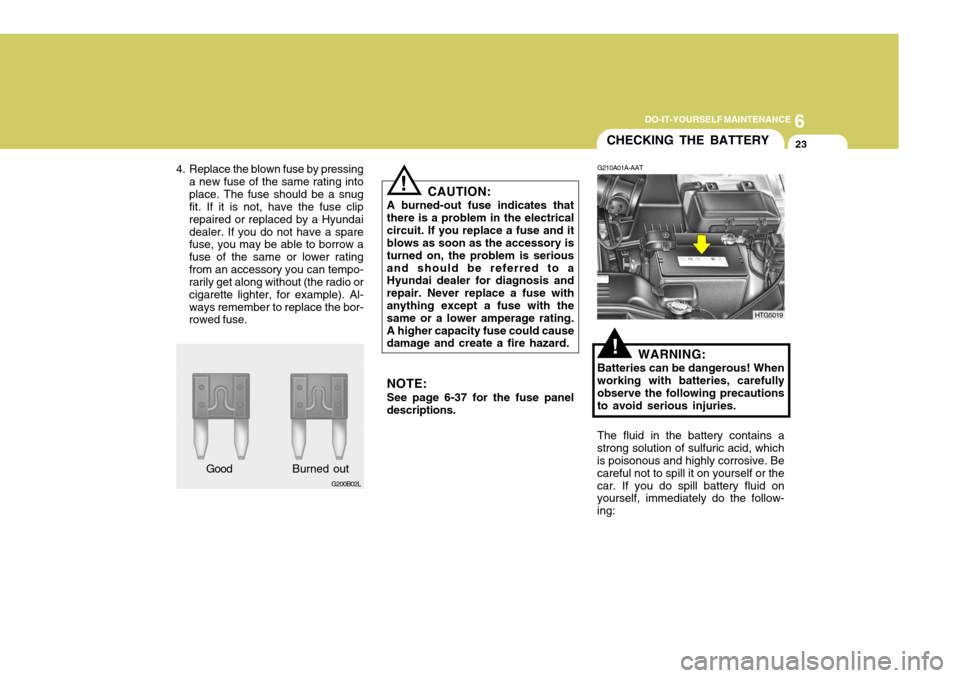
4. Replace the blown fuse by pressing
a new fuse of the same rating into place. The fuse should be a snug fit. If it is not, have the fuse clip repaired or replaced by a Hyundaidealer. If you do not have a spare fuse, you may be able to borrow a fuse of the same or lower ratingfrom an accessory you can tempo- rarily get along without (the radio or cigarette lighter, for example). Al-ways remember to replace the bor- rowed fuse.
G200B02L
Good B
urned out