reset Hyundai Azera 2005 User Guide
[x] Cancel search | Manufacturer: HYUNDAI, Model Year: 2005, Model line: Azera, Model: Hyundai Azera 2005Pages: 297, PDF Size: 13.2 MB
Page 109 of 297
1FEATURES OF YOUR HYUNDAI
92
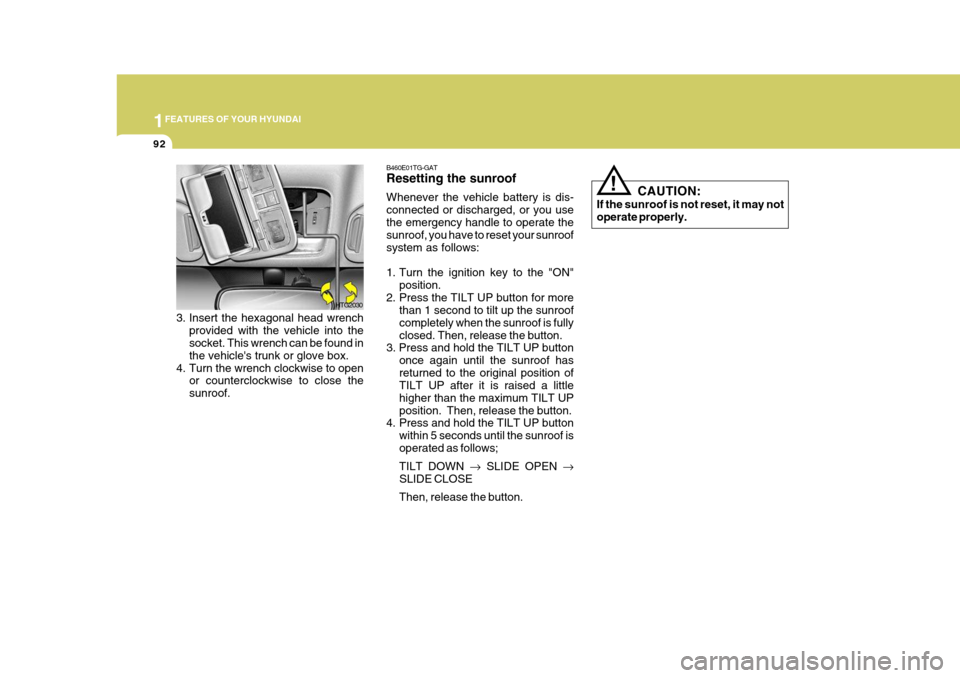
3. Insert the hexagonal head wrench
provided with the vehicle into the socket. This wrench can be found in the vehicle's trunk or glove box.
4. Turn the wrench clockwise to open or counterclockwise to close thesunroof. HTG2030
!
B460E01TG-GAT Resetting the sunroof Whenever the vehicle battery is dis- connected or discharged, or you usethe emergency handle to operate the sunroof, you have to reset your sunroof system as follows:
1. Turn the ignition key to the "ON"
position.
2. Press the TILT UP button for more than 1 second to tilt up the sunroof completely when the sunroof is fullyclosed. Then, release the button.
3. Press and hold the TILT UP button
once again until the sunroof hasreturned to the original position of TILT UP after it is raised a little higher than the maximum TILT UPposition. Then, release the button.
4. Press and hold the TILT UP button
within 5 seconds until the sunroof isoperated as follows; TILT DOWN SLIDE OPEN
SLIDE CLOSEThen, release the button. CAUTION:
If the sunroof is not reset, it may not operate properly.
Page 127 of 297
1FEATURES OF YOUR HYUNDAI
110
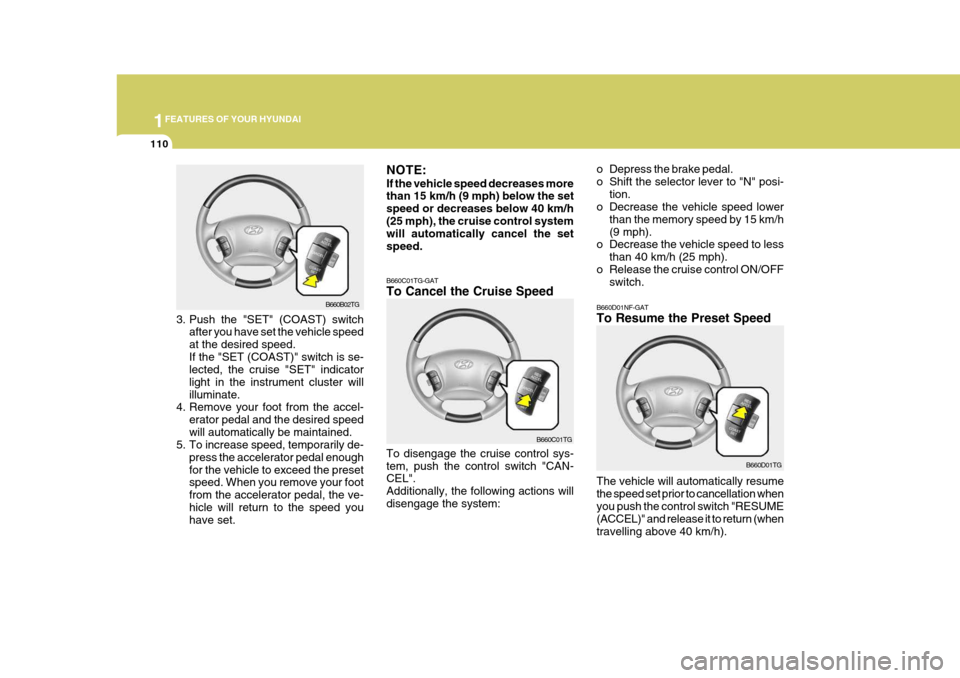
B660D01NF-GAT To Resume the Preset Speed
B660D01TG
The vehicle will automatically resume the speed set prior to cancellation whenyou push the control switch "RESUME (ACCEL)" and release it to return (when travelling above 40 km/h).B660B02TG
3. Push the "SET" (COAST) switch after you have set the vehicle speed at the desired speed.If the "SET (COAST)" switch is se- lected, the cruise "SET" indicator light in the instrument cluster willilluminate.
4. Remove your foot from the accel-
erator pedal and the desired speedwill automatically be maintained.
5. To increase speed, temporarily de-
press the accelerator pedal enoughfor the vehicle to exceed the preset speed. When you remove your foot from the accelerator pedal, the ve-hicle will return to the speed you have set. NOTE: If the vehicle speed decreases more than 15
km/h (9 mph) below the set
speed or decreases below 40 km/h (25 mph), the cruise control system will automatically cancel the set speed.
B660C01TG-GAT To Cancel the Cruise Speed To disengage the cruise control sys- tem, push the control switch "CAN- CEL". Additionally, the following actions willdisengage the system: B660C01TGo Depress the brake pedal.
o Shift the selector lever to "N" posi-
tion.
o Decrease the vehicle speed lower
than the memory speed by 15 km/h(9 mph).
o Decrease the vehicle speed to less
than 40 km/h (25 mph).
o Release the cruise control ON/OFF switch.
Page 128 of 297
1
FEATURES OF YOUR HYUNDAI
111
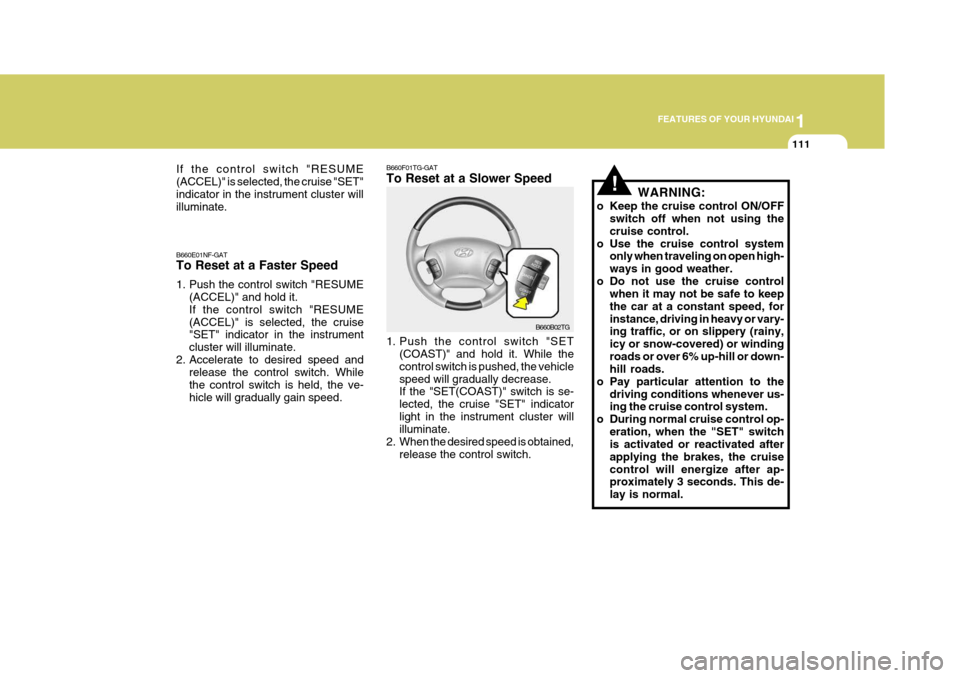
B660F01TG-GAT To Reset at a Slower Speed
B660B02TG
B660E01NF-GAT To Reset at a Faster Speed
1. Push the control switch "RESUME
(ACCEL)" and hold it. If the control switch "RESUME(ACCEL)" is selected, the cruise "SET" indicator in the instrument cluster will illuminate.
2. Accelerate to desired speed and release the control switch. Whilethe control switch is held, the ve-hicle will gradually gain speed. 1. Push the control switch "SET
(COAST)" and hold it. While thecontrol switch is pushed, the vehiclespeed will gradually decrease. If the "SET(COAST)" switch is se- lected, the cruise "SET" indicatorlight in the instrument cluster will illuminate.
2. When the desired speed is obtained, release the control switch.
If the control switch "RESUME (ACCEL)" is selected, the cruise "SET"indicator in the instrument cluster will illuminate.
!WARNING:
o Keep the cruise control ON/OFF switch off when not using the cruise control.
o Use the cruise control system only when traveling on open high-ways in good weather.
o Do not use the cruise control when it may not be safe to keepthe car at a constant speed, forinstance, driving in heavy or vary- ing traffic, or on slippery (rainy, icy or snow-covered) or windingroads or over 6% up-hill or down- hill roads.
o Pay particular attention to the driving conditions whenever us-ing the cruise control system.
o During normal cruise control op- eration, when the "SET" switchis activated or reactivated after applying the brakes, the cruisecontrol will energize after ap- proximately 3 seconds. This de- lay is normal.
Page 141 of 297
1FEATURES OF YOUR HYUNDAI
124
2. Push the "TEMP" button to set the
desired temperature. The temperature will increase to the maximum 32 °C(90 °F) by pushing on the
button. Each push of the
button will cause the temperature to increase by 0.5 °C(1 °F). The temperature will decrease to theminimum 17 °C(62 °F) by pushing on the
button. Each push of the button
will cause the temperature to de- crease by 0.5 °C(1 °F).
NOTE: If the battery has been discharged or disconnected, the temperature mode will reset to 23 °C (73 °F).
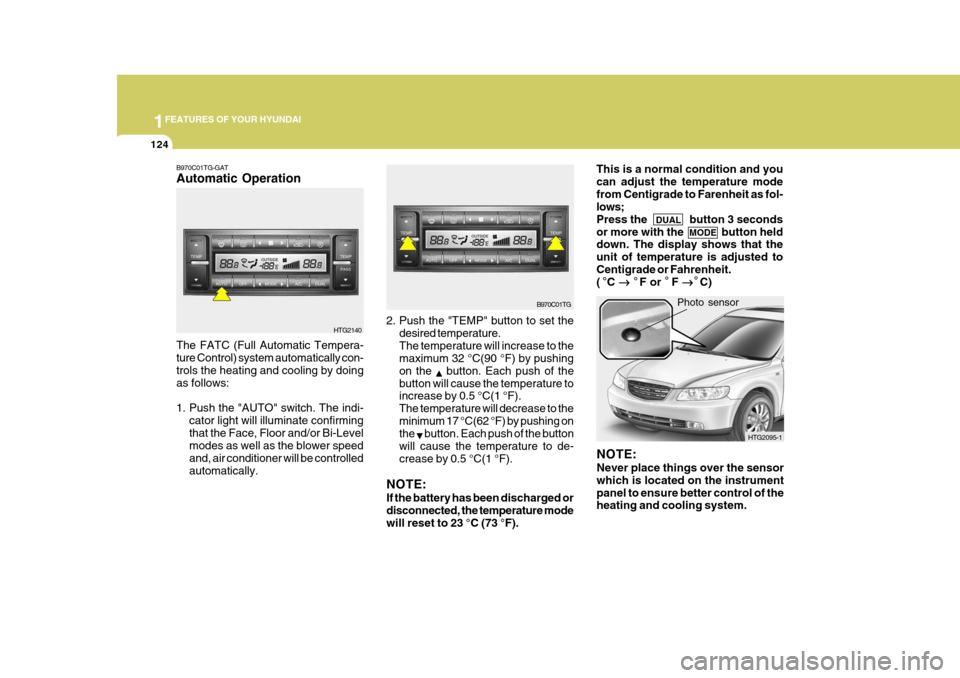
The FATC (Full Automatic Tempera- ture Control) system automatically con- trols the heating and cooling by doing as follows:
1. Push the "AUTO" switch. The indi-
cator light will illuminate confirming that the Face, Floor and/or Bi-Level modes as well as the blower speed and, air conditioner will be controlledautomatically. Photo sensor
HTG2140
B970C01TG-GAT Automatic Operation
NOTE: Never place things over the sensor which is located on the instrumentpanel to ensure better control of the heating and cooling system.
B970C01TG
HTG2095-1
This is a normal condition and you can adjust the temperature modefrom Centigrade to Farenheit as fol- lows; Press the DUAL button 3 seconds
or more with the MODE button held
down. The display shows that theunit of temperature is adjusted toCentigrade or Fahrenheit. ( C
F or F
C)
Page 153 of 297
1FEATURES OF YOUR HYUNDAI
136
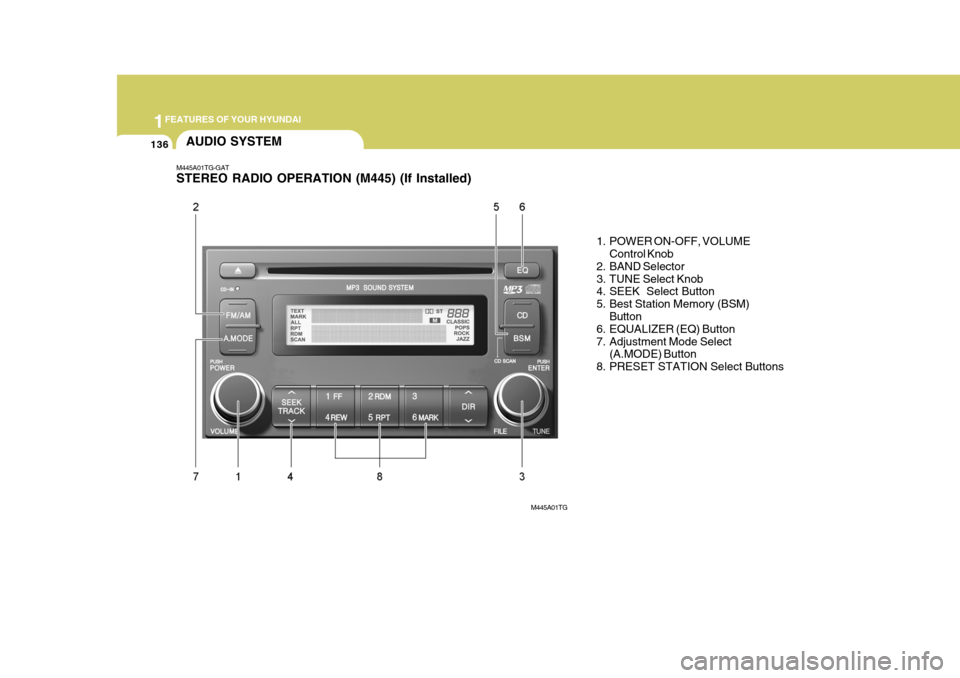
M445A01TG-GAT STEREO RADIO OPERATION (M445) (If Installed)
1. POWER ON-OFF, VOLUMEControl Knob
2. BAND Selector
3. TUNE Select Knob
4. SEEK Select Button
5. Best Station Memory (BSM)
Button
6. EQUALIZER (EQ) Button
7. Adjustment Mode Select
(A.MODE) Button
8. PRESET STATION Select Buttons
AUDIO SYSTEM
M445A01TG
Page 154 of 297
1
FEATURES OF YOUR HYUNDAI
137
CLASSIC POPS ROCK JAZZ DEFEAT
M445B01TG-GAT
1. POWER ON-OFF Control Knob
o The radio unit may be operated when
the ignition key is in the "ACC" or "ON" position. Press the knob to switch the power on. The display shows the radio frequency in theradio mode or CD/MP3 track in either the CD/MP3 mode. To switch the power off, press the knob again.
o Push the FM/AM or CD/MP3 to turn on that function without pushingPower ON-OFF control knob.
VOLUME Control Rotate the knob clockwise to increase the volume and turn the knob counter- clockwise to reduce the volume.
2. BAND Selector Pressing the band selector FM/AM changes the AM (MW, LW), FM1 and FM2 bands.The mode selected is shown on the display. 3. TUNE (Manual) Select Knob Rotate the knob clockwise to increase the frequency and turn the knob coun-terclockwise to reduce the frequency.
4. SEEK Select Button (Automatic Channel Selection) Press the SEEK select button. When the (
) side is pressed, the unit will
automatically tune to the next higher frequency and when the (
) side is
pressed, it will automatically tune to the next lower frequency.
5. Best Station Memory (BSM)
Button
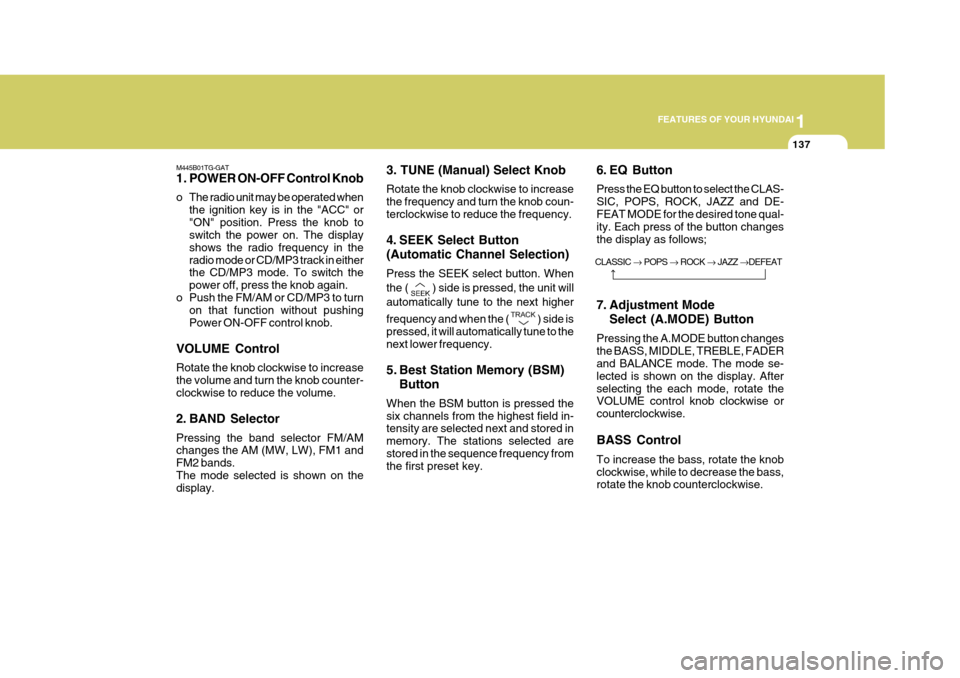
When the BSM button is pressed the six channels from the highest field in- tensity are selected next and stored in memory. The stations selected arestored in the sequence frequency from the first preset key. 6. EQ Button Press the EQ button to select the CLAS- SIC, POPS, ROCK, JAZZ and DE-FEAT MODE for the desired tone qual-
ity. Each press of the button changes the display as follows;
7. Adjustment Mode
Select (A.MODE) Button
Pressing the A.MODE button changes the BASS, MIDDLE, TREBLE, FADER
and BALANCE mode. The mode se-
lected is shown on the display. Afterselecting the each mode, rotate the VOLUME control knob clockwise or counterclockwise. BASS Control To increase the bass, rotate the knob clockwise, while to decrease the bass, rotate the knob counterclockwise.
Page 155 of 297
1FEATURES OF YOUR HYUNDAI
138
!
MIDDLE Control To increase the MIDDLE, rotate the knob clockwise, while to decrease the MIDDLE, rotate the knob counterclock- wise. TREBLE Control To increase the TREBLE, rotate the knob clockwise, while to decrease theTREBLE, rotate the knob counterclock- wise. FADER Control Turn the control knob clockwise to emphasize rear speaker sound (front speaker sound will be attenuated).When the control knob is turned coun- terclockwise, front speaker sound will be emphasized (rear speaker sound willbe attenuated). BALANCE Control Rotate the knob clockwise to empha- size right speaker sound (Left speaker sound will be attenuated). When the control knob is turned counter clockwise, left speaker sound will beemphasized (Right speaker sound will be attenuated). 8. PRESET STATION Select But-
tons
Six (6) stations for AM (MW, LW), FM1 and FM2 respectively can be preset in the electronic memory circuit. HOW TO PRESET STATIONS Six AM and twelve FM stations may be programmed into the memory of theradio. Then, by simply pressing the
band select button and/or one of the six station select buttons, you may recallany of these stations instantly. To program the stations, follow these steps:
o Press band selector to set the band for AM (MW, LW), FM1 and FM2.
o Select the desired station to be stored
by seek or manual tuning.
o Determine the preset station select
button you wish to use to access thatstation. o Press the station select button for
more than two seconds. Beep soundwill be heard while depressing the button. You should then release the button, and proceed to program thenext desired station. A total of 24 stations can be programmed by se-
lecting one AM (MW, LW) and twoFM station per button.
o When completed, any preset station
may be recalled by selecting AM,FM1 or FM2 band and the appropri-ate station button.
CAUTION:
o Do not place beverages close to the audio system. The playback mechanism may be damaged if you spill them.
o Do not impact on the audio sys- tem, or the playback mechanism
could be damaged.
Page 160 of 297
1
FEATURES OF YOUR HYUNDAI
143
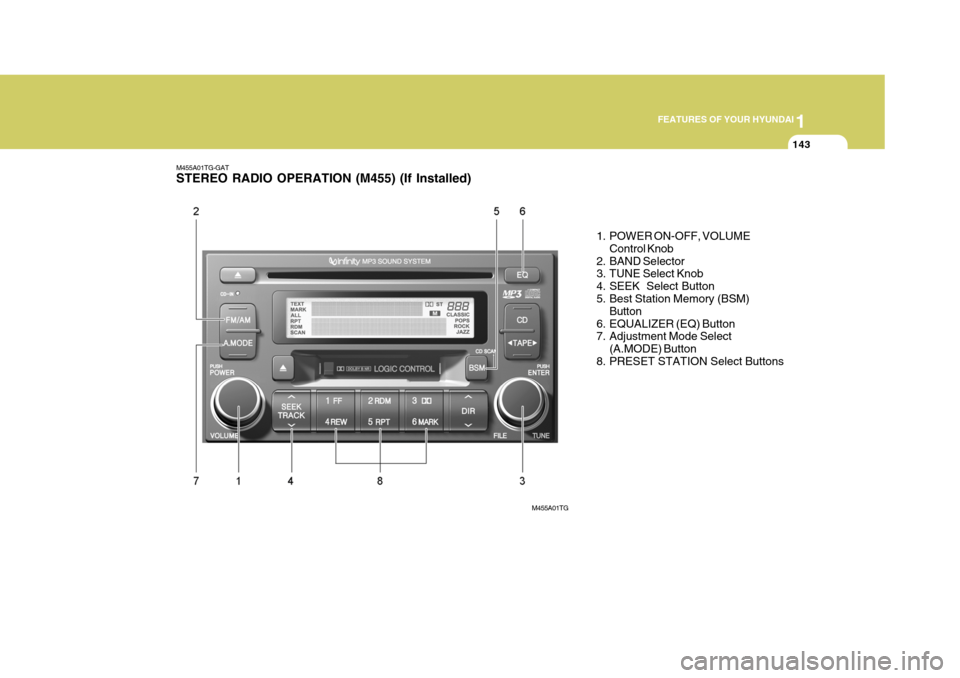
M455A01TG-GAT STEREO RADIO OPERATION (M455) (If Installed)
1. POWER ON-OFF, VOLUMEControl Knob
2. BAND Selector
3. TUNE Select Knob
4. SEEK Select Button
5. Best Station Memory (BSM) Button
6. EQUALIZER (EQ) Button
7. Adjustment Mode Select (A.MODE) Button
8. PRESET STATION Select Buttons
M455A01TG
Page 161 of 297
1FEATURES OF YOUR HYUNDAI
144
M455B01TG-GAT 1. POWER ON-OFF Control Knob
o The radio unit may be operated whenthe ignition key is in the "ACC" or "ON" position. Press the knob to switch the power on. The display shows the radio frequency in theradio mode, the tape direction Indi- cator in the tape mode or CD/MP3 track in either the CD/MP3 mode. Toswitch the power off, press the knob again.
o Push the FM/AM, TAPE or CD/MP3 to turn on that function without push-ing Power ON-OFF control knob.
VOLUME Control Rotate the knob clockwise to increase the volume and turn the knob counter- clockwise to reduce the volume. 2. BAND Selector Pressing the band selector FM/AM changes the AM (MW, LW), FM1 and FM2 bands.The mode selected is shown on the display. 3. TUNE (Manual) Select Knob Rotate the knob clockwise to increase the frequency and turn the knob coun-terclockwise to reduce the frequency. 4. SEEK Select Button (Automatic Channel Selection) Press the SEEK select button. When the (
) side is pressed, the unit will
automatically tune to the next higher frequency and when the (
) side is
pressed, it will automatically tune to the next lower frequency.
5. Best Station Memory (BSM)
Button
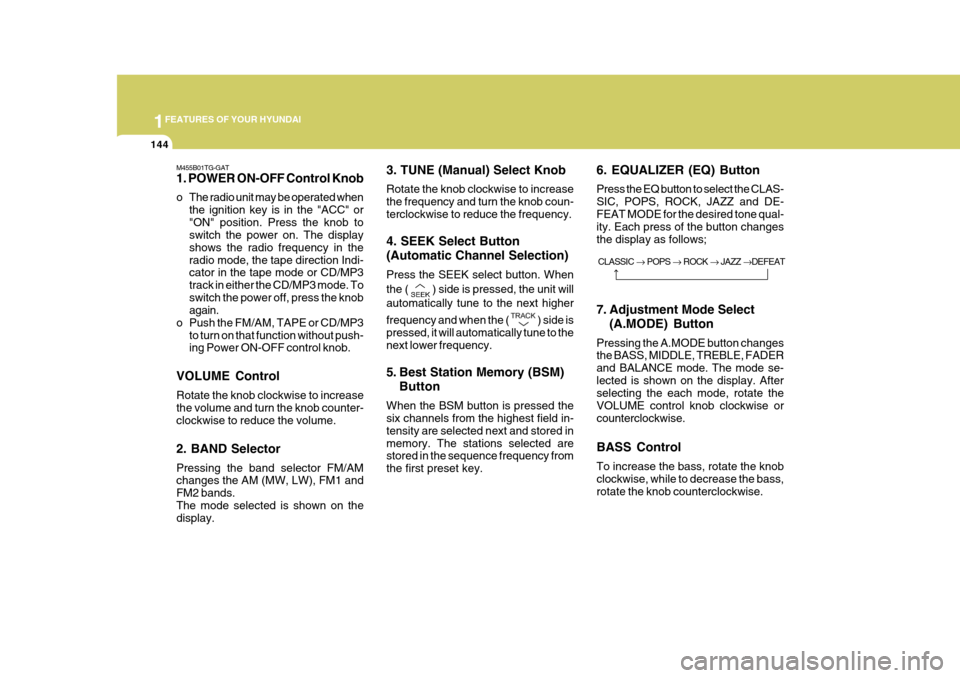
When the BSM button is pressed the six channels from the highest field in- tensity are selected next and stored inmemory. The stations selected are stored in the sequence frequency from the first preset key. 6. EQUALIZER (EQ) Button Press the EQ button to select the CLAS- SIC, POPS, ROCK, JAZZ and DE-FEAT MODE for the desired tone qual- ity. Each press of the button changes the display as follows;
7. Adjustment Mode Select
(A.MODE) Button
Pressing the A.MODE button changes the BASS, MIDDLE, TREBLE, FADER
and BALANCE mode. The mode se-
lected is shown on the display. After selecting the each mode, rotate the VOLUME control knob clockwise orcounterclockwise. BASS Control To increase the bass, rotate the knob clockwise, while to decrease the bass, rotate the knob counterclockwise. CLASSIC
POPS ROCK JAZZ DEFEAT
Page 162 of 297
1
FEATURES OF YOUR HYUNDAI
145
!
MIDDLE Control To increase the MIDDLE, rotate the knob clockwise, while to decrease theMIDDLE, rotate the knob counterclock- wise. TREBLE Control To increase the TREBLE, rotate the knob clockwise, while to decrease the TREBLE, rotate the knob counterclock-wise. FADER Control Turn the control knob clockwise to emphasize rear speaker sound (frontspeaker sound will be attenuated). When the control knob is turned coun- terclockwise, front speaker sound willbe emphasized (rear speaker sound will be attenuated). BALANCE Control Rotate the knob clockwise to empha- size right speaker sound. (Left speaker sound will be attenuated) When the control knob is turned counterclockwise, left speaker sound will beemphasized (Right speaker sound will be attenuated).
8. PRESET STATION Select But-
tons
Six (6) stations for AM (MW, LW), FM1 and FM2 respectively can be preset in the electronic memory circuit. HOW TO PRESET STATIONS Six AM and twelve FM stations may be programmed into the memory of the radio. Then, by simply pressing the
band select button and/or one of the six
station select buttons, you may recall any of these stations instantly. To program the stations, follow thesesteps:
o Press band selector to set the band for AM (MW, LW), FM and FM2.
o Select the desired station to be stored by seek or manual tuning.
o Determine the preset station select button you wish to use to access thatstation. o Press the station select button for
more than two seconds. Beep sound will be heard while depressing the button. You should then release the button, and proceed to program thenext desired station. A total of 24 stations can be programmed by se- lecting one AM (MW, LW) and twoFM station per button.
o When completed, any preset station
may be recalled by selecting AM (MW, LW), FM1 or FM2 band and theappropriate station button.
CAUTION:
o Do not place beverages close to the audio system. The playback mechanism may be damaged if you spill them.
o Do not impact on the audio sys- tem, or the playback mechanismcould be damaged.