light Hyundai Azera 2005 Workshop Manual
[x] Cancel search | Manufacturer: HYUNDAI, Model Year: 2005, Model line: Azera, Model: Hyundai Azera 2005Pages: 297, PDF Size: 13.2 MB
Page 138 of 297
1
FEATURES OF YOUR HYUNDAI
121
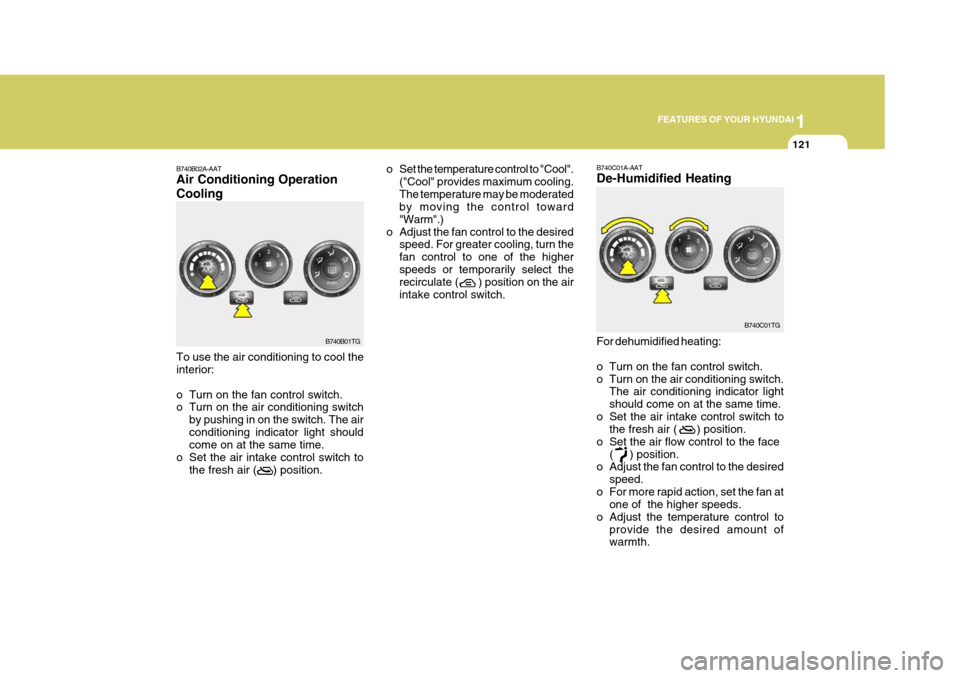
B740B02A-AAT Air Conditioning Operation Cooling To use the air conditioning to cool the interior:
o Turn on the fan control switch.
o Turn on the air conditioning switch
by pushing in on the switch. The air conditioning indicator light should come on at the same time.
o Set the air intake control switch to
the fresh air ( ) position.
B740B01TG o Set the temperature control to "Cool".
("Cool" provides maximum cooling. The temperature may be moderated by moving the control toward "Warm".)
o Adjust the fan control to the desired speed. For greater cooling, turn thefan control to one of the higherspeeds or temporarily select the recirculate ( ) position on the air intake control switch.
B740C01A-AAT De-Humidified Heating
For dehumidified heating:
o Turn on the fan control switch.
o Turn on the air conditioning switch.The air conditioning indicator lightshould come on at the same time.
o Set the air intake control switch to the fresh air ( ) position.
o Set the air flow control to the face
( ) position.
o Adjust the fan control to the desired
speed.
o For more rapid action, set the fan at one of the higher speeds.
o Adjust the temperature control to
provide the desired amount of warmth. B740C01TG
Page 141 of 297
1FEATURES OF YOUR HYUNDAI
124
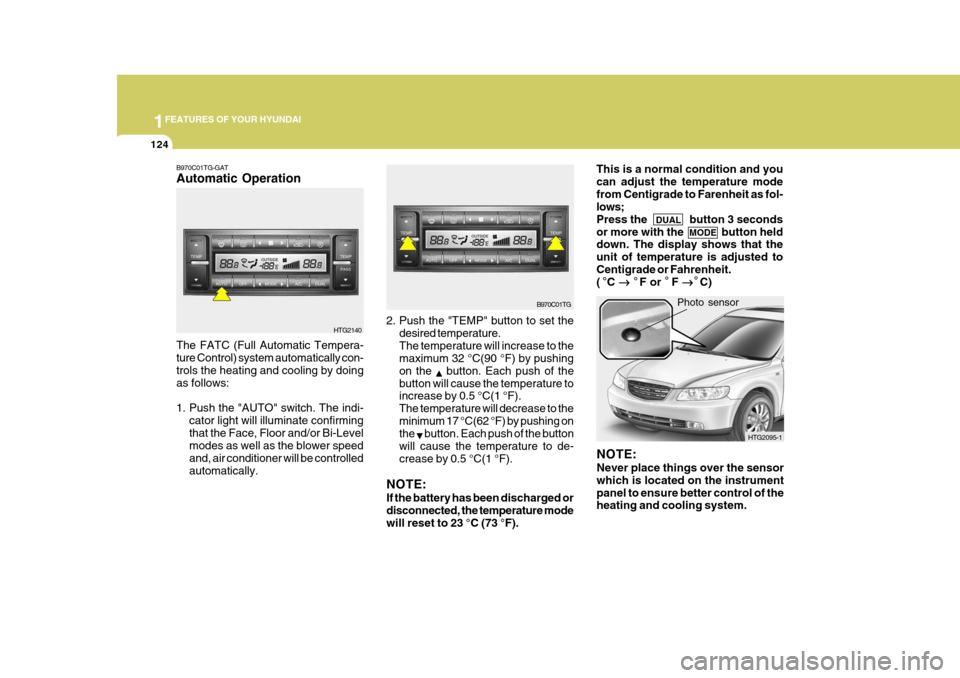
2. Push the "TEMP" button to set the
desired temperature. The temperature will increase to the maximum 32 °C(90 °F) by pushing on the
button. Each push of the
button will cause the temperature to increase by 0.5 °C(1 °F). The temperature will decrease to theminimum 17 °C(62 °F) by pushing on the
button. Each push of the button
will cause the temperature to de- crease by 0.5 °C(1 °F).
NOTE: If the battery has been discharged or disconnected, the temperature mode will reset to 23 °C (73 °F).
The FATC (Full Automatic Tempera- ture Control) system automatically con- trols the heating and cooling by doing as follows:
1. Push the "AUTO" switch. The indi-
cator light will illuminate confirming that the Face, Floor and/or Bi-Level modes as well as the blower speed and, air conditioner will be controlledautomatically. Photo sensor
HTG2140
B970C01TG-GAT Automatic Operation
NOTE: Never place things over the sensor which is located on the instrumentpanel to ensure better control of the heating and cooling system.
B970C01TG
HTG2095-1
This is a normal condition and you can adjust the temperature modefrom Centigrade to Farenheit as fol- lows; Press the DUAL button 3 seconds
or more with the MODE button held
down. The display shows that theunit of temperature is adjusted toCentigrade or Fahrenheit. ( C
F or F
C)
Page 143 of 297
1FEATURES OF YOUR HYUNDAI
126
With the "Fresh" mode selected, air enters the vehicle from the outside andis heated or cooled according to the function selected. With the "Recirculation" mode selected, and air from within the passenger com- partment will be drawn through the heat-ing system and heated or cooled ac- cording to the function selected. NOTE: It should be noted that prolonged operation of the heating in "recircu- lation" mode will give rise to fogging of the windshield and side windowsand the air within the passenger com- partment will become stale. In addi- tion, prolonged use of the air condi-tioning with the "Recirculation" mode selected may result in the air within the passenger compartmentbecoming excessively dry.
HTG2145
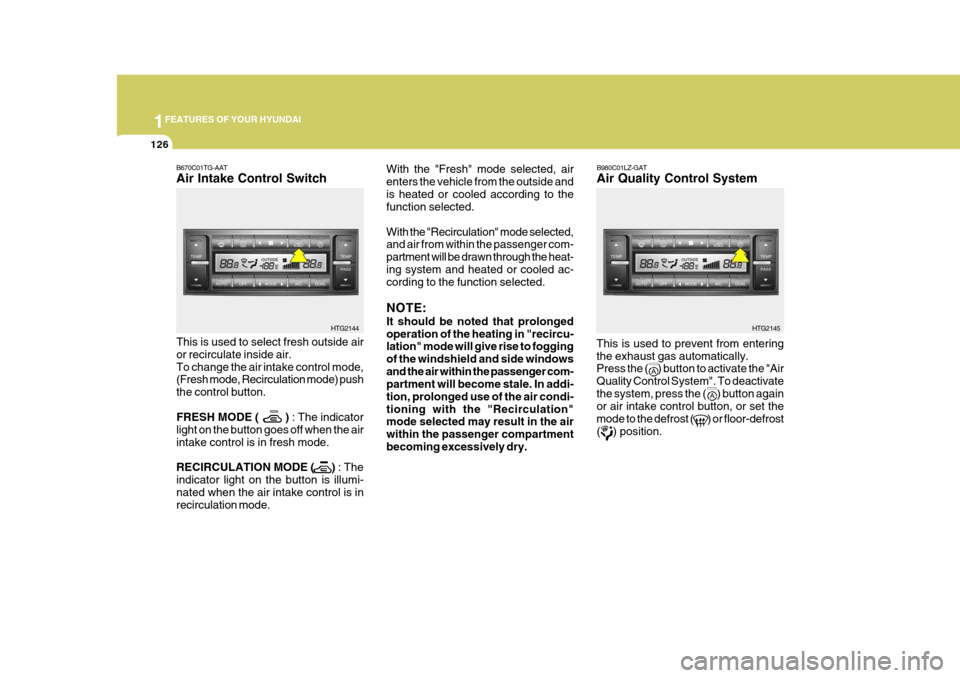
This is used to prevent from entering the exhaust gas automatically. Press the ( ) button to activate the "Air Quality Control System". To deactivatethe system, press the ( ) button again or air intake control button, or set the mode to the defrost ( ) or floor-defrost( ) position. B980C01LZ-GAT Air Quality Control System
B670C01TG-AAT Air Intake Control Switch This is used to select fresh outside air or recirculate inside air.To change the air intake control mode, (Fresh mode, Recirculation mode) push the control button. FRESH MODE ( )
: The indicator
light on the button goes off when the air intake control is in fresh mode. RECIRCULATION MODE ( ) : The
indicator light on the button is illumi- nated when the air intake control is in recirculation mode.
HTG2144
Page 144 of 297
1
FEATURES OF YOUR HYUNDAI
127
CAUTION:
If the windows fog up with the Recir- culation or A.Q.S mode selected, setthe air intake control to the Fresh air position or A.Q.S control to "OFF".
!
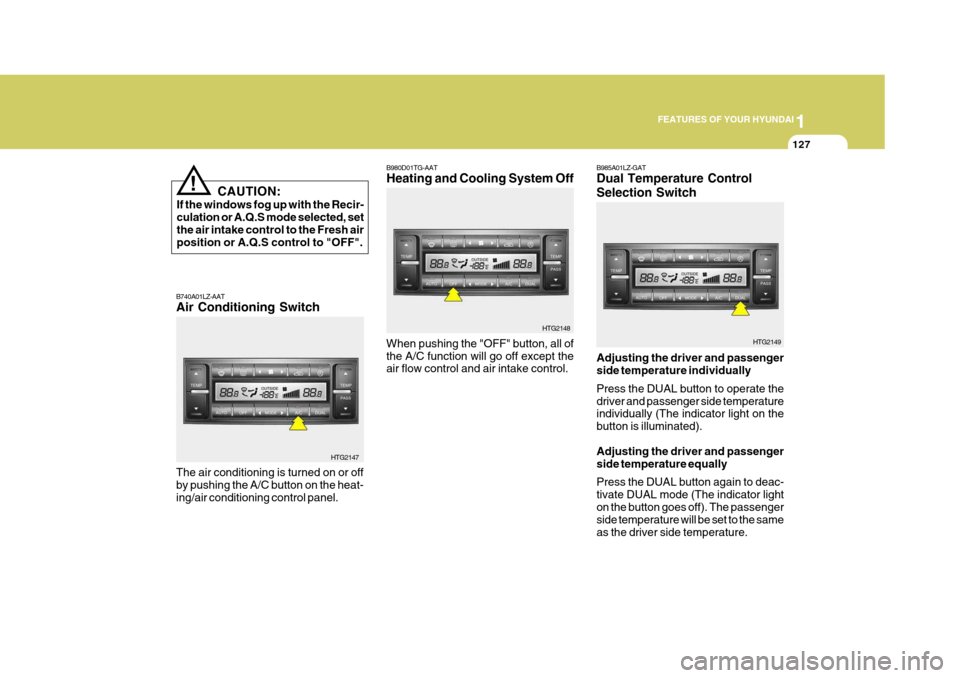
B980D01TG-AAT Heating and Cooling System Off
B740A01LZ-AAT Air Conditioning Switch The air conditioning is turned on or off by pushing the A/C button on the heat-ing/air conditioning control panel. HTG2147When pushing the "OFF" button, all ofthe A/C function will go off except the air flow control and air intake control.
HTG2148B985A01LZ-GAT Dual Temperature Control Selection Switch Adjusting the driver and passenger side temperature individually Press the DUAL button to operate the driver and passenger side temperature individually (The indicator light on the button is illuminated). Adjusting the driver and passenger side temperature equally Press the DUAL button again to deac- tivate DUAL mode (The indicator lighton the button goes off). The passenger side temperature will be set to the same as the driver side temperature. HTG2149
Page 177 of 297

1FEATURES OF YOUR HYUNDAI
160
M465F01TG-GAT 1. LOAD Button This compact disc player will accom- modate up to six compact discs.
To insert one disc into the player, do the following:
1. Press and release the LOAD Button.
2. Green light on the slot will be illumi-nated and the lowest number of emptyslot will blink on the display. After"WAIT" is displayed on the LCD, the slot will open with "LOAD" displayed on the LCD.
3. Insert a disc partway into the slot, label side up. The player will pull the
disc in. When the disc is inserted,the disc will begin to play automati- cally.
NOTE:
o The disc can be only inserted while the green light is blinking on the slot.
o This CD player is suitable only for 12 cm discs, do not use irregularshaped CDs. To insert multiple discs into the player,do the followings:
1. Press and hold the LOAD button for
one second or more. You will thenhear a beep sound and the green lighton the slot will be illuminated, and the numbers of empty disc will blink on the display.
2. After "WAIT" is displayed on the LCD with the lowest number of emptyslot blinking, the slot will open with"LOAD" displayed on the LCD.
3. Insert a disc partway into the slot,
label side up. The player will pull the
disc in. Once the disc is loaded, the numbers of the empty disc will blink
on the display continuously. If thenext "DISC NO." is displayed when the slot is illuminated, you can then load another disc.
4. Load the remaining disc by following the same procedures 1 and 2. Whenyou finished loading 6 discs, the CDplayer will begin to play the last CD loaded. 5. To load more than one disc but less
than six, complete Steps 1 and 2. When you have finished loading discs, press LOAD button to cancel the loading function or wait for 10seconds. The CD player will begin to play the last CD loaded. As each CD starts to play, the DISC number willappear on the display.
NOTE: The disc player takes up to six discs. Do not try to load more than six. 2. Audio/MP3 CD Select Button
o Press the CD Button to start CD playback, during radio operation or cassette tape playing.
o When discs are in the CD deck, if you
press the CD button, the CD playerwill begin playing even if the radio or cassette player is being used.
o The CD player can be used when the ignition switch is in either the "ON" or"ACC" position.
Page 182 of 297
1
FEATURES OF YOUR HYUNDAI
165
B860A01TG
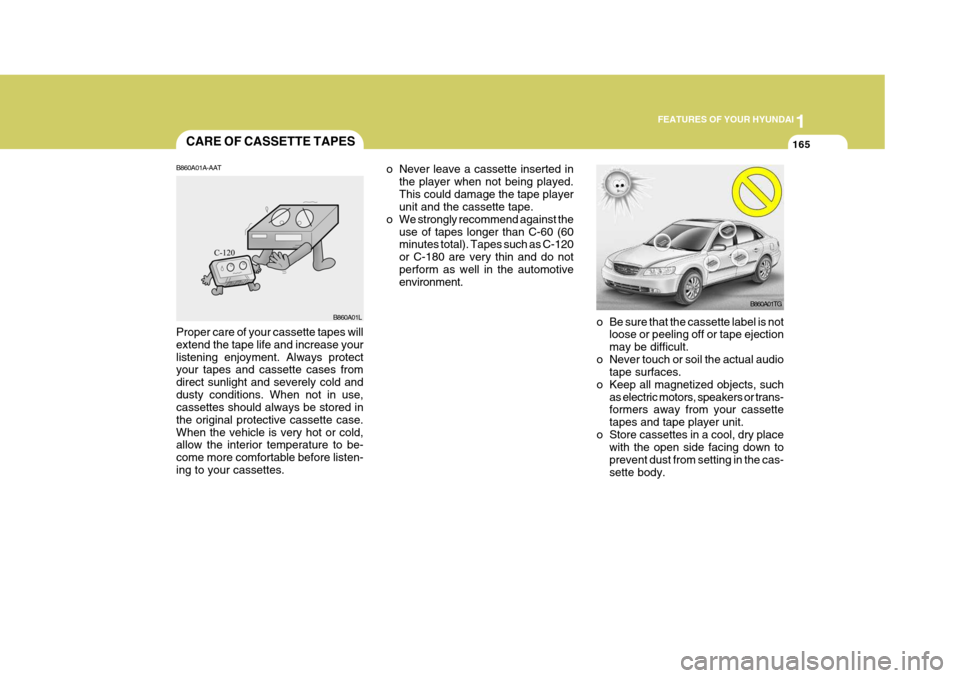
o Be sure that the cassette label is not loose or peeling off or tape ejection may be difficult.
o Never touch or soil the actual audio tape surfaces.
o Keep all magnetized objects, such as electric motors, speakers or trans- formers away from your cassette tapes and tape player unit.
o Store cassettes in a cool, dry place with the open side facing down toprevent dust from setting in the cas-sette body.
o Never leave a cassette inserted in
the player when not being played.This could damage the tape player unit and the cassette tape.
o We strongly recommend against the
use of tapes longer than C-60 (60minutes total). Tapes such as C-120 or C-180 are very thin and do notperform as well in the automotive environment.
CARE OF CASSETTE TAPES
B860A01A-AAT Proper care of your cassette tapes will extend the tape life and increase yourlistening enjoyment. Always protect your tapes and cassette cases from direct sunlight and severely cold anddusty conditions. When not in use, cassettes should always be stored in the original protective cassette case.When the vehicle is very hot or cold, allow the interior temperature to be- come more comfortable before listen-ing to your cassettes. B860A01L
Page 187 of 297
2
DRIVING YOUR HYUNDAI
3BEFORE STARTING THE ENGINE
C020A01A-AAT Before you start the engine, you should always:
1. Look around the vehicle to be sure
there are no flat tires, puddles of oil, water or other indications of pos- sible trouble.
2. After entering the car, check to be sure the parking brake is engaged.
3. Check that all windows and lights are clean.
4. Check that the interior and exterior
mirrors are clean and in position.
5. Check your seat, seatback and headrest to be sure they are in theirproper positions.
6. Lock all the doors.
7. Fasten your seat belt and be sure
that all other occupants have fas- tened theirs.
8. Turn off all lights and accessories
that are not needed. C030A01TG-GAT COMBINATION IGNITION SWITCH
o Place the shift lever in "P" (park) and
depress the brake pedal fully.
o To start the engine, insert the ignition key and turn it to the "START" posi- tion. Release it as soon as the en-gine starts. Do not hold the key in the "START" position for more than 15 seconds.
NOTE: For safety, the engine will not start if the shift lever is not in "P" or "N" position.
9. When you turn the ignition switch to
"ON", check that all appropriatewarning lights are operating and that you have sufficient fuel.
10.Check the operation of warning
lights and all bulbs when key is inthe "ON" position. TO START THE ENGINE
Page 189 of 297
2
DRIVING YOUR HYUNDAI
5
!
STARTING
C050A01A-AAT
WARNING:
Never run the engine in a closed or poorly ventilated area any longerthan is needed to move your car in or out of the area. The carbon mon- oxide gas emitted is odorless andcan cause serious injury or death. C050B01TG-GAT Normal Conditions: The Starting Procedure:
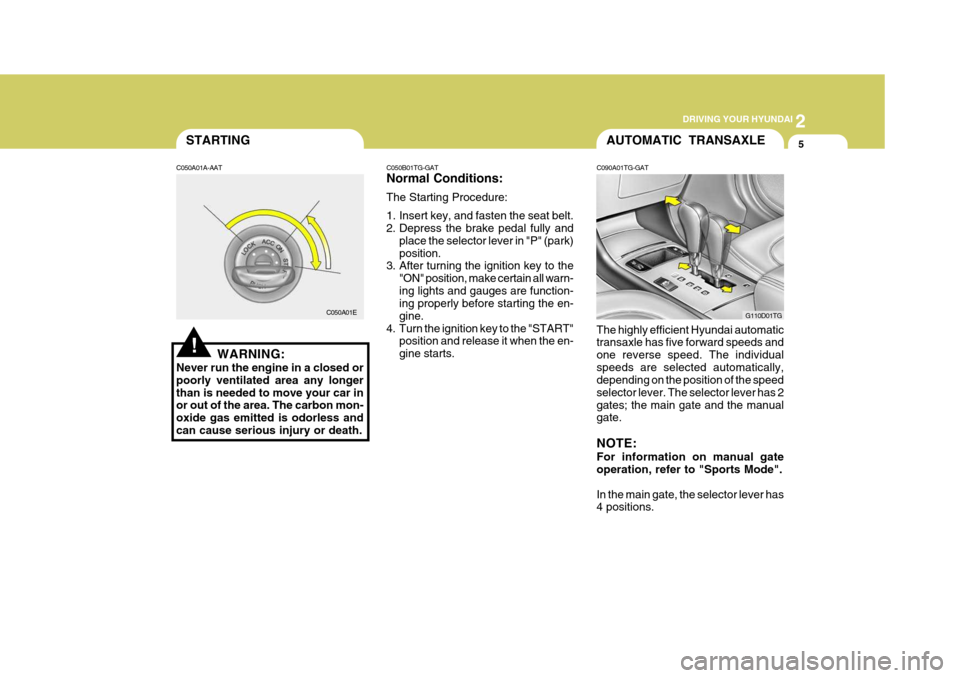
1. Insert key, and fasten the seat belt.
2. Depress the brake pedal fully and
place the selector lever in "P" (park) position.
3. After turning the ignition key to the
"ON" position, make certain all warn-ing lights and gauges are function- ing properly before starting the en- gine.
4. Turn the ignition key to the "START" position and release it when the en-gine starts.
C050A01EAUTOMATIC TRANSAXLE
C090A01TG-GAT The highly efficient Hyundai automatic transaxle has five forward speeds and one reverse speed. The individualspeeds are selected automatically, depending on the position of the speed selector lever. The selector lever has 2gates; the main gate and the manual gate. NOTE: For information on manual gate operation, refer to "Sports Mode". In the main gate, the selector lever has 4 positions. G110D01TG
Page 190 of 297
2 DRIVING YOUR HYUNDAI
6
NOTE:
Depress the brake pedal when shifting. The selector lever can be shiftedfreely.
The first few shifts on a new ve-hicle, or if the battery has been disconnected, may be somewhat abrupt. This is a normal condition,and the shifting sequence will ad- just after shifts are cycled a few times by the T.C.M (Transaxle Con-trol Module). CAUTION:
Never shift into "R" or "P" positionwhile the vehicle is moving.
!
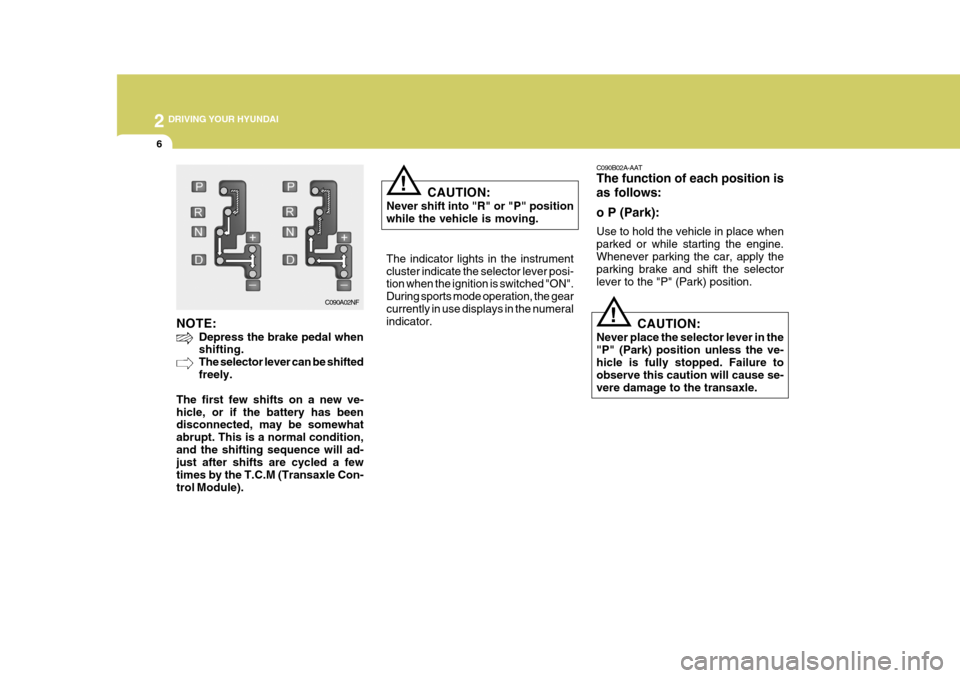
The indicator lights in the instrument cluster indicate the selector lever posi- tion when the ignition is switched "ON". During sports mode operation, the gearcurrently in use displays in the numeral indicator.
C090A02NF C090B02A-AAT The function of each position is as follows: o P (Park): Use to hold the vehicle in place when parked or while starting the engine.Whenever parking the car, apply the parking brake and shift the selector lever to the "P" (Park) position.
CAUTION:
Never place the selector lever in the"P" (Park) position unless the ve- hicle is fully stopped. Failure to observe this caution will cause se-vere damage to the transaxle.
!
Page 194 of 297
2 DRIVING YOUR HYUNDAI
10
!!
ANTI-LOCK BRAKE SYSTEM (ABS)
C120A01FC-GAT (If Installed) The Anti-Lock Brake System (ABS) is designed to prevent wheel lock-upduring sudden braking or on hazard- ous road surfaces. The ABS control module monitors the wheel speed andcontrols the pressure applied to each brake. Thus, in emergency situations or on slick roads, ABS will increasevehicle control during braking. NOTE:
o A click sound may be heard in the
engine compartment when the ve- hicle begins to move after the en- gine is started. These conditionsare normal and indicate that the anti-lock brake system (Electronic Stability Program) is functioningproperly.
o During ABS (ESP) operation, a
slight pulsation may be felt in thebrake pedal when the brakes are applied. Also, a noise may be heard in the engine compartment whilebraking. These conditions are nor- mal and indicate that the anti-lock brake system (Electronic StabilityProgram System) is functioning properly. WARNING:
ABS (ESP) will not prevent accidents due to improper or dangerous driv-ing maneuvers. Even though vehicle control is improved during emer- gency braking, always maintain a safe distance between you and ob- jects ahead. Vehicle speeds should always be reduced during extreme road conditions. The braking distance for cars equipped with an anti-lock braking system (Electronic Stability Program System) may be longer than for those without it in the following road con- ditions. During these conditions the vehicle should be driven at reduced speeds.
o Rough, gravel or snow-covered roads.
o With tire chains installed.
o On roads where the road surface is pitted or has different surfaceheight.
The safety features of an ABS (ESP)equipped vehicle should not be tested by high speed driving or cornering. This could endanger the safety of yourself or others.
WARNING:
o Avoid high cornering speeds.
o Do not make quick steering wheel movements, such as sharp lane changes or fast, sharp turns.
o Always wear your seat belts.
In a collision, an unbelted personis significantly more likely to die than a person wearing a seat belt.
o The risk of rollover is greatly in-
creased if you lose control ofyour vehicle at highway speeds.
o Loss of control often occurs if
two or more wheels drop off theroadway and the driver oversteers to reenter the roadway.
o In the event your vehicle leaves the roadway, do not steer sharply.Instead, slow down before pullingback into the travel lanes.
o Never exceed posted speed limits.
o Excessive depressing of the ac-
celerator pedal in slippery driv- ing conditions such as pulling out of deep snow or mud maycause severe damage to the transaxle. Rocking the vehicle is not recommended. Rather, usean appropriate towing method.