air condition Hyundai Azera 2007 User Guide
[x] Cancel search | Manufacturer: HYUNDAI, Model Year: 2007, Model line: Azera, Model: Hyundai Azera 2007Pages: 308, PDF Size: 12.63 MB
Page 139 of 308
1
FEATURES OF YOUR HYUNDAI
1251
FEATURES OF YOUR HYUNDAI
125
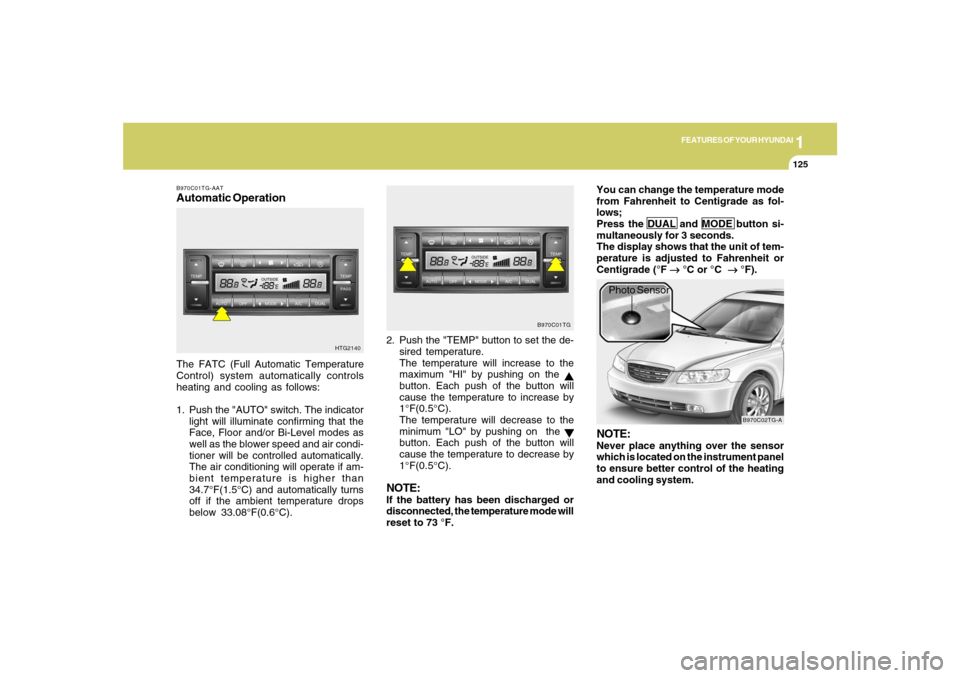
B970C01TG-AATAutomatic OperationThe FATC (Full Automatic Temperature
Control) system automatically controls
heating and cooling as follows:
1. Push the "AUTO" switch. The indicator
light will illuminate confirming that the
Face, Floor and/or Bi-Level modes as
well as the blower speed and air condi-
tioner will be controlled automatically.
The air conditioning will operate if am-
bient temperature is higher than
34.7°F(1.5°C) and automatically turns
off if the ambient temperature drops
below 33.08°F(0.6°C).2. Push the "TEMP" button to set the de-
sired temperature.
The temperature will increase to the
maximum "HI" by pushing on the
button. Each push of the button will
cause the temperature to increase by
1°F(0.5°C).
The temperature will decrease to the
minimum "LO" by pushing on the button. Each push of the button will
cause the temperature to decrease by
1°F(0.5°C).
NOTE:If the battery has been discharged or
disconnected, the temperature mode will
reset to 73 °F.You can change the temperature mode
from Fahrenheit to Centigrade as fol-
lows;
Press the DUAL and MODE button si-
multaneously for 3 seconds.
The display shows that the unit of tem-
perature is adjusted to Fahrenheit or
Centigrade (°F
→ →→ →
→ °C or °C
→ →→ →
→ °F).
HTG2140B970C01TG
B970C02TG-A
Photo Sensor
NOTE:Never place anything over the sensor
which is located on the instrument panel
to ensure better control of the heating
and cooling system.
Page 140 of 308
1FEATURES OF YOUR HYUNDAI
126
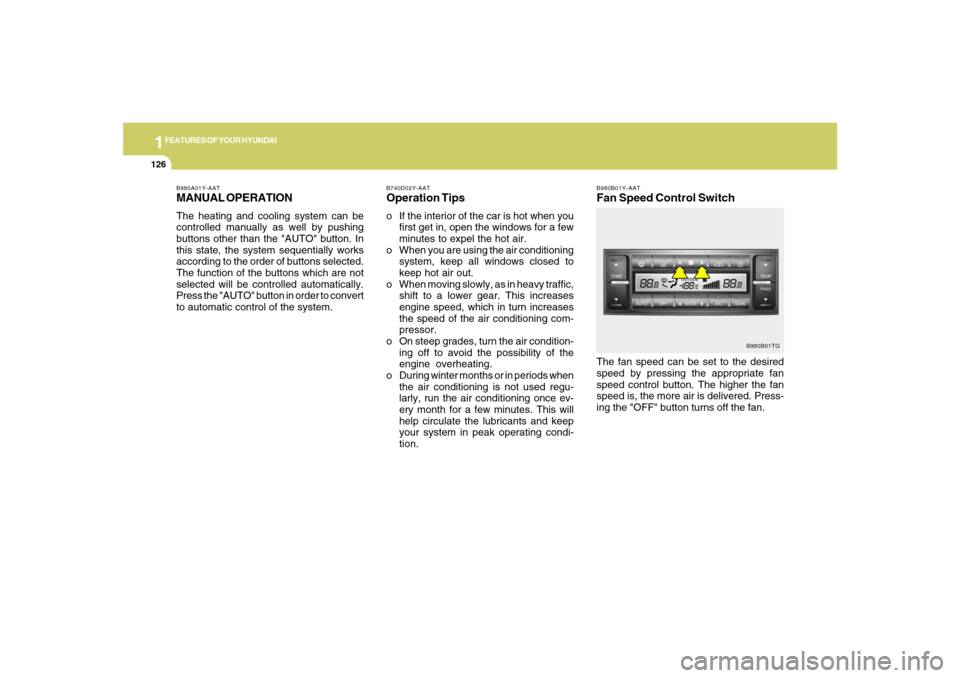
B980B01Y-AATFan Speed Control SwitchThe fan speed can be set to the desired
speed by pressing the appropriate fan
speed control button. The higher the fan
speed is, the more air is delivered. Press-
ing the "OFF" button turns off the fan.
B980B01TG B980A01Y-AAT
MANUAL OPERATIONThe heating and cooling system can be
controlled manually as well by pushing
buttons other than the "AUTO" button. In
this state, the system sequentially works
according to the order of buttons selected.
The function of the buttons which are not
selected will be controlled automatically.
Press the "AUTO" button in order to convert
to automatic control of the system.
B740D02Y-AATOperation Tipso If the interior of the car is hot when you
first get in, open the windows for a few
minutes to expel the hot air.
o When you are using the air conditioning
system, keep all windows closed to
keep hot air out.
o When moving slowly, as in heavy traffic,
shift to a lower gear. This increases
engine speed, which in turn increases
the speed of the air conditioning com-
pressor.
o On steep grades, turn the air condition-
ing off to avoid the possibility of the
engine overheating.
o During winter months or in periods when
the air conditioning is not used regu-
larly, run the air conditioning once ev-
ery month for a few minutes. This will
help circulate the lubricants and keep
your system in peak operating condi-
tion.
Page 141 of 308
1
FEATURES OF YOUR HYUNDAI
1271
FEATURES OF YOUR HYUNDAI
127
With the "Fresh" mode selected, air enters
the vehicle from the outside and is heated
or cooled according to the function se-
lected.
With the "Recirculation" mode selected,
air from within the passenger compart-
ment will be drawn through the heating
system and heated or cooled according to
the function selected.NOTE:It should be noted that prolonged opera-
tion of the heating system in "recircula-
tion" mode will give rise to fogging of the
windshield and side windows and the air
within the passenger compartment will
become stale. In addition, prolonged use
of the air conditioning with the "Recircu-
lation" mode selected may result in the
air within the passenger compartment
becoming excessively dry.
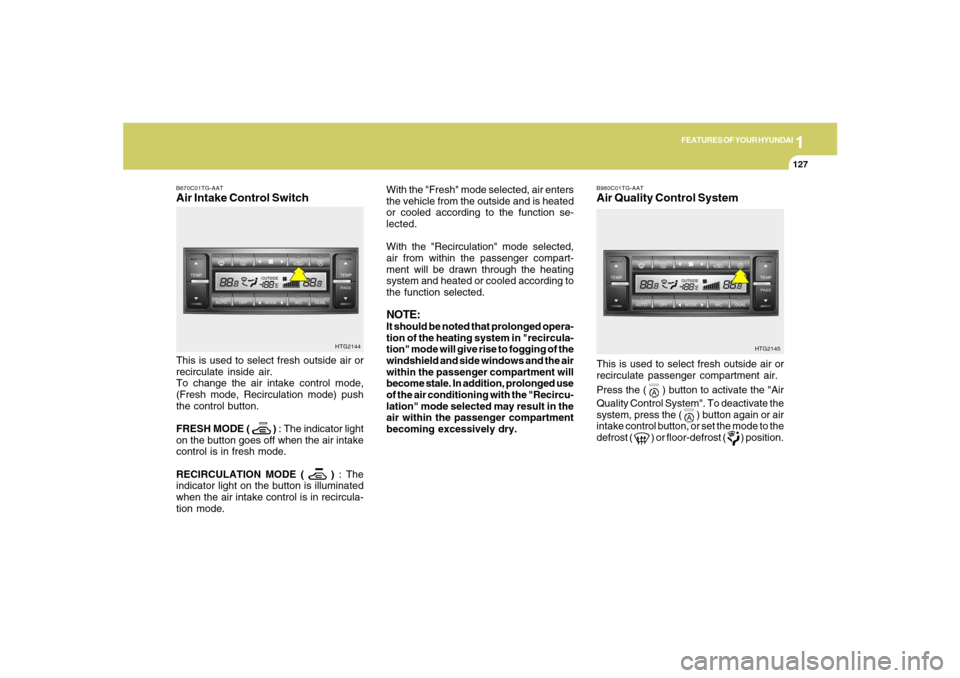
B670C01TG-AATAir Intake Control SwitchThis is used to select fresh outside air or
recirculate inside air.
To change the air intake control mode,
(Fresh mode, Recirculation mode) push
the control button.
FRESH MODE (
) : The indicator light
on the button goes off when the air intake
control is in fresh mode.
RECIRCULATION MODE (
) : The
indicator light on the button is illuminated
when the air intake control is in recircula-
tion mode.HTG2144
HTG2145
This is used to select fresh outside air or
recirculate passenger compartment air.
Press the (
) button to activate the "Air
Quality Control System". To deactivate the
system, press the (
) button again or air
intake control button, or set the mode to the
defrost (
) or floor-defrost (
) position.
B980C01TG-AATAir Quality Control System
Page 142 of 308
1FEATURES OF YOUR HYUNDAI
128
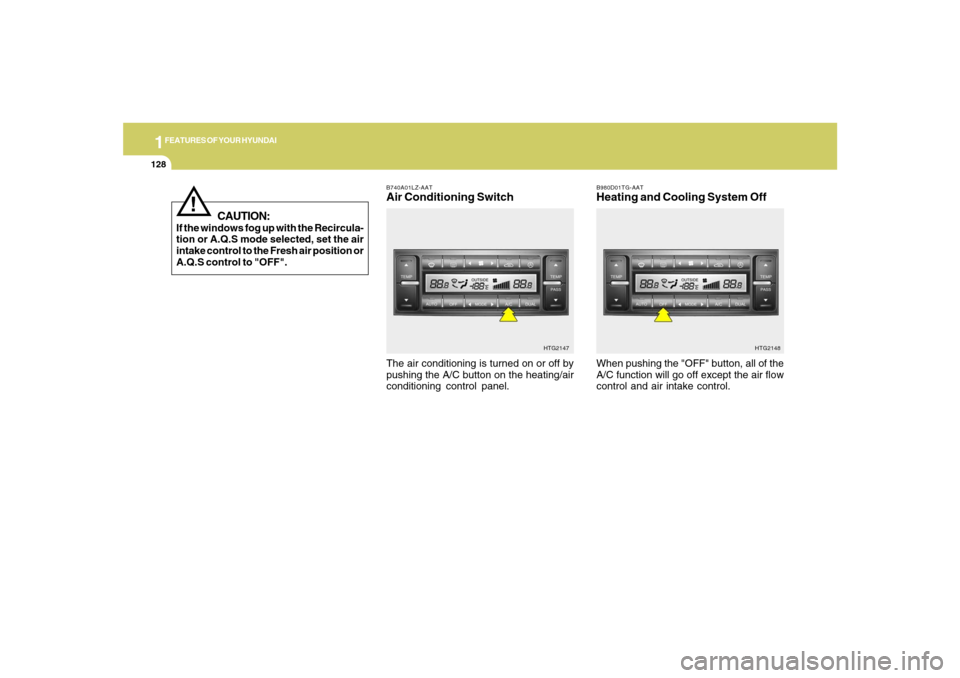
B980D01TG-AATHeating and Cooling System Off
B740A01LZ-AATAir Conditioning SwitchThe air conditioning is turned on or off by
pushing the A/C button on the heating/air
conditioning control panel.
HTG2147
When pushing the "OFF" button, all of the
A/C function will go off except the air flow
control and air intake control.
HTG2148
CAUTION:
If the windows fog up with the Recircula-
tion or A.Q.S mode selected, set the air
intake control to the Fresh air position or
A.Q.S control to "OFF".
!
Page 145 of 308
1
FEATURES OF YOUR HYUNDAI
1311
FEATURES OF YOUR HYUNDAI
131
B980G01TG-AATAuto De-humidified Control
(If Installed)
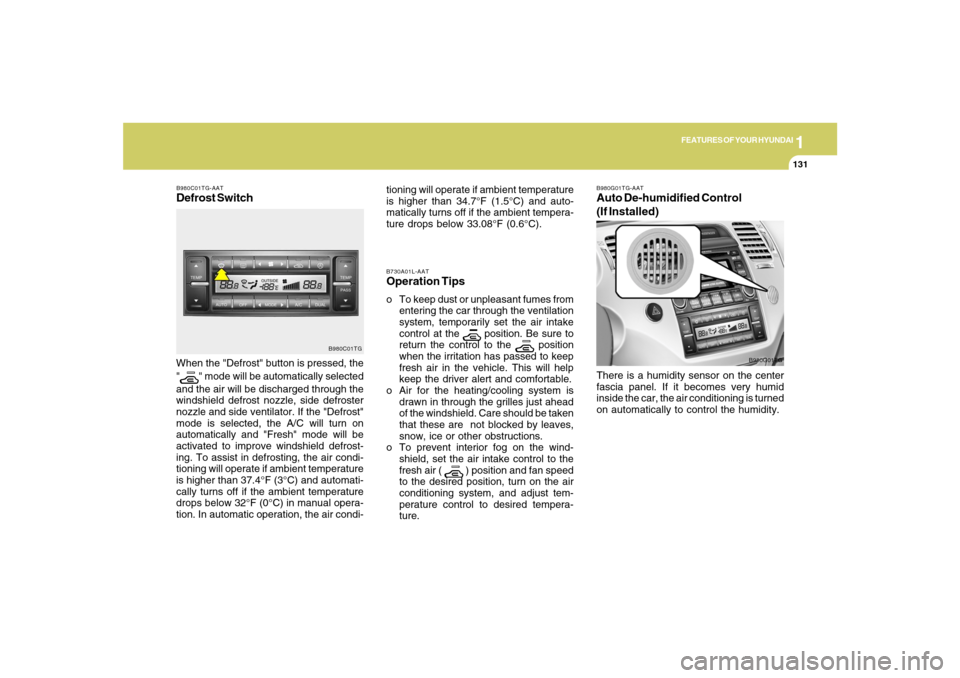
B980C01TG-AATDefrost SwitchWhen the "Defrost" button is pressed, the
"
" mode will be automatically selected
and the air will be discharged through the
windshield defrost nozzle, side defroster
nozzle and side ventilator. If the "Defrost"
mode is selected, the A/C will turn on
automatically and "Fresh" mode will be
activated to improve windshield defrost-
ing. To assist in defrosting, the air condi-
tioning will operate if ambient temperature
is higher than 37.4°F (3°C) and automati-
cally turns off if the ambient temperature
drops below 32°F (0°C) in manual opera-
tion. In automatic operation, the air condi-
B980C01TG
There is a humidity sensor on the center
fascia panel. If it becomes very humid
inside the car, the air conditioning is turned
on automatically to control the humidity.
B980G01TG B730A01L-AAT
Operation Tipso To keep dust or unpleasant fumes from
entering the car through the ventilation
system, temporarily set the air intake
control at the
position. Be sure to
return the control to the
position
when the irritation has passed to keep
fresh air in the vehicle. This will help
keep the driver alert and comfortable.
o Air for the heating/cooling system is
drawn in through the grilles just ahead
of the windshield. Care should be taken
that these are not blocked by leaves,
snow, ice or other obstructions.
o To prevent interior fog on the wind-
shield, set the air intake control to the
fresh air (
) position and fan speed
to the desired position, turn on the air
conditioning system, and adjust tem-
perature control to desired tempera-
ture. tioning will operate if ambient temperature
is higher than 34.7°F (1.5°C) and auto-
matically turns off if the ambient tempera-
ture drops below 33.08°F (0.6°C).
Page 146 of 308
1FEATURES OF YOUR HYUNDAI
132
CAUTION:
o Replace the filter every 10,000 miles
(15,000 km) or once a year.
If the car is being driven in severe
conditions such as dusty, rough roads,
more frequent climate control air fil-
ter inspections and changes are re-
quired.
o When the air flow rate is suddenly
decreased, the system should be
checked at an authorized dealer.
!
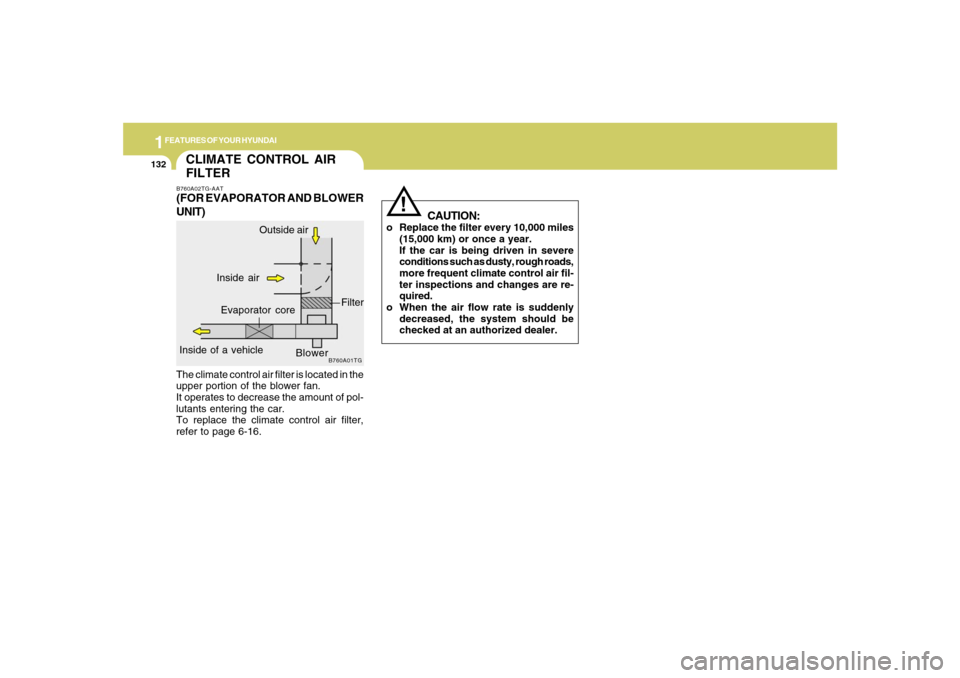
The climate control air filter is located in the
upper portion of the blower fan.
It operates to decrease the amount of pol-
lutants entering the car.
To replace the climate control air filter,
refer to page 6-16.CLIMATE CONTROL AIR
FILTERB760A02TG-AAT(FOR EVAPORATOR AND BLOWER
UNIT)
B760A01TG
Inside of a vehicle
Evaporator coreFilter
Blower Outside air
Inside air
Page 148 of 308
1FEATURES OF YOUR HYUNDAI
134
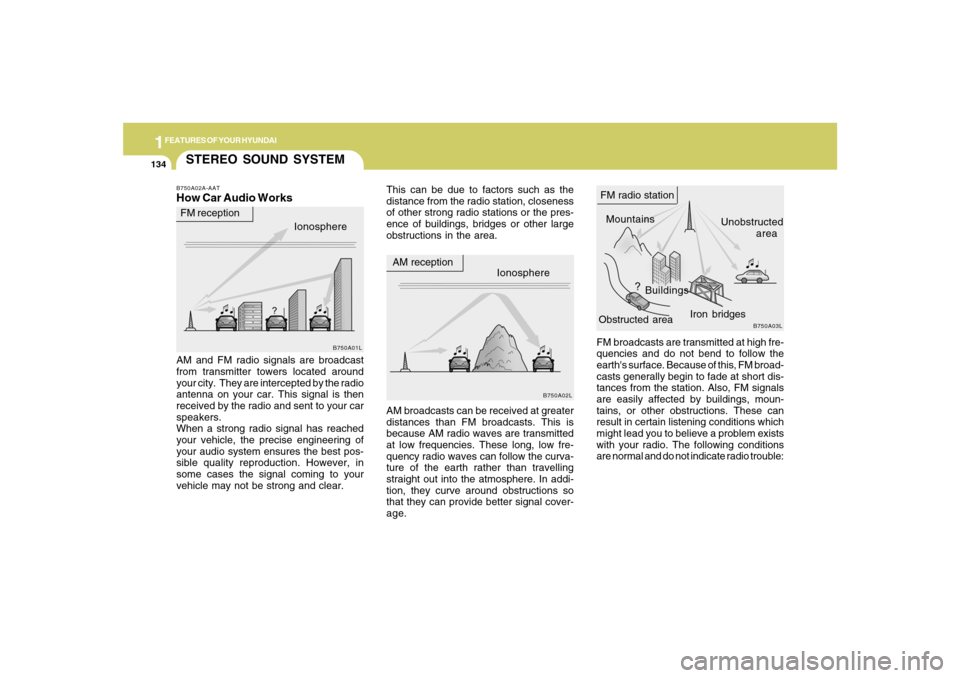
FM broadcasts are transmitted at high fre-
quencies and do not bend to follow the
earth's surface. Because of this, FM broad-
casts generally begin to fade at short dis-
tances from the station. Also, FM signals
are easily affected by buildings, moun-
tains, or other obstructions. These can
result in certain listening conditions which
might lead you to believe a problem exists
with your radio. The following conditions
are normal and do not indicate radio trouble:
STEREO SOUND SYSTEMB750A02A-AATHow Car Audio Works
This can be due to factors such as the
distance from the radio station, closeness
of other strong radio stations or the pres-
ence of buildings, bridges or other large
obstructions in the area.
AM and FM radio signals are broadcast
from transmitter towers located around
your city. They are intercepted by the radio
antenna on your car. This signal is then
received by the radio and sent to your car
speakers.
When a strong radio signal has reached
your vehicle, the precise engineering of
your audio system ensures the best pos-
sible quality reproduction. However, in
some cases the signal coming to your
vehicle may not be strong and clear.AM broadcasts can be received at greater
distances than FM broadcasts. This is
because AM radio waves are transmitted
at low frequencies. These long, low fre-
quency radio waves can follow the curva-
ture of the earth rather than travelling
straight out into the atmosphere. In addi-
tion, they curve around obstructions so
that they can provide better signal cover-
age.Ionosphere
B750A02L
AM reception
Mountains
BuildingsUnobstructed
area FM radio station
B750A03L
Ionosphere FM reception
B750A01L
Obstructed areaIron bridges
Page 156 of 308
1FEATURES OF YOUR HYUNDAI
142
!
CAUTION:
o Do not insert warped or poor quality
discs into the CD player as damage to
the unit may occur.
o Do not insert anything like coins into
the player slot as damage to the unit
may occur.
o Do not place beverages close to the
audio system. The playback mecha-
nism may be damaged if you spill
them.
o Do not impact on the audio system, or
the playback mechanism could be
damaged.
o Driving on the off-roads or other vi-
brations may skip your compact disc.
Do not use the audio system on off-
roads as the discs could be scratched
and damaged.
o Do not grip or pull out the disc with
your hand while the disc is being pulled
into the unit by the self loading mecha-
nism. These can cause disc scratch-
ing to occur or trouble in the compact
disc player.
NOTE:o To assure proper operation of the
unit, keep the vehicle interior tem-
perature within a normal range by
using the vehicle’s air conditioning or
heating system.
o When replacing the fuse, replace it
with a fuse having the correct capac-
ity.
o The bookmarks are all erased when
the car battery is disconnected or
power off. Therefore, all data will have
to be set again if this should occur.
o This equipment is designed to be used
only in a 12 volt DC battery system
with negative ground.
o This unit is made of precision parts.
Do not attempt to disassemble or
adjust any parts.
o When driving your vehicle, be sure to
keep the volume of the unit set low
enough to allow you to hear sounds
coming from the outside.
o Do not expose this equipment (includ-
ing the speakers and tape) to water or
excessive moisture.o Avoid using home-made CD-Record-
able or CD-Rewritable discs as the
player may not operate properly. When
using the compact disc player, genu-
ine CDs are recommended.
Page 161 of 308
1
FEATURES OF YOUR HYUNDAI
1471
FEATURES OF YOUR HYUNDAI
147
M455D01TG-GAT1. TAPE PROGRAM Buttono This allows you to play the reverse side
of the tape by merely depressing the
program button. An arrow will appear in
the display to show tape direction.
o Push the TAPE button to turn on that
function without pushing power ON-
OFF control knob.2. TAPE EJECT Buttono When the button is pressed with a cas-
sette loaded, the cassette will eject.
o When the button is pressed during FF/
REW mode, the cassette will eject.3. AUTO MUSIC Search ButtonPress the button to find the starting point of
each song in a prerecorded music tape.
The quiet space between songs (must
have at least 4 sec. gap) can be accepted
by the AUTO MUSIC search button.
o Pressing the button (
) will play the
beginning of the next music segment.
o Pressing the button (
) will start
replay at the beginning of the music just
listened to.
4. FF/REW Buttono Fast forward tape winding starts when
the FF button is pressed during PLAY or
REW mode.
o Tape PLAY starts when the FF button is
pressed again during FF mode.
o Tape rewinding starts when the REW
button is pressed during PLAY or FF
mode.
o Tape PLAY starts when the REW button
pressed again during REW mode.5. REPEAT Buttono To repeat the track you are currently
listening to, press the RPT button. To
cancel, press again.
o If you do not release RPT operation
when the track ends, it will automati-
cally be replayed.
This process will be continued until you
push the button again.6. DOLBY ButtonIf you get background noise during tape
PLAY, you can reduce this considerably
by merely pressing the DOLBY button. If
you want to cancel the DOLBY feature,
press the button again.
7. EQUALIZER (EQ) ButtonPress the EQ button to select the CLAS-
SIC, POPS, ROCK, JAZZ and DEFEAT
MODE for the desired tone quality. Each
press of the button changes the display as
follows;NOTE:o To assure proper operation of the
unit, keep the vehicle interior tem-
perature within a normal range by
using the vehicle’s air conditioning or
heating system.
o When replacing the fuse, replace it
with a fuse having the correct capac-
ity.
o The preset station frequencies are all
erased when the car battery is dis-
connected. Therefore, all data will have
to be set again if this should occur.
o Do not add any oil to the rotating parts.
Keep magnets, screwdrivers and
other metallic objects away from the
tape mechanism and head. CLASSIC → POPS → ROCK → JAZZ →DEFEAT
Page 166 of 308
1FEATURES OF YOUR HYUNDAI
152
!
12. CHANGE DIRECTORY(DIR) But-
tono You can move through the folder by
pushing the DIR button to up (
) and
down (
).
After moving the desired folder, press the
FILE SEARCH knob to playback the first
file in the selected folder.
If you do not press the FILE SEARCH knob
within 5 seconds, the folder searching
function will be released.
It is not operated in single folder.
NOTE:o To assure proper operation of the
unit, keep the vehicle interior tem-
perature within a normal range by
using the vehicle’s air conditioning or
heating system.
o When replacing the fuse, replace it
with a fuse having the correct capac-
ity.
o The bookmarks are all erased when
the car battery is disconnected or
power off. Therefore, all data will have
to be set again if this should occur.o This equipment is designed to be used
only in a 12 volt DC battery system
with negative ground.
o This unit is made of precision parts.
Do not attempt to disassemble or ad-
just any parts.
o When driving your vehicle, be sure to
keep the volume of the unit set low
enough to allow you to hear sounds
coming from the outside.
o Do not expose this equipment (includ-
ing the speakers and tape) to water or
excessive moisture.
CAUTION:
o Do not insert warped or poor quality
discs into the CD player as damage to
the unit may occur.
o Do not insert anything like coins into
the player slot as damage to the unit
may occur.
o Do not place beverages close to the
audio system. The playback mecha-
nism may be damaged if you spill
them.o Do not impact on the audio system, or
the playback mechanism could be
damaged.
o Driving on the off-roads or other vi-
brations may skip your compact disc.
Do not use the audio system on off-
roads as the discs could be scratched
and damaged.
o Do not grip or pull out the disc with
your hand while the disc is being pulled
into the unit by the self loading mecha-
nism. These can cause disc scratch-
ing to occur or trouble in the compact
disc player.
o Avoid home-made using CD-Record-
able or CD-Rewritable discs as the
player may not operate properly. When
using the compact disc player, genu-
ine CDs are recommended.