key Hyundai Azera 2007 Owner's Guide
[x] Cancel search | Manufacturer: HYUNDAI, Model Year: 2007, Model line: Azera, Model: Hyundai Azera 2007Pages: 308, PDF Size: 12.63 MB
Page 101 of 308
1
FEATURES OF YOUR HYUNDAI
87
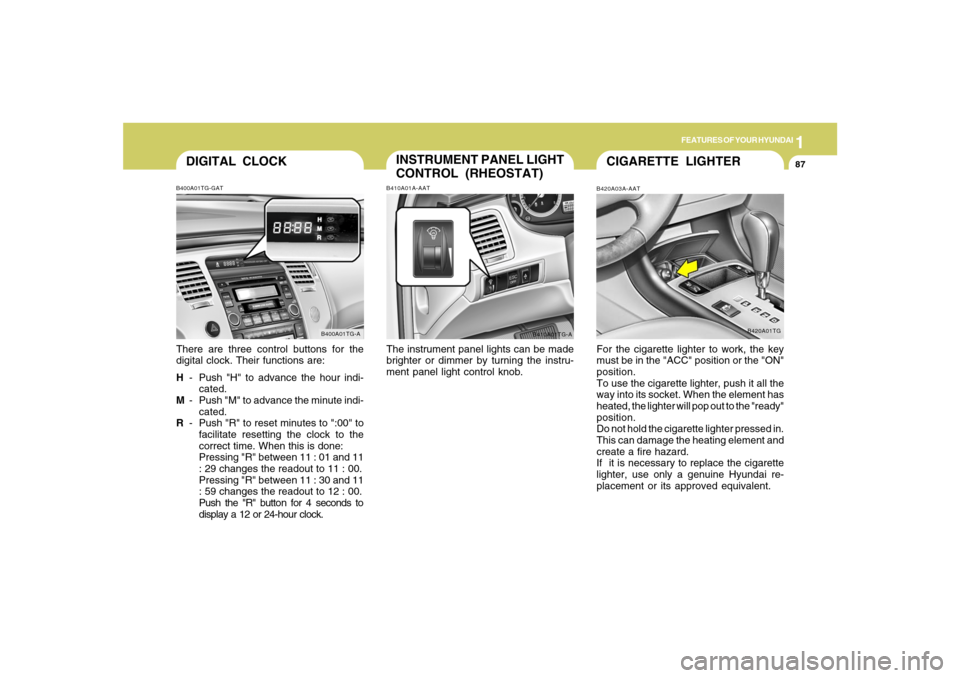
DIGITAL CLOCKB400A01TG-GATThere are three control buttons for the
digital clock. Their functions are:
H- Push "H" to advance the hour indi-
cated.
M- Push "M" to advance the minute indi-
cated.
R- Push "R" to reset minutes to ":00" to
facilitate resetting the clock to the
correct time. When this is done:
Pressing "R" between 11 : 01 and 11
: 29 changes the readout to 11 : 00.
Pressing "R" between 11 : 30 and 11
: 59 changes the readout to 12 : 00.
Push the "R" button for 4 seconds to
display a 12 or 24-hour clock.
B400A01TG-A
INSTRUMENT PANEL LIGHT
CONTROL (RHEOSTAT)B410A01A-AATThe instrument panel lights can be made
brighter or dimmer by turning the instru-
ment panel light control knob.
B410A01TG-A
CIGARETTE LIGHTERB420A03A-AATFor the cigarette lighter to work, the key
must be in the "ACC" position or the "ON"
position.
To use the cigarette lighter, push it all the
way into its socket. When the element has
heated, the lighter will pop out to the "ready"
position.
Do not hold the cigarette lighter pressed in.
This can damage the heating element and
create a fire hazard.
If it is necessary to replace the cigarette
lighter, use only a genuine Hyundai re-
placement or its approved equivalent.
B420A01TG
Page 102 of 308
1FEATURES OF YOUR HYUNDAI88
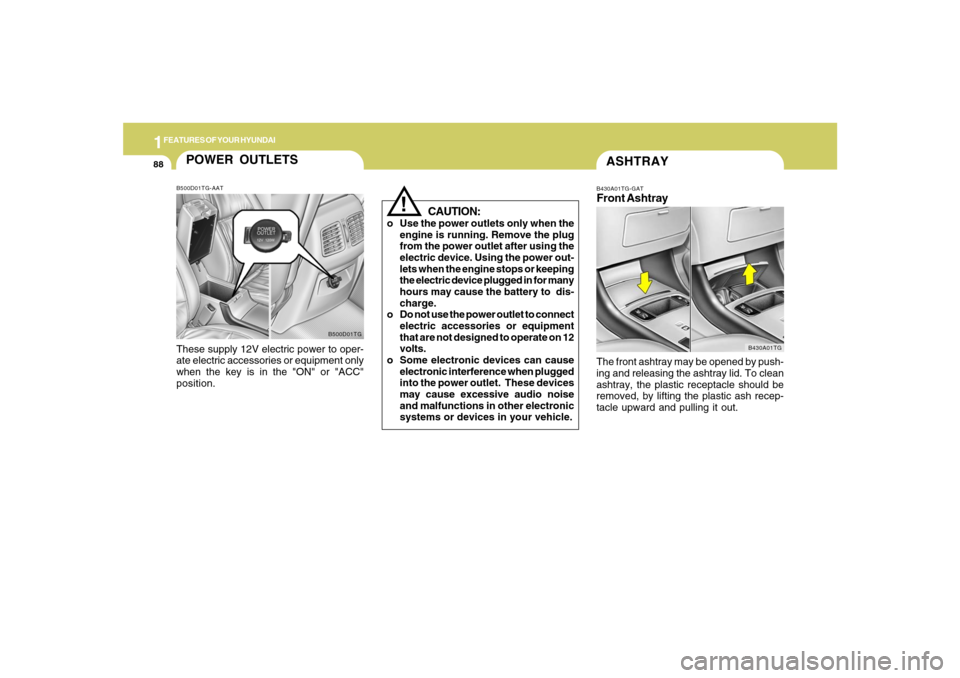
ASHTRAYB430A01TG-GATFront AshtrayThe front ashtray may be opened by push-
ing and releasing the ashtray lid. To clean
ashtray, the plastic receptacle should be
removed, by lifting the plastic ash recep-
tacle upward and pulling it out.
B430A01TG
!
CAUTION:
o Use the power outlets only when the
engine is running. Remove the plug
from the power outlet after using the
electric device. Using the power out-
lets when the engine stops or keeping
the electric device plugged in for many
hours may cause the battery to dis-
charge.
o Do not use the power outlet to connect
electric accessories or equipment
that are not designed to operate on 12
volts.
o Some electronic devices can cause
electronic interference when plugged
into the power outlet. These devices
may cause excessive audio noise
and malfunctions in other electronic
systems or devices in your vehicle.
POWER OUTLETSB500D01TG-AATThese supply 12V electric power to oper-
ate electric accessories or equipment only
when the key is in the "ON" or "ACC"
position.
B500D01TG
Page 108 of 308
1FEATURES OF YOUR HYUNDAI94
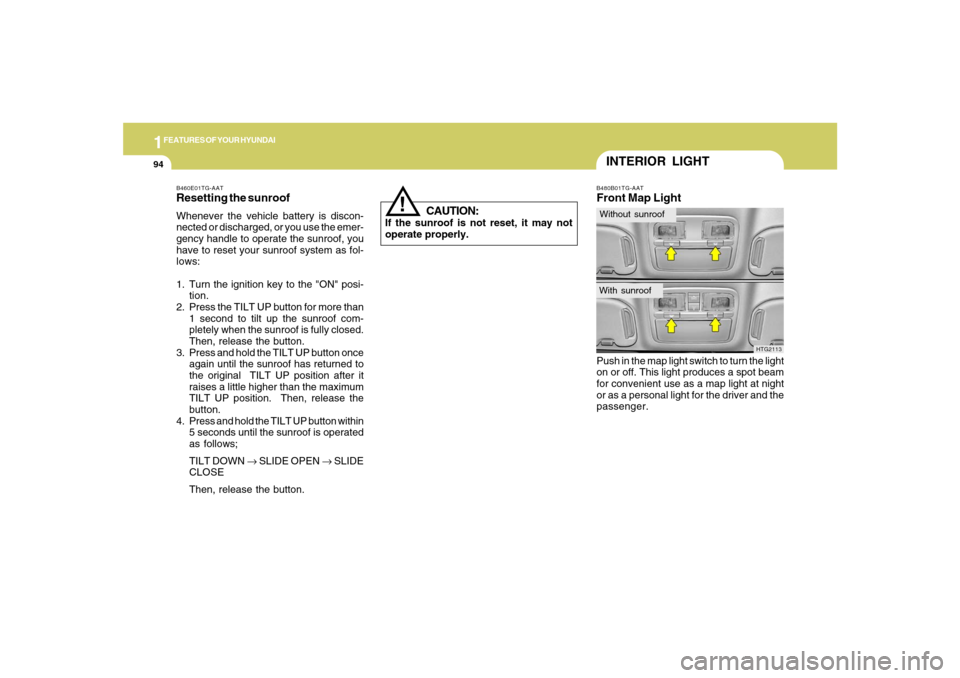
B480B01TG-AATFront Map LightPush in the map light switch to turn the light
on or off. This light produces a spot beam
for convenient use as a map light at night
or as a personal light for the driver and the
passenger.
HTG2113
INTERIOR LIGHTWithout sunroofWith sunroof
!
B460E01TG-AATResetting the sunroofWhenever the vehicle battery is discon-
nected or discharged, or you use the emer-
gency handle to operate the sunroof, you
have to reset your sunroof system as fol-
lows:
1. Turn the ignition key to the "ON" posi-
tion.
2. Press the TILT UP button for more than
1 second to tilt up the sunroof com-
pletely when the sunroof is fully closed.
Then, release the button.
3. Press and hold the TILT UP button once
again until the sunroof has returned to
the original TILT UP position after it
raises a little higher than the maximum
TILT UP position. Then, release the
button.
4. Press and hold the TILT UP button within
5 seconds until the sunroof is operated
as follows;
TILT DOWN → SLIDE OPEN → SLIDE
CLOSE
Then, release the button.
CAUTION:
If the sunroof is not reset, it may not
operate properly.
Page 109 of 308
1
FEATURES OF YOUR HYUNDAI
95
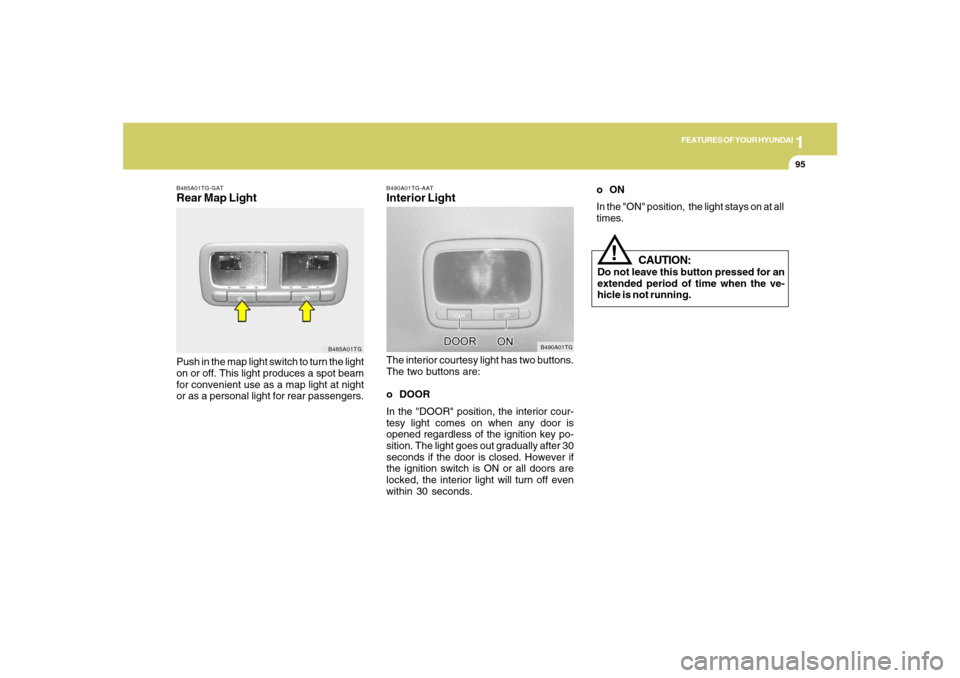
B490A01TG-AATInterior LightThe interior courtesy light has two buttons.
The two buttons are:
o DOOR
In the "DOOR" position, the interior cour-
tesy light comes on when any door is
opened regardless of the ignition key po-
sition. The light goes out gradually after 30
seconds if the door is closed. However if
the ignition switch is ON or all doors are
locked, the interior light will turn off even
within 30 seconds.
B490A01TG
B485A01TG-GATRear Map LightPush in the map light switch to turn the light
on or off. This light produces a spot beam
for convenient use as a map light at night
or as a personal light for rear passengers.
B485A01TG
CAUTION:
Do not leave this button pressed for an
extended period of time when the ve-
hicle is not running.
!
oON
In the "ON" position, the light stays on at all
times.
Page 110 of 308
1FEATURES OF YOUR HYUNDAI96
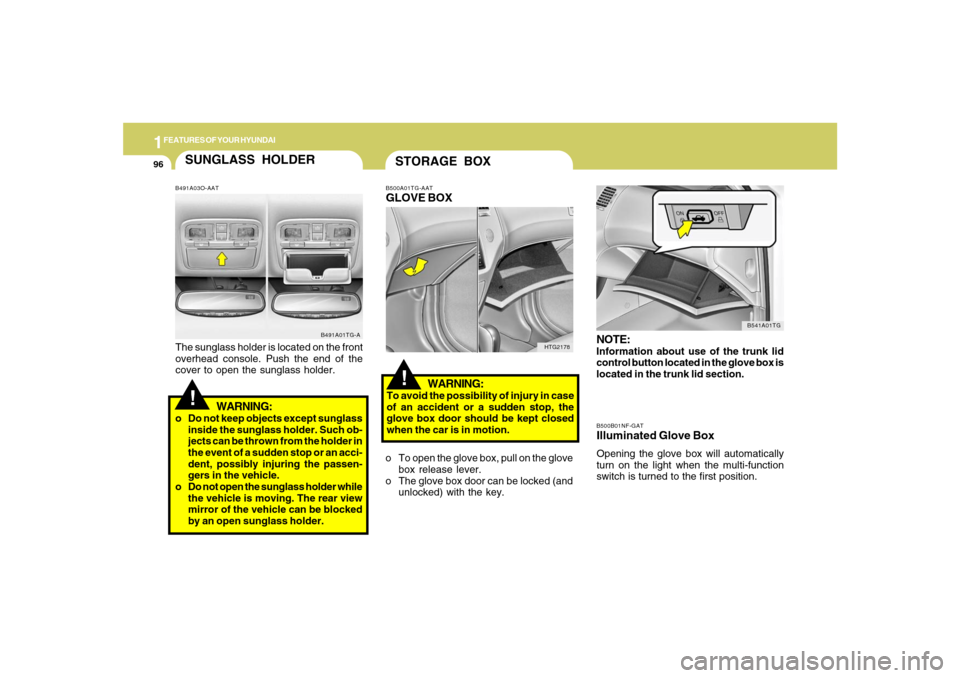
B500B01NF-GATIlluminated Glove BoxOpening the glove box will automatically
turn on the light when the multi-function
switch is turned to the first position.NOTE:Information about use of the trunk lid
control button located in the glove box is
located in the trunk lid section.
B541A01TG
!STORAGE BOXB500A01TG-AATGLOVE BOX
WARNING:To avoid the possibility of injury in case
of an accident or a sudden stop, the
glove box door should be kept closed
when the car is in motion.
o To open the glove box, pull on the glove
box release lever.
o The glove box door can be locked (and
unlocked) with the key.
HTG2178
SUNGLASS HOLDER!
B491A03O-AATThe sunglass holder is located on the front
overhead console. Push the end of the
cover to open the sunglass holder.
WARNING:
o Do not keep objects except sunglass
inside the sunglass holder. Such ob-
jects can be thrown from the holder in
the event of a sudden stop or an acci-
dent, possibly injuring the passen-
gers in the vehicle.
o Do not open the sunglass holder while
the vehicle is moving. The rear view
mirror of the vehicle can be blocked
by an open sunglass holder.
B491A01TG-A
Page 121 of 308
1
FEATURES OF YOUR HYUNDAI
107
!
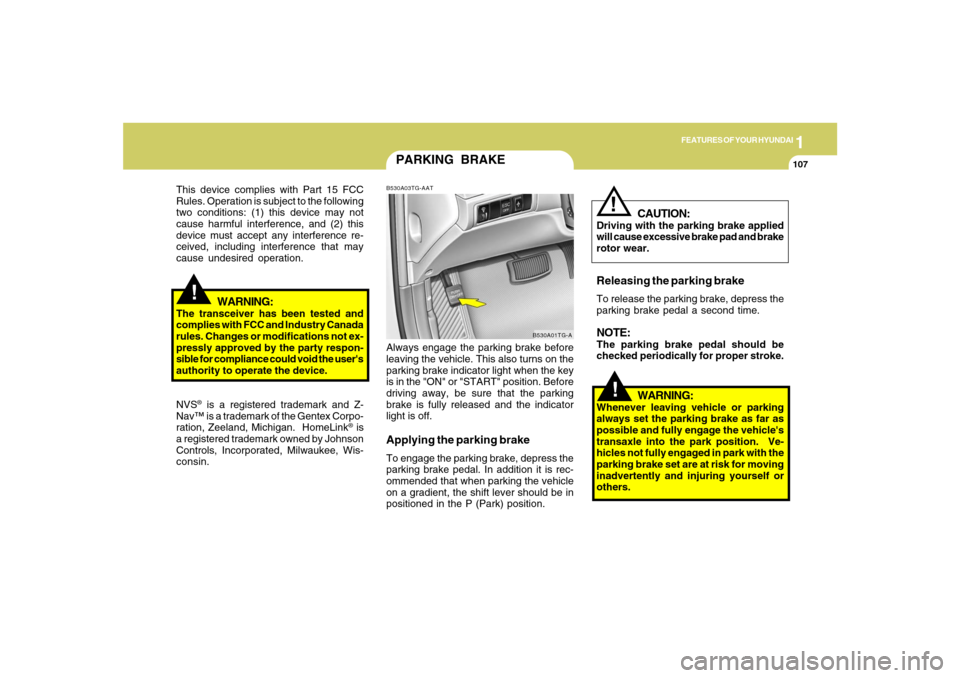
PARKING BRAKEB530A03TG-AATAlways engage the parking brake before
leaving the vehicle. This also turns on the
parking brake indicator light when the key
is in the "ON" or "START" position. Before
driving away, be sure that the parking
brake is fully released and the indicator
light is off.Applying the parking brakeTo engage the parking brake, depress the
parking brake pedal. In addition it is rec-
ommended that when parking the vehicle
on a gradient, the shift lever should be in
positioned in the P (Park) position.
B530A01TG-A
!
This device complies with Part 15 FCC
Rules. Operation is subject to the following
two conditions: (1) this device may not
cause harmful interference, and (2) this
device must accept any interference re-
ceived, including interference that may
cause undesired operation.
WARNING:
The transceiver has been tested and
complies with FCC and Industry Canada
rules. Changes or modifications not ex-
pressly approved by the party respon-
sible for compliance could void the user's
authority to operate the device.
NVS
® is a registered trademark and Z-
Nav™ is a trademark of the Gentex Corpo-
ration, Zeeland, Michigan. HomeLink
® is
a registered trademark owned by Johnson
Controls, Incorporated, Milwaukee, Wis-
consin.
WARNING:
Whenever leaving vehicle or parking
always set the parking brake as far as
possible and fully engage the vehicle's
transaxle into the park position. Ve-
hicles not fully engaged in park with the
parking brake set are at risk for moving
inadvertently and injuring yourself or
others.
CAUTION:
Driving with the parking brake applied
will cause excessive brake pad and brake
rotor wear.Releasing the parking brakeTo release the parking brake, depress the
parking brake pedal a second time.NOTE:The parking brake pedal should be
checked periodically for proper stroke.
!
Page 122 of 308
1FEATURES OF YOUR HYUNDAI
108
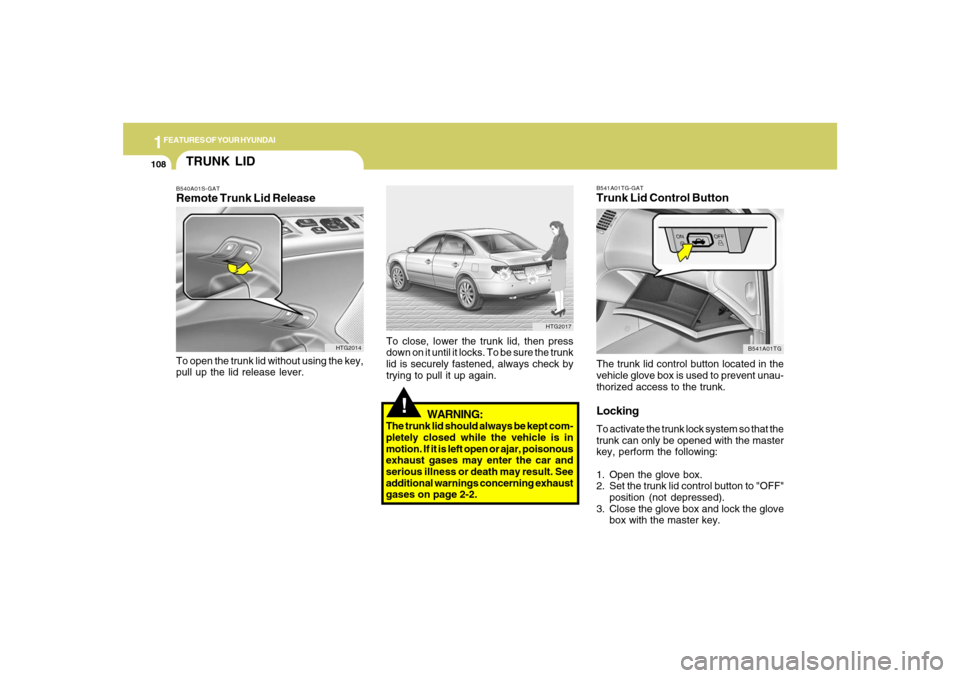
B541A01TG-GATTrunk Lid Control ButtonThe trunk lid control button located in the
vehicle glove box is used to prevent unau-
thorized access to the trunk.LockingTo activate the trunk lock system so that the
trunk can only be opened with the master
key, perform the following:
1. Open the glove box.
2. Set the trunk lid control button to "OFF"
position (not depressed).
3. Close the glove box and lock the glove
box with the master key.
B541A01TG
!
WARNING:
The trunk lid should always be kept com-
pletely closed while the vehicle is in
motion. If it is left open or ajar, poisonous
exhaust gases may enter the car and
serious illness or death may result. See
additional warnings concerning exhaust
gases on page 2-2.To close, lower the trunk lid, then press
down on it until it locks. To be sure the trunk
lid is securely fastened, always check by
trying to pull it up again.
HTG2017
TRUNK LIDB540A01S-GATRemote Trunk Lid ReleaseTo open the trunk lid without using the key,
pull up the lid release lever.
HTG2014
Page 123 of 308
1
FEATURES OF YOUR HYUNDAI
109
!
When leaving the key with a parking lot
attendant or valet, perform steps 1 to 3
above and leave the sub key with the
attendent. Sub key can start the engine
and operate door locks only.ReleasingTo release the trunk lock feature, open the
glove box with master key and set the trunk
lid control button to "ON" position (de-
pressed). In this position the trunk will
open with trunk lid release lever or trans-
mitter. The trunk can never be opened with
the sub key.
WARNING:
Doors and trunk should be kept locked
and keys be kept out of the reach of
children. Parents also should teach their
children about the dangers of playing in
trunks.
!
WARNING:
o If a person becomes locked in the
trunk, pull the emergency trunk re-
lease lever of the inside panel in the
trunk to open the trunk lid.
o Keep cars locked and keys out of the
reach of children. HYUNDAI recom-
mends parents teach children about
the emergency trunk release lever in
their vehicle and how to open the trunk
lid if they are accidentally locked in
the trunk.
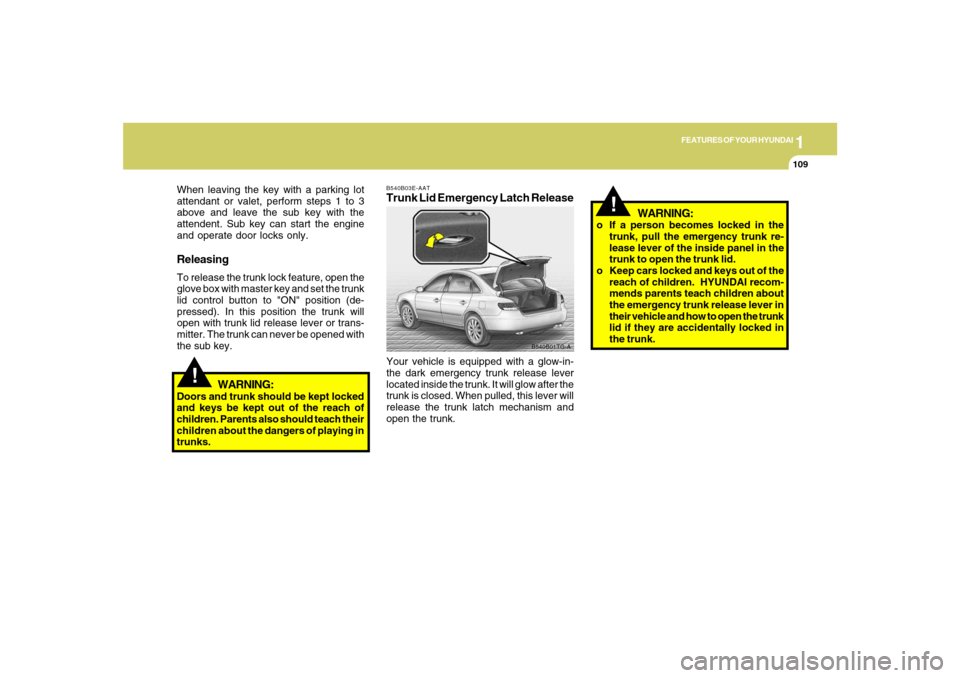
B540B03E-AATTrunk Lid Emergency Latch ReleaseYour vehicle is equipped with a glow-in-
the dark emergency trunk release lever
located inside the trunk. It will glow after the
trunk is closed. When pulled, this lever will
release the trunk latch mechanism and
open the trunk.
B540B01TG-A
Page 124 of 308
1FEATURES OF YOUR HYUNDAI
110
!
CAUTION:
To prevent damage to the goods or the
vehicle, care should be taken when car-
rying fragile or bulky objects in the lug-
gage compartment.
!
WARNING:
Avoid eye injury. DO NOT overstretch.
The luggage net ALWAYS keep your
face and body out of its recoil path. DO
NOT use when the luggage net straps
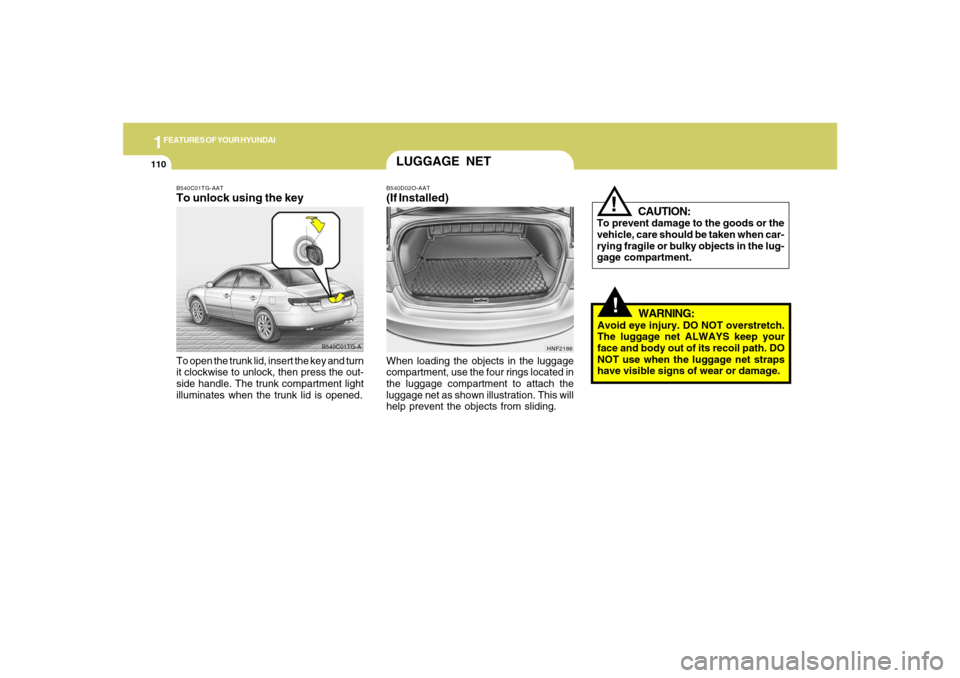
have visible signs of wear or damage. When loading the objects in the luggage
compartment, use the four rings located in
the luggage compartment to attach the
luggage net as shown illustration. This will
help prevent the objects from sliding.
HNF2186
LUGGAGE NETB540D02O-AAT(If Installed)
B540C01TG-A B540C01TG-AAT
To unlock using the keyTo open the trunk lid, insert the key and turn
it clockwise to unlock, then press the out-
side handle. The trunk compartment light
illuminates when the trunk lid is opened.
Page 151 of 308
1
FEATURES OF YOUR HYUNDAI
1371
FEATURES OF YOUR HYUNDAI
137
M445B01TG-AAT1. POWER ON-OFF Control Knobo The radio unit may be operated when
the ignition key is in the "ACC" or "ON"
position. Press the knob to switch the
power on. The display shows the radio
frequency in the radio mode or CD/MP3
track in either the CD/MP3 mode. To
switch the power off, press the knob
again.
o Push the FM/AM or CD/MP3 to turn on
that function without pushing Power
ON-OFF control knob.VOLUME ControlRotate the knob clockwise to increase the
volume and turn the knob counterclock-
wise to reduce the volume.2. BAND SelectorPressing the band selector FM/AM changes
the AM, FM1 and FM2 bands.
The mode selected is shown on the dis-
play.
3. TUNE (Manual) Select KnobRotate the knob clockwise to increase the
frequency and turn the knob counterclock-
wise to reduce the frequency.4. SEEK Select Button
(Automatic Channel Selection)Press the SEEK select button. When the (
) side is pressed, the unit will automati-
cally tune to the next higher frequency and
when the (
) side is pressed, it will
automatically tune to the next lower fre-
quency.
5. SCAN ButtonWhen you press the button, frequency is
changed and the next channel is received
automatically. To stay on a station, press
the SCAN button again.
6. EQUALIZER (EQ) ButtonPress the EQ button to select the CLAS-
SIC, POPS, ROCK, JAZZ and DEFEAT
MODE for the desired tone quality. Each
press of the button changes the display as
follows;7. Adjustment Mode
Select (A.MODE) ButtonPressing the A.MODE button changes the
BASS, MIDDLE, TREBLE, FADER and
BALANCE mode. The mode selected is
shown on the display. After selecting the
each mode, rotate the VOLUME control
knob clockwise or counterclockwise.BASS ControlTo increase the bass, rotate the knob clock-
wise, while to decrease the bass, rotate the
knob counterclockwise. CLASSIC → POPS → ROCK → JAZZ →DEFEAT