light Hyundai Azera 2008 Repair Manual
[x] Cancel search | Manufacturer: HYUNDAI, Model Year: 2008, Model line: Azera, Model: Hyundai Azera 2008Pages: 345, PDF Size: 14.61 MB
Page 135 of 345
1
FEATURES OF YOUR HYUNDAI
121
!
WARNING:
o Keep the cruise control ON/OFF switch
off when not using the cruise control
to avoid inadvertently setting a speed.
o Use the cruise control system only
when traveling on open highways in
good weather.
o Do not use the cruise control when it
may not be safe to keep the car at a
constant speed, for instance, driving
in heavy or varying traffic, or on slip-
pery (rainy, icy or snow-covered) or
winding roads or over 6% up-hill or
down-hill roads.
o Pay particular attention to the driving
conditions whenever using the cruise
control system.
o During normal cruise control opera-
tion, when the "SET" switch is acti-
vated or reactivated after applying
the brakes, the cruise control will
energize after approximately 3 sec-
onds. This delay is normal.
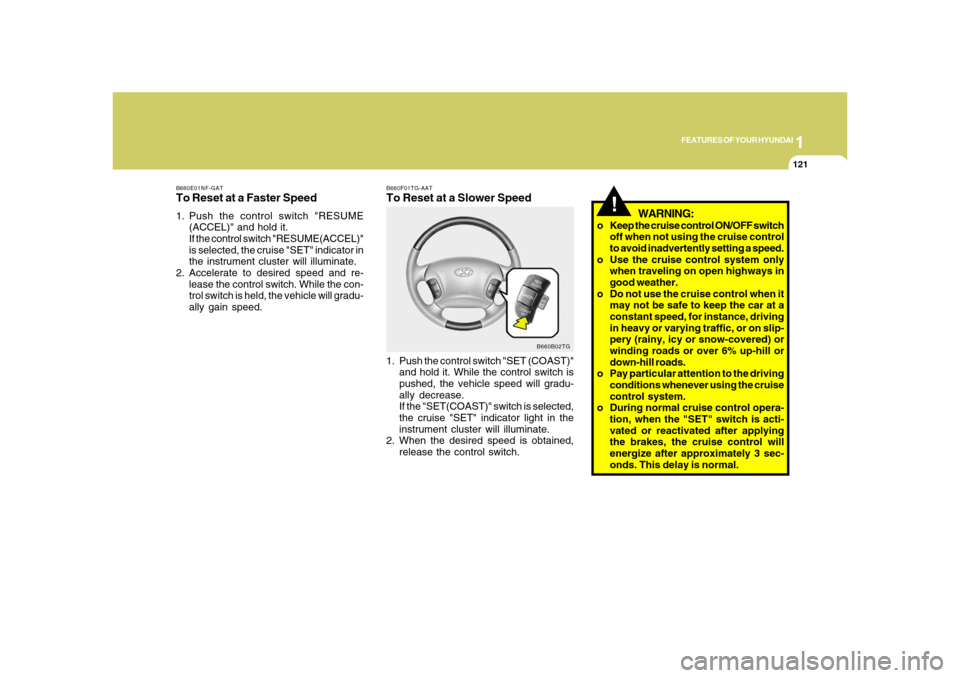
B660F01TG-AATTo Reset at a Slower Speed1. Push the control switch "SET (COAST)"
and hold it. While the control switch is
pushed, the vehicle speed will gradu-
ally decrease.
If the "SET(COAST)" switch is selected,
the cruise "SET" indicator light in the
instrument cluster will illuminate.
2. When the desired speed is obtained,
release the control switch.
B660B02TG B660E01NF-GAT
To Reset at a Faster Speed1. Push the control switch "RESUME
(ACCEL)" and hold it.
If the control switch "RESUME(ACCEL)"
is selected, the cruise "SET" indicator in
the instrument cluster will illuminate.
2. Accelerate to desired speed and re-
lease the control switch. While the con-
trol switch is held, the vehicle will gradu-
ally gain speed.
Page 140 of 345
1FEATURES OF YOUR HYUNDAI
126
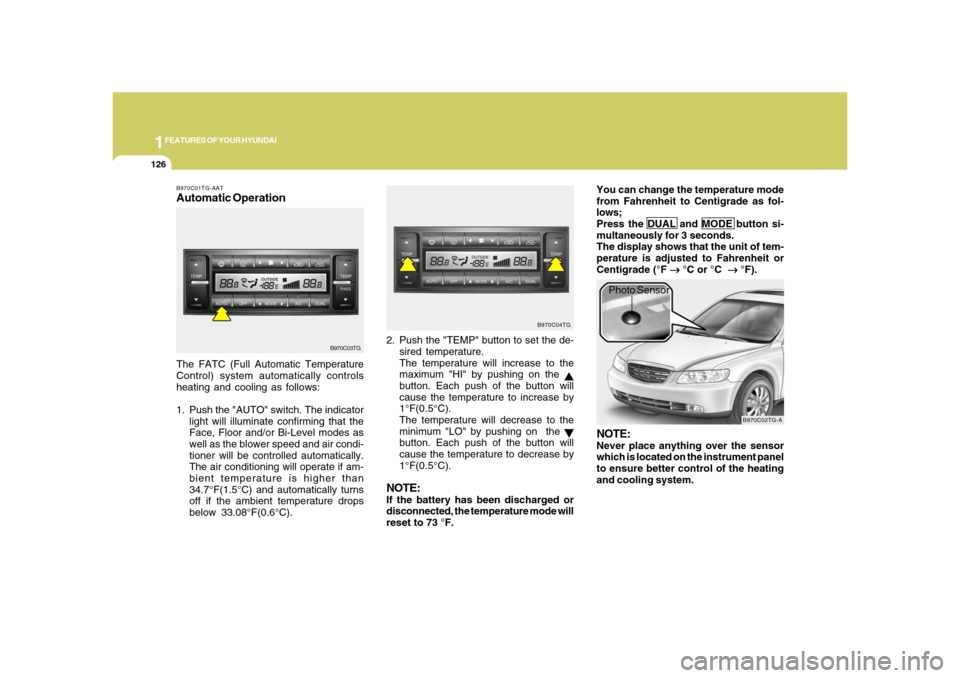
B970C01TG-AATAutomatic OperationThe FATC (Full Automatic Temperature
Control) system automatically controls
heating and cooling as follows:
1. Push the "AUTO" switch. The indicator
light will illuminate confirming that the
Face, Floor and/or Bi-Level modes as
well as the blower speed and air condi-
tioner will be controlled automatically.
The air conditioning will operate if am-
bient temperature is higher than
34.7°F(1.5°C) and automatically turns
off if the ambient temperature drops
below 33.08°F(0.6°C).2. Push the "TEMP" button to set the de-
sired temperature.
The temperature will increase to the
maximum "HI" by pushing on the
button. Each push of the button will
cause the temperature to increase by
1°F(0.5°C).
The temperature will decrease to the
minimum "LO" by pushing on the button. Each push of the button will
cause the temperature to decrease by
1°F(0.5°C).
NOTE:If the battery has been discharged or
disconnected, the temperature mode will
reset to 73 °F.You can change the temperature mode
from Fahrenheit to Centigrade as fol-
lows;
Press the DUAL and MODE button si-
multaneously for 3 seconds.
The display shows that the unit of tem-
perature is adjusted to Fahrenheit or
Centigrade (°F
→ →→ →
→ °C or °C
→ →→ →
→ °F).
B970C03TGB970C04TG
B970C02TG-A
Photo Sensor
NOTE:Never place anything over the sensor
which is located on the instrument panel
to ensure better control of the heating
and cooling system.
Page 142 of 345
1FEATURES OF YOUR HYUNDAI
128
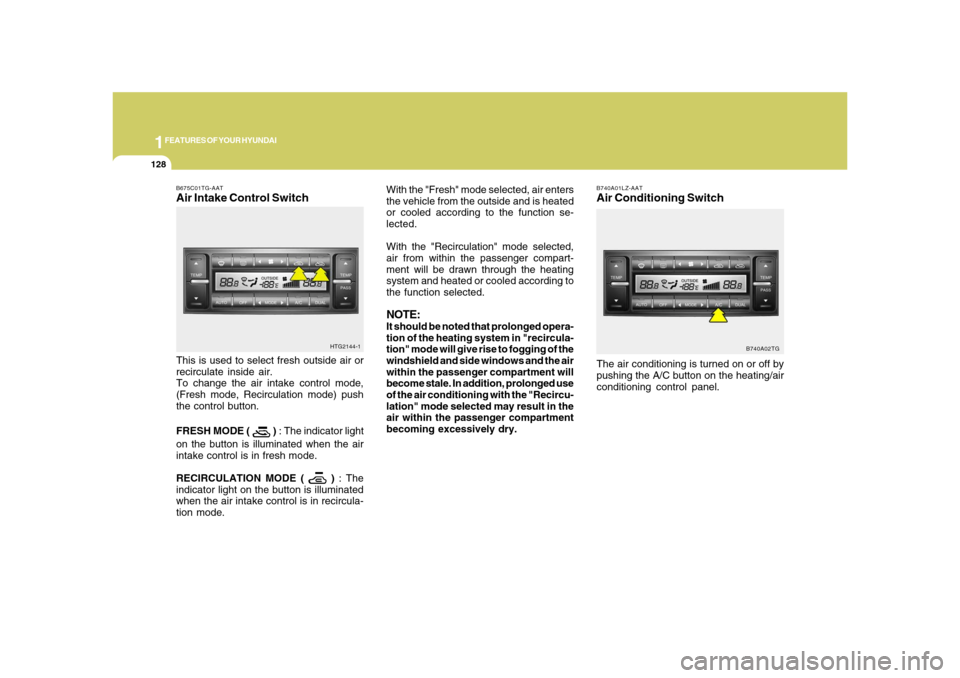
B740A01LZ-AATAir Conditioning SwitchThe air conditioning is turned on or off by
pushing the A/C button on the heating/air
conditioning control panel.
B740A02TG
With the "Fresh" mode selected, air enters
the vehicle from the outside and is heated
or cooled according to the function se-
lected.
With the "Recirculation" mode selected,
air from within the passenger compart-
ment will be drawn through the heating
system and heated or cooled according to
the function selected.NOTE:It should be noted that prolonged opera-
tion of the heating system in "recircula-
tion" mode will give rise to fogging of the
windshield and side windows and the air
within the passenger compartment will
become stale. In addition, prolonged use
of the air conditioning with the "Recircu-
lation" mode selected may result in the
air within the passenger compartment
becoming excessively dry.
B675C01TG-AATAir Intake Control SwitchThis is used to select fresh outside air or
recirculate inside air.
To change the air intake control mode,
(Fresh mode, Recirculation mode) push
the control button.
FRESH MODE (
) : The indicator light
on the button is illuminated when the air
intake control is in fresh mode.
RECIRCULATION MODE (
) : The
indicator light on the button is illuminated
when the air intake control is in recircula-
tion mode.HTG2144-1
Page 143 of 345
1
FEATURES OF YOUR HYUNDAI
129129
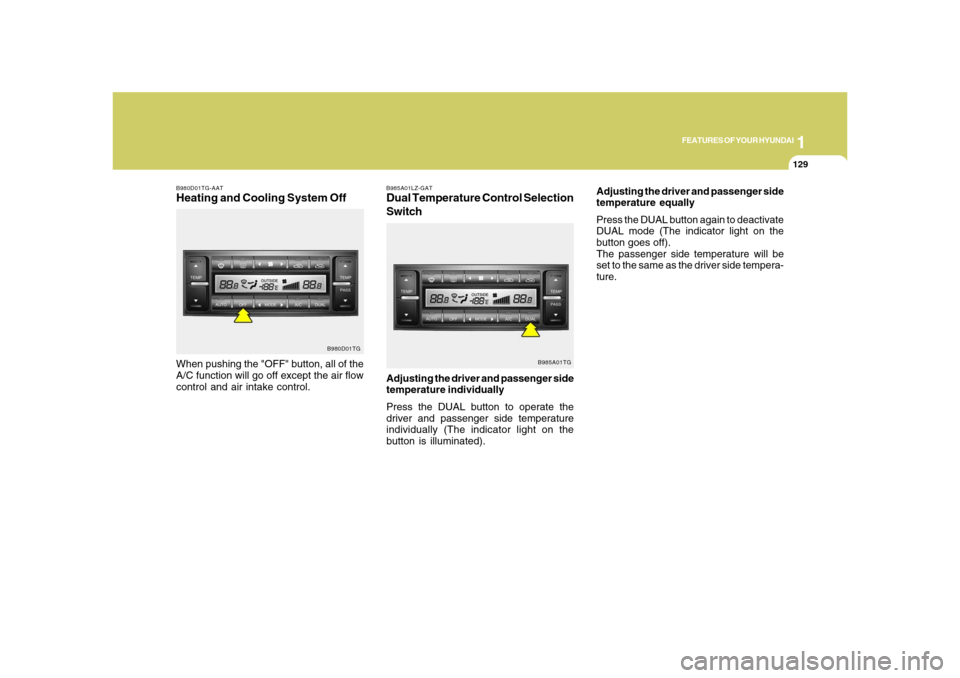
B980D01TG-AATHeating and Cooling System OffWhen pushing the "OFF" button, all of the
A/C function will go off except the air flow
control and air intake control.
B980D01TG
B985A01LZ-GATDual Temperature Control Selection
SwitchAdjusting the driver and passenger side
temperature individually
Press the DUAL button to operate the
driver and passenger side temperature
individually (The indicator light on the
button is illuminated).
B985A01TG
Adjusting the driver and passenger side
temperature equally
Press the DUAL button again to deactivate
DUAL mode (The indicator light on the
button goes off).
The passenger side temperature will be
set to the same as the driver side tempera-
ture.
Page 175 of 345
1
FEATURES OF YOUR HYUNDAI
161161
M465F02TG-AAT1. LOAD ButtonThis compact disc player will accommo-
date up to six compact discs.
To insert one disc into the player, do the
following:
1. Press and release the LOAD Button.
2. Green light on the slot will be illumi-
nated and the lowest number of empty
slot will blink on the display. After "WAIT"
is displayed on the LCD, the slot will
open with "INSERT" displayed on the
LCD.
3. Insert a disc partway into the slot, label
side up. The player will pull the disc in.
When the disc is inserted, the disc will
begin to play automatically.NOTE:o The disc can be only inserted while
the green light is blinking on the slot.
o This CD player is suitable only for 12
cm discs, do not use irregular shaped
CDs.
To insert multiple discs into the player, do
the followings:1. Press and hold the LOAD button for one
second or more. You will then hear a
beep sound and the green light on the
slot will be illuminated, and the num-
bers of empty disc will blink on the
display.
2. After "WAIT" is displayed on the LCD
with the lowest number of empty slot
blinking, the slot will open with "IN-
SERT" displayed on the LCD.
3. Insert a disc partway into the slot, label
side up. The player will pull the disc in.
Once the disc is loaded, the numbers of
the empty disc will blink on the display
continuously. If the next "DISC NO." is
displayed when the slot is illuminated,
you can then load another disc.
4. Load the remaining disc by following
the same procedures 1 and 2. When
you finished loading 6 discs, the CD
player will begin to play the last CD
loaded.
5. To load more than one disc but less than
six, complete Steps 1 and 2. When you
have finished loading discs, press LOAD
button to cancel the loading function or
wait for 10 seconds. The CD player will
begin to play the last CD loaded. As
each CD starts to play, the DISC num-
ber will appear on the display.
NOTE:The disc player takes up to six discs.
Do not try to load more than six.2. Audio/MP3 CD Select Buttono Press the CD Button to start CD play-
back, during radio operation or cas-
sette tape playing.
o When discs are in the CD deck, if you
press the CD button, the CD player will
begin playing even if the radio or cas-
sette player is being used.
o The CD player can be used when the
ignition switch is in either the "ON" or
"ACC" position.NOTE:o Do not stick paper or tape etc., on the
label side or the recording side of any
discs, as it may cause a malfunction.
o The unit cannot play a CDR (Record-
able CD) and CDRW (Rewritable CD)
that is not finalized. Please refer to the
manual of CDR/ CD-RW recorder or
CD-R/CDRW software for more infor-
mation on finalization process.
o Depending on the recording status,
some CD-Rs/CD-RWs may not be
played on this unit.
Page 183 of 345

1
FEATURES OF YOUR HYUNDAI
169169
M445SD02TG-AAT1. CD Selectoro The system will start playing the CD
when you press this button while radio
or XM is on. (If no CD is found, the LCD
will display "NO DISC" for 3 seconds.)
o If the ignition switch of the automobile is
set to ACC (1st notch) or ON (2nd notch),
the system will be turned on and auto-
matically play the CD from the last played
part when you press this button even if
the power of the audio system is off.
(However, only when the disc is placed
inside the system)NOTE:o Do not stick paper or tape etc., on the
label side or the recording side of any
discs, as it may cause a malfunction.
o The unit cannot play a CDR (Record-
able CD) and CDRW (Rewritable CD)
that is not finalized. Please refer to the
manual of CDR/ CD-RW recorder or
CD-R/CDRW software for more infor-
mation on finalization process.
o Depending on the recording status,
some CD-Rs/CD-RWs may not be
played on this unit.o Playback of MP3 and WMA file for-
mats are supported. Load to play time
for these formats may be longer due
to the compressed nature of these
discs.
2. Disc DeckThis is the place you insert or eject the CD.
When the ignition switch of the automobile
is set to ACC (1st notch) or ON (2nd notch),
if you push the disc in, the power will be
turned on and the CD will be played. The
CD player can play both 12cm and 8cm
audio discs. If you insert a video CD or
Data CD then the LCD will display "ER-
ROR7" and it will turn to the previous mode
(radio or XM).NOTE:Make sure the printed side of the disc
faces upward when you insert the disc.3. LCD (Liquid Crystal Display)It displays the state of the song currently
played as well as the information of the
disc including the track, number, CD, RPT,
RDM, SCAN, runtime, and EQ mode
(CLASSIC, POP, ROCK, JAZZ).
4. Disc Eject ButtonPress this button to eject the disc when the
disc is in the deck. If no CD is in the deck,
LCD will display "NO DISC" for 3 seconds.
(The disc will be ejected when you press
this button even when the ignition switch
(ACC) of the automobile is set to OFF or
when the power of the audio system is off.)NOTE:Forced Eject: When you press and hold
this button for more than 3 seconds, the
disc will be ejected by all means. (Use
this function only when the disc is not
ejected in the abnormal state.)5. CD IndicatorThis indicator light will be on if the CD is
inside the deck whether the audio system
is on or off if the ignition switch of the
automobile is set to ACC (1st notch) or ON
(2nd notch). This light will go off when the
CD is ejected.
Page 193 of 345
1
FEATURES OF YOUR HYUNDAI
179179
M455SD02TG-AAT1. CD Selectoro The system will start playing the CD
when you press this button while radio
or XM is on. (If no CD is found, the LCD
will display "NO DISC" for 3 seconds.)
o If the ignition switch of the automobile is
set to ACC (1st notch) or ON (2nd notch),
the system will be turned on and auto-
matically play the CD from the last played
part when you press this button even if
the power of the audio system is off.
(However, only when the disc is placed
inside the system)NOTE:o Do not stick paper or tape etc., on the
label side or the recording side of any
discs, as it may cause a malfunction.
o The unit cannot play a CDR (Record-
able CD) and CDRW (Rewritable CD)
that is not finalized. Please refer to the
manual of CDR/ CD-RW recorder or
CD-R/CDRW software for more infor-
mation on finalization process.
o Depending on the recording status,
some CD-Rs/CD-RWs may not be
played on this unit.o Playback of MP3 and WMA file for-
mats are supported. Load to play time
for these formats may be longer due
to the compressed nature of these
discs.
2. Disc DeckThis is the place you insert or eject the CD.
When the ignition switch of the automobile
is set to ACC (1st notch) or ON (2nd notch),
if you push the disc in, the power will be
turned on and the CD will be played. The
CD player can play both 12cm and 8cm
audio discs. If you insert a video CD or
Data CD then the LCD will display "ER-
ROR7" and it will turn to the previous mode
(radio or XM).NOTE:Make sure the printed side of the disc
faces upward when you insert the disc.3. LCD (Liquid Crystal Display)It displays the state of the song currently
played as well as the information of the
disc including the track, number, CD, RPT,
RDM, SCAN, runtime, and EQ mode
(CLASSIC, POP, ROCK, JAZZ).
4. Disc Eject ButtonPress this button to eject the disc when the
disc is in the deck. If no CD is in the deck,
LCD will display "NO DISC" for 3 seconds.
(The disc will be ejected when you press
this button even when the ignition switch
(ACC) of the automobile is set to OFF or
when the power of the audio system is off.)NOTE:Forced Eject: When you press and hold
this button for more than 3 seconds, the
disc will be ejected by all means. (Use
this function only when the disc is not
ejected in the abnormal state.)5. CD IndicatorThis indicator light will be on if the CD is
inside the deck whether the audio system
is on or off if the ignition switch of the
automobile is set to ACC (1st notch) or ON
(2nd notch). This light will go off when the
CD is ejected.
Page 205 of 345
 button while
playing an MP3 file to display the next
available folder name and [DIR
](Direc-
tory Down) b](/img/35/14485/w960_14485-204.png "Hyundai Azera 2008 Repair Manual 1
FEATURES OF YOUR HYUNDAI
191191
13. Directory Name Search ButtonPress [DIR
](Directory Up) button while
playing an MP3 file to display the next
available folder name and [DIR
](Direc-
tory Down) b")
1
FEATURES OF YOUR HYUNDAI
191191
13. Directory Name Search ButtonPress [DIR
](Directory Up) button while
playing an MP3 file to display the next
available folder name and [DIR
](Direc-
tory Down) button, the previous folder name.
Find the folder you searched for and press
7 to play the songs inside the folder from
the top of the list. (If you do not take any
action after searching for the folder for 5 or
more seconds, this search will be can-
celed.)
14. Mark / Memory ButtonYou can choose only the songs you want
to listen to and play them in respective
order. (Refer to the operation method.)
Press again to cancel.
15. Disc Load /All Load ButtonWhen you press [LOAD] button, one of the
empty slots of the CD changer will be
opened in the order of (1), (2), (3), (4), (5).
Insert the CD when the word "INSERT" on
LCD and the light of the deck flicker then
the deck will be closed you will be able to
play and listen to the corresponding CD.
Also, you can load all 6 CDs to all empty
slots of the changer when you press the
[LOAD] button for more than 0.8 seconds
in respective order. In this case the CD you
loaded last will be played. If you do not load
CD for 10 seconds after pressing the
[LOAD] button, or press the [LOAD] button
once again, the loading will be canceled.
In this case, the display for empty disc slots
will go off, and it will be displayed again
when the slot is loaded with a disc.NOTE:o Insert CD only when the word "IN-
SERT" on the LCD and the light of the
deck flicker. (Insert CDs one by one in
respective order.)
o In other cases, the CD will not be
inserted (CD DOOR will be closed),
and if you try to insert CD by force it
may cause damage to the audio sys-
tem.o The disc player takes up to six discs.
Do not try to load more than six.
NOTE:o To assure proper operation of the
unit, keep the vehicle interior tem-
perature within a normal range by
using the vehicle’s air conditioning or
heating system.
o When replacing the fuse, replace it
with a fuse having the correct capac-
ity.
o All stored bookmarks are all erased
when the car battery is disconnected
or power to the vehicle is lost. If this
occurs, the bookmarks will have to be
reset.
o Do not add any oil to the rotating parts.
Keep magnets, screwdrivers and
other metallic objects away from the
tape mechanism and head.
Page 210 of 345
1FEATURES OF YOUR HYUNDAI
196
CARE OF DISCS
B850A02L B850A02F-AAT
Proper HandlingStorage
When not in use, place your discs in their
individual case and store them in a cool
place away from the sun, heat, and dust.
Do not grip or pull out the disc with your
hand while the disc is being pulled into the
unit by the self loading mechanism.Keep Your Discs Clean
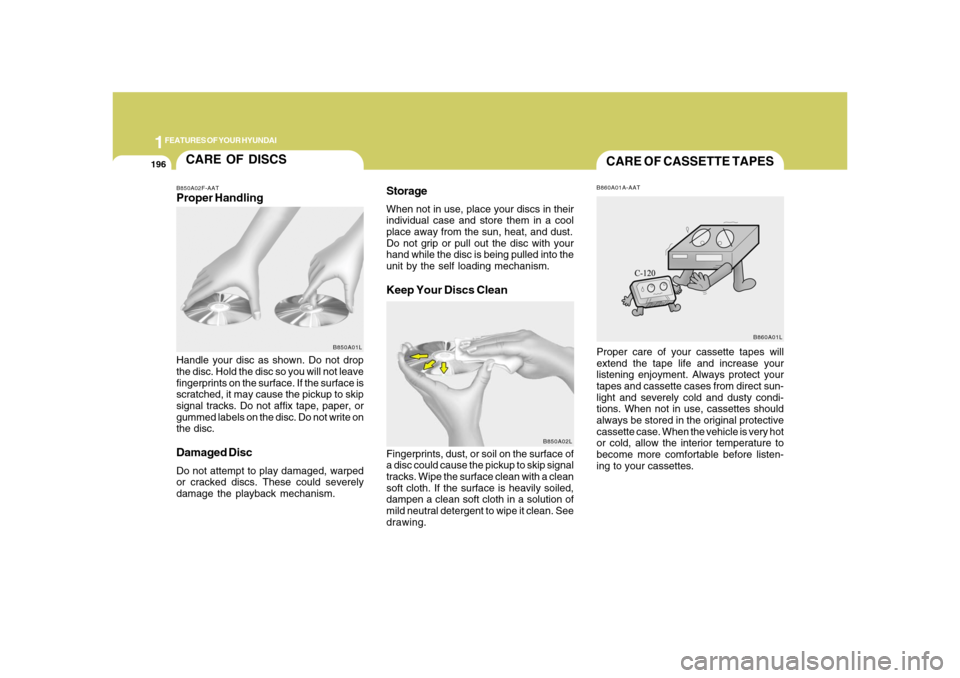
Handle your disc as shown. Do not drop
the disc. Hold the disc so you will not leave
fingerprints on the surface. If the surface is
scratched, it may cause the pickup to skip
signal tracks. Do not affix tape, paper, or
gummed labels on the disc. Do not write on
the disc.Damaged DiscDo not attempt to play damaged, warped
or cracked discs. These could severely
damage the playback mechanism.Fingerprints, dust, or soil on the surface of
a disc could cause the pickup to skip signal
tracks. Wipe the surface clean with a clean
soft cloth. If the surface is heavily soiled,
dampen a clean soft cloth in a solution of
mild neutral detergent to wipe it clean. See
drawing.
B850A01L
CARE OF CASSETTE TAPESB860A01A-AATProper care of your cassette tapes will
extend the tape life and increase your
listening enjoyment. Always protect your
tapes and cassette cases from direct sun-
light and severely cold and dusty condi-
tions. When not in use, cassettes should
always be stored in the original protective
cassette case. When the vehicle is very hot
or cold, allow the interior temperature to
become more comfortable before listen-
ing to your cassettes.
B860A01L
Page 216 of 345
2
DRIVING YOUR HYUNDAI
3
!
!
PROPOSITION 65 WARNING:
Engine exhaust and a wide variety of
automobile components and parts, in-
cluding components found in the interior
furnishings in a vehicle, contain or emit
chemicals known to the State of Califor-
nia to cause cancer and birth defects
and reproductive harm. In addition, cer-
tain fluids contained in vehicles and cer-
tain products of component wear con-
tain or emit chemicals known to the State
of California to cause cancer and birth
defects or other reproductive harm.
BEFORE STARTING
THE ENGINEC020A01TG-AATBefore you start the engine, you should
always:
1. Look around the vehicle to be sure
there are no flat tires, puddles of oil,
water or other indications of possible
trouble.
2. After entering the car, check to be sure
the parking brake is engaged.
3. Check that all windows and lights are
clean.
4. Check that the interior and exterior
mirrors are clean and in position.
5. Check your seat, seatback and head-
rest to be sure they are in their proper
positions.
6. Lock all the doors.
7. Fasten your seat belt and be sure that
all other occupants have fastened
theirs.
8. Turn off all lights and accessories that
are not needed.
9. When you turn the ignition switch to
"ON", check that all appropriate warn-
ing lights are operating and that you
have sufficient fuel.
10. Check the operation of warning lights
and all bulbs when key is in the "ON"
position.
WARNING:
o Always wear appropriate shoes when
operating your vehicle. Unsuitable
shoes (high heels, ski boots, etc.) may
interfere with your ability to use the
brake and accelerator pedal.
o All passengers must be properly
belted whenever the vehicle is mov-
ing. Refer to pages: 1-27 through 1-
34 for more information on their proper
use.
o Always check the surrounding areas
near your vehicle for people, espe-
cially children, before putting a car
into 'drive'.