radio Hyundai Azera 2008 Owner's Manual
[x] Cancel search | Manufacturer: HYUNDAI, Model Year: 2008, Model line: Azera, Model: Hyundai Azera 2008Pages: 345, PDF Size: 14.61 MB
Page 4 of 345
F2
A070A01A-AAT
CAUTION: MODIFICATIONS TO YOUR HYUNDAI
Your Hyundai should not be modified in any way. Such modifications may adversely affect the
performance, safety or durability of your Hyundai and may, in addition, violate conditions of the limited
warranties covering the vehicle. Certain modifications may also be in violation of regulations
established by the U.S. Department of Transportation and other federal or state agencies.A080A01S-AAT
TWO-WAY RADIO OR CELLULAR TELEPHONE INSTALLATION
Your vehicle is equipped with electronic fuel injection and other electronic components. It is possible
for an improperly installed/adjusted two-way radio or cellular telephone to adversely affect electronic
systems. For this reason, we recommend that you carefully follow the radio manufacturer's instruc-
tions or consult your Hyundai dealer for precautionary measures or special instructions if you choose
to install one of these devices.
!
Page 25 of 345
1
FEATURES OF YOUR HYUNDAI
11
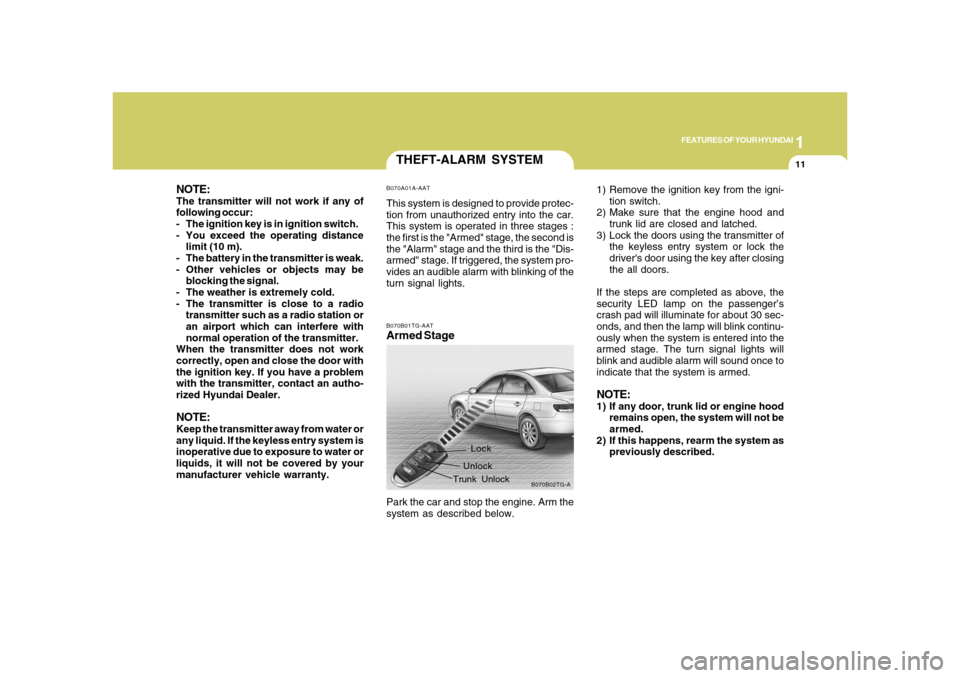
THEFT-ALARM SYSTEMB070A01A-AATThis system is designed to provide protec-
tion from unauthorized entry into the car.
This system is operated in three stages :
the first is the "Armed" stage, the second is
the "Alarm" stage and the third is the "Dis-
armed" stage. If triggered, the system pro-
vides an audible alarm with blinking of the
turn signal lights.B070B01TG-AATArmed Stage
B070B02TG-A
Lock
Unlock
Trunk Unlock
Park the car and stop the engine. Arm the
system as described below.1) Remove the ignition key from the igni-
tion switch.
2) Make sure that the engine hood and
trunk lid are closed and latched.
3) Lock the doors using the transmitter of
the keyless entry system or lock the
driver's door using the key after closing
the all doors.
If the steps are completed as above, the
security LED lamp on the passenger’s
crash pad will illuminate for about 30 sec-
onds, and then the lamp will blink continu-
ously when the system is entered into the
armed stage. The turn signal lights will
blink and audible alarm will sound once to
indicate that the system is armed.
NOTE:1) If any door, trunk lid or engine hood
remains open, the system will not be
armed.
2) If this happens, rearm the system as
previously described.
NOTE:The transmitter will not work if any of
following occur:
- The ignition key is in ignition switch.
- You exceed the operating distance
limit (10 m).
- The battery in the transmitter is weak.
- Other vehicles or objects may be
blocking the signal.
- The weather is extremely cold.
- The transmitter is close to a radio
transmitter such as a radio station or
an airport which can interfere with
normal operation of the transmitter.
When the transmitter does not work
correctly, open and close the door with
the ignition key. If you have a problem
with the transmitter, contact an autho-
rized Hyundai Dealer.NOTE:Keep the transmitter away from water or
any liquid. If the keyless entry system is
inoperative due to exposure to water or
liquids, it will not be covered by your
manufacturer vehicle warranty.
Page 119 of 345
1
FEATURES OF YOUR HYUNDAI
105
!
Integrated HomeLink
® Wireless Con-
trol System
The HomeLink
® Wireless Control System
provides a convenient way to replace up to
three hand-held radio-frequency (RF)
transmitters with a single built-in device.
This innovative feature will learn the radio
frequency codes of most current transmit-
ters to operate devices such as gate op-
erators, garage door openers, entry door
locks, security systems, even home light-
ing. Both standard and rolling code-
equipped transmitters can be programmed
by following the outlined procedures. Ad-
ditional HomeLink
® information can be
found at: www.homelink.com or by calling
1-800-355-3515.
CAUTION:
Before programming HomeLink
® to a
garage door opener or gate operator,
make sure that people and objects are
out of the way of the device to prevent
potential harm or damage. Do not use
HomeLink
® with any garage door opener
that lacks the safety stop and reverse
features as required by U.S. federal
safety standards (this includes any ga-
rage door opener model manufactured
before April 1, 1982). A garage door that
cannot detect an object - signaling the
door to stop and reverse - does not meet
current U.S. federal safety standards.
Using a garage door opener without these
features increases the risk of serious
injury or death.Programming HomeLink
®
NOTE:o When programming a garage door
opener, it is advised to park the ve-
hicle outside of the garage.
o It is recommended that a new battery
be placed in the hand-held transmit-
ter of the device being programmed
to HomeLink
® for quicker training and
accurate transmission of the radio-
frequency signal.
o Some vehicles may require the igni-
tion switch to be turned to the second
(or "accessories") position for pro-
gramming and/or operation of
HomeLink.
o In the event that there are still pro-
gramming difficulties or questions
after following the programming steps
listed below, contact HomeLink
® at:
www.homelink.com or 1-800-355-
3515. Retain the original transmitter of the RF
device you are programming for use in
other vehicles as well as for future
HomeLink
® programming. It is also sug-
gested that upon the sale of the vehicle, the
programmed HomeLink
® buttons be
erased for security purposes.
1. Press and hold the button for more
than 6 seconds. When the compass
memory is cleared a "C" will appear in
the display.
2. To calibrate the compass, drive the
vehicle in 2 complete circles at less than
5 MPH (8 Km/h).
Page 136 of 345
1FEATURES OF YOUR HYUNDAI
122
AUDIO REMOTE CONTROL
SWITCHB610A02TG-AAT(If Installed)
NOTE:Do not operate audio remote control
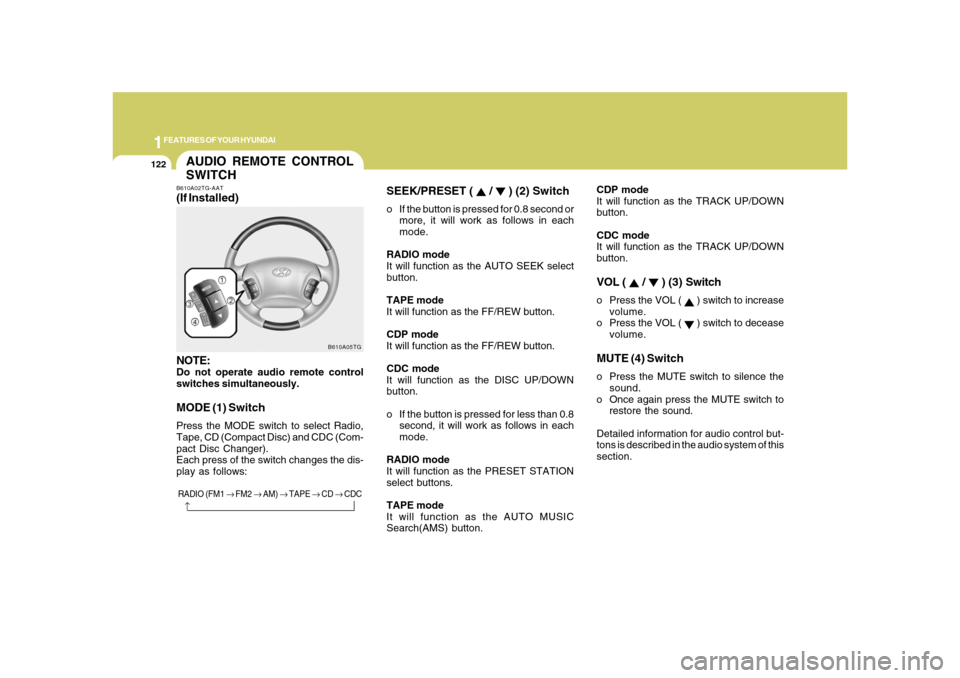
switches simultaneously.MODE (1) SwitchPress the MODE switch to select Radio,
Tape, CD (Compact Disc) and CDC (Com-
pact Disc Changer).
Each press of the switch changes the dis-
play as follows:
B610A05TG
RADIO (FM1 → FM2 → AM) → TAPE → CD → CDC
→
SEEK/PRESET (
/
) (2) Switch
o If the button is pressed for 0.8 second or
more, it will work as follows in each
mode.
RADIO mode
It will function as the AUTO SEEK select
button.
TAPE mode
It will function as the FF/REW button.
CDP mode
It will function as the FF/REW button.
CDC mode
It will function as the DISC UP/DOWN
button.
o If the button is pressed for less than 0.8
second, it will work as follows in each
mode.
RADIO mode
It will function as the PRESET STATION
select buttons.
TAPE mode
It will function as the AUTO MUSIC
Search(AMS) button.CDP mode
It will function as the TRACK UP/DOWN
button.
CDC mode
It will function as the TRACK UP/DOWN
button.
VOL (
/
) (3) Switch
o Press the VOL (
) switch to increase
volume.
o Press the VOL ( ) switch to decease
volume.
MUTE (4) Switcho Press the MUTE switch to silence the
sound.
o Once again press the MUTE switch to
restore the sound.
Detailed information for audio control but-
tons is described in the audio system of this
section.
Page 149 of 345
1
FEATURES OF YOUR HYUNDAI
135135
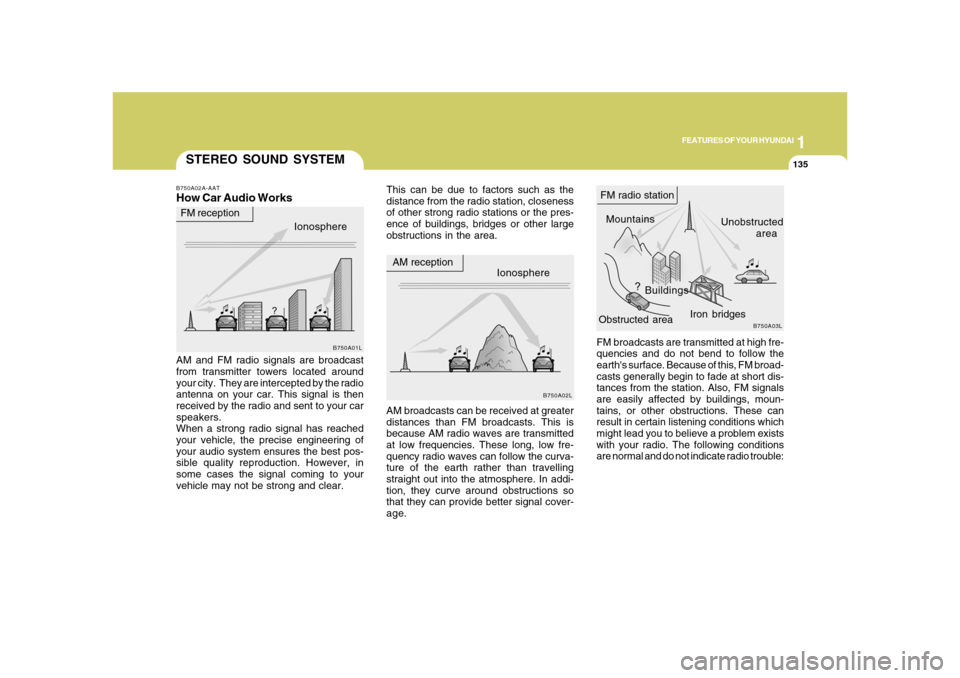
FM broadcasts are transmitted at high fre-
quencies and do not bend to follow the
earth's surface. Because of this, FM broad-
casts generally begin to fade at short dis-
tances from the station. Also, FM signals
are easily affected by buildings, moun-
tains, or other obstructions. These can
result in certain listening conditions which
might lead you to believe a problem exists
with your radio. The following conditions
are normal and do not indicate radio trouble:
STEREO SOUND SYSTEMB750A02A-AATHow Car Audio Works
This can be due to factors such as the
distance from the radio station, closeness
of other strong radio stations or the pres-
ence of buildings, bridges or other large
obstructions in the area.
AM and FM radio signals are broadcast
from transmitter towers located around
your city. They are intercepted by the radio
antenna on your car. This signal is then
received by the radio and sent to your car
speakers.
When a strong radio signal has reached
your vehicle, the precise engineering of
your audio system ensures the best pos-
sible quality reproduction. However, in
some cases the signal coming to your
vehicle may not be strong and clear.AM broadcasts can be received at greater
distances than FM broadcasts. This is
because AM radio waves are transmitted
at low frequencies. These long, low fre-
quency radio waves can follow the curva-
ture of the earth rather than travelling
straight out into the atmosphere. In addi-
tion, they curve around obstructions so
that they can provide better signal cover-
age.Ionosphere
B750A02L
AM reception
Mountains
BuildingsUnobstructed
area FM radio station
B750A03L
Ionosphere FM reception
B750A01L
Obstructed areaIron bridges
Page 150 of 345
1FEATURES OF YOUR HYUNDAI
136
!
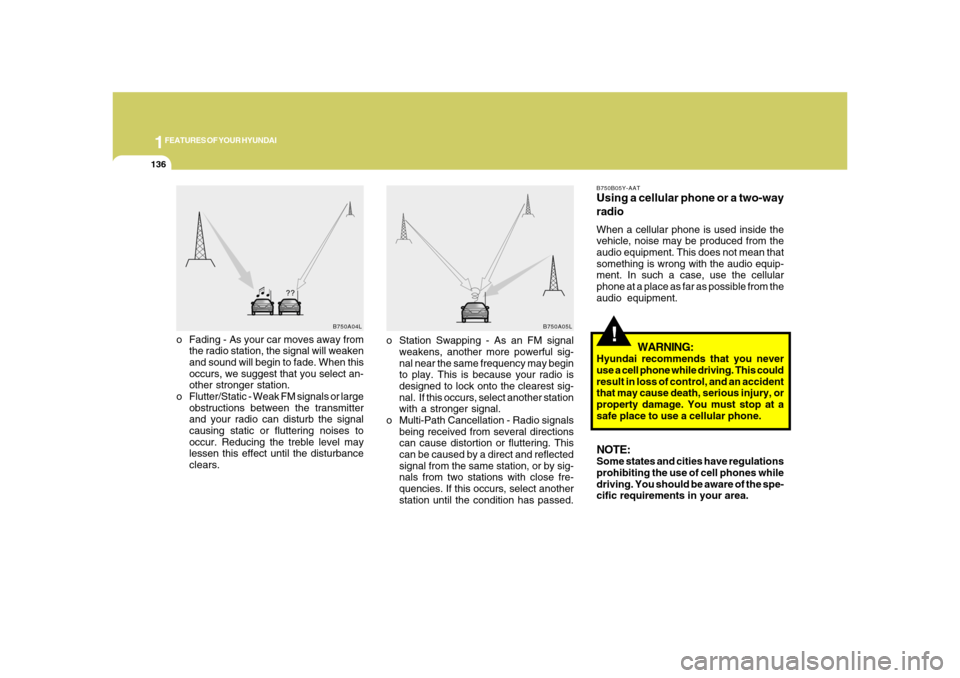
o Fading - As your car moves away from
the radio station, the signal will weaken
and sound will begin to fade. When this
occurs, we suggest that you select an-
other stronger station.
o Flutter/Static - Weak FM signals or large
obstructions between the transmitter
and your radio can disturb the signal
causing static or fluttering noises to
occur. Reducing the treble level may
lessen this effect until the disturbance
clears.
B750B05Y-AATUsing a cellular phone or a two-way
radioWhen a cellular phone is used inside the
vehicle, noise may be produced from the
audio equipment. This does not mean that
something is wrong with the audio equip-
ment. In such a case, use the cellular
phone at a place as far as possible from the
audio equipment.
WARNING:
Hyundai recommends that you never
use a cell phone while driving. This could
result in loss of control, and an accident
that may cause death, serious injury, or
property damage. You must stop at a
safe place to use a cellular phone.NOTE:Some states and cities have regulations
prohibiting the use of cell phones while
driving. You should be aware of the spe-
cific requirements in your area.
B750A04L
B750A05L
o Station Swapping - As an FM signal
weakens, another more powerful sig-
nal near the same frequency may begin
to play. This is because your radio is
designed to lock onto the clearest sig-
nal. If this occurs, select another station
with a stronger signal.
o Multi-Path Cancellation - Radio signals
being received from several directions
can cause distortion or fluttering. This
can be caused by a direct and reflected
signal from the same station, or by sig-
nals from two stations with close fre-
quencies. If this occurs, select another
station until the condition has passed.
Page 151 of 345
1
FEATURES OF YOUR HYUNDAI
137137
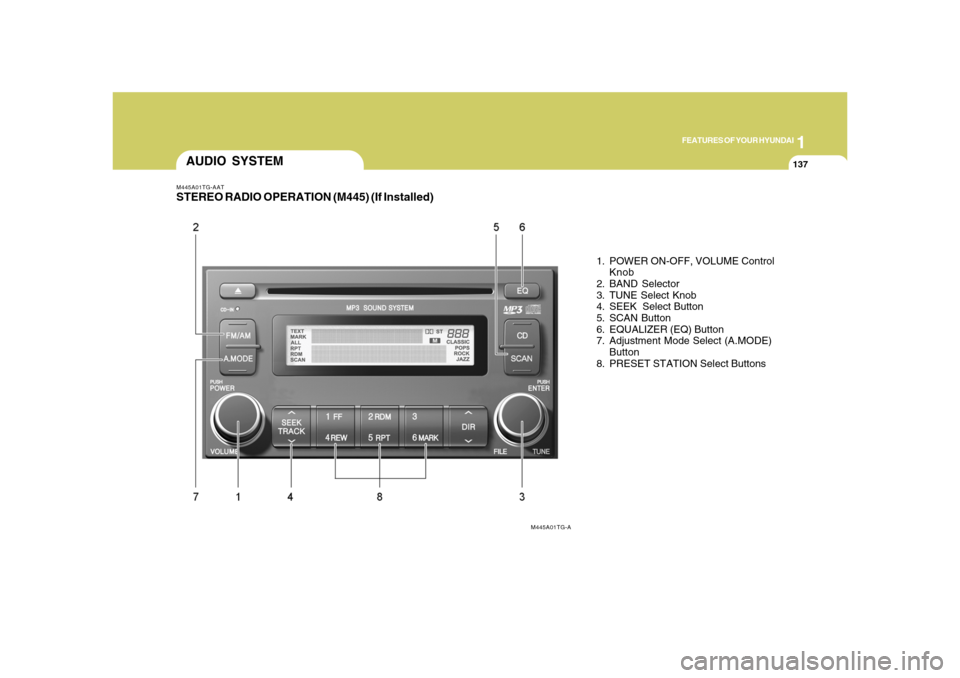
M445A01TG-AATSTEREO RADIO OPERATION (M445) (If Installed)
1. POWER ON-OFF, VOLUME Control
Knob
2. BAND Selector
3. TUNE Select Knob
4. SEEK Select Button
5. SCAN Button
6. EQUALIZER (EQ) Button
7. Adjustment Mode Select (A.MODE)
Button
8. PRESET STATION Select Buttons
AUDIO SYSTEM
M445A01TG-A
Page 152 of 345
1FEATURES OF YOUR HYUNDAI
138
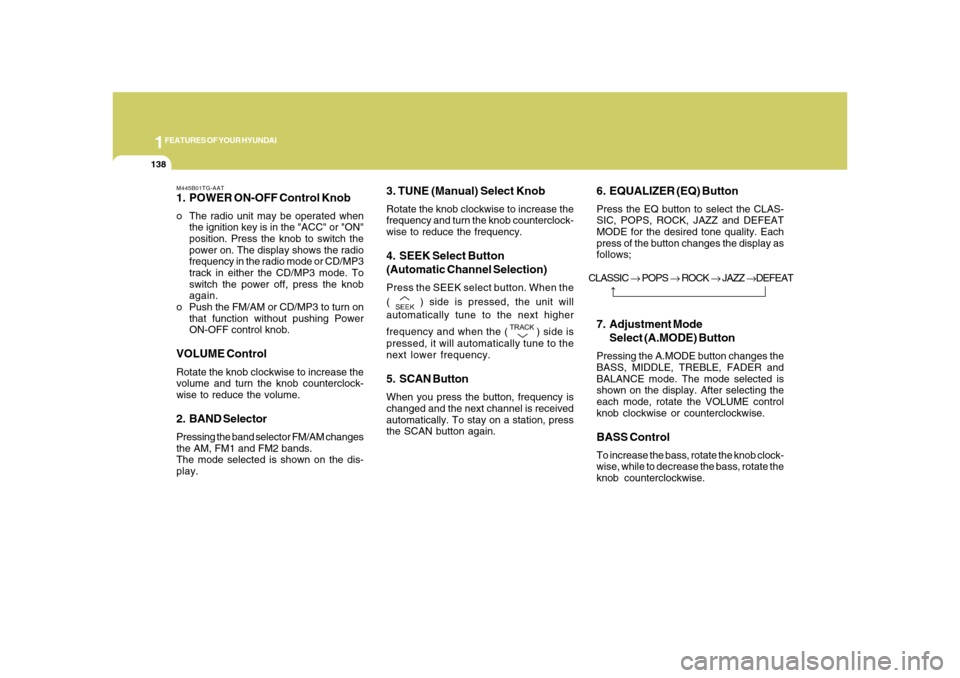
M445B01TG-AAT1. POWER ON-OFF Control Knobo The radio unit may be operated when
the ignition key is in the "ACC" or "ON"
position. Press the knob to switch the
power on. The display shows the radio
frequency in the radio mode or CD/MP3
track in either the CD/MP3 mode. To
switch the power off, press the knob
again.
o Push the FM/AM or CD/MP3 to turn on
that function without pushing Power
ON-OFF control knob.VOLUME ControlRotate the knob clockwise to increase the
volume and turn the knob counterclock-
wise to reduce the volume.2. BAND SelectorPressing the band selector FM/AM changes
the AM, FM1 and FM2 bands.
The mode selected is shown on the dis-
play.
3. TUNE (Manual) Select KnobRotate the knob clockwise to increase the
frequency and turn the knob counterclock-
wise to reduce the frequency.4. SEEK Select Button
(Automatic Channel Selection)Press the SEEK select button. When the
(
) side is pressed, the unit will
automatically tune to the next higher
frequency and when the (
) side is
pressed, it will automatically tune to the
next lower frequency.
5. SCAN ButtonWhen you press the button, frequency is
changed and the next channel is received
automatically. To stay on a station, press
the SCAN button again.
6. EQUALIZER (EQ) ButtonPress the EQ button to select the CLAS-
SIC, POPS, ROCK, JAZZ and DEFEAT
MODE for the desired tone quality. Each
press of the button changes the display as
follows;7. Adjustment Mode
Select (A.MODE) ButtonPressing the A.MODE button changes the
BASS, MIDDLE, TREBLE, FADER and
BALANCE mode. The mode selected is
shown on the display. After selecting the
each mode, rotate the VOLUME control
knob clockwise or counterclockwise.BASS ControlTo increase the bass, rotate the knob clock-
wise, while to decrease the bass, rotate the
knob counterclockwise. CLASSIC → POPS → ROCK → JAZZ →DEFEAT
Page 153 of 345
1
FEATURES OF YOUR HYUNDAI
139139
MIDDLE ControlTo increase the MIDDLE, rotate the knob
clockwise, while to decrease the MIDDLE,
rotate the knob counterclockwise.TREBLE ControlTo increase the TREBLE, rotate the knob
clockwise, while to decrease the TREBLE,
rotate the knob counterclockwise.FADER ControlTurn the control knob clockwise to empha-
size rear speaker sound (front speaker
sound will be attenuated).
When the control knob is turned counter-
clockwise, front speaker sound will be
emphasized (rear speaker sound will be
attenuated).BALANCE ControlRotate the knob clockwise to emphasize
right speaker sound (Left speaker sound
will be attenuated).
When the control knob is turned counter-
clockwise, left speaker sound will be em-
phasized (Right speaker sound will be
attenuated).
CAUTION:
o Do not place beverages close to the
audio system. The playback mecha-
nism may be damaged if you spill
them.
o Do not impact on the audio system, or
the playback mechanism could be
damaged.
!
8. PRESET STATION Select ButtonsSix (6) stations for AM, FM1 and FM2
respectively can be preset in the electronic
memory circuit.HOW TO PRESET STATIONSSix AM and twelve FM stations may be
programmed into the memory of the radio.
Then, by simply pressing the band select
button and/or one of the six station select
buttons, you may recall any of these sta-
tions instantly.
To program the stations, follow these steps:
o Press band selector to set the band for
AM, FM1 and FM2.
o Select the desired station to be stored
by seek or manual tuning.
o Determine the preset station select
button you wish to use to access that
station.
o Press the station select button for more
than two seconds. Beep sound will be
heard while depressing the button. You
should then release the button, and
proceed to program the next desired
station. A total of 18 stations can be
programmed by selecting one AM and
two FM station per button.o When completed, any preset station
may be recalled by selecting AM, FM1
or FM2 band and the appropriate sta-
tion button.
Page 155 of 345
1
FEATURES OF YOUR HYUNDAI
141141
M445D03TG-AAT1. AUDIO/MP3 CD Select Buttono Insert the CD with the label facing up-
ward.
o Insert the CD to start CD playback, dur-
ing radio operation.
o When a disc is in the CD deck, if you
press the CD button, the CD player will
begin playing even if the radio is being
used.
o The CD player can be used when the
ignition switch is in either the "ON" or
"ACC" position.
o Push the CD button to turn on that func-
tion without pushing Power ON-OFF
control knob.NOTE:o Do not stick paper or tape etc., on the
label side or the recording side of any
discs, as it may cause a malfunction.
o The unit cannot play a CDR (Record-
able CD) and CDRW (Rewritable CD)
that is not finalized. Please refer to the
manual of CDR/ CD-RW recorder or
CD-R/CDRW software for more infor-
mation on finalization process.
o Depending on the recording status,
some CD-Rs/CD-RWs may not be
played on this unit.o Playback of MP3 and WMA file for-
mats are supported. Load to play time
for these formats may be longer due
to the compressed nature of these
discs.
2. TRACK UP/DOWNo The desired track on the disc currently
being played can be selected using the
track number.
o Press (
) button once to skip forward
to the beginning of the next track. Press
(
) button once to skip back to the
beginning of the track.
3. FF/REW ButtonIf you want to fast forward or reverse through
the compact disc track, push and hold the
FF or REW button. When you release the
button, the compact disc player will re-
sume playing.4. REPEAT (RPT) Buttono To repeat the track you are currently
listening to, press the RPT button. To
cancel, press it again.o To repeat the music within currently
played folder, press the RPT button for
more than one second. Then it will be
repeated in sequential order within the
currently played folder. To cancel, press
it again. (MP3 CD only)
o If you do not release RPT operation
when the track ends, it will automati-
cally be replayed. This process will be
continued until you push the button
again.
5. RANDOM (RDM) Buttono For listen to the music in random order,
press the RDM Button with beep sound
for more than one second. To cancel,
press it again.
o For listen to the music within the cur-
rently played folder in random order,
press the RDM Button within one sec-
ond. To cancel, press it again within one
second. (If it pressed for more than one
second, it will be played all in random
order.) (MP3 CD only)6. BOOKMARK (MARK) ButtonWhen the CD player unit is operating, the
desired track on the disc can be
bookmarked by using the MARK button.