light Hyundai Azera 2010 Service Manual
[x] Cancel search | Manufacturer: HYUNDAI, Model Year: 2010, Model line: Azera, Model: Hyundai Azera 2010Pages: 334, PDF Size: 12.24 MB
Page 96 of 334
1
FEATURES OF YOUR HYUNDAI
83
B350A01TG-AAT
WINDSHIELD WIPER AND WASHER SWITCH
B355A02TG-A
Type A
B355A03TG-A
Type B
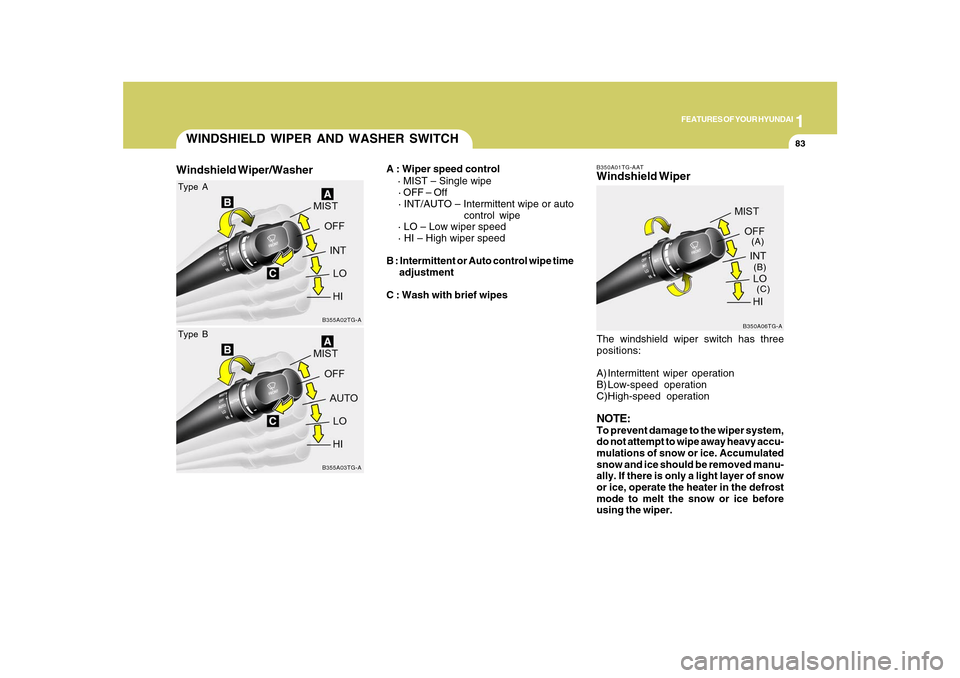
A : Wiper speed control
· MIST – Single wipe
· OFF – Off
· INT/AUTO – Intermittent wipe or auto
control wipe
· LO – Low wiper speed
· HI – High wiper speed
B : Intermittent or Auto control wipe time
adjustment
C : Wash with brief wipes
Windshield Wiper/Washer
The windshield wiper switch has three
positions:
A) Intermittent wiper operation
B) Low-speed operation
C)High-speed operationNOTE:To prevent damage to the wiper system,
do not attempt to wipe away heavy accu-
mulations of snow or ice. Accumulated
snow and ice should be removed manu-
ally. If there is only a light layer of snow
or ice, operate the heater in the defrost
mode to melt the snow or ice before
using the wiper.
B350A06TG-A(A)
(B)
(C)
Windshield Wiper
Page 99 of 334
1FEATURES OF YOUR HYUNDAI86
FRONT/REAR WINDOW
DEFROSTER SWITCH
B380A02TG-A B380A02HP-AAT
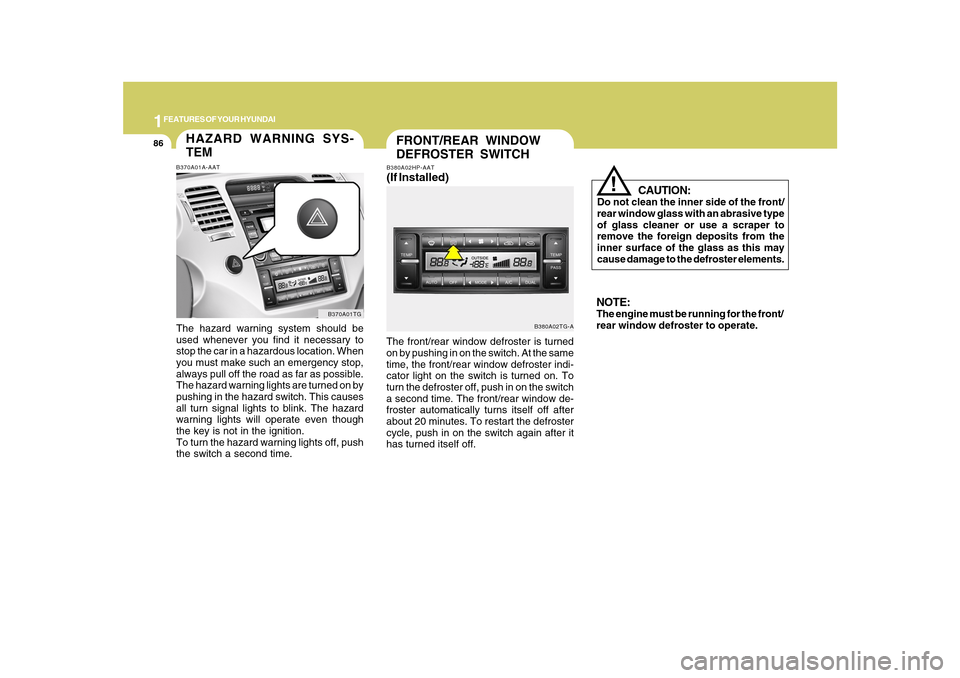
(If Installed)The front/rear window defroster is turned
on by pushing in on the switch. At the same
time, the front/rear window defroster indi-
cator light on the switch is turned on. To
turn the defroster off, push in on the switch
a second time. The front/rear window de-
froster automatically turns itself off after
about 20 minutes. To restart the defroster
cycle, push in on the switch again after it
has turned itself off.
CAUTION:
Do not clean the inner side of the front/
rear window glass with an abrasive type
of glass cleaner or use a scraper to
remove the foreign deposits from the
inner surface of the glass as this may
cause damage to the defroster elements.
!
NOTE:The engine must be running for the front/
rear window defroster to operate.
HAZARD WARNING SYS-
TEMB370A01A-AATThe hazard warning system should be
used whenever you find it necessary to
stop the car in a hazardous location. When
you must make such an emergency stop,
always pull off the road as far as possible.
The hazard warning lights are turned on by
pushing in the hazard switch. This causes
all turn signal lights to blink. The hazard
warning lights will operate even though
the key is not in the ignition.
To turn the hazard warning lights off, push
the switch a second time.
B370A01TG
Page 100 of 334
1
FEATURES OF YOUR HYUNDAI
87
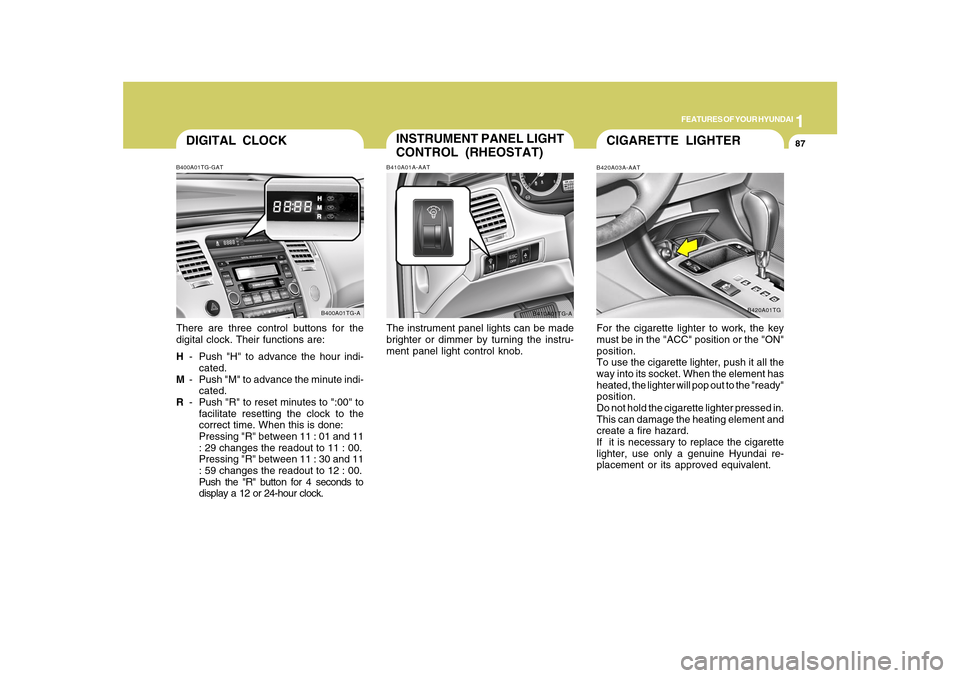
DIGITAL CLOCKB400A01TG-GATThere are three control buttons for the
digital clock. Their functions are:
H- Push "H" to advance the hour indi-
cated.
M- Push "M" to advance the minute indi-
cated.
R- Push "R" to reset minutes to ":00" to
facilitate resetting the clock to the
correct time. When this is done:
Pressing "R" between 11 : 01 and 11
: 29 changes the readout to 11 : 00.
Pressing "R" between 11 : 30 and 11
: 59 changes the readout to 12 : 00.
Push the "R" button for 4 seconds to
display a 12 or 24-hour clock.
B400A01TG-A
INSTRUMENT PANEL LIGHT
CONTROL (RHEOSTAT)B410A01A-AATThe instrument panel lights can be made
brighter or dimmer by turning the instru-
ment panel light control knob.
B410A01TG-A
CIGARETTE LIGHTERB420A03A-AATFor the cigarette lighter to work, the key
must be in the "ACC" position or the "ON"
position.
To use the cigarette lighter, push it all the
way into its socket. When the element has
heated, the lighter will pop out to the "ready"
position.
Do not hold the cigarette lighter pressed in.
This can damage the heating element and
create a fire hazard.
If it is necessary to replace the cigarette
lighter, use only a genuine Hyundai re-
placement or its approved equivalent.
B420A01TG
Page 103 of 334
1FEATURES OF YOUR HYUNDAI90
!
WARNING:
o Use caution when using the drink hold-
ers. A spilled beverage that is very
hot can injure you or your passen-
gers. Spilled liquids can damage inte-
rior trim and electrical components.
o Do not place objects other than cups
or cans in the drink holder. These
objects can be thrown out in the event
of a sudden stop or an accident, pos-
sibly injuring the passengers in the
vehicle.
SEATBACK POCKETB540B01E-AAT
HTG2042The seatback pockets for holding papers
are located on the backside of the front
seats.
!SUNROOFB460A02Y-AAT(If Installed)
Sun Shade
B460A01TG
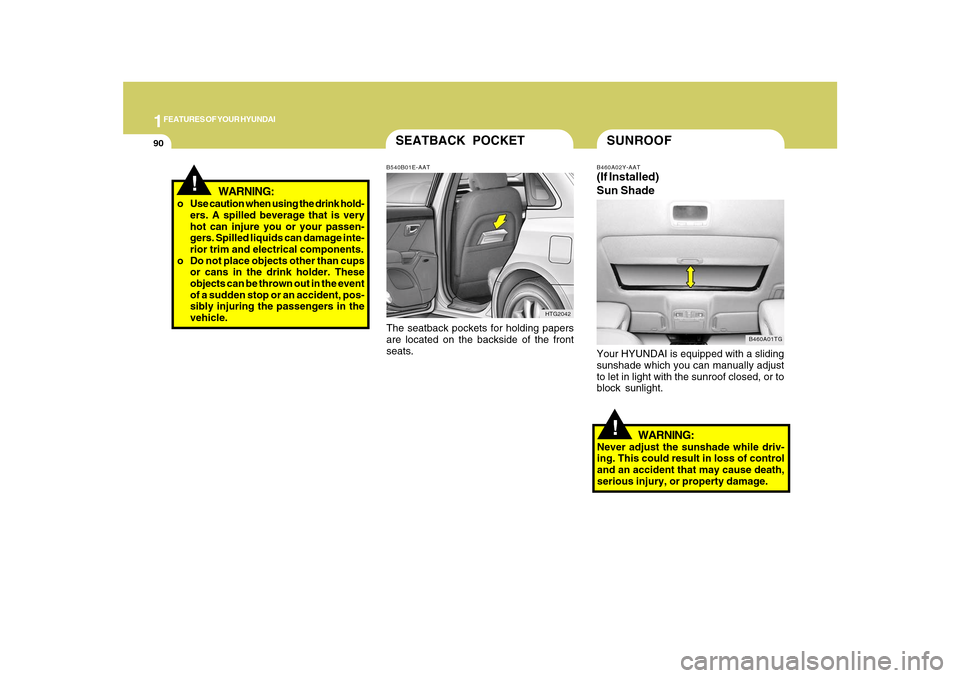
Your HYUNDAI is equipped with a sliding
sunshade which you can manually adjust
to let in light with the sunroof closed, or to
block sunlight.
WARNING:
Never adjust the sunshade while driv-
ing. This could result in loss of control
and an accident that may cause death,
serious injury, or property damage.
Page 106 of 334
1
FEATURES OF YOUR HYUNDAI
93
!
CAUTION:
o Do not open the sunroof in severely
cold temperatures or when it is cov-
ered with ice or snow.
o Periodically remove any dirt that may
have accumulated on the guide rails.
o Do not press any sunroof control but-
ton longer than necessary. Damage
to the motor or system components
could occur.
!
B460E03TG-AATResetting the sunroofWhenever the vehicle battery is discon-
nected or discharged, or related fuse is
blown, you must reset your sunroof system
as follows:
1. Turn the ignition switch to the ON posi-
tion and close the sunroof completely.
2. Release the control button.
3. Press and hold the CLOSE button until
the sunroof tilts and slightly moves up
and down. Then, release the button.
4. Press and hold the CLOSE button until
the sunroof is operated as follows;
TILT DOWN → SLIDE OPEN → SLIDE
CLOSE
Then, release the control button.
When this is complete, the sunroof system
is reset.
CAUTION:
If the sunroof is not reset when the ve-
hicle battery is disconnected or dis-
charged, or related fuse is blown, the
sunroof may operate improperly.
Page 107 of 334
1FEATURES OF YOUR HYUNDAI94
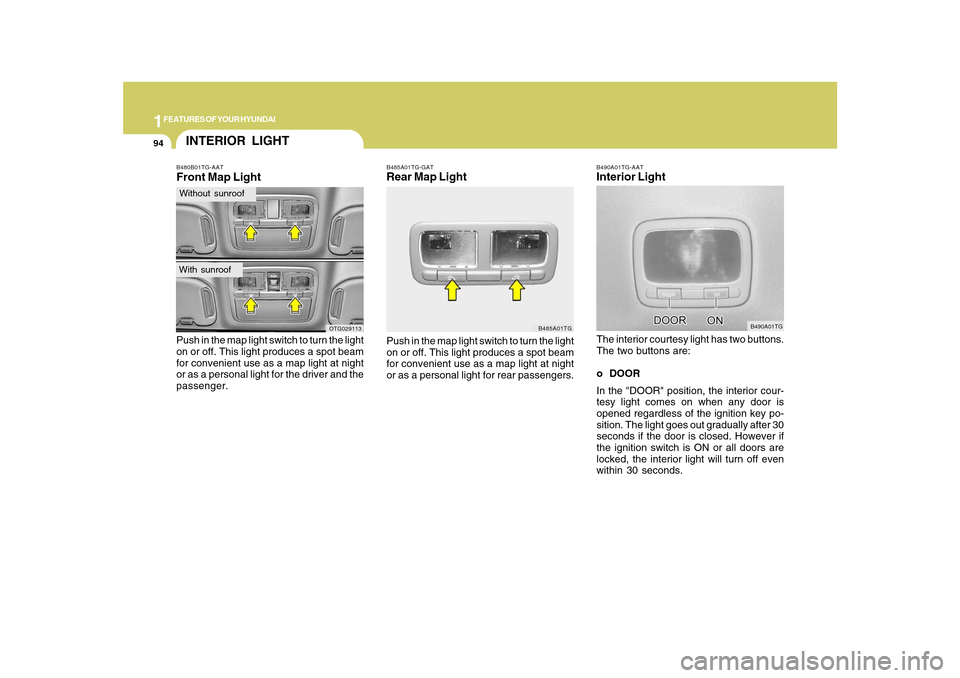
B490A01TG-AATInterior LightThe interior courtesy light has two buttons.
The two buttons are:
o DOOR
In the "DOOR" position, the interior cour-
tesy light comes on when any door is
opened regardless of the ignition key po-
sition. The light goes out gradually after 30
seconds if the door is closed. However if
the ignition switch is ON or all doors are
locked, the interior light will turn off even
within 30 seconds.
B490A01TG
B485A01TG-GATRear Map LightPush in the map light switch to turn the light
on or off. This light produces a spot beam
for convenient use as a map light at night
or as a personal light for rear passengers.
B485A01TG
B480B01TG-AATFront Map LightPush in the map light switch to turn the light
on or off. This light produces a spot beam
for convenient use as a map light at night
or as a personal light for the driver and the
passenger.
OTG029113
INTERIOR LIGHTWithout sunroofWith sunroof
Page 108 of 334
1
FEATURES OF YOUR HYUNDAI
95
CAUTION:
Do not leave this button pressed for an
extended period of time when the ve-
hicle is not running.
!
oON
In the "ON" position, the light stays on at all
times.
SUNGLASS HOLDER
!
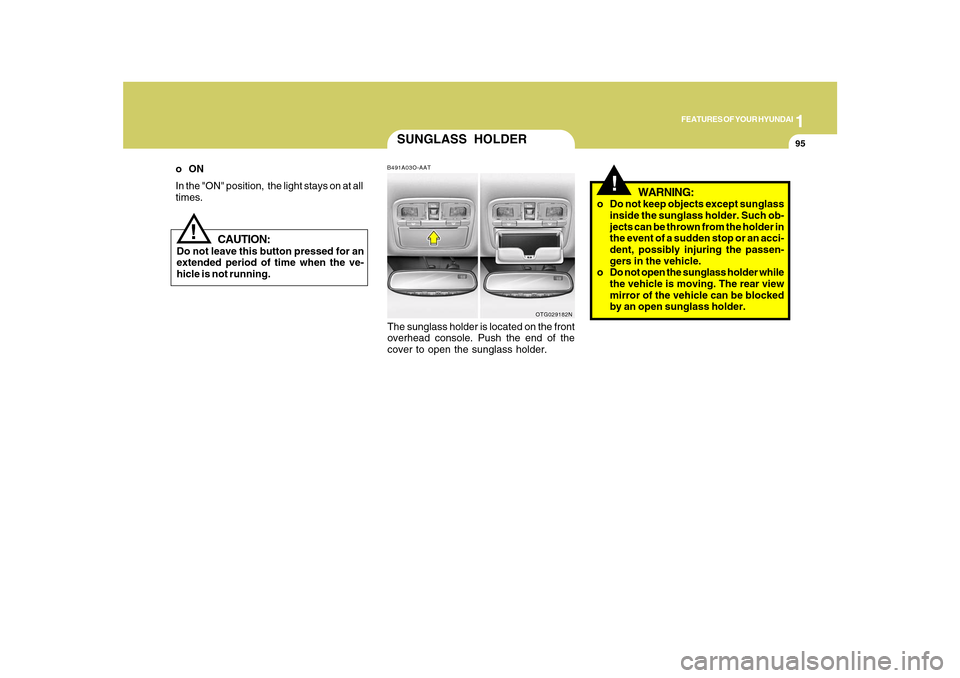
B491A03O-AATThe sunglass holder is located on the front
overhead console. Push the end of the
cover to open the sunglass holder.
WARNING:
o Do not keep objects except sunglass
inside the sunglass holder. Such ob-
jects can be thrown from the holder in
the event of a sudden stop or an acci-
dent, possibly injuring the passen-
gers in the vehicle.
o Do not open the sunglass holder while
the vehicle is moving. The rear view
mirror of the vehicle can be blocked
by an open sunglass holder.
OTG029182N
Page 109 of 334
1FEATURES OF YOUR HYUNDAI96
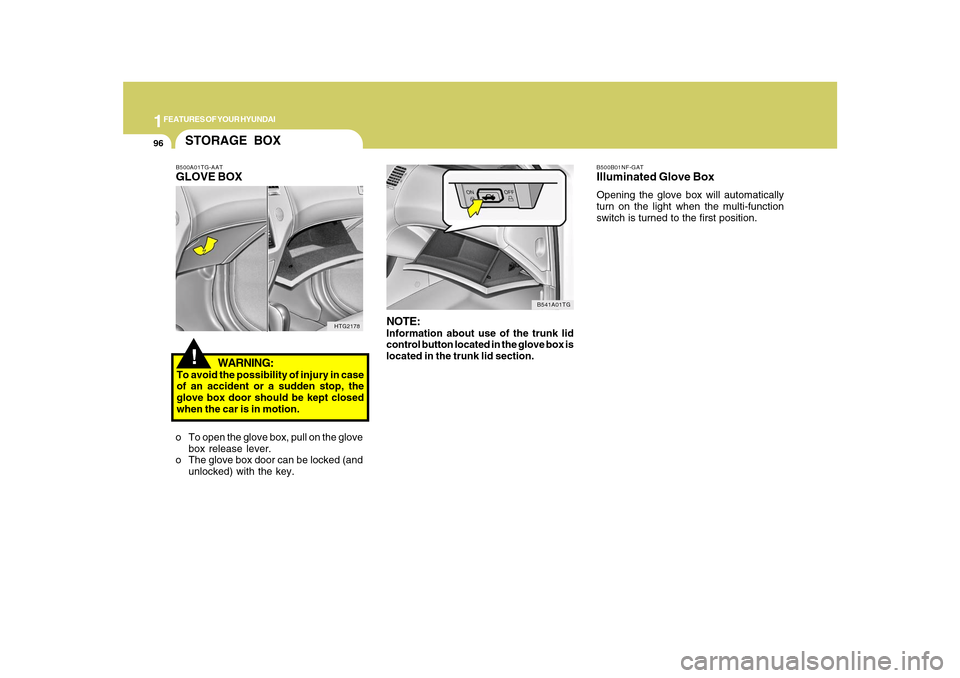
B500B01NF-GATIlluminated Glove BoxOpening the glove box will automatically
turn on the light when the multi-function
switch is turned to the first position.
NOTE:Information about use of the trunk lid
control button located in the glove box is
located in the trunk lid section.
B541A01TG
!STORAGE BOXB500A01TG-AATGLOVE BOX
WARNING:To avoid the possibility of injury in case
of an accident or a sudden stop, the
glove box door should be kept closed
when the car is in motion.
o To open the glove box, pull on the glove
box release lever.
o The glove box door can be locked (and
unlocked) with the key.
HTG2178
Page 114 of 334
1
FEATURES OF YOUR HYUNDAI
101
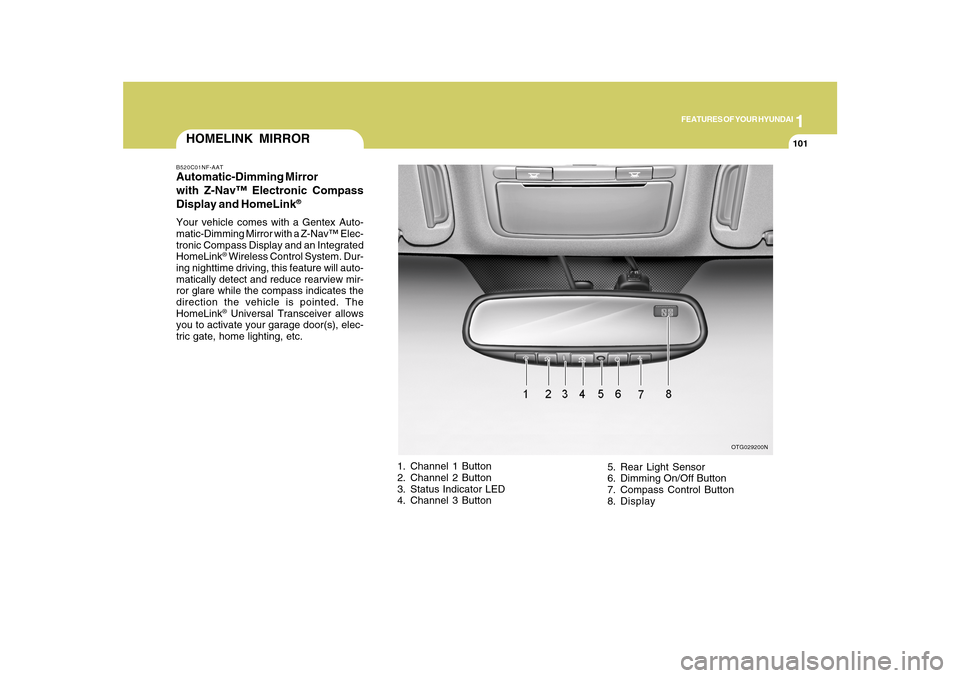
HOMELINK MIRRORB520C01NF-AATAutomatic-Dimming Mirror
with Z-Nav™ Electronic Compass
Display and HomeLink
®
Your vehicle comes with a Gentex Auto-
matic-Dimming Mirror with a Z-Nav™ Elec-
tronic Compass Display and an Integrated
HomeLink
® Wireless Control System. Dur-
ing nighttime driving, this feature will auto-
matically detect and reduce rearview mir-
ror glare while the compass indicates the
direction the vehicle is pointed. The
HomeLink® Universal Transceiver allows
you to activate your garage door(s), elec-
tric gate, home lighting, etc.
1. Channel 1 Button
2. Channel 2 Button
3. Status Indicator LED
4. Channel 3 Button5. Rear Light Sensor
6. Dimming On/Off Button
7. Compass Control Button
8. Display
OTG029200N
Page 115 of 334
1FEATURES OF YOUR HYUNDAI
102
Automatic-Dimming Night Vision
Safety™ (NVS
®) Mirror
The NVS
® Mirror in your vehicle is the most
advanced way to reduce annoying glare in
the rearview mirror during any driving situ-
ation. For more information regarding
NVS
® mirrors and other applications,
please refer to the Gentex website:
www.gentex.com.
CAUTION:
The NVS
® Mirror automatically reduces
glare during driving conditions based
upon light levels monitored in front of the
vehicle and from the rear of the vehicle.
These light sensors are visible through
openings in the front and rear of the
mirror case. Any object that would ob-
struct either light sensor will degrade
the automatic dimming control feature.
!
Automatic-Dimming Function
Your mirror will automatically dim upon
detecting glare from the vehicles traveling
behind you. The auto-dimming function
can be controlled by the Dimming ON/OFF
Button:
1. Pressing the
button turns the auto-
dimming function OFF which is indi-
cated by the green Status Indicator LED
turning off.
2. Pressing the button again turns the
auto-dimming function ON which is in-
dicated by the green Status Indicator
LED turning on.
NOTE:The mirror defaults to the "ON" position
each time the vehicle is started.Compass Function
The Compass can be turned ON and OFF
and will remember the last state when the
ignition is cycled. To turn the display
feature ON/OFF:
1. Press and release the button to turn
the display feature OFF.
2. Press and release the button again
to turn the display back ON.
Additional options can be set with press
and hold sequences of the button and
are detailed below.
There is a difference between magnetic
north and true north. The compass in the
mirror can compensate for this difference
when it knows the Magnetic Zone in which
it is operating. This is set either by the
dealer or by the user. The operating Zone
Numbers for North America are shown in
the figure on the following section.
Z-Nav™ Compass DisplayThe NVS™ Mirror in your vehicle is also
equipped with a Z-Nav™ Compass that
shows the vehicle Compass heading in
the Display Window using the 8 basic
cardinal headings (N, NE, E, SE, etc.).