brake light Hyundai Azera 2012 Owner's Guide
[x] Cancel search | Manufacturer: HYUNDAI, Model Year: 2012, Model line: Azera, Model: Hyundai Azera 2012Pages: 403, PDF Size: 9.28 MB
Page 254 of 403
531
Driving your vehicle
ESP operation
ESP ON condition
• When the ignition is turned
ON, ESP and ESP OFF indi-
cator lights illuminate for
approximately 3 seconds,
then ESP is turned on.
• Press the ESP OFF button
after turning the ignition ON
to turn ESP off. (ESP OFF
indicator will illuminate). To
turn the ESP on, press the
ESP OFF button (ESP OFF
indicator light will go off).
• When starting the engine,
you may hear a slight ticking
sound. This is the ESP per-
forming an automatic system
self-check and does not indi-
cate a problem.When operating
When the ESP is in operation,
ESP indicator light blinks.
• When the Electronic Stability
Program is operating proper-
ly, you can feel a slight pulsa-
tion in the vehicle. This is only
the effect of brake control and
indicates nothing unusual.
• When moving out of the mud
or slippery road, the engine
rpm (revolution per minute)
may not be increased even if
you press the accelerator
pedal deeply. This is to main-
tain the stability and traction
of the vehicle and does not
indicate a problem.
ESP operation off
ESP OFF state
• To cancel ESP operation,
press the ESP OFF button
(ESP OFF indicator light illu-
minates).
• If the ignition switch is turned
to LOCK position when ESP
is off, ESP remains off. Upon
restarting the engine, the
ESP will automatically turn on
again.
-
Page 255 of 403
Driving your vehicle
32 5
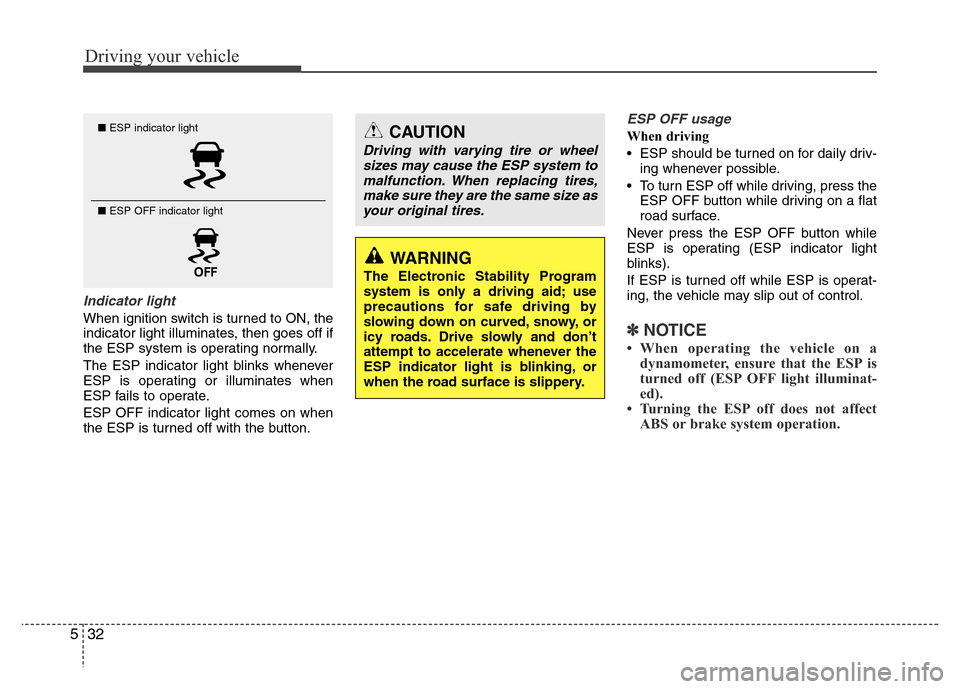
Indicator light
When ignition switch is turned to ON, the
indicator light illuminates, then goes off if
the ESP system is operating normally.
The ESP indicator light blinks whenever
ESP is operating or illuminates when
ESP fails to operate.
ESP OFF indicator light comes on when
the ESP is turned off with the button.
ESP OFF usage
When driving
• ESP should be turned on for daily driv-
ing whenever possible.
• To turn ESP off while driving, press the
ESP OFF button while driving on a flat
road surface.
Never press the ESP OFF button while
ESP is operating (ESP indicator light
blinks).
If ESP is turned off while ESP is operat-
ing, the vehicle may slip out of control.
✽NOTICE
• When operating the vehicle on a
dynamometer, ensure that the ESP is
turned off (ESP OFF light illuminat-
ed).
• Turning the ESP off does not affect
ABS or brake system operation.
CAUTION
Driving with varying tire or wheel
sizes may cause the ESP system to
malfunction. When replacing tires,
make sure they are the same size as
your original tires.
WARNING
The Electronic Stability Program
system is only a driving aid; use
precautions for safe driving by
slowing down on curved, snowy, or
icy roads. Drive slowly and don’t
attempt to accelerate whenever the
ESP indicator light is blinking, or
when the road surface is slippery.
■ESP indicator light
■ ESP OFF indicator light
Page 256 of 403
533
Driving your vehicle
Vehicle stability management
(VSM) (if equipped)
This system provides further enhance-
ments to vehicle stability and steering
responses when a vehicle is driven on a
slippery road or a vehicle detects
changes in coefficient of friction between
right wheels and left wheels when brak-
ing.
VSM operation
When the VSM is operating, the steering
wheel may be controlled.
When the vehicle stability management
is operating properly, you can feel a slight
pulsation in the vehicle. This is only the
effect of brake control and indicates noth-
ing unusual.
The VSM does not operate when:
• Driving on bank road such as gradient
or incline
• Driving rearward
• ESP OFF indicator light ( ) remains
illuminated on the instrument cluster
• EPS (Electric Power Steering) indica-
tor light remains illuminated on the
instrument cluster
VSM operation off
If you press the ESP OFF button to turn
off the ESP, the VSM will also cancel and
the ESP OFF indicator light ( ) illumi-
nates.
To turn on the VSM, press the button
again. The ESP OFF indicator light goes
out.
Malfunction indicator
The VSM can be deactivated even if you
don’t cancel the VSM operation by press-
ing the ESP OFF button. It indicates that
a malfunction has been detected some-
where in the EPS (Electric Power
Steering) system or VSM system. If the
ESP indicator light ( ) or EPS warning
light remains on, take your vehicle to an
authorized HYUNDAI dealer and have
the system checked.
✽NOTICE
• The VSM is designed to function
above approximately 15 km/h (9 mph)
on curves.
• The VSM is designed to function
above approximately 30 km/h (18
mph) when a vehicle is braking on a
split-mu road. The split-mu road is
made of surfaces which have different
friction forces.
WARNING
Never press the ESP OFF button
while ESP is operating.
If the ESP is turned off while ESP is
operating, the vehicle may go out of
control.
To turn ESP off while driving, press
the ESP OFF button while driving
on a flat road surface.
Page 258 of 403
535
Driving your vehicle
• Check to be sure the parking brake is
not engaged and that the parking
brake indicator light is out before driv-
ing away.
• Driving through water may get the
brakes wet. They can also get wet
when the car is washed. Wet brakes
can be dangerous! Your car will not
stop as quickly if the brakes are wet.
Wet brakes may cause the car to pull
to one side.
To dry the brakes, apply the brakes
lightly until the braking action returns to
normal, taking care to keep the car
under control at all times. If the braking
action does not return to normal, stop
as soon as it is safe to do so and call
an authorized HYUNDAI dealer for
assistance.
• Do not coast down hills with the car out
of gear. This is extremely hazardous.
Keep the car in gear at all times, use
the brakes to slow down, then shift to a
lower gear so that engine braking will
help you maintain a safe speed.
• Do not "ride" the brake pedal. Resting
your foot on the brake pedal while driv-
ing can be dangerous because the
brakes might overheat and lose their
effectiveness. It also increases the
wear of the brake components.• If a tire goes flat while you are driving,
apply the brakes gently and keep the
car pointed straight ahead while you
slow down. When you are moving
slowly enough for it to be safe to do so,
pull off the road and stop in a safe
place.
• If your car is equipped with an auto-
matic transaxle, don't let your car
creep forward. To avoid creeping for-
ward, keep your foot firmly on the
brake pedal when the car is stopped.
• Be cautious when parking on a hill.
Firmly engage the parking brake and
place the shift lever in P (Park). If your
car is facing downhill, turn the front
wheels into the curb to help keep the
car from rolling. If your car is facing
uphill, turn the front wheels away from
the curb to help keep the car from
rolling. If there is no curb or if it is
required by other conditions to keep
the car from rolling, block the wheels.• Under some conditions your parking
brake can freeze in the engaged posi-
tion. This is most likely to happen when
there is an accumulation of snow or ice
around or near the rear brakes or if the
brakes are wet. If there is a risk that the
parking brake may freeze, apply it only
temporarily while you put the shift lever
in P (Park) and block the rear wheels
so the car cannot roll. Then release the
parking brake.
• Do not hold the vehicle on the upgrade
with the accelerator pedal. This can
cause the transaxle to overheat.
Always use the brake pedal or parking
brake.
Page 259 of 403
Driving your vehicle
36 5
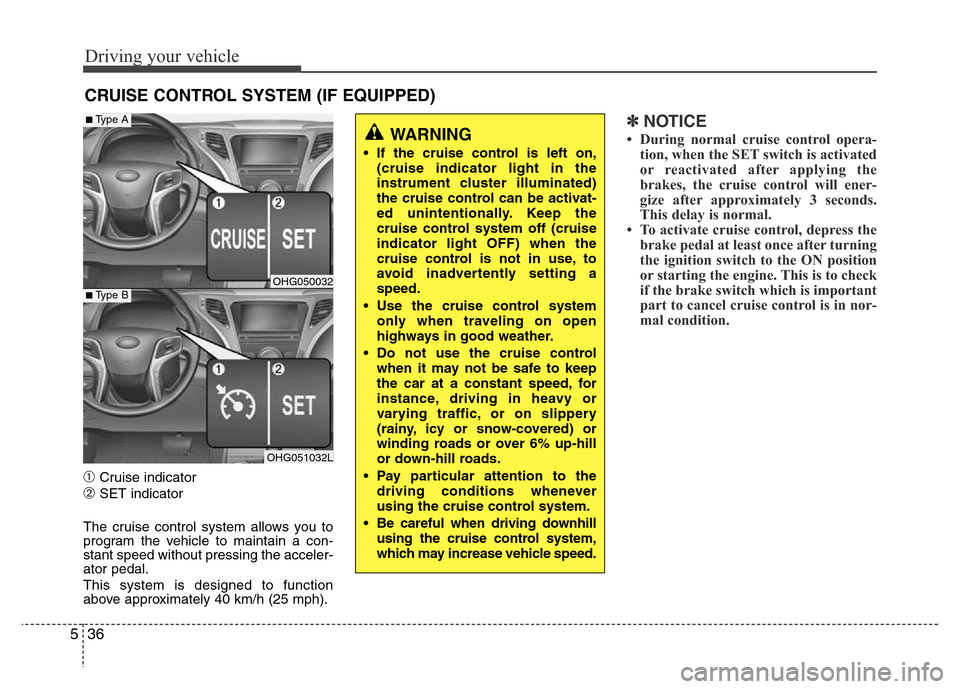
➀Cruise indicator
➁SET indicator
The cruise control system allows you to
program the vehicle to maintain a con-
stant speed without pressing the acceler-
ator pedal.
This system is designed to function
above approximately 40 km/h (25 mph).
✽NOTICE
• During normal cruise control opera-
tion, when the SET switch is activated
or reactivated after applying the
brakes, the cruise control will ener-
gize after approximately 3 seconds.
This delay is normal.
• To activate cruise control, depress the
brake pedal at least once after turning
the ignition switch to the ON position
or starting the engine. This is to check
if the brake switch which is important
part to cancel cruise control is in nor-
mal condition.
CRUISE CONTROL SYSTEM (IF EQUIPPED)
WARNING
• If the cruise control is left on,
(cruise indicator light in the
instrument cluster illuminated)
the cruise control can be activat-
ed unintentionally. Keep the
cruise control system off (cruise
indicator light OFF) when the
cruise control is not in use, to
avoid inadvertently setting a
speed.
• Use the cruise control system
only when traveling on open
highways in good weather.
• Do not use the cruise control
when it may not be safe to keep
the car at a constant speed, for
instance, driving in heavy or
varying traffic, or on slippery
(rainy, icy or snow-covered) or
winding roads or over 6% up-hill
or down-hill roads.
• Pay particular attention to the
driving conditions whenever
using the cruise control system.
• Be careful when driving downhill
using the cruise control system,
which may increase vehicle speed.
OHG050032
OHG051032L
■Type A
■Type B
Page 267 of 403
Driving your vehicle
44 5
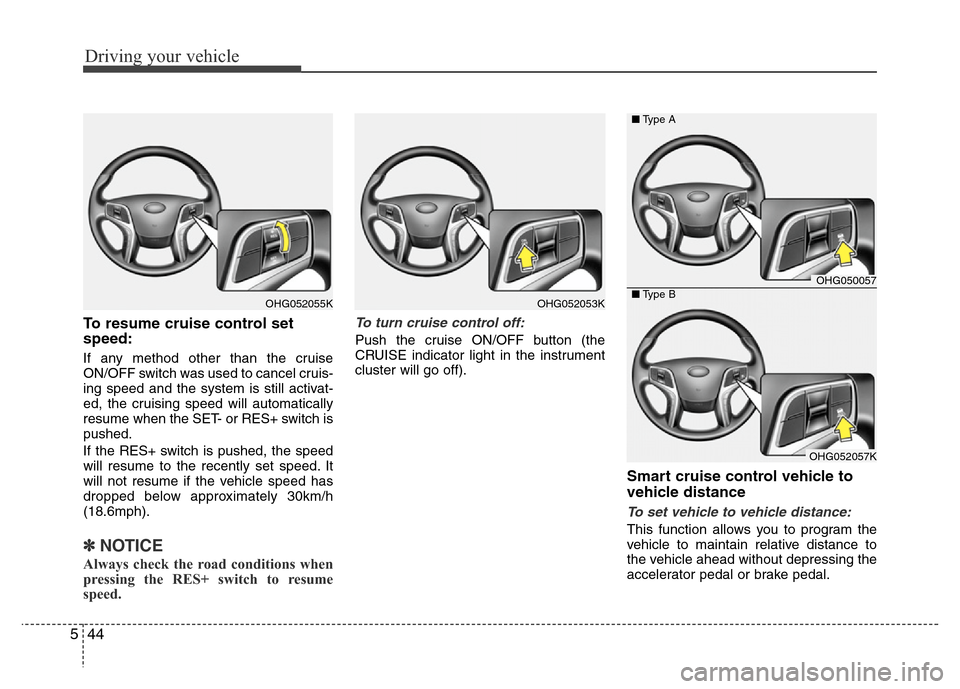
To resume cruise control set
speed:
If any method other than the cruise
ON/OFF switch was used to cancel cruis-
ing speed and the system is still activat-
ed, the cruising speed will automatically
resume when the SET- or RES+ switch is
pushed.
If the RES+ switch is pushed, the speed
will resume to the recently set speed. It
will not resume if the vehicle speed has
dropped below approximately 30km/h
(18.6mph).
✽NOTICE
Always check the road conditions when
pressing the RES+ switch to resume
speed.
To turn cruise control off:
Push the cruise ON/OFF button (the
CRUISE indicator light in the instrument
cluster will go off).
Smart cruise control vehicle to
vehicle distance
To set vehicle to vehicle distance:
This function allows you to program the
vehicle to maintain relative distance to
the vehicle ahead without depressing the
accelerator pedal or brake pedal.
OHG052053KOHG052055K
OHG050057
OHG052057K ■Type A
■Type B
Page 271 of 403
Driving your vehicle
48 5
To convert to cruise control mode:
The driver may choose to only use the
cruise control mode (speed control func-
tion) by doing as follows:
1. Turn the smart cruise control system
on (the cruise indicator light will be on
but the system will not be activated).
2. Push the distance to distance switch
for more than 2 seconds.
3. Choose between "Smart cruise con-
trol(SCC) mode" and "Cruise con-
trol(CC) mode".
Limitations of the system
The smart cruise control system may
have limits to its ability to detect distance
to the vehicle ahead due to road and traf-
fic conditions.
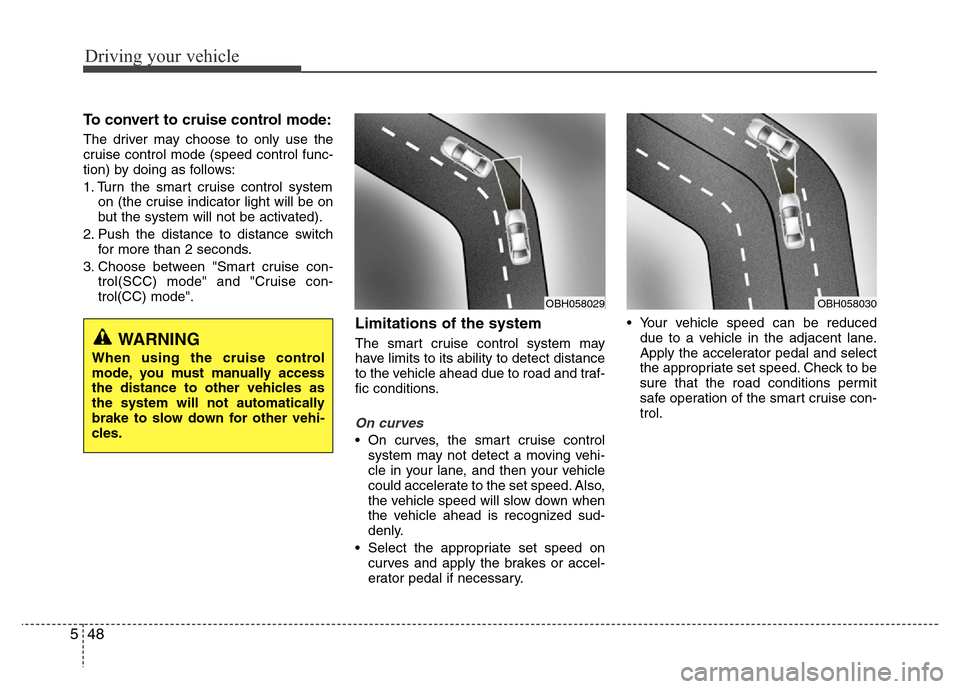
On curves
• On curves, the smart cruise control
system may not detect a moving vehi-
cle in your lane, and then your vehicle
could accelerate to the set speed. Also,
the vehicle speed will slow down when
the vehicle ahead is recognized sud-
denly.
• Select the appropriate set speed on
curves and apply the brakes or accel-
erator pedal if necessary.• Your vehicle speed can be reduced
due to a vehicle in the adjacent lane.
Apply the accelerator pedal and select
the appropriate set speed. Check to be
sure that the road conditions permit
safe operation of the smart cruise con-
trol.
WARNING
When using the cruise control
mode, you must manually access
the distance to other vehicles as
the system will not automatically
brake to slow down for other vehi-
cles.
OBH058030OBH058029
Page 276 of 403
553
Driving your vehicle
Your vehicle's fuel economy depends
mainly on your style of driving, where you
drive and when you drive.
Each of these factors affects how many
kilometers (miles) you can get from a liter
(gallon) of fuel. To operate your vehicle
as economically as possible, use the fol-
lowing driving suggestions to help save
money in both fuel and repairs:
• Drive smoothly. Accelerate at a moder-
ate rate. Don't make "jack-rabbit" starts
or full-throttle shifts and maintain a
steady cruising speed. Don't race
between stoplights. Try to adjust your
speed to that of the other traffic so you
don't have to change speeds unneces-
sarily. Avoid heavy traffic whenever
possible. Always maintain a safe dis-
tance from other vehicles so you can
avoid unnecessary braking. This also
reduces brake wear.
• Drive at a moderate speed. The faster
you drive, the more fuel your car uses.
Driving at a moderate speed, especial-
ly on the highway, is one of the most
effective ways to reduce fuel consump-
tion.• Do not "ride" the brake pedal. This can
increase fuel consumption and also
increase wear on these components.
In addition, driving with your foot rest-
ing on the brake pedal may cause the
brakes to overheat, which reduces
their effectiveness and may lead to
more serious consequences.
• Take care of your tires. Keep them
inflated to the recommended pressure.
Incorrect inflation, either too much or
too little, results in unnecessary tire
wear. Check the tire pressures at least
once a month.
• Be sure that the wheels are aligned
correctly. Improper alignment can
result from hitting curbs or driving too
fast over irregular surfaces. Poor align-
ment causes faster tire wear and may
also result in other problems as well as
greater fuel consumption.• Keep your car in good condition. For
better fuel economy and reduced
maintenance costs, maintain your car
in accordance with the maintenance
schedule in section 7. If you drive your
car in severe conditions, more frequent
maintenance is required (see section 7
for details).
• Keep your car clean. For maximum
service, your vehicle should be kept
clean and free of corrosive materials. It
is especially important that mud, dirt,
ice, etc. not be allowed to accumulate
on the underside of the car. This extra
weight can result in increased fuel con-
sumption and also contribute to corro-
sion.
• Travel lightly. Do not carry unnecessary
weight in your car. Weight reduces fuel
economy.
• Do not let the engine idle longer than
necessary. If you are waiting (and not
in traffic), turn off your engine and
restart only when you're ready to go.
ECONOMICAL OPERATION
Page 277 of 403
Driving your vehicle
54 5
• Remember, your vehicle does not
require extended warm-up. After the
engine has started, allow the engine to
run for 10 to 20 seconds prior to plac-
ing the vehicle in gear. In very cold
weather, however, give your engine a
slightly longer warm-up period.
• Do not "lug" or "over-rev" the engine.
Lugging is driving very slowly in too
high a gear resulting in engine bucking.
If this happens, shift to a lower gear.
Over-revving is racing the engine
beyond its safe limit. This can be avoid-
ed by shifting at the recommended
speeds.• Use your air conditioning sparingly.
The air conditioning system is operat-
ed by engine power so your fuel econ-
omy is reduced when you use it.
• Open windows at high speeds can
reduce fuel economy.
• Fuel economy is less in crosswinds
and headwinds. To help offset some of
this loss, slow down when driving in
these conditions.
Keeping a vehicle in good operating con-
dition is important both for economy and
safety. Therefore, have an authorized
HYUNDAI dealer perform scheduled
inspections and maintenance.
WARNING - Engine off dur-
ing motion
Never turn the engine off to coast
down hills or anytime the vehicle is
in motion. The power steering and
power brakes will not function
properly without the engine run-
ning. Instead, keep the engine on
and downshift to an appropriate
gear for engine braking effect. In
addition, turning off the ignition
while driving could engage the
steering wheel lock resulting in
loss of vehicle steering which
could cause serious injury or
death.
Page 278 of 403
555
Driving your vehicle
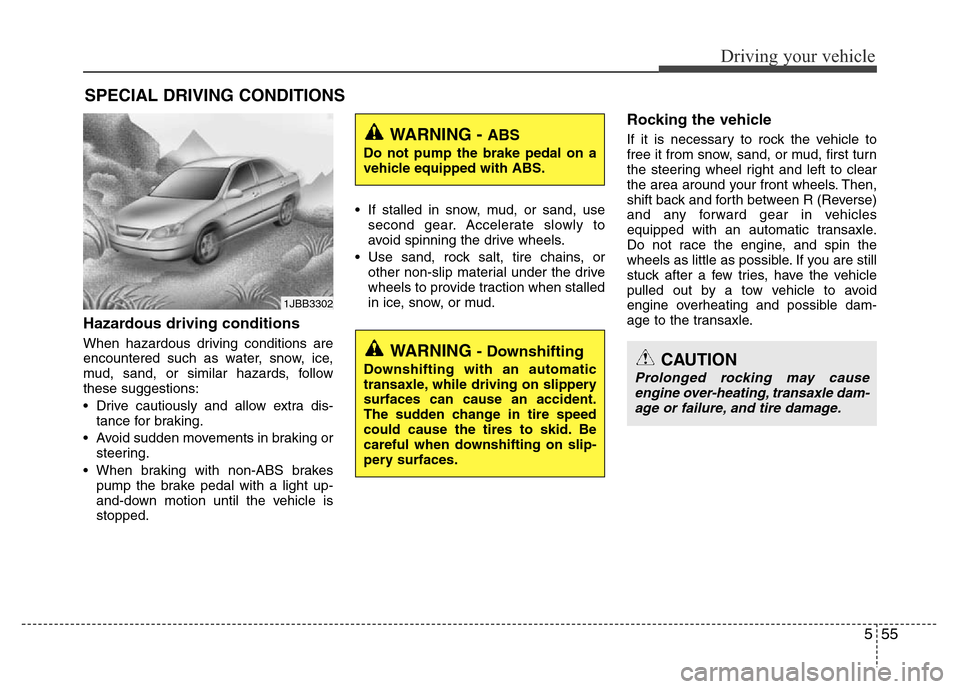
Hazardous driving conditions
When hazardous driving conditions are
encountered such as water, snow, ice,
mud, sand, or similar hazards, follow
these suggestions:
• Drive cautiously and allow extra dis-
tance for braking.
• Avoid sudden movements in braking or
steering.
• When braking with non-ABS brakes
pump the brake pedal with a light up-
and-down motion until the vehicle is
stopped.• If stalled in snow, mud, or sand, use
second gear. Accelerate slowly to
avoid spinning the drive wheels.
• Use sand, rock salt, tire chains, or
other non-slip material under the drive
wheels to provide traction when stalled
in ice, snow, or mud.
Rocking the vehicle
If it is necessary to rock the vehicle to
free it from snow, sand, or mud, first turn
the steering wheel right and left to clear
the area around your front wheels. Then,
shift back and forth between R (Reverse)
and any forward gear in vehicles
equipped with an automatic transaxle.
Do not race the engine, and spin the
wheels as little as possible. If you are still
stuck after a few tries, have the vehicle
pulled out by a tow vehicle to avoid
engine overheating and possible dam-
age to the transaxle.
SPECIAL DRIVING CONDITIONS
1JBB3302
WARNING - ABS
Do not pump the brake pedal on a
vehicle equipped with ABS.
WARNING - Downshifting
Downshifting with an automatic
transaxle, while driving on slippery
surfaces can cause an accident.
The sudden change in tire speed
could cause the tires to skid. Be
careful when downshifting on slip-
pery surfaces.CAUTION
Prolonged rocking may cause
engine over-heating, transaxle dam-
age or failure, and tire damage.