Brake Hyundai Azera 2013 Workshop Manual
[x] Cancel search | Manufacturer: HYUNDAI, Model Year: 2013, Model line: Azera, Model: Hyundai Azera 2013Pages: 403, PDF Size: 9.28 MB
Page 265 of 403
Driving your vehicle
42 5
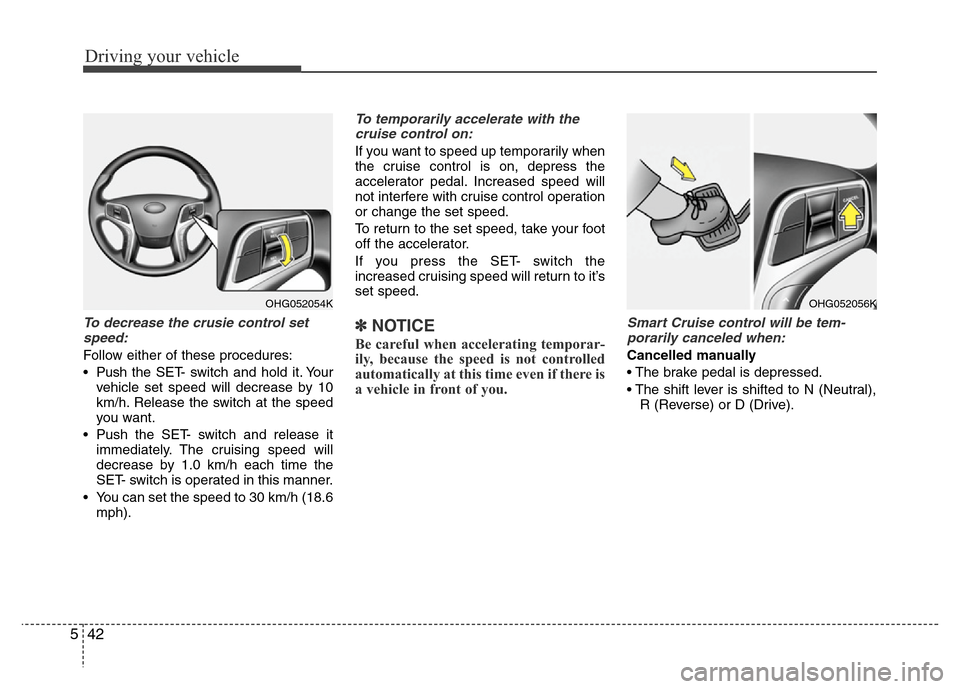
To decrease the crusie control set
speed:
Follow either of these procedures:
• Pushthe SET- switch and hold it. Your
vehicle set speed will decrease by 10
km/h. Release the switch at the speed
you want.
• Push the SET- switch and release it
immediately. The cruising speed will
decrease by 1.0 km/h each time the
SET- switch is operated in this manner.
• You can set the speed to 30 km/h (18.6
mph).
To temporarily accelerate with the
cruise control on:
If you want to speed up temporarily when
the cruise control is on, depress the
accelerator pedal. Increased speed will
not interfere with cruise control operation
or change the set speed.
To return to the set speed, take your foot
off the accelerator.
If you press the SET- switch the
increased cruising speed will return to it’s
set speed.
✽NOTICE
Be careful when accelerating temporar-
ily, because the speed is not controlled
automatically at this time even if there is
a vehicle in front of you.
Smart Cruise control will be tem-
porarily canceled when:
Cancelled manually
• The brake pedal is depressed.
• The shift lever is shifted to N (Neutral),
R (Reverse) or D (Drive).
OHG052054KOHG052056K
Page 266 of 403
543
Driving your vehicle
Cancelled automatically
• The driver's door is opened.
• The EPB (electronic parking brake) is
applied.
• The vehicle speed is over 180km/h
(113mph)
• The vehicle stops on a steep incline.
• The ESP or ABS is operating.
• The ESP is turned off.
• The sensor or the cover is dirty or
blocked with foreign matter.
• The vehicle stops and go repeatedly for
a long period of time.
• The driver starts driving by depressing
the accelerator pedal or pushing the
RES+ switch if a vehicle stops far away
ahead of the your vehicle.• The accelerator pedal is continuously
depressed for more than 1 minute.
Each of these actions will cancel the
smart cruise control operation. (The
SET indicator, set speed and vehicle to
vehicle distance on the LCD display
will go off.)
In a condition the smart cruise control
is cancelled automatically, the smart
cruise control will not resume even
though the RES+ or SET- switch is
pushed. Also, the EPB (electronic
parking brake) will be applied.
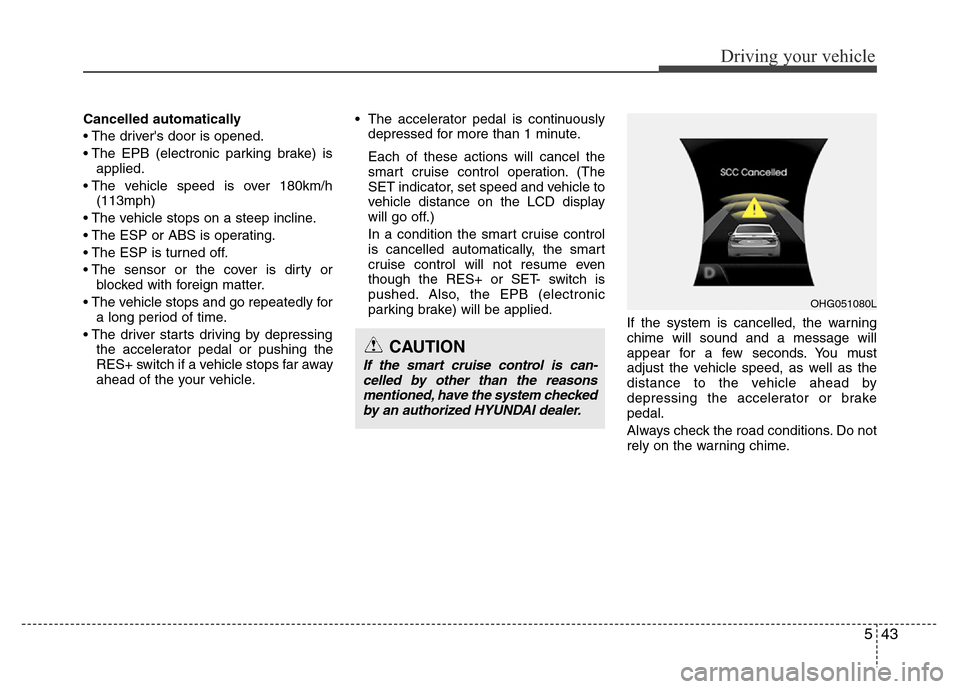
If the system is cancelled, the warning
chime will sound and a message will
appear for a few seconds. You must
adjust the vehicle speed, as well as the
distance to the vehicle ahead by
depressing the accelerator or brake
pedal.
Always check the road conditions. Do not
rely on the warning chime.
OHG051080L
CAUTION
If the smart cruise control is can-
celled by other than the reasons
mentioned, have the system checked
by an authorized HYUNDAI dealer.
Page 267 of 403
Driving your vehicle
44 5
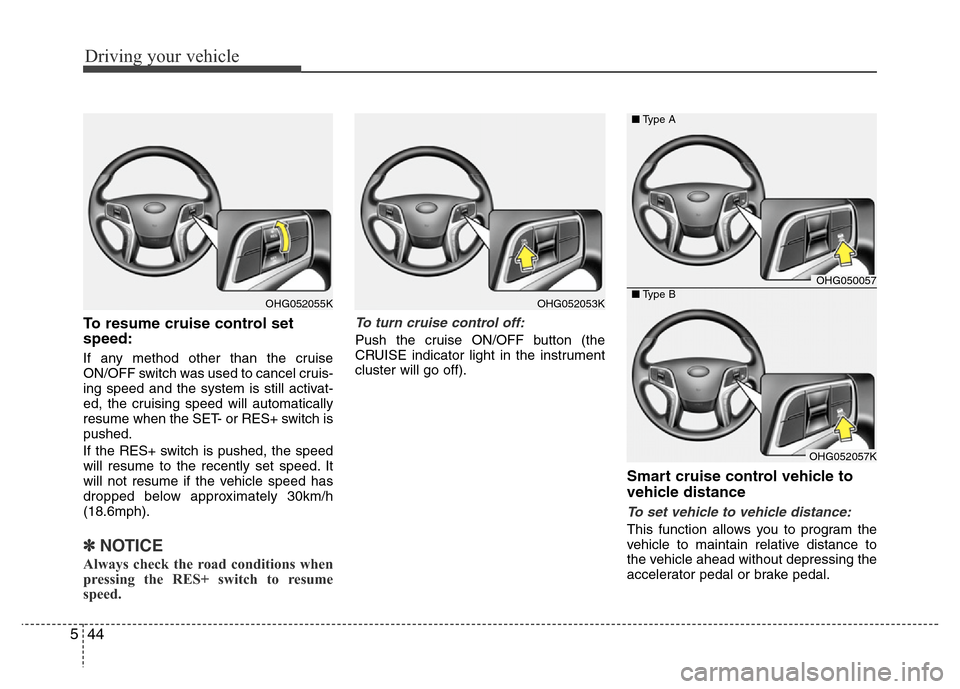
To resume cruise control set
speed:
If any method other than the cruise
ON/OFF switch was used to cancel cruis-
ing speed and the system is still activat-
ed, the cruising speed will automatically
resume when the SET- or RES+ switch is
pushed.
If the RES+ switch is pushed, the speed
will resume to the recently set speed. It
will not resume if the vehicle speed has
dropped below approximately 30km/h
(18.6mph).
✽NOTICE
Always check the road conditions when
pressing the RES+ switch to resume
speed.
To turn cruise control off:
Push the cruise ON/OFF button (the
CRUISE indicator light in the instrument
cluster will go off).
Smart cruise control vehicle to
vehicle distance
To set vehicle to vehicle distance:
This function allows you to program the
vehicle to maintain relative distance to
the vehicle ahead without depressing the
accelerator pedal or brake pedal.
OHG052053KOHG052055K
OHG050057
OHG052057K ■Type A
■Type B
Page 268 of 403
545
Driving your vehicle
The vehicle to vehicle distance will auto-
matically activate when the smart cruise
control system is on.
Select the appropriate distance accord-
ing to road conditions and vehicle speed.
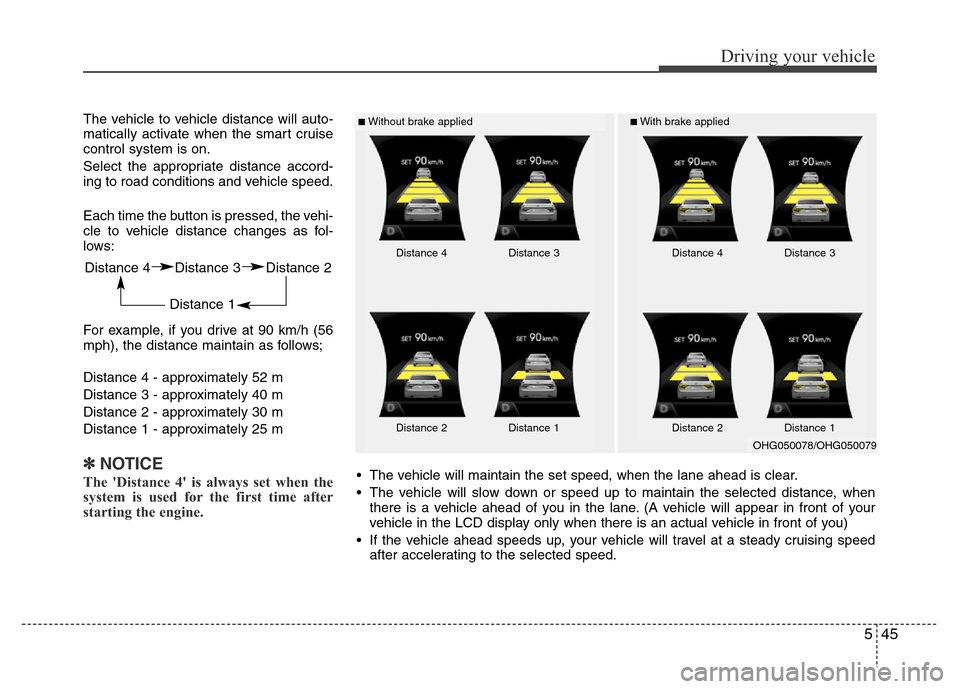
Each time the button is pressed, the vehi-
cle to vehicle distance changes as fol-
lows:
For example, if you drive at 90 km/h (56
mph), the distance maintain as follows;
Distance 4 - approximately 52 m
Distance 3 - approximately 40 m
Distance 2 - approximately 30 m
Distance 1 - approximately 25 m
✽NOTICE
The 'Distance 4' is always set when the
system is used for the first time after
starting the engine.
■Without brake applied■With brake applied
Distance 4 Distance 3 Distance 2
Distance 1
Distance 4 Distance 3
Distance 2 Distance 1Distance 4 Distance 3
Distance 2 Distance 1
• The vehicle will maintain the set speed, when the lane ahead is clear.
• The vehicle will slow down or speed up to maintain the selected distance, when
there is a vehicle ahead of you in the lane. (A vehicle will appear in front of your
vehicle in the LCD display only when there is an actual vehicle in front of you)
• If the vehicle ahead speeds up, your vehicle will travel at a steady cruising speed
after accelerating to the selected speed.
OHG050078/OHG050079
Page 269 of 403
Driving your vehicle
46 5
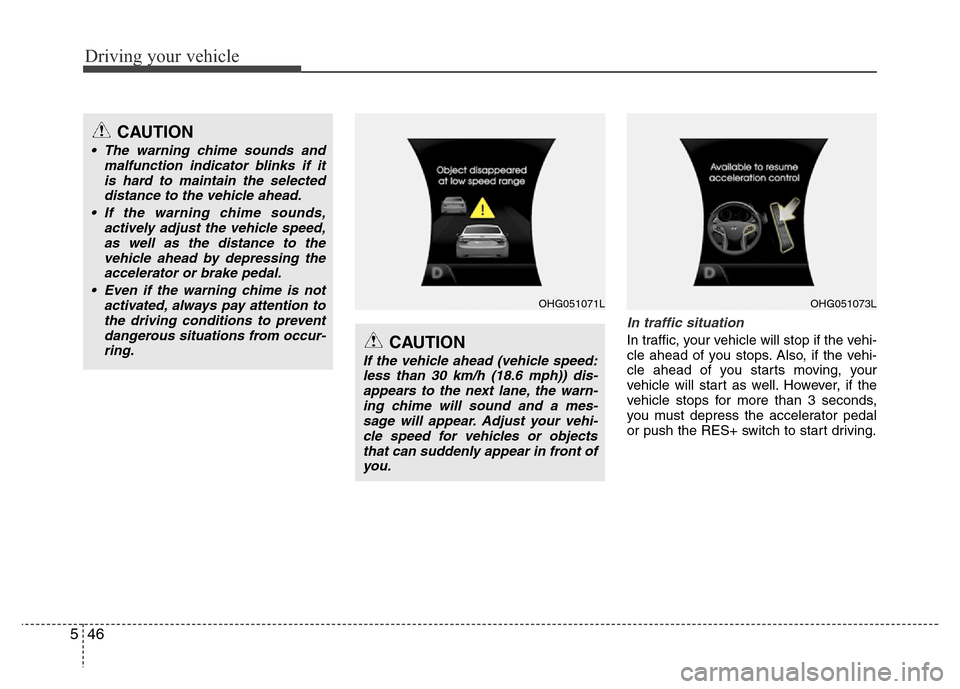
In traffic situation
In traffic, your vehicle will stop if the vehi-
cle ahead of you stops. Also, if the vehi-
cle ahead of you starts moving, your
vehicle will start as well. However, if the
vehicle stops for more than 3 seconds,
you must depress the accelerator pedal
or push the RES+ switch to start driving.
CAUTION
• The warning chime sounds and
malfunction indicator blinks if it
is hard to maintain the selected
distance to the vehicle ahead.
• If the warning chime sounds,
actively adjust the vehicle speed,
as well as the distance to the
vehicle ahead by depressing the
accelerator or brake pedal.
• Even if the warning chime is not
activated, always pay attention to
the driving conditions to prevent
dangerous situations from occur-
ring.
CAUTION
If the vehicle ahead (vehicle speed:
less than 30 km/h (18.6 mph)) dis-
appears to the next lane, the warn-
ing chime will sound and a mes-
sage will appear. Adjust your vehi-
cle speed for vehicles or objects
that can suddenly appear in front of
you.
OHG051071LOHG051073L
Page 271 of 403
Driving your vehicle
48 5
To convert to cruise control mode:
The driver may choose to only use the
cruise control mode (speed control func-
tion) by doing as follows:
1. Turn the smart cruise control system
on (the cruise indicator light will be on
but the system will not be activated).
2. Push the distance to distance switch
for more than 2 seconds.
3. Choose between "Smart cruise con-
trol(SCC) mode" and "Cruise con-
trol(CC) mode".
Limitations of the system
The smart cruise control system may
have limits to its ability to detect distance
to the vehicle ahead due to road and traf-
fic conditions.
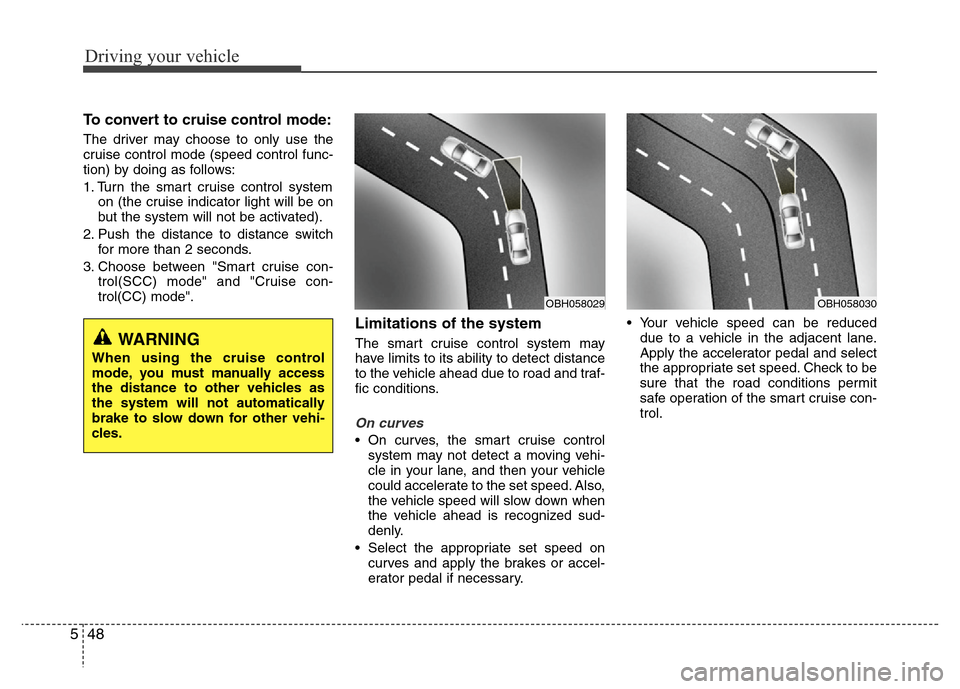
On curves
• On curves, the smart cruise control
system may not detect a moving vehi-
cle in your lane, and then your vehicle
could accelerate to the set speed. Also,
the vehicle speed will slow down when
the vehicle ahead is recognized sud-
denly.
• Select the appropriate set speed on
curves and apply the brakes or accel-
erator pedal if necessary.• Your vehicle speed can be reduced
due to a vehicle in the adjacent lane.
Apply the accelerator pedal and select
the appropriate set speed. Check to be
sure that the road conditions permit
safe operation of the smart cruise con-
trol.
WARNING
When using the cruise control
mode, you must manually access
the distance to other vehicles as
the system will not automatically
brake to slow down for other vehi-
cles.
OBH058030OBH058029
Page 272 of 403
549
Driving your vehicle
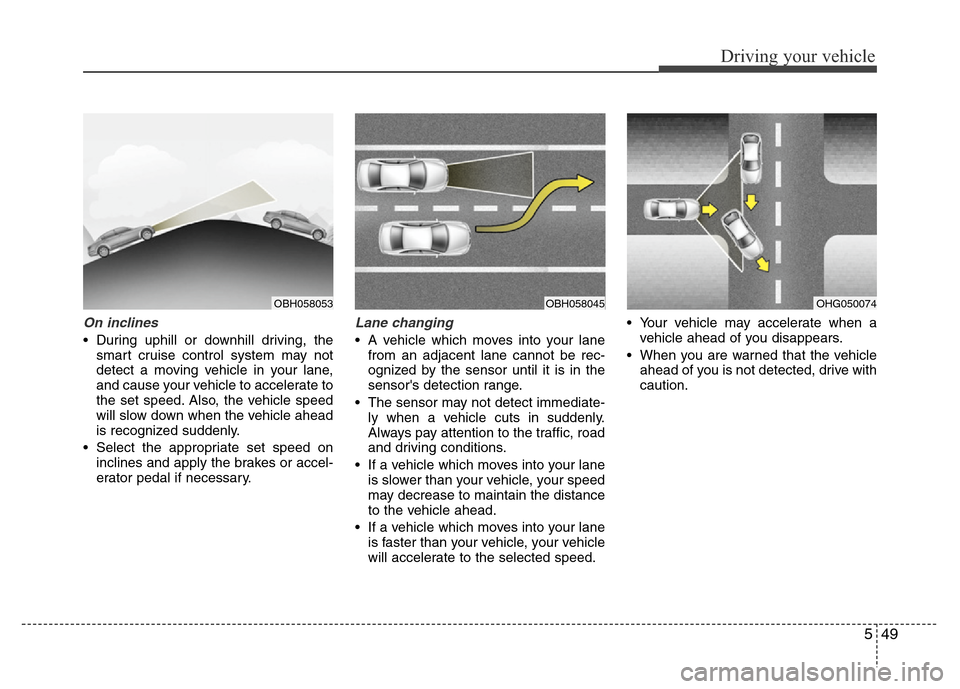
On inclines
• During uphill or downhill driving, the
smart cruise control system may not
detect a moving vehicle in your lane,
and cause your vehicle to accelerate to
the set speed. Also, the vehicle speed
will slow down when the vehicle ahead
is recognized suddenly.
• Select the appropriate set speed on
inclines and apply the brakes or accel-
erator pedal if necessary.
Lane changing
• A vehicle which moves into your lane
from an adjacent lane cannot be rec-
ognized by the sensor until it is in the
sensor's detection range.
• The sensor may not detect immediate-
ly when a vehicle cuts in suddenly.
Always pay attention to the traffic, road
and driving conditions.
• If a vehicle which moves into your lane
is slower than your vehicle, your speed
may decrease to maintain the distance
to the vehicle ahead.
• If a vehicle which moves into your lane
is faster than your vehicle, your vehicle
will accelerate to the selected speed.• Your vehicle may accelerate when a
vehicle ahead of you disappears.
• When you are warned that the vehicle
ahead of you is not detected, drive with
caution.
OBH058053OBH058045OHG050074
Page 273 of 403
Driving your vehicle
50 5
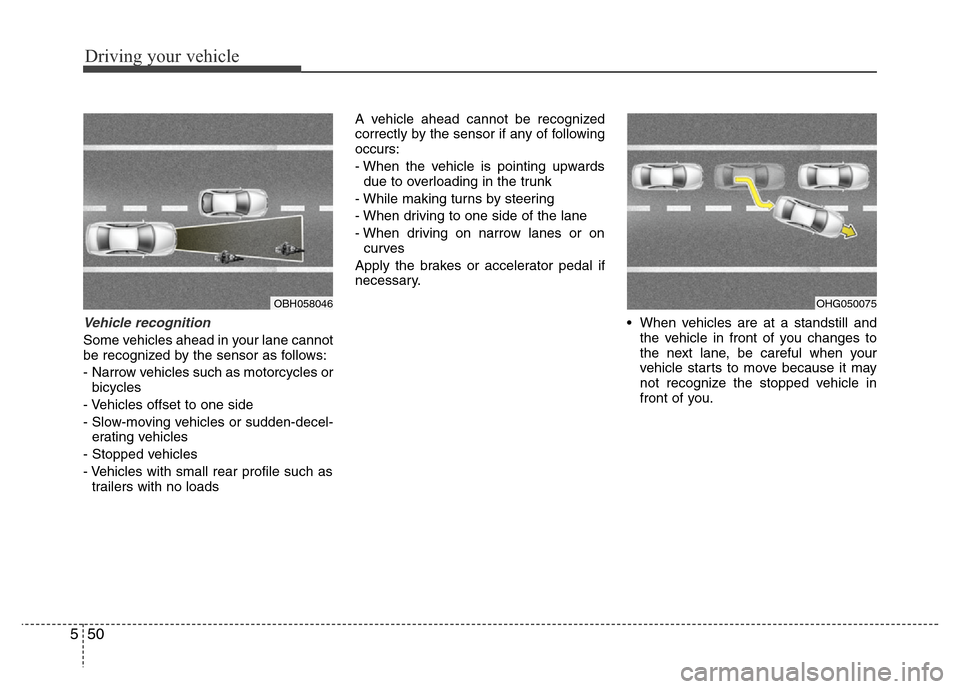
Vehicle recognition
Some vehicles ahead in your lane cannot
be recognized by the sensor as follows:
- Narrow vehicles such as motorcycles or
bicycles
- Vehicles offset to one side
- Slow-moving vehicles or sudden-decel-
erating vehicles
- Stopped vehicles
- Vehicles with small rear profile such as
trailers with no loadsA vehicle ahead cannot be recognized
correctly by the sensor if any of following
occurs:
- When the vehicle is pointing upwards
due to overloading in the trunk
- While making turns by steering
- When driving to one side of the lane
- When driving on narrow lanes or on
curves
Apply the brakes or accelerator pedal if
necessary.
• When vehicles are at a standstill and
the vehicle in front of you changes to
the next lane, be careful when your
vehicle starts to move because it may
not recognize the stopped vehicle in
front of you.
OBH058046OHG050075
Page 274 of 403
551
Driving your vehicle
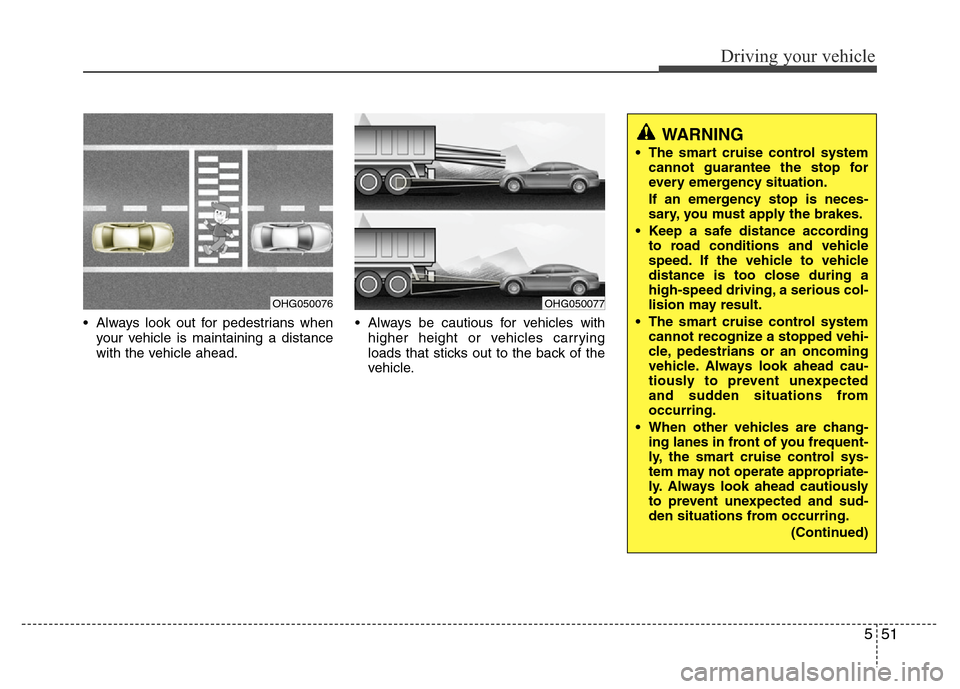
• Always look out for pedestrians when
your vehicle is maintaining a distance
with the vehicle ahead.• Always be cautious for vehicles with
higher height or vehicles carrying
loads that sticks out to the back of the
vehicle.
OHG050076OHG050077
WARNING
• The smart cruise control system
cannot guarantee the stop for
every emergency situation.
If an emergency stop is neces-
sary, you must apply the brakes.
• Keep a safe distance according
to road conditions and vehicle
speed. If the vehicle to vehicle
distance is too close during a
high-speed driving, a serious col-
lision may result.
• The smart cruise control system
cannot recognize a stopped vehi-
cle, pedestrians or an oncoming
vehicle. Always look ahead cau-
tiously to prevent unexpected
and sudden situations from
occurring.
• When other vehicles are chang-
ing lanes in front of you frequent-
ly, the smart cruise control sys-
tem may not operate appropriate-
ly. Always look ahead cautiously
to prevent unexpected and sud-
den situations from occurring.
(Continued)
Page 275 of 403
Driving your vehicle
52 5
CAUTION
The smart cruise control system
may not operate temporarily due to
electrical interference.
(Continued)
• The smart cruise control system
is not a substitute for safe driving
practices but a convenience
function only. It is the responsi-
bility of the driver to always
check the speed and the distance
to the vehicle ahead.
• Always be aware of the selected
speed and vehicle to vehicle dis-
tance.
• Always maintain sufficient brak-
ing distance and decelerate your
vehicle by applying the brakes if
necessary.
• As the smart cruise control sys-
tem may not recognize complex
driving situations, always pay
attention to driving conditions
and control your vehicle speed.
• For safe operation, carefully read
and follow the instructions in this
manual before use.