display Hyundai Azera 2015 User Guide
[x] Cancel search | Manufacturer: HYUNDAI, Model Year: 2015, Model line: Azera, Model: Hyundai Azera 2015Pages: 473, PDF Size: 11.92 MB
Page 135 of 473
Features of your vehicle
58 4
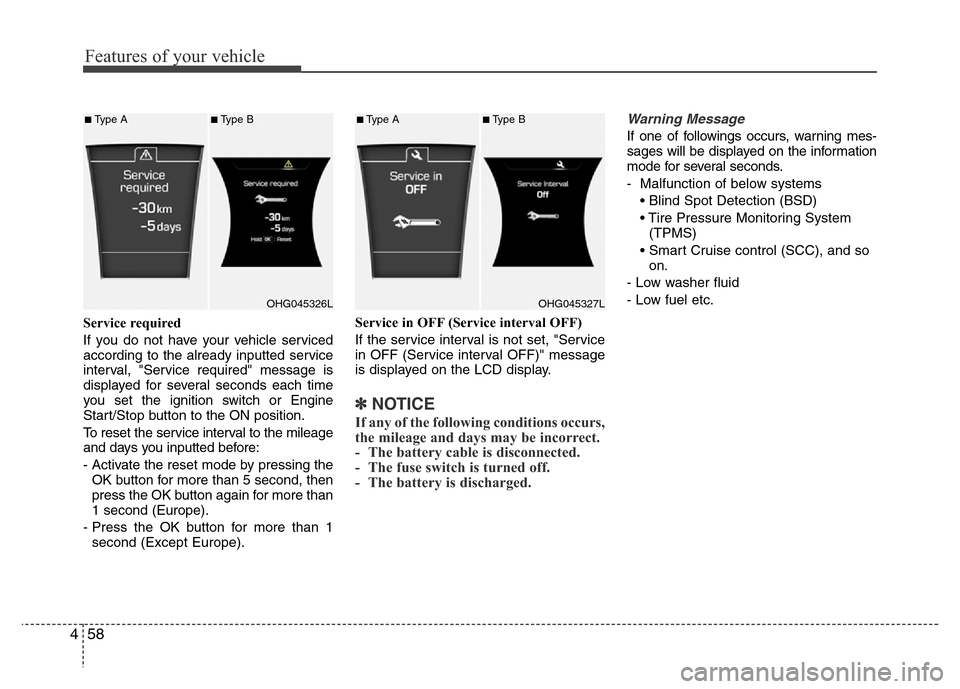
Service required
If you do not have your vehicle serviced
according to the already inputted service
interval, "Service required" message is
displayed for several seconds each time
you set the ignition switch or Engine
Start/Stop button to the ON position.
To reset the service interval to the mileage
and days you inputted before:
- Activate the reset mode by pressing the
OK button for more than 5 second, then
press the OK button again for more than
1 second (Europe).
- Press the OK button for more than 1
second (Except Europe).Service in OFF (Service interval OFF)
If the service interval is not set, "Service
in OFF (Service interval OFF)" message
is displayed on the LCD display.
✽NOTICE
If any of the following conditions occurs,
the mileage and days may be incorrect.
- The battery cable is disconnected.
- The fuse switch is turned off.
- The battery is discharged.
Warning Message
If one of followings occurs, warning mes-
sages will be displayed on the information
mode for several seconds.
- Malfunction of below systems
• Blind Spot Detection (BSD)
• Tire Pressure Monitoring System
(TPMS)
• Smart Cruise control (SCC), and so
on.
- Low washer fluid
- Low fuel etc.
OHG045326L
■Type A■Type B
OHG045327L
■Type A■Type B
Page 141 of 473
Features of your vehicle
64 4
Overview
Description
The trip computer is a microcomputer-
controlled driver information system that
displays information related to driving.
✽NOTICE
Some driving information stored in the
trip computer (for example Average
Vehicle Speed) resets if the battery is
disconnected.
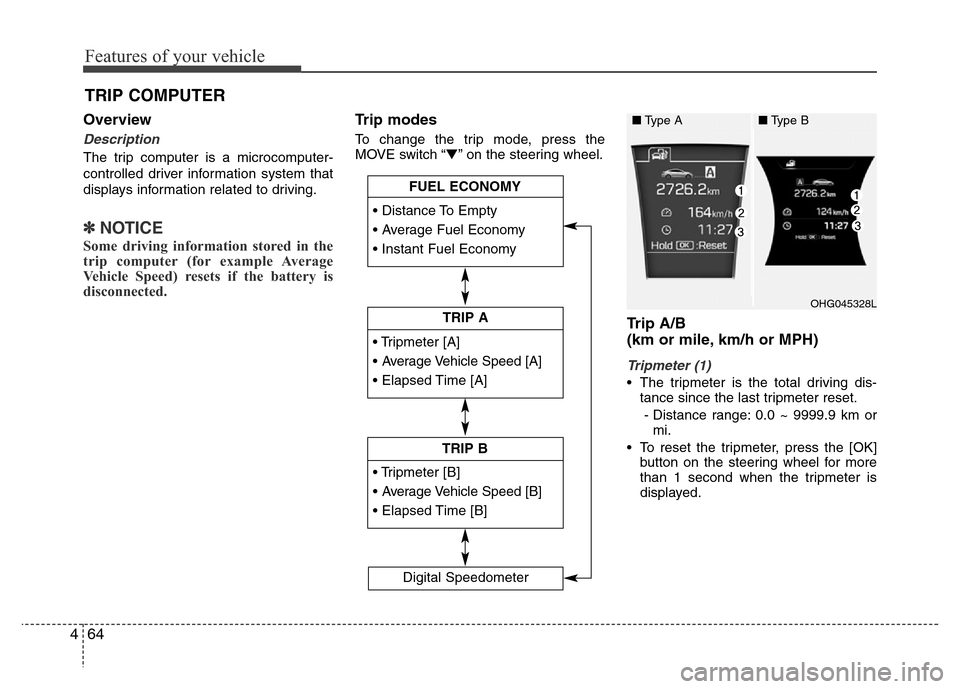
Trip modes
To change the trip mode, press the
MOVE switch “▼” on the steering wheel.
Trip A/B
(km or mile, km/h or MPH)
Tripmeter (1)
• The tripmeter is the total driving dis-
tance since the last tripmeter reset.
- Distance range: 0.0 ~ 9999.9 km or
mi.
• To reset the tripmeter, press the [OK]
button on the steering wheel for more
than 1 second when the tripmeter is
displayed.
TRIP COMPUTER
• Tripmeter [A]
• Average Vehicle Speed [A]
• Elapsed Time [A]
TRIP A
• Tripmeter [B]
• Average Vehicle Speed [B]
• Elapsed Time [B]
TRIP B • Distance To Empty
• Average Fuel Economy
• Instant Fuel Economy
FUEL ECONOMY
Digital Speedometer
OHG045328L
■Type A■Type B
Page 142 of 473
465
Features of your vehicle
Average Vehicle Speed (2)
• The average vehicle speed is calculat-
ed by the total driving distance and
driving time since the last average
vehicle speed reset.
- Speed range: 0 ~ 999 km/h or MPH
• To reset the average vehicle speed,
press the [OK] button on the steering
wheel for more than 1 second when the
average vehicle speed is displayed.
✽NOTICE
• The average vehicle speed is not dis-
played if the driving distance is less than
300 meters (0.19 miles) or the driving
time is less than 10 seconds since the
ignition switch or the Engine Start/Stop
button is turned to ON.
• Even if the vehicle is not in motion,
the average vehicle speed keeps calcu-
lating while the engine is running.
Elapsed Time (3)
• The elapsed time is the total driving
time since the last elapsed time reset.
- Time range (hh:mm): 00:00 ~ 99:59
• To reset the elapsed time, press the
[OK] button on the steering wheel for
more than 1 second when the elapsed
time is displayed.
✽NOTICE
Even if the vehicle is not in motion, the
elapsed time keeps calculating while the
engine is running.
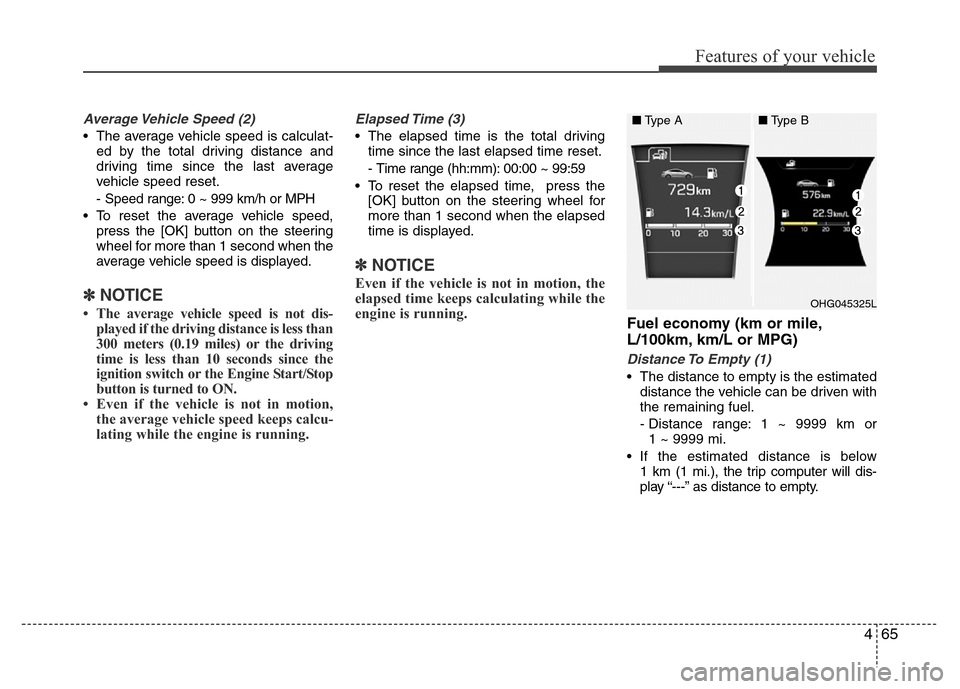
Fuel economy (km or mile,
L/100km, km/L or MPG)
Distance To Empty (1)
• The distance to empty is the estimated
distance the vehicle can be driven with
the remaining fuel.
- Distance range: 1 ~ 9999 km or
1 ~ 9999 mi.
• If the estimated distance is below
1 km (1 mi.), the trip computer will dis-
play “---” as distance to empty.
OHG045325L
■Type A■Type B
Page 143 of 473
Features of your vehicle
66 4
✽NOTICE
• If the vehicle is not on level ground or
the battery power has been interrupt-
ed, the distance to empty function
may not operate correctly.
• The distance to empty may differ
from the actual driving distance as it
is an estimate of the available driving
distance.
• The trip computer may not register
additional fuel if less than 6 liters (1.6
gallons) of fuel are added to the vehi-
cle.
• The fuel economy and distance to
empty may vary significantly based
on driving conditions, driving habits,
and condition of the vehicle.
Average Fuel Economy (2)
• The average fuel economy is calculat-
ed by the total driving distance and fuel
consumption since the last average fuel
economy reset.
- Fuel economy range: 0.0 ~ 99.9
L/100km, km/L or MPG
• The average fuel economy can be
reset both manually and automatically.
Manual reset
To clear the average fuel economy manu-
ally, press the [OK] button on the steering
wheel for more than 1 second when the
average fuel economy is displayed.Automatic reset
To make the average fuel economy be
reset automatically whenever refueling,
select the “Auto Reset” mode in User
Setting menu of the LCD display (Refer
to “LCD Display”).
Under “Auto Reset” mode, the average
fuel economy will be cleared to zero (---)
when the vehicle speed exceeds 1 km/h
after refueling more than 6 liters (1.6 gal-
lons).
✽NOTICE
The average fuel economy is not dis-
played for more accurate calculation if
the vehicle does not drive more than 10
seconds or 300 meters (0.19 miles) since
the ignition switch or the Engine
Start/Stop button is turned to ON.
Instant Fuel Economy (3)
• This mode displays the instant fuel
economy during the last few seconds
when the vehicle speed is more than
10 km/h (6.2 MPH).
- Fuel economy range: 0 ~ 30
L/100km, km/L or 0 ~ 50 MPG
Page 144 of 473
467
Features of your vehicle
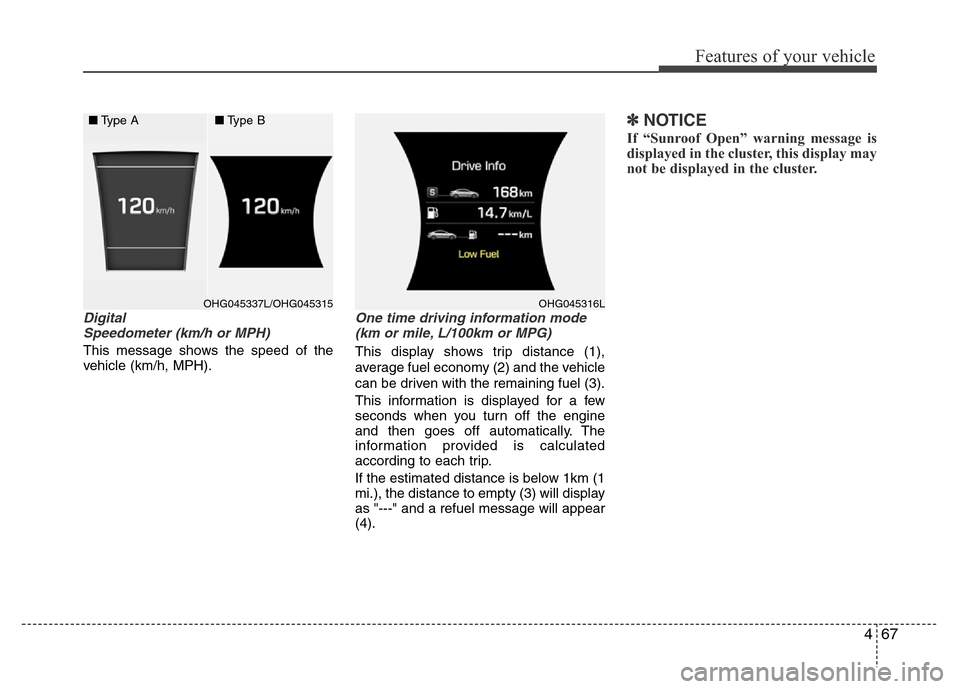
Digital
Speedometer (km/h or MPH)
This message shows the speed of the
vehicle (km/h, MPH).
One time driving information mode
(km or mile, L/100km or MPG)
This display shows trip distance (1),
average fuel economy (2) and the vehicle
can be driven with the remaining fuel (3).
This information is displayed for a few
seconds when you turn off the engine
and then goes off automatically. The
information provided is calculated
according to each trip.
If the estimated distance is below 1km (1
mi.), the distance to empty (3) will display
as "---" and a refuel message will appear
(4).
✽NOTICE
If “Sunroof Open” warning message is
displayed in the cluster, this display may
not be displayed in the cluster.
OHG045337L/OHG045315 OHG045316L
■Type A■Type B
Page 154 of 473
477
Features of your vehicle
Overspeed warning
(if equipped)
Overspeed warning light
If you drive with the speed of 120 km/h or
more, the overspeed warning light will
blink. This is to prevent you from driving
your vehicle with overspeed.
Overspeed warning chime (if equipped)
If you drive with the speed of 120 km/h or
more, the overspeed warning chime will
sound for about 5 seconds. This is to pre-
vent you from driving your vehicle with
overspeed.
Master warning light
This indicator light illuminates:
• When there is a malfunction on the
Blind Spot Detection (BSD), and so on.
To identify the details of the warning,
look at the LCD display.
WARNING
Significantly low tire pressure
makes the vehicle unstable and can
contribute to loss of vehicle control
and increased braking distances.
Continued driving on low pressure
tires will cause the tires to overheat
and fail.
WARNING - Safe stopping
• The TPMS cannot alert you to
severe and sudden tire damage
caused by external factors.
• If you feel any vehicle instability,
immediately take your foot off the
accelerator, apply the brakes
gradually and with light force,
and slowly move to a safe posi-
tion off the road.
120km/h
Page 155 of 473
Features of your vehicle
78 4
LCD display warning (if equipped)
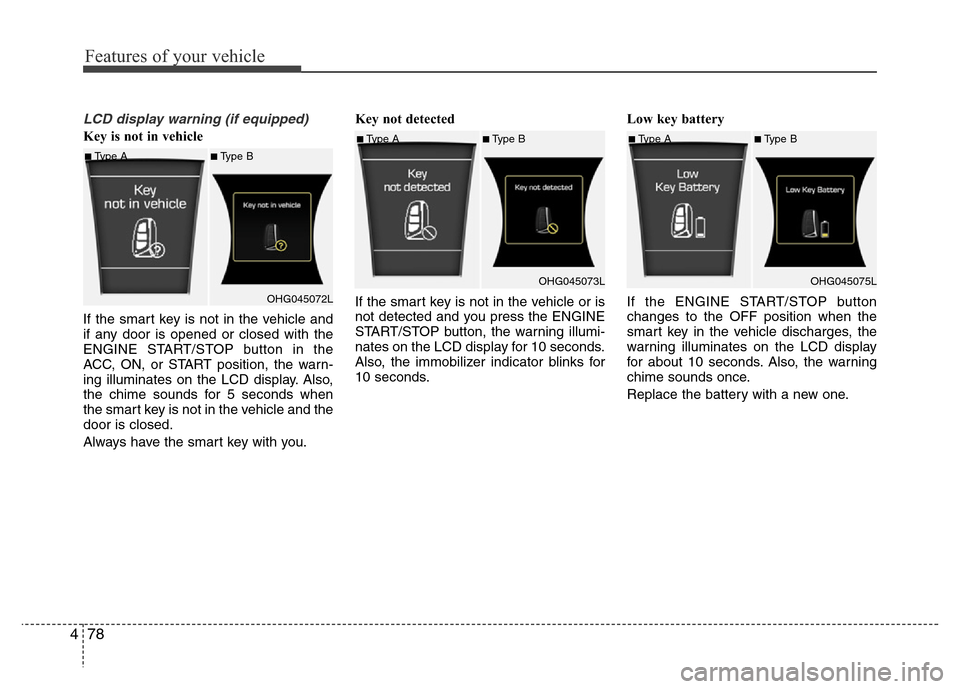
Key is not in vehicle
If the smart key is not in the vehicle and
if any door is opened or closed with the
ENGINE START/STOP button in the
ACC, ON, or START position, the warn-
ing illuminates on the LCD display. Also,
the chime sounds for 5 seconds when
the smart key is not in the vehicle and the
door is closed.
Always have the smart key with you.Key not detected
If the smart key is not in the vehicle or is
not detected and you press the ENGINE
START/STOP button, the warning illumi-
nates on the LCD display for 10 seconds.
Also, the immobilizer indicator blinks for
10 seconds.Low key battery
If the ENGINE START/STOP button
changes to the OFF position when the
smart key in the vehicle discharges, the
warning illuminates on the LCD display
for about 10 seconds. Also, the warning
chime sounds once.
Replace the battery with a new one.
■Type A■Type B
OHG045072L
■Type A■Type B
OHG045073L■Type A■Type B
OHG045075L
Page 156 of 473
479
Features of your vehicle
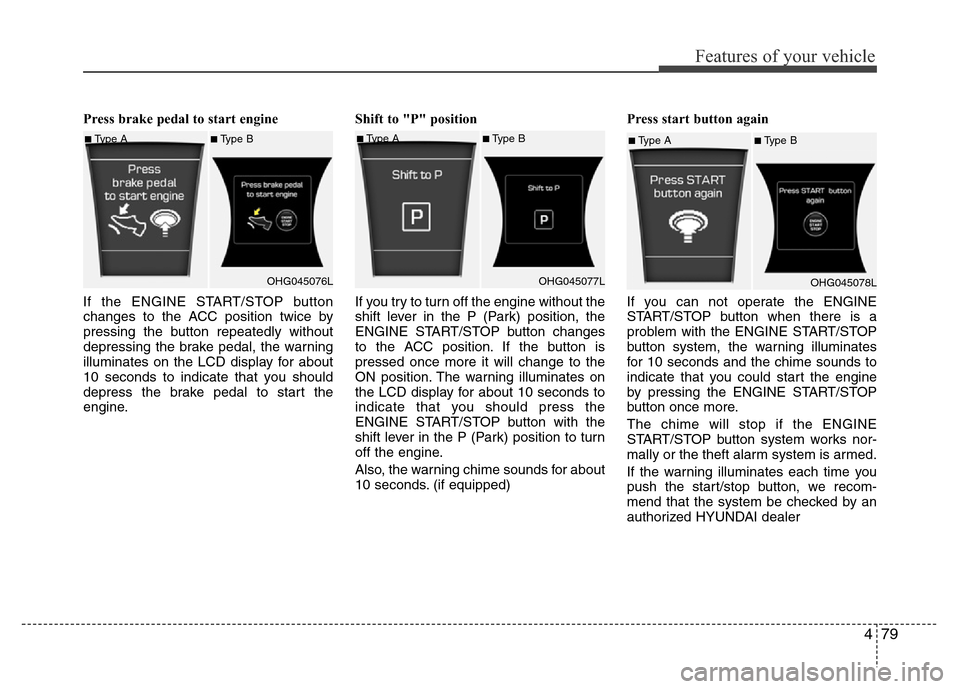
Press brake pedal to start engine
If the ENGINE START/STOP button
changes to the ACC position twice by
pressing the button repeatedly without
depressing the brake pedal, the warning
illuminates on the LCD display for about
10 seconds to indicate that you should
depress the brake pedal to start the
engine.Shift to "P" position
If you try to turn off the engine without the
shift lever in the P (Park) position, the
ENGINE START/STOP button changes
to the ACC position. If the button is
pressed once more it will change to the
ON position. The warning illuminates on
the LCD display for about 10 seconds to
indicate that you should press the
ENGINE START/STOP button with the
shift lever in the P (Park) position to turn
off the engine.
Also, the warning chime sounds for about
10 seconds. (if equipped)Press start button again
If you can not operate the ENGINE
START/STOP button when there is a
problem with the ENGINE START/STOP
button system, the warning illuminates
for 10 seconds and the chime sounds to
indicate that you could start the engine
by pressing the ENGINE START/STOP
button once more.
The chime will stop if the ENGINE
START/STOP button system works nor-
mally or the theft alarm system is armed.
If the warning illuminates each time you
push the start/stop button, we recom-
mend that the system be checked by an
authorized HYUNDAI dealer
■Type A■Type B
OHG045076L■Type A■Type B
OHG045077L■Type A■Type B
OHG045078L
Page 157 of 473
Features of your vehicle
80 4
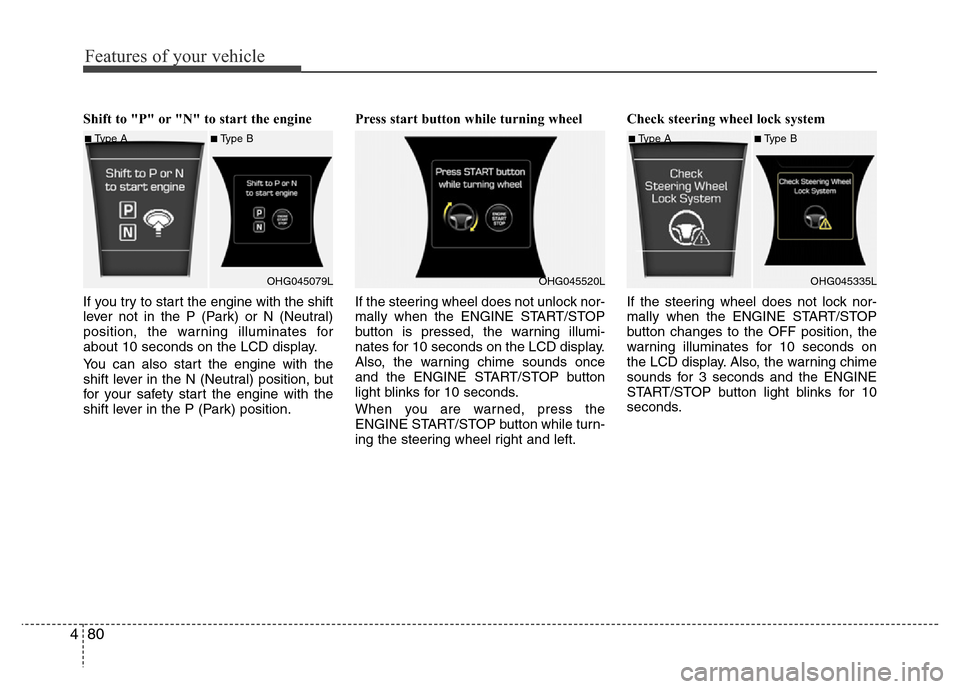
Shift to "P" or "N" to start the engine
If you try to start the engine with the shift
lever not in the P (Park) or N (Neutral)
position, the warning illuminates for
about 10 seconds on the LCD display.
You can also start the engine with the
shift lever in the N (Neutral) position, but
for your safety start the engine with the
shift lever in the P (Park) position.Press start button while turning wheel
If the steering wheel does not unlock nor-
mally when the ENGINE START/STOP
button is pressed, the warning illumi-
nates for 10 seconds on the LCD display.
Also, the warning chime sounds once
and the ENGINE START/STOP button
light blinks for 10 seconds.
When you are warned, press the
ENGINE START/STOP button while turn-
ing the steering wheel right and left.Check steering wheel lock system
If the steering wheel does not lock nor-
mally when the ENGINE START/STOP
button changes to the OFF position, the
warning illuminates for 10 seconds on
the LCD display. Also, the warning chime
sounds for 3 seconds and the ENGINE
START/STOP button light blinks for 10
seconds.
■Type A■Type B
OHG045079L
OHG045520L
■Type A■Type B
OHG045335L
Page 158 of 473
481
Features of your vehicle
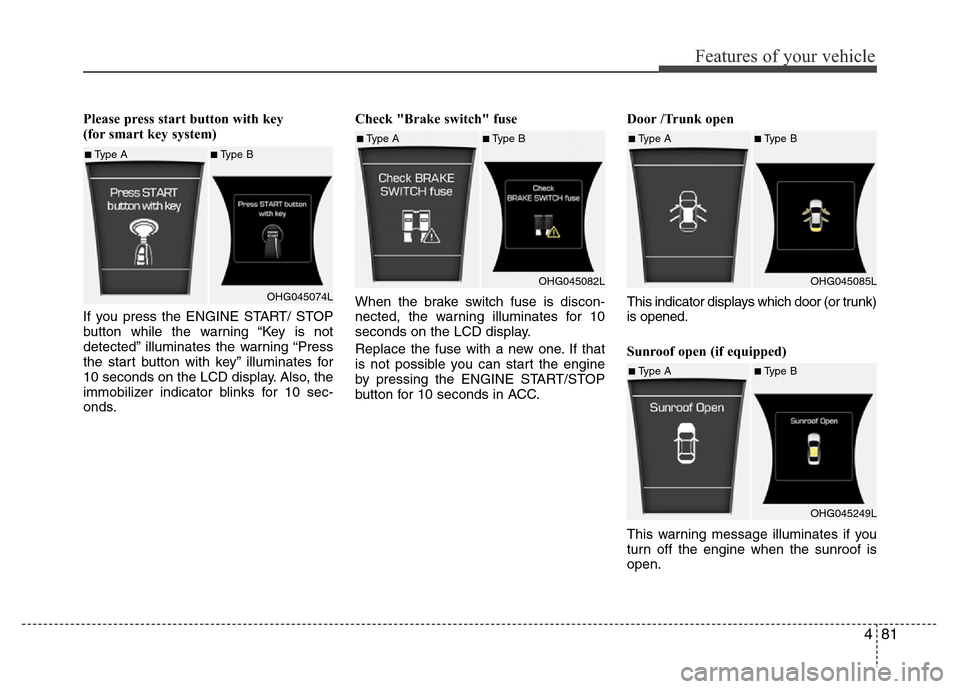
Please press start button with key
(for smart key system)
If you press the ENGINE START/ STOP
button while the warning “Key is not
detected” illuminates the warning “Press
the start button with key” illuminates for
10 seconds on the LCD display. Also, the
immobilizer indicator blinks for 10 sec-
onds.Check "Brake switch" fuse
When the brake switch fuse is discon-
nected, the warning illuminates for 10
seconds on the LCD display.
Replace the fuse with a new one. If that
is not possible you can start the engine
by pressing the ENGINE START/STOP
button for 10 seconds in ACC.Door /Trunk open
This indicator displays which door (or trunk)
is opened.
Sunroof open (if equipped)
This warning message illuminates if you
turn off the engine when the sunroof is
open.
■Type A■Type B
OHG045074L
■Type A■Type B
OHG045082L■Type A■Type B
OHG045085L
■Type A■Type B
OHG045249L