ECO mode Hyundai Azera 2015 Owner's Guide
[x] Cancel search | Manufacturer: HYUNDAI, Model Year: 2015, Model line: Azera, Model: Hyundai Azera 2015Pages: 473, PDF Size: 11.92 MB
Page 237 of 473
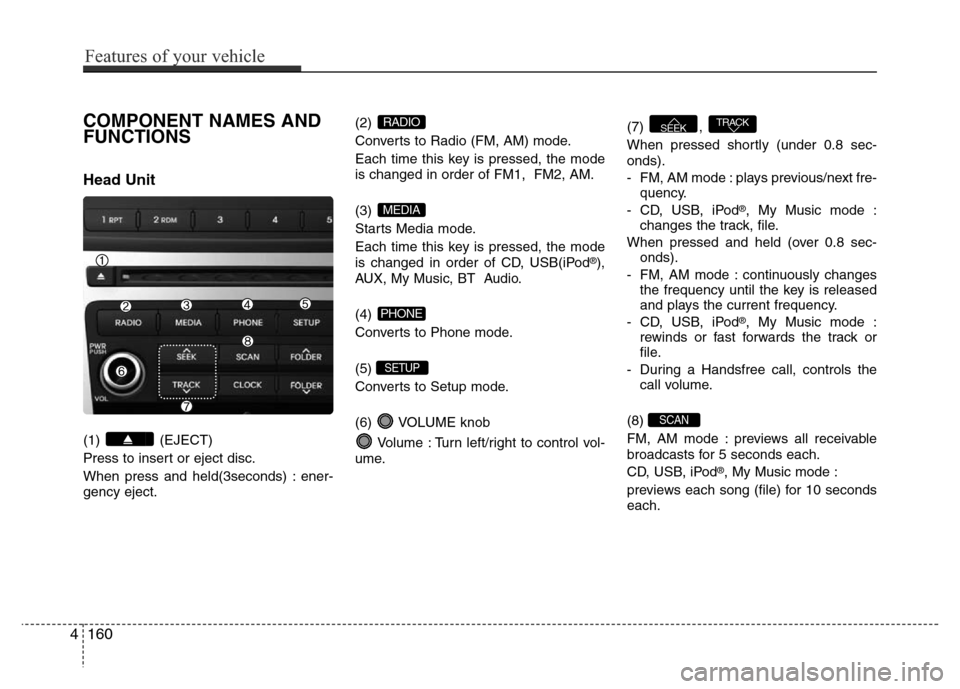
COMPONENT NAMES AND
FUNCTIONS
Head Unit
(1) (EJECT)
Press to insert or eject disc.
When press and held(3seconds) : ener-
gency eject.(2)
Converts to Radio (FM, AM) mode.
Each time this key is pressed, the mode
is changed in order of FM1, FM2, AM.
(3)
Starts Media mode.
Each time this key is pressed, the mode
is changed in order of CD, USB(iPod
®),
AUX, My Music, BT Audio.
(4)
Converts to Phone mode.
(5)
Converts to Setup mode.
(6) VOLUME knob
Volume : Turn left/right to control vol-
ume.(7) ,
When pressed shortly (under 0.8 sec-
onds).
- FM, AM mode : plays previous/next fre-
quency.
- CD, USB, iPod
®, My Music mode :
changes the track, file.
When pressed and held (over 0.8 sec-
onds).
- FM, AM mode : continuously changes
the frequency until the key is released
and plays the current frequency.
- CD, USB, iPod
®, My Music mode :
rewinds or fast forwards the track or
file.
- During a Handsfree call, controls the
call volume.
(8)
FM, AM mode : previews all receivable
broadcasts for 5 seconds each.
CD, USB, iPod
®, My Music mode :
previews each song (file) for 10 seconds
each.
SCAN
TRACKSEEK
SETUP
PHONE
MEDIA
RADIO
4160
Features of your vehicle
Page 243 of 473
Features of your vehicle
166 4
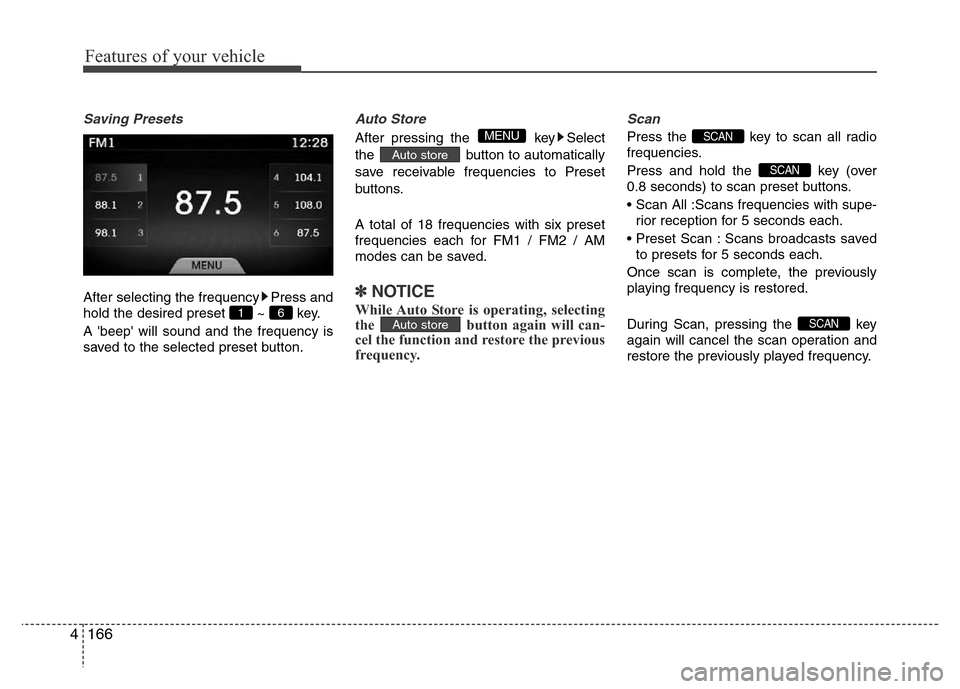
Saving Presets
After selecting the frequency Press and
hold the desired preset ~ key.
A 'beep' will sound and the frequency is
saved to the selected preset button.
Auto Store
After pressing the key Select
the button to automatically
save receivable frequencies to Preset
buttons.
A total of 18 frequencies with six preset
frequencies each for FM1 / FM2 / AM
modes can be saved.
✽NOTICE
While Auto Store is operating, selecting
the button again will can-
cel the function and restore the previous
frequency.
Scan
Press the key to scan all radio
frequencies.
Press and hold the key (over
0.8 seconds) to scan preset buttons.
• Scan All :Scans frequencies with supe-
rior reception for 5 seconds each.
• Preset Scan : Scans broadcasts saved
to presets for 5 seconds each.
Once scan is complete, the previously
playing frequency is restored.
During Scan, pressing the key
again will cancel the scan operation and
restore the previously played frequency.
SCAN
SCAN
SCAN
Auto store
Auto store
MENU
6 1
Page 246 of 473
Using Audio CD Mode
Playing/Pausing CD Tracks
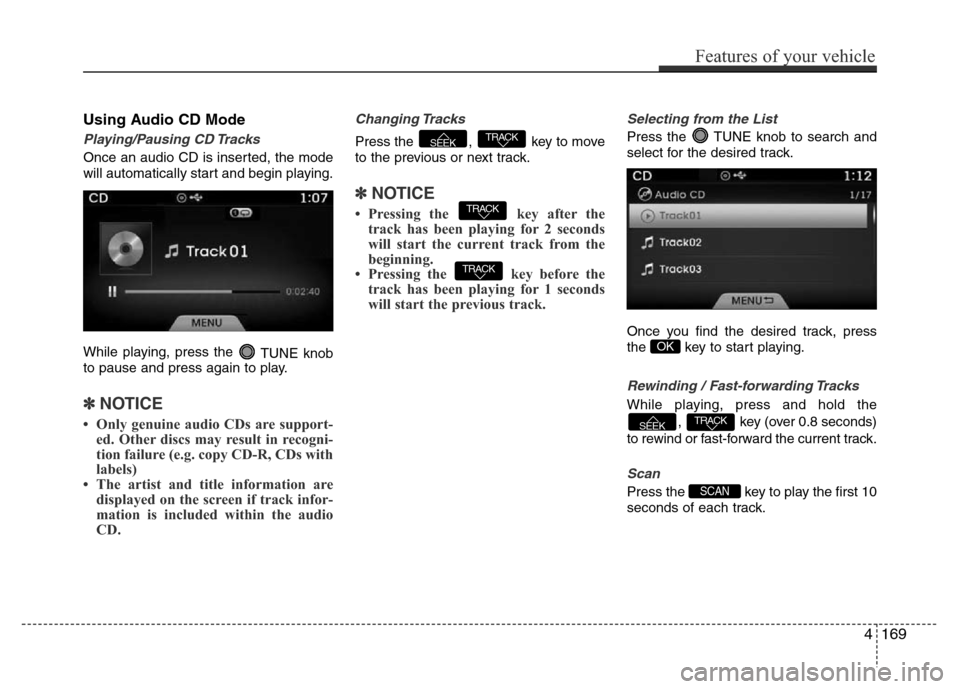
Once an audio CD is inserted, the mode
will automatically start and begin playing.
While playing, press the
TUNE knob
to pause and press again to play.
✽NOTICE
• Only genuine audio CDs are support-
ed. Other discs may result in recogni-
tion failure (e.g. copy CD-R, CDs with
labels)
• The artist and title information are
displayed on the screen if track infor-
mation is included within the audio
CD.
Changing Tracks
Press the , key to move
to the previous or next track.
✽NOTICE
• Pressing the key after the
track has been playing for 2 seconds
will start the current track from the
beginning.
• Pressing the key before the
track has been playing for 1 seconds
will start the previous track.
Selecting from the List
Press the TUNE knob to search and
select for the desired track.
Once you find the desired track, press
the key to start playing.
Rewinding / Fast-forwarding Tracks
While playing, press and hold the
, key (over 0.8 seconds)
to rewind or fast-forward the current track.
Scan
Press the key to play the first 10
seconds of each track.SCAN
TRACKSEEK
OK
TRACK
TRACK
TRACKSEEK
Features of your vehicle
169 4
Page 249 of 473
Using MP3 CD Mode
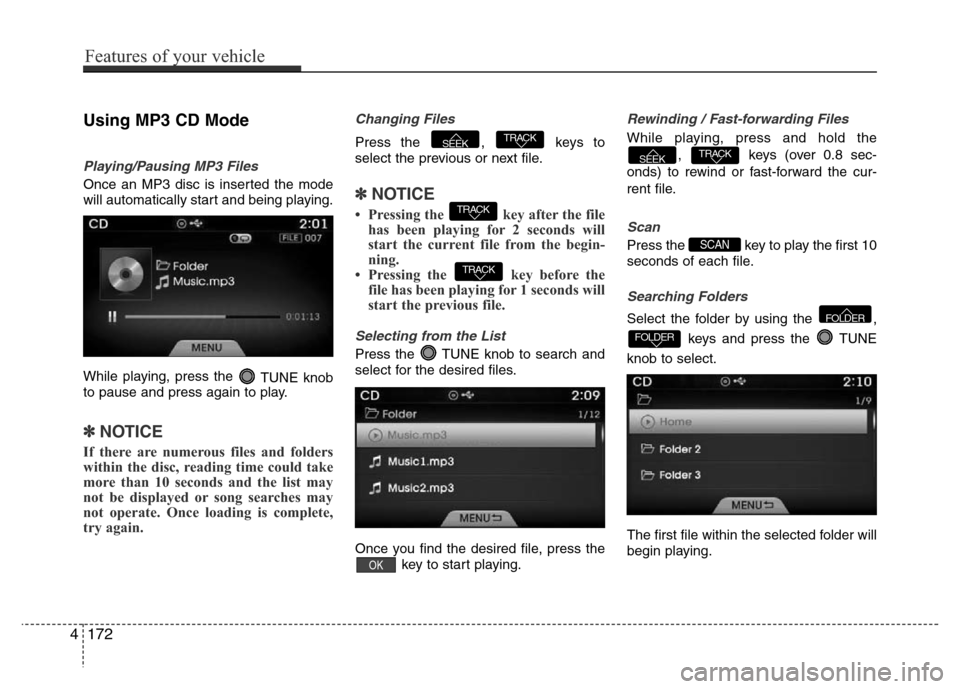
Playing/Pausing MP3 Files
Once an MP3 disc is inserted the mode
will automatically start and being playing.
While playing, press the
TUNE knob
to pause and press again to play.
✽NOTICE
If there are numerous files and folders
within the disc, reading time could take
more than 10 seconds and the list may
not be displayed or song searches may
not operate. Once loading is complete,
try again.
Changing Files
Press the , keys to
select the previous or next file.
✽NOTICE
• Pressing the key after the file
has been playing for 2 seconds will
start the current file from the begin-
ning.
• Pressing the key before the
file has been playing for 1 seconds will
start the previous file.
Selecting from the List
Press the TUNE knob to search and
select for the desired files.
Once you find the desired file, press the
key to start playing.
Rewinding / Fast-forwarding Files
While playing, press and hold the
, keys (over 0.8 sec-
onds) to rewind or fast-forward the cur-
rent file.
Scan
Press the key to play the first 10
seconds of each file.
Searching Folders
Select the folder by using the ,
keys and press the TUNE
knob to select.
The first file within the selected folder will
begin playing.
FOLDER
FOLDER
SCAN
TRACKSEEK
OK
TRACK
TRACK
TRACKSEEK
4172
Features of your vehicle
Page 253 of 473
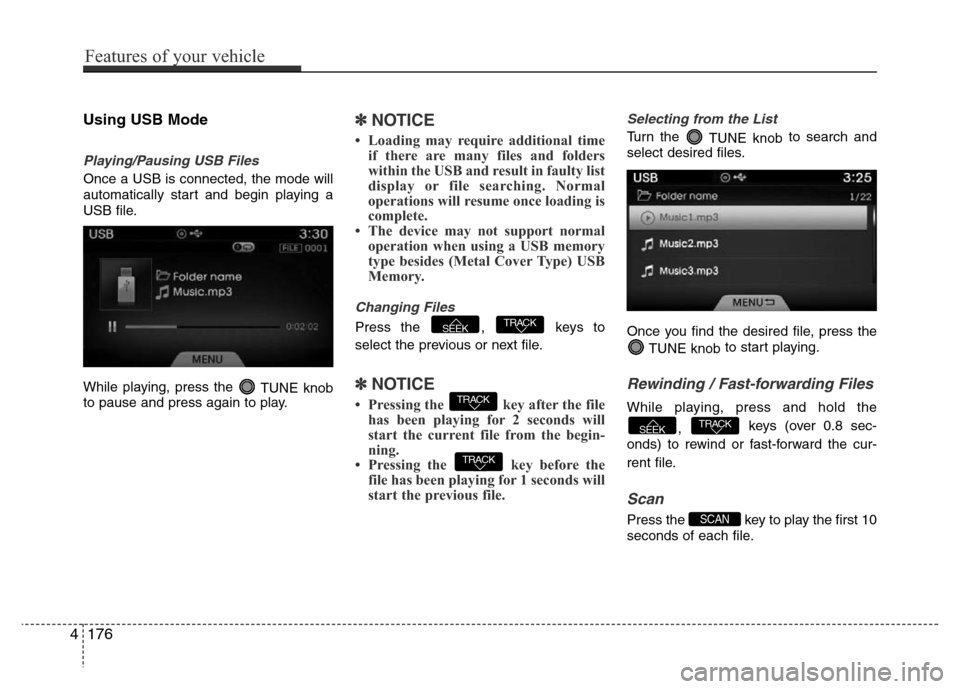
Using USB Mode
Playing/Pausing USB Files
Once a USB is connected, the mode will
automatically start and begin playing a
USB file.
While playing, press the
TUNE knob
to pause and press again to play.
✽NOTICE
• Loading may require additional time
if there are many files and folders
within the USB and result in faulty list
display or file searching. Normal
operations will resume once loading is
complete.
• The device may not support normal
operation when using a USB memory
type besides (Metal Cover Type) USB
Memory.
Changing Files
Press the , keys to
select the previous or next file.
✽NOTICE
• Pressing the key after the file
has been playing for 2 seconds will
start the current file from the begin-
ning.
• Pressing the key before the
file has been playing for 1 seconds will
start the previous file.
Selecting from the List
Turn the
TUNE knobto search and
select desired files.
Once you find the desired file, press the
TUNE knobto start playing.
Rewinding / Fast-forwarding Files
While playing, press and hold the
, keys (over 0.8 sec-
onds) to rewind or fast-forward the cur-
rent file.
Scan
Press the key to play the first 10
seconds of each file.SCAN
TRACKSEEK
TRACK
TRACK
TRACKSEEK
4176
Features of your vehicle
Page 257 of 473
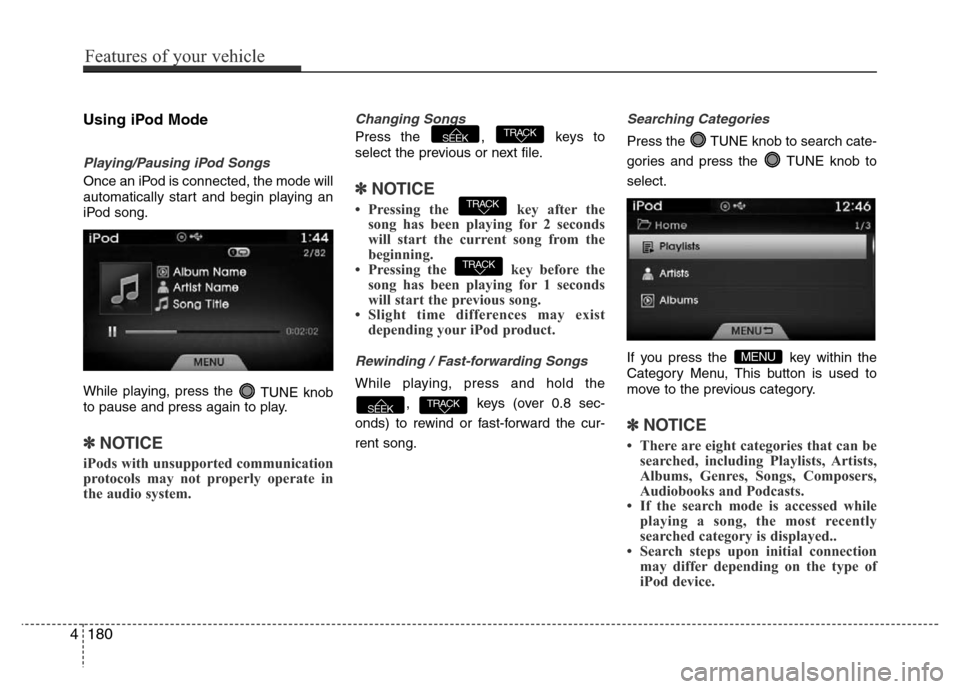
Using iPod Mode
Playing/Pausing iPod Songs
Once an iPod is connected, the mode will
automatically start and begin playing an
iPod song.
While playing, press the
TUNE knob
to pause and press again to play.
✽NOTICE
iPods with unsupported communication
protocols may not properly operate in
the audio system.
Changing Songs
Press the , keys to
select the previous or next file.
✽NOTICE
• Pressing the key after the
song has been playing for 2 seconds
will start the current song from the
beginning.
• Pressing the key before the
song has been playing for 1 seconds
will start the previous song.
• Slight time differences may exist
depending your iPod product.
Rewinding / Fast-forwarding Songs
While playing, press and hold the
, keys (over 0.8 sec-
onds) to rewind or fast-forward the cur-
rent song.
Searching Categories
Press the TUNE knob to search cate-
gories and press the TUNE knob to
select.
If you press the key within the
Category Menu, This button is used to
move to the previous category.
✽NOTICE
• There are eight categories that can be
searched, including Playlists, Artists,
Albums, Genres, Songs, Composers,
Audiobooks and Podcasts.
• If the search mode is accessed while
playing a song, the most recently
searched category is displayed..
• Search steps upon initial connection
may differ depending on the type of
iPod device.
MENU
TRACKSEEK
TRACK
TRACK
TRACKSEEK
4180
Features of your vehicle
Page 261 of 473
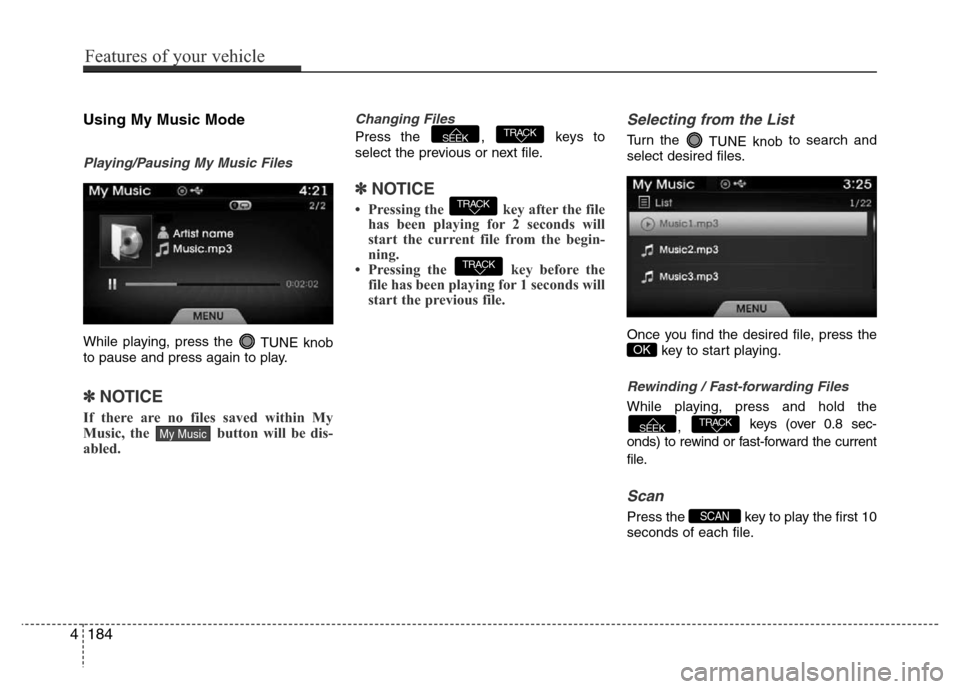
Using My Music Mode
Playing/Pausing My Music Files
While playing, press the
TUNE knob
to pause and press again to play.
✽NOTICE
If there are no files saved within My
Music, the button will be dis-
abled.
Changing Files
Press the , keys to
select the previous or next file.
✽NOTICE
• Pressing the key after the file
has been playing for 2 seconds will
start the current file from the begin-
ning.
• Pressing the key before the
file has been playing for 1 seconds will
start the previous file.
Selecting from the List
Turn the
TUNE knobto search and
select desired files.
Once you find the desired file, press the
key to start playing.
Rewinding / Fast-forwarding Files
While playing, press and hold the
, keys (over 0.8 sec-
onds) to rewind or fast-forward the current
file.
Scan
Press the key to play the first 10
seconds of each file.SCAN
TRACKSEEK
OK
TRACK
TRACK
TRACKSEEK
My Music
4184
Features of your vehicle
Page 262 of 473
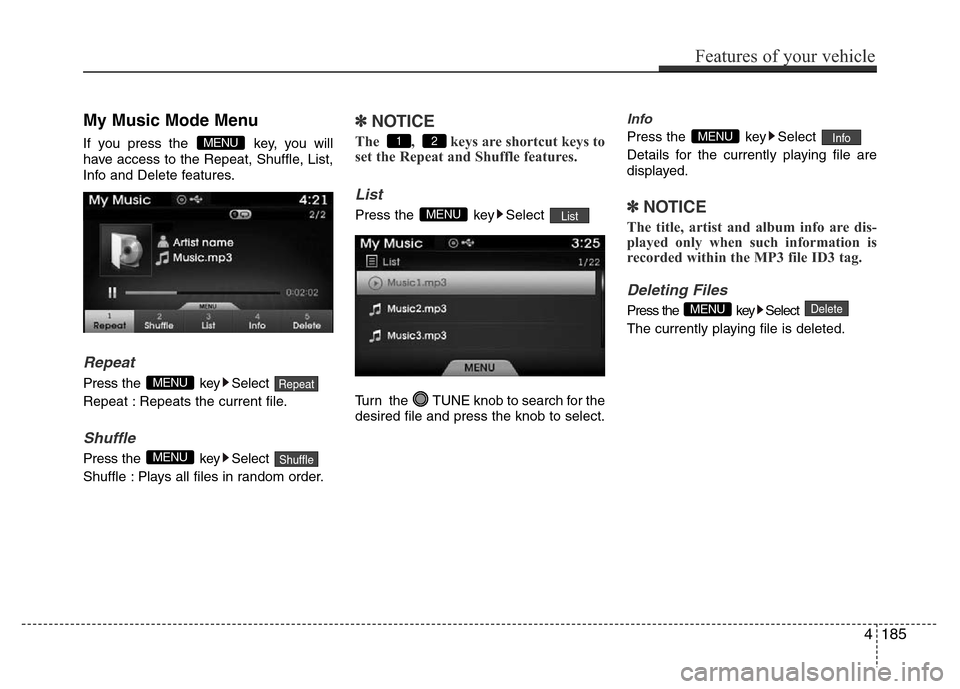
My Music Mode Menu
If you press the key, you will
have access to the Repeat, Shuffle, List,
Info and Delete features.
Repeat
Press the key Select
Repeat : Repeats the current file.
Shuffle
Press the key Select
Shuffle : Plays all files in random order.
✽NOTICE
The , keys are shortcut keys to
set the Repeat and Shuffle features.
List
Press the key Select
Turn the TUNE knob to search for the
desired file and press the knob to select.
Info
Press the key Select
Details for the currently playing file are
displayed.
✽NOTICE
The title, artist and album info are dis-
played only when such information is
recorded within the MP3 file ID3 tag.
Deleting Files
Press the key Select
The currently playing file is deleted.DeleteMENU
InfoMENU
ListMENU
21
ShuffleMENU
RepeatMENU
MENU
Features of your vehicle
185 4
Page 289 of 473
Driving your vehicle
6 5
Starting the engine1. Make sure the parking brake is
applied.
2. Place the transaxle shift lever in P
(Park). Depress the brake pedal fully.
You can also start the engine when the
shift lever is in the N (Neutral) position.
3. Turn the ignition switch to START and
hold it there until the engine starts (a
maximum of 10 seconds), then release
the key.
It should be started without depressing
the accelerator.
4. Do not wait for the engine to warm up
while the vehicle remains stationary.
Start driving at moderate engine
speeds. (Steep accelerating and decel-
erating should be avoided.)
WARNING
• Always wear appropriate shoes
when operating your vehicle.
Unsuitable shoes (high heels, ski
boots,etc.) may interfere with
your ability to use the brake and
accelerator pedal.
• Do not start the vehicle with the
accelerator pedal depressed. The
vehicle can move and lead to an
accident.
• Wait until the engine rpm is nor-
mal. The vehicle may suddenly
move if the brake pedal is
released when the rpm is high.
CAUTION
If the engine stalls while you are in
motion, do not attempt to move the
shift lever to the P (Park) position. If
traffic and road conditions permit,
you may put the shift lever in the N
(Neutral) position while the vehicle
is still moving and turn the ignition
switch to the START position in an
attempt to restart the engine.
CAUTION
• Do not engage the starter for
more than 10 seconds. If the
engine stalls or fails to start, wait
5 to 10 seconds before re-engag-
ing the starter. Improper use of
the starter may damage it.
• Do not turn the ignition switch to
the START position with the
engine running. It may damage
the starter.
Page 297 of 473
Driving your vehicle
14 5
R (Reverse)
Use this position to drive the vehicle
backward.
N (Neutral)
The wheels and transaxle are not
engaged. The vehicle will roll freely even
on the slightest incline unless the parking
brake or service brakes are applied.D (Drive)
This is the normal forward driving posi-
tion. The transaxle will automatically shift
through a 6-gear sequence, providing the
best fuel economy and power.
For extra power when passing another
vehicle or climbing grades, depress the
accelerator pedal fully (more than 80%)
until the kick down mechanism works
with a clicking noise, at which time the
transaxle will automatically downshift to
the next lower gear.
✽NOTICE
• Always come to a complete stop
before shifting into D (Drive).
• A clicking noise heard from the kick
down mechanism by depressing the
accelerator pedal fully is a normal
condition.
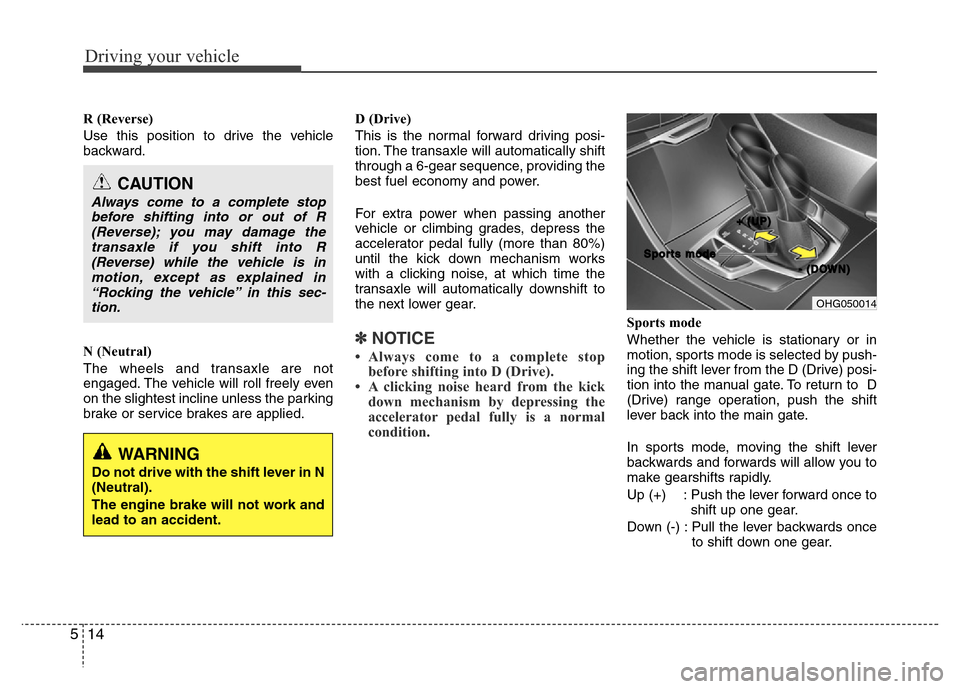
Sports mode
Whether the vehicle is stationary or in
motion, sports mode is selected by push-
ing the shift lever from the D (Drive) posi-
tion into the manual gate. To return to D
(Drive) range operation, push the shift
lever back into the main gate.
In sports mode, moving the shift lever
backwards and forwards will allow you to
make gearshifts rapidly.
Up (+) : Push the lever forward once to
shift up one gear.
Down (-) : Pull the lever backwards once
to shift down one gear.
CAUTION
Always come to a complete stop
before shifting into or out of R
(Reverse); you may damage the
transaxle if you shift into R
(Reverse) while the vehicle is in
motion, except as explained in
“Rocking the vehicle” in this sec-
tion.
OHG050014
+ +
( (
U U
P P
) )
- -
( (
D D
O O
W W
N N
) ) S S
p p
o o
r r
t t
s s
m m
o o
d d
e e
WARNING
Do not drive with the shift lever in N
(Neutral).
The engine brake will not work and
lead to an accident.