rear view mirror Hyundai Azera 2015 Owner's Guide
[x] Cancel search | Manufacturer: HYUNDAI, Model Year: 2015, Model line: Azera, Model: Hyundai Azera 2015Pages: 473, PDF Size: 11.92 MB
Page 343 of 473
Driving your vehicle
60 5
RCTA (Rear Cross Traffic Alert)
Operating conditions
To operate:
Go to the User Settings Mode (Driving
Assist) and select RCTA (Rear Cross
Traffic Alert) on the LCD display (For
more details, refer to "LCD Display" in
chapter 4.). The system will turn on and
standby to activate. The system will acti-
vate when vehicle speed is below
10km/h (6.2mph) with the shift lever in R
(Reverse).
✽NOTICE
The RCTA (Rear Cross Traffic Alert)
detecting range is about 0.5m ~ 20m. A
vehicle will be detected if the vehicle
speed is 4km/h ~ 36km/h within the
detecting range. However, the detecting
range may change under different con-
ditions. Always pay attention to the sur-
roundings.
Warning type
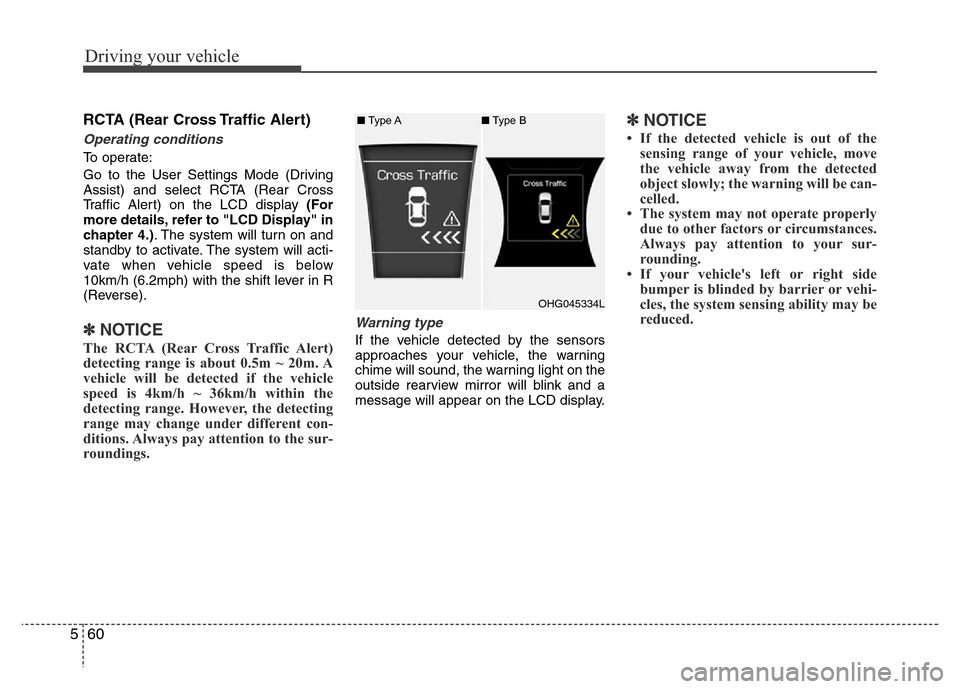
If the vehicle detected by the sensors
approaches your vehicle, the warning
chime will sound, the warning light on the
outside rearview mirror will blink and a
message will appear on the LCD display.
✽NOTICE
• If the detected vehicle is out of the
sensing range of your vehicle, move
the vehicle away from the detected
object slowly; the warning will be can-
celled.
• The system may not operate properly
due to other factors or circumstances.
Always pay attention to your sur-
rounding.
• If your vehicle's left or right side
bumper is blinded by barrier or vehi-
cles, the system sensing ability may be
reduced.
OHG045334L ■Type A■Type B
Page 344 of 473
561
Driving your vehicle
WARNING
• The warning light on the outside
rearview mirror will illuminate
whenever a vehicle is detected at
the rear side by the system.
To avoid accidents, do not focus
only on the warning light and
neglect to see the surrounding of
the vehicle.
• Drive safely even though the
vehicle is equipped with a Blind
Spot Detection System (BSD) and
Rear Cross Traffic Alert (RCTA).
Do not solely rely on the system
but check your surrounding
before changing lanes or backing
the vehicle up.
The system may not alert the
driver in some conditions so
always check the surroundings
while driving.
(Continued)
(Continued)
• The Blind Spot Detection System
(BSD) and Rear Cross Traffic
Alert (RCTA) are not a substitute
for proper and safe driving prac-
tices. Always drive safely and use
caution when changing lanes or
backing the vehicles up. The
Blind Spot Detection System
(BSD) may not detect every
object alongside the vehicle.CAUTION
• The system may not work proper-
ly if the bumper has been
replaced or if repair work has
been done near the sensor.
• The detection area differs accord-
ing to the roads width. If the road
is narrow the system may detect
other vehicles in the next lane. In
addition, if the road is very wide
the system may not detect other
vehicles.
• The system may turn off due to
strong electromagnetic waves.
Page 345 of 473
Driving your vehicle
62 5
Non-operating condition
Outside rearview mirror may not alert
the driver when:
- The outside rearview mirror housing is
damaged or covered with debris.
- The window is covered with debris.
- The windows are severely tinted.DRIVER'S ATTENTION
The driver must be cautious in the
below situations for the system may
not detect other vehicles or objects in
certain circumstances.
- Curved roads, tollgates, etc.
- The surrounding of the sensor is
polluted with rain, snow, mud, etc
- The rear bumper near the sensor is
covered or hidden with a foreign
matter such as a sticker, bumper
guard, bicycle stand etc.
- The rear bumper is damaged or the
sensor is out of place.
- The height of the vehicle is altered
such as when the trunk is loaded
with heavy objects, or there is low
tire pressure etc.
- Bad weather such as heavy rain or
snow.
- A fixed object is near such as a
guardrail, tunnel, human and animal
etc.
- Metal substances are near the vehi-
cles such as in a construction area.
- A big vehicle is near such as a bus or
truck.
- A motorcycle or bicycle is near.
(Continued)(Continued)
- A flat trailer is near.
- If the vehicle has started at the same
time as the vehicle next to you and
has accelerated.
- When the other vehicle passes by at
a higher rate of speed.
- When changing lanes.
- When going down or up a steep road
where the height of the lane is differ-
ent.
- When the other vehicle drives very
close.
- When a trailer or carrier is installed.
- When the temperature of the rear
bumper is high.
- When the sensors are covered by a
wall or a pillar of a parking lot.
- When your vehicle is backing up, if
the detected vehicle also backs up.
- Small objects like shopping carts
and strollers.
- If there is a vehicle with decreased
ride height (lowered).
- When the vehicle is close to another
vehicle.
- When the vehicle in the next lane
moves two lanes away from you OR
when the vehicle two lanes away
moves to the next lane from you.