ignition Hyundai Azera 2015 Repair Manual
[x] Cancel search | Manufacturer: HYUNDAI, Model Year: 2015, Model line: Azera, Model: Hyundai Azera 2015Pages: 473, PDF Size: 11.92 MB
Page 181 of 473
Features of your vehicle
104 4
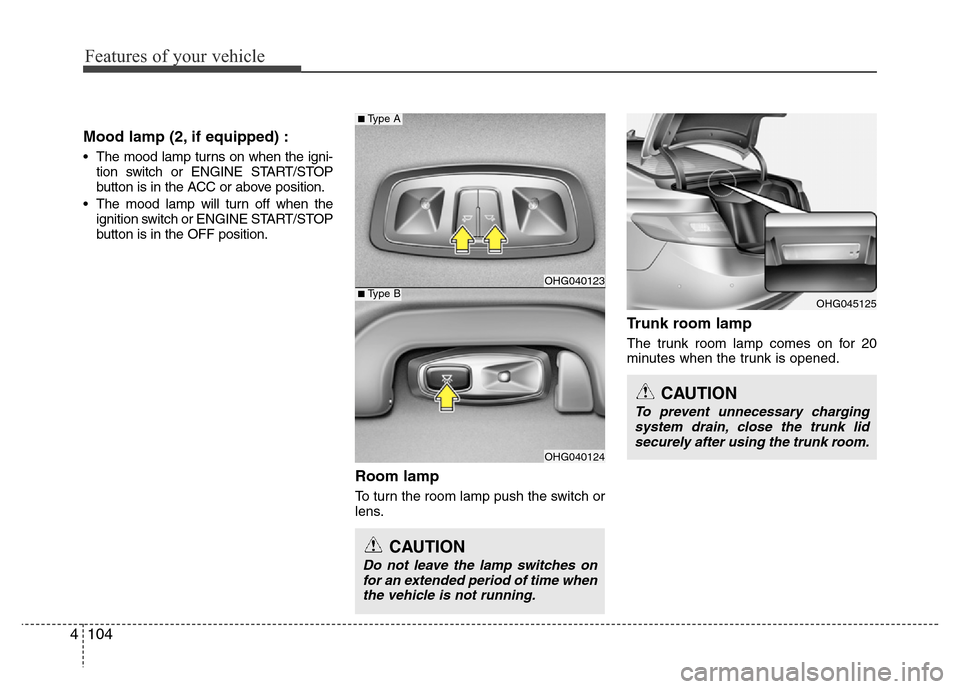
Mood lamp (2, if equipped) :
• The mood lamp turns on when the igni-
tion switch or ENGINE START/STOP
button is in the ACC or above position.
• The mood lamp will turn off when the
ignition switch or ENGINE START/STOP
button is in the OFF position.
Room lamp
To turn the room lamp push the switch or
lens.
Trunk room lamp
The trunk room lamp comes on for 20
minutes when the trunk is opened.
OHG045125
CAUTION
Do not leave the lamp switches on
for an extended period of time when
the vehicle is not running.
CAUTION
To prevent unnecessary charging
system drain, close the trunk lid
securely after using the trunk room.
OHG040123
OHG040124
■Type B
■Type A
Page 184 of 473
4107
Features of your vehicle
DEFROSTER
✽NOTICE
If you want to defrost and defog the
front windshield, refer to “Windshield
defrosting and defogging” in this sec-
tion.
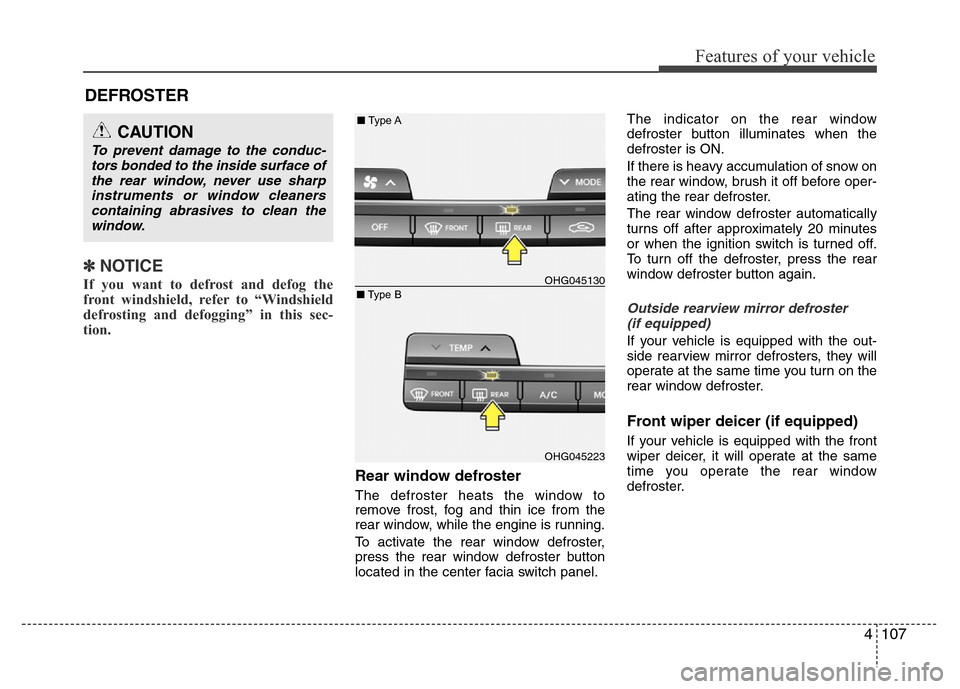
Rear window defroster
The defroster heats the window to
remove frost, fog and thin ice from the
rear window, while the engine is running.
To activate the rear window defroster,
press the rear window defroster button
located in the center facia switch panel.The indicator on the rear window
defroster button illuminates when the
defroster is ON.
If there is heavy accumulation of snow on
the rear window, brush it off before oper-
ating the rear defroster.
The rear window defroster automatically
turns off after approximately 20 minutes
or when the ignition switch is turned off.
To turn off the defroster, press the rear
window defroster button again.
Outside rearview mirror defroster
(if equipped)
If your vehicle is equipped with the out-
side rearview mirror defrosters, they will
operate at the same time you turn on the
rear window defroster.
Front wiper deicer (if equipped)
If your vehicle is equipped with the front
wiper deicer, it will operate at the same
time you operate the rear window
defroster.
CAUTION
To prevent damage to the conduc-
tors bonded to the inside surface of
the rear window, never use sharp
instruments or window cleaners
containing abrasives to clean the
window.
OHG045130
OHG045223
■Type A
■Type B
Page 185 of 473
Features of your vehicle
108 4
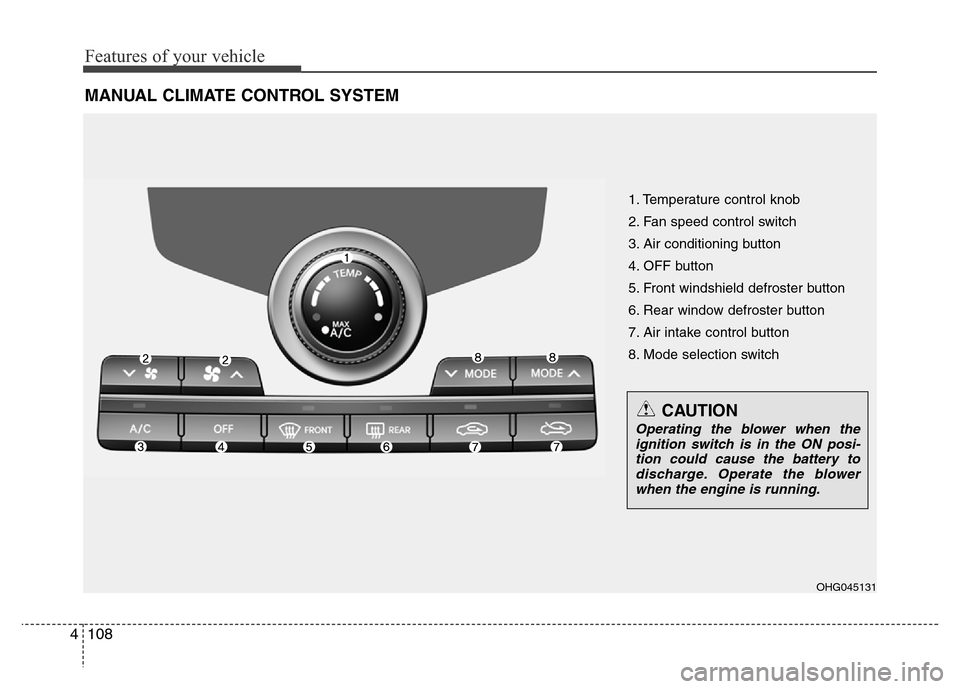
MANUAL CLIMATE CONTROL SYSTEM
1. Temperature control knob
2. Fan speed control switch
3. Air conditioning button
4. OFF button
5. Front windshield defroster button
6. Rear window defroster button
7. Air intake control button
8. Mode selection switch
OHG045131
CAUTION
Operating the blower when the
ignition switch is in the ON posi-
tion could cause the battery to
discharge. Operate the blower
when the engine is running.
Page 190 of 473
4113
Features of your vehicle
✽NOTICE
Prolonged operation of the heater in the
recirculated air position (without air
conditioning selected) may cause fog-
ging of the windshield and side windows
and the air within the passenger com-
partment may become stale.
In addition, prolonged use of the air
conditioning with the recirculated air
position selected will result in excessive-
ly dry air in the passenger compart-
ment.
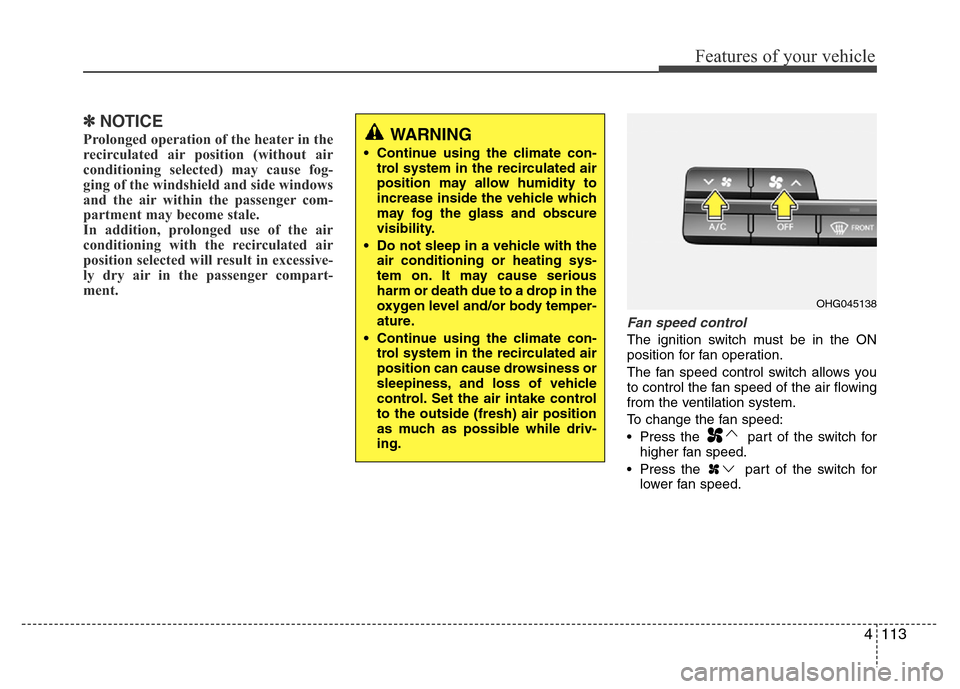
Fan speed control
The ignition switch must be in the ON
position for fan operation.
The fan speed control switch allows you
to control the fan speed of the air flowing
from the ventilation system.
To change the fan speed:
• Press the part of the switch for
higher fan speed.
• Press the part of the switch for
lower fan speed.
OHG045138
WARNING
• Continue using the climate con-
trol system in the recirculated air
position may allow humidity to
increase inside the vehicle which
may fog the glass and obscure
visibility.
• Do not sleep in a vehicle with the
air conditioning or heating sys-
tem on. It may cause serious
harm or death due to a drop in the
oxygen level and/or body temper-
ature.
• Continue using the climate con-
trol system in the recirculated air
position can cause drowsiness or
sleepiness, and loss of vehicle
control. Set the air intake control
to the outside (fresh) air position
as much as possible while driv-
ing.
Page 191 of 473
Features of your vehicle
114 4
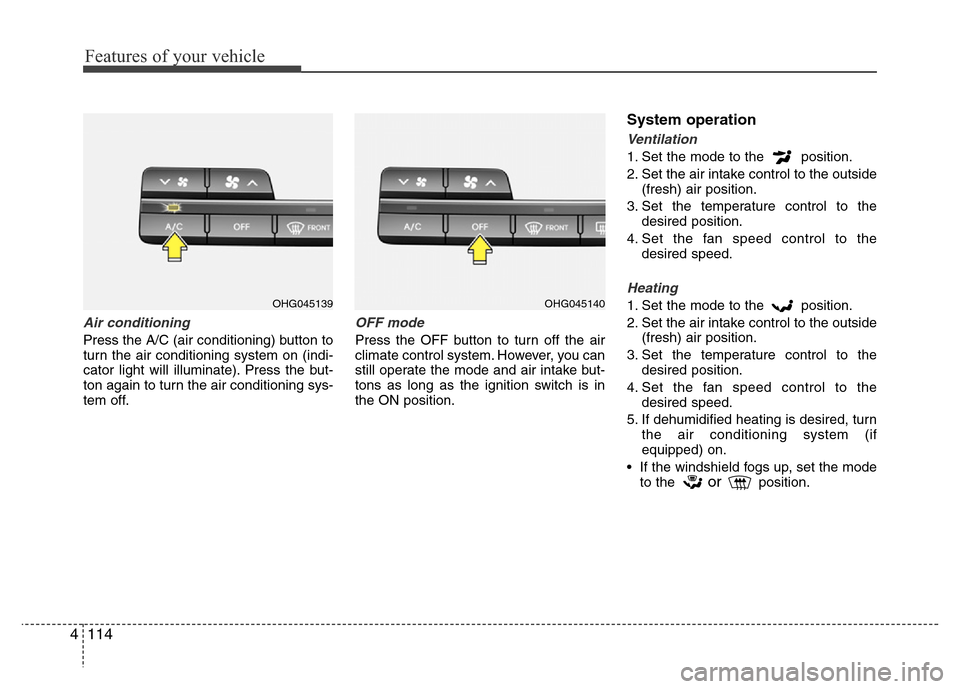
Air conditioning
Press the A/C (air conditioning) button to
turn the air conditioning system on (indi-
cator light will illuminate). Press the but-
ton again to turn the air conditioning sys-
tem off.
OFF mode
Press the OFF button to turn off the air
climate control system. However, you can
still operate the mode and air intake but-
tons as long as the ignition switch is in
the ON position.
System operation
Ventilation
1. Set the mode to the position.
2. Set the air intake control to the outside
(fresh) air position.
3. Set the temperature control to the
desired position.
4. Set the fan speed control to the
desired speed.
Heating
1. Set the mode to the position.
2. Set the air intake control to the outside
(fresh) air position.
3. Set the temperature control to the
desired position.
4. Set the fan speed control to the
desired speed.
5. If dehumidified heating is desired, turn
the air conditioning system (if
equipped) on.
• If the windshield fogs up, set the mode
to the
orposition.
OHG045139OHG045140
Page 195 of 473
Features of your vehicle
118 4
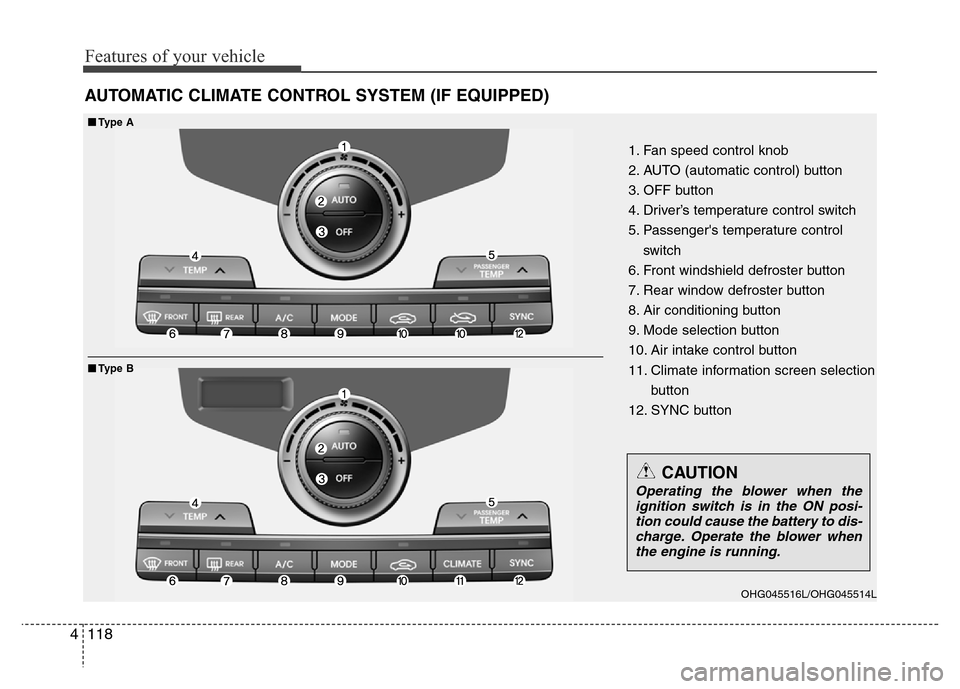
AUTOMATIC CLIMATE CONTROL SYSTEM (IF EQUIPPED)
1. Fan speed control knob
2. AUTO (automatic control) button
3. OFF button
4. Driver’s temperature control switch
5. Passenger's temperature control
switch
6. Front windshield defroster button
7. Rear window defroster button
8. Air conditioning button
9. Mode selection button
10. Air intake control button
11. Climate information screen selection
button
12. SYNC button
■■Type A
■Type B
OHG045516L/OHG045514L
CAUTION
Operating the blower when the
ignition switch is in the ON posi-
tion could cause the battery to dis-
charge. Operate the blower when
the engine is running.
Page 202 of 473
4125
Features of your vehicle
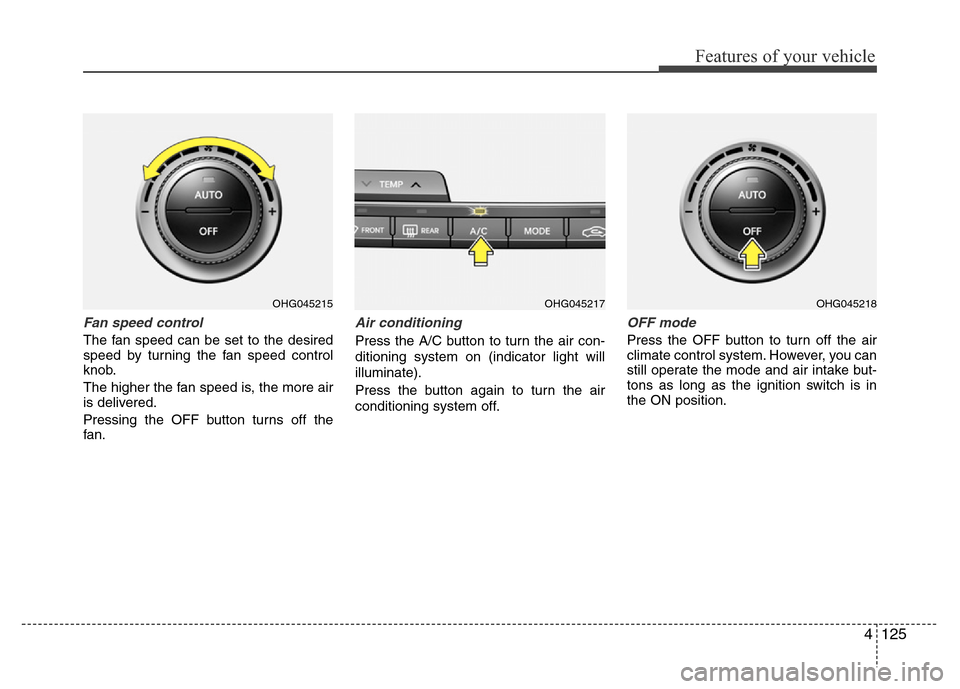
Fan speed control
The fan speed can be set to the desired
speed by turning the fan speed control
knob.
The higher the fan speed is, the more air
is delivered.
Pressing the OFF button turns off the
fan.
Air conditioning
Press the A/C button to turn the air con-
ditioning system on (indicator light will
illuminate).
Press the button again to turn the air
conditioning system off.
OFF mode
Press the OFF button to turn off the air
climate control system. However, you can
still operate the mode and air intake but-
tons as long as the ignition switch is in
the ON position.
OHG045215OHG045217OHG045218
Page 209 of 473
Features of your vehicle
132 4
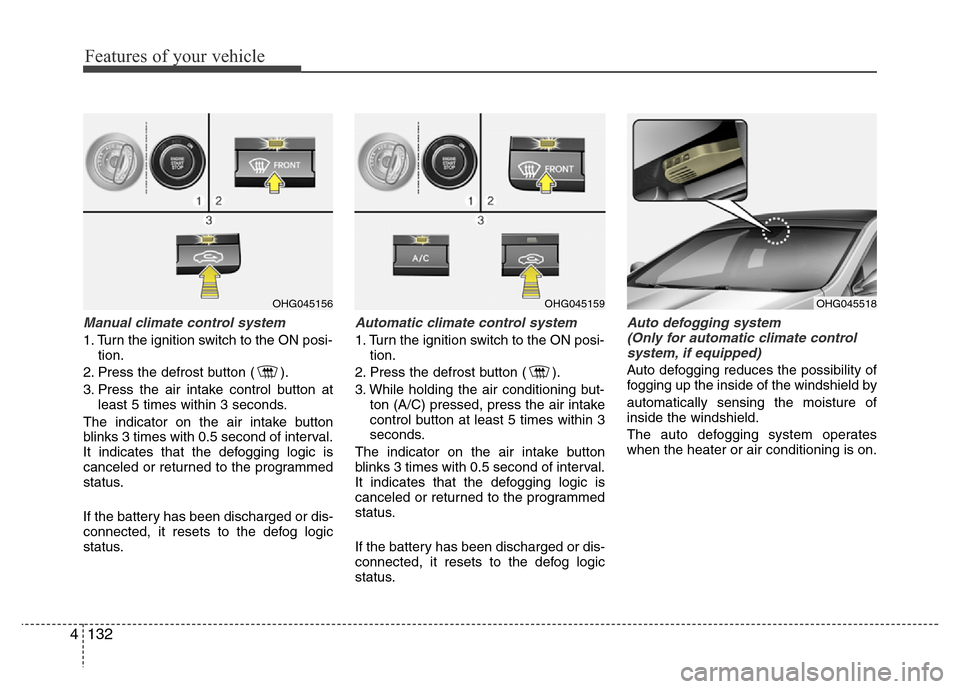
Manual climate control system
1. Turn the ignition switch to the ON posi-
tion.
2. Press the defrost button ( ).
3. Press the air intake control button at
least 5 times within 3 seconds.
The indicator on the air intake button
blinks 3 times with 0.5 second of interval.
It indicates that the defogging logic is
canceled or returned to the programmed
status.
If the battery has been discharged or dis-
connected, it resets to the defog logic
status.
Automatic climate control system
1. Turn the ignition switch to the ON posi-
tion.
2. Press the defrost button ( ).
3. While holding the air conditioning but-
ton (A/C) pressed, press the air intake
control button at least 5 times within 3
seconds.
The indicator on the air intake button
blinks 3 times with 0.5 second of interval.
It indicates that the defogging logic is
canceled or returned to the programmed
status.
If the battery has been discharged or dis-
connected, it resets to the defog logic
status.
Auto defogging system
(Only for automatic climate control
system, if equipped)
Auto defogging reduces the possibility of
fogging up the inside of the windshield by
automatically sensing the moisture of
inside the windshield.
The auto defogging system operates
when the heater or air conditioning is on.
OHG045156OHG045159OHG045518
Page 210 of 473
4133
Features of your vehicle
This indicator illuminates
when the auto defogging
system senses the moisture
of inside the windshield and
operates.
If more moisture is in the vehicle, higher
steps operate as follow. For example if
auto defogging does not defog inside the
windshield at step 1 Outside air position,
it tries to defog again at step 2 operating
the air conditioning.
Step 1 : Outside air position
Step 2 : Operating the air conditioning
Step 3 : Blowing air toward the wind-
shield
Step 4 : Increasing air flow toward the
windshield
Step 5 : Maximizing the air conditioning
If your vehicle is equipped with the auto
defogging system, it is automatically acti-
vated when the conditions are met.
However, if you would like to cancel the
auto defogging system, press the front
defroster button for 3 seconds when the
ignition switch or ENGINE START/STOP
button is in the ON position.The indicator of front defroster button will
blink 3 times to notify you that the system
is cancelled. To use the auto defogging
system again, follow the procedures
mentioned above. The indicator of front
defroster button will blink 6 times at inter-
vals of 0.5 seconds to notify you that the
system is set.
If the battery has been disconnected or
discharged, it resets to the auto defog-
ging status.
✽NOTICE
If the A/C off or recirculated air position
is manually selected while the auto
defogging system is on, the auto defog-
ging indicator will blink 3 times to give
notice that the A/C off or recirculated air
position operation cannot be selected.
CAUTION
Do not remove the sensor cover
located on the upper end of the
driver side windshield glass.
Damage to the system parts could
occur and may not be covered by
your vehicle warranty.
Page 227 of 473
WARNING
• Do not stare at the screen while
driving. Staring at the screen for
prolonged periods of time could
lead to traffic accidents.
• Do not disassemble, assemble, or
modify the audio system. Such
acts could result in accidents,
fire, or electric shock.
• Using the phone while driving
may lead to a lack of attention of
traffic conditions and increase
the likelihood of accidents.
Use the phone feature after park-
ing the vehicle.
• Heed caution not to spill water or
introduce foreign objects into the
device. Such acts could lead to
smoke, fire, or product malfunc-
tion.
(Continued)
(Continued)
• Please refrain from use if the
screen is blank or no sound can
be heard as these signs may indi-
cate product malfunction.
Continued use in such conditions
could lead to accidents(fires,
electric shock) or product mal-
functions.
• Do not touch the antenna during
thunder or lightening as such
acts may lead to lightning
induced electric shock.
• Do not stop or park in parking-
restricted areas to operate the
product. Such acts could lead to
traffic accidents.
• Use the system with the vehicle
ignition turned on. Prolonged use
with the ignition turned off could
result in battery discharge.
4150
Features of your vehicle